Best Nano Banana 2 Prompts for Stunning AI Images (That Actually Work)
Nano Banana 2 is Google's fast text-to-image model that punches well above its weight. This article breaks down the best prompts across every category, from portrait photography to cinematic cityscapes, with ready-to-copy examples that produce stunning results every time.
Nano Banana 2 has quietly become one of the most talked-about text-to-image models in the AI art community. Fast, affordable, and surprisingly capable at photorealistic output, it sits in a sweet spot that many other models miss. But like any AI image generator, the results you get are only as good as the prompts you feed it. Below, you will find the most effective prompts organized by category so you can start producing stunning images right now.
What Makes Nano Banana 2 Different
Nano Banana 2 was built by Google with speed and efficiency as core priorities. Unlike heavyweight models that take 30 to 60 seconds per generation, Nano Banana 2 typically delivers results in under 10 seconds. That speed changes how you work with it. You iterate faster, test more prompts, and reach great output sooner.
But speed alone would not make it worth talking about. What separates Nano Banana 2 from other quick-generation models is how well it handles photorealistic detail. Skin texture, fabric weave, architectural geometry, and natural lighting all render with a level of fidelity that rivals models twice its size.
Speed Without Sacrificing Quality
Most fast models cut corners on fine detail. Nano Banana 2 does not. Where other quick models produce soft, waxy skin tones in portrait work, Nano Banana 2 holds pore-level detail when you prompt for it. Where cheaper models blow out highlights in outdoor shots, this model retains texture in both shadows and highlights simultaneously.
The sweet spot is realistic photography style prompts. Prompt it like a photographer briefing an assistant: specify the lens, the light direction, the film stock, and the distance from the subject. The model responds to that kind of instruction with surprising precision.
💡 If you need absolute maximum quality and are willing to wait, Nano Banana Pro and Imagen 4 are worth the extra generation time. For rapid iteration and daily use, Nano Banana 2 hits the right balance.
Portrait Prompts That Deliver
Portrait photography is where Nano Banana 2 really earns its reputation. The model handles facial geometry, skin tone diversity, and natural lighting with remarkable consistency. The key is to build your prompt like a real photographer: specify the lens focal length, the light source, and the quality of light.
Natural Light Portraits
Natural light is the most forgiving and most photorealistic lighting scenario for AI image generation. These prompts consistently produce excellent results with Nano Banana 2:
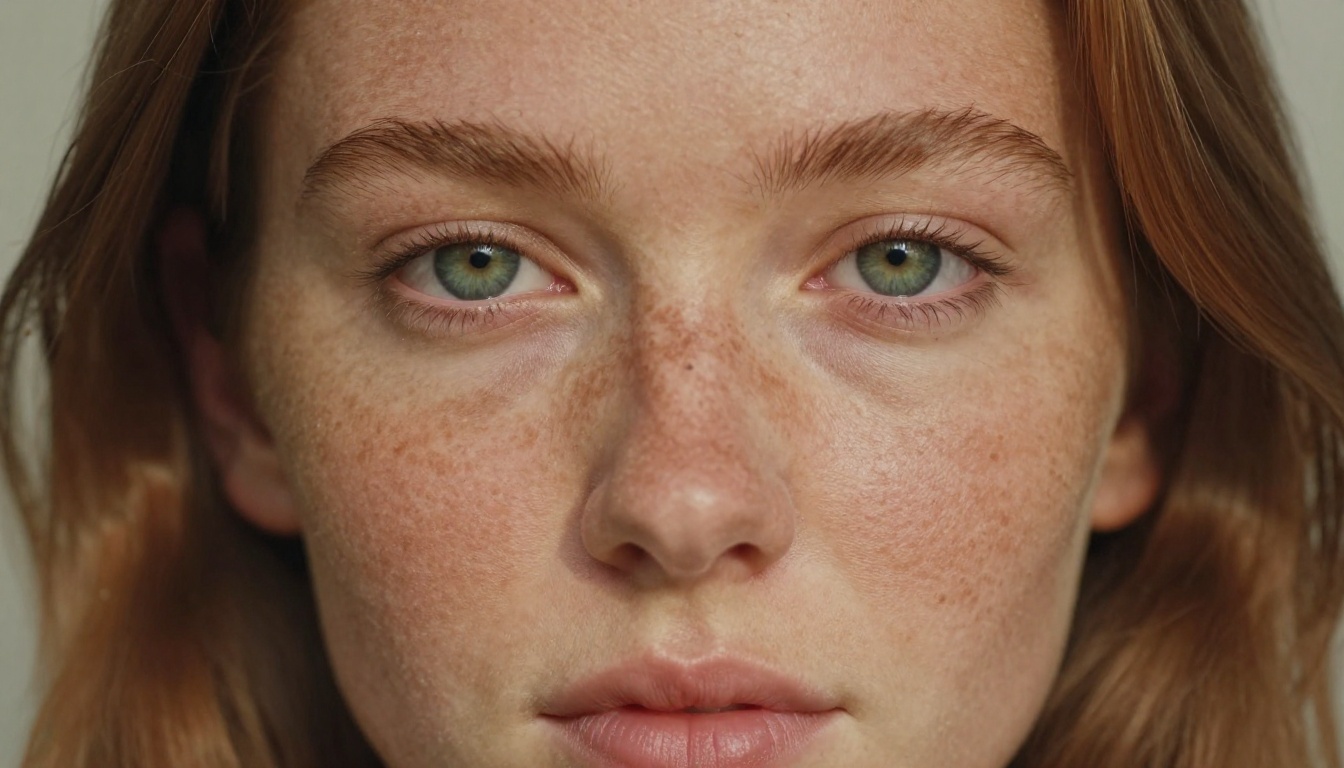
Prompt 1: Freckled Outdoor Portrait
Close-up portrait of a young woman with copper-toned freckled skin and vivid green eyes, looking directly into camera, strands of auburn hair catching warm afternoon window light, 85mm f/1.8 lens, soft diffused daylight from the right side, visible skin micro-texture with natural pores, Kodak Portra 400 film grain, photorealistic RAW 8K --ar 16:9 --style raw
Prompt 2: Golden Hour Café Portrait
A professional woman with dark hair sitting at a café table, golden hour sunlight through large windows behind her, silk cream blouse with visible fabric weave, 85mm f/1.4 portrait lens, shallow depth of field, volumetric warm morning light from the left, Kodak Portra 400 film grain, photorealistic RAW 8K --ar 16:9 --style raw
💡 What makes these work: The combination of a specific focal length (85mm), a film stock reference (Kodak Portra 400), and directional light (from left or right) tells the model exactly what kind of image you want. Vague prompts produce vague results.
Studio Beauty Shots
For beauty and close-up portrait work, controlled studio lighting prompts outperform natural light descriptions because they give the model a clear, unambiguous lighting diagram to work from.
Prompt 3: Rembrandt Beauty Portrait
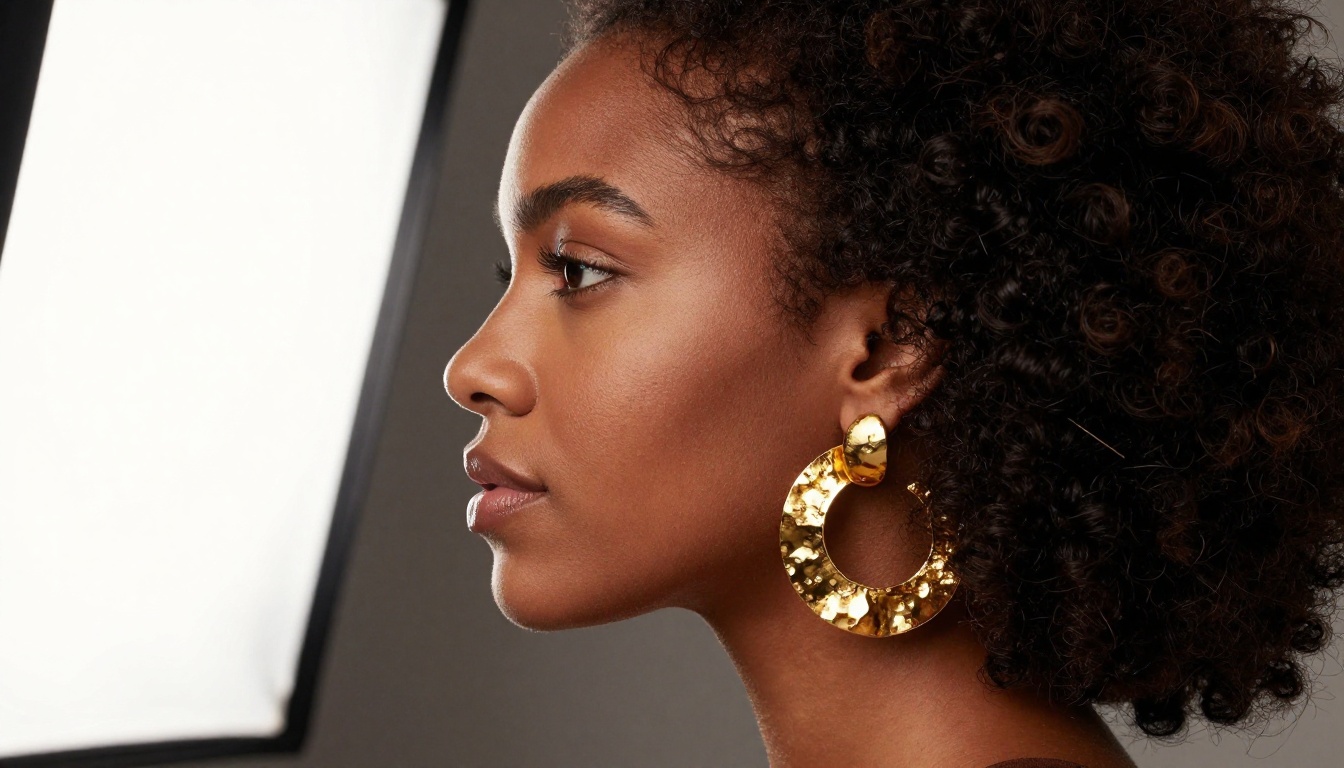
Three-quarter profile beauty shot of a woman with a full natural afro, wearing a hammered gold earring, flawless deep mahogany skin with visible micro-texture, precisely shaped eyebrows, nude-glossy lip, 85mm f/1.4 lens, large soft-box light from the left side creating Rembrandt lighting with a triangular shadow under the right eye, photorealistic RAW 8K --ar 16:9 --style raw
Prompt 4: Soft Diffused Studio
Front-facing portrait of a middle-aged man with silver-streaked hair and a short beard, wearing a navy linen shirt, fine skin texture with laugh lines, 50mm f/2.0 lens, broad diffused softbox lighting from above, slight under-eye shadow, natural grey background with gentle gradient, photorealistic RAW 8K --ar 16:9 --style raw
Landscape and Nature Prompts
Landscape work is a different challenge from portraits. The model needs to handle scale, atmosphere, and complex natural textures all at once. The prompts that work best here are specific about weather conditions, time of day, and camera position.
Golden Hour Outdoor Scenes
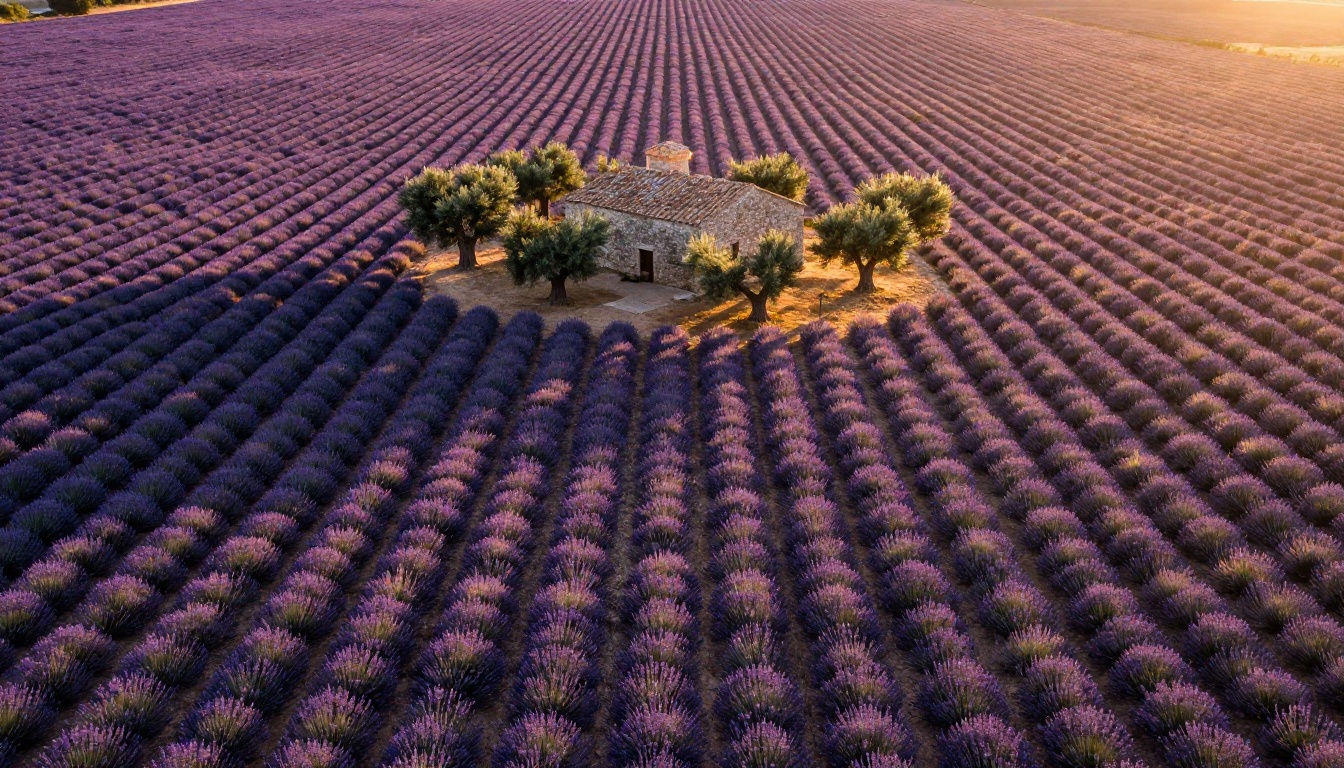
Prompt 5: Lavender Fields from Above
Aerial drone view of endless lavender fields in Provence, France, during golden hour, perfectly symmetrical rows of deep purple lavender stretching to the horizon, a stone farmhouse with terracotta roof tiles in the middle distance, warm amber raking light casting long parallel shadows between rows, fine dust particles in the air catching sunlight, 24mm wide-angle lens, photorealistic RAW 8K --ar 16:9 --style raw
Prompt 6: Mountain Lake at Dawn
Wide-angle shot of a still alpine lake at dawn, mirror-perfect reflection of snow-capped mountain peaks in the calm water surface, thin morning mist hovering just above the waterline, dense pine forest on the far shore catching first light, 20mm f/8 lens, silky water texture, Kodak Ektar 100 film grain, photorealistic RAW 8K --ar 16:9 --style raw
Wildlife Photography Style
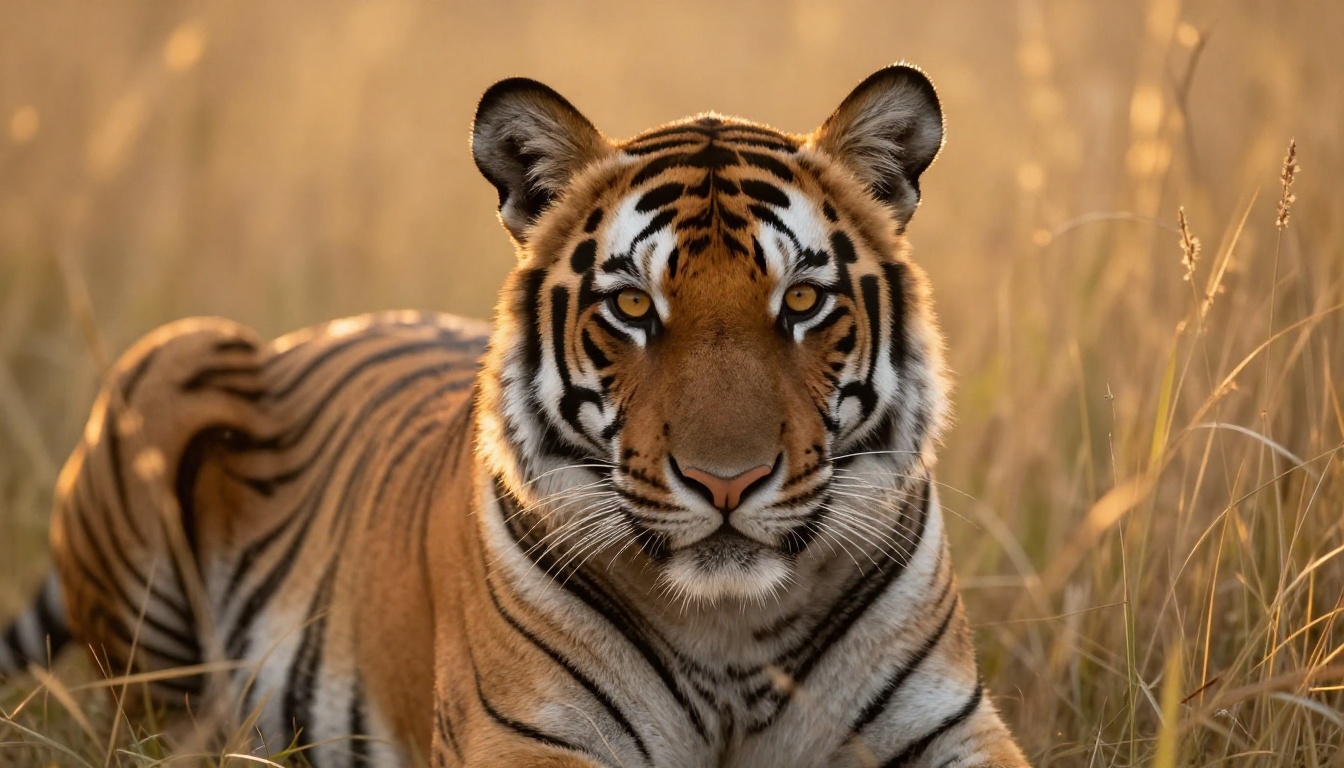
Prompt 7: Big Cat in the Wild
Close-up wildlife shot of a Bengal tiger resting alert in tall golden savanna grass at dusk, piercing amber eyes looking directly at camera, every individual hair strand in the striped fur rendered in precise detail, warm golden dusk light creating a luminous rim light halo along the tiger's back and ears, 400mm f/5.6 telephoto lens, very shallow depth of field, Kodak Ektar 100 film grain, photorealistic RAW 8K --ar 16:9 --style raw
💡 Telephoto lens references (300mm to 600mm) are your shortcut for that compressed, shallow-depth wildlife photography look. Pair with a film stock name for analog warmth.
Architecture and Urban Prompts
Urban and architectural prompts are where many AI models stumble, producing distorted geometry or physics-defying reflections. Nano Banana 2 handles structural integrity better than most models at its speed class.
City Skylines and Buildings
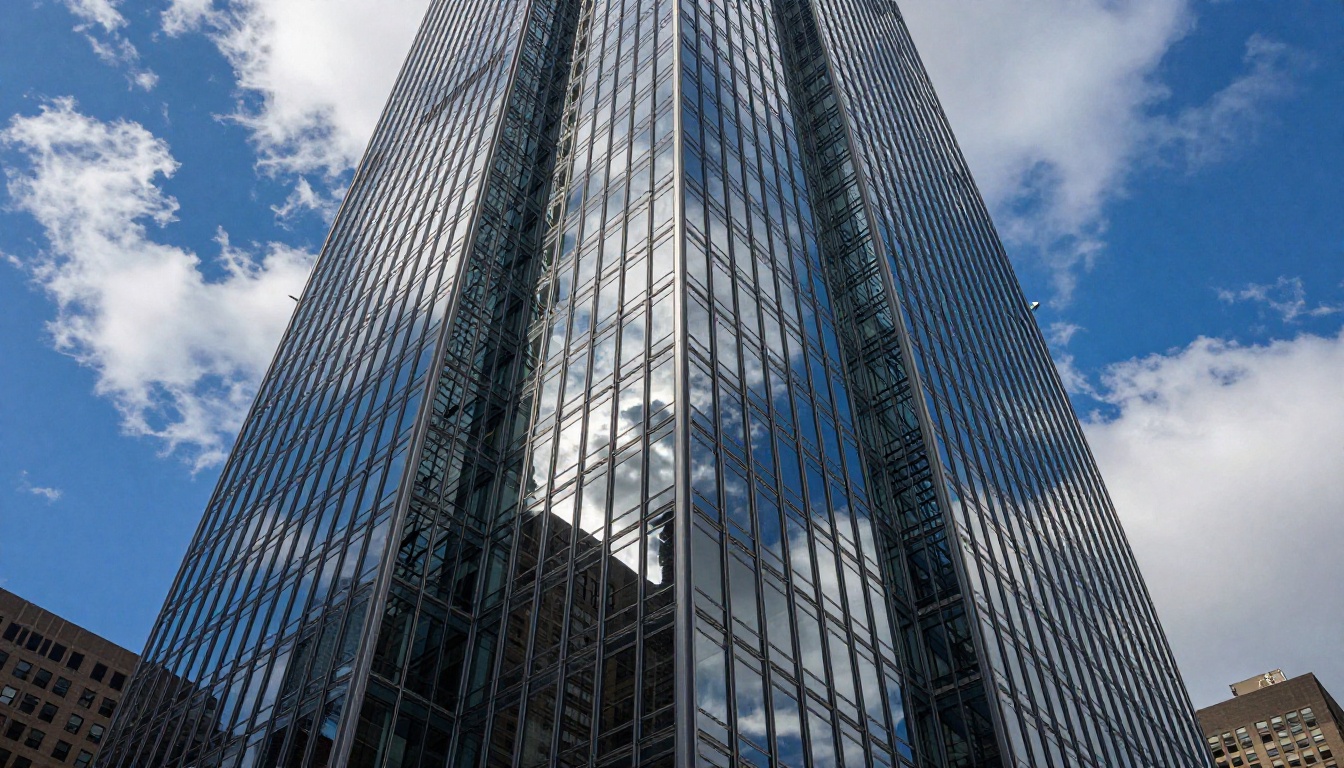
Prompt 8: Skyscraper Low Angle
Dramatic low-angle shot looking sharply upward at a modern glass and steel skyscraper in downtown Manhattan, facade reflecting scattered cumulus clouds and deep blue sky across hundreds of glass panels, sharp geometric grid of steel beams, late afternoon sun at 45 degrees creating bold contrast between lit and shadowed panels, 16mm ultra-wide lens with converging vertical lines, photorealistic RAW 8K architectural photography --ar 16:9 --style raw
Prompt 9: Historic Alley at Dusk
Wide shot of a narrow medieval cobblestone alley in Prague at dusk, warm amber gas-style lamp light casting golden pools on worn stone pavement, ivy-covered stone walls on both sides with peeling plaster revealing brick underneath, a lone figure walking away from camera in the distance, 35mm f/2.8 lens, atmospheric blue-hour sky visible at the end of the alley, photorealistic RAW 8K --ar 16:9 --style raw
Street Photography at Night
Prompt 10: Tokyo Night Crossing
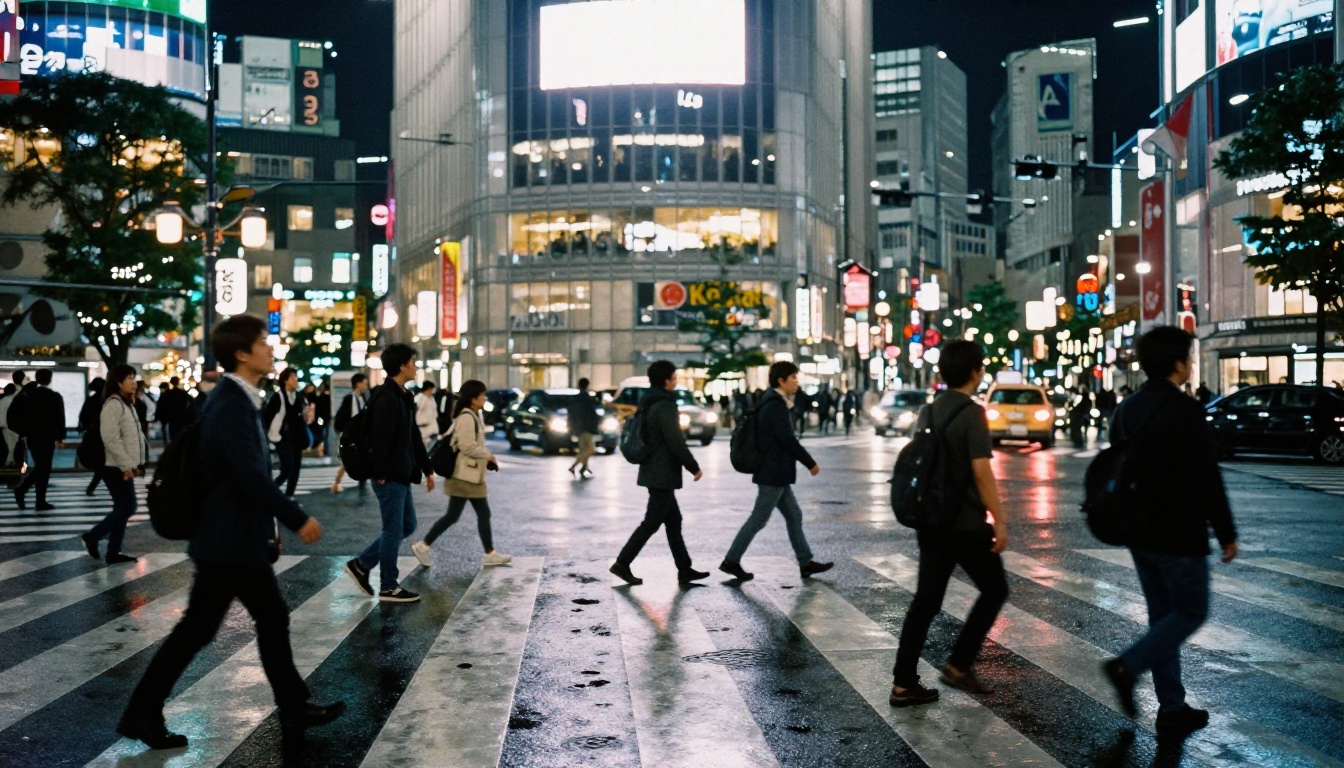
Street-level nighttime shot of a busy Tokyo Shibuya-style crossing, dozens of commuters mid-stride, illuminated Japanese storefronts casting multi-colored reflections shimmering in long streaks on rain-wet asphalt, 35mm f/1.8 lens, natural urban ambient lighting from storefronts and streetlamps, Kodak Tri-X 400 film grain with high contrast blacks, photorealistic RAW 8K street photography --ar 16:9 --style raw
Fashion and Glamour Prompts
Fashion and glamour photography is one of the most requested use cases for AI image generators. Nano Banana 2 handles fabric texture, dynamic poses, and outdoor fashion scenarios particularly well.
Outdoor Fashion Shoots
Prompt 11: Rooftop Evening Gown
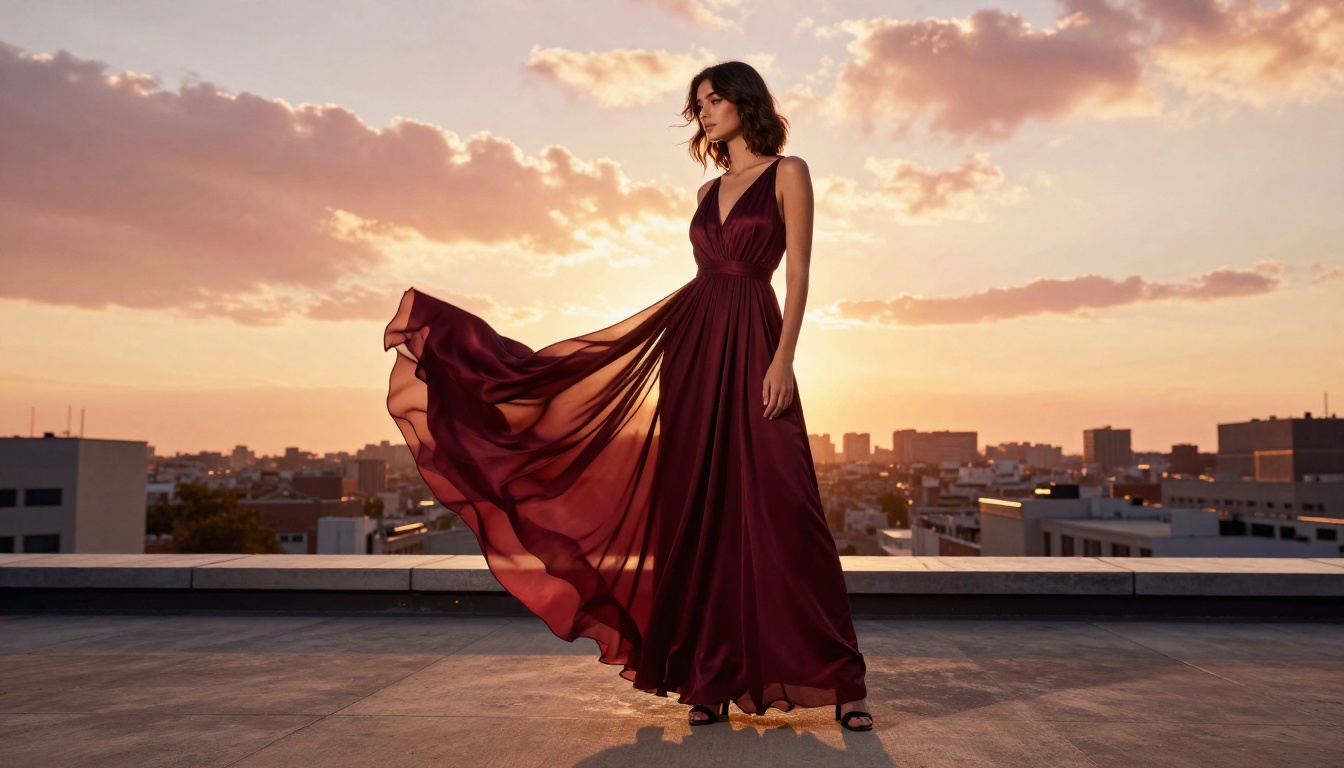
Full-body fashion shot of a woman in a flowing deep burgundy silk chiffon evening gown on a rooftop terrace at sunset, panoramic city skyline behind her with warm orange and pink clouds, fabric billowing gently in the evening breeze showing layered texture and translucency of silk, natural loose waves catching backlight, strong golden rim light outlining her silhouette, 50mm f/2.0 lens, Kodak Portra 400 film grain, photorealistic RAW 8K fashion photography --ar 16:9 --style raw
Prompt 12: Beach Editorial
Editorial fashion shot of a woman in a white linen beach coverup walking barefoot along a wet shoreline at golden hour, wave foam washing over her feet, fine wet sand with visible individual grains, sheer fabric catching warm backlight revealing the silhouette beneath, hair blowing across her face, 85mm f/2.0 lens, warm Kodak Gold 200 film grain, photorealistic RAW 8K --ar 16:9 --style raw
Cinematic Atmospheric Scenes
Prompt 13: Rainy Paris Night
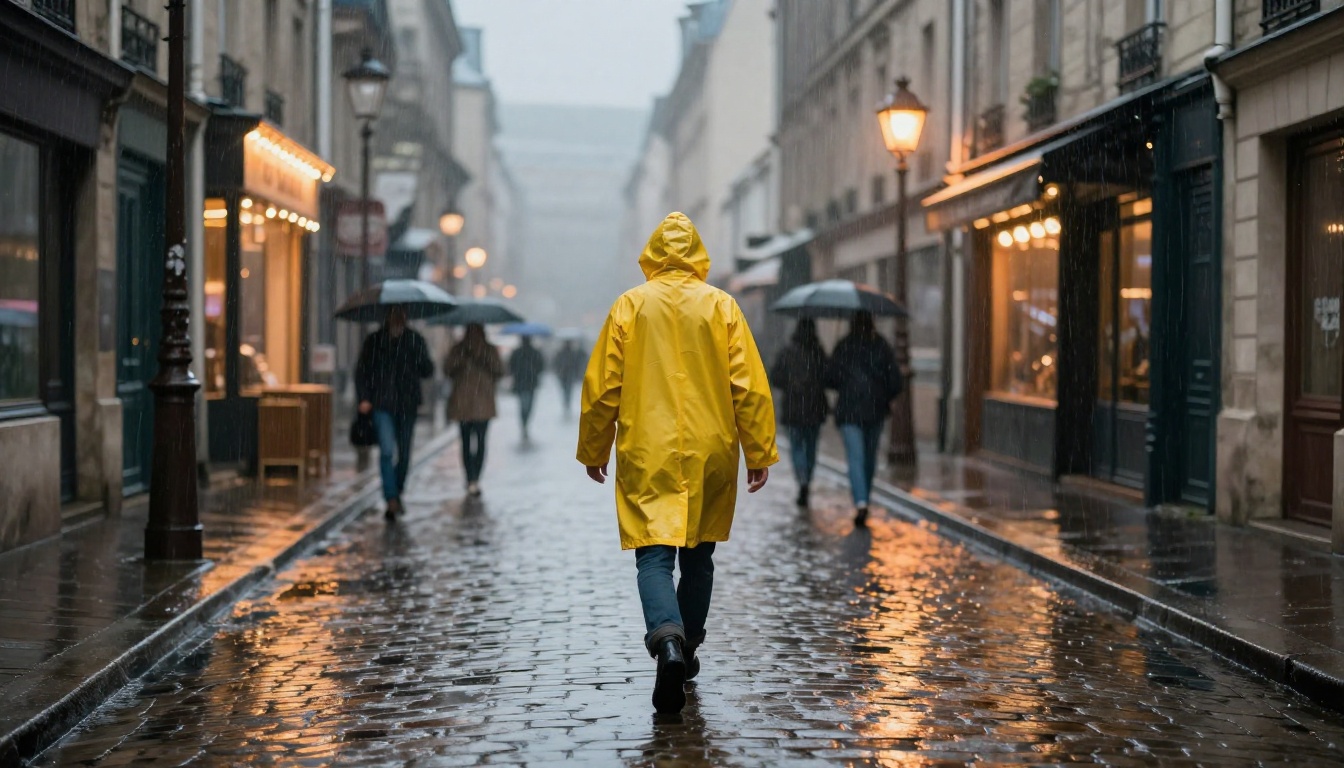
Medium-wide shot of a lone figure in a bright yellow rubber raincoat walking through a narrow cobblestone Paris street during heavy evening rain, puddles reflecting warm amber café signs in shimmering elongated streaks, rain streaks visible in the foreground illuminated by a streetlight, blurred umbrellas in the background wrapped in atmospheric grey fog between Haussmann buildings, 35mm f/2.0 lens, Kodak Portra 400 film grain, photorealistic RAW 8K --ar 16:9 --style raw
How to Use Nano Banana 2 on PicassoIA
Using Nano Banana 2 on PicassoIA takes less than two minutes to set up and runs entirely in the browser with no downloads or installations required.
Enter your prompt: Paste any prompt from this article into the prompt field. Start with the portrait prompts for the most predictable results.
Set aspect ratio: For most photography-style content, use 16:9 for landscape orientation or 9:16 for portrait format social media posts.
Run the generation: Click generate and wait for the result. Nano Banana 2 typically completes in under 10 seconds.
Iterate: If the result is close but not quite right, adjust one specific element of your prompt rather than rewriting the whole thing. Change the lighting direction, swap the film stock, or add a texture detail.
Parameter Tips for Better Results
Parameter
What to Do
Prompt length
Aim for 50 to 80 words for complex scenes
Lens reference
Always include (e.g., 85mm f/1.8)
Film stock
Add Kodak Portra 400, Ektar 100, or Tri-X
Light direction
Specify left, right, above, or backlit
Style suffix
End with --style raw for photorealism
Aspect ratio
Use --ar 16:9 for widescreen output
💡 Pro tip: If your prompt is generating results that feel too synthetic with overly smooth skin or artificially perfect lighting, add "film grain, analog photography, slight lens imperfections" to the end of your prompt. This pushes the model toward a more organic, realistic look.
Prompt Formulas That Work Every Time
The prompts in this article all follow the same underlying formula. Once you internalize it, you can build effective Nano Banana 2 prompts for virtually any scene.
Environment: "sitting in a warmly lit bookshop with wood shelving in the background"
Lighting: "soft window light from the right side creating a gentle shadow gradient on the left cheek"
Camera: "85mm f/1.8 lens with creamy background bokeh"
Texture: "visible skin micro-texture, natural pores, no makeup"
Film: "Kodak Portra 400 film grain"
Resolution: "photorealistic RAW 8K --ar 16:9 --style raw"
Put it all together:
Close-up portrait of a young woman sitting in a warmly lit bookshop with wood shelving in the background, soft window light from the right creating a gentle shadow gradient on the left cheek, 85mm f/1.8 lens with creamy bokeh, visible skin micro-texture, natural pores, no makeup, Kodak Portra 400 film grain, photorealistic RAW 8K --ar 16:9 --style raw
What to Avoid in Your Prompts
Avoid
Instead Use
"Realistic photo" (vague)
"photorealistic RAW 8K --style raw"
"Beautiful lighting" (vague)
"volumetric morning light from the left"
"Nice background" (vague)
"soft bokeh background, blurred foliage"
"High quality" (generic)
"Kodak Portra 400 film grain, 85mm f/1.4"
Long lists of subjects
One focused subject per prompt
The pattern is specificity. Every vague word in your prompt is a place where the model will make a guess. Give it fewer guesses to make by being explicit about what you actually want.
💡 Combine models for better output: Start with Nano Banana 2 for fast iteration, then run your best result through Super Resolution to push the output to print-ready quality without regenerating from scratch.
Start Creating Your Own Images
You now have over a dozen production-ready prompts and a formula to build as many more as you need. Nano Banana 2 is live on PicassoIA and ready to run any of the prompts in this article right now.
Start with the portrait prompts if you are new to the model. They are the most forgiving and give you immediate feedback on how the model responds to lighting and lens instructions. Once you get comfortable, move to landscape and architecture where you can play with scale, atmosphere, and time of day.
When you are ready to push results further, the platform also has Nano Banana Pro for higher-fidelity outputs, Flux 2 Pro for exceptional detail work, and Imagen 4 for cases where only the absolute best output will do. The models are all accessible from the same interface, so switching between them for comparison takes seconds.
The formula works. The prompts work. Now it is your turn to put them to use.