Artlist started as a royalty-free music library, but it has grown into a broad creative asset platform with stock footage, sound effects, and AI tools baked in. The problem? A full Artlist subscription costs between $199 and $499 per year depending on the plan. For solo creators, that price is steep, especially when free AI image and video generation tools exist right now that produce results Artlist's library simply cannot match: they create brand-new visuals on demand rather than licensing existing ones.
What Artlist Actually Charges You For
Before comparing alternatives, it helps to understand what Artlist offers and what you are actually paying for. Artlist's core strength has always been music licensing: unlimited downloads, royalty-free tracks for YouTube, Instagram, and commercial work. But when you look at their AI and visual tools, the value proposition shifts considerably.
The Real Price Tag
Artlist's plans break down like this:
| Plan | Price | What You Get |
|---|
| Free | $0 | 5 assets/month, watermarked |
| Creator | $199/year | Unlimited music, limited footage |
| Music Pro | $239/year | Commercial music rights |
| Teams | $499+/year | Multi-seat access |
The "free" tier is more of a trial than a functioning creative tool. Five watermarked assets per month will not carry a serious project. And once you need commercial rights, you are locked into paying annually regardless of how frequently you actually use the platform.
Where Free Stops
Artlist's AI image and video generation is locked behind paid tiers. If you are a solo creator, freelancer, or someone experimenting with content, you hit walls fast: resolution caps, watermarks, monthly generation limits, and commercial use restrictions unless you are on a paid plan.
That is the gap that free AI image and video platforms fill. When you generate images and videos with AI tools, you are not pulling from a finite stock library. You are creating original content that did not exist before you typed a prompt.
💡 The real alternative to Artlist is not another subscription. It is access to generative AI tools that create visuals from text prompts, meaning you are never limited to what someone else shot.
Free AI Image Generation in 2027
The AI image generation space has expanded rapidly. Models that would have cost thousands of dollars in compute time two years ago now run free or near-free on consumer hardware and cloud platforms. The quality is no longer the question. The question is which tools give you free access to models worth using.
Text to Image Without a Subscription
Free AI image generation works differently than a stock library. Instead of browsing pre-made photos, you type a description and the model renders a new image that has never existed before. This matters for Artlist alternatives because:
- No licensing worries: You created the image with a prompt, so there are no rights tied to a photographer or stock library.
- Custom visuals: Your exact creative vision, not a compromise from available stock.
- Instant iteration: Adjust the prompt and regenerate in seconds instead of browsing thousands of options.
- Style consistency: Generate a whole set of images with the same visual language, something stock libraries cannot guarantee.
For creators who need 10 unique images for a campaign, generating them with AI takes less time than licensing 10 stock photos and ensuring they all look cohesive.
3 Models Worth Trying First
Not every free model is worth your time. These three deliver professional-quality output without requiring a subscription:
GPT Image 2 by OpenAI produces some of the most photorealistic results available today. Its strength is in following complex, multi-element prompts with high accuracy. You can access GPT Image 2 directly on PicassoIA, and the output quality consistently rivals professional photography for product shots, portraits, and lifestyle imagery.
Flux Redux Dev by Black Forest Labs excels at generating image variations from an existing image plus a text prompt. It is particularly useful for creating consistent visual styles across multiple assets in a campaign. Find it at Flux Redux Dev on PicassoIA when you need visual coherence across a set.
Qwen Image Edit Plus is built for editing and refining existing images with text instructions. Rather than regenerating from scratch, it applies targeted changes while preserving what works. Try Qwen Image Edit Plus when you have a strong base image and need adjustments without starting over.
Free AI Video Generation That Actually Works
Video is where things get more interesting as a free Artlist alternative. Artlist's video library is high-quality but finite and pre-licensed. AI video generation creates new footage from text descriptions or still images, and several models now offer genuinely usable free tiers with resolution and quality that work for real production.
What Text to Video Can Do for Free
Text-to-video models have matured significantly in 2027. The best free options produce smooth motion, realistic lighting, and coherent subjects for clips ranging from 5 to 10 seconds. For social content, YouTube b-roll, and promotional material, that is often all you need.
Wan 2.7 T2V generates 1080p video from text prompts and sits among the strongest free-tier options currently available. The model handles outdoor scenes, motion sequences, and atmospheric footage with consistent quality.
Wan 2.1 1.3B generates 5-second video clips at no cost. For short-form content and social clips, 5 seconds is often the sweet spot: enough to establish mood, show motion, or create a loop that works on repeat.
LTX 2 Fast from Lightricks is built for speed. If your workflow involves high-volume iteration and you need a video rendered in near real-time, LTX 2 Fast delivers output faster than most alternatives at comparable quality.
Luma Ray Flash 2 540p is Luma's free-tier offering, generating 540p videos from text prompts. For web and mobile content, 540p is entirely usable, especially when combined with an AI video enhancement tool to upscale afterwards.
Seedance 2.0 Fast from ByteDance is worth highlighting for its handling of fast motion and dynamic scenes. If you are generating sports, action, or high-energy content, Seedance handles motion blur and velocity better than most competing free models.
Image to Video on Zero Budget
Image-to-video is one of the most practical workflows for creators replacing Artlist stock footage. You take a still image (even one you generated with a text-to-image model) and animate it into a video clip. The result looks like original footage because, in a meaningful sense, it is.
This workflow replaces the traditional stock footage search entirely. Generate your image with a text-to-image model, animate it with an image-to-video model, and you have original footage at zero cost.
PicassoIA Has Both, for Free
PicassoIA puts over 91 text-to-image models and 106 text-to-video models in one place with free access to many of them. That is a significant structural difference from Artlist, which curates a fixed library of pre-made assets. On PicassoIA, the content available to you scales with what AI models can produce.
The platform covers a full creative production stack:
- Text to Image: 91+ models including photorealistic, portrait, landscape, and product generators
- Text to Video: 106+ models including cinematic, portrait, abstract, and documentary styles
- Video Editing: Cut, stylize, and enhance generated clips within the same platform
- Super Resolution: Upscale generated images up to 4x their original dimensions
- Background Removal: Clean outputs ready for compositing directly into other projects
- Face Swap: Realistic instant face swaps for portrait and character work
- Lipsync: Sync AI avatar mouths to any audio track for talking head content
- AI Music Generation: Create original audio tracks from text prompts, which directly replaces Artlist's core music library offering
That last point matters: PicassoIA's AI Music Generation tools mean you can replace Artlist's licensed music library with generated tracks tailored specifically to your content, at no licensing cost.
How to Generate Your First Image
The workflow on PicassoIA is straightforward. Pick a model, type your prompt, click generate. Here is a practical example using GPT Image 2:
- Open the model page on PicassoIA
- In the prompt field, describe your subject with specifics: lighting direction, setting, mood, camera angle, and surface texture
- Select 16:9 for landscape content or 9:16 for vertical social formats
- Click generate and wait 15 to 30 seconds for the render
- Download the image at full resolution with no watermark
💡 Prompt tip: Include lighting direction ("morning light from the left"), camera lens ("85mm f/1.8"), and texture detail ("visible skin pores, fabric weave") in your prompts. These specifics push photorealistic models to produce significantly sharper outputs that look genuinely photographed rather than generated.**
How to Generate Your First Video
For video, the Wan 2.7 T2V model is a strong starting point for beginners:
- Write a scene description that includes what is happening, the environment, camera movement, and lighting conditions
- Describe camera motion explicitly: "slow push-in," "static wide shot," "subtle handheld drift"
- Add atmospheric detail: "morning mist," "golden hour backlight," "overcast diffused light"
- Click generate and expect a 10 to 30 second render time
- Download the clip for direct use in editing software like Premiere, DaVinci, or CapCut
For image-to-video, upload a source image to Wan 2.7 I2V, add a motion description, and the model animates the still into a clip. This is directly comparable to shooting footage of a scene, except the scene was AI-generated from a prompt in the first place.
Side-by-Side: Free Options Compared
Here is how PicassoIA's free tier stacks up against Artlist's free tier and common alternatives for both image and video.
Image Quality Breakdown
| Platform | Free Images/Month | Resolution | Watermark | Commercial Use |
|---|
| Artlist | 5 | Limited | Yes | No |
| Adobe Firefly (free) | 25 credits | Standard | No | Limited |
| Canva AI (free) | 50 credits | 1080px | No | Limited |
| PicassoIA (free models) | Generous credits | Up to 4K | No | Check terms |
| Midjourney | 0 (no free tier) | — | — | — |
💡 Key advantage: PicassoIA's free credits cover multiple generation attempts across different models. Because each image is created fresh, you are never using a visual that thousands of other creators have already licensed and published.
Video Quality Breakdown
| Platform | Free Videos | Max Resolution | Duration | Watermark |
|---|
| Artlist (free) | 5/month | 4K (watermarked) | Stock clips only | Yes |
| Runway (free) | 3 generations | 720p | 4 seconds | No |
| Kling (free) | Limited | 720p | 5 seconds | No |
| PicassoIA (free models) | Variable | Up to 1080p | 5 to 10 seconds | No |
The PicassoIA free tier covers multiple video model options, meaning you can switch between models depending on the type of footage you need without hitting a hard cap on a single tool.
When Free Is Genuinely Enough
Not every production needs a paid creative asset subscription. There are clear use cases where free AI tools completely replace Artlist for both image and video work.
For Social Media Creators
Social media content has strict practical requirements: fast turnaround, format flexibility across square, vertical, and horizontal orientations, and constant novelty. Stock libraries struggle with novelty. The same stock footage used in one viral video gets recognized and mentally associated with that video by audiences indefinitely.
AI generation solves this structural problem. Every piece of content you create is unique. For Instagram posts, YouTube thumbnails, TikTok b-roll, and short promotional clips, the combination of a text-to-image model like GPT Image 2 and a fast video model like Seedance 2.0 Fast produces a complete visual content pipeline at no cost.
A typical social content workflow using only free PicassoIA tools:
- Generate thumbnail image with GPT Image 2
- Animate it with Wan 2.7 I2V for a motion version
- Use AI Music Generation for a background track
- Remove background with the background removal tool for a clean cutout
- Upscale with Super Resolution for crisp output at any size
Total subscription cost: $0.
For Indie Filmmakers
Indie filmmakers often use Artlist specifically for its video library: aerial shots, atmospheric footage, crowd scenes. These are expensive to shoot independently and are commonly sourced from stock. AI video generation now covers most of these needs:
- Atmospheric environmental footage: rain, fog, ocean, forest canopies, city streets at night
- Abstract transitions and motion backgrounds for title sequences
- Location establishing shots with specific architecture or landscapes
Kling v2.6 produces cinematic-grade motion sequences that hold up to professional scrutiny for short clips. Pixverse v6 handles portrait-forward video well, producing character-focused atmospheric shots with natural skin tones and realistic motion.
For establishing shots that would have required a location scout, permits, and a drone operator, these models produce usable results in under a minute.
Writing Prompts That Actually Work
The quality gap between free AI tools is often less about the model and more about the prompt. A weak prompt on a strong model produces mediocre results. A precise, detailed prompt on the same model produces something you would pay for.
Image Prompt Tricks
Use camera language: Models trained on photography data respond to lens specifications, aperture, film stock, and lighting terminology. "Kodak Portra 400, 85mm f/1.4, morning window light" produces dramatically better skin tones and compositional depth than "photorealistic portrait."
Describe texture explicitly: "Visible pores on skin," "grain in the wooden surface," "individual fibers in the fabric." These specifics force the model to add micro-detail rather than averaging surfaces to a smooth, AI-looking finish that immediately reads as synthetic.
Anchor the composition: "Rule of thirds, subject occupying left third of frame" or "close-up macro shot, subject filling 80% of frame" gives the model clear compositional intent rather than leaving it to default framing.
Avoid vague quality words: "Beautiful," "stunning," and "amazing" mean nothing to a model. "Warm, low-angle afternoon light hitting cheekbones from the left side" is specific, executable, and produces a concrete visual result.
Add film grain deliberately: Including "subtle film grain, Kodak Portra 400 emulation" in any photorealistic prompt shifts the output away from the clean, over-sharp look that signals AI generation to most viewers.
Video Prompt Tricks
Video prompts need motion intent that image prompts do not require. Adding camera movement description is the single most impactful change you can make to a video prompt. Without it, most models default to a nearly static clip that looks like a still image with minor environmental movement.
| Without Motion Description | With Motion Description |
|---|
| "Ocean at sunset" | "Ocean at sunset, slow pull back from water surface to horizon, subtle wave motion and spray in foreground" |
| "City street at night" | "City street at night, static wide shot, pedestrians walking in and out of frame, taxi passing left to right" |
| "Forest interior" | "Forest interior, gentle handheld drift forward through trees, morning mist rising from ground level" |
The second prompt in each row produces a clip that looks intentionally shot. The first produces something that looks like the model tried to animate a photograph.
💡 For Wan 2.7 T2V and Seedance 2.0, adding "cinematic 24fps, shallow depth of field, anamorphic lens flare" to any prompt noticeably improves the film-like quality of the final clip.
Start Generating Right Now
Artlist solved a real problem when it launched: creators needed affordable, rights-cleared assets. But its model is a library, and libraries are finite. AI generation is not a library. It is a system that builds exactly what you describe, on demand, every time.
The tools available through PicassoIA's free tier right now produce images and videos that would have required a professional photographer, a drone operator, or a significant stock licensing budget just two years ago. For social media creators, indie filmmakers, freelance designers, and brand teams working within tight budgets, that shift is substantial and immediate.
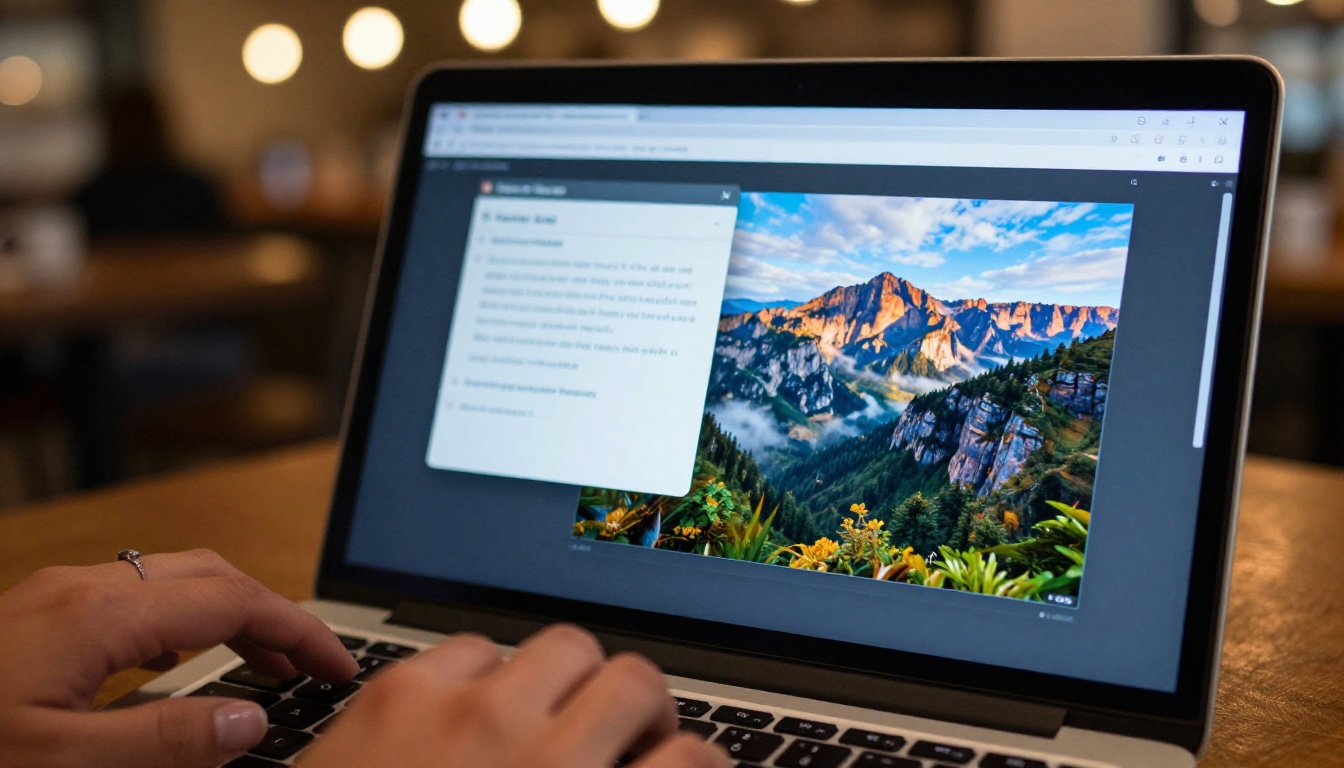
The workflow is not complicated. Pick a model. Write a detailed prompt using the techniques above. Generate. Iterate. Download.
For images, GPT Image 2 is the strongest photorealistic starting point. For video, Wan 2.7 T2V handles the widest range of scene types reliably. Both have free access on PicassoIA, and both produce output at a quality level that makes an Artlist subscription genuinely optional for the first time.
The only thing limiting your output is the prompt you type next.


