Picking a free NSFW AI image generator is harder than it looks. Dozens of platforms promise unrestricted output, but most hit you with aggressive filters, credit paywalls, or output quality so poor it barely qualifies as art. This breakdown puts the top free options side by side so you can see exactly what each one delivers, where each falls short, and which one fits your specific workflow, before you commit your time to learning a new tool.
What Actually Matters in an NSFW Generator
Not every AI image tool is built the same. Before comparing platforms, it helps to know which metrics actually separate a useful tool from a frustrating one.
Output Quality vs. Speed
The tension between quality and speed is real. Faster models like SDXL Lightning 4Step can produce an image in under 4 seconds, but that speed comes with trade-offs: softer skin textures, less accurate anatomy, and limited fine detail on fabric or hair. Quality-first models like Flux Dev take longer but deliver images where you can see the individual weave pattern on lace or the subsurface scattering of light through skin.
For NSFW content specifically, quality matters more than in general image generation. Poorly rendered anatomy is immediately noticeable and breaks the realism that makes these images compelling. A 12-second wait for a photorealistic result beats a 3-second render of something that looks anatomically broken.
Censorship and Filter Levels
This is the real dividing line between tools. Some platforms have hard-coded safety filters that cannot be disabled. Others give you partial control through "safety toggles." A few genuinely run without restrictions when used on the right platform.
The models themselves often carry no filters. The filters live in the platform, not the model weights. This is why the same Stable Diffusion model can produce wildly different results depending on which interface you use it through. Running it locally or through a platform that doesn't apply inference-level filtering gives you full access to what the model was trained on.
💡 Tip: Always check whether a platform's filter is applied at the inference level or the API level. Inference-level filters affect every generation regardless of prompt wording.
The Free Tier Reality Check
What "Free" Actually Means
"Free" in the AI image generation world usually means one of four things:
- Free credits that run out fast (often 10-50 images before you hit a paywall)
- Free with watermarks stamped on every output
- Free but slow queue times that stretch to 15+ minutes during peak hours
- Genuinely free through open-source models you run locally or on platforms that monetize through ads or freemium upsells
The tools worth your time sit in that last category. Platforms that give real access to models like Flux Schnell or DreamShaper XL Turbo without burning through a credit allowance are where you want to invest your workflow.
Rate Limits and Queue Times
Free tiers almost always throttle you. The numbers to watch:
| Platform Type | Typical Free Limit | Queue Time |
|---|
| API-based web app | 10-30 daily generations | 2-8 seconds |
| Credit-based platform | 50-100 lifetime credits | 1-5 seconds |
| Community GPU pool | Unlimited (slow) | 3-20 minutes |
| Self-hosted (local GPU) | Unlimited | Hardware-dependent |
Queue time and daily limits together determine real-world usability. A tool that gives you 30 generations per day at 3 seconds each is far more practical than one that promises "unlimited" access at 20-minute queue times during peak hours.
Stable Diffusion remains the foundation of most free NSFW image generation. It's open-source, widely fine-tuned, and has an enormous community of model creators producing NSFW-specific checkpoints that run on the base architecture.
SDXL and Its Variants
SDXL was a generational leap when it launched. At 1024x1024 native resolution, it produces images with significantly more detail than its SD 1.5 predecessor. For NSFW content, SDXL handles complex compositions better and produces more anatomically accurate results with less prompting effort.
Stable Diffusion 3.5 Large takes this further. It uses a Multimodal Diffusion Transformer architecture that dramatically improves prompt adherence. You can write longer, more specific prompts and actually get what you asked for. This matters enormously for NSFW generation where the specifics of pose, clothing, lighting, and expression need to match your vision precisely.
For fast iteration, Stable Diffusion 3.5 Large Turbo cuts generation time in half with only a modest quality penalty. It's the right choice when you're testing prompt variations and don't want to wait full generation times on each experiment.
Fine-Tuned Models That Shine
The most capable free NSFW tools are fine-tuned checkpoints trained on curated datasets of photorealistic imagery. These models inherit the SD or SDXL architecture but have been specifically optimized for realistic skin, accurate lighting, and better human anatomy.
Realistic Vision v5.1 is one of the most downloaded fine-tunes in the community's history. It was explicitly optimized for photorealistic human subjects and produces output that rivals mid-range photography in terms of skin tone accuracy and subsurface scattering. Dark skin tones, previously a weakness of many models, render significantly better on Realistic Vision compared to base SDXL.
RealVisXL v3.0 Turbo brings this photorealism to the XL architecture with added speed. The turbo designation isn't marketing here. Actual generation times run 40-60% faster than standard RealVisXL without a significant quality drop for most use cases.
Proteus v0.3 sits at the intersection of realism and artistic stylization. It's excellent for glamour and editorial-style NSFW imagery where you want beautiful, detailed output that carries a slight aesthetic polish rather than looking like a clinical photograph.
Flux Models for Realistic Output
The Flux family from Black Forest Labs represents the current state of the art in free NSFW generation for photorealism. These models use a flow-matching architecture that produces fundamentally different output than diffusion-based models for human subjects, with better anatomical coherence and more natural skin rendering.
Flux Dev vs Flux Schnell
Flux Dev is the quality tier. Distilled from the full Flux Pro model, it outputs images with exceptional detail, accurate anatomy, and strong prompt adherence even for complex compositions. For NSFW generation specifically, Flux Dev handles realistic fabric drape, accurate skin subsurface lighting, and natural body proportions in ways that SDXL-based models can struggle with.
Flux Schnell is the speed tier. It generates images in 1-4 steps instead of the usual 20-50, making it 5-10 times faster than Flux Dev. The trade-off is visible but not catastrophic. Fine details suffer and very complex prompts may not fully render. For quick ideation or when you have a large batch to generate, Schnell is the practical choice.
💡 Tip: Use Flux Schnell for prompt testing. Once you have a composition you're happy with, switch to Flux Dev for the final high-quality render.
Flux 1.1 Pro is technically a paid model but accessible within platforms that include free credits. It's 2-3x better than Flux Dev in realism and prompt accuracy. If you have credits available, it's worth using for final renders.
When LoRA Changes Everything
LoRA (Low-Rank Adaptation) files are small fine-tune adapters that attach to base models and shift their output toward a specific style, subject, or aesthetic. For NSFW generation, LoRAs are how you get hyper-specific results that base models alone can't achieve.
p-image-lora combines the fast p-image base with LoRA support, letting you apply community-trained adapters for specific aesthetics, lighting styles, or subject types. Flux Dev LoRA does the same with the Flux Dev base, giving you Flux-quality photorealism with LoRA-powered style control stacked on top.
The practical result: a model that generates beautiful but generic images becomes one that consistently hits your specific vision, whether that's a particular photographic aesthetic, outfit type, or lighting style. Consistency across a batch improves dramatically when a LoRA anchors the style.
Speed-Focused Options
Not every generation session requires maximum quality. When testing compositions, iterating on prompts, or generating reference images for later refinement, speed-optimized models are the right tool.
Turbo and Lightning Models
DreamShaper XL Turbo is a community favorite for fast NSFW generation. It combines the stylistic versatility of the DreamShaper fine-tune lineage with SDXL Turbo speed. The output leans slightly toward the artistic rather than purely photorealistic, which works beautifully for glamour-style content with a polished, intentional feel.
SDXL Lightning 4Step uses consistency distillation to generate reasonable quality output in just 4 diffusion steps, roughly 1-2 seconds per image on capable hardware. For high-volume generation where you'll be selecting from dozens of outputs, this is a legitimate production workflow.
Playground v2.5 sits in an interesting middle ground. Trained with a focus on aesthetic quality rather than raw speed, it produces images that look intentionally beautiful rather than just technically accurate. For NSFW content with an editorial or high-art feel, Playground v2.5 outputs feel curated rather than generated.
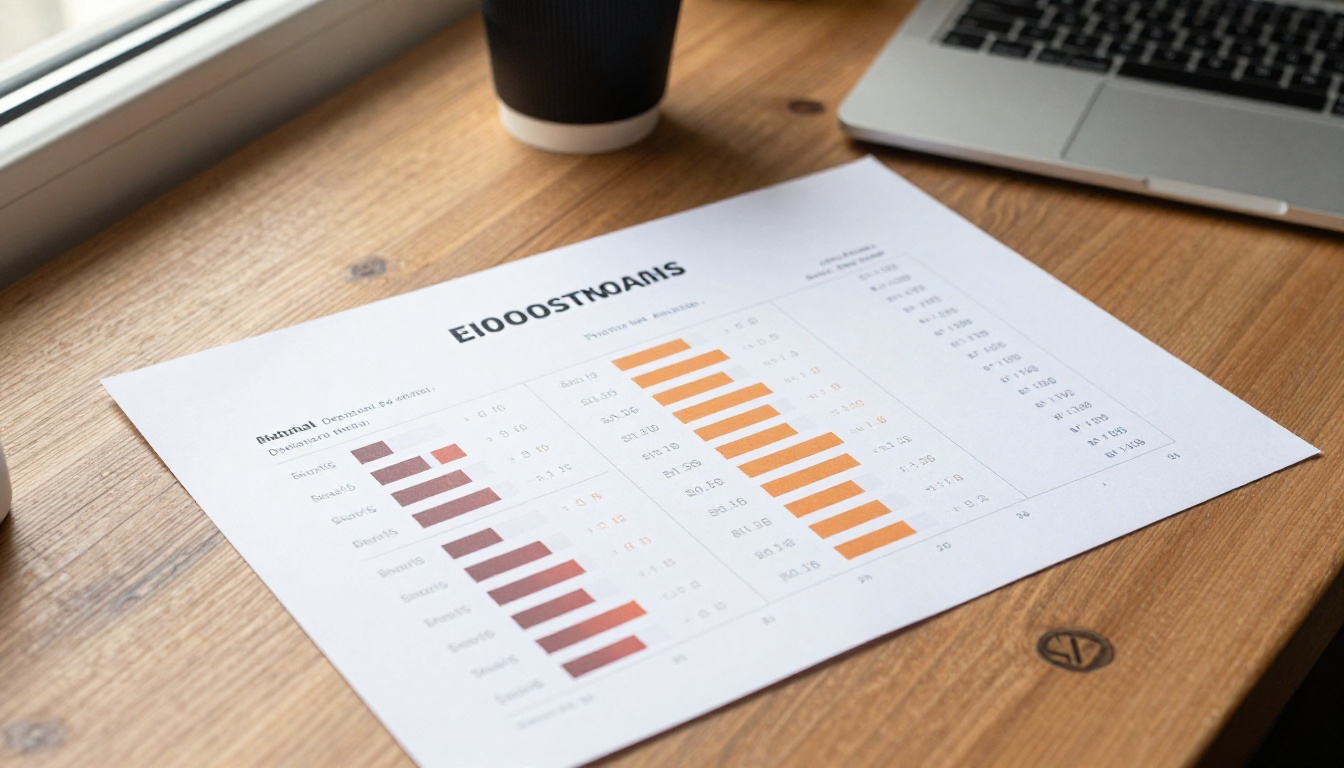
Side-by-Side Comparison
How to Use NSFW Models on PicassoIA
PicassoIA gives you access to all the models in this comparison without needing a local GPU, a complex local install, or a paid API subscription. The free tier is genuinely usable for real creative work, and the platform runs inference on high-end hardware so your results are as good as running the same model locally on a top-tier setup.
Step-by-Step on PicassoIA
- Go to PicassoIA and create a free account (no credit card required)
- Navigate to the Text to Image collection from the main menu
- Select your model. Start with Flux Dev for quality or Flux Schnell for speed
- Write your prompt with specific details: subject, clothing, pose, setting, lighting direction, and camera angle
- Set your aspect ratio. 16:9 for landscape scenes, 9:16 for portrait-oriented subjects, 1:1 for square compositions
- Click Generate and wait for the result to render
Getting the Best Results
The difference between a mediocre and excellent output usually comes down to prompt quality, not model choice.
What works:
- Specific lighting descriptions: "volumetric afternoon light from the left, warm golden hour tone" beats "good lighting" every time
- Camera lens details: "85mm f/1.4 shallow depth of field" tells the model to create pleasing background separation
- Texture specifics: "fine lace fabric with visible thread detail" gives the model something concrete to render rather than guessing
- Scene anchoring: Describe the environment as specifically as the subject. A vague background produces generic results.
What doesn't work:
- Vague descriptors like "beautiful" or "attractive" with no physical specifics attached
- Contradictory instructions in the same prompt ("dark dramatic shadows, bright natural light")
- Stacking 20+ style tags that spread the model's attention too thin
💡 Tip: For consistent style across a batch, use p-image-lora or Flux Dev LoRA with a community-trained style adapter. You get consistent aesthetic across every image without writing every style detail into each prompt.
If your initial outputs have anatomy issues, switch to Realistic Vision v5.1. It was specifically fine-tuned on high-quality human reference photography and consistently produces better body proportions in difficult poses compared to base SDXL.

The Numbers That Matter
After testing across all these models, a few patterns emerge that don't always appear in surface-level comparisons.
Anatomy accuracy is the hardest problem in NSFW generation. Models trained on real photography consistently outperform those trained on mixed datasets. Realistic Vision v5.1 and Flux Dev are the top performers, with RealVisXL v3.0 Turbo close behind.
Prompt adherence determines whether your specific vision appears in the output. Stable Diffusion 3.5 Large scores highest here due to its Transformer architecture. Flux models rank second. SDXL-based models require more prompt engineering to hit precise compositions.
Batch consistency matters if you're generating multiple images with the same subject or scene. Flux models with LoRA support (Flux Dev LoRA) win this category decisively. Base models with no LoRA produce noticeably varied output even with identical prompts and similar seeds.
Free access depth varies significantly across platforms. PicassoIA provides free access to models that other platforms charge per-generation for, including the full Flux family, Realistic Vision v5.1, and DreamShaper XL Turbo. The cost-per-image on premium API platforms adds up fast during an active creative session, making a platform with genuinely free access worth far more than a low per-image price.
Output resolution is a factor that matters most when you plan to print or use images in publications. Stable Diffusion 3.5 Large and Flux Dev both output at high native resolutions without visible artifacting. If you need a print-ready version of a web-resolution generation, PicassoIA also includes super-resolution upscaling models that can scale outputs 2x-4x without the blurring that standard upscaling produces.
Pick Your Model and Start Creating
The right model depends entirely on what you value most. If you want the best possible photorealism, Flux Dev and Realistic Vision v5.1 are the top two picks with no close third. If you want speed without completely sacrificing quality, RealVisXL v3.0 Turbo or DreamShaper XL Turbo give you a solid balance. If you're in prompt-testing mode and need to iterate fast, Flux Schnell or SDXL Lightning 4Step were built exactly for that workflow.
All of these models are available right now on PicassoIA without installing anything, setting up a local GPU, or burning through a credit limit before you've even settled on a preferred workflow. Create a free account, pick a model from the comparison table above, and start generating. The quality differences between models only become fully apparent once you've run the same prompt on several of them back to back. The most useful thing you can do is run the comparison yourself.