If you have been searching for an AI video model that does not automatically refuse adult-adjacent prompts, you have probably landed on the same name everyone else has: Grok Imagine Video. xAI's video generation tool has built a reputation for being more permissive than OpenAI's Sora, Google's Veo, or anything RunwayML produces. That reputation is partially earned. But the full picture is more complicated, and if you actually want to make uncensored AI movies, Grok is only one option, and not always the best one.
This article goes through exactly what Grok Imagine Video does, where its limits actually sit, how it stacks up against every serious competitor in 2027, and where to use all of these models in one place without platform-hopping.

What Grok Imagine Video Actually Does
Grok Imagine Video is xAI's text-to-video model. You type a prompt, the model interprets it, and it renders a short video clip. The output quality is genuinely competitive: motion is smooth, subject consistency holds across frames better than earlier AI video models, and the default resolution is high enough for social media use.
The model runs on xAI's own infrastructure. Unlike Sora or Veo, which sit behind OpenAI and Google's extremely conservative content policies, Grok operates under xAI's more permissive approach to AI moderation, the same philosophy that made Grok's text chatbot stand out for being willing to discuss topics other LLMs deflect.
The Prompt-to-Video Pipeline
When you submit a prompt to Grok Imagine Video, several things happen simultaneously. The model parses semantic intent (what is happening in the scene), spatial logic (where subjects and objects are positioned), and motion trajectory (how the scene should evolve over time). It then renders this as a sequence of frames with temporal consistency, meaning subjects do not randomly morph between cuts.
The practical result is that Grok Imagine Video handles:
- Character-centric scenes with consistent body proportions
- Environment transitions where lighting shifts naturally over the clip duration
- Motion physics including fabric movement, hair, and water with minimal artifact
For general creative use, it is one of the better text-to-video models available right now. For adult content specifically, it goes further than its major competitors, though it is not without limits.
Where the "Uncensored" Label Comes From
The term "uncensored" gets used loosely when people talk about Grok Imagine Video. What it actually means, in practice, is that xAI applies a lighter content filter than OpenAI, Google, or Meta when it comes to:
- Suggestive content featuring adult figures in intimate but non-pornographic situations
- Violence and conflict scenes that mainstream platforms reject
- Dark or edgy creative scenarios that other models flag as potentially harmful
It does not mean fully explicit pornographic content is generated. Grok still blocks hardcore pornography. What it allows is the wide range between "safe for work" and "explicit", which is exactly the territory that most creators actually need: glamour, sensuality, artistic nudity (implied), and mature storytelling without medical-manual sterility.
The State of AI Content Restrictions in 2027
Every major AI video platform in 2027 has content policies. The differences between them are enormous, ranging from OpenAI's near-total ban on suggestive content to xAI's notably wider creative latitude.
Why So Many Platforms Censor Adult AI Video
The censorship is almost never about ethics in isolation. It is about three overlapping pressures:
- App store compliance: Both Apple's App Store and Google Play require apps to enforce strict content rules. Any platform that wants mobile reach has to moderate aggressively.
- Advertiser safety: Platforms running ad-supported models cannot host explicit content without losing brand advertising revenue entirely.
- Legal exposure: In several jurisdictions, AI-generated content depicting certain scenarios creates legal liability regardless of whether a real person is involved.
Platforms like Sora and Veo are built by companies with enormous brand exposure and enterprise clients. One viral scandal involving their AI content is worth hundreds of millions in lost contracts. They restrict aggressively because the downside is too large.
The Workarounds That Actually Work
Before platforms like Seedance 2.0 and Grok Imagine Video existed, users tried prompt obfuscation: replacing direct descriptions with metaphors, using artistic framing, or describing scenes in clinical language. These workarounds are unreliable and time-consuming.
The real solution is using a platform that simply does not apply the same restrictions. Not through jailbreaking, not through tricks, but by choosing models that are designed to handle mature content as a first-class creative category.
💡 The most reliable path to uncensored AI video is using a dedicated platform like PicassoIA that consolidates mature-capable models in one interface.
Grok Imagine Video vs. Every Other AI Movie Maker
The landscape for AI video in 2027 is genuinely crowded. Here is how the main competitors actually compare for anyone interested in mature content creation.
Speed, Resolution, and Consistency
| Model | Resolution | Generation Speed | NSFW Permissiveness | Best For |
|---|
| Grok Imagine Video | 720p–1080p | Fast | High | Suggestive / Mature |
| Seedance 2.0 | 1080p | Medium | Very High | Full mature content |
| Kling v3 Video | 1080p | Medium | High | Cinematic NSFW |
| Pixverse v5.6 | 1080p | Very Fast | Medium-High | Volume creation |
| Wan 2.7 T2V | 1080p | Slow | Medium | Open-source flexibility |
| Sora 2 | 1080p | Slow | Very Low | Mainstream only |
| Veo 3 | 1080p | Medium | Very Low | Mainstream only |
For uncensored creative work, the top three are Grok Imagine Video, Seedance 2.0, and Kling v3 Video. Each has distinct strengths depending on what you are producing.
Pricing Reality Check
Direct API access to Grok Imagine Video through xAI requires a paid subscription. The same applies to Kling, Seedance, and Pixverse individually. Running each through their respective native interfaces means separate accounts, separate billing, and fragmented workflows.
Platforms like PicassoIA consolidate these models under one subscription, which significantly reduces both cost and friction. Instead of paying for five separate services, you access all of them in one place. For high-volume creators, that difference is substantial.
How to Use Grok Imagine Video on PicassoIA
PicassoIA hosts both Grok Imagine Video and Grok Imagine R2V (the image-to-video variant), which means you can use either approach without leaving the platform.
Step-by-Step: Text to Video with Grok Imagine Video
- Go to the Grok Imagine Video model page on PicassoIA.
- Write your prompt in the text field. Be specific: describe the subject, setting, action, mood, and camera movement.
- Select your target resolution. For social media use, 720p is sufficient. For professional output, go 1080p.
- Hit generate. The model typically returns results within 30–90 seconds depending on queue depth.
- Download the resulting MP4 directly or continue editing within PicassoIA's video editing tools.
💡 Tip: The more cinematic your language, the better your results. Instead of "woman dancing at night," try "close-up slow-motion shot of a woman in a silver dress spinning under warm amber stage lighting, shallow depth of field, 85mm lens."
Using Grok Imagine R2V for Image-Based Movies
Grok Imagine R2V takes a reference image as its starting frame and animates it according to your motion prompt. This is useful when you need tight control over the subject's appearance: face, body, outfit, setting.
The workflow:
- Generate or upload a source image with your preferred subject.
- Open Grok Imagine R2V and upload the image.
- Write a motion prompt describing what happens in the 5-second clip.
- Generate and review. The model respects the reference image closely, so your subject stays consistent.
This is particularly effective for creators who need repeatable character consistency across multiple video clips, which is one of the hardest problems in pure text-to-video generation.

The Best Uncensored AI Video Models Right Now
Grok Imagine Video gets most of the search traffic, but the three models below are what serious creators actually use for uncensored content production in 2027.
Seedance 2.0: The High-Volume NSFW Standard
Seedance 2.0 from ByteDance is the most widely used model for mature AI video creation. Its advantages are significant:
- Higher tolerance for adult-adjacent content than almost any other major model
- 1080p output with native synchronized audio baked into generation
- Strong temporal consistency: subjects maintain proportions, faces stay recognizable across frames
- Speed: Seedance 2.0 Fast offers rapid generation for iteration-heavy workflows
For creators producing glamour, sensuality, or mature storytelling content at scale, Seedance 2.0 is the working standard. It handles suggestive scenarios with a naturalness that Grok Imagine Video sometimes lacks when pushing content limits.
Kling v3: Cinematic Quality at Any Content Level
Kling v3 Video from Kwai delivers some of the best motion quality in the industry. Where other models struggle with complex choreography or multi-subject scenes, Kling v3 handles them with noticeably fewer artifacts.
For creators who want cinematic-quality mature content, rather than just "good enough for social," Kling v3 is the answer. Kling v2.6 is also available for faster turnaround when the full cinematic pipeline is not required.
Key advantages:
- Best-in-class motion realism for human subjects
- 1080p output with excellent lighting transitions
- Supports image-to-video for reference-based generation workflows
Pixverse v5.6: Speed and Volume Production
Pixverse v5.6 sits in a different niche from Kling and Seedance. It is faster, less nuanced, but reliable for creators who need to output high volumes of clips quickly. For social media content production where 50+ clips per day is a target, Pixverse v5.6 hits a different price-per-output ratio that the heavier models cannot match. Pixverse v5 is also available for even faster generation at slightly reduced resolution.
💡 For serious content creators: Use Seedance 2.0 for quality, Pixverse v5.6 for speed, and Kling v3 Video for cinematic output that needs to stand alone.
Prompt Writing That Gets Real Results
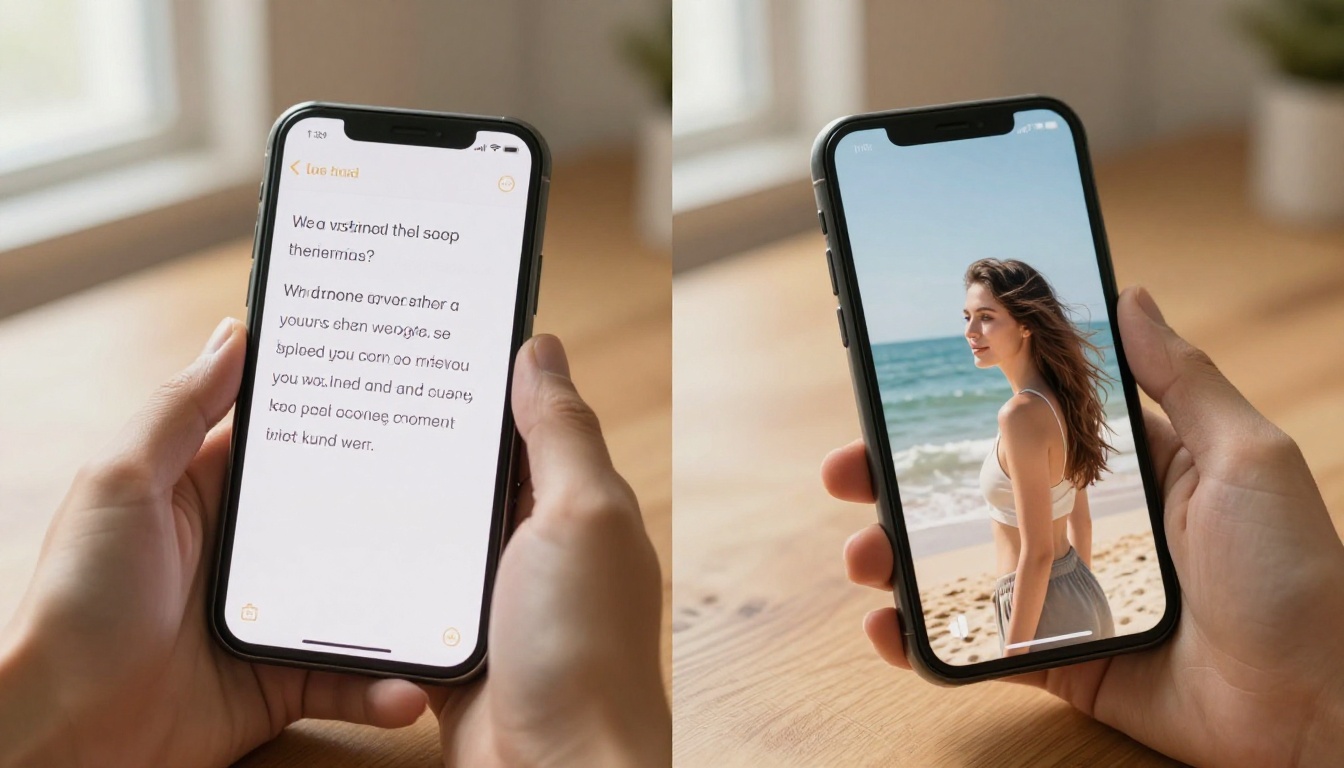
The quality gap between a weak prompt and a strong prompt for AI video is enormous. Especially for mature content, vague prompts trigger filters even on permissive models, while specific, cinematic prompts pass through cleanly and produce better output.
The Formula for Mature AI Video Prompts
A strong mature-content prompt has five components:
- Subject description: Who is in the scene, their physical details, what they are wearing
- Setting: Where the scene takes place, including environmental specifics (lighting quality, time of day, location type)
- Action: What is happening, described as motion rather than state ("slowly turns toward camera" not "standing")
- Camera specification: Lens type, angle, movement (dolly, pan, static), depth of field
- Mood and texture: Lighting quality, film grain, color temperature, atmosphere
Example of a weak prompt: "woman at the beach in a swimsuit"
Example of a strong prompt: "medium shot of a woman in a red swimsuit walking slowly along the shoreline at golden hour, turquoise water behind her, warm 45-degree backlight casting long shadows on wet sand, loose hair catching sea breeze, slow dolly-in from left, 85mm f/1.8, Kodak Portra warmth, photorealistic"
The second prompt passes filters more cleanly, generates better-looking output, and is specific enough that the model has clear instructions for every visual parameter.
Words That Trigger Filters (And What to Use Instead)
Even on permissive models, certain word choices can cause unnecessary rejections. The pattern is usually anatomical directness versus cinematic description:
| Problematic Phrasing | Cinematic Alternative |
|---|
| "nude" | "implied nudity," "artistic undress," "bare shoulder" |
| "sex scene" | "intimate scene," "romantic encounter," "passionate moment" |
| "explicit" | "uncensored," "unfiltered," "raw" |
| Direct anatomy terms | Body-positive descriptive language, clothing specifics |
The goal is not deception. It is communicating the same creative intent in language that matches how cinematographers actually describe their work, which is also how AI models interpret prompts most accurately.
Where to Actually Create Uncensored AI Movies
You can use Grok Imagine Video directly through xAI, but the workflow limitations are real. You cannot quickly switch to Seedance 2.0 when Grok's output misses on a particular scene. You cannot immediately try the same prompt in Kling v3 Video for comparison. You are locked into one model per platform.
PicassoIA solves this. With over 87 text-to-video models and access to every model referenced in this article, PicassoIA is the practical answer for creators who need creative freedom without platform fragmentation.
What you get in one place:
The full catalog is available at picassoia.com/en/all-models.

The Right Model for Every Use Case
The question is not "which model is best." It is "which model is best for this specific output." Here is the short version:
Every one of these models is available right now at PicassoIA. Pick the one that fits your project, generate a test clip, compare outputs, and iterate. That is the actual workflow for creators who produce uncensored AI movies in 2027 at a professional level.
The era of content filters defining what AI can create is ending. Models like Grok Imagine Video cracked that door open. Platforms like PicassoIA built the room on the other side. Go see what you can create.


