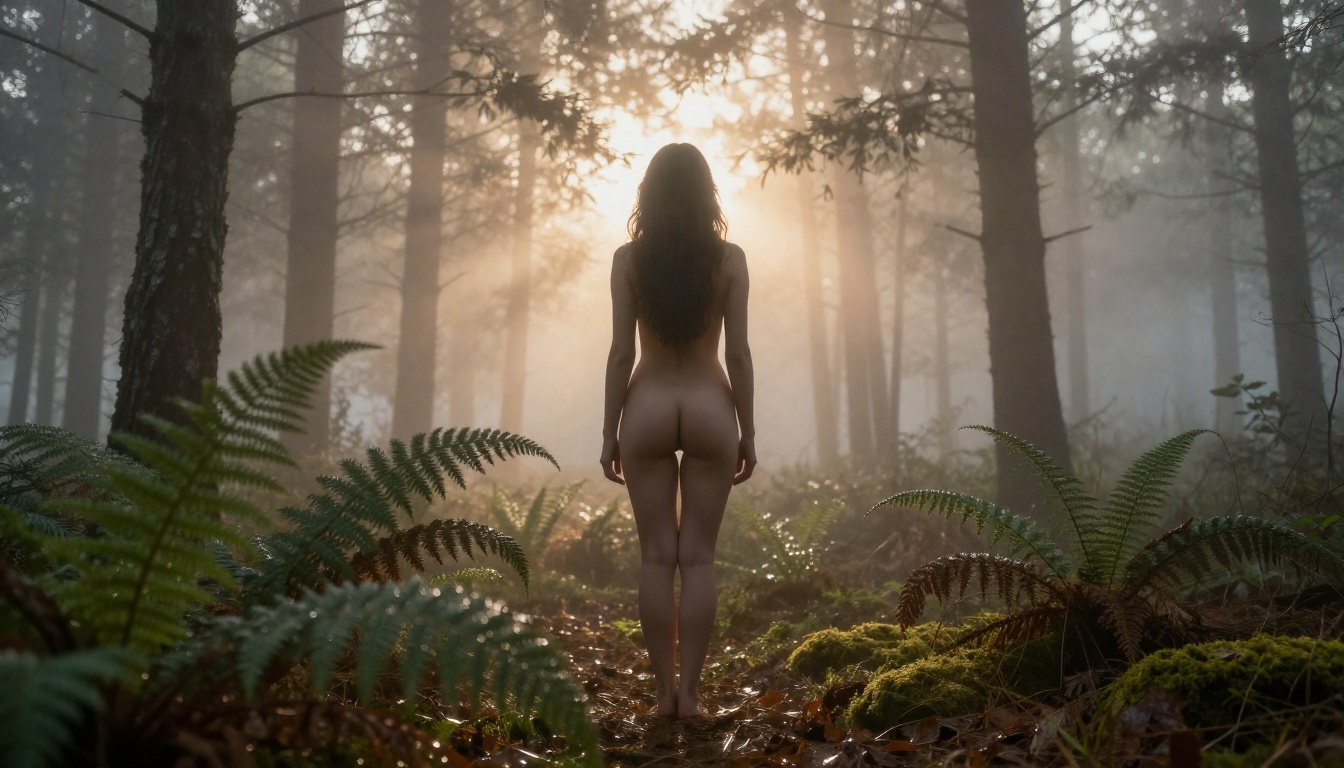
NSFW AI Generator That Does Not Need Login: Real Tools That Actually Work
Stop wasting time with registration walls. The best NSFW AI generators that do not need login give you instant access to photorealistic adult art, multiple uncensored models, and private generation sessions without creating an account. This breakdown shows which platforms work, which models produce the best results, and how to write prompts that actually deliver.
The fastest way to kill creative momentum is a registration wall. You want to generate something, and the tool demands an email, a verification link, and sometimes a paid subscription before you can see what it even produces. By the time you finish logging in, the idea has gone cold. NSFW AI generators that do not need login solve this problem entirely. You open the page, type your prompt, and get your first result in under two minutes. No account, no stored data tied to your identity, no credit card required upfront.
This breakdown covers the actual platforms that work, the specific models producing the best photorealistic adult content right now, how to structure prompts for consistent output, and what you should avoid doing.
Why Login Requirements Hurt NSFW Users
Most NSFW AI image generators force registration for specific business reasons: they want your email for marketing, they need to tie usage to an account for billing, and they want to limit what unverified users can access. The result is a fragmented experience where the best models sit behind account walls, verification steps, and paid tiers you cannot evaluate before subscribing.
A no-login NSFW AI generator inverts this entirely. You arrive, you create, you leave. No generation history attached to a named identity. No email sitting in a database permanently linked to your adult content prompts.
Why people specifically want no-login access
Speed: Zero friction from idea to result. No email confirmation, no profile setup, no 12-step onboarding sequence before a single image appears.
Privacy: Adult content is personal. Many creators simply do not want a platform storing every prompt they typed tied to their account indefinitely.
Testing before committing: Before paying for any tool, users want proof of actual output quality. No-login access lets you evaluate models honestly, not through marketing screenshots.
Anonymity by default: No-login use means content history is not tied to a persistent, named profile, which is the primary concern for most adults generating this type of material.
No data profiling: Without an account, platforms cannot build a behavioral profile of your generation habits over time.
What no-login really means in practice
The term ranges from fully anonymous access (no cookies, no tracking) to "no required account" where the platform still logs IP and session data. The distinction matters. Most no-login tools still collect anonymous telemetry for server management purposes. The practical benefit is that your content history is not tied to a named account, which is the main privacy concern for the majority of users generating adult material. You are not truly invisible, but you are also not building a permanent, identity-linked record.
Seedream 4.5: The Best Starting Point
Seedream 4.5 by ByteDance is the strongest model currently available on PicassoIA for NSFW photorealistic content. It produces 4K-resolution images with exceptional skin texture rendering, accurate human anatomy, and natural lighting response that most competing models cannot match at this quality level.
What makes Seedream 4.5 stand out specifically for adult content:
4K native resolution: Output at this resolution captures fine skin detail, fabric texture, and lighting nuance that lower-resolution models miss entirely. The difference between 512px and 4K for NSFW content is the difference between "AI art" and "photograph."
Prompt adherence: Seedream 4.5 follows complex, multi-element prompts accurately. If you specify lighting direction, clothing material, skin tone, and camera angle, the model incorporates all four rather than defaulting to a generic interpretation.
Natural human anatomy: Proportions, hands, and facial structure rank among the most accurately rendered of any model in this category. The persistent problem of distorted hands and unnatural proportions is significantly reduced.
Speed at quality: Despite the 4K quality ceiling, generation times remain competitive with faster but lower-quality alternatives.
💡 Critical: Do NOT use Seedream 5 Lite for NSFW content. The 5 Lite version applies content filters that block adult material entirely. Use Seedream 4.5 or Seedream 4 for unrestricted output.
PicassoIA Image Editor Pro: Unlimited Generations
After Seedream 4.5, the second model to prioritize is PicassoIA Image Editor Pro. It offers unlimited generations with no per-image credit cost, which is specifically valuable for NSFW work where iterative refinement across many attempts is the standard workflow rather than the exception.
The unlimited generation model matters more for adult content than for other image categories:
Anatomy precision requires iteration: Getting hands, proportions, and body language right often takes 10-20 generations with prompt refinements between each attempt. Capped credit systems punish this process.
Lighting experimentation: The difference between a photorealistic result and an obviously AI-generated one often comes down to adjusting a single lighting descriptor across multiple runs. You need the freedom to run those tests without calculating cost.
No cost pressure on quality: With limited-credit systems, users stop iterating at "good enough" rather than pushing to "actually photorealistic." Unlimited access removes this constraint completely.
PicassoIA Image is the companion model offering the same unlimited text-to-image access with a slightly different output character, useful when Image Editor Pro's default aesthetic does not match the specific visual tone you need.
Flux Dev by Black Forest Labs renders skin texture, lighting, and body proportions with a level of detail that most closed models cannot approach. It follows detailed prompts accurately, meaning descriptive instructions about pose, lighting angle, and clothing translate directly into the output rather than being approximated into something generic.
Best use cases: Detailed single-subject portraits, boudoir photography style, fashion-adjacent NSFW, artistic implied nudity with strong compositional intent.
RealVisXL v3.0 Turbo: True Photography Style
RealVisXL v3.0 Turbo was explicitly trained on photorealistic human subjects. Skin tones are natural, and it handles complex lighting scenarios, including window light, golden hour, and studio setups, with high accuracy. For NSFW content that needs to read as authentic photography rather than AI art, this model consistently delivers.
Best use cases: Photorealistic skin rendering, natural outdoor lighting, lifestyle-style photography aesthetic, realistic fabric and texture detail.
Flux 2 Pro: Image-to-Image Control
Flux 2 Pro adds reference image support alongside text-to-image capability. For adult content workflows, this means taking an existing generation and evolving it, adjusting angles, clothing, or lighting without restarting the entire prompt from scratch. Paired with Flux 2 Max for the final 4MP high-resolution output, this two-step workflow produces the most polished results available on the platform.
How to Generate Without an Account
The process from first visit to first image takes under two minutes on PicassoIA, and no step requires registration.
Short prompts produce generic output. For NSFW realism, specificity determines everything. Structure every prompt as a photography direction:
[Subject description] + [state or clothing] + [environment] + [lighting direction and quality] + [camera angle and lens] + [film or style anchor]
Example that works:"Beautiful woman with dark curly hair, wearing a sheer ivory bodysuit, standing in a sunlit villa doorway, soft diffused morning light streaming from the right creating warm skin-tone shadows, low-angle 35mm wide shot, Kodak Portra 400 film grain, photorealistic, 8K RAW photography"
Step 3: Set the parameters
Most PicassoIA models expose three parameters that directly affect NSFW output quality:
Guidance scale: Set between 7 and 12. Higher values force stricter adherence to the prompt. For specific poses or outfit details, push this toward 10-12.
Steps: 30-50 steps for maximum realism. More steps produce more detail at the cost of generation time. For a final output worth keeping, 40-50 steps is standard.
Negative prompt: This field suppresses failure modes. A well-written negative prompt immediately improves output quality without changing the positive prompt at all.
Step 4: Generate and refine
Run the first generation. If anatomy, proportions, or lighting are off, add those specific failures to the negative prompt and regenerate. With PicassoIA Image Editor Pro's unlimited generation, there is no financial pressure to stop at a mediocre result.
Prompts That Actually Deliver
Getting consistent photorealistic adult content from AI requires understanding how models interpret instructions. These prompt patterns reliably outperform generic descriptions across every model on the platform.
The photography anchor method
Every effective NSFW prompt frames the scene as a description to a cinematographer, not a request to an art tool. The structure:
Subject specifics first: hair color and texture, skin tone, body type, facial expression
Clothing or state: fabric type, fit, degree of coverage, specific garment details
Environment: interior or outdoor, specific setting, time of day, season
Lighting direction: "volumetric morning light from the upper left" performs significantly better than "good lighting" or "natural light"
Camera angle and lens: "low-angle 35mm wide shot with f/2.8 depth of field" gives the model a specific compositional instruction
Film stock anchor: "Kodak Portra 400 film grain" signals photorealism to most models trained on photography data
Negative prompt essentials for NSFW realism
The negative prompt field is mandatory for photorealistic adult output. Always include:
cartoon, anime, 3d render, cgi, unrealistic, painting, illustration, watermark, text overlay, overexposed, blurry background, extra limbs, distorted anatomy, plastic skin, oversaturated, digital art, concept art
This single field can take a flat, AI-looking result and push it into photorealistic territory without any change to the positive prompt. Most users never use it and wonder why their outputs look artificial.
Common prompt mistakes
What People Write
The Problem
Write This Instead
"sexy woman"
Too vague, model defaults to generic output
Describe specific clothing, pose, environment explicitly
"realistic" alone
Overused term, model weight is diluted
Specify film stock: "Kodak Portra 400, RAW photography"
"naked" as sole descriptor
Triggers safety filters on some models
"artistic implied nudity, fine art photography, editorial"
Stacking 20 adjectives
Confuses model token weighting, details get dropped
💡 Always add these five: film grain, Kodak Portra 400, photorealistic, 8K, RAW photography. These descriptors alone shift output quality toward authentic photography aesthetics and away from the flat, oversaturated look common in AI adult content.
Privacy on No-Login Platforms
Using a no-login generator does not automatically mean private. What data is collected varies significantly between platforms, and most users do not read the fine print before generating.
What platforms typically collect
Even without a registered account, web-based platforms generally log:
IP address: Often anonymized after 24-48 hours, but retained for abuse prevention during that window
Session data: Which models were used, how many generations were run per session
Prompt content: Some platforms store prompts temporarily for moderation review, others retain them for model training datasets
Output images: Stored on CDN infrastructure with TTL windows that vary from hours to weeks
Practical steps for more private generation
Use a VPN to prevent IP-level session identification
Clear browser cookies and local storage after each session
Use private or incognito browser mode to prevent persistent local storage
Avoid including personally identifying information in prompts
Do not share output images that still have EXIF metadata embedded
Web-based vs local: The real tradeoff
Running Stable Diffusion 3.5 Large locally provides maximum privacy. No external server sees your prompts or outputs. But the barrier to entry is concrete: minimum 8GB VRAM GPU required for quality output, model download sizes ranging from 4GB to 15GB or more per model, separate frontend installation (AUTOMATIC1111, ComfyUI, or similar), and ongoing model management. For users with the hardware and patience, local Stable Diffusion remains the most private option.
For everyone else, browser-based access on PicassoIA without mandatory login is the realistic balance between privacy, quality, and convenience.
💡 Note: PicassoIA does not require an account to generate images. Without an account, your generations are not tied to a permanent user profile or stored in a named gallery. This is the practical privacy benefit for the majority of users.
3 Mistakes That Ruin NSFW Output
These three patterns account for the majority of poor-quality NSFW AI results that users attribute to the tool when the actual problem is technique.
1. Prompts are too short
A five-word prompt returns a five-word interpretation. The model fills every unspecified detail with its training defaults. For adult content, those defaults trend toward generic poses, flat lighting, and safe compositional choices. Write 50-100 word prompts. Specify subject, clothing state, environment, lighting direction, and camera angle. Leave nothing to default interpretation.
2. Wrong model for the content type
P Image is the fastest model on PicassoIA and optimized for general use. It produces results in under one second, which is useful for testing ideas quickly. But for NSFW photorealism, Seedream 4.5 or RealVisXL v3.0 Turbo will produce meaningfully better anatomy, skin rendering, and lighting accuracy. Model selection is the single highest-leverage choice in the entire workflow. The right model with an average prompt outperforms the wrong model with a perfect prompt.
3. Skipping the negative prompt
The negative prompt field is not optional for NSFW realism. It is where you actively suppress the model's tendency toward cartoon anatomy, plastic-looking skin, unnaturally saturated colors, and AI art aesthetics. Running any NSFW generation without a negative prompt means accepting all of those defaults. A 20-word negative prompt targeting cartoon, cgi, plastic skin, distorted anatomy, oversaturated can turn a mediocre output into a photorealistic result without any change to the positive prompt. If you are not using it, you are leaving the most powerful quality lever in the interface completely untouched.
Start Creating Right Now
Everything in this article is live on PicassoIA right now, without a signup form, credit card, or waiting period.
Open picassoia.com/en/all-models and select Seedream 4.5 for your first generation. Write a 60-word prompt using the photography anchor method: subject, clothing state, environment, lighting direction, camera angle, film stock. Set guidance scale to 9, steps to 40, and add a negative prompt that suppresses cartoon and CGI aesthetics.
If the first result needs refinement, switch to PicassoIA Image Editor Pro for unlimited iterations at no additional cost. When the composition is right and you want a final high-resolution version, run it through Flux 2 Max for 4MP output.
The full workflow from prompt to photorealistic NSFW output takes approximately 90 seconds on a standard internet connection. No account is needed at any step in the process.
Browse every available model at picassoia.com/en/all-models and see what the full library of 90+ text-to-image models can produce.