The gap between a mediocre chatbot and a genuinely useful AI companion comes down to one thing: whether it can hold a real conversation. Not a scripted one. Not a simple lookup. An actual back-and-forth that adapts to what you just said, remembers context from earlier, and responds in a voice that does not make you wince. In 2027, that standard is finally being met by a handful of apps and platforms that deserve your attention.
Whether you want a productivity co-pilot, a creative sparring partner, or a voice assistant smart enough to actually be useful, the options below are the ones worth your time. Each was evaluated for voice naturalness, response intelligence, memory handling, and how well the underlying language model holds up over a long session.
What Separates Good AI Companions from Mediocre Ones
Most AI companions fail in one of three ways: the voice sounds robotic, the model loses context after a few turns, or the personality is so neutered it becomes useless. The best apps on this list avoid all three.
Voice Latency and Naturalness
Real-time voice chat requires sub-300ms latency to feel like a conversation instead of a phone call with a bad connection. Models like Realtime TTS 1.5 Mini achieve around 120ms, which is genuinely imperceptible. Anything above 500ms breaks the illusion completely.
Memory and Contextual Awareness
A companion that forgets what you said five minutes ago is not a companion. Top apps now use session memory and optional long-term recall that persists across conversations. The large language model underneath does most of this work, and larger models generally handle it better.
Personality and Tone Adaptability
The best companions shift register naturally. They can be casual when you are texting at midnight and precise when you are working through a technical problem at 9am. That flexibility comes from how well the base LLM was trained on diverse human interaction patterns.

The 10 Best AI Companion Apps for Voice and Chat
Here is the ranked list, from broadly capable to specifically excellent.
1. GPT 5 via PicassoIA
GPT 5 is the current benchmark for conversational AI. Its ability to maintain multi-turn context across very long sessions is unmatched, and it handles ambiguous questions with nuance rather than hedging. For voice chat, pairing it with a speech synthesis model creates a companion that is hard to distinguish from a real person in a genuinely good conversation.
Best for: Power users who want the highest reasoning ceiling and need a companion that can handle complex topics without losing the thread.
💡 Access GPT 5 through PicassoIA without managing API keys or separate billing accounts.
2. Claude Opus 4.7 via PicassoIA
Claude Opus 4.7 has a distinct personality that many users find more natural than GPT 5 in casual chat. It reads and processes images and long documents alongside text, making it a proper multimodal companion rather than a text-only chatbot. Its reasoning is careful and it rarely produces confident nonsense.
Best for: Users who have long conversations and want a companion that actually pushes back on weak arguments.
3. Gemini 3.1 Pro via PicassoIA
Gemini 3.1 Pro excels at tasks that involve real-world knowledge synthesis. It handles current events, technical research, and creative work in equal measure. The voice integration via Gemini 3.1 Flash TTS gives it 30 voices across 70+ languages, which makes it the obvious pick if you are working across multiple languages or need to serve a global audience.
Best for: Multilingual users and researchers who need breadth alongside depth.

4. Grok 4 via PicassoIA
Grok 4 takes a different approach: it was built to handle complex scientific and technical reasoning with explicit step-by-step thinking. Where other models try to sound confident, Grok 4 shows its work. That makes it exceptionally good for technical conversations where you want to trace the logic rather than just accept an answer.
Best for: Engineers, scientists, and analysts who want to argue with the AI and follow the reasoning trail.
5. Deepseek R1 via PicassoIA
Deepseek R1 punches well above its weight class in mathematical reasoning and code. It was one of the first open-weight models to seriously close the gap with proprietary models in structured reasoning tasks. For voice and chat companion use, it handles technical Q&A sessions with exceptional accuracy.
Best for: Developers and students who want a companion that can debug code in real-time conversation.
6. Kimi K2.6 via PicassoIA
Kimi K2.6 is purpose-built for agentic tasks, meaning it can not only chat but actually plan and execute multi-step workflows. If you want a companion that books, researches, or organizes things while you talk, this is the model that does it without falling apart mid-task.
Best for: Productivity-focused users who want an AI that does things, not just talks about doing things.
💡 Try Kimi K2.6 and Deepseek R1 side by side on PicassoIA to feel the difference between an agent-optimized model and a reasoning-optimized one.

7. Llama 4 Maverick Instruct via PicassoIA
Llama 4 Maverick Instruct is Meta's flagship open-weight model and it holds its own against proprietary competitors for general chat. It is notably warmer in tone than Deepseek R1 and handles creative conversations, roleplay, and casual chat with more personality. Because it is open-weight, users who care about data privacy tend to prefer it.
Best for: Privacy-conscious users and anyone who wants a capable, open-source-adjacent companion.
8. Deepseek v3.1 via PicassoIA
Deepseek v3.1 is the lighter, faster sibling of Deepseek R1. It trades some reasoning depth for speed, making it better for voice applications where you want snappy, natural-feeling response times. It generates text and handles images, and for everyday chat sessions it is an excellent balance of capability and speed.
Best for: Voice-first users who prioritize response speed over maximum reasoning depth.
9. ElevenLabs v3 for Voice Generation
ElevenLabs v3 is not a chatbot, it is a voice synthesis model, and it is on this list because it powers the most natural-sounding AI voices you will hear in 2027. Combined with any LLM listed above, it creates a companion whose voice is genuinely expressive rather than flat and monotone. It handles prosody, pacing, and emotion in a way that changes the feel of the interaction entirely.
Best for: Users who care as much about how the AI sounds as what it says.
10. Speech 2.8 HD by MiniMax
Speech 2.8 HD produces studio-quality voice output at a competitive cost. It supports voice cloning, so you can have your AI companion speak in a specific voice profile you create or choose from a library. For anyone building a custom AI companion experience, this is the synthesis model to start with as a foundation.
Best for: Builders and power users who want full control over how their AI companion's voice sounds.
Voice Chat vs Text Chat
Most users start with text chat and move to voice once they realize how much faster it is to speak than type. But the choice is not just about speed.
| Factor | Text Chat | Voice Chat |
|---|
| Response precision | High (you can edit before sending) | Lower (speech is harder to edit) |
| Ambient use | Requires screen attention | Hands-free, screen-free |
| Emotional feel | More clinical | More personal |
| Accessibility | Visual input required | Better for vision-impaired users |
| Multitasking | Poor | Excellent |
| Setup complexity | Minimal | Requires TTS model pairing |
Voice chat wins for mobility and emotional connection. Text chat wins for precision and control. The best AI companion setups support both and switch seamlessly.
💡 For the best of both worlds, use a voice-capable LLM like Claude Opus 4.7 with a low-latency TTS model like Speech 2.8 Turbo for real-time voice while keeping text chat as a fallback.
How Speech Models Power Real-Time AI Voice
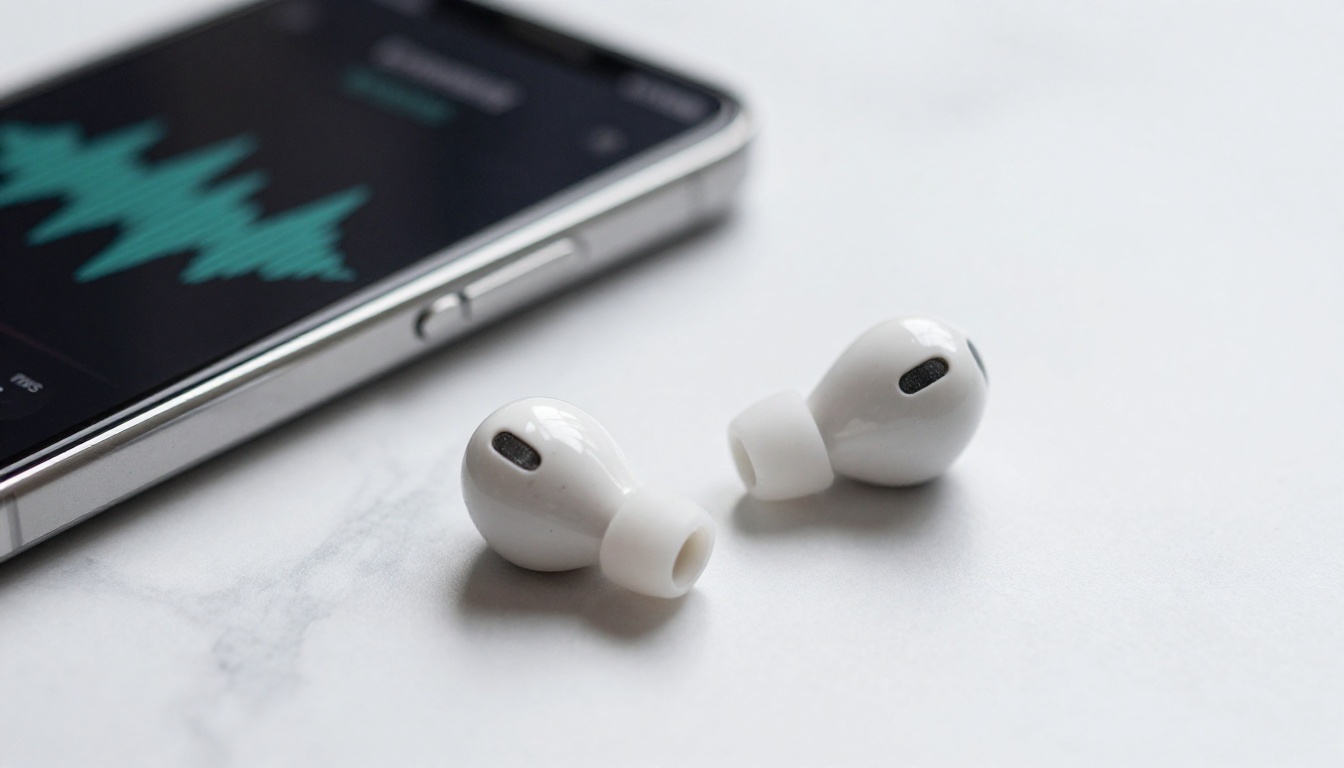
The conversational AI space splits into two components: the intelligence layer (the LLM) and the voice layer (the TTS model). Most apps bundle these together invisibly, but knowing them separately helps you make better choices.
ElevenLabs v3 for Expressive Voices
ElevenLabs v3 is trained on a massive dataset of natural human speech and it shows. It captures emotional coloring, speaking rhythm, and micro-pauses that make synthesized speech feel alive. For AI companion applications where the voice carries the relationship, this quality gap is significant.
Speech 2.8 HD for Studio Quality
MiniMax Speech 2.8 HD targets broadcast-quality output. If you are creating an AI companion for professional use, customer service, or content creation, this is the speech model that holds up under scrutiny. It also pairs with MiniMax Voice Cloning to let you define a consistent voice identity for your companion.
Gemini 3.1 Flash TTS for Multilingual Reach
Gemini 3.1 Flash TTS supports 30 different voices and spans 70+ languages. For international deployments or users who mix languages in the same conversation, this is the speech model that does not fall apart when you switch tongues mid-sentence.

Generating Images During AI Conversations
One of the genuinely useful things AI companions can do in 2027 that they could not do two years ago is generate images mid-conversation. Ask your companion to visualize something you are discussing, draft a concept, or create a reference image, and it can do it in seconds without you leaving the conversation thread.
PicassoIA has 91 text-to-image models available, spanning everything from photorealistic photography to artistic styles. Within a companion chat session, being able to say "show me what that would look like" and get a real image back changes the texture of the interaction. It shifts the companion from a talking assistant to a genuinely creative collaborator.
The same applies to voice generation. AI voice tools like Chatterbox Pro and Play Dialog can produce back-and-forth audio dialogues, not just single voice outputs. For creating audio content, practicing conversational scenarios, or building interactive experiences, that changes what an AI companion can actually mean in practice.

How to Use LLMs as Voice Companions on PicassoIA
PicassoIA gives you direct access to all the models on this list without needing separate subscriptions or API configurations. Here is how the typical workflow runs:
- Go to picassoia.com/en/all-models and select a large language model, such as GPT 5 or Claude 4 Sonnet.
- Start a conversation in the chat interface. The model handles context automatically across the session.
- For voice output, select a speech model like ElevenLabs v3 or Speech 2.8 HD to convert the LLM responses to natural speech.
- For image generation mid-conversation, switch to any of PicassoIA's 91 text-to-image models and return to the conversation with your generated image ready.
- For faster sessions with lower latency, try GPT 5 Mini or Gemini 3.5 Flash.
💡 If you are new to AI companions on PicassoIA, Llama 4 Maverick Instruct is a solid starting point: capable, open-weight, and handles casual conversation naturally without feeling stiff.
Fast-Scan Comparison
For readers who want a quick overview before committing, here is the full picture in one table:
| App / Model | Chat Quality | Voice Support | Speed | Standout Feature |
|---|
| GPT 5 | Excellent | Via TTS pairing | Fast | Best overall reasoning |
| Claude Opus 4.7 | Excellent | Via TTS pairing | Moderate | Multimodal, pushes back |
| Gemini 3.1 Pro | Very Good | Native TTS | Fast | 70+ language voice output |
| Grok 4 | Excellent | Via TTS pairing | Moderate | Scientific step-by-step reasoning |
| Deepseek R1 | Very Good | Via TTS pairing | Fast | Math and code accuracy |
| Kimi K2.6 | Good | Via TTS pairing | Fast | Multi-step task execution |
| Llama 4 Maverick | Good | Via TTS pairing | Fast | Open-weight, warm tone |
| Deepseek v3.1 | Good | Via TTS pairing | Very Fast | Speed for voice applications |
| ElevenLabs v3 | Voice only | Native | Fast | Most expressive voice synthesis |
| Speech 2.8 HD | Voice only | Native | Fast | Studio-quality voice cloning |
Pick Your AI Companion Right Now
The models above are all accessible on PicassoIA today. You do not need to run more comparisons or wait for something better to appear. Pick one based on what matters to you, run a real conversation for 10 minutes, and see what sticks.
If you want the best raw conversational AI, start with GPT 5. If you want the best voice experience, pair any LLM with ElevenLabs v3. If you want to generate images during the conversation, PicassoIA has 91 text-to-image models waiting at picassoia.com/en/all-models.
The technology is there. The only question is which companion fits the way you actually work, create, or just want to talk. Go try one now and stop reading about it.