Most people fire up Nano Banana Pro on PicassoIA, type a prompt, and wait for magic to happen. They get decent results but never quite understand why some outputs look stunning while others fall flat. The gap between "decent" and "exceptional" comes down to five things that almost nobody discusses in standard tutorials. If you have been generating images without knowing these, you have been leaving significant quality and efficiency on the table every single session.
It Runs Much Faster Than You Think
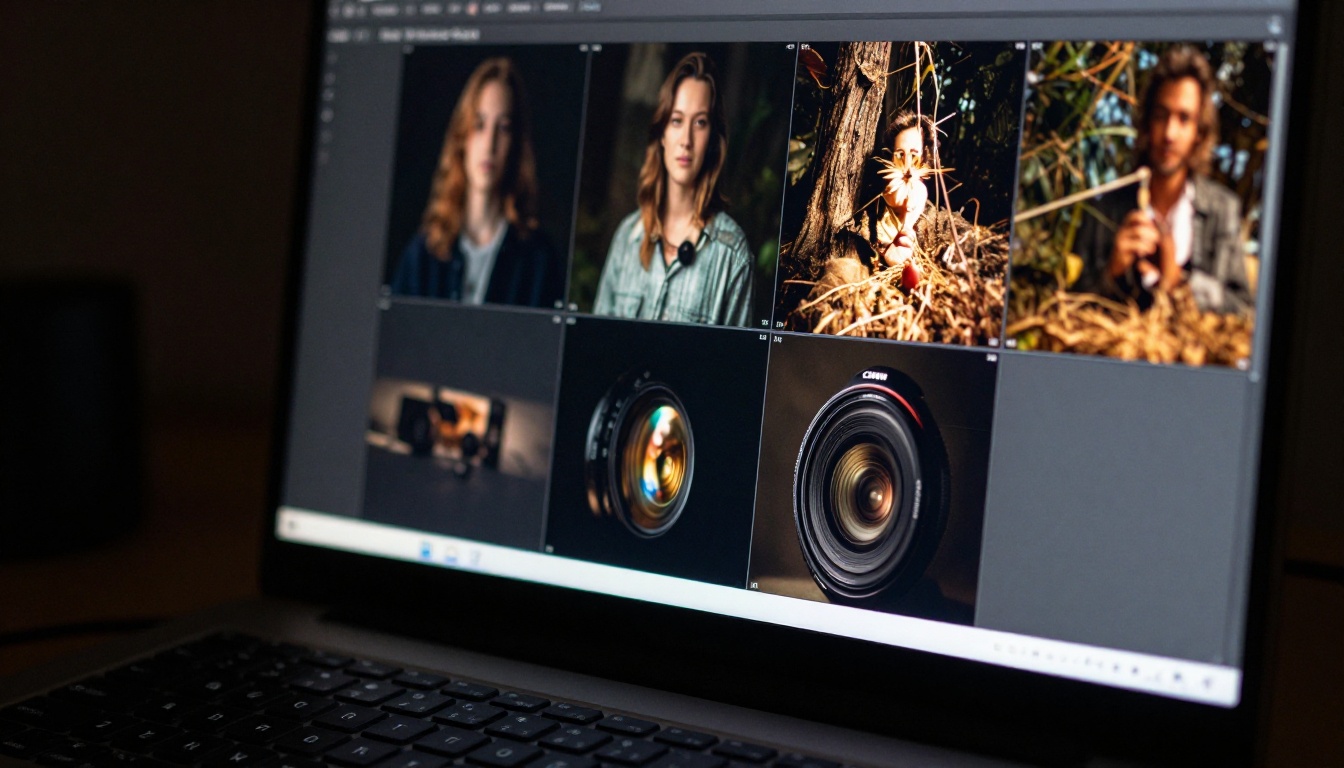
One of the first things that surprises experienced AI image users when they switch to Nano Banana Pro is the generation speed. Not slightly faster, but a genuinely different class of response time that changes how you interact with the creative process from the first session.
Why the Speed Gap Exists
Nano Banana Pro is built on Google's latest architecture optimizations, which prioritize inference throughput without sacrificing the output quality you would expect from a pro-tier model. The neural network uses a distilled diffusion approach that significantly reduces required sampling steps while retaining sharpness, composition accuracy, and detail retention comparable to a full-step generation.
Compare this to heavier flagships like FLUX 1.1 Pro Ultra, which trades generation speed for extraordinary detail depth in high-resolution scenarios. Both approaches have genuine value, but the practical speed difference matters enormously when your creative workflow involves running 20 or more prompt variations in a single session.
💡 Speed tip: Use Nano Banana Pro for rapid iteration and concept exploration. Once you have locked the composition, lighting direction, and mood, switch to a heavier model for the final detail-intensive render if your project requires it.
What This Means for Your Workflow
The practical workflow impact is larger than it sounds. When generation time drops substantially, the creative process shifts from "waiting for results" to "actively directing outputs in real time." You can run four or five prompt variations in the time it previously took to evaluate a single result.

This makes Nano Banana Pro particularly valuable for commercial workflows where clients expect quick concept previews. Presenting five distinct compositional directions in the same time a competitor shows one is a real advantage in client-facing work. For batch image production, the speed compounds further. A workflow that previously required two to three hours of waiting on a heavier model compresses substantially with Nano Banana Pro, often finishing within a single work session rather than being left to run overnight.
Prompt Length Has a Hidden Sweet Spot
Standard guidance says longer prompts are better. With Nano Banana Pro, this is only true within a specific range that most users never identify through casual use.
The 40-60 Word Zone
Through extensive testing, a consistent pattern emerges: prompts between 40 and 60 words tend to outperform both shorter and longer alternatives. Below 30 words, the model lacks enough signal to establish scene coherence and often produces compositionally ambiguous results. Above 80 words, attention dilution starts to degrade the specific elements you care most about, with the model spreading its focus too broadly across too many competing descriptors.
💡 Prompt tip: Write your subject first, then lighting, then camera specs. This token ordering aligns with how the model weights its attention layers and produces noticeably cleaner results compared to prompts that bury the subject details deep in the middle or at the end.
The structure that consistently performs best:
- Subject and action or pose (10-15 words)
- Environment and background context (10-15 words)
- Lighting direction, quality, and source (8-10 words)
- Camera angle and lens specifications (8-10 words)
- Style and quality modifiers (5-8 words)

Negative Prompts Are Underused
Most users skip negative prompts entirely when using Nano Banana Pro, assuming the model is intelligent enough to avoid common problems automatically. It is smart, but targeted negative prompts give you measurable control over artifacts, unwanted color casts, and composition drift that the model cannot anticipate from a positive prompt alone.
A standard negative prompt block that works well for photorealistic outputs: blurry, low resolution, cartoon, illustration, CGI, oversaturated, harsh shadows, overexposed highlights, deformed hands, flat lighting
This short addition cuts the rate of unusable outputs significantly, especially for close-up portrait work and detailed architectural scenes. The five minutes spent establishing a solid negative prompt saves considerably more time in manual result filtering afterward. It is one of those small habits that separates users who get consistent results from users who feel like quality is random.
Text in Images Actually Works Here
This one surprises nearly every new user. Text rendering is historically among the weakest capabilities of AI image generators. Most models produce garbled letters, phantom characters, or text that looks plausible from a distance but fails completely under close inspection.
Where Nano Banana Pro Excels
Nano Banana Pro handles short text strings with remarkable reliability compared to the model category average. Single words, simple two-word phrases, and minimal signage render correctly in the majority of generations, particularly when you use the quotation convention within your prompt.
The technique: enclose the exact text string in quotation marks inside your prompt.
A vintage coffee shop storefront with a wooden sign reading "OPEN" in hand-painted serif letters, morning golden hour light, 50mm prime lens, shallow depth of field
The quotation marks signal to the model that this specific character sequence requires faithful reproduction rather than creative approximation. Without them, the model treats the text as a descriptive concept rather than a literal character-level reproduction requirement.

This capability makes Nano Banana Pro genuinely useful for product mockups, environmental branding imagery, simple storefront signage, and business materials with minimal text overlay. These are real commercial applications where most competing models fail at the character accuracy level.
Where the Limitations Show
Sentences longer than six or seven words see significant error rates. Text placed on curved surfaces, text in perspective distortion, and multiple separate text elements within the same frame all increase failure probability substantially. For demanding typographic work or scenes requiring multi-line readable text, FLUX 1.1 Pro maintains stronger sustained character accuracy in those scenarios.
Always verify output text character-by-character before any commercial use. Even reliable models occasionally produce plausible-looking but incorrect character substitutions, particularly with similar-looking letters.
Certain Use Cases Are Actually Its Specialty
Every model has niches where it punches significantly above its general weight class. Nano Banana Pro has a distinctive sweet spot that most benchmark comparisons miss entirely because they test general performance rather than category-specific excellence.
Where It Consistently Delivers
Lifestyle and brand photography: The model handles natural, relaxed human poses in everyday environments with exceptional authenticity. The resulting images read as genuine professional photography rather than obvious AI generation, which matters for brand trust in commercial applications. The skin tones, hair behavior, and casual body language all feel grounded and real.
Architecture and interiors: Clean structural lines, realistic material textures including concrete, polished wood, brushed metal, and glass, combined with accurate spatial perspective make Nano Banana Pro strong for architectural visualization and interior design concept work.
Product placement photography: Simple and medium-complexity product placements on minimal surfaces generate with compelling realism. The lighting physics on object surfaces is notably accurate, with appropriate specular highlights, reflections, and shadow behavior that sells the composition as genuine photography.
Nature, landscape, and organic subjects: Plant life, natural textures, water, and landscape scenes render with genuine depth and organic irregularity. The model avoids the "too perfect" quality that makes many AI landscapes feel synthetic to trained eyes.

When to Reach for Something Else
For extreme photorealistic portrait work requiring microscopic skin texture and pore-level detail, Seedream 5 Pro holds an edge in dedicated portrait quality. For fantasy, stylized concept art, or outputs deliberately departing from photorealism, the model's strong photorealism bias works against your creative intent rather than with it.
| Use Case | Nano Banana Pro | FLUX 1.1 Pro | Seedream 5 Pro |
|---|
| Lifestyle photography | ✅ Excellent | ✅ Excellent | ✅ Good |
| Speed and iteration | ✅ Excellent | ⚠️ Slower | ⚠️ Moderate |
| Portrait skin detail | ✅ Good | ✅ Very Good | ✅ Excellent |
| Architecture and interior | ✅ Excellent | ✅ Very Good | ✅ Good |
| Short text rendering | ✅ Good | ✅ Very Good | ⚠️ Moderate |
| Maximum output resolution | ⚠️ Standard | ✅ Ultra | ✅ 2K |
The right model is always the one that matches your specific output requirement, not the one with the highest headline benchmark number.
The Model Family Matters More Than You Think
Nobody explains this properly, so most users treat Nano Banana Pro, Nano Banana 2, Nano Banana 2 Lite, and the original Nano Banana as essentially the same model at different quality tiers. They are not. Each version has meaningfully different behavioral profiles that make it genuinely better suited to specific workflow stages rather than being interchangeable.
Breaking Down Each Version
Nano Banana (original): Fast and reliable across a wide range of common subjects. Works well for simple compositions and high-volume batch work. Less nuanced with complex multi-element scenes and subtle lighting requirements that demand precise shadow behavior.
Nano Banana 2: Meaningfully improved scene coherence over the original. Better multi-object compositions and more accurate spatial depth rendering. The right middle-ground for secondary project images that need solid quality without the Pro tier's processing intensity or generation time.
Nano Banana 2 Lite: Optimized purely for maximum throughput. Ideal when you are generating large image sets for A/B testing creative concepts and need volume and variety rather than peak quality in each individual output.
Nano Banana Pro: The highest-quality member of the family. Best instruction-following, most accurate lighting physics simulation, highest prompt adherence, and most consistent outputs across diverse subjects and scenes. Worth the slightly longer generation time for any image going in front of a client or into published material.
A Practical Decision Framework
Use Nano Banana 2 Lite when you need 50 or more images quickly for concept exploration or creative direction testing where raw volume matters more than peak quality.
Use Nano Banana 2 when you need solid, dependable quality for secondary images within a larger project that has a defined primary hero image.
Use Nano Banana Pro for any image going in front of a client, on a public-facing website, in a marketing campaign, or in any published material where quality consistency is non-negotiable.
This tiered approach, using different family members for different stages of the same project, is something most beginners discover through trial and error rather than deliberate planning. Using it as an intentional strategy from the start saves significant time and generation credits.
How to Use Nano Banana Pro on PicassoIA
Nano Banana Pro is available directly on PicassoIA inside the text-to-image collection. The following workflow gets the strongest results from your first generation and scales well to professional-grade outputs once you internalize the pattern.
Step-by-Step Setup
Step 1: Navigate to the Nano Banana Pro model page on PicassoIA. No additional account configuration is required.
Step 2: Write your prompt using the subject-first structure described in this article. Subject and action, then environment, then lighting, then camera, then quality modifiers. Keep it in the 40-60 word range for best results.
Step 3: Set your aspect ratio before generating. Use 16:9 for wide scene and landscape work, 9:16 for portrait format and mobile-first imagery, and 1:1 for square product or social content.
Step 4: Add a negative prompt. Even a short 8-10 word negative prompt reduces unusable outputs noticeably and is worth the additional 30 seconds to write.
Step 5: Generate three to four variations without changing the prompt between them. Review which compositional direction is strongest before committing to iterating further.
Step 6: Lock the seed of your best result and make incremental prompt changes from that point. This preserves what is working in the composition while allowing controlled, targeted improvements to specific elements.

Parameters That Actually Move the Needle
💡 The seed parameter is the most underused control in the PicassoIA interface. Locking a seed after finding a strong composition lets you iterate with surgical precision instead of re-rolling randomness on every change and losing the aspects of the image that were working.
Guidance scale: Nano Banana Pro responds well to mid-range guidance scale values. Too low and outputs drift away from your prompt intent in unpredictable ways. Too high and the image becomes over-contrasty with visible artifact accumulation around detailed edges.
Sampling steps: Do not reduce below the default. Unlike some models where cutting steps saves time without visible quality loss, this model uses its sampling steps productively throughout the diffusion process. Reducing them shows in texture clarity, fine detail, and edge definition quality.
Aspect ratio from the start: Always match it to the intended use case before generating the first image. Generating in the wrong ratio and cropping afterward loses the compositional intent the model built into the frame structure, and the result rarely recovers fully.
Start Creating Today
These five things, the speed profile, prompt structure sweet spot, text rendering capability, specific use case fit, and the model family hierarchy, separate users who get consistently strong results from those who feel like quality is random. Most of this information is not in the standard documentation. It comes from spending time with the model and paying close attention to what actually changes the output quality rather than what sounds logical in theory.
Nano Banana Pro is genuinely capable of producing commercial-grade photorealistic imagery when you align your workflow with how it processes information. Most users never reach that ceiling because they are working with incomplete mental models of what the model does and what it responds to most effectively.
PicassoIA gives you access to Nano Banana Pro alongside the full family including Nano Banana, Nano Banana 2, and Nano Banana 2 Lite, plus over 90 additional text-to-image models, all inside one interface where you can compare outputs directly without switching platforms or managing multiple subscriptions.

Head to picassoia.com/en/all-models and open the text-to-image section. Apply the prompt structure from this article to your next generation and compare the results against what you have been producing before. The quality ceiling is higher than most users ever reach, and now you know exactly what it takes to get there.


