Typing to an AI companion is fine for about a week. Then you catch yourself wishing it could just say the line out loud, with a little laugh in the middle and a pause where the tension should be. That is the whole appeal of adult AI voice chat: a flirty, playful, grown-up conversation that you hear instead of read. The tech finally got good enough to make it feel natural, and a handful of free apps will let you try it without pulling out a card.
This article is about the practical side. Which free apps actually talk back, what separates a realistic voice from a robotic one, which roleplay prompts give you better scenes, and how to build your own setup from a language model and a text-to-speech voice. Everything here stays suggestive and tasteful. Adults only, consent always, and no real person's voice without their permission.
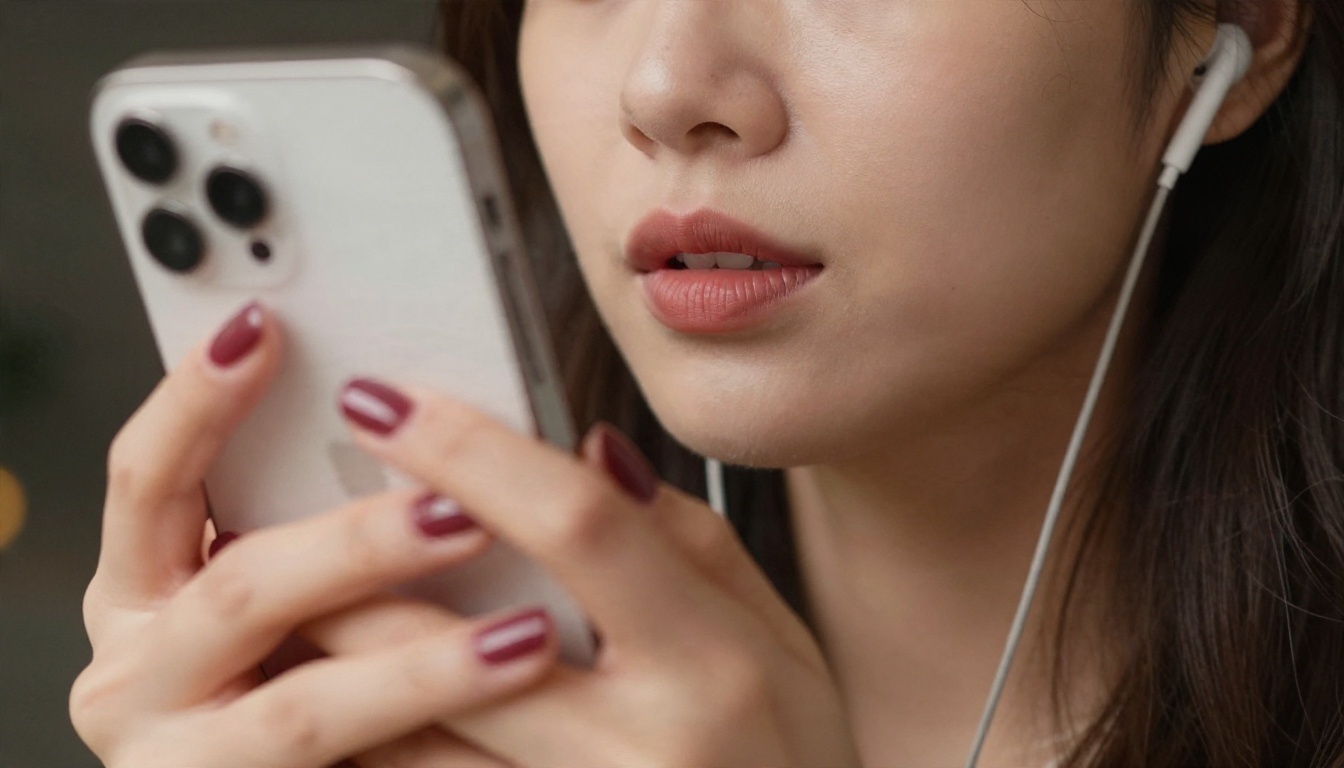
What Adult AI Voice Chat Really Is
At its simplest, adult AI voice chat is a loop of three parts. Your microphone captures what you say, a speech-to-text model turns it into words, a language model writes a reply in character, and a text-to-speech model speaks that reply back. Do it fast enough and it feels like a phone call.
Voice Chat vs Text Chat
Text chat gives you time. You can think, edit, and imagine the tone yourself. Voice takes that away and replaces it with presence. The reply arrives with breath, rhythm and a mood already attached, so you react the way you would on a real call. That is why a mediocre script can feel surprisingly convincing when the voice is good, and why a great script can fall flat when the voice is stiff.
Why It Feels So Personal
Humans are wired to respond to voices. A low, unhurried delivery reads as confidence. A quick laugh reads as warmth. Even when you know it is software, your brain fills in the rest. Lonely evenings, long-distance schedules, shift work and plain curiosity are the usual reasons people try it, and none of those need an apology. They do need some boundaries, which we get to near the end.
💡 Tip: If a voice sounds fake in the first ten seconds, the problem is rarely the script. It is usually speed, flat pacing, or a voice that was never meant for conversation.
Free Apps Worth Trying
Companion apps change their plans often, and reviewers disagree about the details, so treat anything below as a snapshot and check each app's current terms before you rely on it. What stays consistent is the pattern: text is cheap, voice is the thing most apps keep for paid tiers.
What "Free" Usually Means
In my experience of comparing these apps, "free" tends to mean one of four things:
- Free text, paid voice. You can chat all day, but spoken replies sit behind a subscription. Replika and Nomi are commonly described this way.
- Free voice with limits. A small daily or lifetime allowance of audio. Kindroid has been described as capping free audio, though sources conflict on its current free plan.
- Free voice calls with guardrails. Character.AI and Pi are often named as free options that support real two-way voice, though Character.AI applies stricter content rules and age checks.
- Free trial, then wall. Everything works for a few days, then you pick a plan or lose the features.
Quick Comparison Table
| App | Free voice? | Typical limit | Mature roleplay |
|---|
| Character.AI | Yes, reported | Strict filters, age assurance | Heavily moderated |
| Pi | Yes, reported | Friendly tone, not romantic by design | Minimal |
| Replika | Mostly paid | Voice tied to Pro | Gated and age checked |
| Nomi | Mostly paid | Message caps on free tier | More open, varies |
| Kindroid | Limited | Small audio allowance | More open, varies |
| Talkie and Chai | Varies | Ads and message limits | Varies by character |
| ChatGPT and Gemini voice modes | Yes, limited | General assistants, safety rules | Not designed for it |
💡 Tip: Policies on age verification are tightening in several countries. Expect to confirm your age on more apps over time, and use only services that ask.
Where Free Apps Fall Short
Three complaints come up again and again. First, memory: the companion forgets the story you built last night. Second, voice choice: you get three or four preset voices and no way to adjust accent, age, pacing or mood. Third, filters that interrupt a scene halfway through with a canned refusal. If those bother you, building your own setup gives you control over all three, and it is easier than it sounds.
What Makes a Voice Sound Real
Most people judge a voice by how pretty it is. Conversation punishes that habit. A slightly plain voice that answers quickly and reacts to what you said beats a gorgeous voice that arrives three seconds late.
Latency Beats Pitch
Anything above roughly a second of delay breaks the illusion of a call. Streaming text-to-speech models start talking before the whole sentence is written, which is why recent real-time models advertise delays measured in milliseconds. If your app feels like a walkie-talkie, latency is the culprit.
Emotion and Pacing
Look for voices that support emotion control or natural-language direction. Instead of a fixed "sexy voice" preset, you tell the model what to do: speak slowly, a little amused, close to the microphone. Pauses, soft laughs and breaths do more for realism than any accent trick. Short sentences help too. Long paragraphs read aloud sound like an audiobook, not a person.
Consistency Across Replies
A believable companion keeps the same voice, the same speed and the same personality from one reply to the next. This is where cloned or designed voices beat presets, because you lock the voice once and reuse it.
Roleplay Prompts That Work
A good prompt does two jobs. It defines who the character is, and it tells the model how to talk, because spoken replies need a different style than written ones. The prompts below are intentionally flirty and romantic, not explicit, and they work in most assistants.
Set the Persona First
Paste this as your opening message, then change the details:
You are Mara, a warm, witty bartender in her thirties who flirts with confidence and never rushes. We are two consenting adults and this is a playful roleplay. Reply in short spoken sentences, never more than three at a time, with natural pauses written as commas and ellipses. Never use lists, emojis or stage directions. React to what I actually say. Stay in character unless I say "pause."
The "never more than three sentences" line is the single biggest improvement for voice. It keeps replies snappy and stops the model from monologuing.
Five Scene Starters
- The late call. It is midnight and you finally pick up my call after a long day. Tease me gently about being up so late and ask what is keeping me awake.
- The hotel bar. We meet at a quiet hotel bar after a conference. You are curious, a little mischievous, and you want to know what I am really like outside the name badge.
- The slow morning. We are on the phone while you get ready for a trip. Talk to me the way someone does when they are smiling the whole time.
- The long-distance goodnight. We have not seen each other in three weeks. Tell me what you plan for the first ten minutes when we meet, keep it romantic and teasing.
- The confident stranger. You are an artist I just met at a gallery opening. Flirt with me by asking questions that make me say more than I planned to.
Voice Direction Tags
If your text-to-speech model accepts tags or natural-language instructions, add short cues at the start of each reply:
- [softly, amused] for teasing lines
- [slow, low voice] for late-night calls
- [laughing quietly] before a joke lands
- [whispering, close] for secrets
Keep tags rare. One per reply is plenty. Overusing them makes every line sound performed.
Build Your Own Voice Chat on PicassoIA
If free apps keep hitting a wall, you can assemble the same loop yourself. You choose the personality, the voice, and how long the memory is. PicassoIA hosts models for each step, so you do not have to jump between five tools.
Step 1: Write the Character
Use a language model to draft the persona, backstory and speaking style. Claude Sonnet 5 is strong at holding a consistent tone, GPT 5.6 Luna is fast for quick back-and-forth, and Gemini 3.5 Flash is a good light option for snappy replies. Each model applies its own content rules, so keep scenes in the flirty, romantic range and adjust if one declines.
Ask the model to produce a one-paragraph persona, five example lines in the character's voice, and three things the character would never say. Then reuse that text as your system prompt.
Step 2: Pick a Voice
This is where the realism happens. A few options worth trying:
| Goal | Model | Why it fits |
|---|
| Emotional, expressive delivery | ElevenLabs v3 | Handles tone and nuance well |
| Studio-quality warmth | Speech 2.8 HD | Smooth, natural pacing |
| Voice with emotion control | Chatterbox | Adjustable expressiveness |
| Design or clone a voice | Qwen3 TTS | Describe the voice you want |
| Fast, call-like replies | Realtime TTS 2 | Low delay, natural language direction |
| Many voices and languages | Gemini 3.1 Flash TTS | Large voice library |
Generate the same test sentence with three voices and pick the one you can listen to for an hour. If you want a signature voice you can reuse every time, MiniMax Voice Cloning lets you create a custom one, but only from audio you own or have clear permission to use.
Step 3: Close the Loop With Transcription
To talk back instead of typing, add speech-to-text. GPT 4o Mini Transcribe is quick and cheap, GPT 4o Transcribe is more accurate with accents and background noise, and Gemini 3 Pro handles longer recordings. Your workflow becomes: record, transcribe, send to the language model, send the reply to text-to-speech, play it back.
💡 Tip: Keep replies under 40 words when you send them to text-to-speech. Short clips return faster, and they sound more like a real person on a call.
Parameter Tips That Save Time
- Speed: set it between 0.9 and 1.0. Faster sounds anxious, slower sounds sleepy.
- Stability or expressiveness: keep it in the middle. Too stable is flat, too loose is erratic.
- Reference audio: 10 to 30 seconds of clean, quiet speech is plenty for cloning.
- Test line: always test with a line that has a question, a laugh and a pause.
Give Your Companion a Face
A voice gets stronger when you can picture who is speaking. Many people build a consistent character portrait to go with the persona, and PicassoIA is well suited to it because it lets you generate suggestive, glamour-style images without constant refusals.
Start With Seedream 4.5
Seedream 4.5 is the first model to try. It produces sharp, photorealistic portraits with convincing skin, fabric and lighting, and it is permissive with tasteful glamour such as lingerie-style robes, swimwear and evening wear. Describe your character the way the persona describes them: age, hair, expression, setting and time of day. Save the seed and the wording so you can reuse the same look.

Refine With Image Editor Pro
PicassoIA Image Editor Pro is where you polish. It offers unlimited generations, so you can try twenty outfits, backgrounds or expressions without watching a counter. Use it to change wardrobe, fix a hand, shift the lighting from daylight to lamp light, or place the same character in a new setting. Fast turnaround matters here, because the best companion portraits come from iteration, not a single lucky draw.
A Simple Portrait Prompt
Photorealistic portrait of a woman in her thirties with dark wavy hair and a playful half smile, wearing a silk robe, sitting on the edge of a bed with a phone in her hand, warm bedside lamp light from the left, 85mm lens, shallow depth of field, Kodak Portra 400 film grain, natural skin texture.
Swap the clothing, room and lighting to build a small set: morning, evening, travel, party. That set becomes the avatar you pair with the voice.

Privacy, Consent and Safety
This part is short but it matters more than any prompt.
Protect Your Data
Voice recordings are personal data. Before you talk to any app for hours, check three things: whether recordings are stored, whether they are used to train models, and whether you can delete your history. If an app is vague, assume it keeps everything. Avoid sharing your full name, address, workplace or financial details in a roleplay. A character does not need them.
Consent and Voices
Never clone or imitate a real person's voice without their clear permission. That includes exes, coworkers, and celebrities. Use designed voices or your own recordings. It keeps you on the right side of platform rules and, more importantly, of other people's rights.
Keep It Healthy
AI companions can be a fun, low-pressure way to play. They can also become a substitute for human contact if you let them. A simple test: if the time you spend talking to the AI is crowding out friends, sleep or work, scale it back. Treat it as entertainment, not as a replacement.
💡 Tip: Set a "pause" word in your prompt. It lets you leave a scene instantly and reset the tone without arguing with the model.
Try It Yourself Today
You do not need a subscription to find out whether this appeals to you. Start with one free app for a quick taste, then build the version that suits you: write a persona with a language model, pick a voice from the text-to-speech list, and give your character a face.
For the visuals, open Seedream 4.5 first, then refine in PicassoIA Image Editor Pro where generations are unlimited. Pair that portrait with a voice from ElevenLabs v3 or Speech 2.8 HD, and you have a character that looks and sounds like yours alone.
Want more options? Browse every image, voice and language model at picassoia.com/en/all-models and start experimenting with Picasso IA today. Generate a portrait, test three voices, and see which one makes you smile first.


