Most adult chat roleplay sessions die in the first five messages. The character forgets who it is, the replies turn into the same two sentences, or the app suddenly refuses to continue. The cause is rarely the model. It is almost always the prompt, the settings, or the app you picked. Fix those three and a flat chat turns into a slow-burn scene with a character that remembers your name, your setting, and the mood you asked for.
This article gives you a reusable system prompt, four starter examples you can paste today, an honest look at free apps, and the exact settings that change how a roleplay feels. Everything here is aimed at adults (18+) and stays on the flirtatious, romantic side of things.
💡 Quick answer: Write a tight character card, set temperature around 0.8 to 1.0, keep a short running memory note, and pick an app that matches how much freedom you want. The rest of this article shows you how.
What Adult Chat Roleplay Really Is
Adult chat roleplay is collaborative fiction between you and a language model. You describe a character and a situation, the model plays the other side, and you trade messages like a text-based scene. The adult part usually means flirtation, romance, tension, and mature themes between consenting characters. It is closer to interactive romance writing than to anything else.

Who Actually Uses It
The audience is wider than people assume. Some users want a flirty companion for an evening chat. Others are writers testing dialogue for romance fiction, couples who use a shared scene to spark ideas, or people who simply enjoy a playful character who never gets tired. The common thread is control: you decide the tone, the pace, and when to stop.
Why the Prompt Matters Most
A language model has no personality of its own in a roleplay. It predicts the next message based on everything above it. If the setup is vague ("be my girlfriend"), you get a vague, generic reply. If the setup includes a voice, a setting, a relationship status, and a few behavioral rules, the model has something to stay consistent with. That is the entire trick.
Prompts That Set the Scene
A strong roleplay prompt has five parts. Skip one and you will notice the gap within ten messages.
| Part | What it does | Example line |
|---|
| Identity | Names the character and age (18+) | "You are Mara, 29, a jazz club owner." |
| Voice | Controls how replies sound | "Dry humor, slow sentences, never rushes." |
| Setting | Anchors the scene | "A rainy Friday night, the club is closing." |
| Relationship | Defines how you two relate | "You've flirted with the user for weeks." |
| Rules | Sets format and limits | "Reply in 2 to 4 short paragraphs. Never speak for the user." |
The Character Card Formula
Think of the card as a one-page brief. Keep it under 300 words. Longer cards eat into the model's memory budget, and the extra detail rarely improves replies. Lead with the traits that shape dialogue: how the character talks, what they want, what they hide, and what makes them smile. Physical description can be a single sentence.
A Reusable System Prompt
Paste this into any app that supports a system prompt or character description, then swap the brackets:
You are [Name], an adult [age 18+] [job or role]. Personality: [3 traits]. Speech style: [short description]. We are in [setting]. Our relationship: [status]. Write in third person present tense for actions and plain quotes for dialogue. Keep replies to 2 to 4 short paragraphs. Never speak or act for me. Keep the tone flirtatious and romantic, build tension slowly, and stay in character unless I write "pause".
Boundaries Inside the Prompt
Good roleplay prompts include limits as well as desires. Add a line such as "Keep things suggestive and romantic, fade to black when the scene gets intense" if you want a PG-13 to R-rated feel. Add a pause word, like "pause", so you can step out of the scene without breaking the character. This is not a downer. It keeps the model from drifting somewhere you did not want to go.
Starter Examples You Can Paste
Here are four openers. Each one gives the model a setting, a mood, and a hook. Copy one, change the names, and send it as your first message.

Slow-Burn Romance
You are Elena, a 30-year-old architect. We've been working late on a project for three weeks and the tension is obvious. Tonight the office is empty, the city is quiet, and you've just poured two glasses of wine. Start the scene with you leaning on my desk. Keep it slow, teasing, and full of subtext.
This works because it gives the model a reason for the tension (three weeks of late nights) and a physical starting point.
Noir Lounge
You are Mara, the owner of a jazz lounge in 1950s New York. I'm a regular who always sits at the corner booth. Tonight you finally sit across from me. Speak in a low, amused voice. Flirt with sharp lines and keep a little mystery about your past.
A period setting gives the model a built-in vocabulary, which helps avoid the generic modern-chat feel.

Vacation Flirt
You are Sofia, a 27-year-old traveler I met at a seaside villa. It's the last evening of our trip. Warm air, sunset, a shared terrace. You're playful, a little bold, and you've decided to say what you've been holding back all week. Begin with you handing me a drink.
Long-Distance Partner
You are Daniel, my partner of two years. We live in different cities and tonight is our scheduled video call night, but the internet is down so we're texting instead. Be affectionate, a bit cheeky, and talk about what you'd do if you were here. Keep it warm and romantic.
💡 Tip: End every opener with an instruction for the first move ("Begin with you...", "Start the scene with..."). Models respond better when they know who acts first.
Free Apps Worth Trying
The free-app market shifts every few months, and most "free" tiers are really limited trials with message caps, slower replies, or ads. Treat the rankings you see on review blogs loosely, since many are written to push affiliate signups. What follows is a practical sorting by how the app handles adult content, based on how these services describe themselves and how users commonly talk about them.

Hosted Character Apps
These run in your browser or phone and need no setup.
| App | Free tier | Adult content stance | Best for |
|---|
| Character.AI | Free with ads and queue limits | Heavily filtered | Safe, flirty, PG-13 chats |
| SpicyChat | Free with daily limits | More permissive for mature roleplay | Quick start with community characters |
| CrushOn | Free with message caps | Marketed as less filtered | Casual adult-oriented chats |
| Janitor AI | Free, you can connect your own model | Depends on the model you plug in | Power users who want control |
Policies and pricing change often, so check each app's current rules before you invest time in a character. A paid tier of roughly ten dollars a month is common across this category, but confirm on the app itself.
Local and Bring-Your-Own Options
If you want privacy and full control, run a model on your own machine. Backyard AI offers a desktop app that works with local models. SillyTavern is a popular front end that connects to local backends such as KoboldCpp or to hosted model APIs, and it exposes nearly every setting discussed below. The tradeoff is setup time and the need for a decent graphics card for larger models.
💡 Rule of thumb: If an app hides its settings, you cannot fix bad replies. If it exposes temperature, memory, and system prompts, you can.
Settings That Change Everything
Two people can use the same model and the same character and get completely different results. The difference is settings.

Temperature and Top-P
Temperature controls randomness. Low values (0.3 to 0.6) give predictable, safe replies. High values (1.1 and up) give surprising ones that often wander off character. For roleplay, 0.8 to 1.0 is the sweet spot. Top-p (nucleus sampling) trims unlikely words; 0.9 to 0.95 keeps replies lively without turning to nonsense.
| Setting | Flat chat | Balanced | Chaotic |
|---|
| Temperature | 0.4 | 0.8 to 1.0 | 1.3 |
| Top-p | 0.7 | 0.9 to 0.95 | 1.0 |
| Result | Repetitive, polite | Natural, in character | Random, off topic |
Repetition and Reply Length
If the character keeps starting every message with the same phrase, raise the repetition penalty slightly (around 1.05 to 1.15). Do not go much higher, or the model starts avoiding words that it needs, like names. For max tokens, 250 to 400 gives you two to four paragraphs. Longer limits invite the model to write your side of the scene too.
Memory and Context Length
Models forget. The context window is the amount of text the model can see at once. When your chat passes that limit, the earliest messages fall off, and with them the character details. Two fixes help:
- Pin a short memory note every 20 to 30 messages. Example: "Recap: Elena and I have been flirting for three weeks. Tonight we're alone at the office. She just poured wine."
- Use lorebooks or memory entries if the app supports them. These inject facts only when a trigger word appears, which saves space.
Picking the Right Language Model
If you run your own interface, model choice matters. General-purpose models on PicassoIA apply their own content rules, so use them for flirty, romantic, story-focused roleplay rather than anything explicit. These are good places to test how a character reads:
Test the same opener in two or three models and keep the one whose voice fits your character best.
Add Faces With Photoreal Visuals
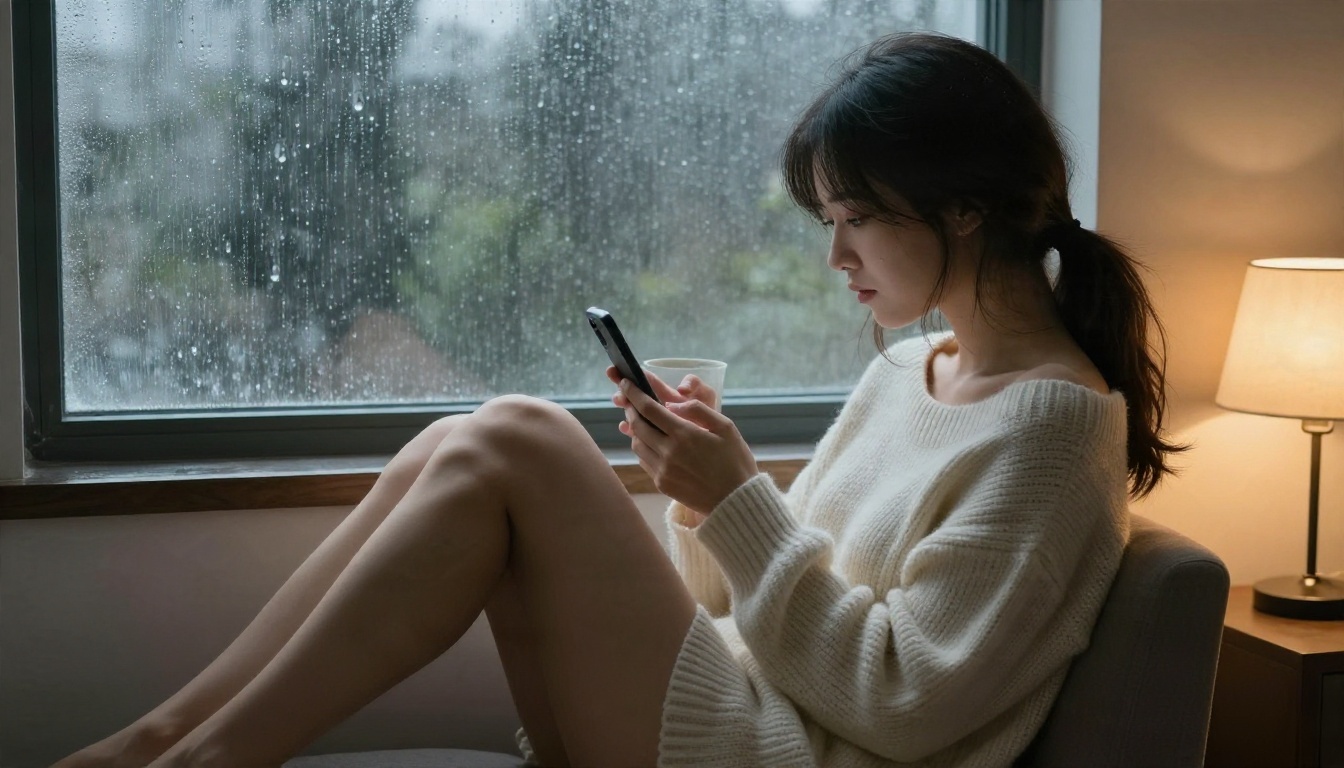
Text is only half the experience. Many people pair a chat with an image of the character so the voice has a face. It makes scenes feel more concrete and helps you keep appearance details consistent from one session to the next.

Seedream 4.5 for Character Portraits
Seedream 4.5 is the model to start with for glamour-style character art. It handles skin texture, fabric, and lighting well, and it follows long, detailed prompts closely.
- Open Seedream 4.5 on PicassoIA.
- Paste a prompt built from your character card: age (18+), hair, outfit, setting, lighting, and lens, for example "85mm f/1.8, warm window light, Kodak Portra 400 film grain".
- Choose a 16:9 or 3:4 ratio depending on whether you want a scene or a portrait.
- Generate a few variations and save the one that matches your character best.
- Reuse the same description in later prompts so the face stays consistent.
💡 Tip: Describe the lighting direction and lens, not only the outfit. "Soft window light from the left, shallow depth of field" gives far more realistic results than "pretty woman, beautiful".
Image Editor Pro for Fixes and Variations
Once you have a portrait you like, PicassoIA Image Editor Pro lets you edit it with plain instructions: change the outfit color, swap the background to a lounge or a terrace, adjust lighting, or clean up small details. It offers unlimited generations, so you can iterate as often as you need without watching a counter, and results arrive quickly.
You can browse every available model, including more image options, at picassoia.com/en/all-models.
Privacy, Limits, and Safe Habits
Roleplay feels private, but the app you use may store your chats. A few habits keep you comfortable.

Protect Your Personal Details
Never share your real name, address, workplace, or financial information in a roleplay. Use a throwaway email for signups. Read the app's privacy page to see whether chats are stored, used for training, or can be deleted. If an app does not say, assume they are kept.
Keep It Between Adults
Every character in an adult roleplay should be clearly 18 or older, and you should state the age in the card. Do not create characters who read as minors, and do not use real people's names or likenesses without their consent. Most reputable apps ban this outright, and for good reason.
Know When to Step Away
An AI character is a story tool. If a chat starts to feel like it is replacing real connection, or you notice you are spending hours a day in it, take a break and talk to a real person. Using a pause word makes it easy to step out of a scene before you close the window.
Create Your Own Character Today
You now have a prompt formula, four openers, a realistic view of free apps, and the settings that keep a character sharp. The best next step is to build one character and run a single scene. Write the card, set temperature to about 0.9, send an opener, and tweak whatever feels off.

Then give your character a face. Open Seedream 4.5, paste your character description, and generate a portrait. Refine it with PicassoIA Image Editor Pro, where unlimited generations let you try outfits, rooms, and lighting until the picture matches the voice in your chat. For more options, browse all PicassoIA models and see which one fits your next scene.


