AI Album Cover Prompts: Examples for Every Genre, Free to Copy
Ten genre by genre prompts you can paste straight into an AI image generator, plus the formula behind them, the mistakes that ruin sleeve artwork, and a simple way to add a title without garbled lettering. Every example is photographic, realistic, and ready for streaming platforms.
You have the songs mixed, the release date set, and a blank square where the artwork should be. Hiring a photographer for a single shoot can cost more than your whole recording budget, and stock photos make your record look like everyone else's. This is where AI album cover prompts earn their place. A well written prompt can give you a moody, photographic sleeve image in under a minute, and you can run it twenty times until one frame feels like your music.
Below you will find ten copy and paste prompts, one for each major genre, plus the formula behind them so you can rewrite any prompt for your own sound. Everything here leans toward realistic, photographic results, the kind of artwork that looks like it came from a real shoot with real light, not a glossy render.
💡 Quick tip: Treat every prompt below as a starting point. Swap the subject, the location and the time of day, and keep the structure. The structure is what produces consistent results.
Why Most Album Art Prompts Fail
Before the examples, it helps to see why so many first attempts look generic. After testing hundreds of prompts, the same three problems show up again and again.
The Vague Subject Problem
A prompt like "cool rock album art" gives the model nothing to hold onto. It fills the gaps with the most average image it can imagine, and average is the enemy of a memorable sleeve. Name a person, a place, an object, and a mood. "A drummer sitting alone on a flight case in an empty loading dock" beats "rock band photo" every time.
The Text Trap
Many people ask the model to write the band name and album title inside the image. Older generators garble letters, and even good ones can misplace spacing. A better habit is to generate the picture without any text, then add the title in a layout tool. If you do want text inside the image, keep it to one or two short words and use a model built for lettering, which we cover later.
Ignoring the Square
Streaming platforms display artwork as a square, often at thumbnail size. A busy wide scene shrinks into mush at 100 pixels. Your subject should be large, centered or placed on a clear third, with a simple background behind it. All the prompts in this article generate in 16:9 so you can crop into the best square afterward.
The Prompt Formula That Works
Good album art prompts share a skeleton. Once you see it, you can build one for any genre in about a minute.
Five Building Blocks
Block
What it does
Example
Subject and action
Who or what, doing what
A singer standing barefoot on a rooftop
Environment
Where the scene lives
Empty terrace, hazy skyline behind
Lighting
Sets the emotion
Soft backlight from the left, golden rim
Lens and angle
Controls the look
50mm f/1.4, eye level, shallow depth of field
Texture and film stock
Makes it feel real
Visible skin pores, Kodak Portra 400 grain
Light is the block people skip, and it matters most. "Warm tungsten bulb overhead" and "cold overcast morning" describe two entirely different records even if the subject is the same.
Words That Add Realism
Photographic language pushes a generator toward believable results. These terms work consistently:
Light direction: window light from the left, low sun behind the subject, single practical lamp
Film feel: Kodak Portra 400, gentle film grain, natural color grading
Imperfections: dust in the air, scuffed paint, frayed fabric edges
⚠️ Avoid stacking style words like "ultra cinematic epic masterpiece trending." They add noise and rarely improve the image.
Copy and Paste Prompts by Genre
Each prompt below was written to produce a photographic result. Copy it as is, or change the nouns to fit your project.
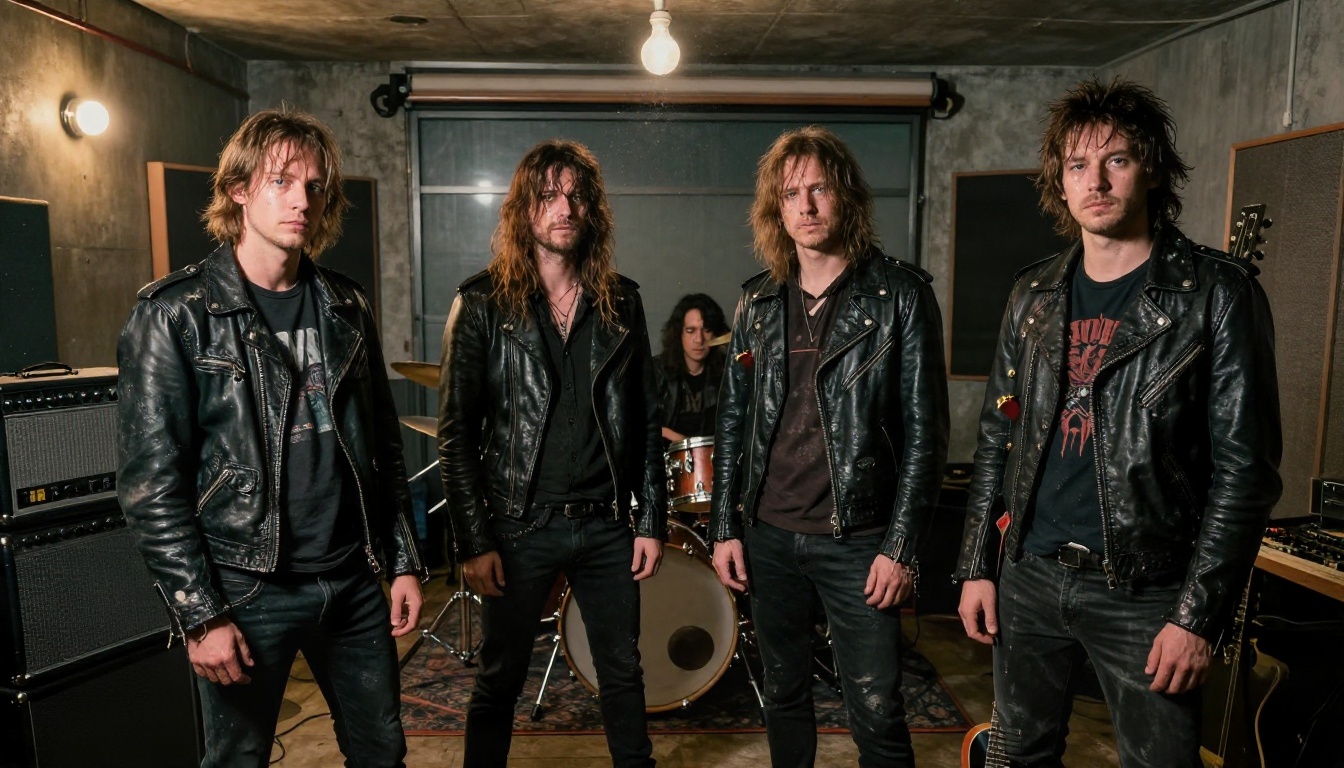
Rock: Garage Band Grit
Rock artwork should feel sweaty and unpolished. A low angle makes the band look larger than the room, and a single bare bulb gives hard shadows.
A rock band of four members standing in a dim concrete garage studio, leather jackets, worn guitars hanging from their shoulders, drum kit behind them with scuffed cymbals, amplifiers stacked on the left. Single tungsten bulb overhead and daylight leaking through a half open roller door from behind. Low angle shot with a 35mm f/2 lens, gritty skin texture with sweat and stubble, visible film grain, Kodak Portra 400, concrete dust floating in the light, raw 8K photography
Variations: replace the garage with a parking structure at night, or cut the band down to a lone guitarist for a solo project.
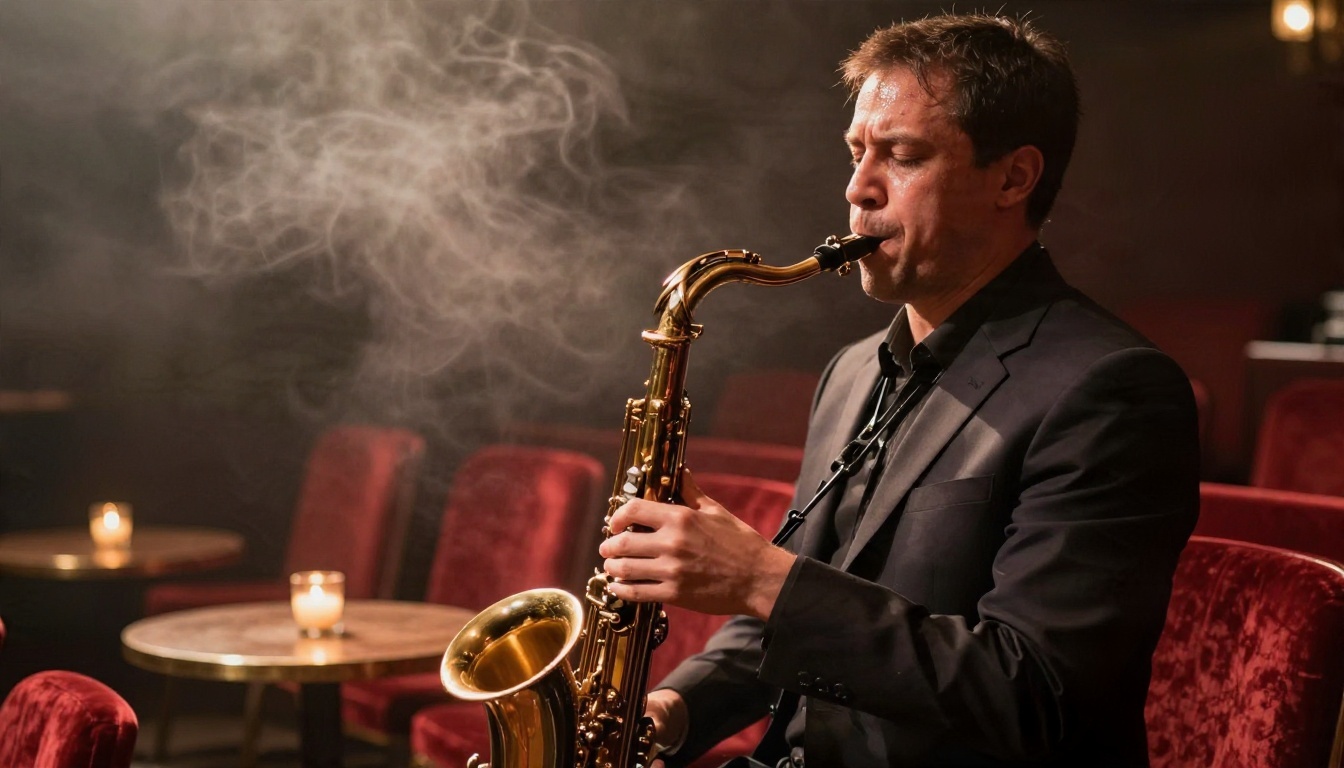
Jazz: Smoky Club Warmth
Jazz sleeves have a long visual tradition: deep shadow, warm highlights, and a musician caught mid phrase. A shallow depth of field keeps the focus on the instrument.
A jazz saxophonist in a dark suit playing alone on a small club stage, brass instrument catching warm amber stage light, smoke haze drifting through the air, empty red velvet chairs and small round tables with candles in the foreground. Close-up from a seated audience angle with an 85mm f/1.8 lens, shallow depth of field, detailed brass reflections, sweat on the temple, fabric texture on the jacket, Kodak Portra 400 grain, natural low light, raw 8K photography
Variations: switch to an upright bassist, a trumpeter in a doorway, or a pianist seen through a rain streaked window.
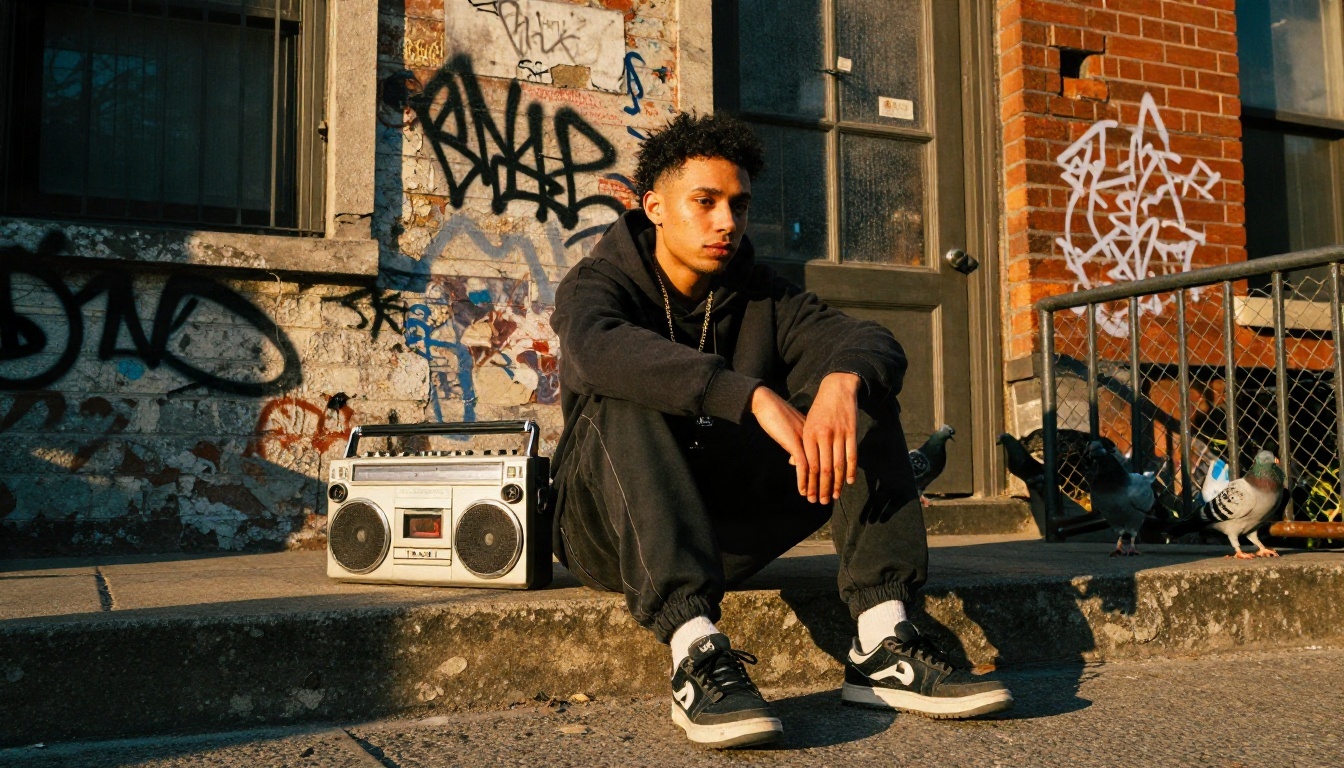
Hip Hop: Street Level Portrait
Hip hop artwork thrives on place. Where the artist is from is part of the story, so lean on real neighborhood textures like brick, chain link and peeling paint.
A young hip hop artist in an oversized hoodie and gold chain sitting on concrete steps outside a city apartment block at golden hour, boombox beside him, graffiti-stained wall and chain link fence behind, a few pigeons on the railing. Wide low angle shot with a 24mm f/2.8 lens, warm sunset light from the right grazing skin pores and fabric weave, rough brick and peeling paint textures, Kodak Portra 400, subtle film grain, raw 8K photography
Variations: try a corner store at dawn, a car hood at night lit by a single streetlamp, or a close portrait with a shallow focus city behind.
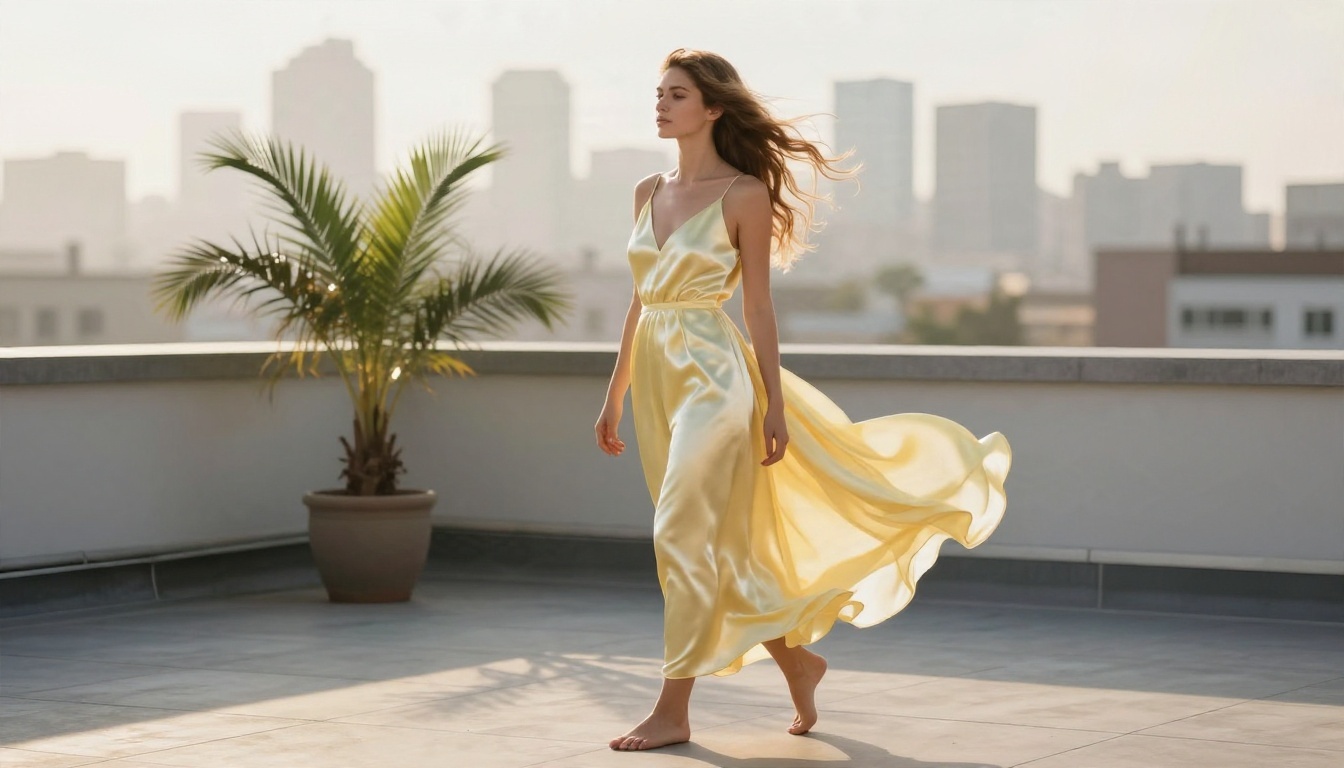
Pop: Bright and Intimate
Pop wants color and a clear, human focal point. A soft backlight creates a flattering glow, and one saturated color in the outfit gives you a recognizable palette across singles and the album.
A pop singer in a flowing pastel yellow satin dress standing barefoot on an empty sunlit rooftop terrace, wind lifting the fabric, city skyline softly blurred behind in hazy morning light, a single potted palm beside her. Medium full shot at eye level with a 50mm f/1.4 lens, soft backlight from the left creating a golden rim on her hair, visible satin sheen and skin texture, gentle lens bloom, Kodak Portra 400 grain, raw 8K photography
Variations: change the dress color to match your single's mood, or move the scene to a beach at sunrise or a diner booth.
Electronic: Lonely Night Studio
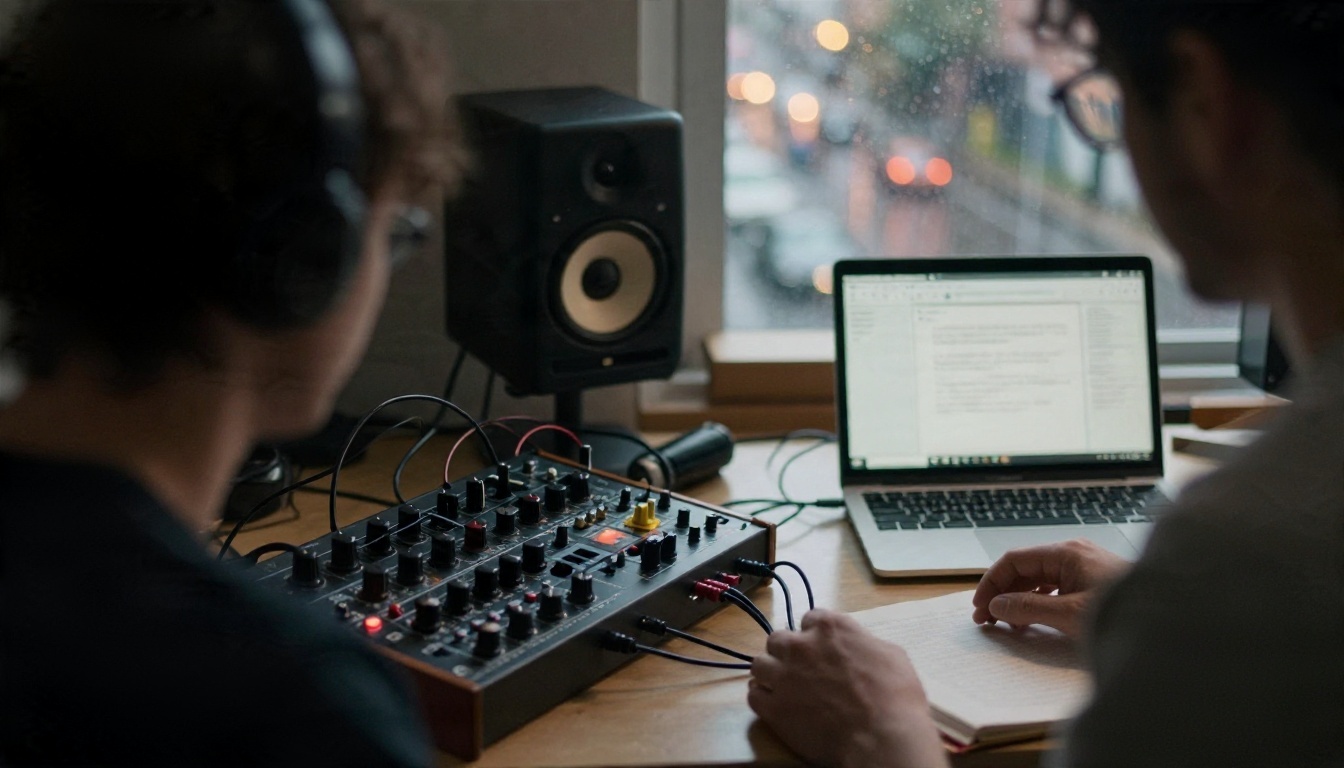
You do not need laser grids to say "electronic." A real room full of cables, knobs and rain on glass tells the story with more taste and works better at thumbnail size.
A lone electronic music producer seen from behind at a desk in a dark apartment at night, modular synthesizer with patch cables, a laptop, studio monitors, and a window overlooking the rainy city street with blurred warm streetlights. Over the shoulder angle with a 35mm f/1.8 lens, soft practical lamp light from the right, wet glass texture, cable braid details, worn knobs, Kodak Portra 400 grain, muted natural color, raw 8K photography
Variations: an empty warehouse floor at 6 a.m., a hand on a mixer fader in extreme close-up, or a car dashboard on a night highway.
Country: Open Road Storyteller
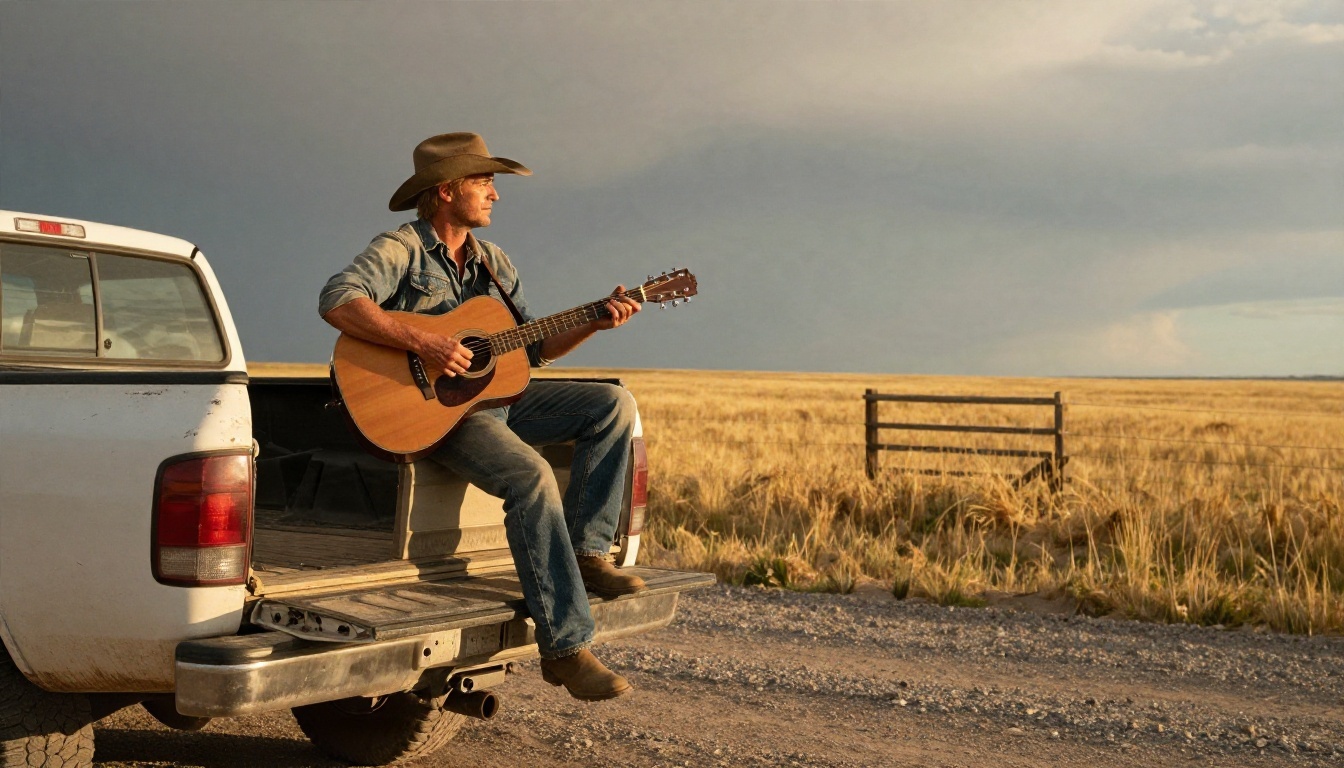
Country fans want honesty. Wide space, weathered clothes and low sun do most of the work. Keep the artist small enough in the frame that the landscape becomes a character.
A country singer with an acoustic guitar sitting on the open tailgate of a dusty pickup truck on a gravel road, endless golden prairie and a lone wooden fence stretching to the horizon, a storm cloud forming far away. Wide shot with a 28mm f/4 lens, warm late afternoon sun from behind casting long shadows, weathered denim and sun-lined skin texture, dust in the air, truck paint chipped, Kodak Portra 400 grain, raw 8K photography
Variations: a porch swing at dusk, a barn door half open, or a close portrait with a worn felt hat and squinting eyes.
Classical: Quiet Grand Hall
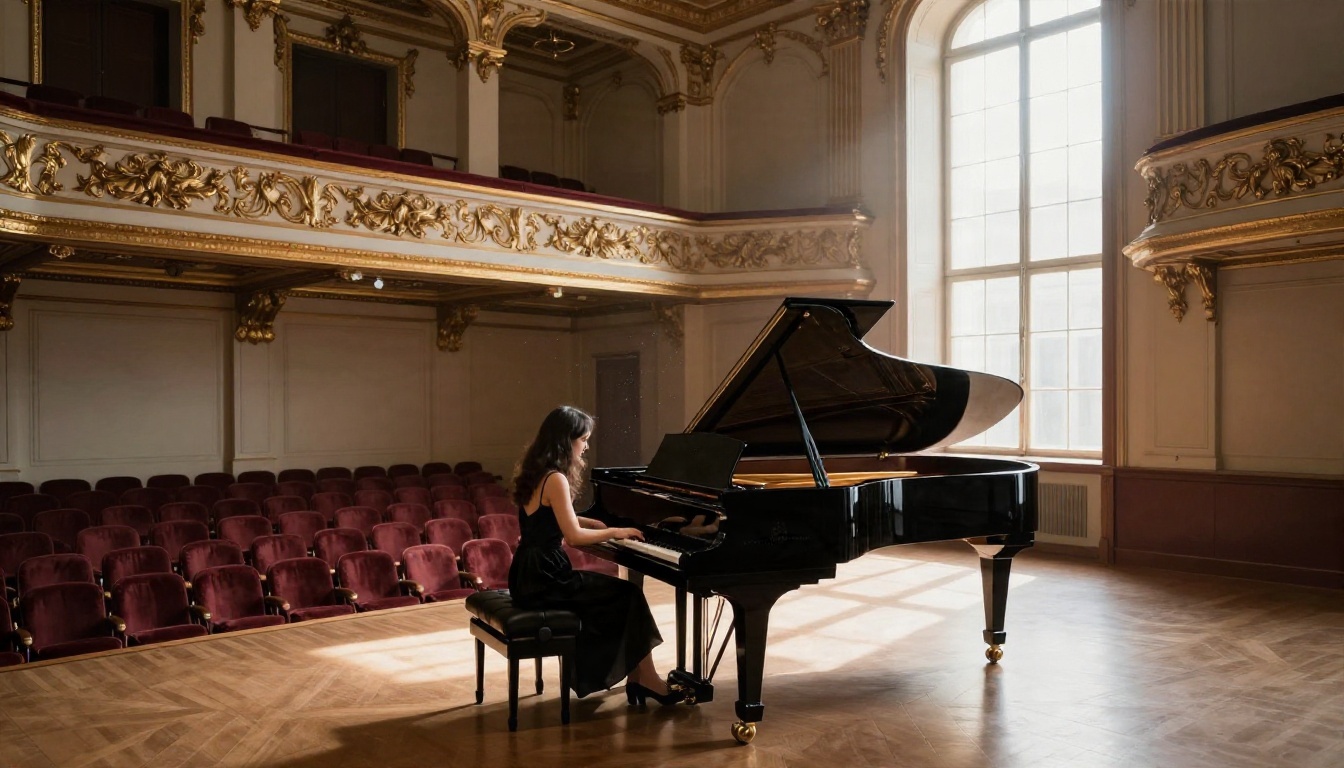
Classical artwork works through restraint. Empty space, polished surfaces and one beam of daylight create a feeling of silence before the first note.
A classical pianist in a black dress seated at a grand piano in an empty baroque concert hall, balcony tiers and gilded plaster details fading into shadow, a single shaft of daylight from a tall window on the right hitting the polished black lid. High angle from the balcony with a 50mm f/2 lens, glossy piano reflections, wood grain, velvet seats, fine dust motes in the light, Kodak Portra 400 grain, raw 8K photography
Variations: a cellist in a stone chapel, a violin resting on a velvet chair, or a conductor's hands in close-up.
Lo-Fi: Cozy Bedroom Calm
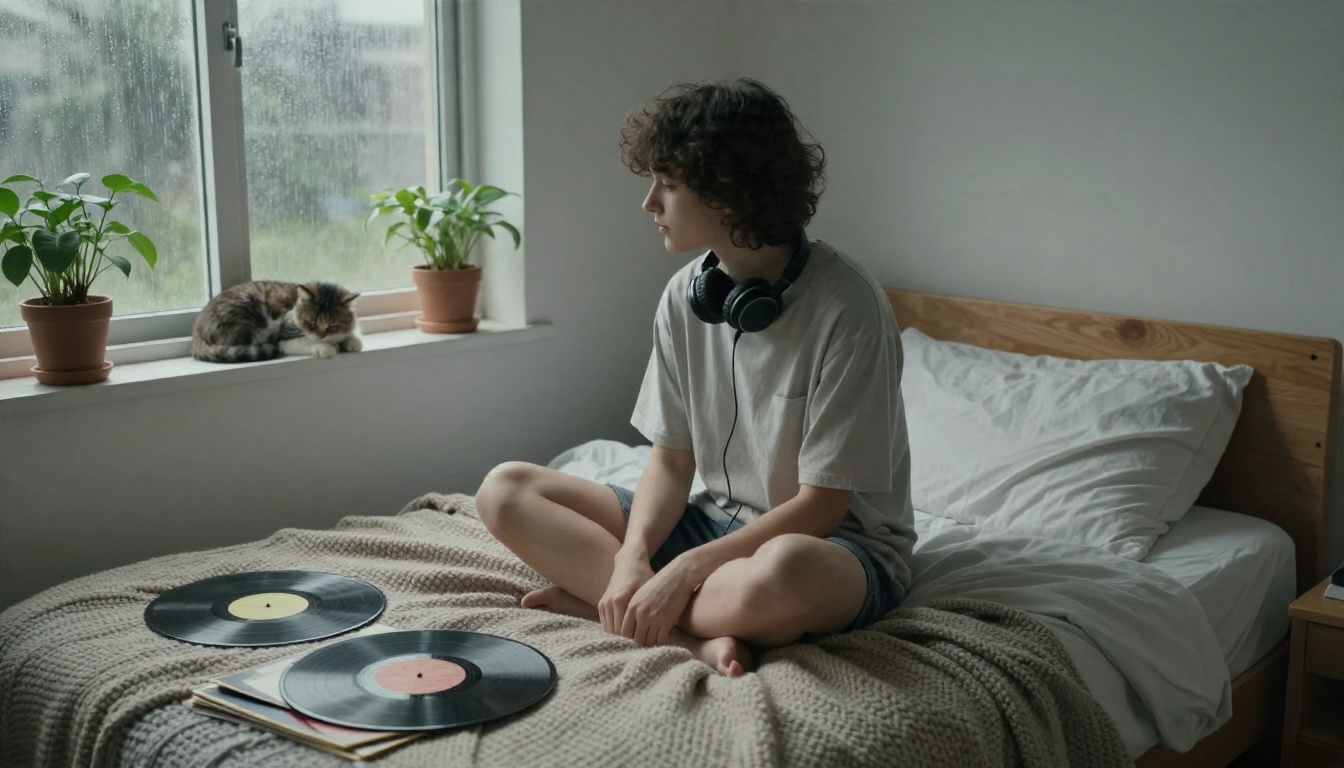
Lo-fi listeners connect with comfort. Muted color, soft window light and small domestic details such as plants, blankets and a sleeping cat set the tone instantly.
A lo-fi bedroom scene with a student sitting cross-legged on an unmade bed with headphones around the neck, vinyl records stacked on the floor, houseplants on the windowsill, a cat sleeping on a blanket, rainy gray daylight through the window. Eye level medium shot with a 35mm f/1.8 lens, soft diffused window light from the left, knitted blanket texture, slightly faded colors, Kodak Portra 400 grain, cozy intimate mood, raw 8K photography
Variations: a desk with a lamp at 2 a.m., a train window in the rain, or a kitchen with a kettle steaming at sunrise.
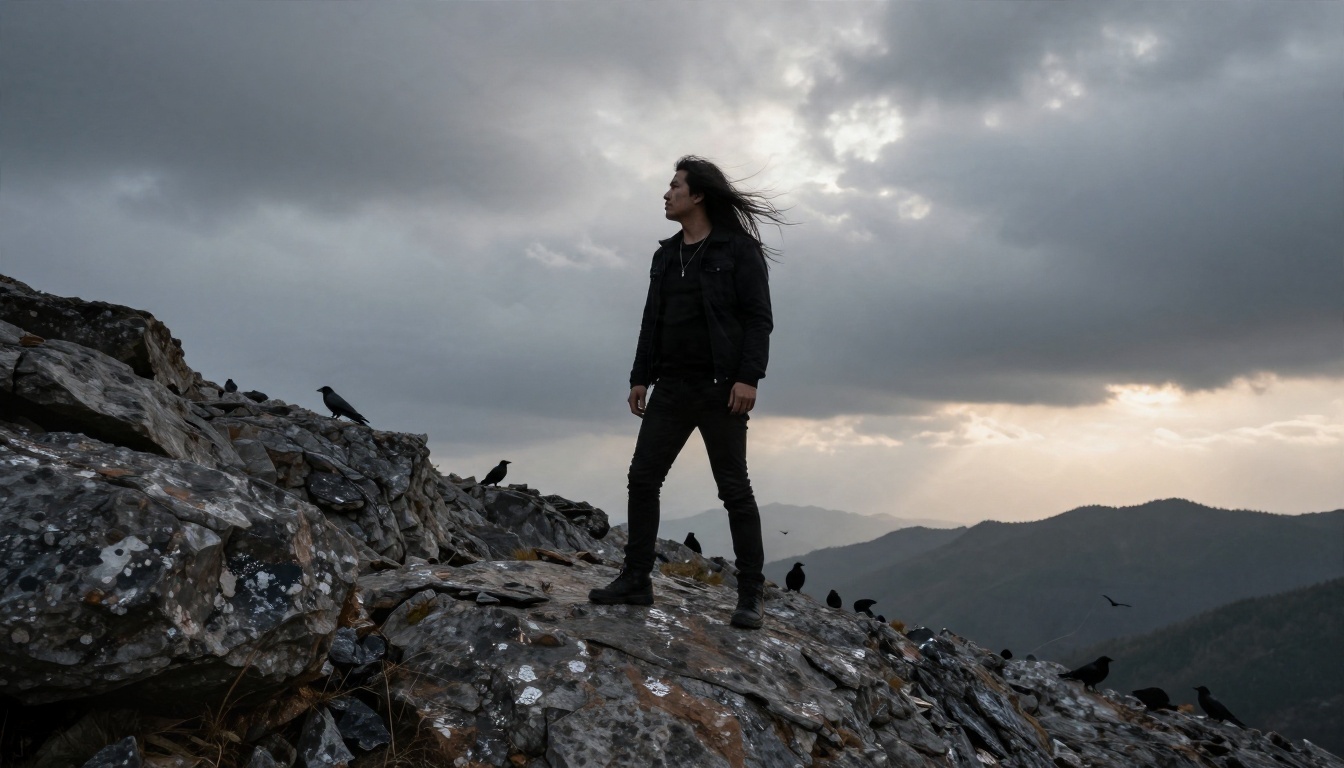
Metal: Storm on the Ridge
Metal rewards scale and weather. A small dark figure against a huge sky feels heavier than any close-up. Desaturated tones keep the mood cold and serious.
A heavy metal vocalist in black clothing standing on a windswept rocky mountain ridge under a dramatic overcast sky, long hair blowing, silhouette partly lit by a thin break in the clouds, black crows scattering in the distance. Low angle wide shot with a 24mm f/2.8 lens, cold diffused light with a faint warm edge on the right, rough granite and wet fabric textures, desaturated natural tones, Kodak Portra 400 grain, raw 8K photography
Variations: a burned forest at dawn, an abandoned industrial yard in fog, or a lone figure on a frozen lake.
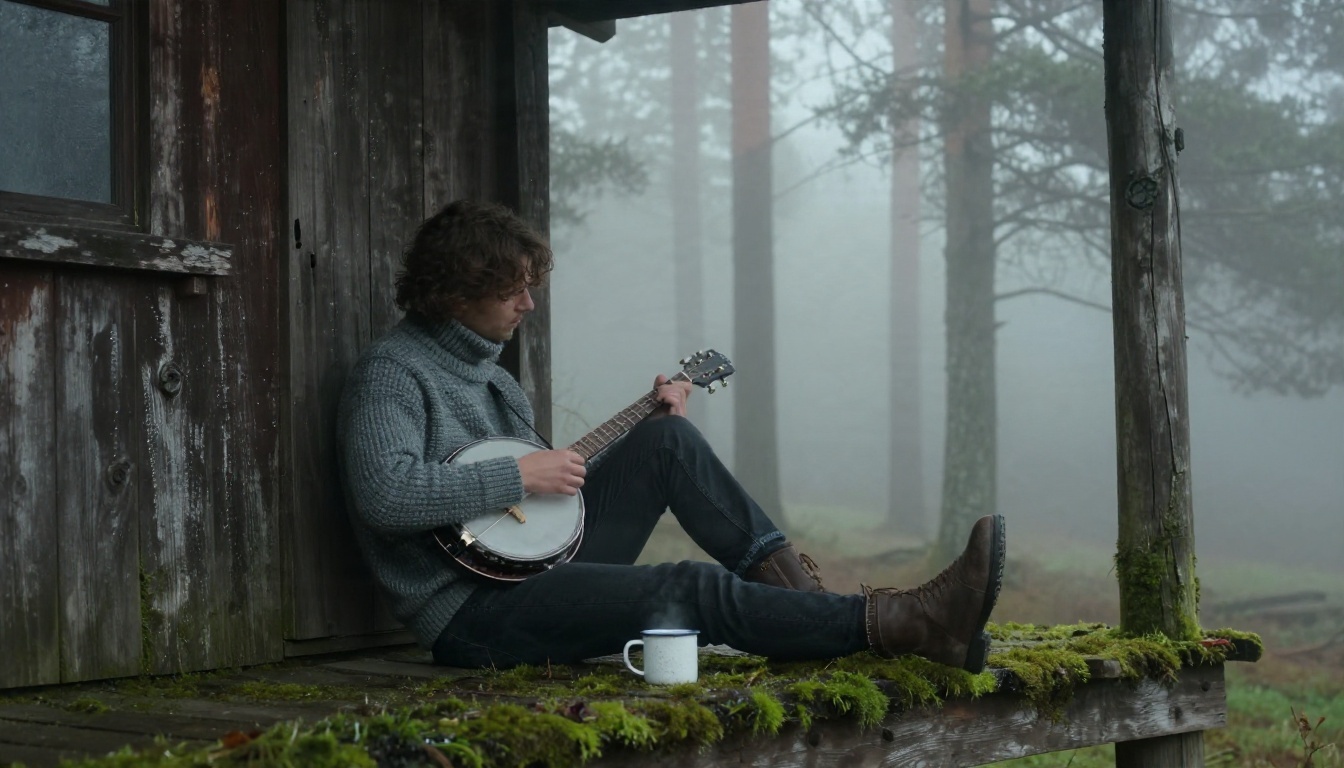
Folk: Misty Porch Morning
Folk artwork is about warmth and small gestures. Wool, steam from a mug and fog between trees say "acoustic" without a single instrument needing to dominate.
A folk duo sitting on a mossy wooden porch of a rural cabin in a misty pine forest at early morning, one holding a banjo, the other a steaming enamel mug, wool sweaters and boots, soft fog between the trees. Medium shot from slightly above with a 50mm f/1.8 lens, cool soft morning light from the left, wool knit and weathered plank textures, dew droplets, Kodak Portra 400 grain, raw 8K photography
Variations: a creek bed with a guitar case, an orchard in autumn, or a kitchen table with a handwritten songbook.
How to Use Seedream 4.5 on PicassoIA
Any strong text to image model can run these prompts, but Seedream 4.5 is a reliable first choice for photographic work. It handles skin texture, fabric and natural light well, and it outputs at high resolution, which matters when your artwork has to hold up at 3000 by 3000 pixels.
Paste one of the prompts above into the prompt box.
Set the aspect ratio to 16:9 for a wide scene you can crop later, or 1:1 if you want a square straight out of the model.
Generate a batch. Do not judge the first image alone. Four to eight tries usually show you the range of what a prompt can do.
Pick the frame with the strongest focal point and the cleanest background.
Crop to a square, keeping the subject near the center or on a third, then upscale if your distributor requires 3000 pixels per side.
Settings Worth Adjusting
Setting
Recommendation
Why
Aspect ratio
16:9, then crop
Gives you room to choose the best square
Batch size
4 to 8 attempts
Variety reveals the best composition
Seed
Save the seed you like
Lets you reproduce and tweak a result
Prompt length
50 to 120 words
Enough detail without confusing the model
💡 Fixing a near miss: if an image is almost right, do not rewrite the whole prompt. Change one block, such as the lighting or the lens, and generate again.
Other Models Worth Trying
Different models have different personalities, and testing two or three on the same prompt is cheap.
Nano Banana Pro is strong for 4K output and for editing an existing image, for example changing a jacket color or the time of day.
Imagen 4 produces clean, photorealistic scenes with accurate lighting.
Ideogram v4 Quality is the one to pick when you want legible lettering inside the image.
Flux 2 Klein 9B Base LoRA suits artists who want to apply a custom style consistently across a whole release.
Adding Your Title Without Ugly Lettering
Typography is where AI artwork most often betrays itself. You have three sensible options.
Option one: add text outside the generator. Generate a clean photograph, then place the artist name and title in any layout app. You control the font, the spacing and the exact spelling, and you can reuse the same layout across singles.
Option two: use a lettering friendly model. If you want the words inside the scene, such as a neon free shop sign or lettering on a poster in the background, use Ideogram v4 Quality or P Image Ideogram and wrap the exact words in quotation marks inside the prompt, like a hand painted sign reading "NIGHT SHIFT". Keep it to one or two short words.
Option three: leave it clean. Plenty of classic sleeves carry no text at all, and some streaming platforms overlay the title anyway. A strong, wordless photograph can be the most confident choice.
⚠️ Check the thumbnail: shrink your final image to roughly 100 pixels. If you cannot tell who or what the subject is, simplify the scene before you publish.
Mistakes That Ruin Sleeve Artwork
After you generate a few dozen images, you start to notice recurring problems. These are the most common ones and how to fix them.
Mistake
What it looks like
Fix
Overcrowded scene
Many small objects, unreadable at thumbnail size
Remove props, keep one hero subject
Plastic skin
Smooth, waxy faces
Add "visible skin pores, natural imperfections" and film grain
Flat lighting
Even, shadowless look
Specify light direction and a time of day
Mismatched mood
Cheerful image on a dark record
Rewrite the lighting and color words first
Copying a known sleeve
Too close to a famous record
Change subject, place and palette so yours is original
Wrong crop
Subject cut off in the square
Generate wide, then crop with the subject centered
A few more habits help:
Keep a prompt log. Save every prompt that worked, with its seed. After one release you will have a personal library that makes the next one faster.
Match your series. If you release singles, keep the lens, film grain and color palette the same and change only the subject. Your catalog will look like one project.
Check platform rules. Distributors usually want a square image, a minimum resolution, and no URLs, prices or social handles in the artwork. Read the specs before you export.
Respect real people. Do not prompt for the likeness of a real person without permission.
Build Your Own Prompt in Five Minutes
Here is a fast routine you can repeat for any song, EP or full album.
Write one sentence about the mood. For example: "lonely but hopeful, late night drive."
Pick a subject. A person, an object or a place that carries that mood.
Choose the light. Sodium streetlamp, overcast morning, candle, low sun.
Choose the lens. 24mm for scale, 35mm for context, 85mm for intimacy.
Add two texture words and a film stock. Wet asphalt, worn leather, Kodak Portra 400 grain.
Paste, generate, crop. Generate eight options, crop the best into a square, and test it at thumbnail size.
Here is that routine turned into a finished prompt:
A woman in a worn leather jacket leaning on the hood of an old sedan on an empty coastal highway at blue hour, a single sodium streetlamp glowing in the distance, wet asphalt reflecting amber light, sea mist drifting across the road. Medium shot from slightly low angle with a 35mm f/1.8 lens, soft ambient light with a warm lamp glow from the right, visible leather creases and damp hair strands, Kodak Portra 400 grain, raw 8K photography
Make Your Own Album Art Today
You now have ten working genre prompts, a formula for writing new ones, and a short list of mistakes to avoid. The best way to get better is to run them. Open Seedream 4.5 on PicassoIA, paste the prompt closest to your sound, then change the subject, the light and the place until the frame feels like your record. Try the same prompt in Nano Banana Pro and Imagen 4 to compare how each reads your words.
Your music already has a mood. Give it a picture, generate a few dozen options, and pick the one that makes you want to press play.