The same chatbot can cost you $3 a month or $1,350 a month. Nothing about the product changes. The only difference is which model sits behind the API call. That gap is the reason an AI API cost comparison matters before you write a single line of integration code, and it is wider now than it has ever been.
This article lays out what the major providers charge per million tokens, which models sit at the bottom of the price curve, where free credits and free tiers still exist, and what to do when pay-per-token stops making sense. Prices move often, so treat every figure below as a snapshot from late 2026 and check the vendor's own pricing page before you commit a budget.
💡 Quick answer: For plain text work, the cheapest major options are small "nano" and "flash-lite" class models and DeepSeek. For quality-sensitive work, mid-tier models cost 10x to 30x more. Premium reasoning models cost up to 600x more than the cheapest ones.
What You Actually Pay For

Every text API bills in tokens, which are chunks of roughly four characters of English. A 750-word email is about 1,000 tokens. Vendors quote prices per million tokens, and they split that price in two.
Input vs Output Tokens
Input tokens are everything you send: the system prompt, the conversation history, the documents you paste in. Output tokens are what the model writes back. Output is almost always priced four to six times higher than input, and on some flagship models the ratio reaches 6x.
That ratio changes which model is cheap for your workload. A summarizer reads a lot and writes a little, so input price dominates. A content generator does the opposite, so output price dominates.
Hidden Multipliers
The headline rate is rarely the whole bill. Watch for these:
- Reasoning tokens. Thinking models generate hidden "thought" tokens that are billed as output. A short answer can burn thousands of them.
- Long context surcharges. Some providers raise the rate once a prompt passes a size threshold.
- Conversation history. In a chat, every turn resends the earlier turns as input. Cost grows faster than message count.
- Retries and tool calls. Agents that loop multiply tokens quickly.
Cheapest Text Models Right Now

Different pricing roundups published in 2026 agree on the shape of the market even when their exact numbers differ by snapshot date. Here is how it breaks down per million tokens.
| Model | Input | Output | Tier |
|---|
| GPT-5 nano | $0.05 | $0.40 | Budget |
| Gemini 2.5 Flash-Lite | $0.10 | $0.40 | Budget |
| DeepSeek V3.2 | $0.14 | $0.28 | Budget |
| Gemini 3.1 Flash-Lite | $0.25 | $1.50 | Budget |
| Market median (166 models) | $0.95 | $3.88 | Mid |
| Claude Opus 4.8 | $5 | $25 | Premium |
| Claude Fable 5 | $10 | $50 | Premium |
| GPT-5.5 Pro | $30 | $180 | Premium |
The Budget Tier
GPT-5 nano holds the lowest price among major vendors at five cents per million input tokens. Google's Flash-Lite line follows closely. DeepSeek is the interesting one: its output price is the lowest in the table, and cache hits on repeated input can drop to roughly $0.028 per million tokens. If your prompts share a long fixed prefix, that discount is large.
You can try the DeepSeek family on PicassoIA without wiring up billing: Deepseek v3 for general text and code, Deepseek v3.1 for a newer take, and Deepseek R1 when you want step-by-step reasoning.
The Mid Tier
The middle of the market is where most production apps end up. Around the median, you pay about a dollar for input and under four dollars for output. Models here handle multi-step instructions, structured output and decent code without the premium surcharge. Good places to start testing are Gemini 3.5 Flash, Qwen3.7-Plus and GPT 5.6 Luna, all built for fast replies.
The Premium Tier
Premium models exist for tasks where one wrong answer costs more than the API bill: large refactors, legal drafts, hard math, agent workflows that run for hours. Examples on PicassoIA include Claude Fable 5, Claude Sonnet 5, Gemini 3.1 Pro, GPT 5.6 Terra and GPT 5.6 Sol.
⚠️ Price caveat: The figures in the table come from third-party aggregators with snapshot dates between April and September 2026. They disagree in places. Vendor pricing pages always win.
Real Monthly Cost Examples

Per-million prices feel abstract. Let's turn them into a bill.
A Chatbot With 10,000 Chats
Assume a support bot handles 10,000 conversations a month. Each one sends about 1,500 input tokens (system prompt plus history) and receives about 500 output tokens. That is 15 million input tokens and 5 million output tokens per month.
| Model | Monthly input cost | Monthly output cost | Total |
|---|
| GPT-5 nano | $0.75 | $2.00 | $2.75 |
| DeepSeek V3.2 | $2.10 | $1.40 | $3.50 |
| Gemini 3.1 Flash-Lite | $3.75 | $7.50 | $11.25 |
| Market median | $14.25 | $19.40 | $33.65 |
| Claude Opus 4.8 | $75 | $125 | $200 |
| Claude Fable 5 | $150 | $250 | $400 |
| GPT-5.5 Pro | $450 | $900 | $1,350 |
The cheapest and most expensive rows differ by a factor of about 490. Quality differs too, of course, but for a support bot answering "where is my order?" the budget tier is often good enough.
When Output Dominates
Flip the workload. A blog assistant that takes a 200-token brief and writes a 1,500-token draft is output-heavy. For 5,000 drafts a month you send 1 million input tokens and receive 7.5 million output tokens. On DeepSeek V3.2 that is about $2.24. On Gemini 3.1 Flash-Lite it is about $11.50. On a $5/$25 premium model it jumps to about $192. Same article, very different invoice.
💡 Rule of thumb: If output tokens outnumber input tokens, compare output prices first. If you paste large documents and ask short questions, compare input prices first.
Free Credits and Free Tiers

Free access is real, but it comes in two very different forms: standing free tiers with rate limits, and one-time credits that expire.
Providers With Standing Free Tiers
| Provider | What you get | Typical limit |
|---|
| Google Gemini | Free access to Flash and Flash-Lite models, no card needed | Rate-limited per minute and per day |
| Groq | Free tier on open models such as gpt-oss-120b | Around 30 requests per minute, 1,000 requests and 200K tokens per day |
| OpenRouter | Models with a ":free" suffix | 20 requests per minute and 50 per day until you buy credits |
| Mistral, Cohere, Cloudflare Workers AI, NVIDIA, SambaNova | Free tiers or trial allowances | Vary widely |
On OpenRouter, buying about $10 in credits raises the daily cap on free models from 50 to 1,000 requests. That is a cheap upgrade if you are prototyping.
Credits That Expire
Some vendors, including Cerebras and Fireworks according to 2026 comparisons, hand out credits instead of a permanent free tier. These are great for a benchmark weekend and useless for a product that has to run for a year. Put the expiry date in your calendar the day you sign up.
Free Tier Traps
- Pro models moved behind payment. Google shifted its Pro-class models to paid access in April 2026, and sources disagree on what is still free. Verify before you build on it.
- Your data may train models. Free tiers often come with looser privacy terms than paid plans.
- Limits change without notice. Per-model daily caps are becoming common.
- Rate limits break demos. A free tier that allows 50 requests a day will fail the moment a customer tries your app.
Image and Speech API Costs
Text is only one line on the invoice. If your product also draws pictures or speaks, those bills use completely different units.
Pricing Images Per Output

Image APIs usually charge per image, with price rising by resolution and quality tier. Some charge by megapixel instead. A 4K render can cost several times what a 1K draft costs, and failed or unwanted generations still bill. The cheapest workflow is to draft small, pick a winner, then upscale only that one.
Strong options you can test on PicassoIA include Seedream 4.5 for 4K output, Qwen Image 3 for photorealism and Grok Imagine Image 2 for 2K generation and editing.
Quick formula: monthly image cost = images per month x price per image x (1 + retry rate). If you regenerate 40% of outputs, multiply by 1.4.
Pricing Speech by Characters

Text-to-speech APIs meter by characters or by audio minutes. A 1,000-word script is about 6,000 characters, so a ten-minute voiceover quickly reaches tens of thousands. Premium voice cloning and studio-quality voices cost more per character than standard ones, and latency-optimized streaming models often price differently from batch ones.
For quick voice work, Realtime TTS 1.5 Mini targets about 120 ms latency, and Realtime TTS 2 handles natural-language voice direction. If you localize video, Dubbing translates into more than 90 languages.
| Workload | Billing unit | What drives the bill |
|---|
| Text chat | Tokens | Output length, reasoning, history |
| Images | Per image or megapixel | Resolution, quality tier, retries |
| Speech | Characters or minutes | Voice quality, cloning, streaming |
Alternatives to Paying Per Token

Direct vendor APIs are not your only option. The right alternative depends on how much you build and how much you just want results.
Aggregators and Routers
Router services give you one API key for dozens of models and let you switch by changing a string. You pay a small markup, but you avoid opening five vendor accounts and you can send easy requests to cheap models and hard ones to expensive models. The downside is another dependency in your stack.
Self-Hosting Open Models
Open-weight models from DeepSeek, Qwen, Llama and others can run on rented GPUs. Self-hosting only wins when volume is high and steady. Below that, idle GPU hours cost more than the tokens you would have bought. Add engineering time, monitoring and updates before you decide.
Using a Unified Platform
If you are not building a product but producing content, drafting copy, images and voiceovers, an API is the wrong tool. A unified platform like PicassoIA puts text, image, speech and video models in one place, so you can test a cheap model and a premium model on the same prompt and compare results by eye. No tokens to count, no five dashboards, no surprise invoices from forgotten test scripts.
| Option | Best for | Main trade-off |
|---|
| Direct vendor API | Single-model production apps | Separate bill per vendor |
| Router or aggregator | Multi-model apps | Markup and extra dependency |
| Self-hosting | High, steady volume | Ops work and idle hardware |
| Unified platform | Creators and small teams | Less low-level control |
How to Compare Models on PicassoIA
Before you commit to a vendor contract, run the same prompt through several models. It takes minutes.
- Pick three tiers. Choose one budget model such as Deepseek v3, one mid-tier such as Gemini 3.5 Flash and one premium such as Claude Sonnet 5.
- Use a real prompt. Paste an actual support ticket, product description or code snippet from your workload, not a toy example.
- Keep settings identical. Same prompt, same length target, same temperature where the option exists.
- Score the outputs blind. Cover the model names, rate each answer from 1 to 5, then reveal which is which.
- Find the cheapest model that passes. If the budget model scores within one point of the premium one, you just saved yourself 10x to 100x on the invoice.
- Repeat for images and voice. Run one prompt through Seedream 4.5 and Qwen Image 3, and one script through Realtime TTS 2.
💡 Tip: Test your worst-case prompt, not your average one. Cheap models usually look fine on easy inputs and fall apart on the odd, long or ambiguous ones.
Ways to Cut Your Bill

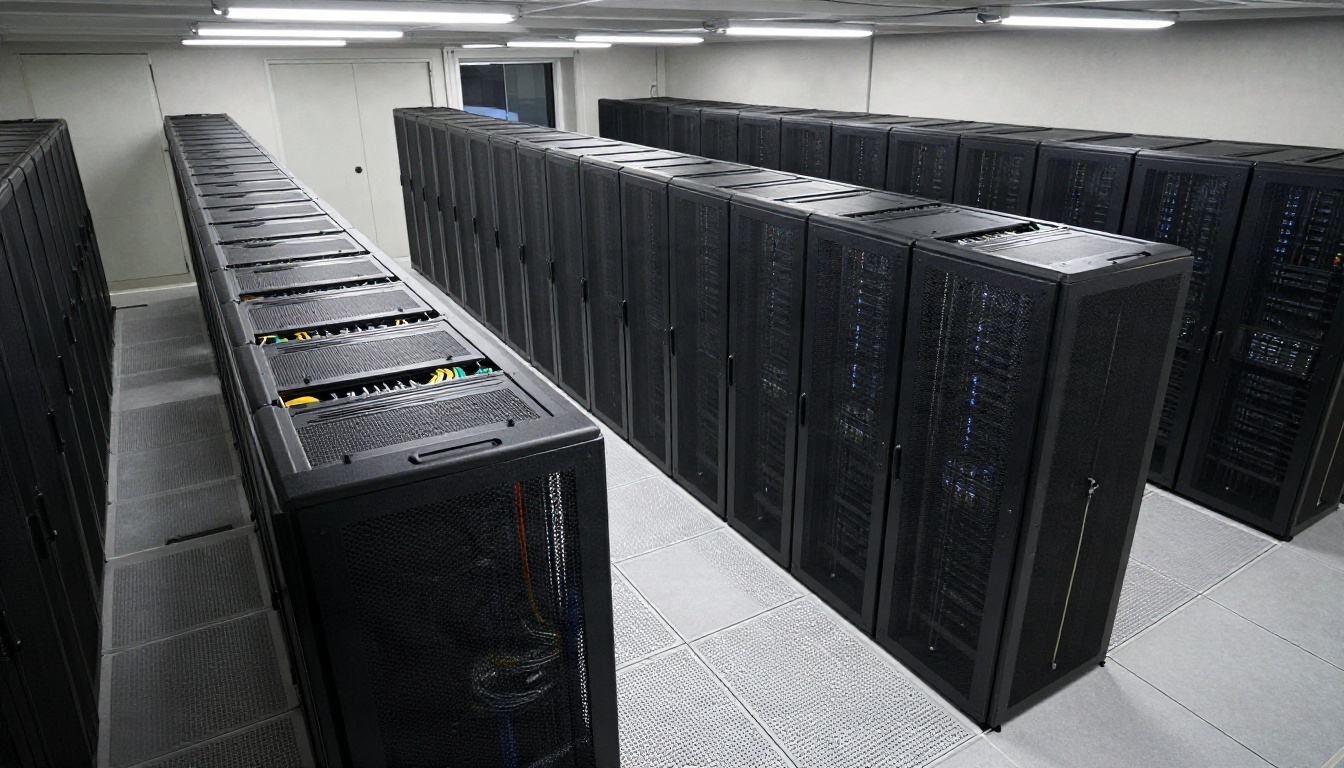
Once you pick models, these habits shrink the invoice without hurting quality.
Route by Difficulty
Send simple requests (classification, extraction, short replies) to a budget model and escalate only when a confidence check fails. Many teams find 70 to 90 percent of traffic never needs the expensive model.
Cache Repeated Prefixes
If every request starts with the same 2,000-token system prompt, prompt caching can cut the input portion of your bill sharply. DeepSeek's cache-hit rate is a clear example, and several other vendors offer similar discounts.
Trim the Context
Summarize old conversation turns instead of resending them. Remove boilerplate from retrieved documents. Cap output length. Every token you do not send is a token you do not pay for.
Batch Non-Urgent Work
Several providers discount asynchronous batch jobs. If a report can wait a few hours, batch pricing is free money.
Set Hard Budget Alerts
Put a spending cap and an email alert on every key. A runaway agent loop is the most common reason a $20 project becomes a $2,000 one.
Try These Models Yourself on Picasso IA
Spreadsheets only get you so far. The fastest way to find your cheapest acceptable model is to run your own prompts side by side. On Picasso IA you can test budget and premium language models, generate images with Seedream 4.5 or Qwen Image 3, and record a voiceover with Realtime TTS 2, all in one place and without managing keys or counting tokens.
Open a budget model and a premium model in two tabs, paste the same prompt, and see whether the difference is worth the price. Then browse the full catalog at picassoia.com/en/all-models and build the stack that fits your budget.


