A client calls on Monday morning and wants to see the house "with warmer materials and a bigger terrace" by Tuesday. Ten years ago that meant a weekend of modeling, lighting and waiting for a render to finish. Today you can type a paragraph and get a believable image in under a minute. AI architecture rendering has moved from curiosity to everyday tool, and the best part is that many of the generators are free to try.
This article shows what the technology does well, which tools are worth your time, and how to write prompts that produce buildings that look photographed rather than generated. You will also find real examples with the exact wording behind them.
What AI Architecture Rendering Does
AI rendering tools turn a text description, a sketch or a rough massing image into a finished picture of a building or a room. They do not calculate light bounces the way a ray tracer does. Instead, they predict what a convincing photograph of your description would look like, based on millions of real images they have seen.
That difference matters. You get speed and atmosphere, but you give up exact dimensions and guaranteed accuracy. Think of it as a very fast concept photographer, not a replacement for your CAD model.
From Sketch to Image in Seconds
The most useful starting point is a loose drawing. A pencil plan, a napkin elevation or a screenshot of a white massing model gives the AI a structure to follow, and your prompt supplies materials, weather and mood.
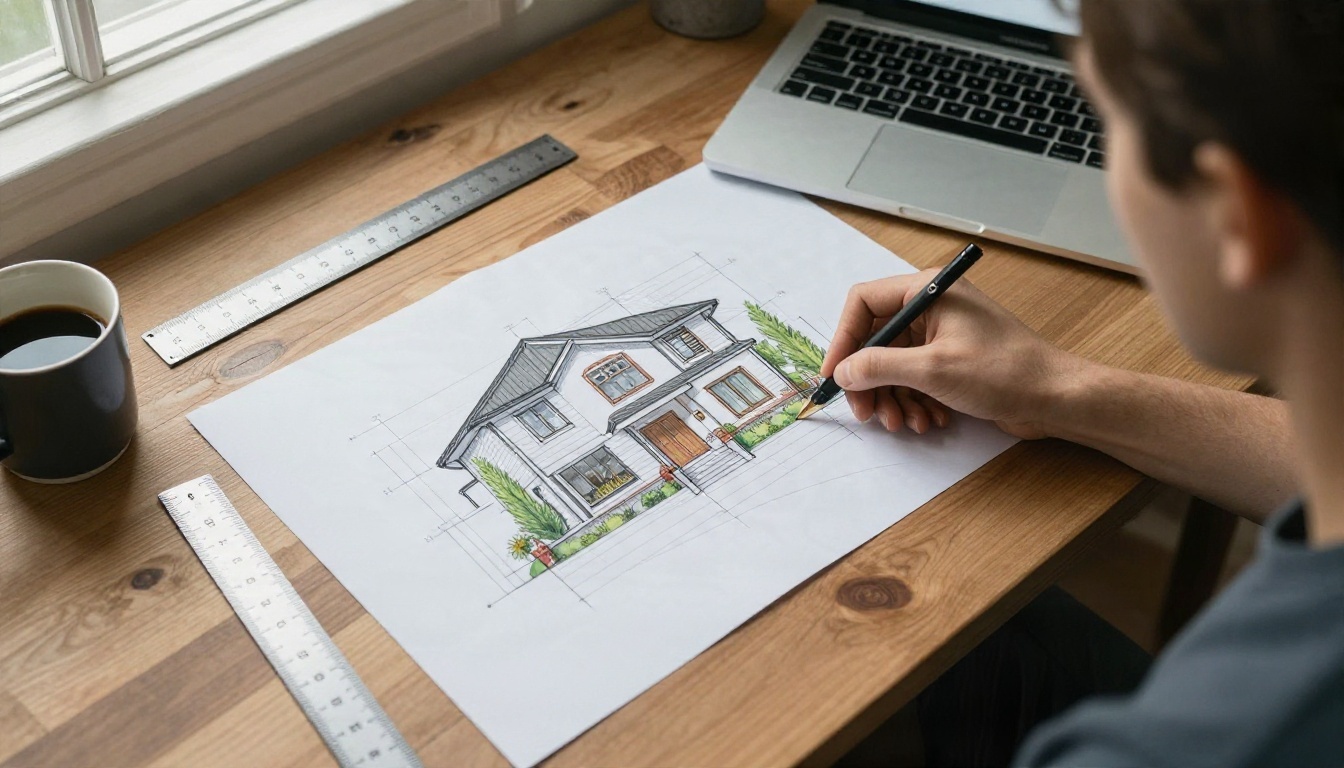
Designers who work this way report that the first image is rarely the final one. The real value is in the loop: generate, react, adjust one sentence, generate again. Ten variations in ten minutes is normal.
Where It Fits in a Real Workflow
Here is where AI renders earn their place:
- Early concept meetings, when a client needs a feeling, not a drawing set.
- Competition boards and mood sheets that show material direction.
- Interior styling options, such as three floor finishes side by side.
- Marketing visuals for projects that are not built yet.
- Personal projects, renovations and garden plans.
And where they should not be trusted alone: construction documents, structural decisions, code compliance and anything where a wrong dimension has legal or financial weight.
💡 Rule of thumb: use AI for atmosphere and options, use your BIM or CAD model for facts. If a render will be shown as "the building", check it against the drawings first.
The market is crowded, so it helps to sort tools by what they actually do. Some generate from text, some edit an existing picture, and some simply make the result sharper.
Text to Image Models
For building exteriors and interiors, general-purpose image models now beat many specialized tools because they handle materials and lighting so well. These are the ones worth testing on PicassoIA:
- Seedream 4.5 is strong on clean geometry, glass reflections and 4K output. It is my first pick for exteriors.
- Imagen 4 gives natural color and believable daylight, and the Ultra version adds fine texture for close-up materials.
- Nano Banana is excellent when you want to edit an existing image, for example swapping a facade material while keeping the building.
- Nano Banana Pro handles complex scenes and detailed prompts at high resolution.
- Qwen Image 3 is a solid photorealistic alternative when you want a different look from the same prompt.
- Imagen 4 Fast is perfect for quick drafts when you are still choosing a direction.
Upscaling and Cleanup
A render that looks great on a laptop can fall apart on a printed board. Real ESRGAN upscales images up to 4x and restores fine detail such as brick joints and window frames. Run it last, after you have picked your favorite version.
Quick Comparison
| Tool | Best for | Speed | Typical use |
|---|
| Seedream 4.5 | Exteriors, glass, clean lines | Fast | Hero images |
| Imagen 4 Ultra | Texture and natural light | Medium | Material close-ups |
| Nano Banana | Editing an existing render | Fast | Material swaps |
| Imagen 4 Fast | Drafts and variations | Very fast | Concept rounds |
| Real ESRGAN | Upscaling | Fast | Print and boards |
Most weak architecture renders come from weak prompts. "Modern house, beautiful" gives the AI nothing to hold on to, so it fills the gaps with generic stock-photo choices. A good prompt behaves like a brief to a photographer.
The Five Part Structure
Write your prompt in this order:
- Building type and form: "A single-story courtyard house with a flat roof and deep overhangs."
- Materials: "Board-formed concrete, charred cedar, bronze window frames."
- Setting: "On a gentle hillside with olive trees, late September."
- Light and weather: "Golden hour, low sun from the left, soft haze."
- Camera: "Shot on a 24mm tilt-shift lens at f/8, eye level, slightly off-center."
Keep the order consistent. Models weigh the start of a prompt more heavily, so your most important idea should come first.
Camera and Light Words
Photography language is the fastest route to realism. Words like 85mm, f/2.8, raking light, overcast softbox sky and Kodak Portra 400 push the model toward real photographs and away from the glossy, over-saturated look that gives AI renders away.
| Goal | Words to add |
|---|
| Warm, inviting exterior | golden hour, low sun, long soft shadows |
| Calm interior | overcast daylight, soft window light, gentle shadows |
| Dramatic texture | raking light, macro detail, shallow depth of field |
| Moody evening | blue hour, warm lit windows, wet pavement |
| Honest realism | film grain, natural color, no HDR look |
💡 Tip: add what you do not want in plain words, such as "no people, no text, no oversaturation". Many models respond well to simple exclusions.
Prompts With Real Examples
The images below were generated from short, specific prompts. Each one is paired with the idea that made it work, so you can adapt it.
Exterior at Blue Hour
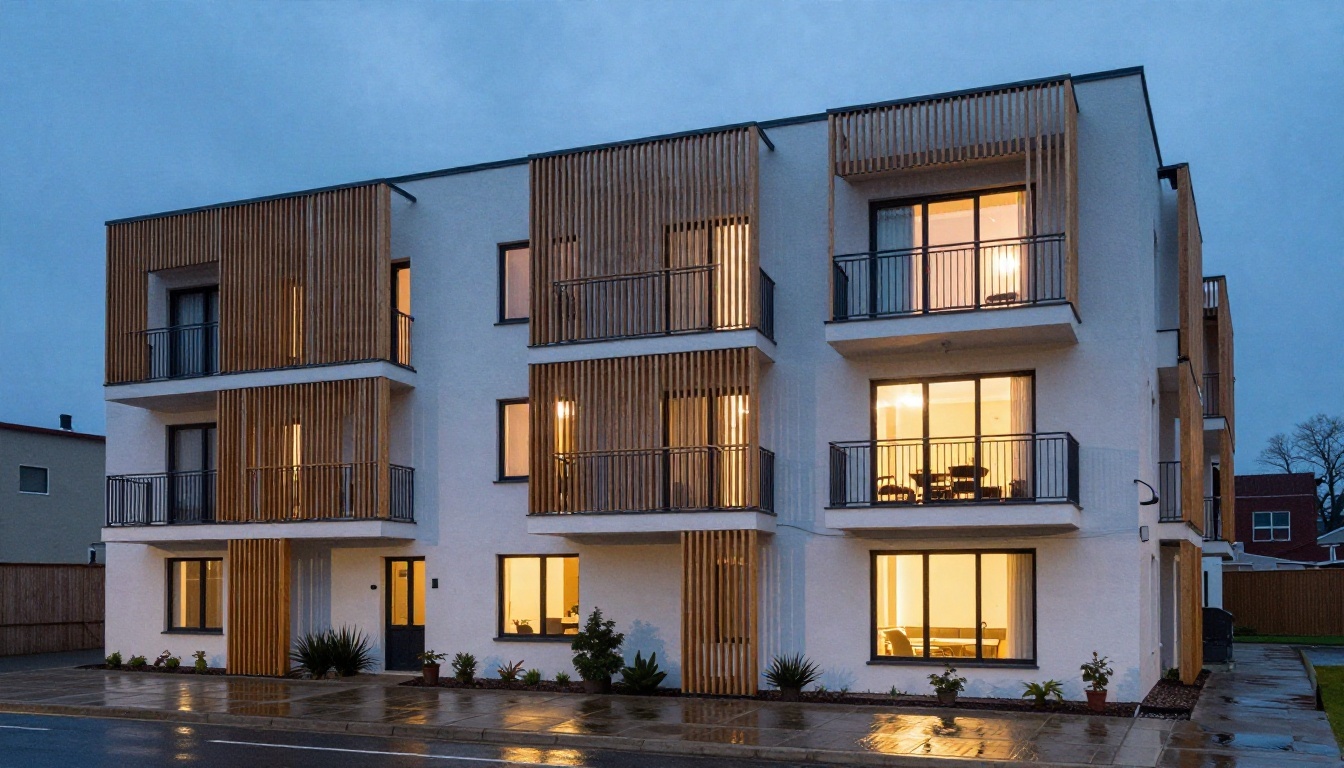
Prompt: Low-angle exterior photograph of a modern three-story apartment building with a rhythmic facade of vertical timber fins and white stucco balconies, blue hour sky, warm interior lamps glowing in windows, wet pavement reflecting the building, 24mm wide lens f/5.6, Kodak Portra 400 film grain.
Why it works: the warm windows against a cool sky create instant depth, and the wet pavement gives the AI a reason to add reflections, which sell realism.
Interior With Soft Daylight
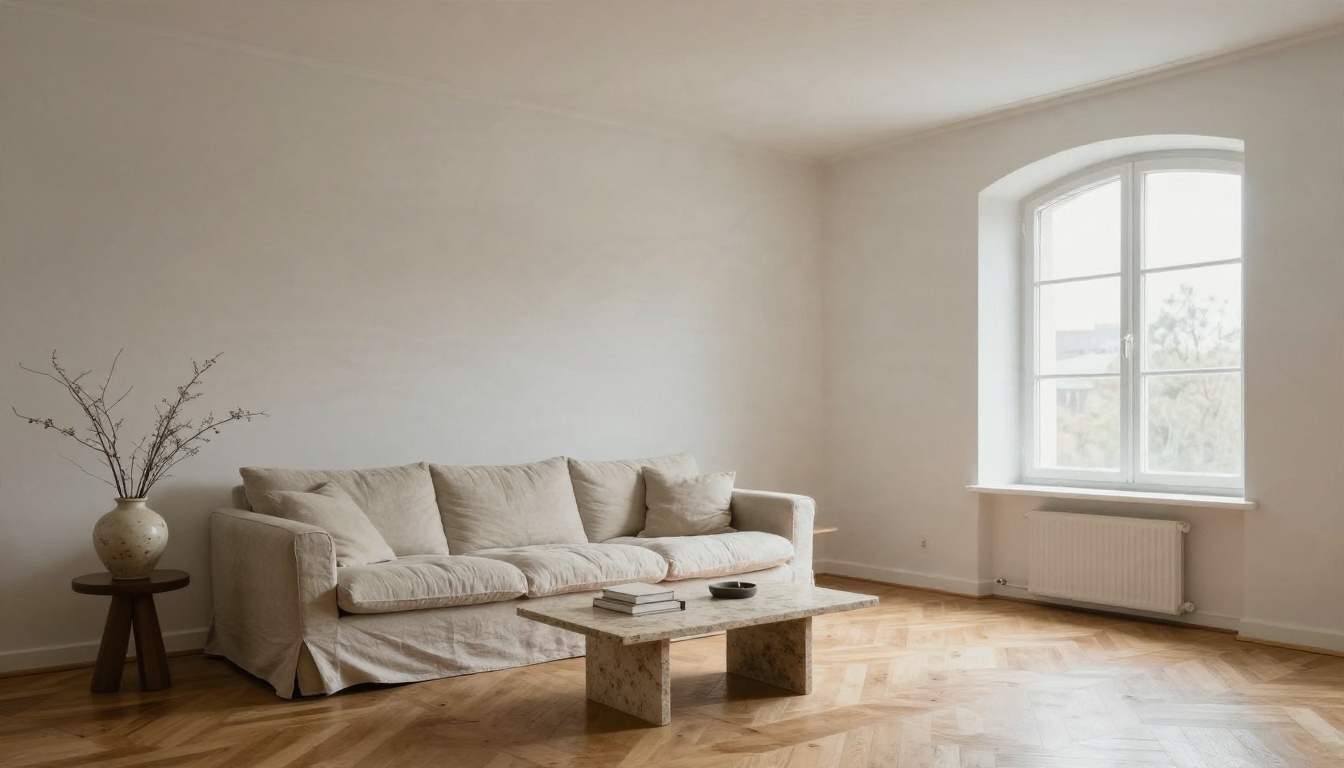
Prompt: Wide interior photograph of a Scandinavian living room with a double-height ceiling, oak parquet floor, linen sofa, large arched window with soft overcast daylight from the right, white lime-washed walls, travertine coffee table, 28mm lens f/4 at eye level.
Why it works: the light direction is stated, and the materials are specific. "Lime-washed" produces a far more convincing wall than "white wall".
Kitchen and Material Detail
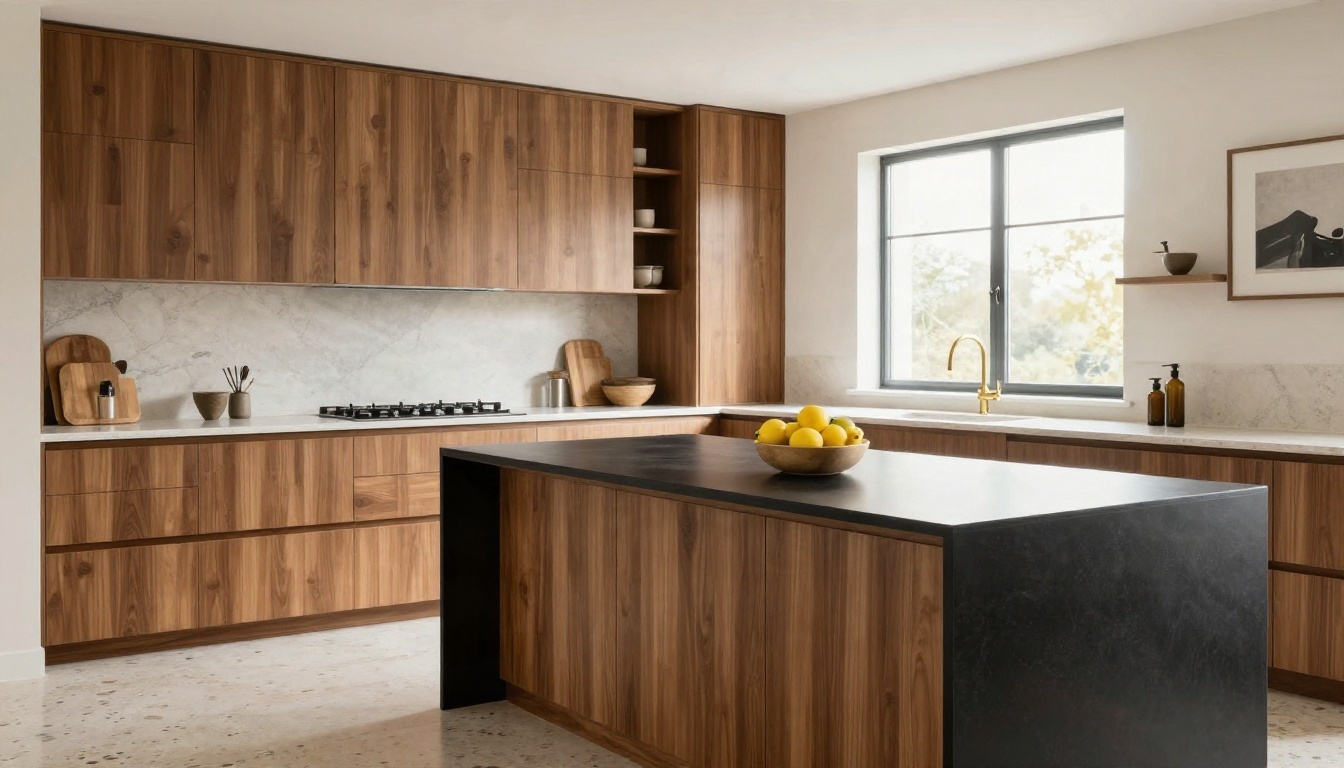
Prompt: Bright modern kitchen with a long matte black island, walnut cabinetry, pale terrazzo floor, tall window with backlight and glints on a brass faucet, a bowl of lemons, 35mm lens f/3.2 from a low three-quarter angle.
A small prop such as a bowl of lemons gives the scene a human, lived-in scale. Without it, interiors often feel like empty showrooms.
For close inspection of surfaces, move in tight:
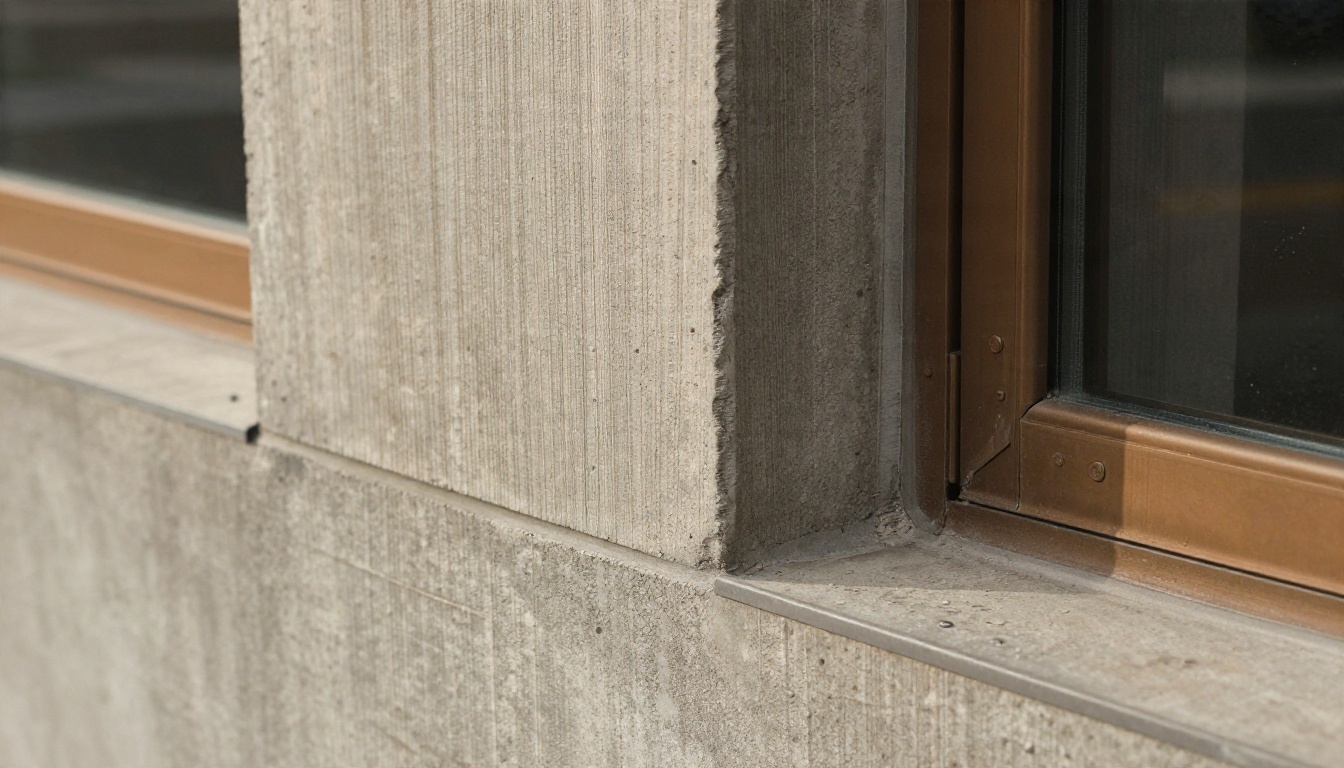
Prompt: Close-up detail of a facade corner where charred cedar cladding meets raw concrete and a bronze window frame, raking morning light from the left, 85mm macro-style lens f/2.8, a few raindrops on the metal sill.
Material studies like this are ideal for client boards. You can swap "charred cedar" for "limestone" or "zinc" and compare options in minutes.
Renovation and Extension
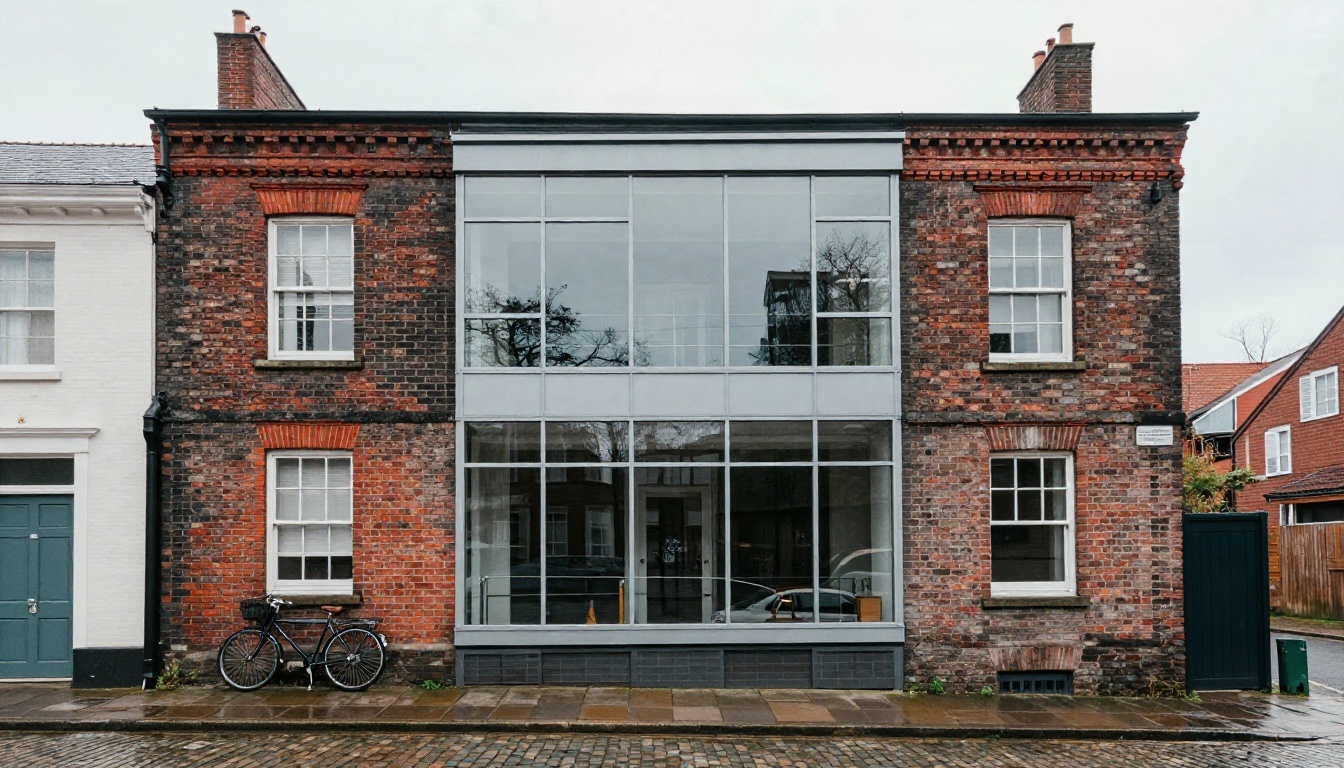
Prompt: Street-level photograph of a renovated historic brick townhouse with a new minimalist glass extension at the rear, overcast soft daylight, wet cobblestones, a bicycle leaning on the wall, 50mm lens f/4, symmetrical composition.
Contrast is the story here: aged brick against clean steel and glass. When you describe old and new together, name both materials clearly so the model does not blend them.
Landscape and Courtyard
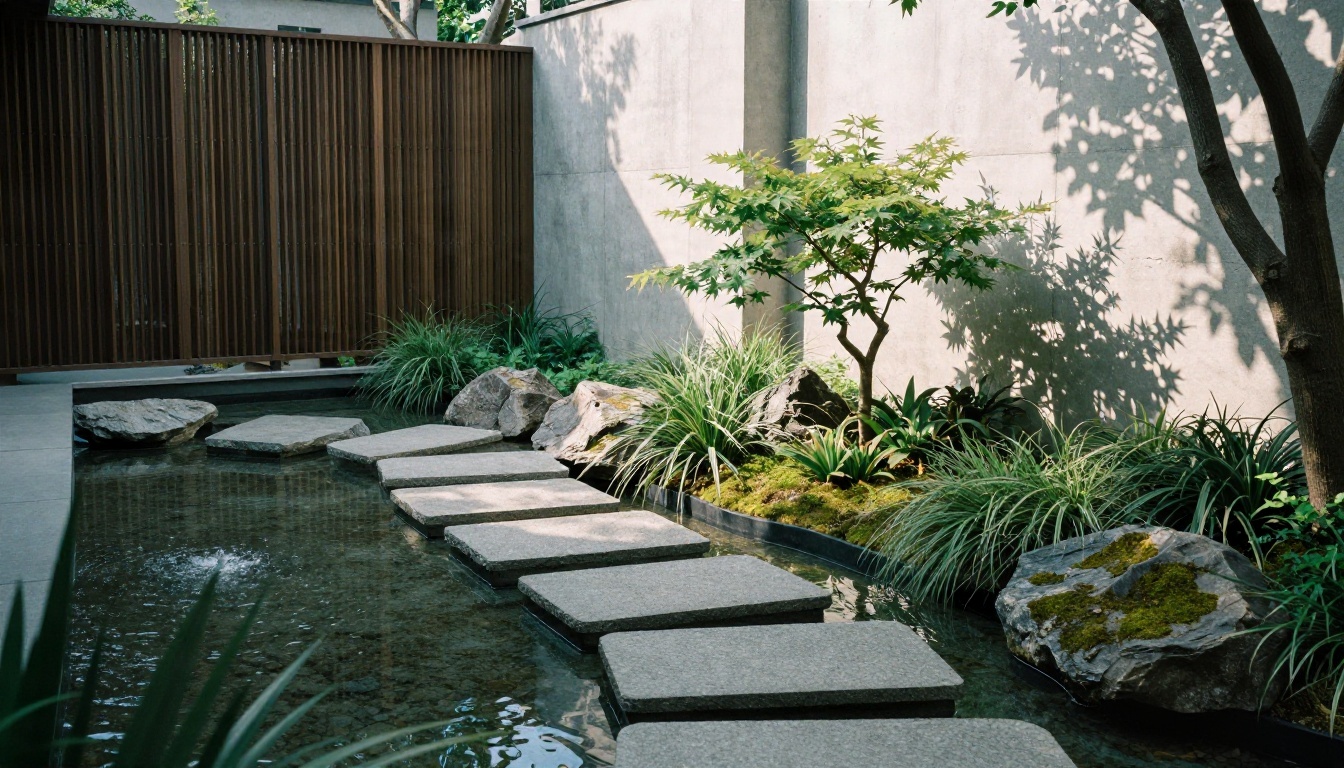
Prompt: Courtyard garden in a modern home, stepping stones across a shallow reflecting pool, ornamental grasses and a single Japanese maple, board-formed concrete walls, dappled afternoon light from the right, 35mm lens f/5.6 from a high angle.
Landscape architects can use this approach to test planting palettes. Dappled light is a good instruction because it forces the model to create layered shadows rather than flat illumination.
Beyond the Single Building
Rendering is not only about one house on one plot. The same tools handle scale in both directions.
Neighborhood and Urban Views
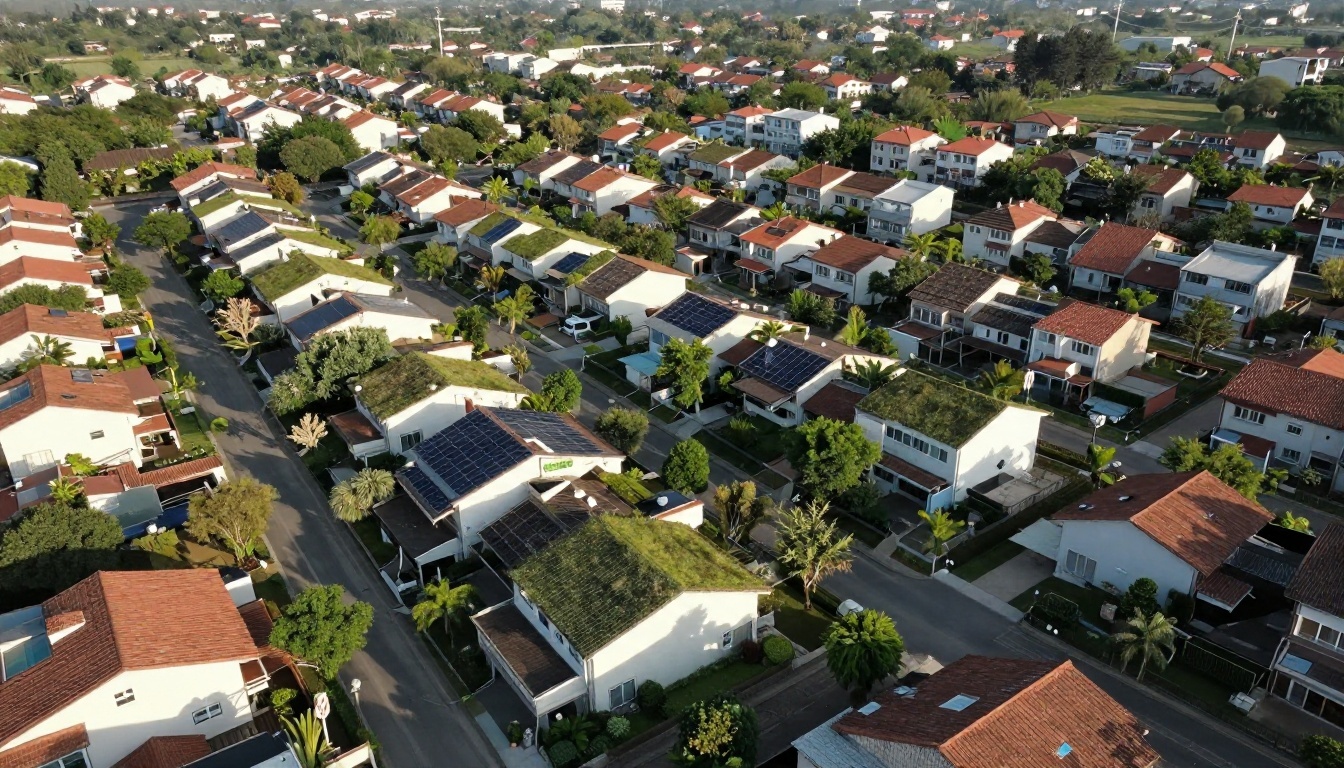
Prompt: Aerial drone photograph of an eco residential neighborhood with green roofs, solar panels, courtyards and tree-lined lanes, late morning sun from the southeast, terracotta and white rooftops, 35mm equivalent lens, altitude 80 meters, slight haze.
Urban planners and developers use views like this to communicate density, green space and street rhythm to community groups who cannot read a site plan.
Night and Atmosphere
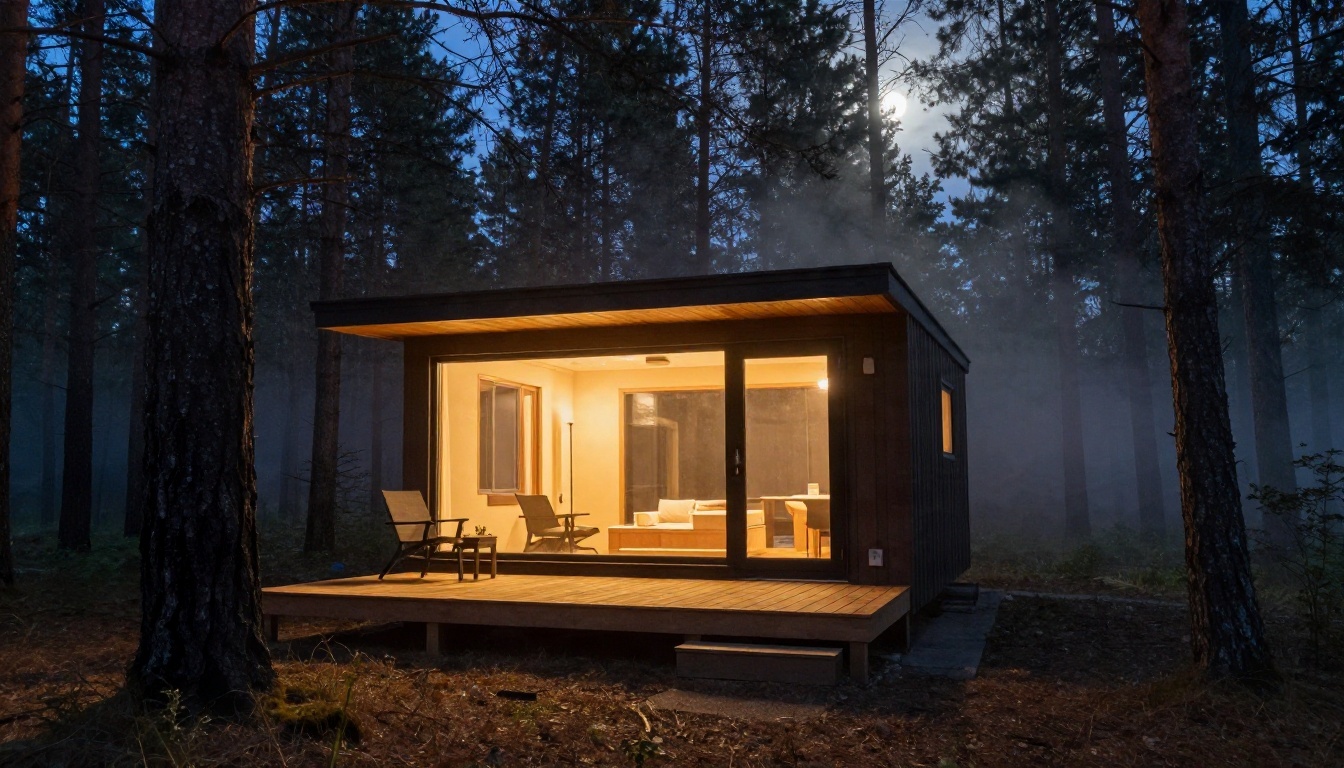
Prompt: Night exterior of a small modern cabin in a pine forest, warm light glowing through a large window wall, wooden deck with two chairs, thin mist between trees, moonlight from above and behind, 24mm lens f/2.8, low angle from the forest floor.
Night scenes are forgiving. Darkness hides small errors, and glowing windows give the picture a story. They are a smart choice for hospitality and residential marketing.
How to Use Seedream 4.5 on PicassoIA
Seedream 4.5 is a dependable choice for architecture because it respects straight lines and renders glass convincingly. Here is a simple workflow.
Step by Step
- Open the model page and sign in to the PicassoIA platform.
- Write your prompt using the five part structure: form, materials, setting, light, camera.
- Set the aspect ratio to 16:9 for exteriors and wide interiors, or 4:3 for presentation boards.
- Generate a first image and look only at composition and light. Ignore small details for now.
- Change one thing in the prompt, such as the time of day or one material, and generate again.
- Pick your favorite and, if you plan to print it, run it through Real ESRGAN for a 4x upscale.
Parameter Tips
- Keep prompts between 40 and 90 words. Shorter prompts leave too much to chance, and longer ones tend to contradict themselves.
- Use one lighting condition per prompt. "Golden hour and overcast" confuses the result.
- Fix a seed if the tool offers it, so you can change a single word and compare fairly.
- For material swaps on an existing image, switch to Nano Banana and describe only the change, such as "replace the cladding with pale limestone".
💡 Workflow idea: draft with Imagen 4 Fast, choose a direction, then regenerate the winner in Seedream 4.5 or Imagen 4 Ultra for the final quality.
Common Mistakes to Avoid
Even good prompts go wrong in predictable ways. These are the problems that show up most often.
Too Many Styles at Once
"Brutalist, Japanese, Mediterranean, minimalist and rustic" is not a style, it is a conflict. Pick one lead style and at most one supporting influence.
Ignoring Scale Clues
AI does not know how tall your doors are. Add scale anchors such as a bicycle, a bench, a person-sized door or a chair. Without them, a cabin can look like a skyscraper.
Expecting Exact Geometry
If your building has a very specific window grid or roof angle, a text prompt will approximate it, not copy it. Use a sketch or reference image as an input, or treat the result as inspiration and rebuild the geometry in your model.
Over-Polished Results
The glossy, perfect look is the fastest way to make a render feel fake. Add imperfections: wet pavement, weathered wood, a few fallen leaves, dust in the air, a slightly overcast sky. Real photographs are never spotless.
Skipping the Disclosure
If you show AI images to clients or the public, say so. A short note such as "concept visualization, not final design" protects trust and avoids disputes over what will actually be built.
Free or Paid: What to Expect
Free tiers are enough to build a habit and produce presentation-ready concepts. You usually trade some speed or resolution for the price. Paid plans make sense when you generate dozens of images a day, need the highest resolution, or work on client deadlines.
| Need | Free tier is enough | Consider paying |
|---|
| Learning prompts and testing ideas | Yes | No |
| A few concept images per week | Yes | Optional |
| Print boards at large size | Mostly, with upscaling | For native 4K |
| Daily client work | Rarely | Yes |
| Batch variations of one project | Sometimes | Yes |
A practical approach: start free, track how many images you actually need per project, and upgrade only when the limit becomes the bottleneck.
Prompt Library to Copy and Adapt
Use these as templates. Replace the bracketed words with your own project details.
- Hero exterior: Raw architectural photograph of a [building type] with [main material] and [secondary material], [setting], golden hour light from the left, 24mm tilt-shift lens at f/8, eye level, film grain, no people.
- Interior mood: Wide interior photograph of a [room] with [floor material], [furniture], soft overcast window light from the right, 28mm lens f/4, natural color, subtle texture.
- Material close-up: Close-up of [material A] meeting [material B], raking light, 85mm lens f/2.8, shallow depth of field, realistic surface texture.
- Aerial site view: Aerial photograph of [project type] with [landscape features], late morning sun, 35mm equivalent lens, slight haze, natural colors.
- Evening view: Blue hour exterior of [building], warm lit windows, wet ground reflections, 24mm lens f/5.6, low angle.
💡 Save your best prompts in a document with the image next to them. After a month you will have a personal library that saves hours.
Try It Yourself
The fastest way to see what AI rendering can do for your project is to run your own prompt. Take a sketch, a photo of an empty plot or even a sentence about the house you imagine, and paste it into Seedream 4.5 or Imagen 4 on PicassoIA. Generate three versions, change one word, and compare.
Start with the villa, the cabin or the kitchen prompts above, then swap the materials for your own. Within ten minutes you will have a set of images you can show a client, a colleague or yourself. Open PicassoIA, pick a model, and create your first architecture render today.


