Most people who search for AI art NSFW prompts hit the same wall within five minutes: the model refuses, or it spits out a plastic, over-smoothed face that looks nothing like a photograph. The problem is rarely your idea. It is the wording of the prompt, the settings behind it, and the model you picked. Get those three right and you can produce glamour, bikini, lingerie and boudoir images that look like they came from a real photo shoot, without crossing into explicit territory.
This article gives you nine free prompts you can copy today, each paired with a sample image, plus the settings that matter and a ranked list of models worth your time. Everything here stays suggestive and artistic, the kind of content you would see in a fashion editorial or a swimwear campaign.
💡 Quick answer: Start with Seedream 4.5 for realistic adult-oriented glamour, then refine with PicassoIA Image Editor Pro, which has unlimited generations.
What Makes a Good NSFW Prompt
A strong prompt reads like a photographer's shot list, not a wish list. Vague requests such as "sexy woman, ultra detailed, masterpiece" give the model nothing to anchor on, so it falls back on a generic, airbrushed look. Specific photographic language does the opposite: it tells the model where the light comes from, how far away the camera is and what the fabric and skin should feel like.
The five-part formula
Every prompt in this article follows the same structure:
- Subject and pose: who is in the frame and what they are doing
- Wardrobe: the exact garment, color and material
- Environment: the room, beach or studio, with two or three concrete props
- Lighting: direction, time of day and quality (soft, hard, diffused)
- Camera: lens length, aperture, angle and film stock
Skip any one of these and quality drops noticeably. Skip lighting and the image goes flat. Skip the camera line and you lose that shallow depth of field that makes photos feel real.
Why wording changes results
Models respond to material words far better than to adjectives. "Satin camisole with soft folds and a subtle sheen" beats "beautiful lingerie" every time. The same goes for skin: phrases like visible pores, fine freckles, faint sheen push the output away from the waxy look that gives AI images away.
| Weak wording | Strong wording |
|---|
| beautiful woman, hot | adult woman in her late twenties, soft smile, subtle freckles |
| nice lighting | golden hour backlight from the left, rim glow on shoulders |
| high quality, 8k | shot on 85mm f/1.8, Kodak Portra 400 grain |
| sexy outfit | champagne silk robe loosely draped over ivory lace bralette |
| nice background | plaster wall, linen sheets, coffee cup on a wooden nightstand |
💡 Tip: Always state that the subject is an adult ("adult woman in her late twenties"). It sets the age range clearly, and it keeps your prompts consistent with the rules of every serious platform.
Free Prompt Examples to Copy
Each prompt below was used to generate the image beside it. Paste them as they are, or swap the wardrobe and location to build your own variations.
Beach Glamour at Golden Hour
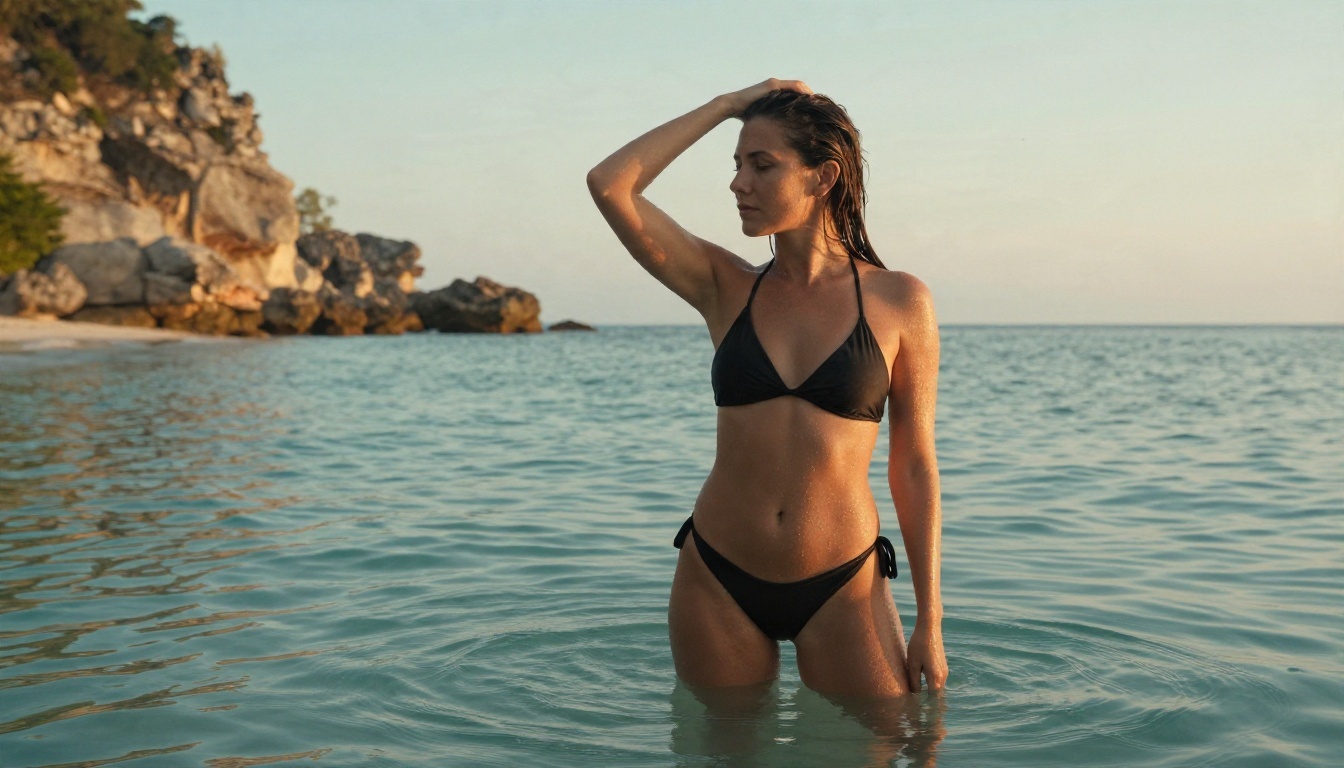
Adult woman in a black high-waisted bikini standing knee-deep in turquoise shallow water at a quiet beach at golden hour, hands brushing back wet hair, low-angle wide shot, soft sunset backlight creating rim glow on her shoulders, droplets on tanned skin with realistic texture, distant limestone cliffs, shot on 35mm f/2 lens, Kodak Portra 400 film grain, natural colors, RAW photograph
Why it works: the low angle and backlight create a heroic silhouette, and "droplets on tanned skin" gives the model a texture target. Swimwear is the safest entry point for NSFW-adjacent work because almost every model accepts it.
Close-Up With Red Lipstick
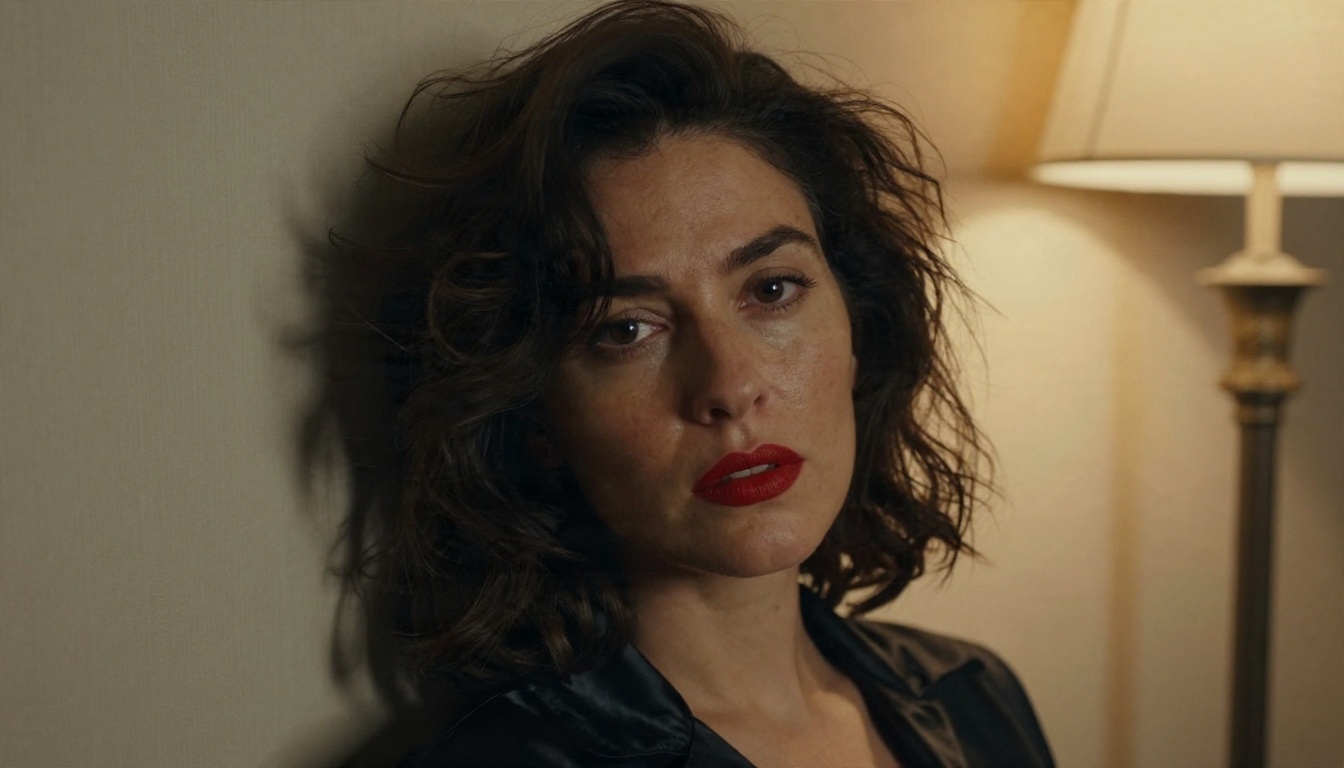
Close-up portrait of an adult woman with red lipstick and tousled dark hair, wearing a black satin camisole, leaning against a vintage hotel room wall with warm tungsten lamp light from the right, visible skin pores and fine freckles, soft shadow on one side of face, shot on 85mm f/1.4 lens shallow depth of field, Kodak Portra 400 grain, moody yet natural
Why it works: a tight crop forces the model to spend all its detail on the face. The single warm lamp creates a moody side shadow, which hides common AI mistakes in the background.
Silk Slip in a Loft
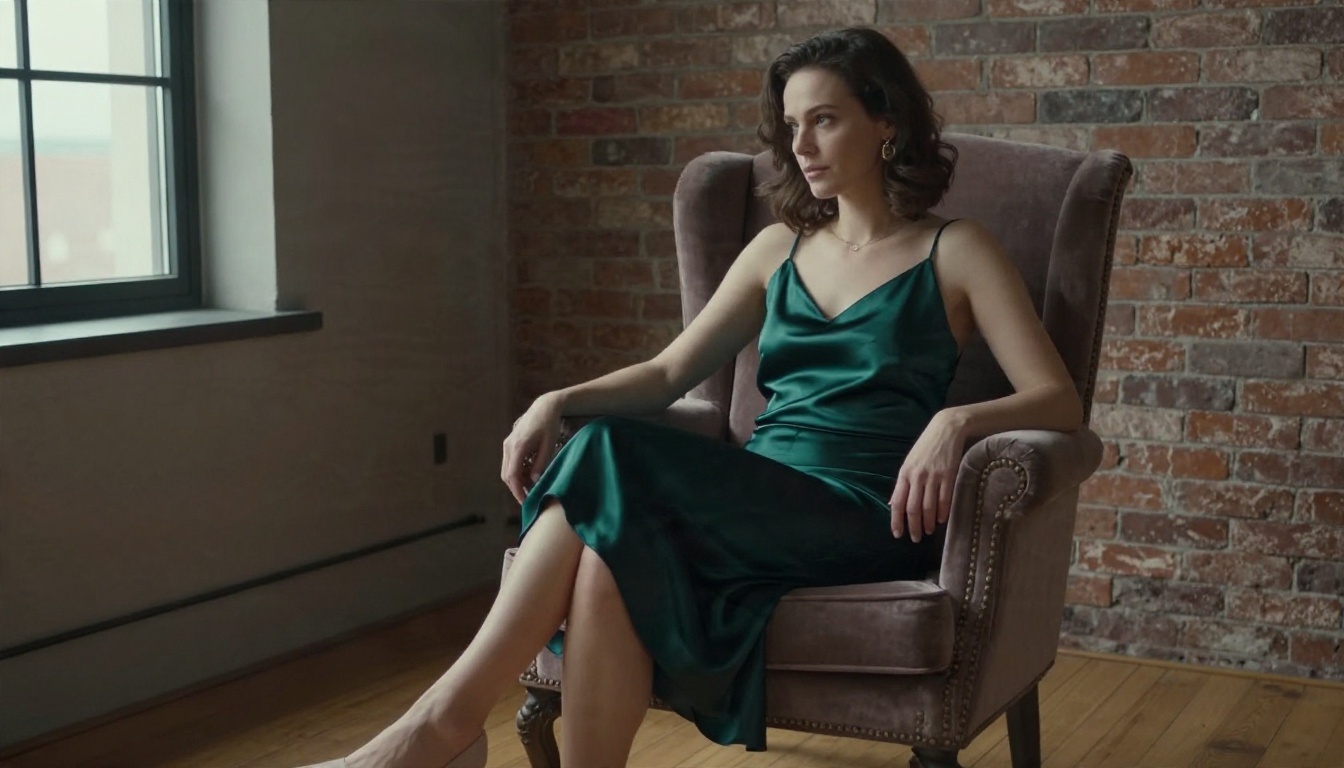
Adult woman in a deep emerald silk slip dress sitting on the edge of a velvet armchair in a loft apartment, legs crossed, glancing over her shoulder, overhead three-quarter angle, soft diffused window light from the left, silk with realistic folds and sheen, exposed brick wall and wooden floor, shot on 50mm f/2 lens, Kodak Portra 400 film grain, natural tones
Why it works: the over-the-shoulder glance adds a candid, editorial feel. Colored silk against brick gives strong contrast and plenty of texture for the model to render.
Soft Light by the Window
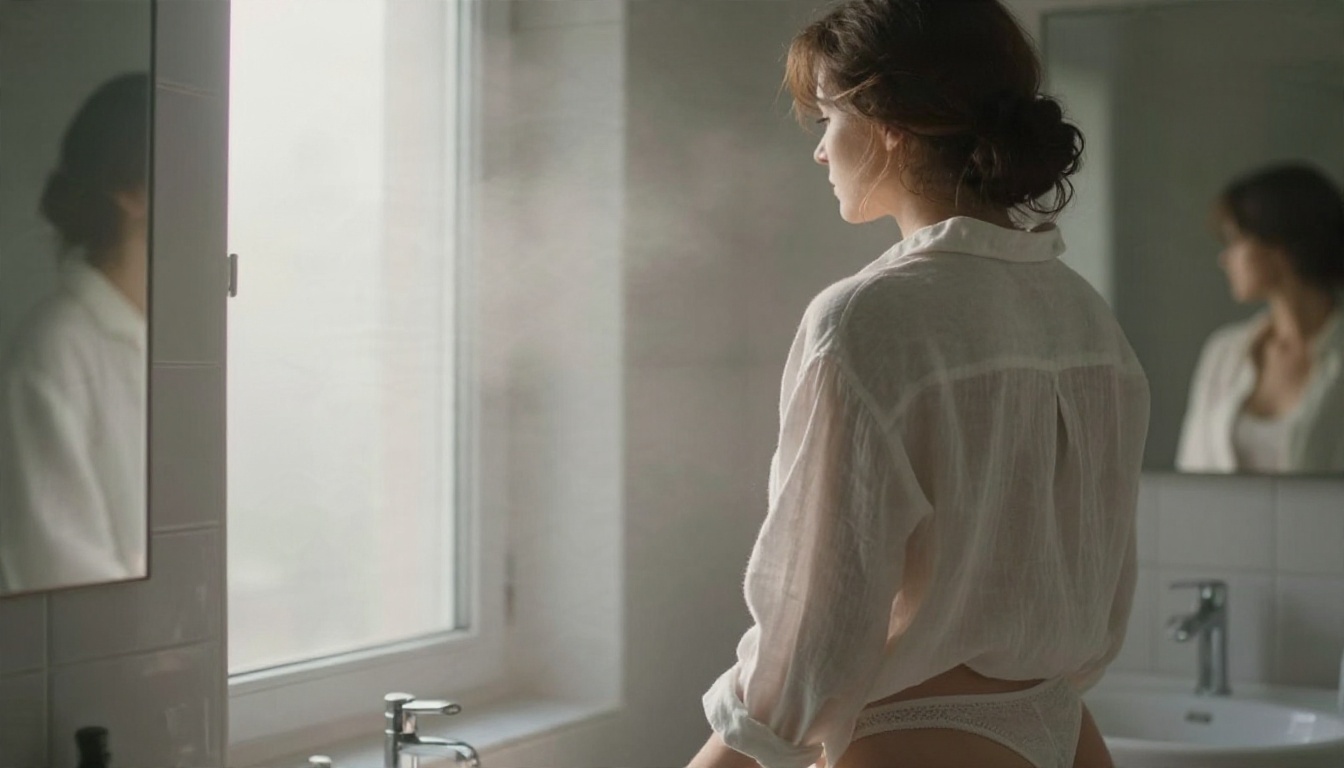
Adult woman in a white linen shirt standing at a bathroom window with soft misty morning light, seen from behind in a medium shot, hair in a loose bun, tiled wall and a steamy mirror, volumetric light from the front left, realistic skin texture and fabric wrinkles, shot on 70mm f/2.8 lens, Kodak Portra 400 film grain, tasteful implied glamour
Why it works: shooting from behind is a classic way to keep a shot implied rather than explicit. Mist and steam also soften the light and add atmosphere for free.
Yacht Deck Swimwear
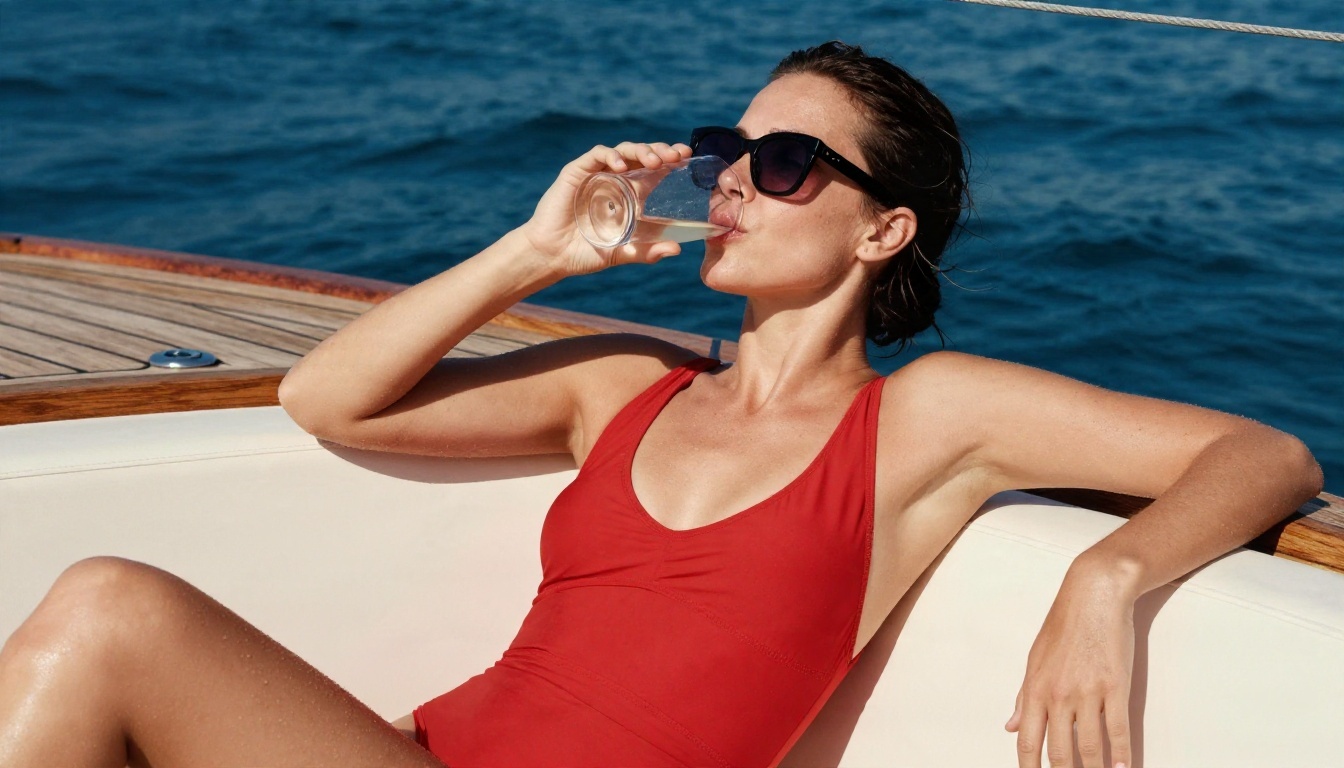
Adult woman lounging on a wooden yacht deck wearing a red one-piece swimsuit with cutout detail and oversized sunglasses, sipping from a glass, high-angle shot, bright midday sun with hard shadows, deep blue sea behind, sun-warmed skin with tiny water beads, rope and teak wood texture, shot on 24mm f/4 lens, Kodak Portra 400 film grain, natural colors
Why it works: a wide 24mm lens and harsh midday sun give a lifestyle-magazine look. The red swimsuit against deep blue is a color pairing models handle very well.
Studio Lace and Blazer
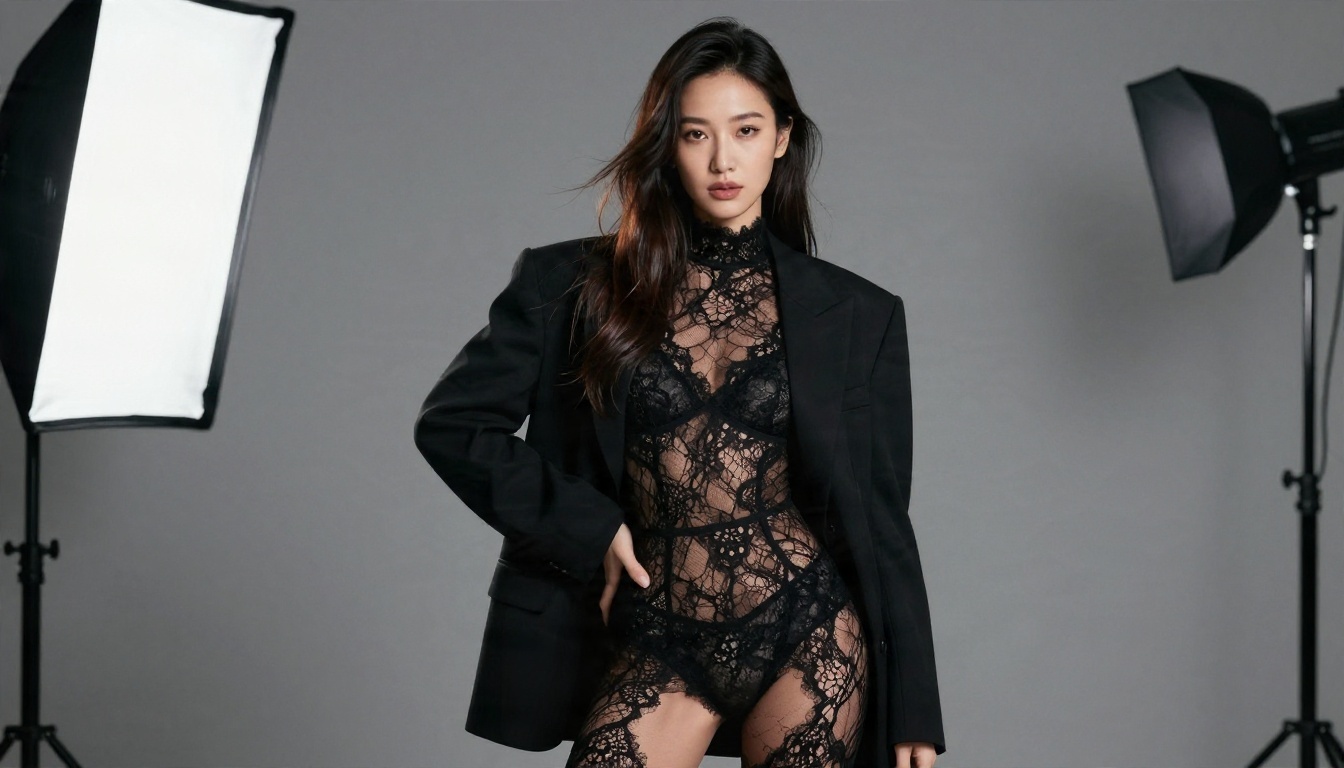
Adult woman in a sheer black lace bodysuit under an oversized blazer, standing in a dim photo studio with a single softbox from the right, hand on hip, full-length shot from low angle, seamless gray backdrop, lace detail with individual threads, glossy hair highlights, realistic skin, shot on 50mm f/2.8 lens, Kodak Portra 400 film grain, fashion editorial glamour
Why it works: layering a blazer over lace is a very fashion-forward combination. A single softbox gives clean, sculpted shadows and keeps the backdrop simple, so the subject stays sharp.
Sand and Crochet
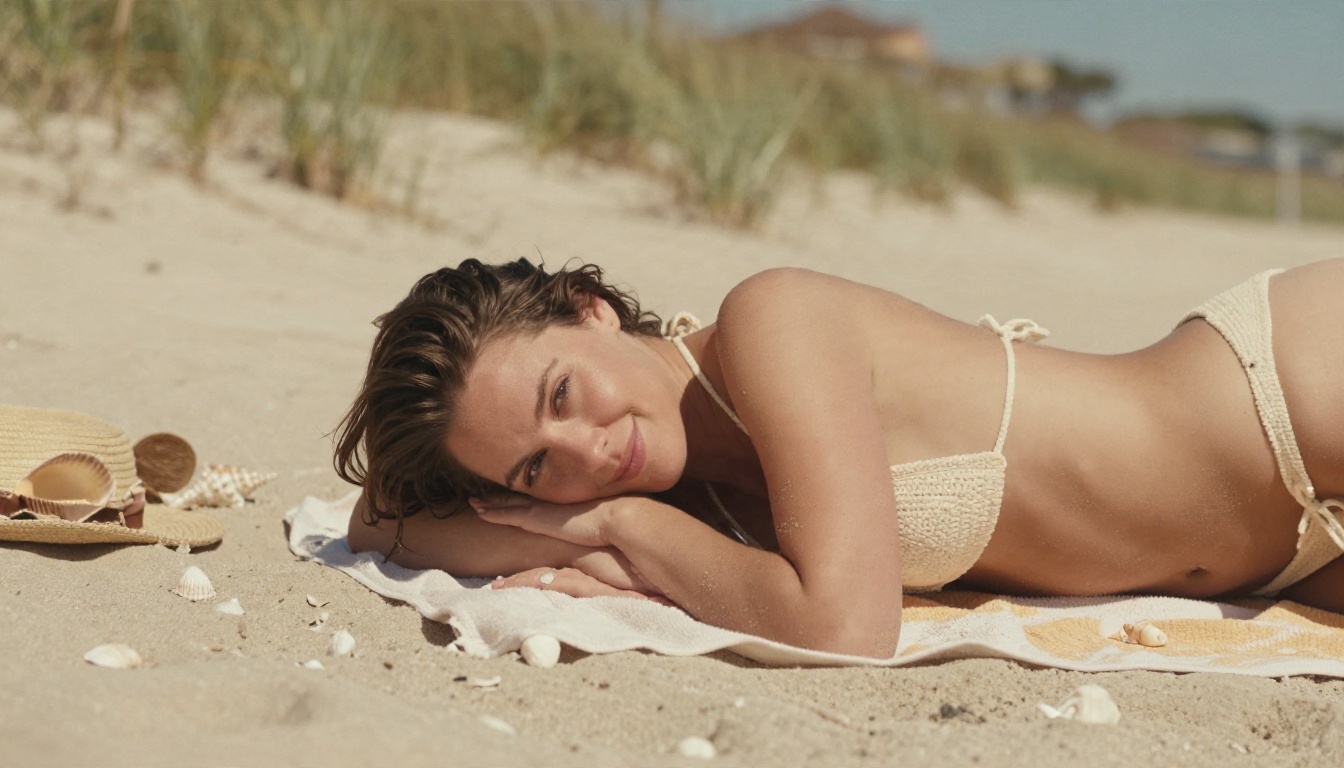
Adult woman lying on her stomach on a sun-bleached beach towel in a cream crochet bikini, chin resting on folded arms, smiling at the camera, ground-level shot, warm afternoon light from behind, sand grains on skin, scattered seashells, dune grass in soft bokeh, shot on 100mm f/2.8 lens, Kodak Portra 400 film grain, natural colors
Why it works: the ground-level angle and long 100mm lens compress the scene and blur the dunes into creamy bokeh. Small props like seashells make the scene feel lived in.
Balcony at Blue Hour
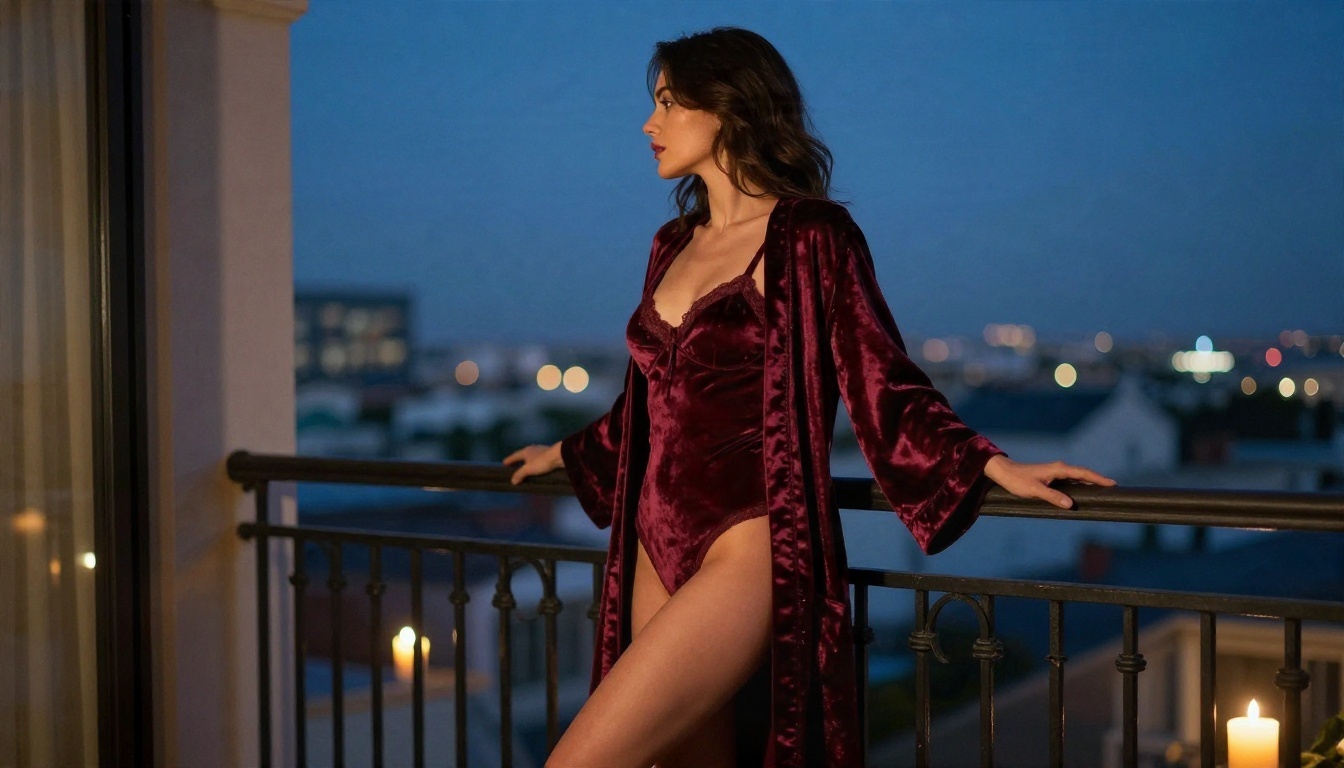
Adult woman in a burgundy velvet lingerie set with a long open satin robe, standing on a candlelit hotel balcony at blue hour, city lights soft in the background, side profile medium-long shot, warm candle glow mixed with cool twilight, realistic skin texture and velvet pile, wrought iron railing, shot on 85mm f/1.8 lens, Kodak Portra 400 film grain, tasteful glamour
Why it works: mixing warm candle light with cool twilight creates natural color contrast. The side profile is flattering and easy for a model to render without anatomy errors.
Poolside in White
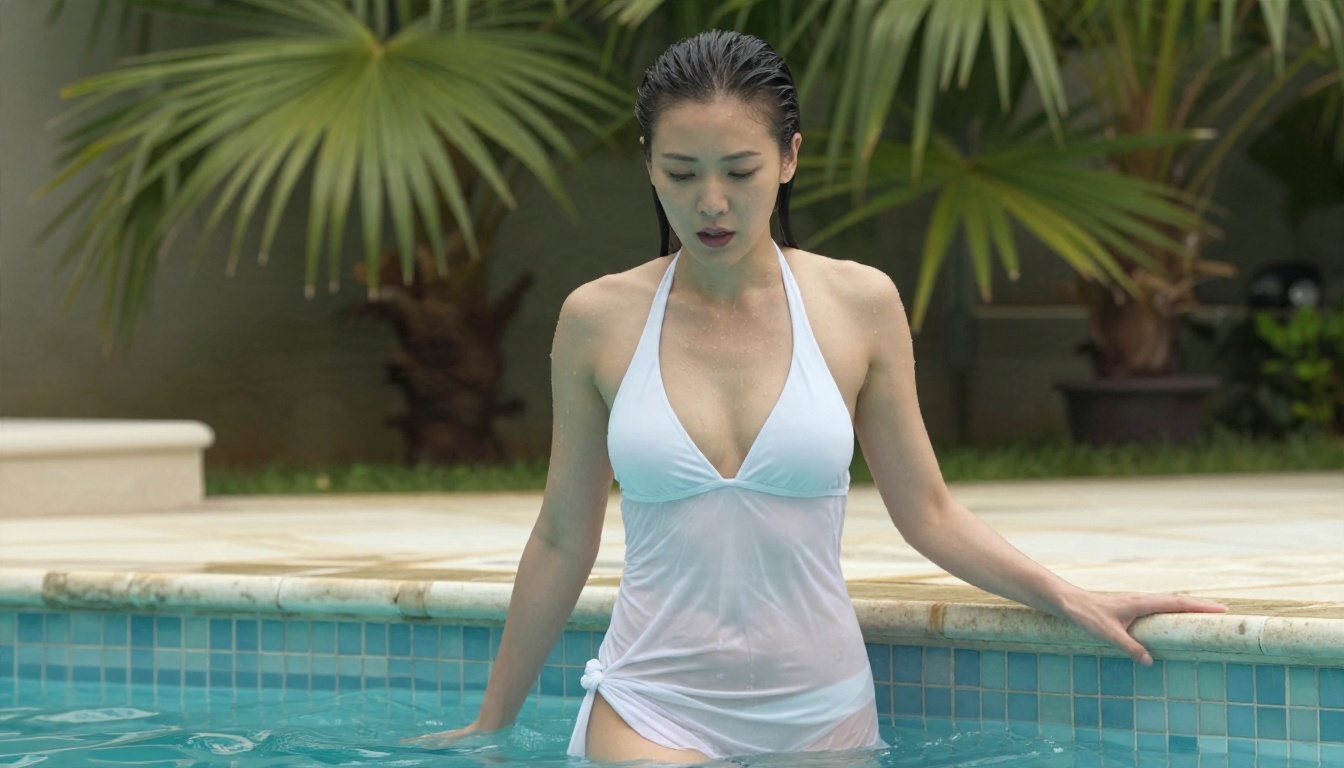
Adult woman at a poolside in a white halter bikini and sheer sarong, stepping out of a pool with wet hair slicked back, three-quarter front view from slightly below, bright overcast soft light, water running down skin, stone tile with wet texture, palm leaves in blurred background, shot on 50mm f/2 lens, Kodak Portra 400 film grain, natural colors
Why it works: overcast light is forgiving and flattering, and wet surfaces (skin, stone, hair) give the model plenty of realistic highlights to work with.
Best Settings for Realistic Results
Prompts get you 70 percent of the way. The rest comes from a few settings that most people leave on default.
Aspect ratio and resolution
Pick the ratio before you write the prompt, because composition depends on it. 16:9 suits environmental scenes like the beach and balcony examples. 3:4 or 2:3 suits full-length fashion shots and close-up portraits. Generate at the highest native resolution the model offers, then upscale afterward rather than asking for a huge size up front, which often introduces duplicated limbs and warped faces.
Seeds and iteration
Once you find a composition you like, lock the seed and change only one variable at a time: the outfit, the light direction or the lens. This gives you controlled variations instead of random rerolls. Keep a running note of prompts that work, since small wording changes can swing results a lot.
Prompt length
| Model type | Ideal prompt length | Notes |
|---|
| Fast turbo models | 40 to 80 words | Too much detail gets ignored |
| Photorealistic flagships | 80 to 150 words | Rewards specific materials and lighting |
| Editing models | 15 to 40 words | Describe the change only, not the whole scene |
💡 Tip: If the face looks plastic, add visible pores, fine freckles, flyaway hairs and remove words like "flawless", "perfect" or "ultra smooth". Those words push the model toward airbrushing.
Best Models to Use
Not every model handles adult-oriented glamour equally. Some refuse on sight, some soften every output, and some produce excellent skin but poor hands. This is the order I recommend, starting with the strongest all-rounder.
Seedream 4.5 for the main work
Seedream 4.5 is my first pick because it reads long, detailed prompts well and renders skin, fabric and light with real restraint. It accepts suggestive adult-oriented content far more readily than most mainstream models, so you spend your time creating rather than rewording refused prompts. Output goes up to 4K, which is more than enough for prints and wallpapers.
Image Editor Pro for unlimited tweaks
PicassoIA Image Editor Pro is the one to open when an image is 90 percent right. Change the swimsuit color, swap the background, soften the light or fix a hand, all without worrying about a generation cap. Unlimited generations means you can iterate as often as you like, which matters when you are chasing one perfect frame.
Faster and lighter options
When you want volume, Z Image Turbo returns images in seconds, so it is ideal for testing ten prompt variations before committing. Flux 2 Klein 9B Base LoRA adds LoRA-style control when you want a consistent look across a series. Flux Dev and Realistic Vision v5.1 round out the list with dependable photographic output and a more classic portrait feel.
💡 Note: Seedream 5 Pro and similar newer releases are great for general photography, but results with adult-oriented prompts vary. For this kind of content, stick with the models in the table above.
How to Use Seedream 4.5 on PicassoIA
Here is the exact workflow I use to go from a blank page to a finished image.
- Open the model page. Go to Seedream 4.5 on PicassoIA and sign in.
- Paste a prompt. Use any of the nine examples above. Keep the full five-part structure intact on your first run.
- Choose the aspect ratio. Pick 16:9 for scenery-heavy shots or a portrait ratio for full-length fashion frames.
- Set the resolution. Choose the highest option available for your final image. Use a lower one while drafting to save time.
- Generate and compare. Run two or three versions. Pick the one with the best face and hands.
- Refine one variable. Change only the wardrobe or the light direction, then run again with the same seed if the option is shown.
- Finish in Image Editor Pro. Open the winner in Image Editor Pro to fix small details such as a strap, a shadow or a background object.
💡 Tip: Write your negative constraints positively. Instead of "no extra fingers", write "natural hands with five fingers, relaxed pose". Positive phrasing is followed more reliably.
Mistakes That Ruin Your Images
Most disappointing results come from the same handful of errors. Fix these and quality jumps immediately.
Stacking too many adjectives
"Gorgeous, stunning, beautiful, sexy, perfect, ultra detailed" tells the model nothing concrete. Replace the whole string with a single physical detail, such as "soft freckles across the shoulders".
Ignoring the background
A blank or cluttered background gives away an AI image immediately. Name two or three props (a coffee cup, a linen sheet, a wrought iron railing) so the scene feels grounded.
Fighting the safety filter
If a model refuses your prompt, rewording a dozen times rarely helps. Switch to a model better suited to glamour work, and keep your wording about the look and the light instead of pushing toward anything explicit. Suggestive, well-lit and tasteful beats explicit almost every time, and it also keeps your work usable on social platforms and portfolios.
Mixing contradictory lighting
"Golden hour backlight" and "dim studio softbox" in one prompt will confuse the output. Choose one light source and describe it clearly.
| Mistake | Quick fix |
|---|
| Plastic skin | Add pores, freckles, flyaway hairs; remove "perfect" |
| Weird hands | Hide them (arms folded, hands in hair) or fix in Image Editor Pro |
| Flat lighting | State direction and time of day |
| Generic faces | Specify age range, hair color and one distinguishing detail |
| Cluttered frame | Limit to three props and one location |
Staying Tasteful and Safe
A few ground rules keep your work on the right side of every platform policy. Always depict clearly adult subjects, never real people without permission, and never explicit content. Suggestion is more powerful than display anyway: the best glamour photographers have always relied on light, fabric and pose, not on showing everything. The nine prompts above are a good template for that approach.
If you plan to publish your images, check the content rules of the site where you post. Swimwear and boudoir-style content is accepted in many places, though rules about labeling and age-gating vary.
Start Creating Your Own Images
You now have nine working prompts, a formula that applies to any scene and a ranked list of models to run them on. The fastest way to improve is to generate: take one example, change a single detail, and compare the result.
Open Seedream 4.5, paste your favorite prompt, then polish the best result in PicassoIA Image Editor Pro with unlimited generations. When you want more options, browse every model at picassoia.com/en/all-models and test the same prompt across several of them. Ten minutes of side-by-side testing will teach you more about each model's strengths than any review can.


