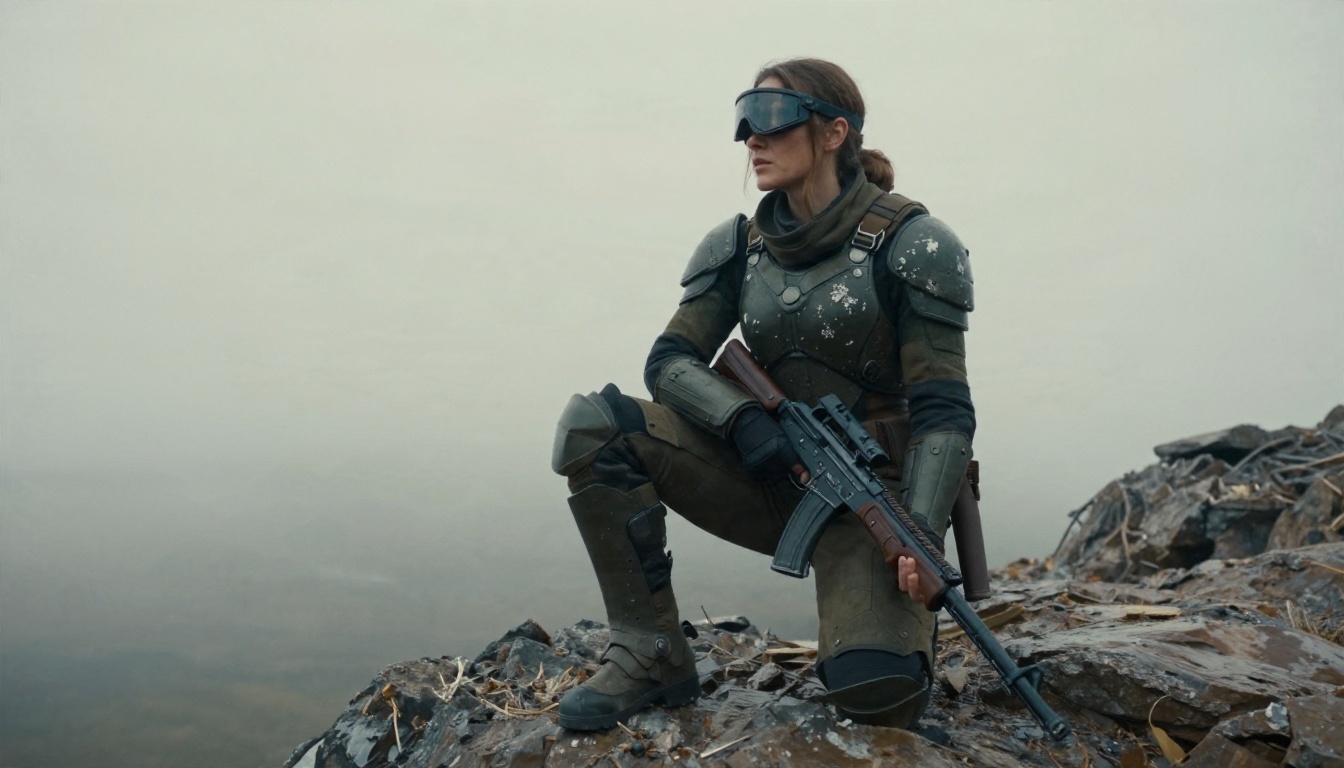
Most AI warrior images look like toy packaging: glossy plastic plates, a perfect face, a background that could belong to any wallpaper site. The images that stop a scroll look like film stills. The armor is scratched, the light has a direction, and the woman wearing it looks like she has actually walked somewhere. This article gives you the prompts, the structure behind them and the settings that push a sci fi armored female warrior from "AI art" to "was that a real photo?"
Every example below was generated as a photograph, with real lenses, real light and real surface wear. No glow effects, no painted look. If you want believable results, that is the whole trick: treat the prompt like a shot list for a cinematographer, not a wish list for a game artist.
Why This Subject Works So Well
Armored women in science fiction sit at an unusual crossing point. The silhouette is instantly readable (shoulders, helmet, plated limbs), the story is built in (who is she, what happened here), and the materials give a generator plenty to render: brushed metal, canvas, leather, rubber hoses, sweat, dust.
That density of texture is also the risk. Ask for "epic armor" and you get chrome blobs. Ask for the right material details and you get something tactile.
Gear That Looks Worn, Not Shiny
Fresh armor reads as a costume. Worn armor reads as a world. Build wear into the prompt with specific, physical words:
- Chipped paint at the edges of plates
- Scratched ceramic or brushed steel grain
- Dried mud in the seams
- Black tape wrapped around hoses
- Frayed canvas cape, scuffed leather gloves
- Oil stains and rivets
Pick three or four, not twelve. A long list of damage tends to produce uniform noise rather than believable history.
Pick a Real Location
A warrior standing in a void looks fake. A warrior standing on a salt flat, in a flooded corridor or on a rain-soaked rooftop looks like a frame from a movie. Real places bring real light, and real light is what sells photorealism. Salt flats, quarries, abandoned factories, fog-covered ridges and bunkers all work because the model has seen thousands of genuine photographs of them.
💡 Tip: Name the place and one physical detail of it, such as "cracked dry lakebed" or "wet concrete with peeling paint." The detail does more work than the adjective.
A reliable prompt has five blocks, always in the same order. The model reads the front of a prompt with the most weight, so put the subject first and the camera last.
| Block | What it contains | Example phrase |
|---|
| Subject and pose | Who, doing what | "female warrior kneeling on one knee, rifle across her thigh" |
| Armor and materials | Color, finish, wear | "matte gunmetal plate armor, chipped paint, scratched ceramic pauldrons" |
| Environment | Place plus one detail | "wind-swept salt flat, crashed cargo hull half buried in sand" |
| Light | Direction, time, quality | "low golden sun from camera left, soft rim light on jaw" |
| Camera | Lens, aperture, film | "85mm f/1.8, shallow depth of field, Kodak Portra 400 grain" |
Subject and Armor
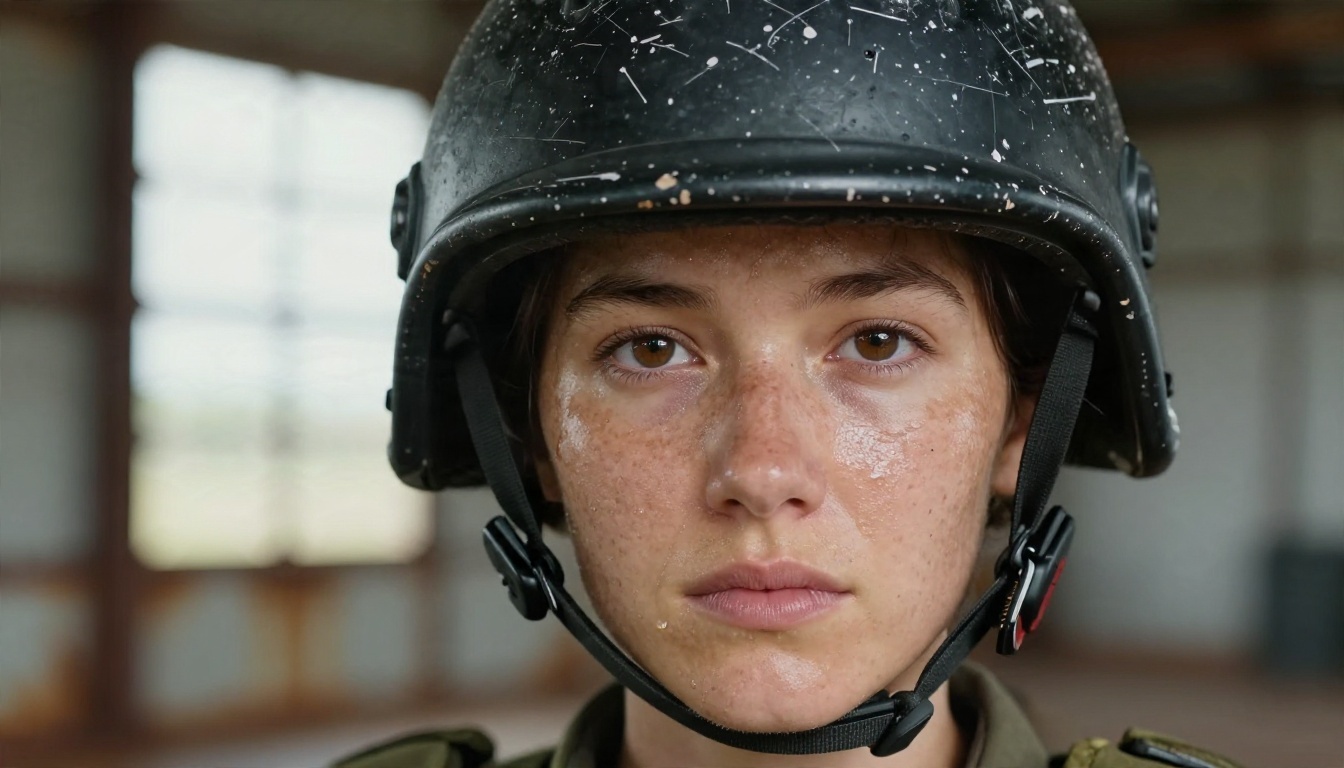
Describe the person as well as the plates. Skin pores, freckles, a thin scar, sweat sheen, damp hair and a smudge of grease are what stop the face from looking airbrushed. Armor color should be a specific, muted shade (olive, slate blue, gunmetal, bronze, bone white) rather than "cool futuristic armor," which is a fast route to plastic.
Environment and Light
Name one light source and its direction. "Soft window light from the left" or "low sun from camera right with rim light along the shoulder" gives the model a lighting plan. If you leave light unspecified, you tend to get flat, centered illumination that kills the metal texture.
Camera and Film
Lens language works remarkably well. A few reliable anchors:
- 85mm f/1.8 for hero portraits with creamy background blur
- 35mm f/2.8 for a low-angle, environmental look
- 24mm for wide corridors and aerial views
- 100mm macro for faces and armor details
- Kodak Portra 400 plus "fine natural film grain" for believable color and texture
Nine Prompt Examples to Adapt
Each example below shows the image and the prompt idea behind it. Swap the armor color, the place or the lens, and you have a new shot.
1. The Corridor Walk
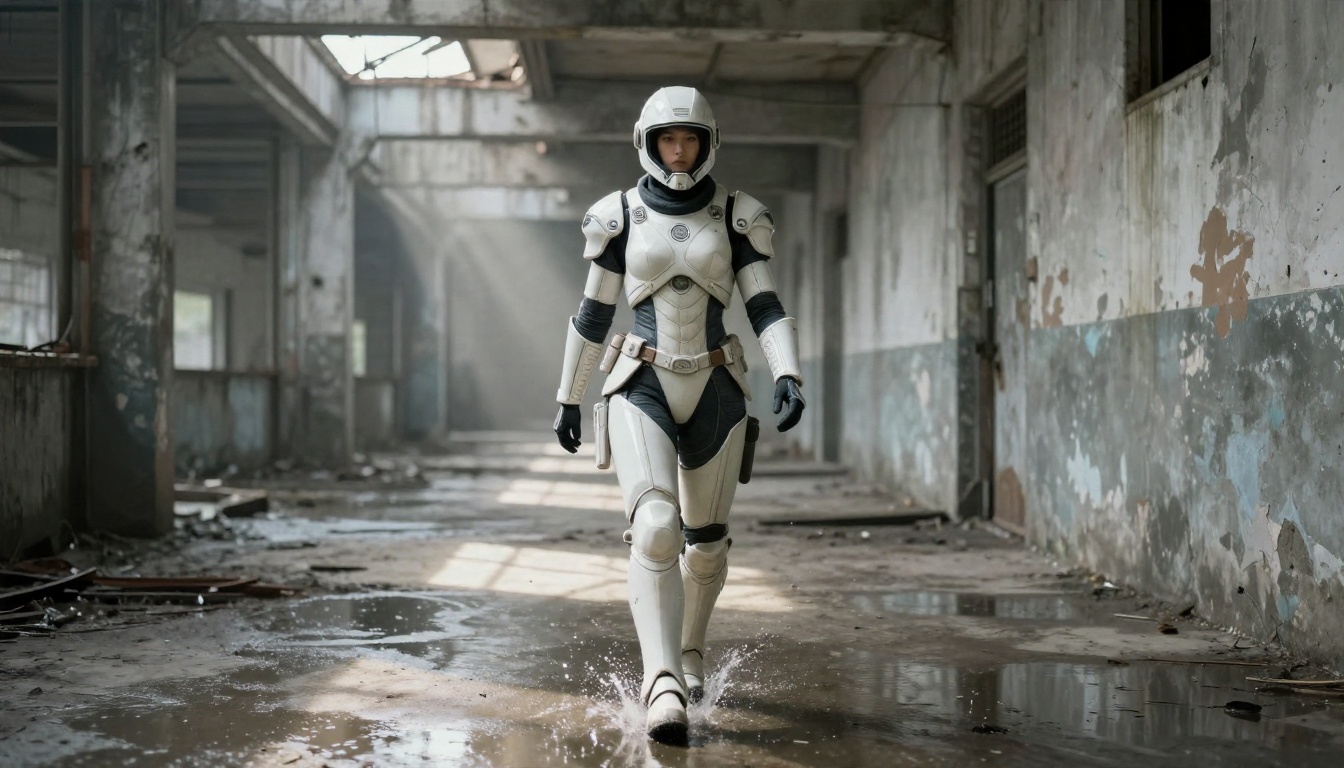
Prompt: Wide shot photograph of a female sci fi warrior in white and charcoal ceramic armor walking down a long concrete corridor of an abandoned industrial facility, helmet in hand, footsteps splashing in a thin film of water. Shafts of daylight from high broken skylights cut diagonally through dusty air, wet concrete reflections, peeling paint. 24mm lens f/4, symmetrical composition, Kodak Portra 400 film grain, scuffed armor and fabric textures.
Symmetry plus diagonal light is a dependable combination. The wet floor doubles every highlight, which helps the armor read as real metal.
2. The Workshop Detail
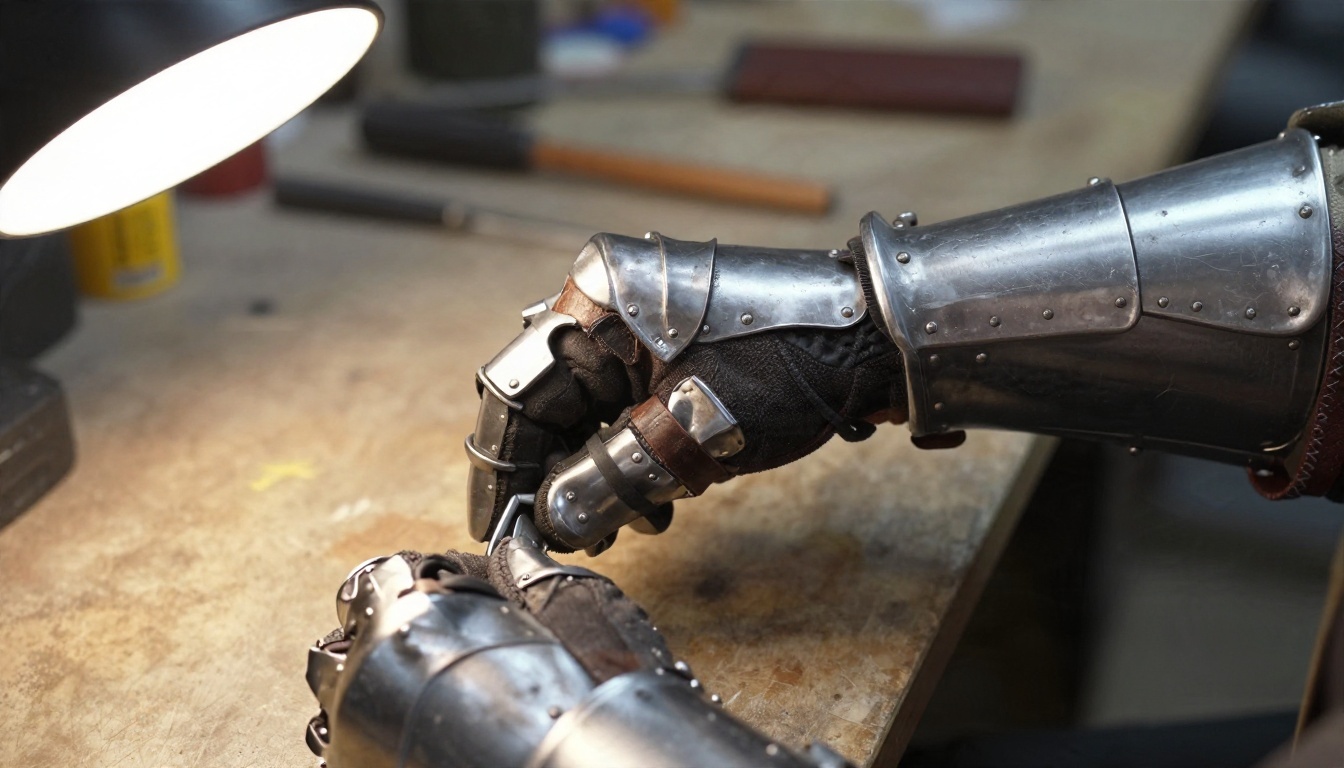
Prompt: Detail photograph of a gauntlet and forearm of a female warrior's armor, overlapping brushed steel plates with rivets, black rubber hoses, scuffed leather straps and a stitched canvas sleeve, her gloved hand adjusting a buckle. Workshop bench blurred behind, warm tungsten lamp from the right. 90mm macro lens f/2.8, oil stains, fine scratches, metal grain.
Close detail shots are the cheapest way to prove material quality. Use one in every set. If the macro looks convincing, the wide shots feel more credible by association.
3. The Aerial Lone Figure
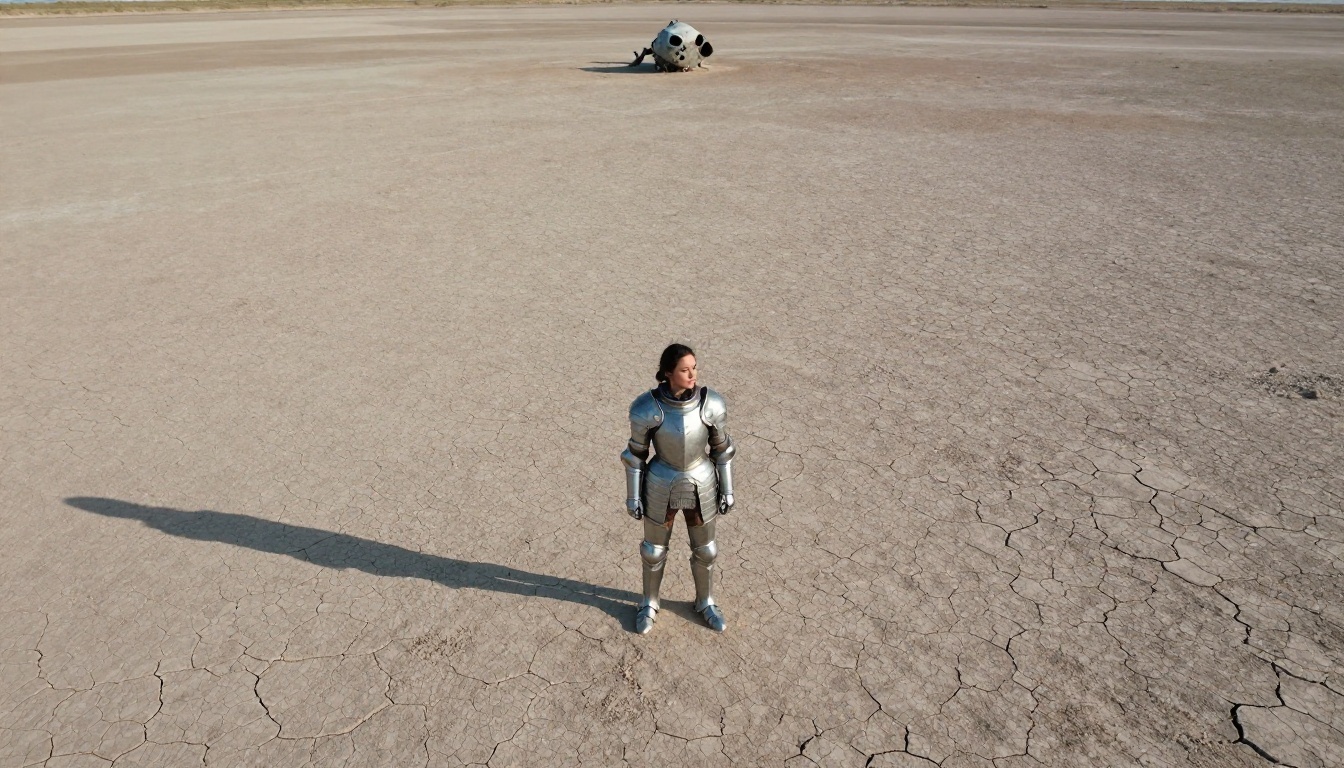
Prompt: Aerial drone-angle photograph looking down at a lone female warrior in silver-gray plate armor at the center of a vast cracked dry lakebed, long shadow stretching across pale clay, a small crashed transport craft in the far distance. Harsh late-afternoon sun from the right, crisp shadows, 24mm lens f/8, muted Kodak Portra 400 palette, fine grain.
Scale does the storytelling here. A tiny figure and a long shadow say "isolation" without a single extra word. Keep the sky out of frame so the composition stays graphic.
4. The Cliff at Sunrise
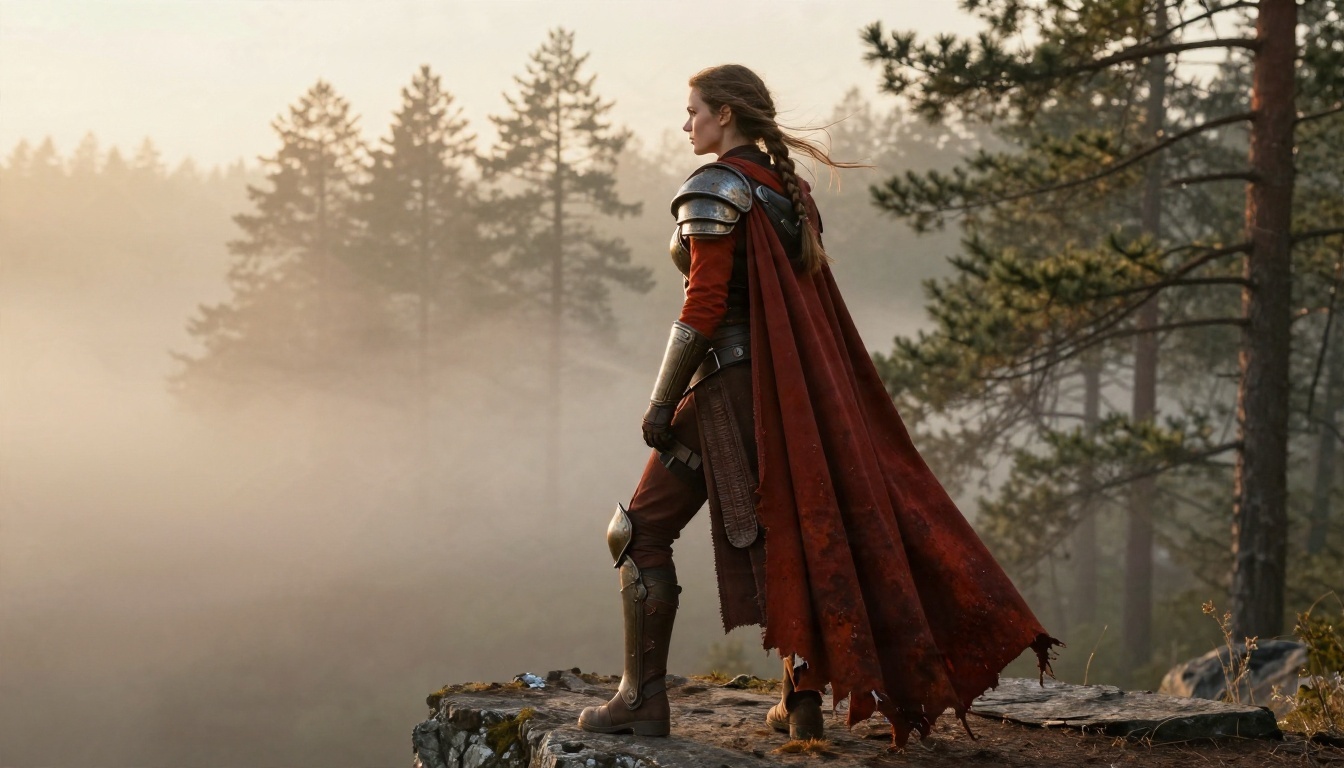
Prompt: Profile photograph of a female sci fi warrior in rust-red and bronze armor with a tattered cape, standing on a cliff edge overlooking a misty pine forest at sunrise, wind lifting her braided hair, helmet clipped to her belt. Warm backlight from the right creating rim light along the pauldron, soft fog layers below. 135mm lens f/2.8, battered metal and woven fabric.
Long lenses compress the background into soft layers of fog, which flatters armor edges. Backlight gives you that thin bright outline along the shoulder line.
5. The Ruined City Peek
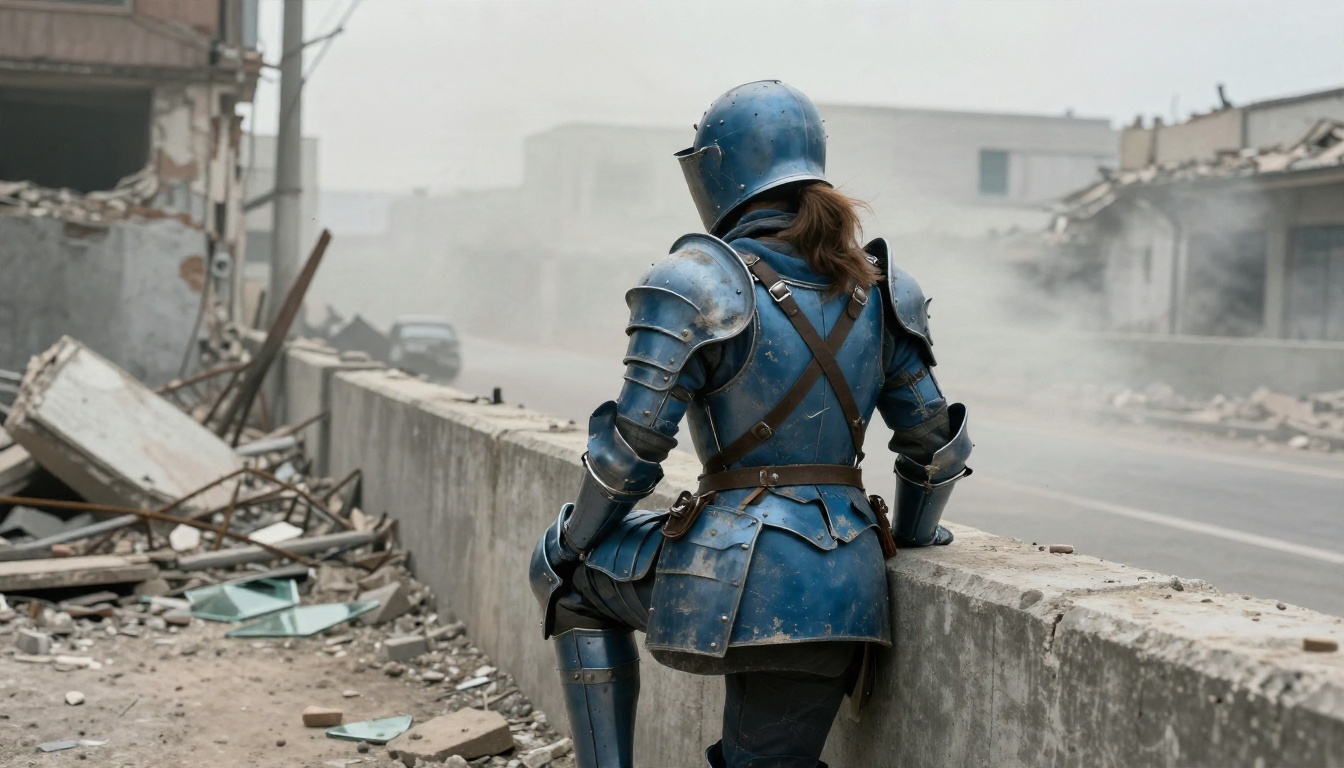
Prompt: Over-the-shoulder photograph of a female armored warrior in slate-blue plate armor crouched behind a concrete barrier in a ruined city street, peering around the edge toward collapsed buildings and drifting smoke. Overcast flat daylight, rubble, rebar, broken glass. 50mm lens f/2.8, slightly desaturated tones, grimy fabric, rough concrete.
Overcast light is underrated for realism. It removes harsh shadows and lets the grime and surface scratches carry the image. A slightly desaturated palette adds documentary credibility.
6. The Quiet Bunker Rest
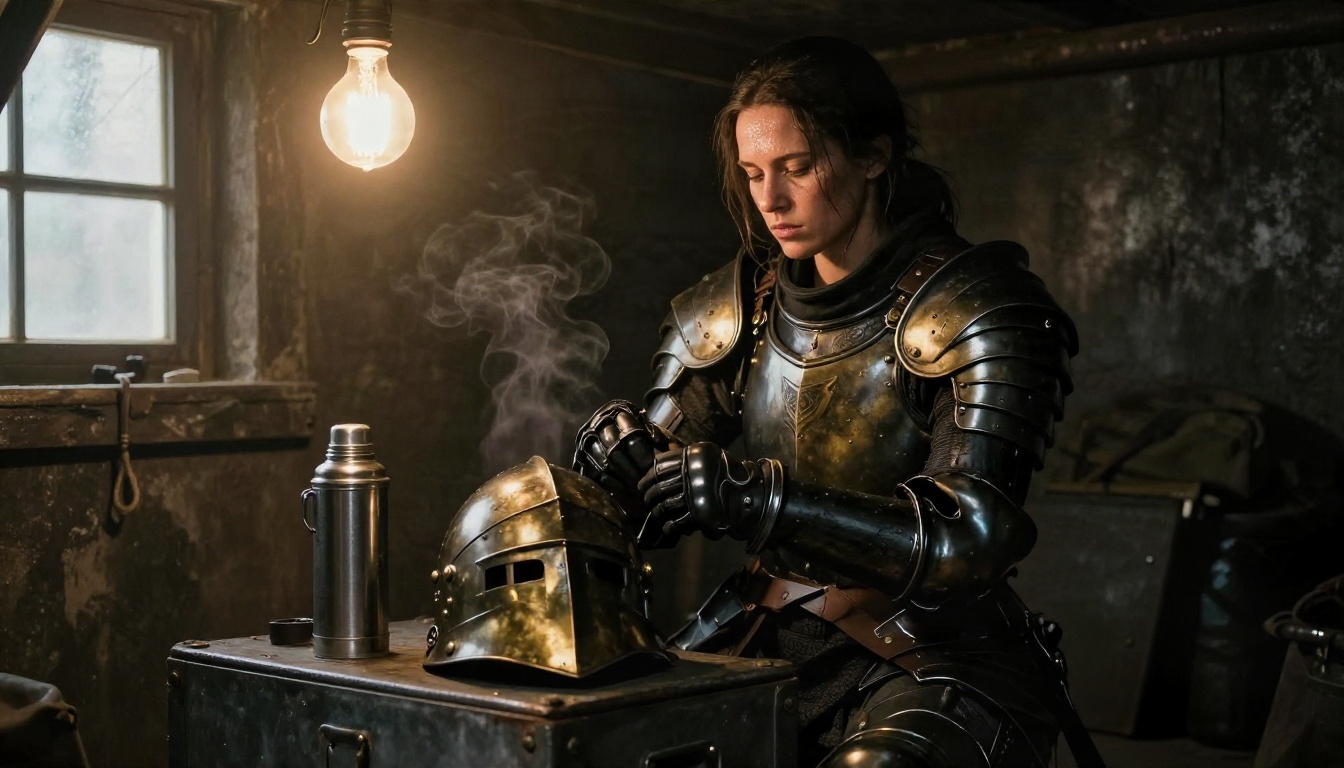
Prompt: Seated portrait photograph of a female warrior in black and brass armor resting on a metal crate inside a dim supply bunker, removing a glove, helmet beside her, a thermos steaming. A single tungsten bulb overhead and soft window light from the left create warm pools of light and deep shadow. 50mm lens f/1.8, skin pores, sweat, dented metal, canvas and leather.
Not every frame needs action. A tired, still moment gives the series emotional range, and small props (a thermos, a loosened glove) add narrative at almost no cost.
7. The Rooftop Run
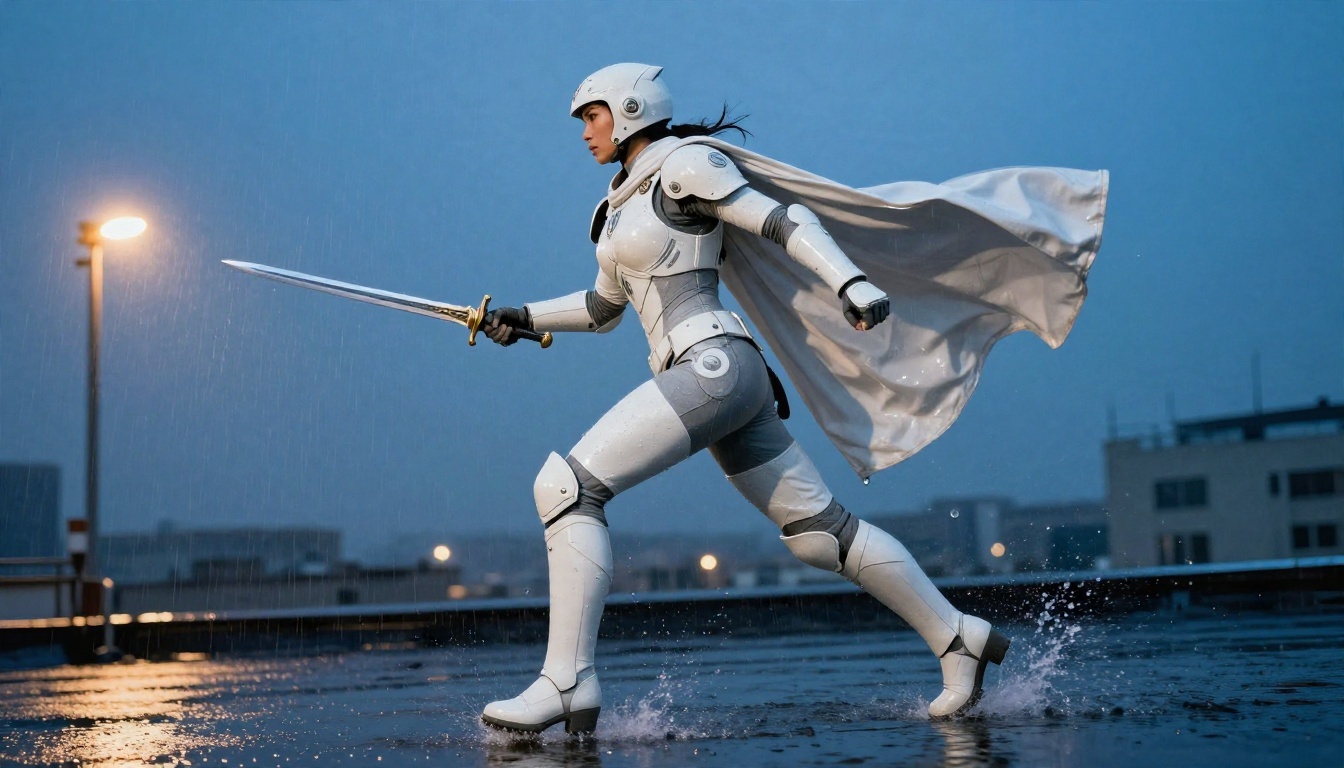
Prompt: Dynamic photograph of a female sci fi warrior in pearl-white and graphite armor mid-stride running across a rain-soaked rooftop at dusk, water spraying from her boots, a short sword in her right hand, cape whipping behind her. Cool blue twilight sky with warm sodium streetlight rim from the left. 70mm lens f/2.8 with fast shutter freezing droplets, wet metal highlights, soaked fabric.
Motion prompts need a shutter cue. "Fast shutter freezing droplets" tells the model to render sharp water spray instead of motion blur.
8. The Hero Portrait
The article's lead image uses the most detailed version of the formula: gunmetal plate armor, a scar, a crashed dropship half buried in sand, low golden light from camera left and an 85mm f/1.8 lens. It runs to several hundred words, and every sentence adds a physical detail: hoses wrapped in tape, dried mud in the seams, a smudge of grease on the chin. Long prompts like this work best on models with strong prompt following.
9. The Series Rule
Once you have three or four frames you like, lock the character. Reuse the same armor description word for word, keep the same hair and scar details, and change only the place, light and lens. That repetition is what turns separate images into a cast photo shoot of a single character.
Settings That Actually Matter
Prompt wording gets the attention, but a few settings decide whether the result looks sharp or mushy.
| Setting | Recommended value | Why it matters |
|---|
| Aspect ratio | 16:9 for scenes, 3:4 for portraits | Wide frames give room for environment and light |
| Resolution | Highest available (2K to 4K) | Fine scratches and fabric weave vanish at low resolution |
| Prompt strength | Medium to high | Low strength drops material details, very high can look crunchy |
| Seed | Fix it while testing | Lets you change one phrase and see its real effect |
| Number of outputs | 2 to 4 per prompt | Armor anatomy varies a lot between runs |
| Negative prompt | "plastic, glossy, toy, cartoon, glow, oversaturated" | Pushes away the toy-box look |
Change One Thing at a Time
Fix the seed, then edit a single block of the prompt per run. If you swap armor, place and lens together, you can never tell which change helped.
Add Grain Last
Film grain and "Kodak Portra 400" are finishing touches. Add them after the composition works. Used too early, they can mask problems you should be fixing in the pose or light.
How to Use Seedream 4.5 on PicassoIA
Seedream 4.5 is a strong first choice for this subject because it handles dense material descriptions, outputs up to 4K and keeps faces natural.
- Open the model page on PicassoIA and choose Seedream 4.5.
- Paste your prompt using the five-block order: subject, armor, environment, light, camera.
- Set the aspect ratio to 16:9 for a scene or 3:4 for a portrait.
- Choose the highest resolution offered, since armor detail needs pixels.
- Generate two to four variations and compare plate construction, hands and face.
- Keep the best seed, then edit one phrase at a time to refine light or location.
- Fix problem areas with PicassoIA Image Editor Pro, which handles local edits such as a warped buckle or an extra strap.
💡 Tip: For a faster first draft, run the same prompt on PicassoIA Image, an unlimited text-to-image generator, and move to a heavier model once the composition is right.
Which Model Fits Which Shot
Different generators lean in different directions. This table reflects how they tend to behave on armor and portrait work.
| Model | Best for | Notes |
|---|
| Seedream 4.5 | Hero portraits, dense material detail | High resolution, natural skin |
| Seedream 5 Pro | Sharp 2K scenes, clean edges | Good prompt following |
| Qwen Image 3 | Photorealistic environments | Handles long prompts well |
| Krea 2 Large | Photo-style texture and mood | Strong film-like look |
| GPT Image 2 | Complex scenes with several props | Follows instructions closely |
| Wan 2.7 Image Pro | 4K output of detailed scenes | Good for large prints |
| Ideogram v4 Quality | Photorealistic art with clear composition | Useful if you add a small word on a plate |
Reframing an Image You Already Like
If you have a frame with the right armor but the wrong angle, Qwen Edit Multiangle lets you reframe it instead of rewriting the prompt and hoping the character survives. That is handy for building a set from one good portrait.
Common Mistakes and Fixes
Most failed warrior images break in the same few places.
Armor That Looks Like Plastic
Cause: Words such as "shiny," "sleek," "high tech" or "epic."
Fix: Replace them with materials: "matte ceramic," "brushed steel," "scratched composite," "dull paint with chipped edges."
Flat, Centered Light
Cause: No light direction in the prompt.
Fix: Name the source and side: "low sun from camera left," "single tungsten bulb overhead," "overcast dawn."
Airbrushed Faces
Cause: Beauty language without skin detail.
Fix: Add pores, freckles, a scar, sweat sheen, flyaway hairs. Mention "no retouching" if the model tends to smooth skin.
Broken Hands and Straps
Cause: Too many overlapping objects near the hands.
Fix: Give her one prop at a time, such as a helmet or a rifle. Generate extra variations, then repair the best one with an editor pass.
Genre Clutter
Cause: Stacking "cyber," "neon," "mecha" and "fantasy" into one prompt.
Fix: Pick a single grounded reference: "military surplus meets spacecraft crew." A tight reference gives believable results.
💡 Quick check: Read your prompt aloud. If it sounds like a shot list for a camera operator, it will work. If it sounds like a movie poster tagline, rewrite it.
Make Your Own Warrior
Start with the formula: subject, armor, place, light, camera. Choose one location that has a real-world equivalent, pick a muted armor color, add three kinds of wear and tell the model exactly where the light comes from. Then fix a seed and change one thing per run until the frame feels right.
Open PicassoIA, pick Seedream 4.5 for your first hero portrait, and paste in any of the nine prompts above. Change the armor color, move her to a quarry or a flooded corridor, and generate a few variations. When one lands, tidy the details with PicassoIA Image Editor Pro and build a full series around her. More options are waiting at picassoia.com/en/all-models, so try a few and see which one renders your warrior best.


