You type "cute baby" into an image tool and get a plastic doll with six fingers and eyes that look in two different directions. Sound familiar? The problem is almost never the tool. It is the prompt. A good AI baby generator prompt names the age, the features, the light, the lens and the mood, and that tiny bit of extra detail is the gap between a creepy render and a portrait that looks like it came out of a real photo session.
This article gives you copy-paste prompts that work in ChatGPT and in free image generators, plus the logic behind each one so you can edit them for your own family. Everything below is built around wholesome, fully clothed baby portraits and "what could our baby look like" blends.
What an AI Baby Generator Does
An AI baby generator is a text-to-image model (or an app wrapped around one) that creates a picture of a baby from a written description. Some tools go one step further and take two parent photos, then blend features such as eye colour, hair type and face shape into a imagined child.
Be clear about one thing from the start: no image model predicts genetics. It guesses based on patterns in its training data and on what you tell it. Treat the result as a fun, creative preview, not a forecast.
Two Main Ways People Use It
| Use case | What you provide | Typical result |
|---|
| Text-only baby portrait | A written prompt | A new, fictional baby photo |
| Parent-blend preview | Two photos plus a prompt | A baby with mixed features |
| Nursery or card artwork | A prompt with a scene | Print-ready baby imagery |
| Pregnancy announcement | A prompt with props | A shareable, themed photo |
Why Prompts Matter More Than the Tool
Free tools and paid tools share the same weakness: vague input. "A baby smiling" leaves the model to decide age, skin tone, lighting, clothing, background and camera. It will pick the most average option for each. Your job is to replace every guess with a choice.
💡 Tip: Write prompts the way a photographer briefs an assistant. Subject, setting, light, lens, mood. Five parts, in that order.
Before the copy-paste examples, here is the skeleton. Once you know it you can rewrite any prompt in under a minute.
[Age and subject] + [Face and hair details] + [Clothing] + [Setting] + [Light direction] + [Camera and lens] + [Texture and film look]
Age Is the Most Important Word
Models respond strongly to specific ages. "Newborn, 10 days old" gives you a wrinkled, sleepy face with closed eyes. "Six-month-old" gives rounder cheeks, a sitting posture and open eyes. "One-year-old toddler" adds thicker hair and a more defined expression. Always use a number.
Add Real Camera Language
Words like 85mm f/1.8, soft window light from the left and Kodak Portra 400 film grain pull the output toward real photography and away from the glossy, airbrushed look many generators default to. Add visible skin texture and peach fuzz and the model stops smoothing faces into wax.
Ban the Bad Stuff Up Front
Most tools accept a negative prompt. If yours does not, put the exclusions in the main text. A useful starter list: no extra fingers, no plastic skin, no doll eyes, no text, no watermark, no distorted hands.
Copy-Paste Prompts for ChatGPT
ChatGPT works best when you give it the full scene in plain sentences, because it rewrites your text before sending it to its image model. Paste these as they are, then change the bracketed parts.
Newborn Portrait Prompt
Copy this:
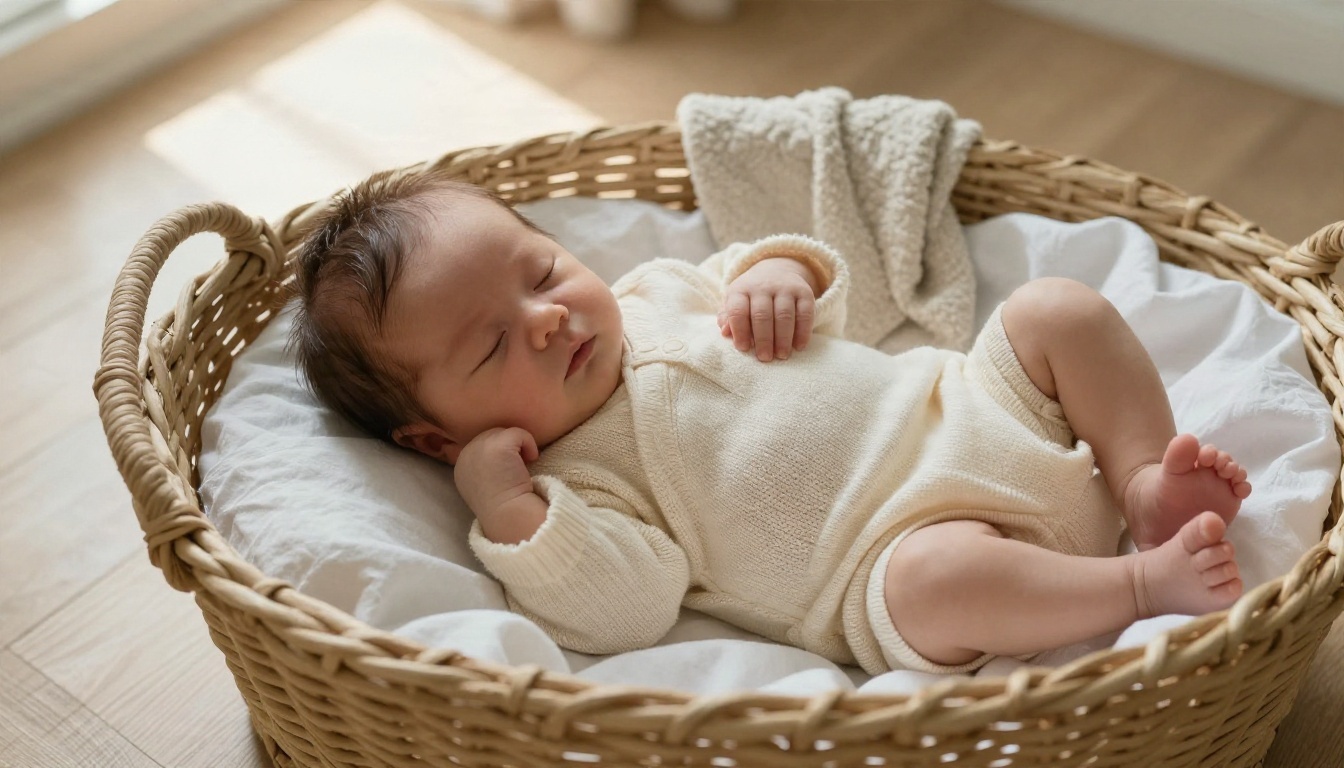
"Create a photorealistic top-down photograph of a 10-day-old newborn baby sleeping in a woven wicker basket lined with white linen. The baby wears a cream knit onesie, has soft dark hair, tiny hands near the chin and a relaxed face. Pale oak floor, a folded beige wool blanket beside the basket. Soft window light from the left, shot on a 50mm lens at f/2.0, visible knit texture, fine skin detail, Kodak Portra 400 film grain, calm and quiet mood. No text, no watermark."
Why it works: the age is exact, the clothing is named, the light has a direction and the camera is specified. The model has almost nothing left to invent badly.
Close-Up Detail Prompt
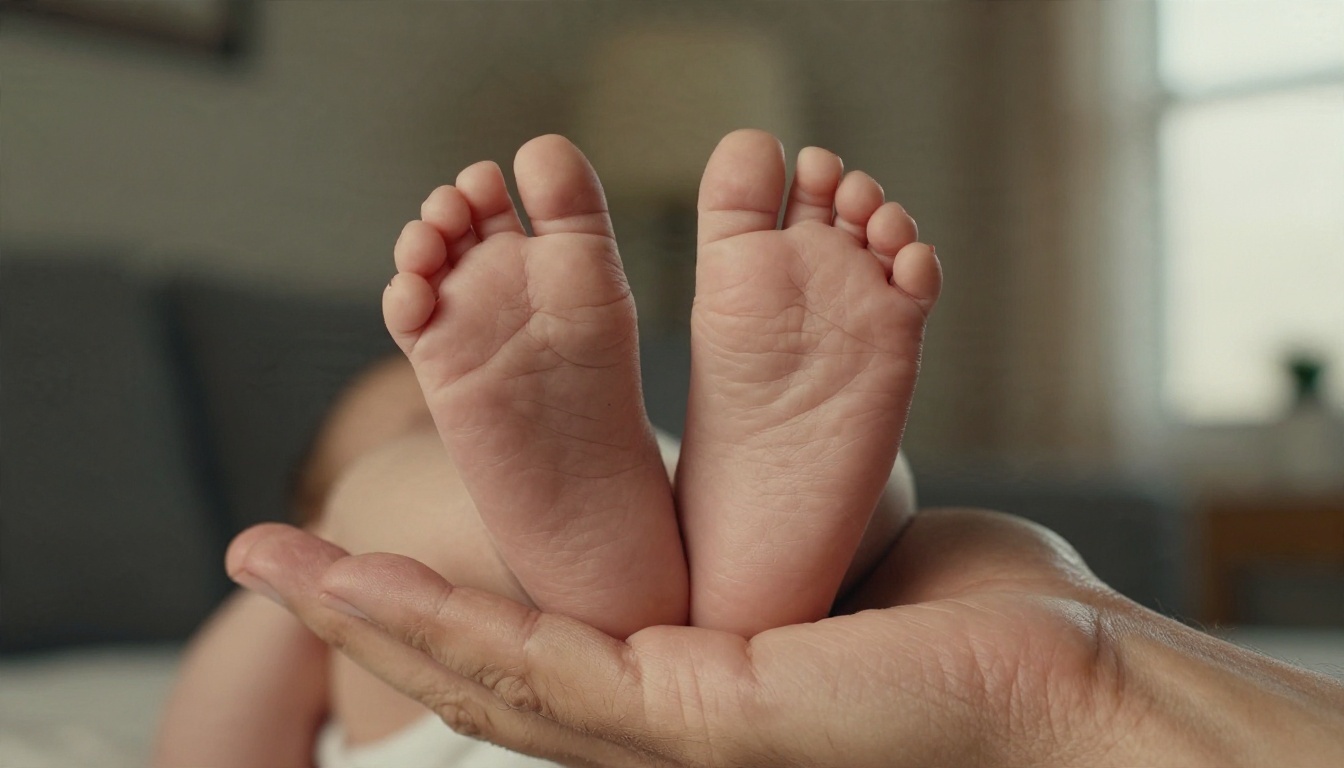
Close-ups are where generators often fail, because hands and feet are hard. Give the model a simple, calm pose.
"Extreme close-up macro photograph of a baby's tiny bare feet resting in the palm of a father's large hand. Toes gently curled, delicate wrinkles on the soles, soft creamy skin. Blurred living room background with warm lamp glow. Side light from a window on the right, 100mm macro lens at f/2.8, shallow depth of field, visible peach fuzz and skin pores, film grain, tender atmosphere."
💡 Tip: Ask for five toes and five fingers in the text when hands appear. It sounds silly, but it lowers the odds of extra digits.
Use ChatGPT to Write Your Prompts
You do not have to write everything by hand. Ask a language model to draft ten variations, then pick the best one. Try this instruction:
"Act as a baby photographer. Write five photorealistic image prompts for a [age] baby with [hair colour] hair and [eye colour] eyes in [setting]. For each prompt include light direction, lens, clothing and mood. Keep each under 80 words."
The same trick works with other language models. On PicassoIA you can run it with GPT 5.6 Luna for quick drafts, Claude Sonnet 5 when you want more careful wording, or Gemini 3.5 Flash for fast batches. Then send the best prompt to an image model.
Free generators usually have shorter prompt limits and weaker text understanding, so the language needs to be tighter. Think of it as a keyword-dense sentence rather than a story.
Six-Month-Old Outdoor Prompt
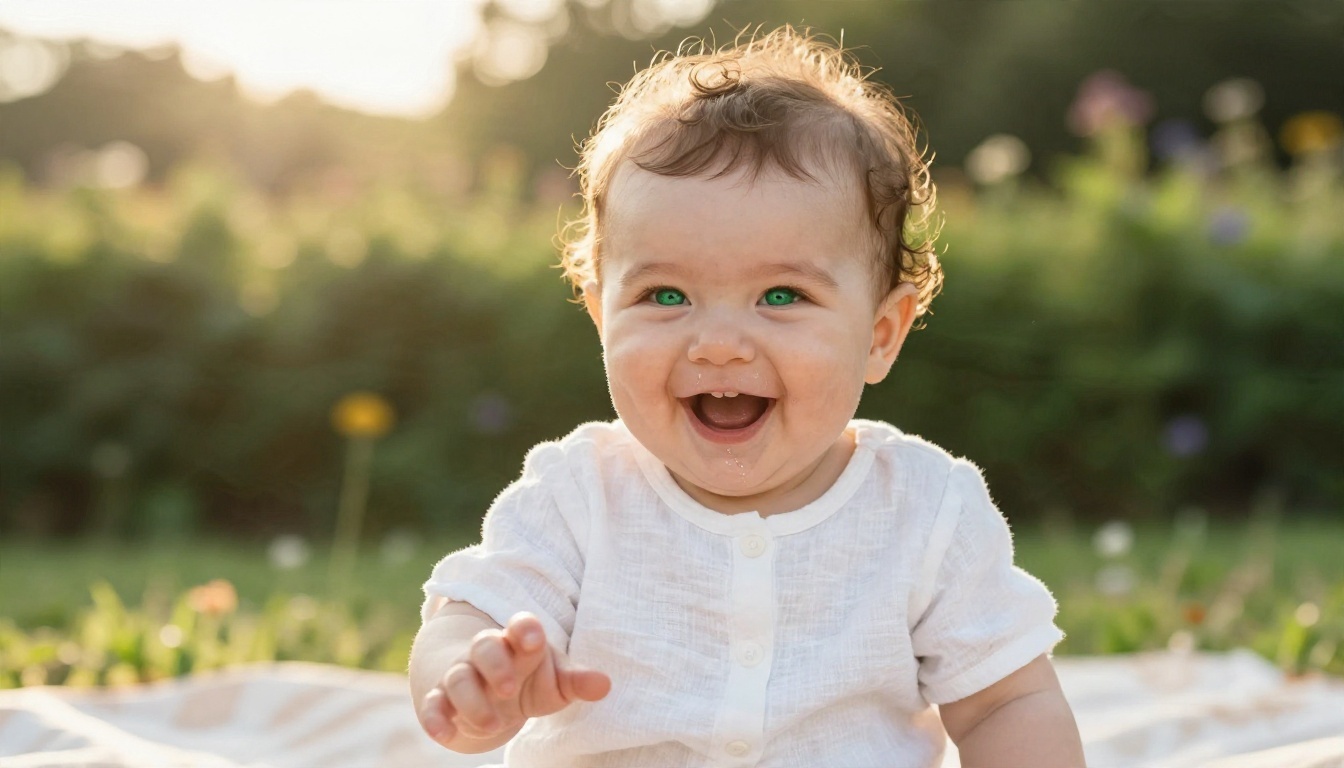
"Six-month-old baby, soft brown curls, bright green eyes, laughing, white linen romper, sitting on a picnic blanket in a sunlit garden, chubby hand reaching toward camera, golden hour backlight, rim glow in hair, blurred green hedge, 85mm lens f/1.8, eye-level angle, visible skin texture, film grain, photorealistic."
This compact style holds up well in free tools. Commas replace sentences, and each phrase carries one clear instruction.
Studio Toddler Portrait Prompt
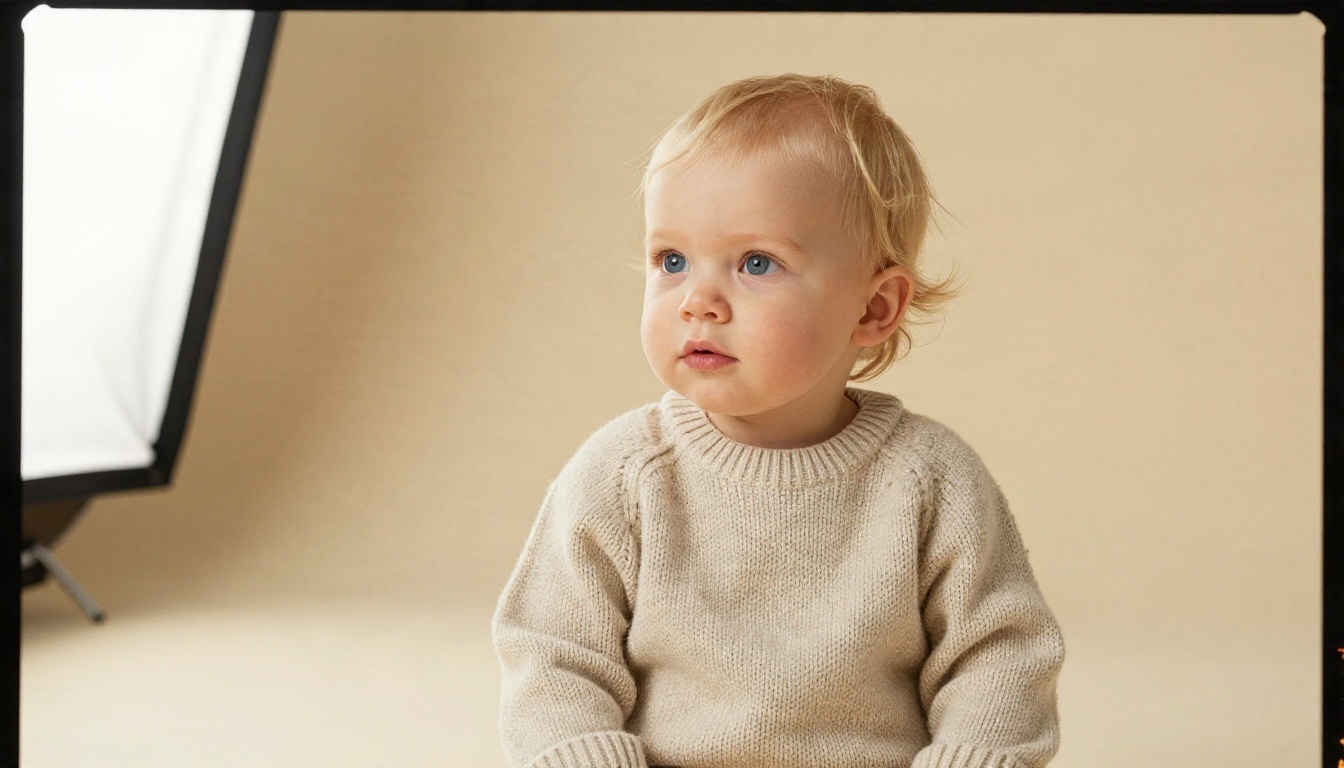
"One-year-old toddler, fine blond hair, blue eyes, chunky oatmeal knit sweater, plain warm beige paper backdrop, looking slightly off camera, large softbox light from camera right, white reflector on left, 105mm lens f/2.8, chest-up framing, visible wool texture, individual hair strands, film grain."
Milestone Photo Prompt
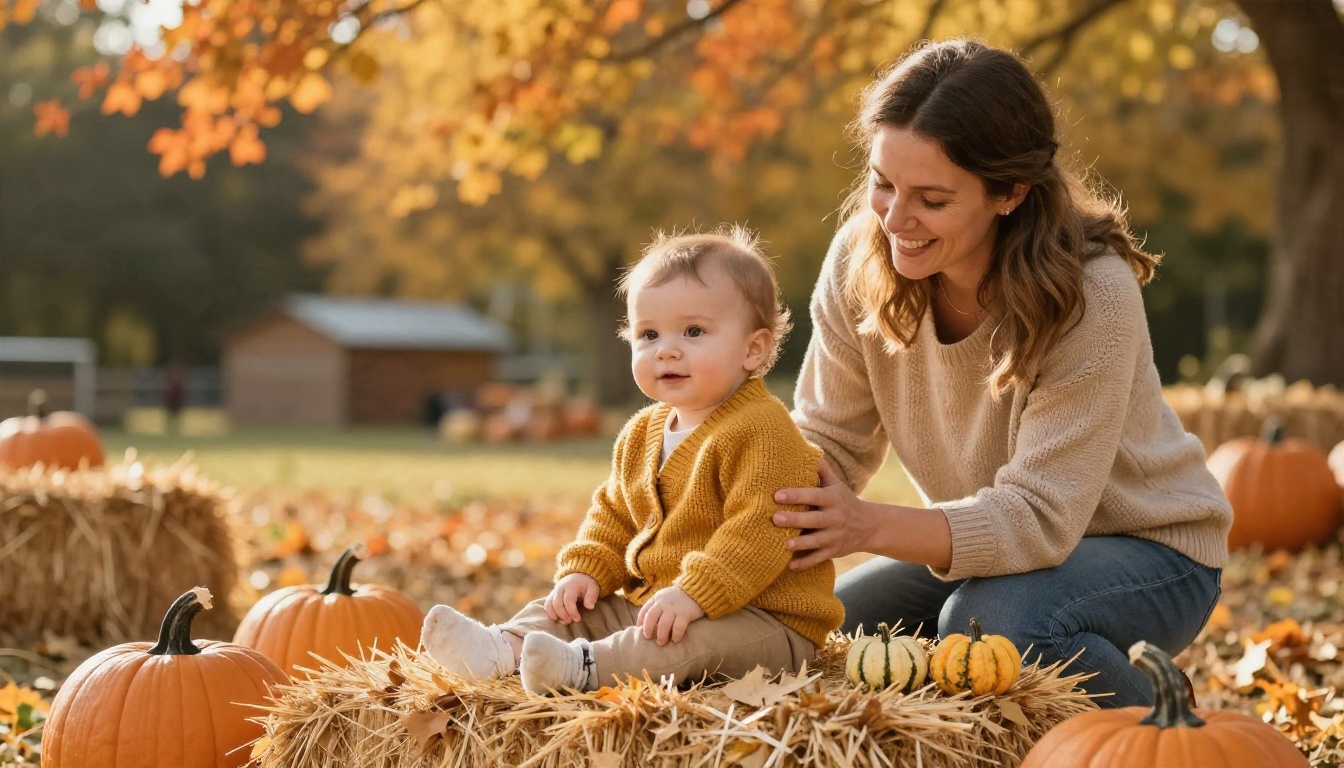
Seasonal scenes are popular for birth announcements and holiday cards. Here is an autumn one:
"Nine-month-old baby in a mustard knit cardigan sitting among small pumpkins on a straw bale at a farm, smiling grandmother kneeling beside the baby holding its back steady, late afternoon sun from the right, blurred orange and gold leaves, low angle, 35mm lens f/2.0, wool and straw textures, warm nostalgic mood, film grain."
Swap the cardigan, the props and the season to build a whole year of milestone images: spring flowers, summer sprinklers, winter knit hats.
Blend Parent Features in a Prompt
This is the version most people actually search for. You want a baby that looks like a mix of two people. There are two routes.
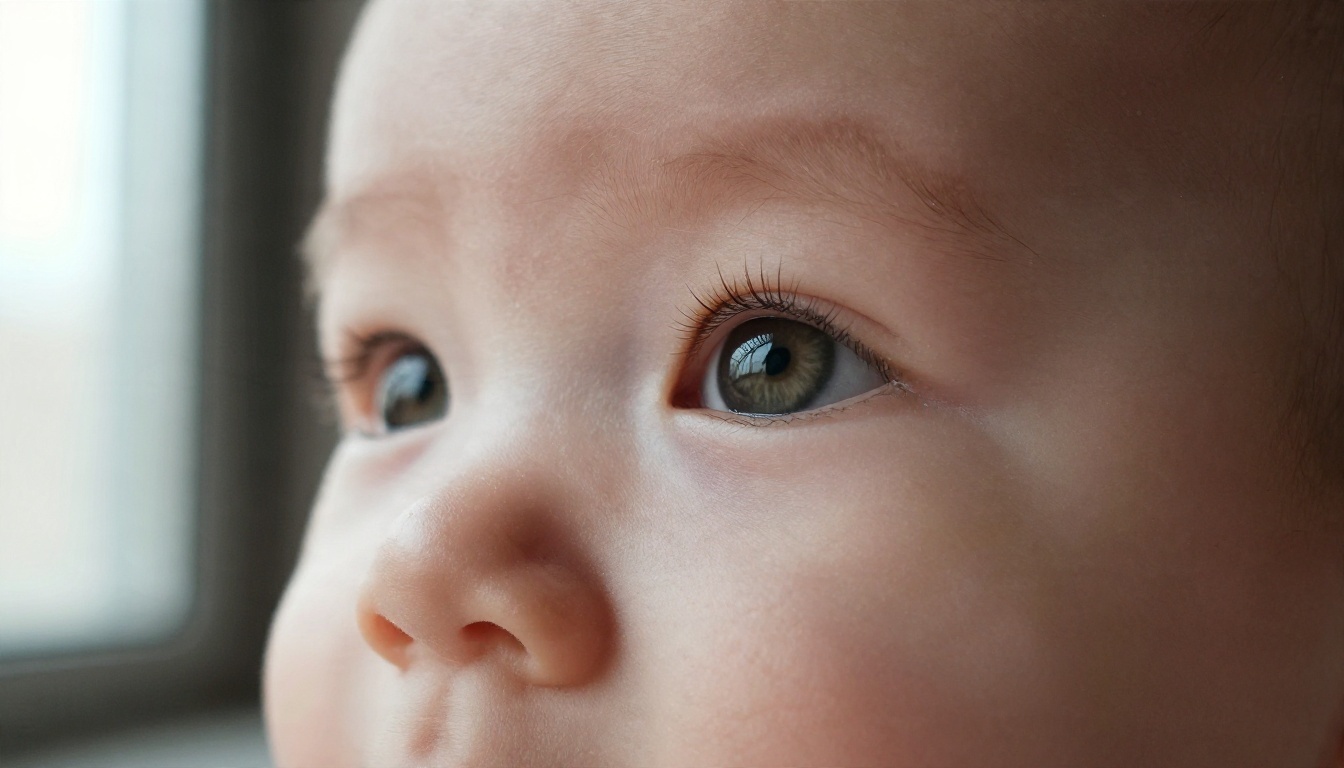
Route One: Describe the Features in Words
Write down what each parent contributes, then ask for a blend. No uploads required, which also keeps your privacy intact.
"Photorealistic portrait of a four-month-old baby who inherited dark wavy hair and brown eyes from the mother and a strong brow and hazel-green tint around the pupils from the father. Soft cheeks, small nose, gentle smile. Seated in a white high chair, window light from the left, 85mm lens f/1.8, natural skin texture, film grain."
Route Two: Upload Two Parent Photos
Some tools let you upload images and then edit with a prompt. If you use this route, pick clear, front-facing photos in even light with no sunglasses. Then add:
"Use the two uploaded adult faces as reference. Create a realistic three-month-old baby with a believable blend of eye shape, eyebrow thickness, nose and hair colour from both. Show the baby lying on a white bed, face to face with the camera, soft overcast light, 70mm lens, natural skin."
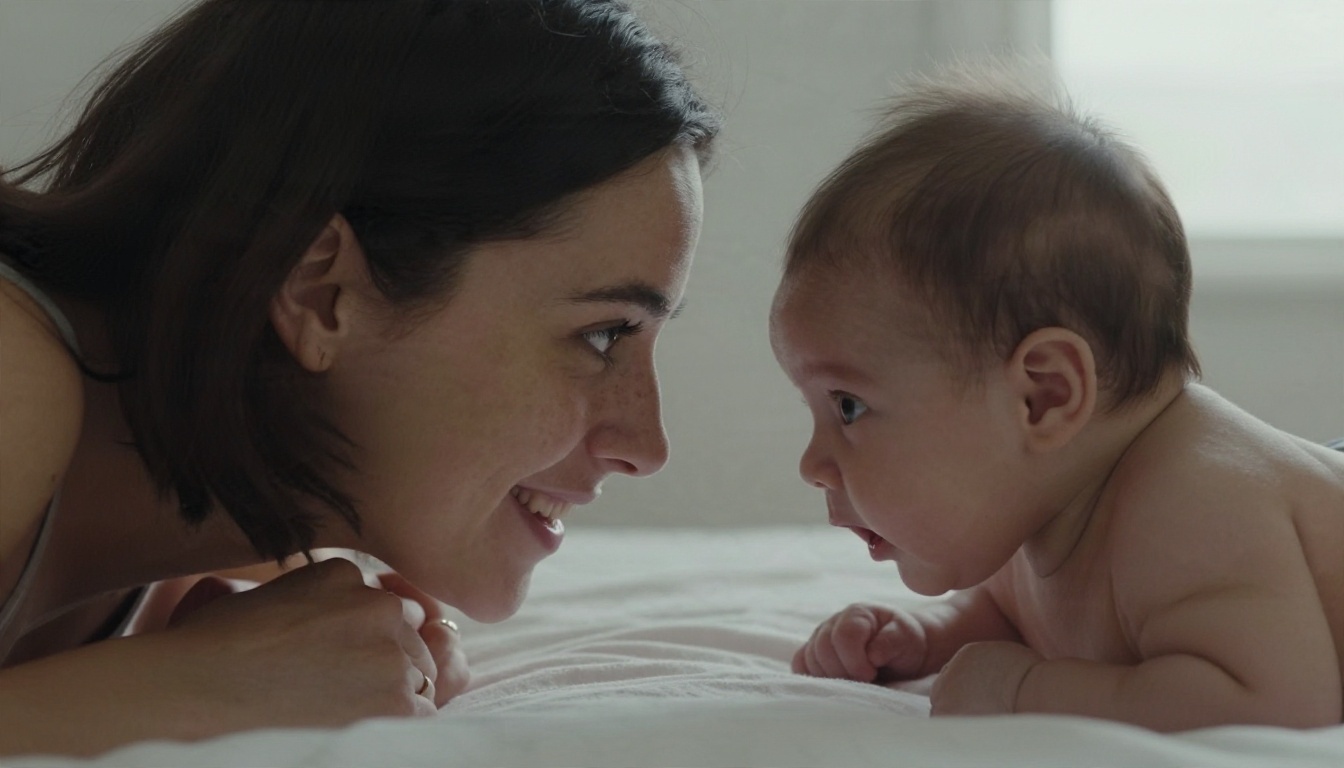
💡 Privacy note: Only upload photos of people who agree to it. Never upload images of other people's real children, and avoid sending any photo you would not want stored on someone else's server.
Feature Cheat Sheet
| Feature | Words that work | Words to avoid |
|---|
| Eyes | hazel-green, deep brown, grey-blue | "beautiful eyes" |
| Hair | soft dark wisps, fine blond, brown curls | "perfect hair" |
| Skin | peach fuzz, natural texture, light freckles | "flawless", "porcelain" |
| Expression | calm half-smile, curious, sleepy | "cute" alone |
| Age | 10 days old, 4 months old, 1 year old | "baby" with no age |
Which Models Give Real Results
Prompts are half the story. The other half is the model that reads them. These are the ones worth testing on PicassoIA for baby portraits:
A Simple Testing Routine
- Run your prompt in a fast model such as Flux Schnell to check the idea.
- Fix wording issues (wrong age, wrong light) in the text.
- Run the final version in Seedream 4.5 or Imagen 4 for the polished image.
- Repeat three or four times with different seeds and pick the best.
How to Use Seedream 4.5 on PicassoIA
If you want a single place to run your baby prompts, here is the quick route with Seedream 4.5.
Step by Step
- Open the Seedream 4.5 page and go to the prompt box.
- Paste one of the prompts from this article, for example the newborn portrait.
- Change the bracketed details: age, hair, eye colour, clothing.
- Choose a 16:9 ratio for banners or 4:5 for social posts.
- Press generate and compare the result against your idea.
- Adjust one detail at a time (light, lens or age) and run again.
Settings Worth Touching
- Aspect ratio: match the final use. Cards like portrait, headers like wide.
- Seed: keep the same seed when you want to change only one word and compare fairly.
- Prompt length: 60 to 120 words is a good range for this model.
💡 Tip: If a face looks slightly off, do not rewrite the whole prompt. Add "natural asymmetry, relaxed eyes looking at the camera" and rerun.
Fix Common Baby Image Problems
Even strong prompts hit trouble. Here is what usually goes wrong and the quickest repair.
Plastic or Waxy Skin
Add visible skin pores, peach fuzz, natural redness on the cheeks, film grain. Remove words like "perfect", "flawless" and "smooth".
Strange Eyes or Gaze
Say eyes looking directly at the lens or eyes closed, sleeping instead of leaving it open. Both are stable. A half-open gaze is where problems start.
Extra or Fused Fingers
Keep hands simple: holding a blanket, resting on a chest, wrapped in a parent's hand. Avoid prompts where fingers interact with small objects.
Wrong Age
If your "newborn" looks like a three-year-old, write the number of days or weeks and add "tiny", "wrinkled", "closed eyes". If your toddler looks too young, add "standing" or "short hair strands".
Inconsistent Look Across Images
Reusing the same description paragraph word for word gives more consistent babies. Save a "character block" such as "four-month-old girl, dark wavy hair, brown eyes, round cheeks, small dimple on the left cheek" and paste it at the start of each prompt.
Safety and Good Taste
Baby images deserve a few ground rules.
- Keep every image wholesome and fully clothed or wrapped. Stay with portraits, milestones, nursery scenes and family moments.
- Label generated pictures as AI-made when you share them publicly, so nobody mistakes them for a real child.
- Never use a real child's photo in a tool without a parent's or guardian's clear consent.
- Do not create images that pretend to show a specific real baby in a situation that never happened.
Ready-to-Use Prompt Bank
Short versions you can paste right away. Replace anything in brackets.
| Scene | Prompt |
|---|
| Hospital blanket | Newborn, 2 days old, striped hospital blanket, soft cap, closed eyes, bedside lamp light, 85mm f/1.8, film grain |
| Bath time | Eight-month-old in a white tub, soap bubbles on the head, laughing, bright bathroom window light, 50mm lens |
| First birthday | One-year-old with a small plain cake, messy cheeks, paper crown, warm kitchen light, 35mm lens, candid |
| Sleeping hug | Baby asleep on a parent's shoulder, parent's face out of frame, soft morning light, shallow depth of field |
| Announcement | Parents' hands holding tiny knitted shoes, baby bump in soft focus, window light, 85mm f/1.4 |
| Grandparent | Grandfather holding a four-month-old, both looking at each other, living room light, 70mm f/2.0 |
Make Your Own Baby Portraits Today
You now have the formula, the copy-paste prompts and the fixes for the usual problems. The fastest way to improve is to run a few. Pick one prompt above, change the age and the hair, and compare three versions side by side.
Head over to PicassoIA and try Seedream 4.5, Imagen 4 or Nano Banana Pro with your own wording. Draft your prompts with a language model, test them in a fast generator, then polish the favourite in a high-detail model. Keep the lighting soft, keep the age exact, and your next AI baby portrait will look like a photograph rather than a render.


