A good bikini photo used to need a beach, a photographer, a wardrobe budget and a lucky hour of sunlight. Now you can type two sentences, wait a few seconds, and get something that looks like it came out of a swimwear campaign. That is exactly what an AI bikini photo generator does: it turns a text description (or a reference photo) into a realistic image of a person in swimwear, in whatever place and light you describe.
This article is a practical walkthrough. You will see which models produce the most natural skin and fabric, how to use them free and online, a prompt formula you can reuse, nine real examples with the prompts behind them, and the fixes for the flaws that show up most often. Everything here is about tasteful, non-explicit swimwear imagery: the kind you would see in a fashion catalog, a travel feed or a mood board.
What an AI Bikini Photo Generator Does
At its core, the tool is a text to image model. You describe a scene, and the model builds pixels that match it. The difference between a forgettable result and a convincing one comes down to the model you pick and how specific your description is.
Text to Image vs Photo Editing
There are two main ways people make bikini photos with AI:
- Text to image: you write a prompt from scratch. The model invents the person, the swimsuit, the location and the light. Best for mood boards, ad concepts, stock-style content and creative projects.
- Image editing: you upload a photo (your own, or a model you have the rights to use) and ask for a change: a new swimsuit color, a new background, a different time of day. Best for fixing a vacation photo or testing outfits.
Both live in the same place on PicassoIA, so you can generate a base image and then refine it without switching tools.
Who Actually Uses This
The use cases are less exotic than you might think:
- Swimwear brands and boutiques testing colors and cuts before a physical shoot.
- Travel and lifestyle creators who need beach or resort visuals out of season.
- Designers and art directors building mood boards for summer campaigns.
- Everyday users who want a fun, flattering image for a profile, a poster or a story.
💡 Tip: If you are building a brand asset, generate five to ten variations of the same prompt and pick the one with the most natural hands, hair and fabric edges. Volume beats perfection on the first try.
Free and Online: What to Expect
"Free" is the word most people type, so it is worth being honest about what it means in practice.
How Free Generators Really Work
Most free tiers give you a limited number of generations, a lower resolution, a queue, or all three. Some strip features such as editing. That is fine for testing, but it gets frustrating fast if you want to iterate on one idea twenty times.
On PicassoIA, you can run image models directly in the browser, with no install and no GPU on your side. The PicassoIA Image Editor Pro is built around unlimited generations, which matters more than any single feature when you are chasing the right pose or lighting. If you want to sample other engines for free first, you can do that too, and compare results on the same prompt.
Quick Comparison Table
| Factor | Typical free generator | PicassoIA workflow |
|---|
| Generation limit | A handful per day | Unlimited with Image Editor Pro |
| Skin and fabric realism | Often plastic or blurry | Photographic with the right model |
| Editing after generation | Rarely included | Built in |
| Model choice | One engine | Dozens of engines on one site |
| Speed | Queue waits | Seconds on fast models |
The Best Models for Bikini Photos
Not every model handles skin, wet hair and thin fabric strings equally. These are the ones worth testing first.
Seedream 4.5 is the one to start with. It renders skin with real texture, understands lighting instructions precisely, and produces sharp, high resolution output that holds up when you zoom in on swimsuit stitching or water droplets. It is also flexible with swimwear and glamour content, which is not true of every model.
PicassoIA Image Editor Pro is the best choice when you want unlimited tries. Use it to generate from text or to edit an existing photo: swap a swimsuit color, change a background, or fix a detail without starting over.
Z Image Turbo is the speed pick. It returns sharp images in seconds, so it works well for quick drafts when you are testing five different locations.
Realistic Vision v5.1 is a classic for lifelike, photographic portraits, with a slightly softer, film-like finish that suits beach and golden hour scenes.
Flux 2 Klein 9B Base LoRA is a good option when you want a more styled or editorial look and some control over the finish.
P Image Try On is made for outfit swaps, which makes it useful for seeing how a swimsuit looks on a model photo you already have.
Prompts and Examples That Work
A prompt is not a wish, it is a shot list. The more camera and light information you give, the less the model has to guess, and guessing is where plastic skin and warped hands come from.
The Prompt Formula
Use this order, and keep each part concrete:
- Subject and pose: who, what they wear, what they are doing.
- Location: the place, plus two or three physical details.
- Light: direction, time of day, quality (soft, harsh, diffused).
- Camera: lens, distance, angle, depth of field.
- Texture and finish: skin detail, fabric weave, film grain.
A reusable template:
A [age range] woman in a [color and style] bikini, [action], at [location with 2 to 3 details]. [Light direction and time of day]. Shot at [angle] with an [focal length] lens at [aperture], shallow depth of field. Natural skin texture, visible pores, [fabric detail], Kodak Portra 400 film grain, raw photography.
Words that push toward realism: natural skin texture, freckles, fine peach fuzz, sea spray, wet hair, film grain, 85mm f/1.8, golden hour. Words that push toward the fake look: flawless, perfect, ultra smooth, airbrushed, 3D render. Skip those.
Pool and Resort Shots
Resort scenes are forgiving because the background is clean and the light is bright. Start here if you are new.
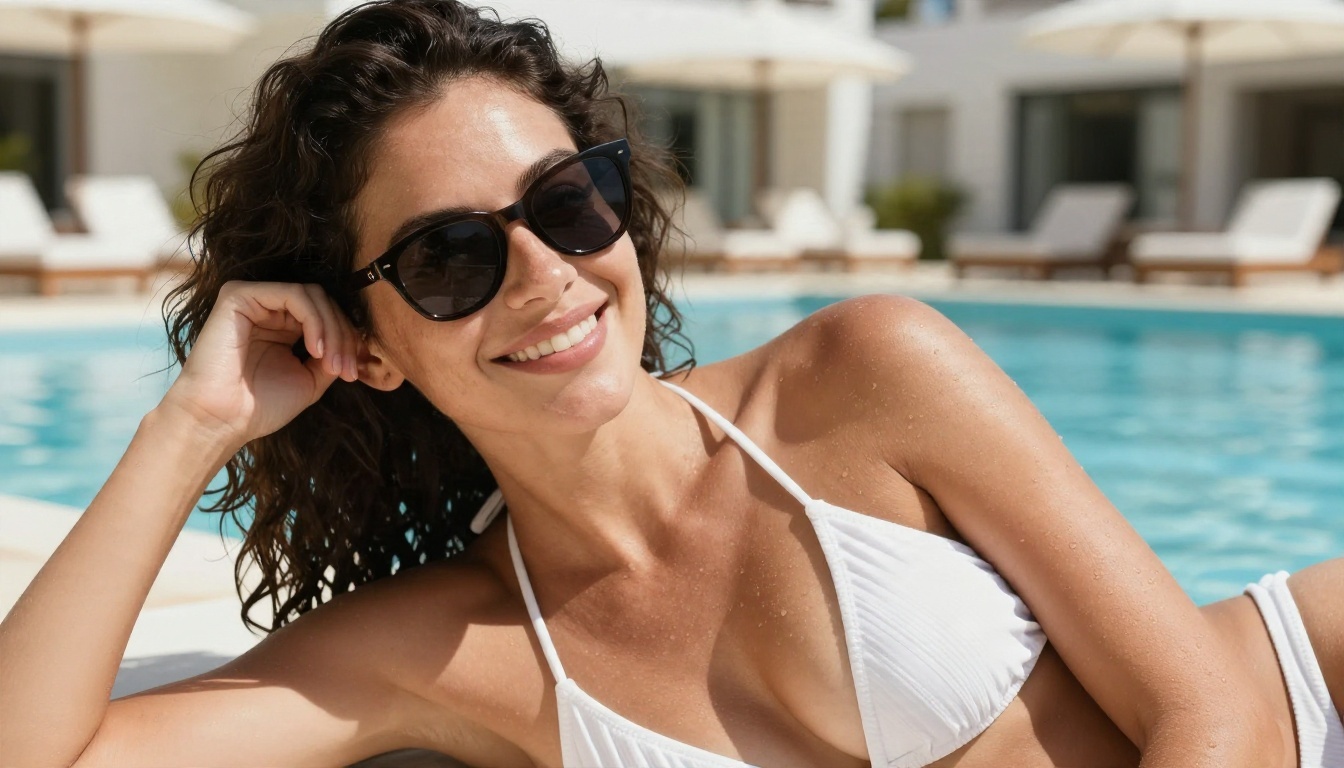
Prompt used: Close-up portrait of a smiling woman in a white ribbed bikini top lounging on a teak sun deck beside an infinity pool, sunglasses pushed up into dark curly hair, water droplets on her shoulders, blurred blue pool and white villa behind, bright late-morning sunlight from upper right, 85mm f/1.8 shallow depth of field, visible skin pores and freckles, Kodak Portra 400 grain.
Notice what carries the realism: the sunglasses in the hair, the droplets, the blurred villa. Small, specific props make the image feel photographed, not generated.
A hotel balcony works the same way, with softer light and a calmer mood.
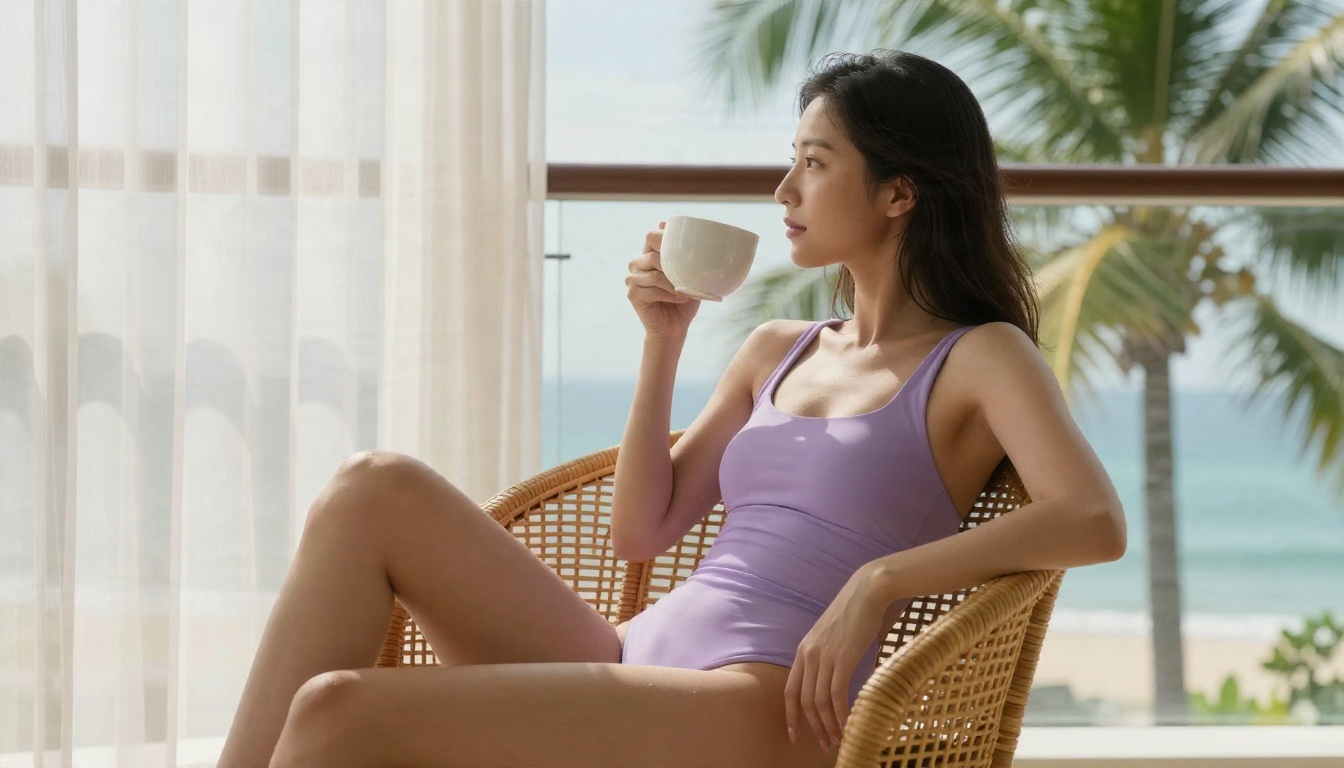
Prompt used: Eye-level shot of a woman in a lavender halter bikini seated on a rattan chair on a hotel balcony overlooking palm trees and sea, holding a coffee cup, morning light from the left through sheer curtains, 50mm f/2 lens, rattan weave and ceramic cup textures, relaxed expression, natural skin.
💡 Tip: Give the model an object to hold. A cup, a hat or a book solves the "what do I do with the hands" problem before it starts.
Beach and Coast Shots
The beach is where most people begin, and also where light matters most. Golden hour is the safest choice, because low sun flatters skin and gives you a natural rim light on hair.
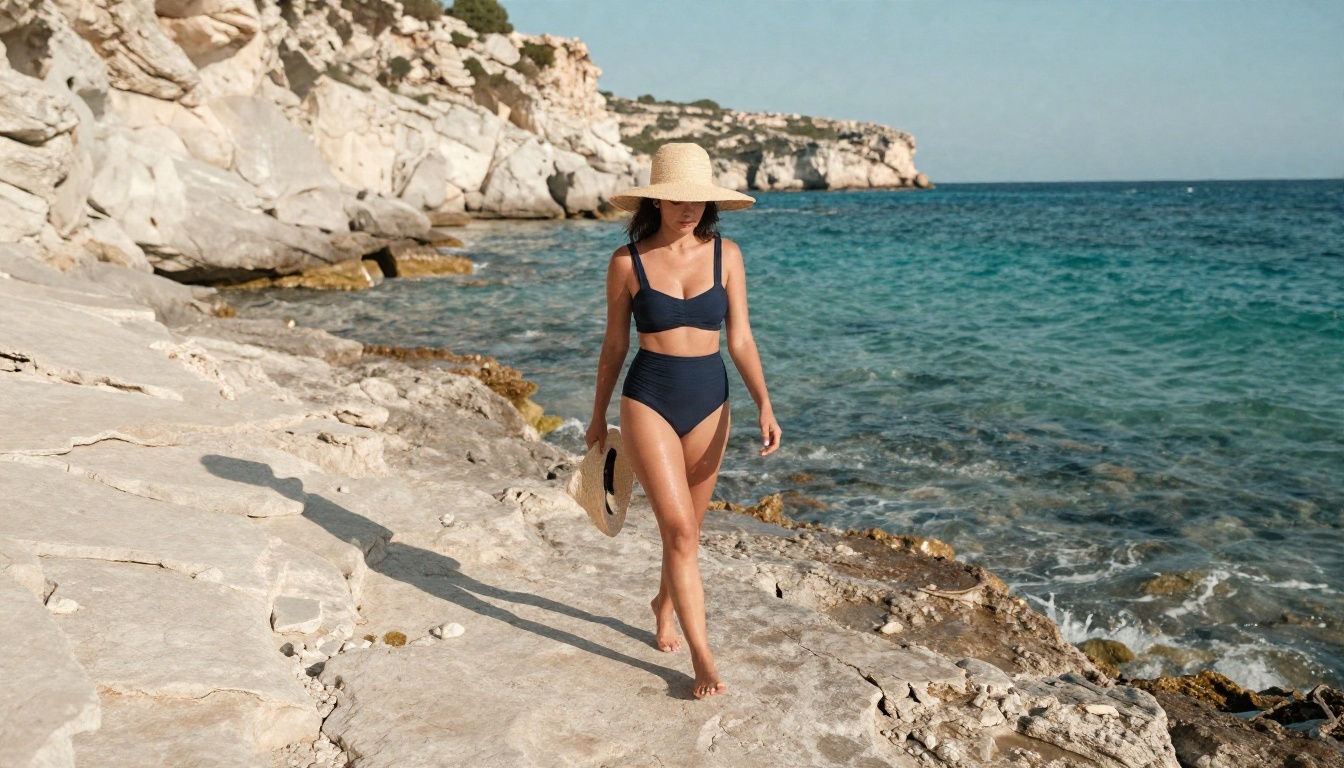
Prompt used: Low-angle wide shot of a woman in a navy high-waisted two-piece swimsuit walking along a rocky Mediterranean cove, carrying a straw hat, cliffs and clear emerald water behind her, afternoon sun from the right casting long soft shadows on pale limestone, 35mm f/2.8 lens, wet stone textures, sea spray in the air.
A wide, low angle like this makes the scene about the place as much as the person, which is perfect for travel content.
For a flat-lay look, go overhead:
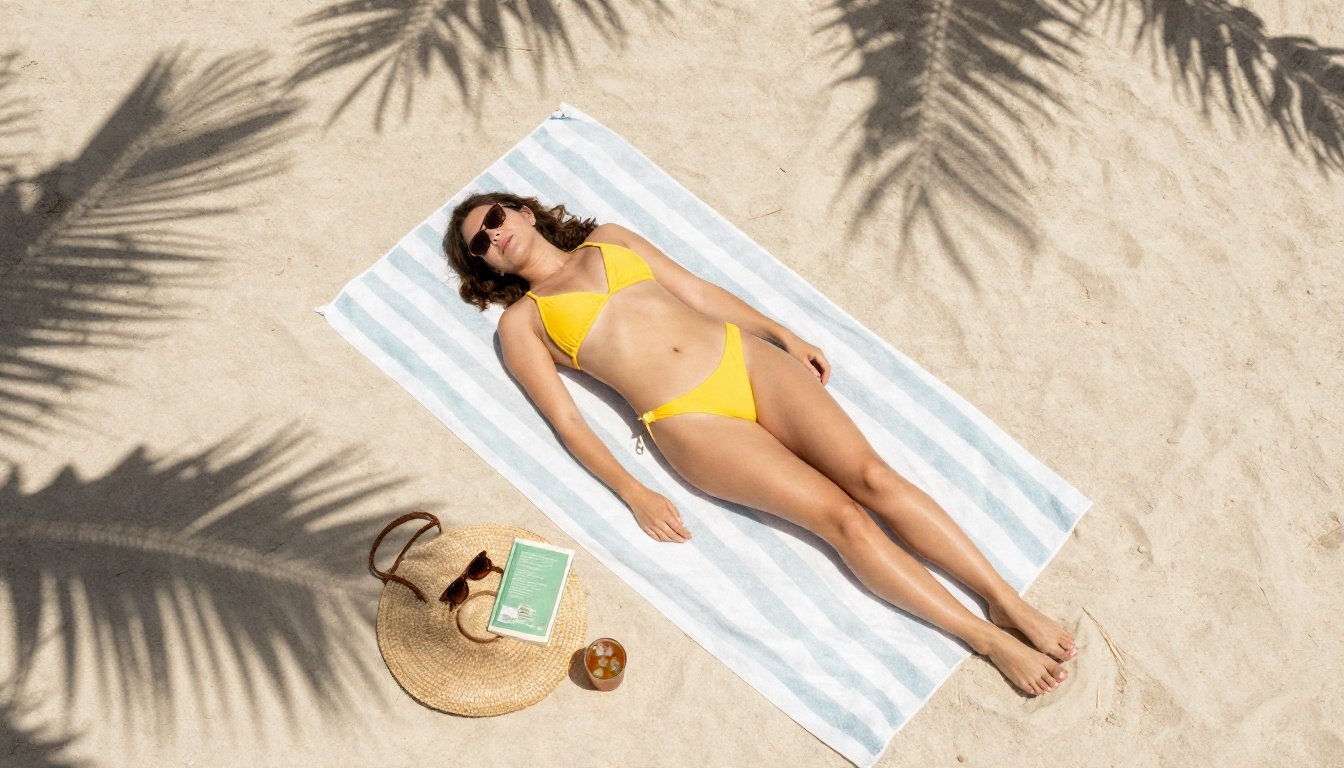
Prompt used: Overhead aerial flat-lay of a woman in a yellow bikini lying on a striped beach towel on white sand, sunglasses, straw bag, paperback and a glass of iced tea beside her, small shadows of palm leaves crossing the towel, harsh midday sun from directly above, 24mm lens from drone height, fine sand grain textures.
Overhead scenes are great for product style content: towels, bags, sunscreen, drinks. If you sell beach accessories, this one angle pays for itself.
Sunrise gives you a completely different mood, quiet and cool instead of loud and warm.
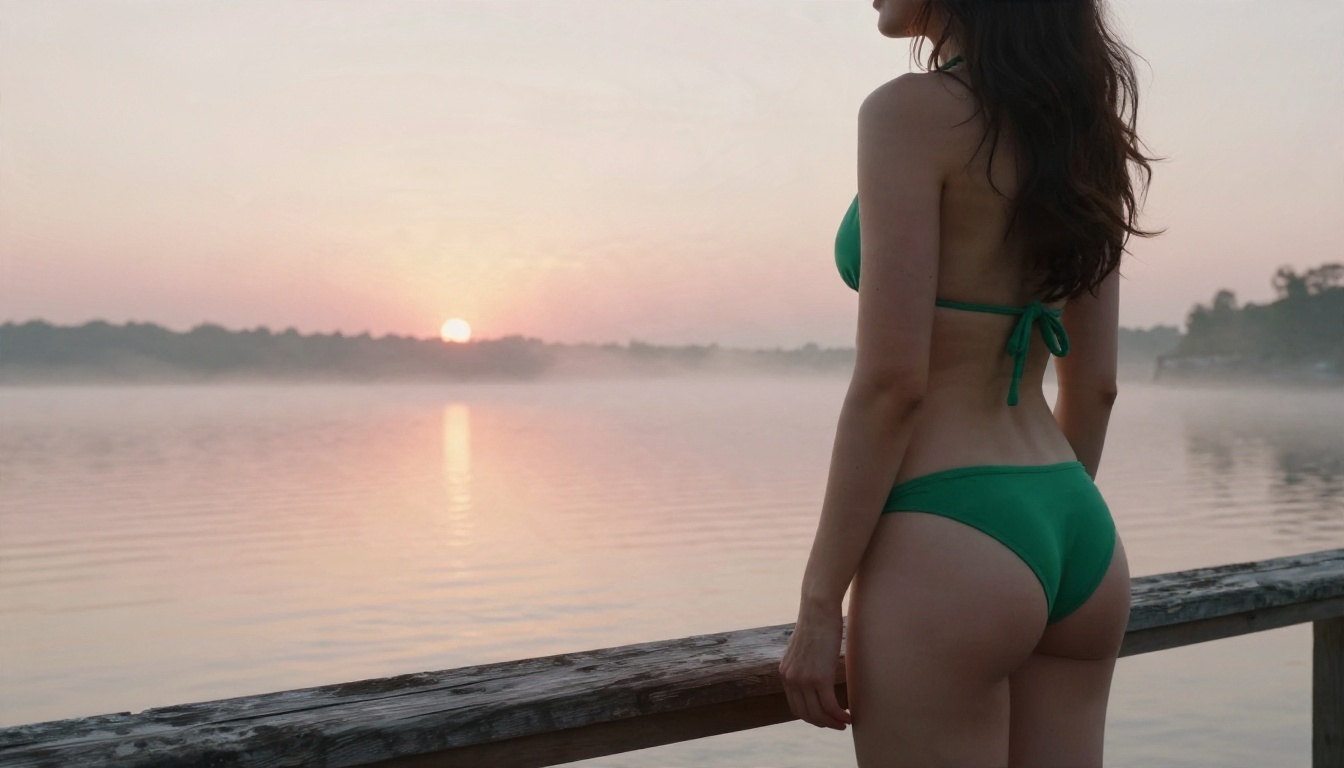
Prompt used: Medium side-profile shot of a woman in an emerald green bikini and sheer linen wrap standing on a wooden pier at sunrise, looking out at calm misty lake water, soft pink and gold light from the horizon in front of her, weathered plank texture, gentle breeze moving the fabric, 50mm f/2 lens, realistic skin texture.
And for active energy, put the subject near the surf:
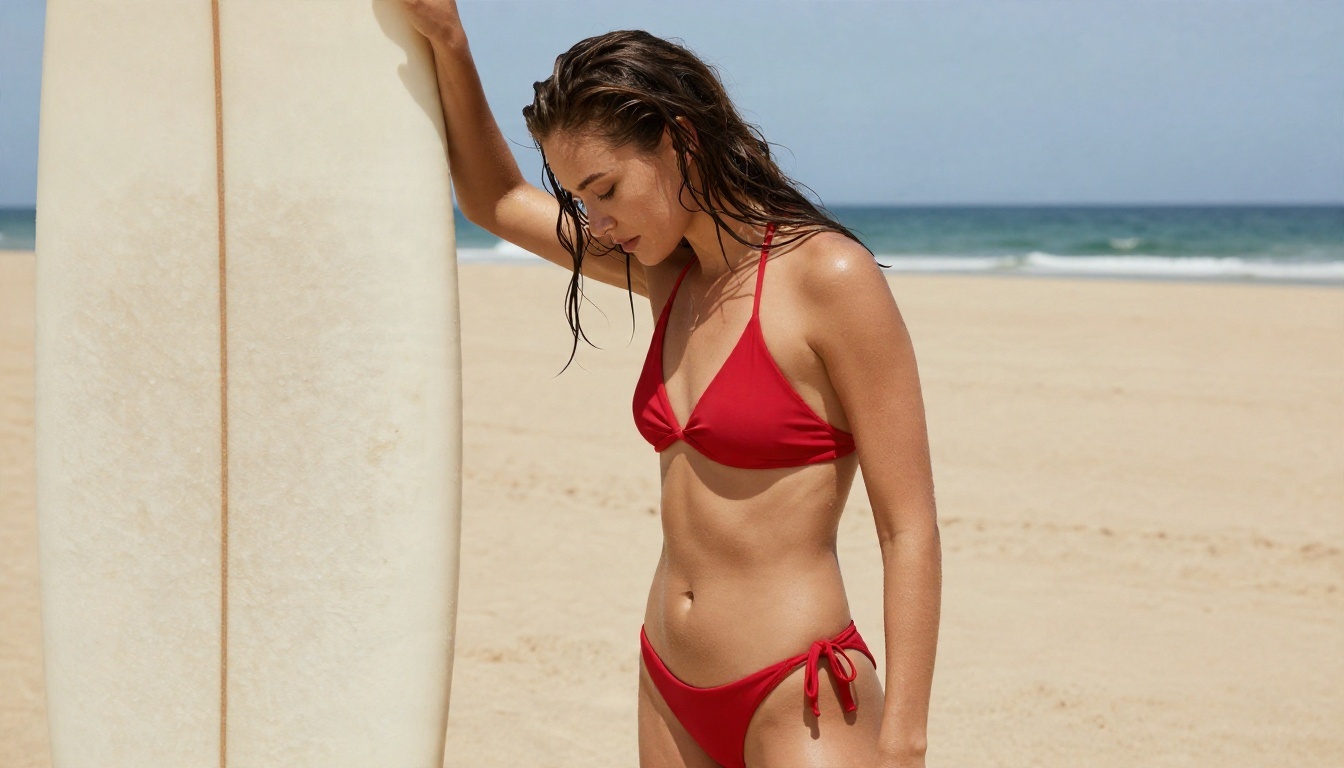
Prompt used: Tight detail shot of a woman in a red string bikini adjusting her wet hair on a surfboard-lined beach, surfboards stuck in sand in soft focus, ocean waves breaking in background, late-afternoon backlight from the right creating a warm halo, 100mm f/2.8 lens, sea droplets on tanned skin, sand grains.
Backlight is a reliable trick: it separates the subject from the background and makes wet hair glow.
Travel and Evening Shots
Mixed settings add story. They also test the model harder, because you ask for more than one clothing layer or lighting source at once.
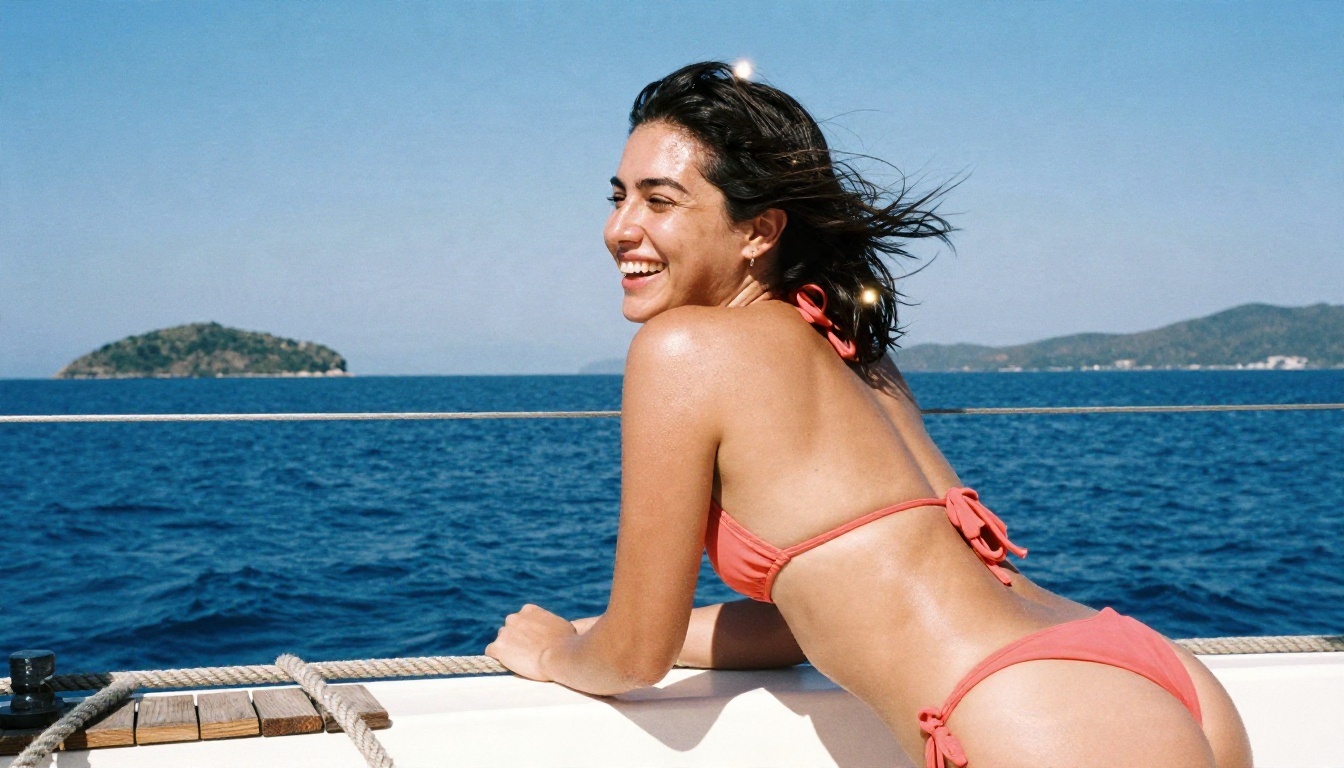
Prompt used: Over-the-shoulder shot of a woman in a coral bikini laughing and leaning on the railing of a sailboat deck, blue sea and distant islands beyond, rope coils and teak planks in the foreground, bright sun from behind-left creating hair rim light, 70mm f/2.8 lens, salt-crusted skin sheen, wind-tossed hair.
A candid laugh is harder to fake than a posed smile. Ask for it explicitly: laughing, mid-conversation, looking off camera.
For a calmer, moodier frame, try a spa setting:
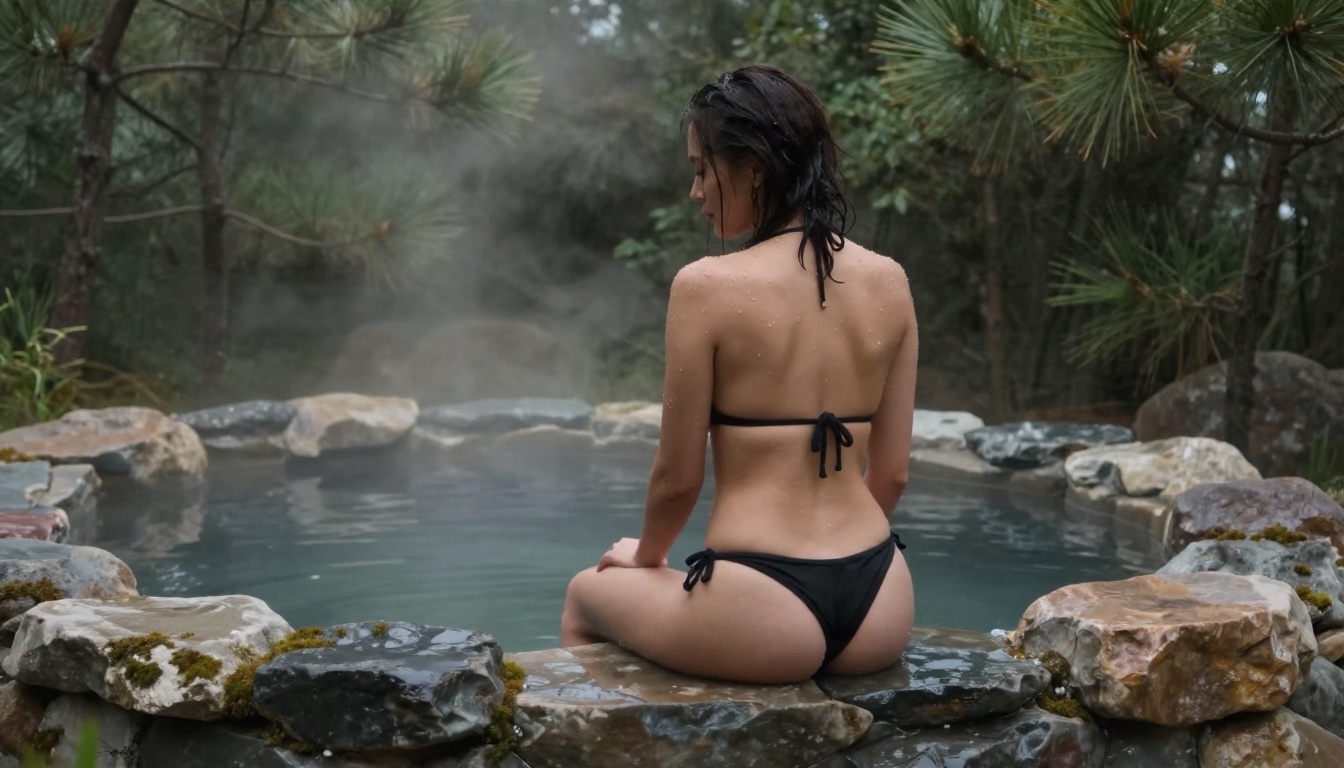
Prompt used: Candid medium shot of a woman in a black classic bikini sitting at the edge of a hot spring stone pool surrounded by pine trees in soft overcast light, steam rising gently, wet dark hair tied up, droplets on her shoulders, mossy rock textures, diffused even lighting from above, 50mm f/1.8 lens, muted film tones.
Overcast light is underrated. It removes harsh shadows and makes skin tones look even and soft.
And for a town evening, mix warm lamps with a blue sky:
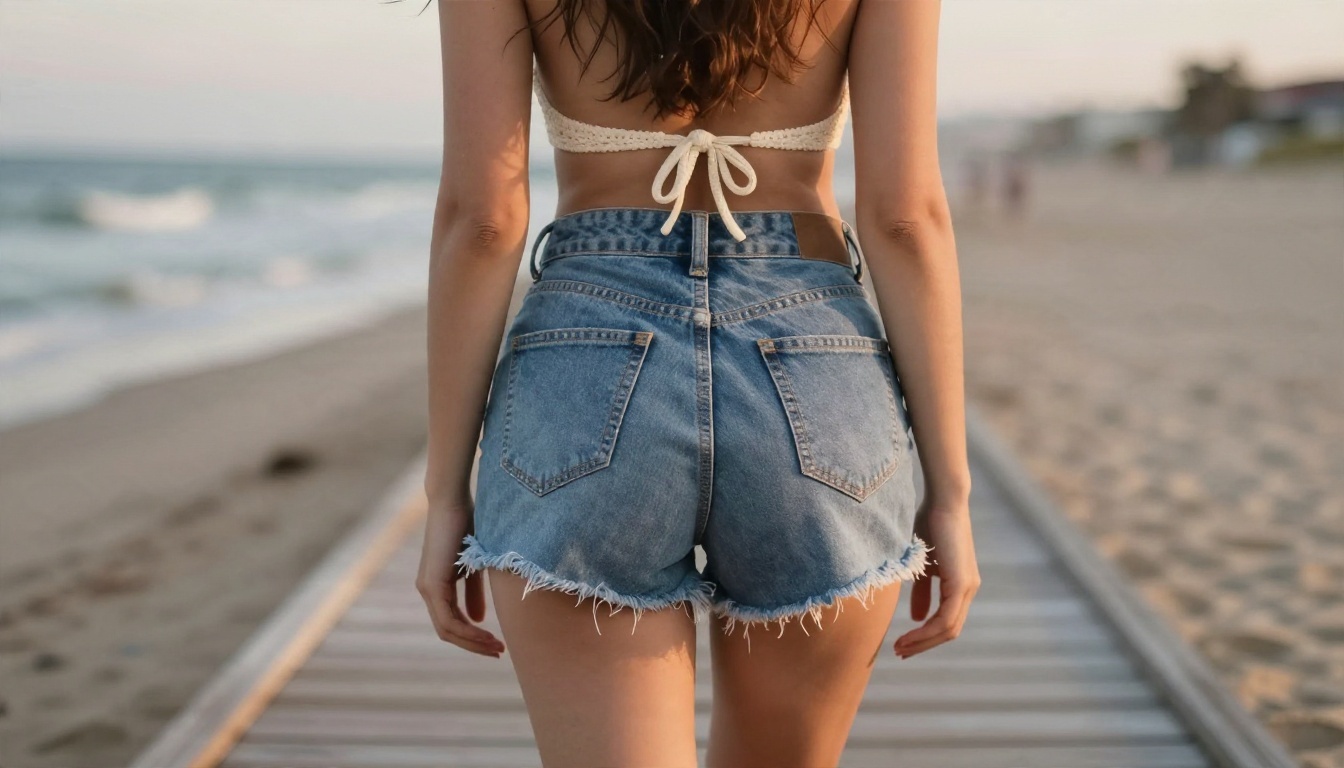
Prompt used: Wide establishing shot of a woman in a cream crochet bikini and denim shorts walking barefoot along a boardwalk at a seaside town at dusk, string lights glowing warm above, pastel buildings, soft blue-hour sky, 35mm f/1.8 lens, gentle motion blur in background pedestrians, crochet thread texture.
How to Make One in 5 Steps
Here is the full workflow on PicassoIA using Seedream 4.5.
- Open the model. Go to the Seedream 4.5 page and choose the text to image input.
- Paste your prompt. Start with the template above, then fill in your own swimsuit color, location and light.
- Set the aspect ratio. Use 16:9 for banners and travel visuals, 3:4 or 2:3 for portraits and social posts.
- Generate three to four variations. Change only one thing per run (the light, the angle or the location) so you can see what actually made the difference.
- Refine in Image Editor Pro. Open your favorite result in the Image Editor Pro to change a swimsuit color, a background or a small detail. If the final image looks a little soft, run it through a super resolution model to sharpen it.
| Parameter | Recommended setting | Why |
|---|
| Aspect ratio | 16:9 or 3:4 | Match the platform you publish on |
| Prompt length | 50 to 80 words | Enough detail, not so much it conflicts |
| Variations | 3 to 4 per idea | Best odds of clean hands and hair |
| Light | Golden hour or soft overcast | Most flattering for skin |
| Finish | Film grain, natural texture | Avoids the plastic look |
💡 Tip: Want to preview a swimsuit on a photo you already own? Use P Image Try On for the outfit swap, then polish the result in Image Editor Pro.
Fix the Most Common Flaws
Even good models slip. These are the problems you will see most, and how to solve them.
Plastic or Overly Smooth Skin
Remove words like perfect, flawless and smooth. Add visible pores, freckles, fine peach fuzz, natural skin texture, slight sheen. Use a lower contrast light, such as overcast or open shade, rather than harsh midday sun on the face.
Odd Hands and Fingers
Give the hands something to do. Holding a hat, a cup, a towel or brushing hair back all give the model a clear structure to draw. If one hand still looks wrong, crop it out with a different angle or fix it with inpainting in the editor.
Strange Fabric and Straps
Thin straps, knots and ribbed fabric are hard. Name the fabric and the cut: ribbed knit triangle top, knotted side ties, crochet, high-waisted two-piece. Specific words give you specific results. Vague words like sexy swimsuit give you vague, repetitive ones.
Repeated "Same Face" Look
When every image has the same face, change the details: age range, hair color and texture, skin tone, freckles, face shape. Mixing two or three of these per prompt breaks the pattern quickly.
Rules for Safe, Respectful Use
AI makes it easy to create images fast, and that comes with a few simple rules worth following:
- Never use a real person's photo without their clear consent. Editing someone else's picture into swimwear without permission is not okay, regardless of the tool.
- Only depict adults. Every character you generate should be clearly an adult.
- Keep it tasteful. This kind of content works best, and travels furthest, when it is stylish and non-explicit, like a fashion catalog.
- Label AI images when you publish them, especially if they are used for ads or products, so your audience knows what they are looking at.
- Check platform rules. Social networks and ad platforms have their own limits on swimwear content, so read them before you post.
Make Your First Bikini Photo
You now have what you need: a model shortlist, a prompt formula, nine examples to copy and adapt, and fixes for the usual flaws. The fastest way to improve is to run the same prompt three times with one change, and compare.
Open Seedream 4.5 for the most detailed results, then move to PicassoIA Image Editor Pro for unlimited tries and edits. If you want to see what else is available, from quick draft models to styled editorial engines, browse the full list at picassoia.com/en/all-models.
Pick a location, choose a swimsuit color, paste one of the prompts above, and see what comes back. Your first good image is probably two or three tries away.


