AI Couple Photo Prompt: Copy-Paste Prompts and Free Maker
Nine copy-paste AI couple photo prompts for beach walks, rainy cafés, proposals, weddings, road trips and anniversary dinners, plus a fill-in-the-blank formula, a model comparison, and a step-by-step tutorial for generating realistic couple photos for free.
Type "couple photo" into an image generator and you usually get two smooth, plastic faces under a sunset that looks painted on. The prompt is the whole difference. A strong AI couple photo prompt names both people, the small thing happening between them, the light, and the lens. This page gives you nine prompts you can copy and paste, a fill-in-the-blank formula for your own scenes, and a free maker you can open in the next minute.
People use these images for anniversary cards, wedding mood boards, save-the-date ideas, story art for romance writers, and gifts for a partner who lives far away. They all want the same thing: a couple that looks photographed, not rendered. That is a prompt problem before it is a model problem.
💡 Quick answer: Copy any prompt below into Seedream 4.5, set the ratio to 16:9, and press generate. Change only the place and the clothes. Leave the light, lens and film lines alone, because those lines carry the realism.
What Makes a Couple Prompt Work
Couple images fail in three predictable ways: the two faces blend into one, the hands grow extra fingers, and the pose looks like a stock-photo ad. Each failure has a one-sentence fix.
Start With Two Clear People
"A couple" gives the model nothing to hold on to, so it averages them into one generic pair. Describe each person on their own: age range, hair, clothing, and height. For example: a woman in her late twenties with shoulder-length chestnut hair and a cream knit sweater, and a taller man with short dark hair and a faded denim jacket. Now the model has two separate faces to build, and they stay separate.
Add Light, Lens and Film
Photographers describe a picture with light and glass, and image models trained on photographs respond to the same words. Three details do most of the work:
Light direction and time: "low golden-hour sun from camera left" beats "nice lighting".
Lens and aperture: "85mm f/1.4" gives creamy background blur, while "35mm f/2" gives a wider, more candid feel.
Film look: "Kodak Portra 400 film grain" adds warm skin tones and a soft, slightly faded contrast.
Lens line
What you get
Best for
24mm f/2.8
Wide scene, small people
Road trips, hilltops, big skies
35mm f/2
Natural, candid distance
Beach walks, kitchens, street scenes
50mm f/1.8
Eye-level, true to life
Cafés, dinners, window light
85mm f/1.4
Tight portrait, soft background
Weddings, close embraces
Name the Moment, Not the Mood
"Romantic" is a mood, and a mood is not a picture. "His forehead touching hers, eyes closed" is a picture. Use verbs the camera can see: laughing, pouring, pointing, leaning, almost kissing. Candid actions beat posed smiles every time, and they hide the usual AI tells.
Nine Prompts to Copy and Paste
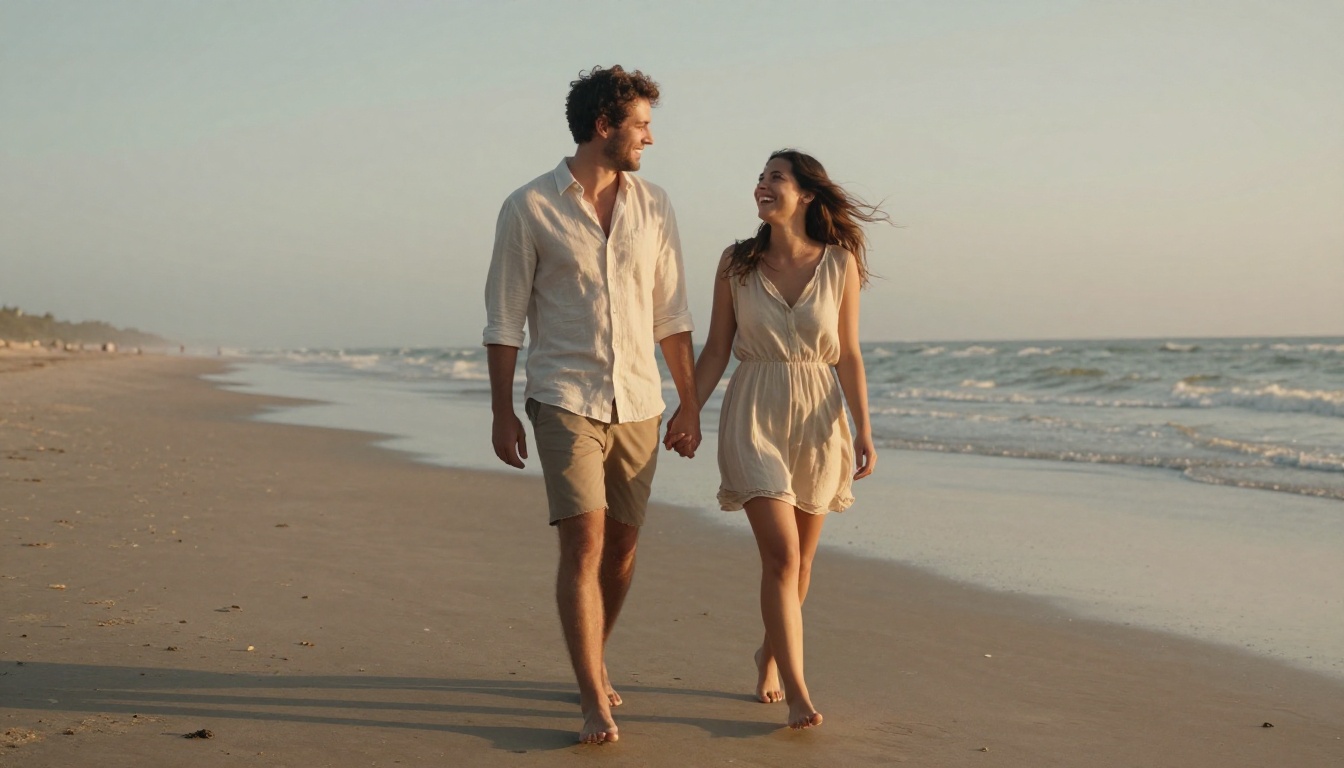
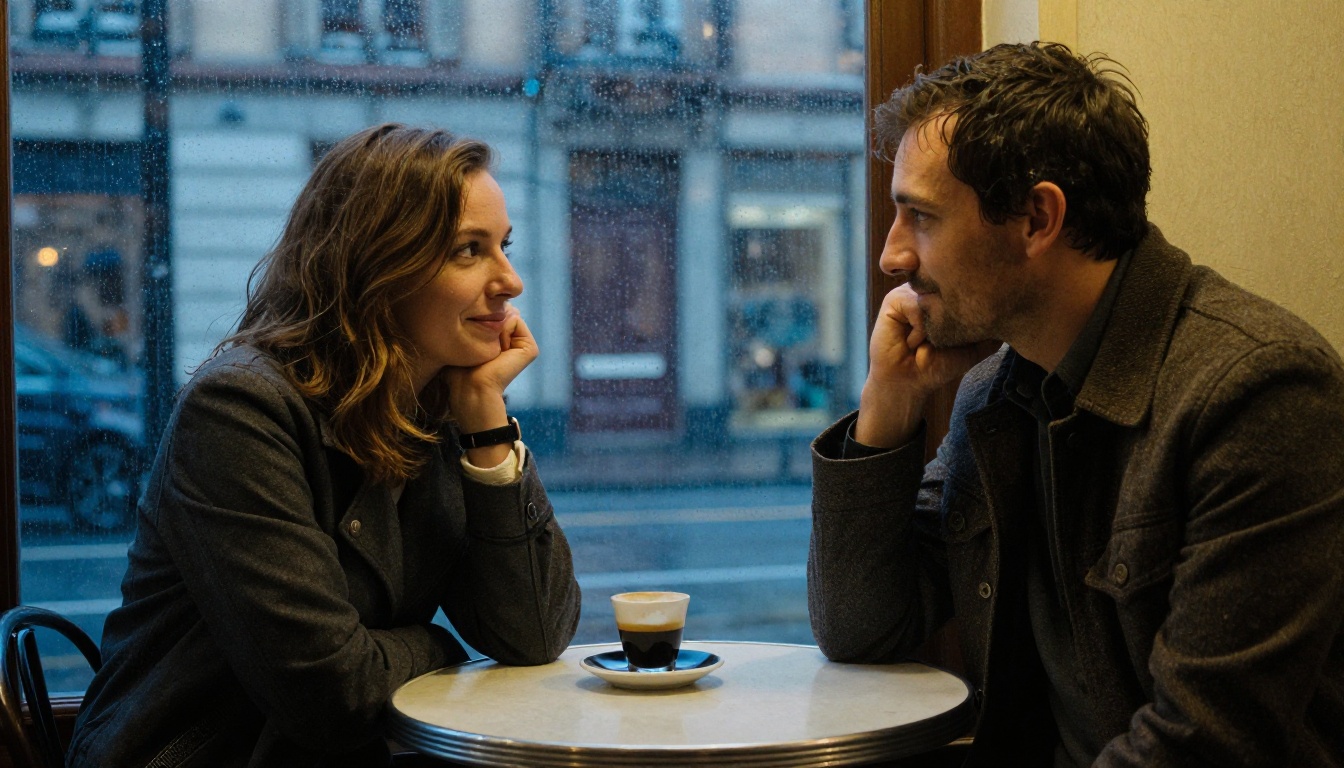
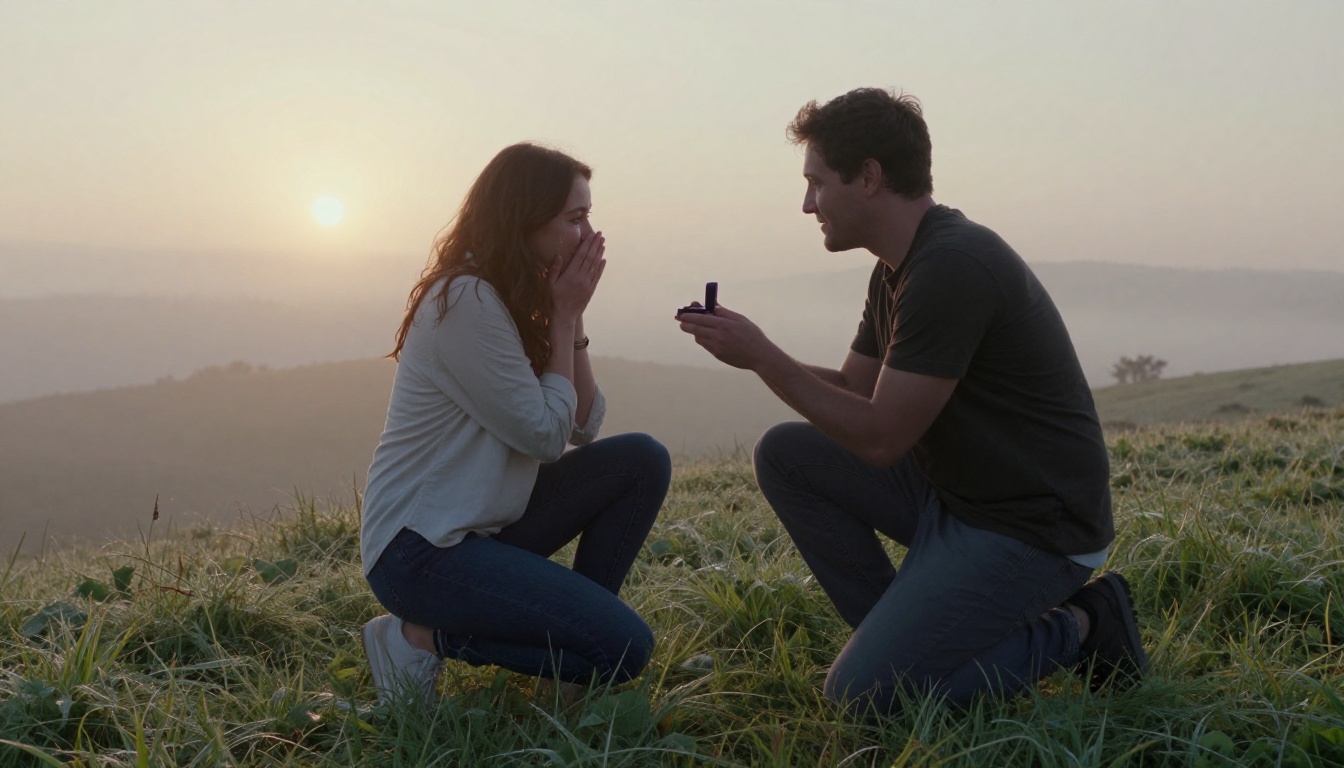
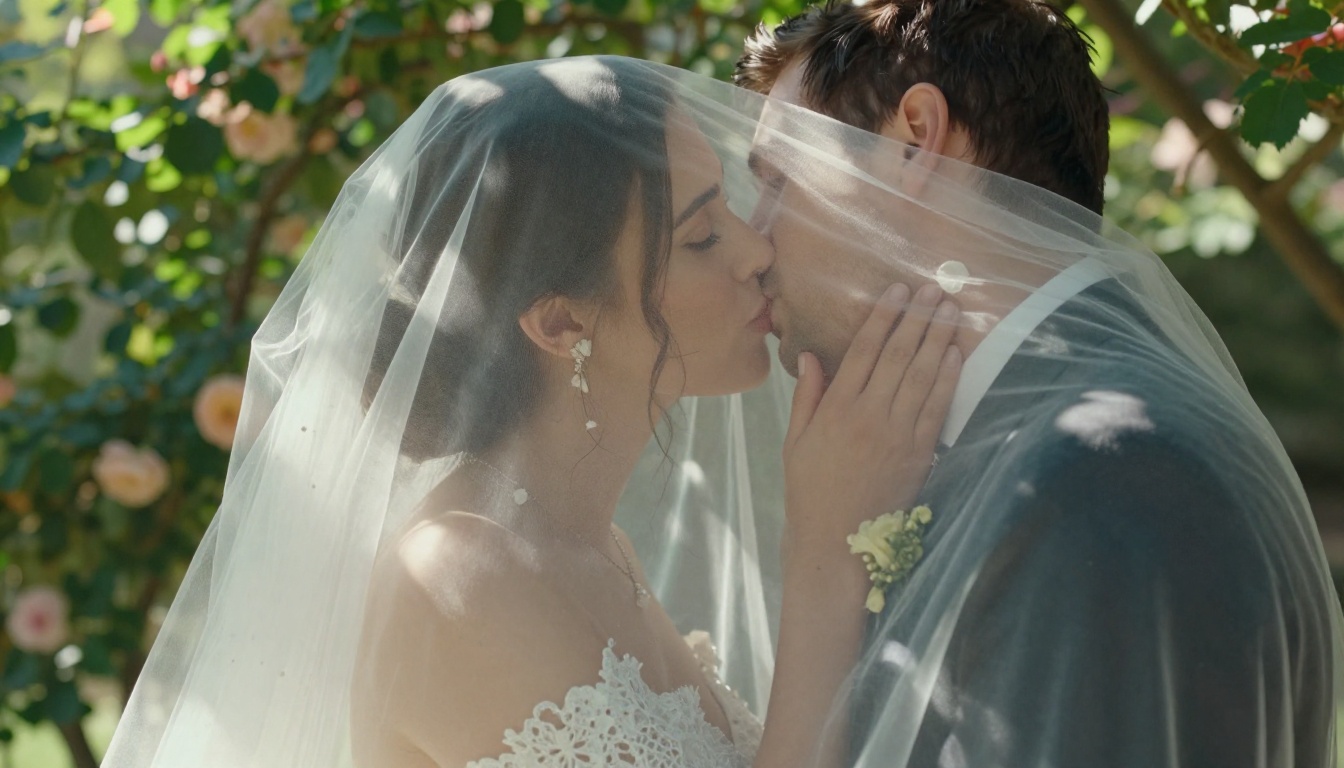
Each prompt below is adapted from the one behind the image above it. The images were generated at 16:9 with P Image, and the prompts sit in code blocks so you can copy them in one click. Keep the order of the parts (people, action, place, light, lens, texture, film) and change the details to match your own story.
Golden Hour Beach Walk
Soft, warm and easy, this is the safest first prompt. The low sun behind the pair creates the glowing rim light on hair that makes an AI portrait look photographed.
A couple in their late twenties walking barefoot along a wide empty beach at golden hour, hands intertwined, the woman laughing as she looks up at him while wet sand mirrors the sky, linen shirt and light summer dress moving in the wind, low sun behind them creating warm rim light on their hair, shot from a low angle with a 35mm f/2 lens, fine sand grain texture, soft ocean haze, Kodak Portra 400 film grain, raw 8K photograph
Tweak it: swap the beach for a lake shore or a city rooftop, but keep the "low sun behind them" line.
Rainy Café Window
A window gives you a natural frame and a built-in contrast between warm indoor light and cool blue rain outside. It is also a forgiving scene, because the glass hides small flaws in the background.
A couple sharing one small round table by a rain-streaked cafe window on an old European street, the man pouring espresso while the woman rests her chin on her hand and smiles at him, condensation on the glass, warm tungsten glow from inside against cool blue evening light outside, shot through the window with a 50mm f/1.8 lens, shallow depth of field, visible skin pores and wool coat texture, Kodak Portra 400 film grain, raw 8K photograph
Tweak it: change "espresso" to hot chocolate in winter, or to iced coffee with the rain turned into bright afternoon sun.
Sunrise Proposal on a Hilltop
This one works as a mood board image for a real proposal or for fiction. The reaction is described with concrete body language (hands raised, happy tears), which gives the model a clear expression to draw.
A man kneeling on one knee on a grassy hilltop at sunrise holding out a small ring box while the woman presses both hands to her mouth, happy tears on her cheeks, mist filling the valley behind them, soft side light from the rising sun on the left, shot from a low angle with a 24mm f/2.8 lens in a wide composition, dewy grass blades in the foreground, natural skin texture, Kodak Portra 400 film grain, raw 8K photograph
Tweak it: move the scene to a pier, a rooftop or a snowy trailhead. The wide 24mm line keeps the landscape in the frame.
Garden Wedding Portrait
Close faces are where AI couples often merge. Writing "almost kiss" instead of "kiss" keeps two separate faces, and fabric details such as lace and veil folds give the model extra anchors.
A bride and groom sharing a quiet moment in a sunlit rose garden, her veil lifted by a light breeze, his hand cupping her jaw as they almost kiss, lace sleeve detail and fine fabric folds, dappled sunlight filtering through leaves from above right, shot at eye level with an 85mm f/1.4 lens and creamy background blur, visible skin pores, petal textures, Kodak Portra 400 film grain, raw 8K photograph
Tweak it: change the garden to a stone courtyard or a vineyard row, and swap the veil for a flower crown.
Mountain Ridge Adventure
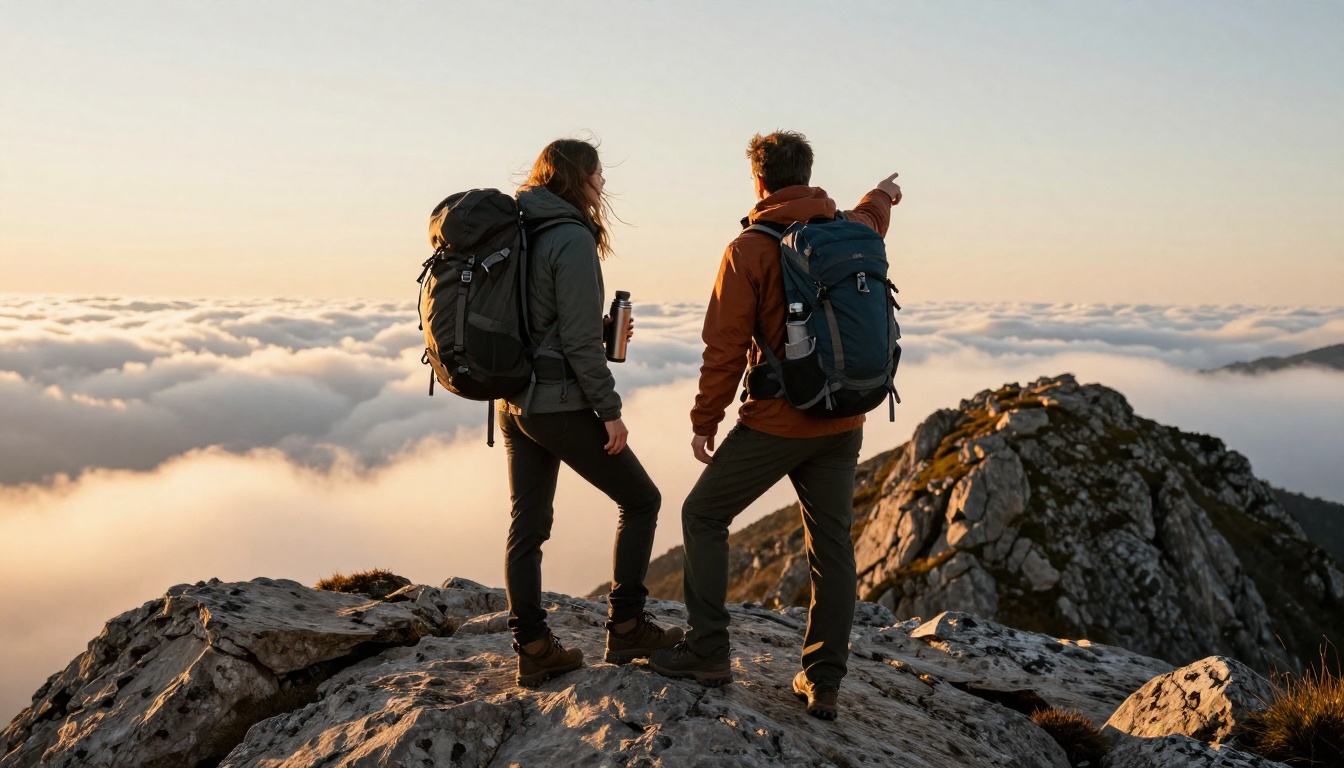
Props tell a story. Backpacks, a steel thermos and a pointing arm give the pair something to do besides smile at the lens, and the wide 28mm line makes the landscape feel huge.
A hiking couple standing on a rocky mountain ridge at sunrise, backpacks on, the man pointing toward a distant peak while the woman leans into his shoulder holding a steel thermos, a sea of clouds in the valley below, golden light skimming across jackets and granite, shot from a slightly low angle with a 28mm f/4 lens, wind-tousled hair, sharp rock texture, Kodak Portra 400 film grain, raw 8K photograph
Tweak it: replace the peak with a canyon rim, a forest trail or a lake campsite at dawn.
Slow Sunday Kitchen
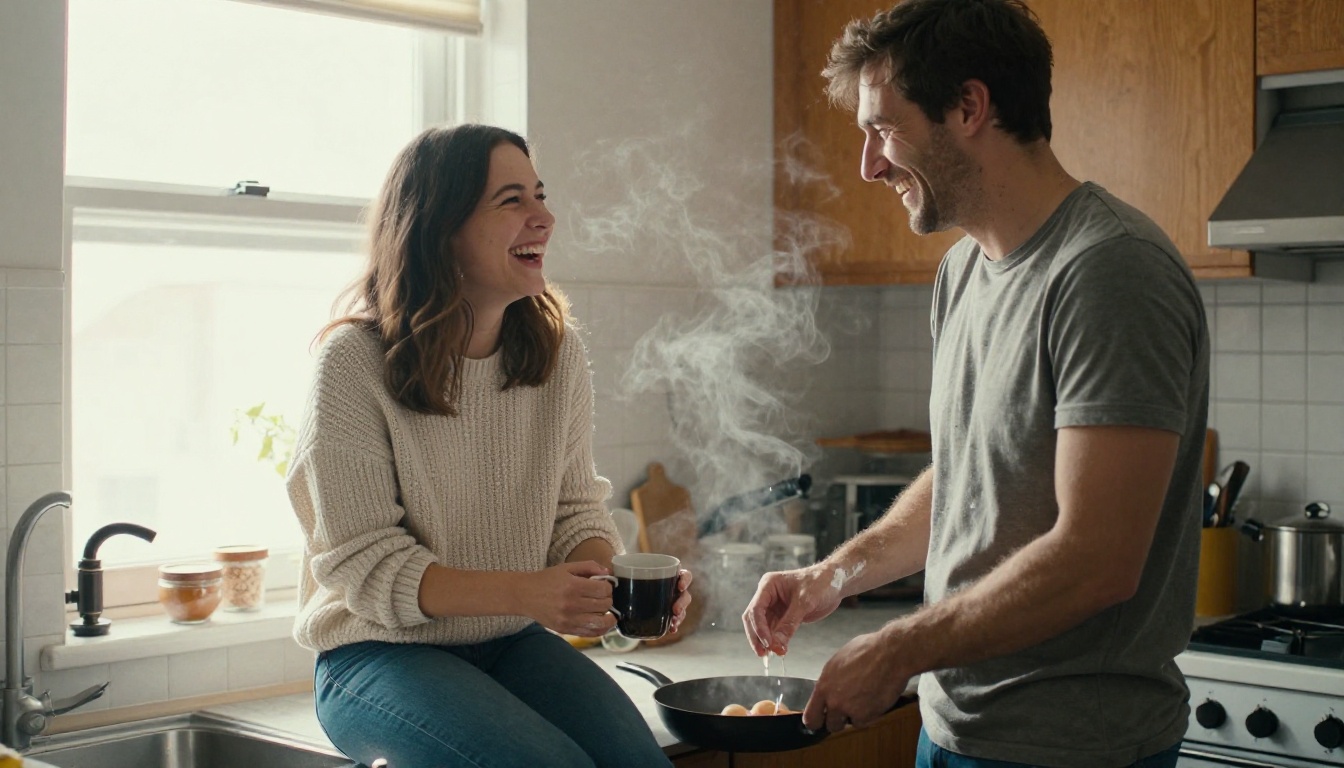
Home scenes feel believable because nobody expects a perfect pose in a kitchen. Steam, flour dust and a knit sweater add small textures that read as real life.
A couple laughing together in a small sunlit home kitchen on a slow Sunday morning, she sits on the counter holding a coffee mug while he stands beside her cracking eggs into a pan, soft window light from the left, steam rising, shot at waist height with a 35mm f/1.8 lens, visible knit sweater texture and flour dust on his forearms, candid expressions, Kodak Portra 400 film grain, raw 8K photograph
Tweak it: bake bread, water plants or fold laundry. Any shared chore works as the action.
Candlelit Anniversary Dinner
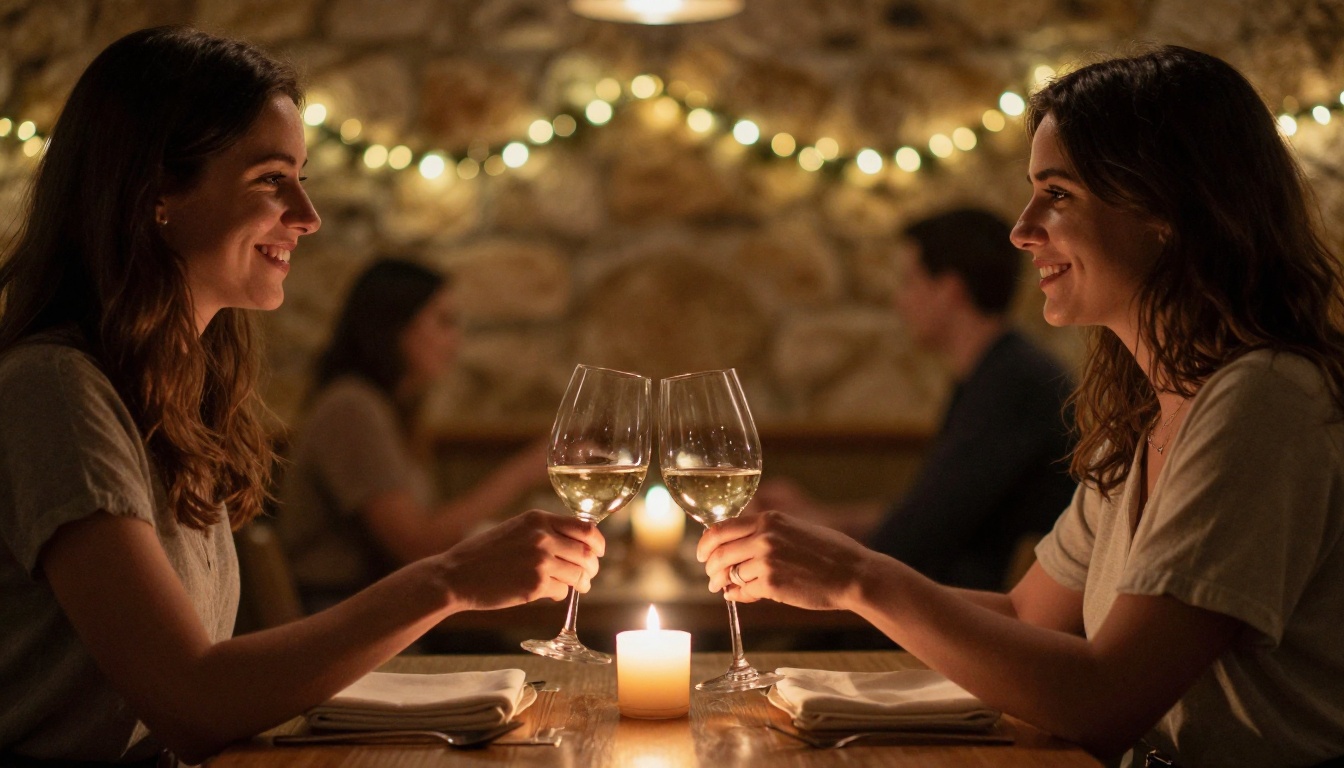
This is the prompt for anniversary cards. String bulbs in the background turn into golden bokeh circles, and the reaching hand adds a touch of tenderness without crowding the frame.
A couple clinking wine glasses across a small candlelit table in an intimate stone-walled restaurant, her face lit by warm candle glow, his hand reaching across to hold hers, shot from a three-quarter angle with an 85mm f/1.8 lens, shallow depth of field with golden bokeh from string bulbs behind, linen napkin and glass reflections in sharp detail, natural skin texture, Kodak Portra 400 film grain, raw 8K photograph
Tweak it: trade the wine for a shared dessert with two forks, or move the table to a terrace at blue hour.
Snowy Street at Dusk
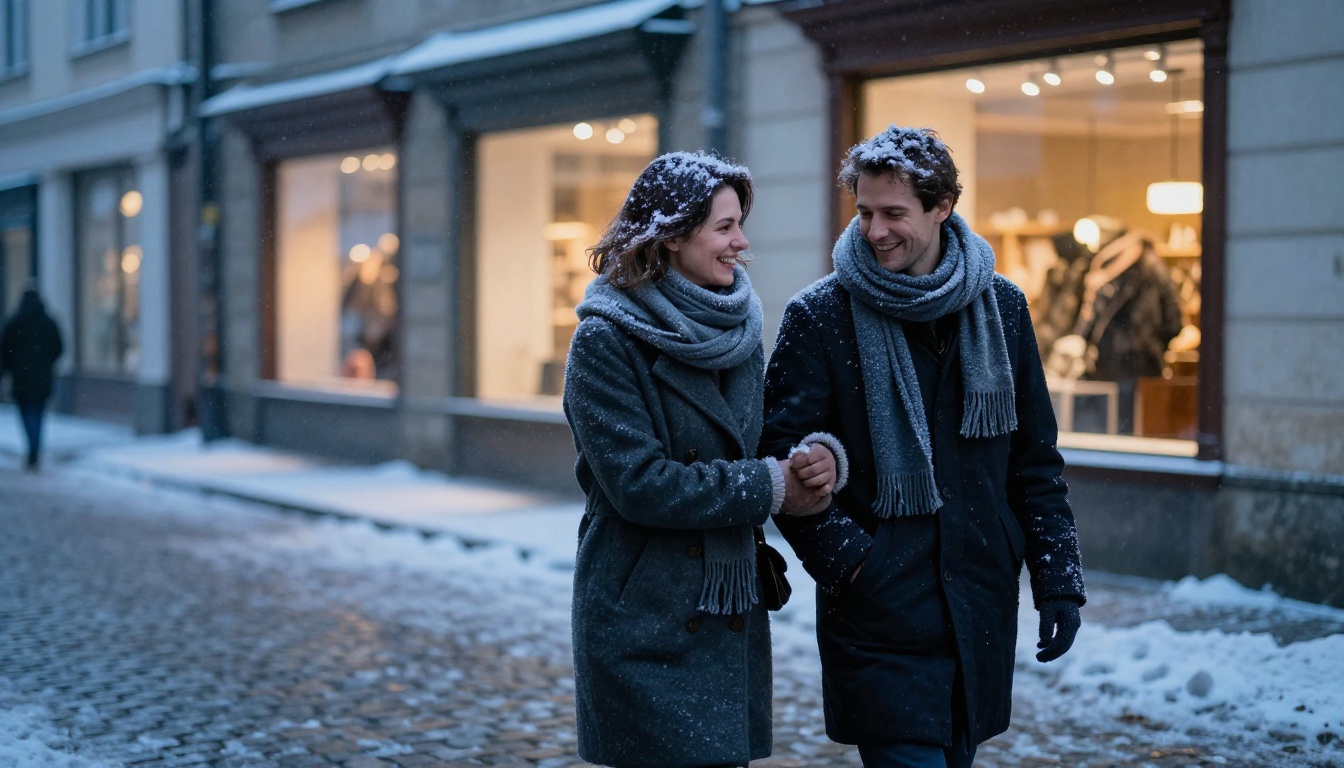
Shooting from behind is a clever shortcut: no faces to get wrong, and the story still lands. Sharing one pair of gloves is the detail that makes viewers smile.
A couple in wool coats and thick scarves walking down a snowy cobblestone street at dusk, sharing one pair of gloves and laughing, snowflakes caught in their hair, warm shop windows glowing behind them, shot from behind and slightly above with a 50mm f/2 lens, frost on the scarf fibers, cold breath visible, cool blue ambient light with warm amber accents, Kodak Portra 400 film grain, raw 8K photograph
Tweak it: swap the snow for autumn leaves and the gloves for a shared umbrella.
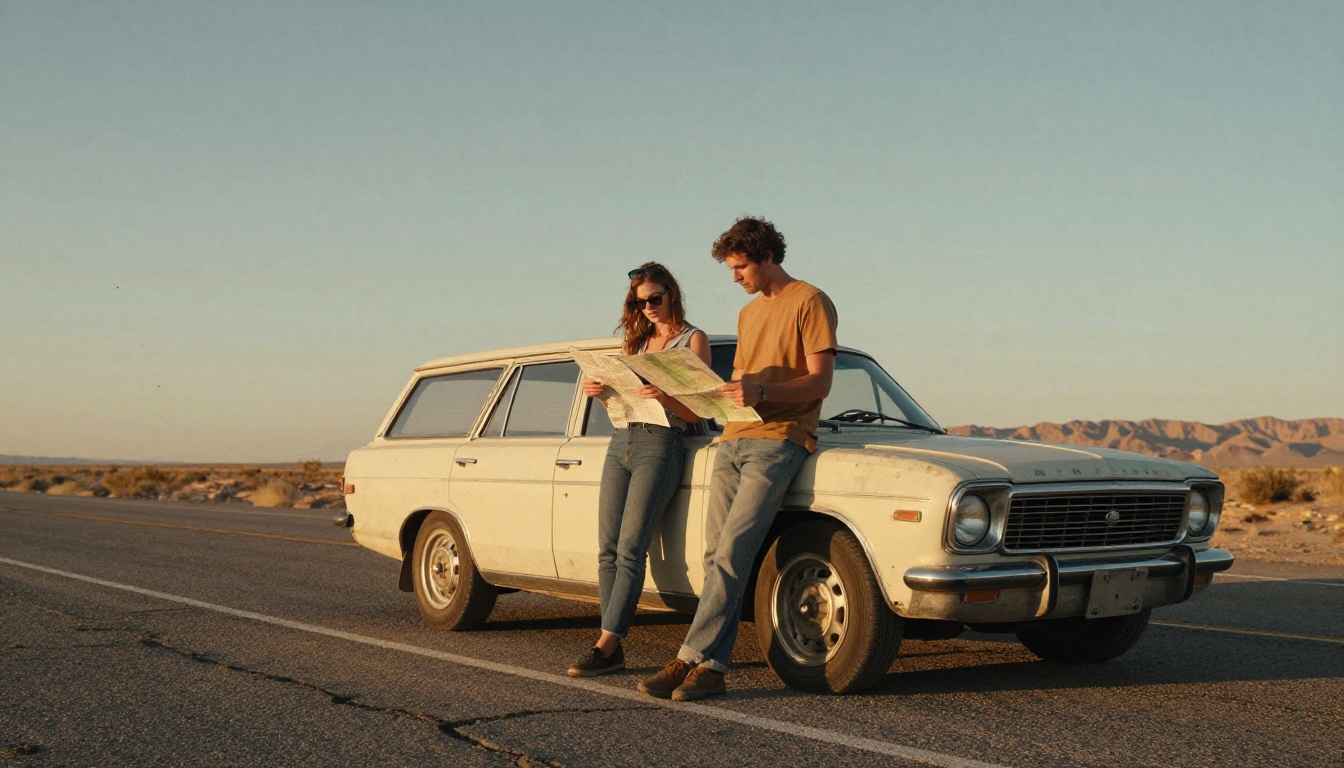
Desert Road Trip
A vehicle gives the image a story in one glance. The low wide angle leaves room for a big sky, and the dust in the air keeps the light from looking flat.
A couple leaning against a vintage station wagon on an empty desert highway at dusk, she wears sunglasses pushed up into her hair and he holds a paper map, long shadows on cracked asphalt, warm low light from the right, shot with a 24mm f/2.8 lens from a low angle to include the wide sky, dust particles floating in the air, sun-faded paint texture, Kodak Portra 400 film grain, raw 8K photograph
Tweak it: change the wagon to a camper van or a motorbike, and the desert to a coastal road.
Fill-in-the-Blank Prompt Formula
Once you have used a few of the prompts above, you will notice they share one skeleton. Here it is, ready for your own scene:
[Two people, each described] + [action between them] + [place] + [light direction and time of day] + [lens and framing] + [texture details] + [film look]
Slot
Weak version
Strong version
People
a couple
a woman in her thirties with curly black hair and a taller man in a grey wool coat
Action
happy together
she adjusts his scarf while he laughs
Place
outside
a quiet harbor with wet stone steps
Light
sunny
low afternoon sun from the right, soft shadows
Lens
nice photo
50mm f/1.8, eye level, shallow depth of field
Texture
detailed
wool fibers, rain beads on a jacket, visible skin pores
Film
realistic
Kodak Portra 400 film grain
Three quick swaps to try with the formula:
Anniversary card: action "sharing one slice of cake with two forks", place "a small bakery table by the window".
Long-distance reunion: action "she steps off a train with a suitcase while he opens his arms", place "a station platform at golden hour".
Cozy night in: action "wrapped in one blanket on a sofa", light "warm lamp from the right, rain on the window behind".
💡 Tip: Keep each prompt to one scene and one moment. Prompts that try to fit a wedding, a beach and a snowstorm in one frame produce muddy results.
How to Use Seedream 4.5 on PicassoIA
Seedream 4.5 is a text-to-image model that outputs sharp 2K or 4K images, accepts 1 to 14 reference images, and offers aspect ratios from 1:1 to 21:9. Its model page describes it as free and online with no coding, which makes it a good place to run the prompts above. Long, detailed prompts are exactly what it likes.
Leave Size on 2K for web use. Choose 4K if you plan to print.
Set Aspect Ratio: 16:9 for banners and blog headers, 9:16 for Stories, 3:2 for prints.
Keep group generation on its default (disabled) for a single image, then press generate.
Compare the result with the prompt, change one line, and run it again.
💡 Tip: Change only one line per run. If you edit the place, the clothes and the lens at the same time, you cannot tell which change helped.
Build a Matching Set
You have two ways to get several images that belong together:
Group generation: set the group mode to auto and raise Max Images (up to 15) to get a related sequence in one run, for example arrival, ceremony, dinner and dancing for a wedding day.
Reference images: upload 1 to 14 photos so the model can follow a style, a setting or a person's look.
⚠️ Consent matters: Only upload photos of yourself or of people who agreed to appear. A reference photo of someone else is not yours to use.
Couple Photo Makers Compared
PicassoIA hosts more than 200 text-to-image models, and several of them suit couple scenes. The details below come from each model's own page.
How to pick: start with Seedream 4.5 for a fresh scene. When one detail is off, such as a sweater color or a stray object behind the couple, send the finished image to PicassoIA Image Editor Pro and describe only the change. Reach for Flux 2 Pro when you want one couple to appear across several shots, and for GPT Image 2 when the picture needs words, such as two names on an anniversary card.
Five Mistakes That Ruin Couple Photos
Writing "a couple" and nothing else. Without separate descriptions, you get two clones. Give each person hair, clothes and age range.
Stacking moods. "Romantic, dreamy, magical, epic" pull in four directions. Choose one scene and describe what is physically happening.
Ignoring the hands. Hands are where errors hide. Give them a job ("her hand flat on his chest") or place them out of frame.
Asking for a glow. Words like neon, glowing and digital art push the result toward illustration. Stay with daylight, candles and tungsten bulbs for photographic realism.
Judging at thumbnail size. Open the image at full size and check the eyes, teeth, ears and jewelry before you share it.
💡 Tip: If one face looks slightly off in an otherwise great image, do not rerun everything. Upload it to PicassoIA Image Editor Pro and ask for that one fix while the rest stays the same.
Bring Your Stills to Life
A favorite still can become a short clip. Wan 2.7 I2V animates an image into video, and Seedance 2.5 Lite is a free and unlimited video generator for clips up to 10 seconds from a text description. For the motion prompt, describe movement only: slow push-in, her hair lifts in the breeze, he turns and smiles. One camera move plus one human action is enough, and anything busier tends to warp faces.
Make Your Own Couple Photos
Pick one prompt from this page, change two details, and run it. That is the whole method. The beach walk becomes your first anniversary trip, the kitchen scene becomes the morning you wish you could frame, and the road trip becomes the one you have been planning.
Here is a simple plan for your first session on Picasso IA:
Paste the Golden Hour Beach Walk prompt into Seedream 4.5 and generate one image.
Rewrite the people line with your own hair, clothes and ages, then run it again.
Swap the place for somewhere that means something to the two of you.
Want more options? Browse every model at picassoia.com/en/all-models, try a different one on the same prompt, and see which gives you the couple you pictured. Your next favorite photo is one pasted prompt away.