A few years ago, an AI face gave itself away in half a second: waxy skin, mismatched earrings, eyes that stared at two different spots. Today you can type one sentence and get a portrait that a photo editor would hesitate to flag. The gap between those two results is almost never the model. It is the prompt. This article shows you how a text-to-face generator thinks, gives you 15 prompts you can copy right now, and walks through real examples so you can see exactly which words produce which results.
💡 Quick answer: A good AI face prompt names the person, the light, the lens and the skin. "Portrait of a woman" gives you a stock photo. "Portrait of a woman in her thirties, visible pores, soft window light from the left, 85mm f/1.4" gives you a face that feels alive.
How Text to Face Generation Works
From words to pixels
An AI face generator from text is a text-to-image model that has seen millions of captioned photographs. When you write "a smiling man with curly hair," the model does not pull up a stored picture. It starts from random noise and removes that noise step by step, nudging every pixel toward what your words describe. Faces come out because the training data contained a huge number of them, each tied to words like freckles, stubble, golden hour and close-up.
That is why specific words matter so much. Every phrase you add narrows the range of faces the model can pick from. A vague prompt leaves the model free to choose the most average face it knows, and the average face tends to look smooth, symmetrical and a little lifeless.
Why faces are hard
People are experts at reading faces. We notice a tooth that is slightly too wide or an iris that is slightly off-center without knowing why. Hands and backgrounds can be forgiven. Faces cannot. Three things trip models up most often:
- Skin texture: models drift toward airbrushed, poreless skin because so many training photos were retouched.
- Eyes: catch lights, eyelid shape and gaze direction must agree with each other.
- Asymmetry: real faces are not mirror images. Overly symmetrical faces trigger the uncanny valley.
Newer models such as Seedream 4.5 and Nano Banana Pro handle all three far better than older systems, but even they need a prompt that asks for realism.
The Anatomy of a Good Face Prompt
Think of a face prompt as a short photo brief. You are the photographer, the lighting crew and the casting director at the same time. A reliable structure looks like this:
Subject + age + expression + skin detail + light + lens + film look
Subject and age
Start with who. Give an age range, a rough ethnicity or heritage if it matters to you, hair, and one or two defining features. "Elderly woman with silver hair and deep laugh lines" does more work than "old woman." Specific features also stop the model from defaulting to the same handful of faces over and over.
Light and lens
Light is what makes a generated face look photographed instead of rendered. Name the direction and the quality: soft window light from the left, golden hour backlight, overcast skylight, warm tungsten lamp. Then add a lens. A 85mm f/1.4 pushes the model toward the flattering compression and creamy background blur of real portrait photography. A 35mm gives a more candid, environmental look.
| Lens and aperture | Look you get | Best for |
|---|
| 35mm f/2 | Candid, wider context, slight distortion | Street and lifestyle portraits |
| 50mm f/1.8 | Natural perspective, balanced blur | Everyday headshots |
| 85mm f/1.4 | Flattering compression, strong blur | Beauty and editorial faces |
| 105mm macro f/4 | Extreme detail, thin focus plane | Eyes, skin and texture studies |
Skin and imperfections
This is the single most useful trick. Tell the model to keep the flaws: visible pores, light freckles, faint crow's feet, peach fuzz along the jaw, slight skin shine, flyaway hair strands. Also tell it what you do not want: no beauty filter, no plastic smoothing, no airbrushing. These phrases pull the output away from the polished stock look.
15 Free Prompts to Copy
Paste any of these into a text-to-image model and adjust the details. Each one follows the structure above.
Natural portrait prompts
- Close-up portrait of a woman in her late twenties, hazel green eyes, light freckles across the nose, visible pores, soft window light from the left, 85mm f/1.4, Kodak Portra 400 film grain, no retouching.
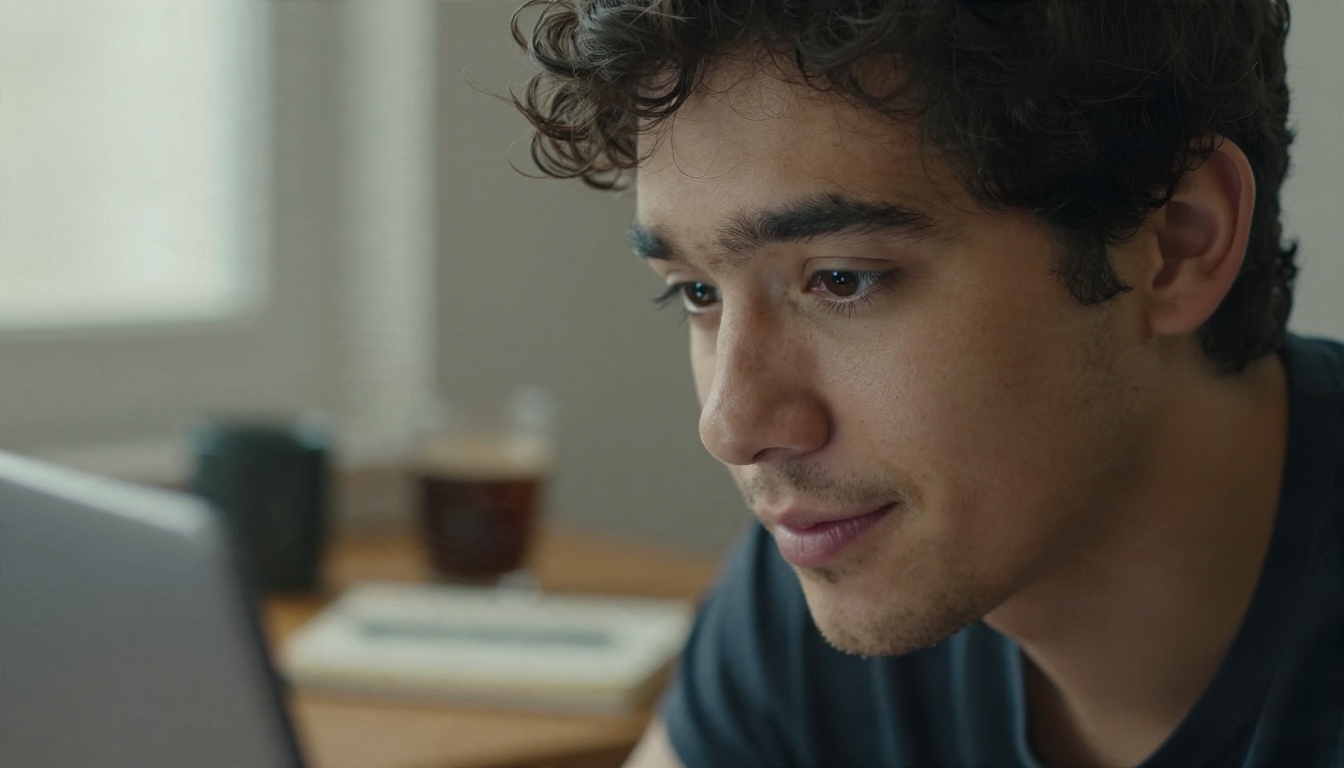
- Young man with short curly dark hair and light stubble, faint smile lines, soft side light, 50mm f/1.8, shallow depth of field, natural colors.
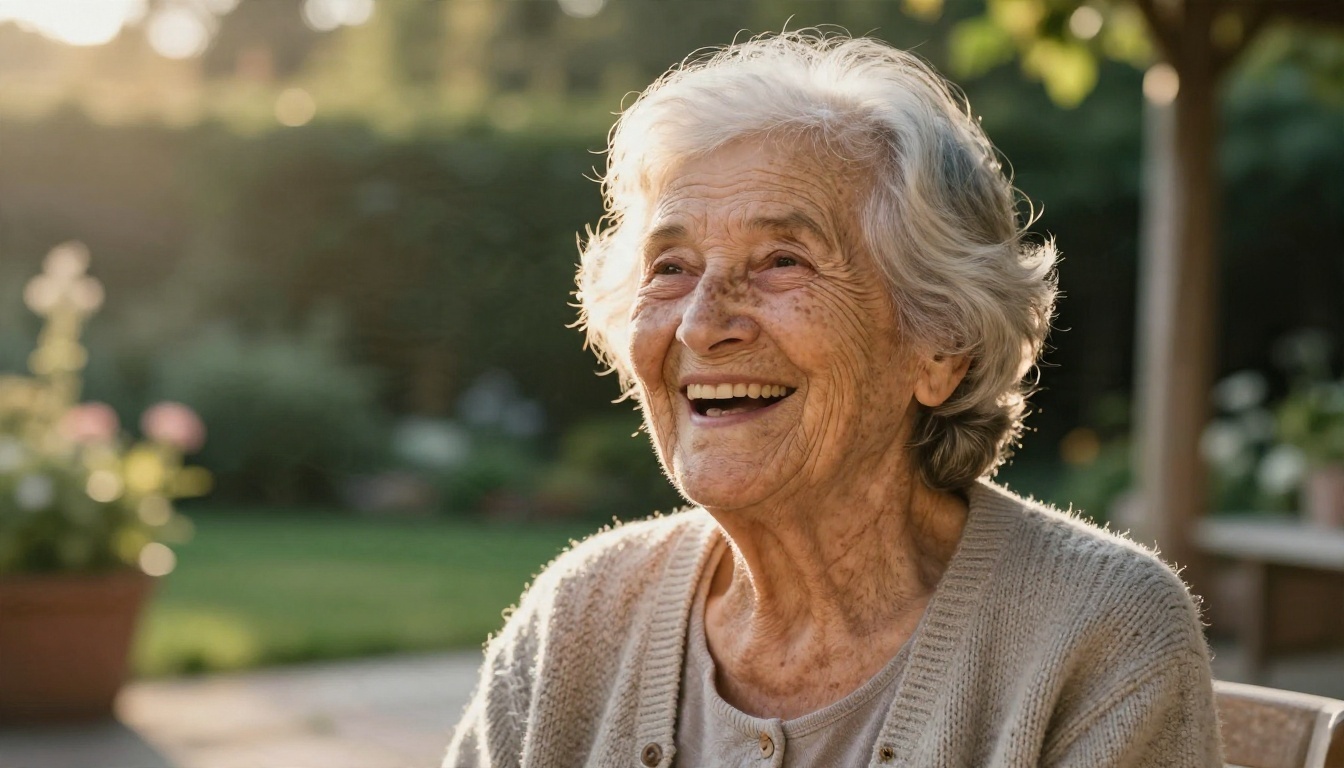
- Elderly woman with silver hair laughing, deep wrinkles, age spots, golden hour backlight, 35mm f/2, knit cardigan texture.
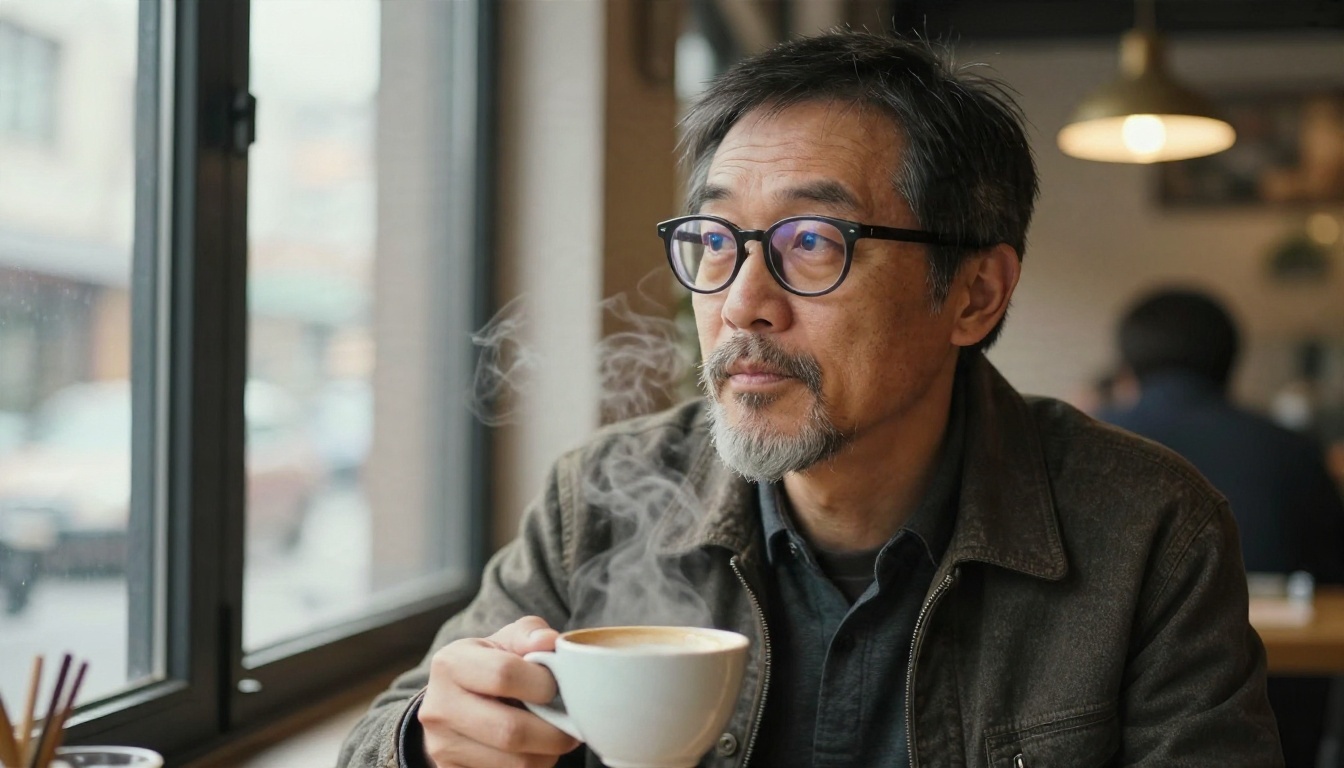
- Middle-aged man with glasses and a gray beard in a small cafe, warm lamp light, reflections on the lenses, 85mm f/1.8.
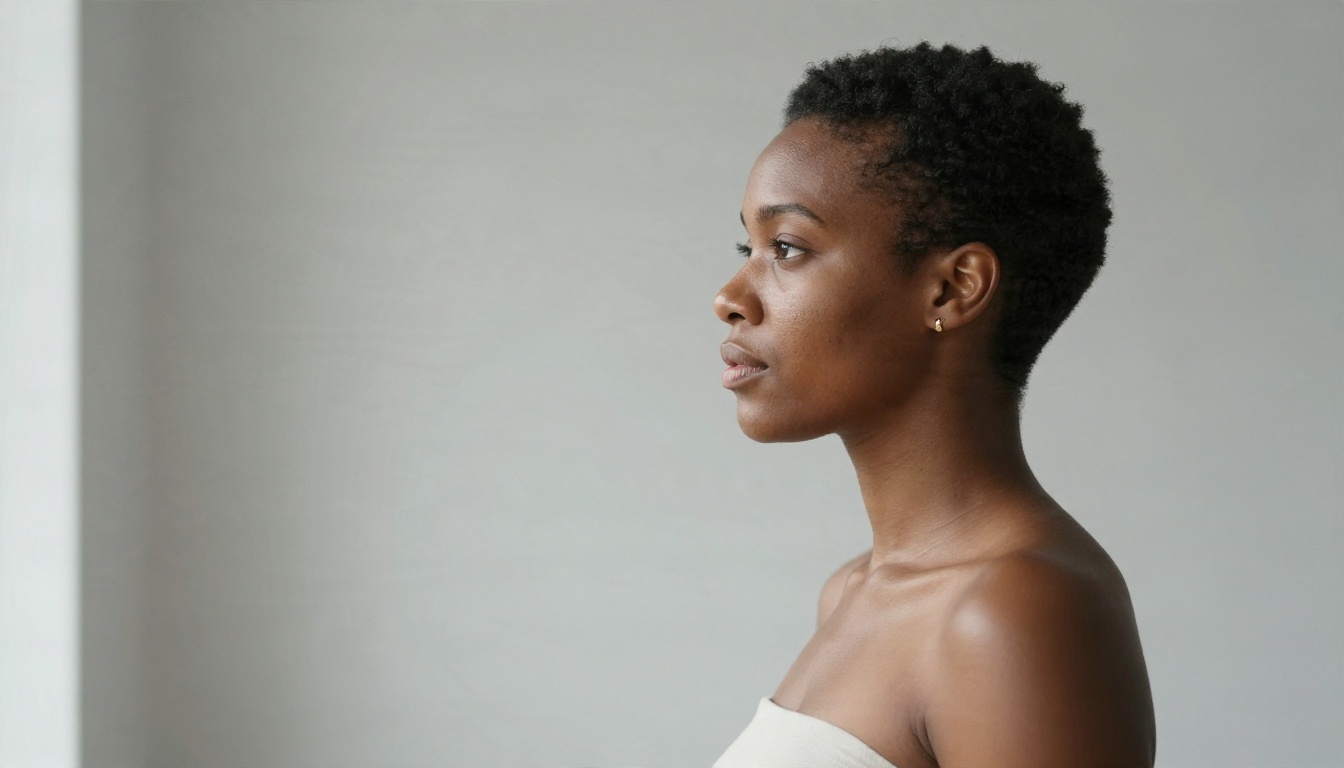
- Side profile of a woman in her thirties with short natural hair, gold earrings, soft diffused daylight, neutral gray backdrop, 105mm f/2.8.
Candid and lifestyle prompts
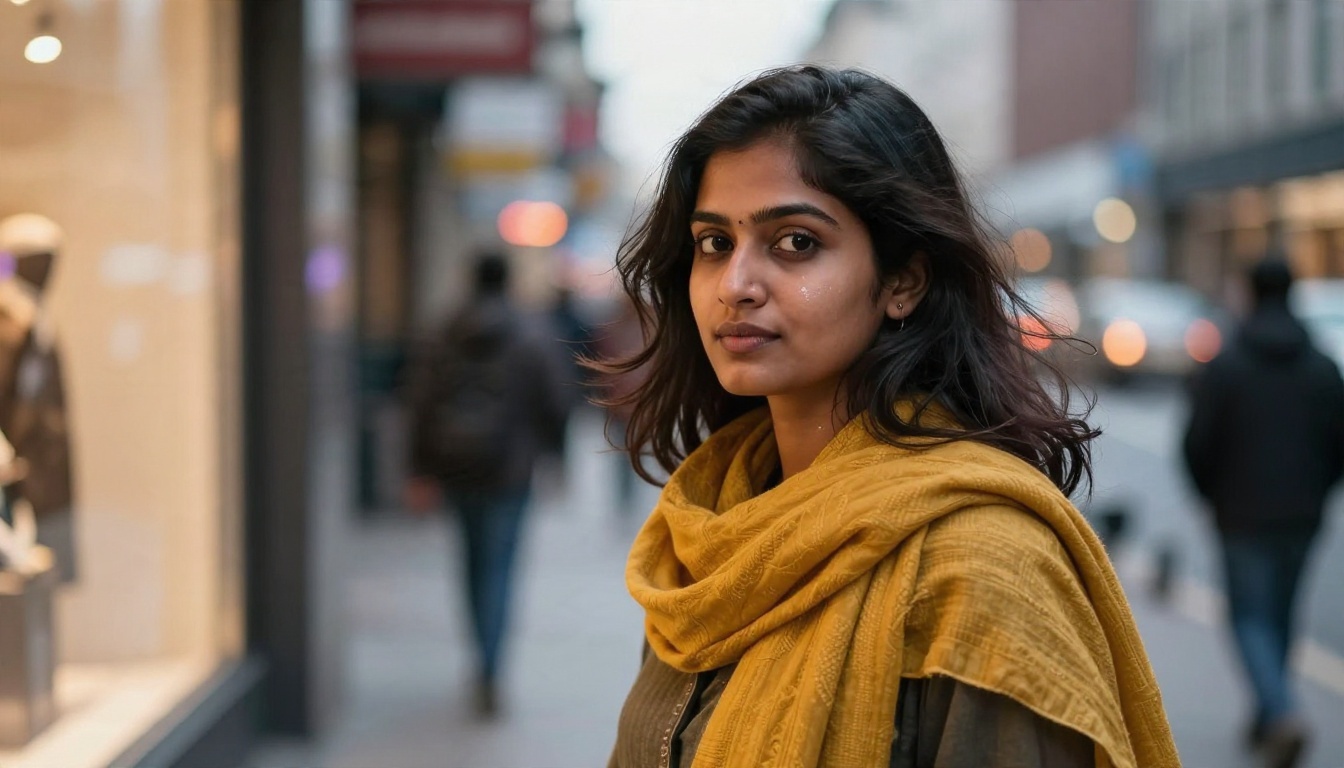
- Candid street portrait of a woman in a mustard scarf looking over her shoulder, dusk, warm shop window light, wind-tossed hair, 50mm f/1.4.
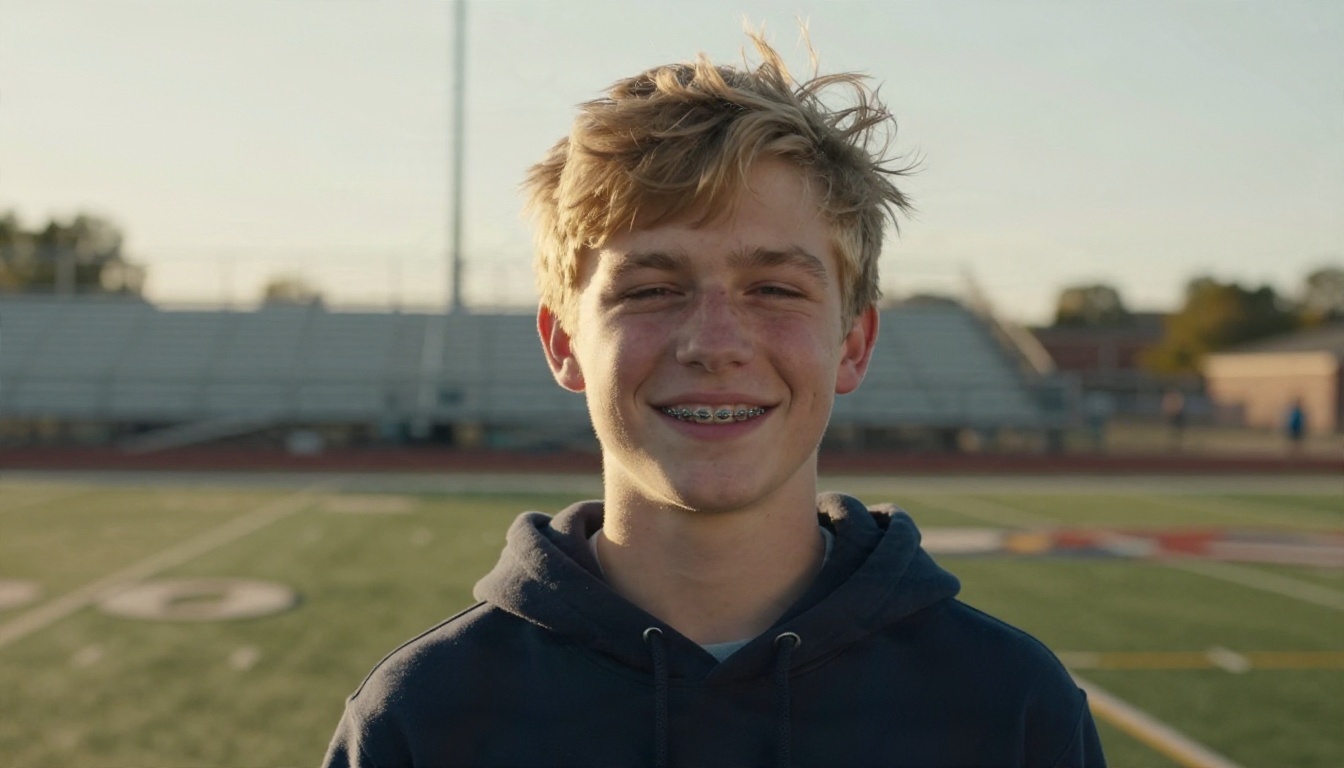
- Teenage boy with messy blond hair and braces smiling shyly on a football field, late afternoon sun behind him, squinting slightly, 70mm f/2.
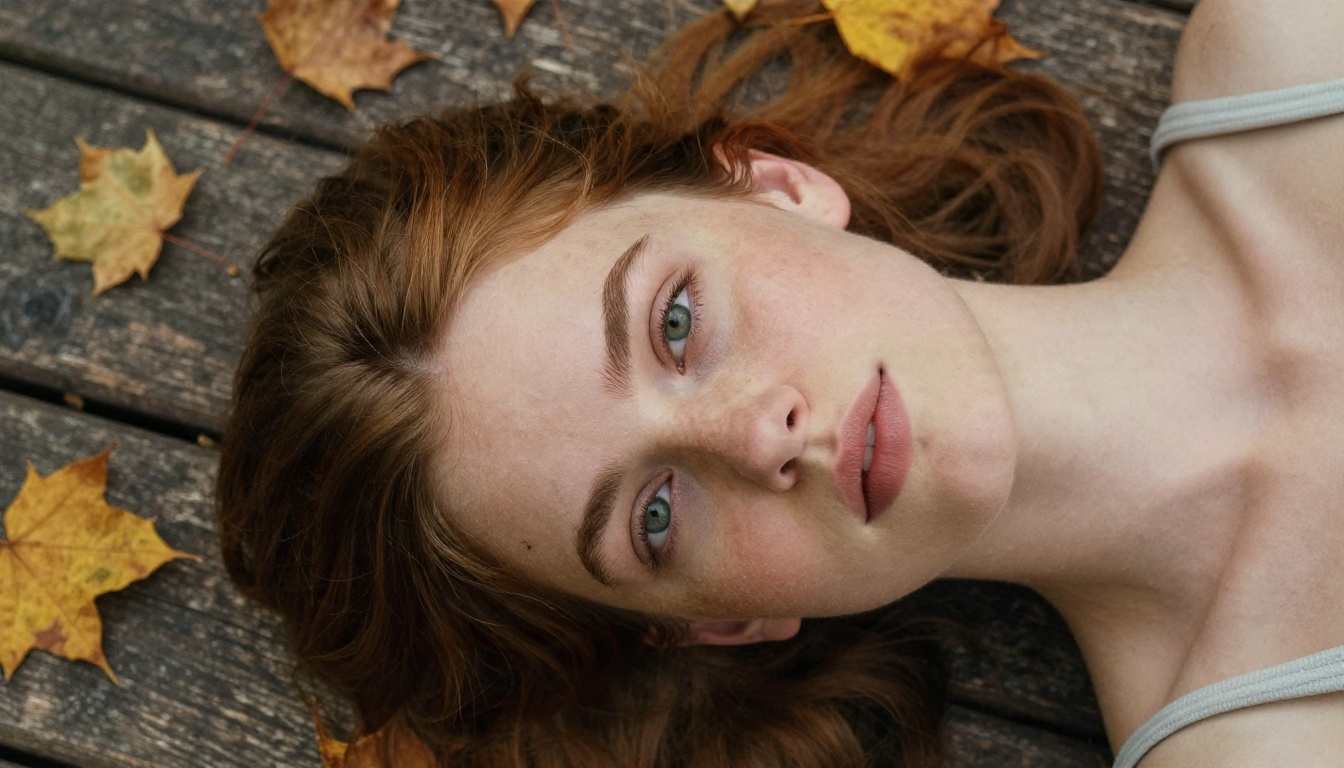
- Overhead shot of a young woman with auburn hair lying on a wooden floor, scattered autumn leaves, soft skylight, freckles, 35mm f/2.8.
- Father holding a toddler on a porch, morning light, genuine laughter, natural skin, 50mm f/2.
- Barista mid-laugh behind a counter, steam in the air, warm overhead light, apron fabric detail, 35mm f/1.8.
Detail and group prompts
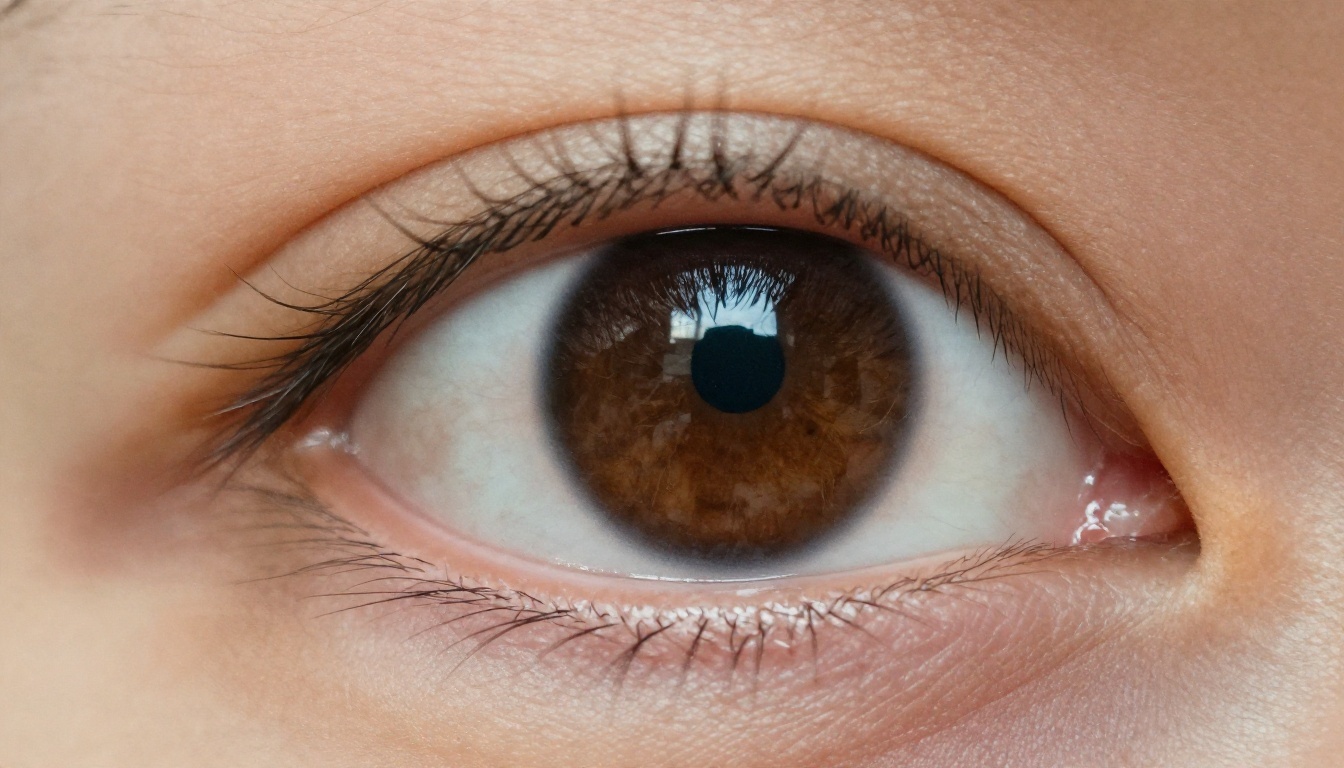
- Extreme macro of a human eye, brown iris fibers, individual lashes, fine pores, window reflection in the pupil, 100mm macro f/4.
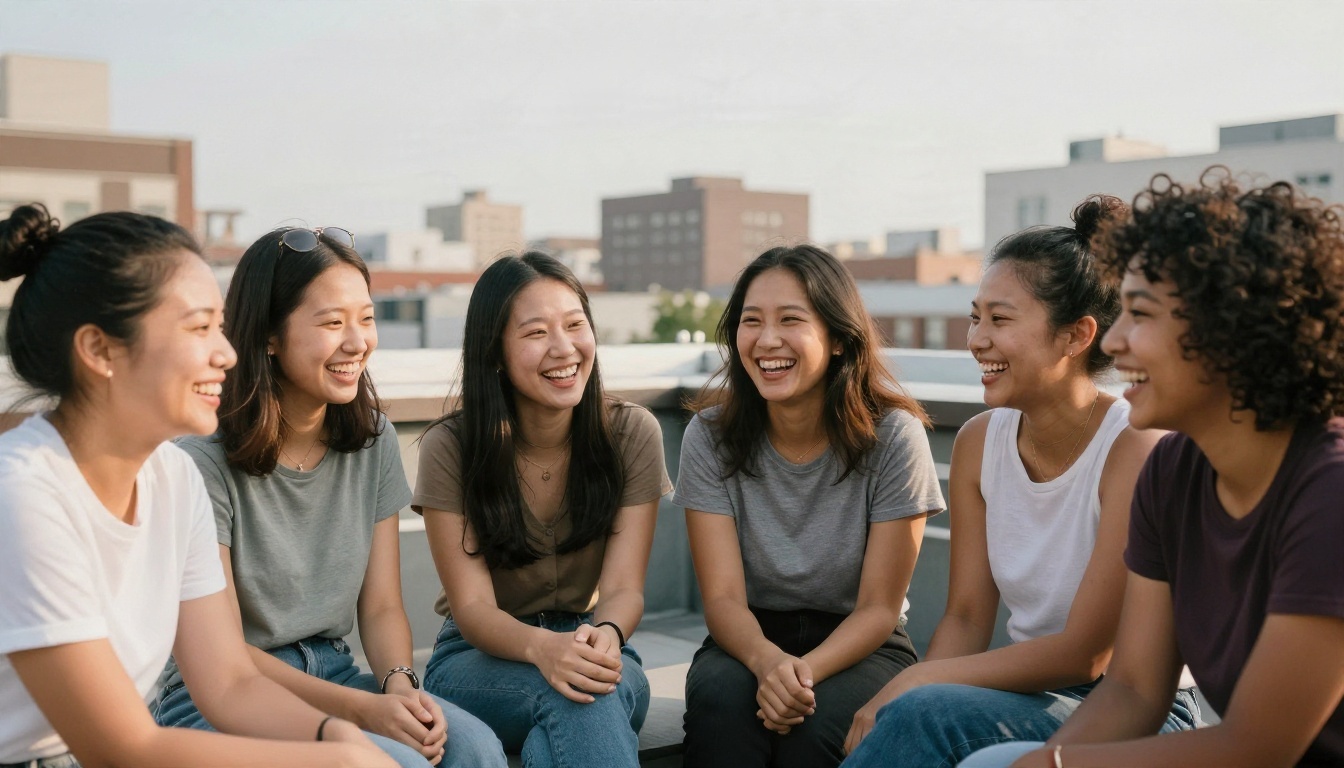
- Four friends of different ages and backgrounds laughing on a rooftop, late sun from the right, all faces visible, 28mm f/2.8.
- Tired nurse at the end of a night shift, soft corridor light, faint eye bags, honest expression, 50mm f/1.8.
- Fisherman with a weathered face and salt-stiff beard, overcast sea light, rope and wool texture, 85mm f/2.
- Graduate in a gown outdoors, hair slightly out of place, bright shade, genuine proud smile, 70mm f/2.
💡 Swap, do not rewrite. Keep the structure and change one variable at a time: age, light or lens. You will quickly see which words move the result and which are ignored.
Realistic Face Examples by Style
Seeing results side by side makes the effect of each prompt choice obvious. Here are four situations where the words made the difference.
Mixed light and glasses
Glasses are a classic failure point because the lens reflections can swallow the eyes. In this example, a warm lamp from above left combined with cool daylight from a window gave the model a believable reason for each reflection. Naming both light sources is what kept the eyes readable.
Unusual angles
Most prompts default to a straight-on view at eye level. Asking for an overhead or low-angle shot forces the model to work out foreshortening, which makes the face feel less like a template. Expect to run a few generations here, since angles are harder than frontal portraits.
Candid moments
Candid prompts work best when you describe motion and imperfection: a head turn, wind in the hair, a half-formed expression. A perfectly posed smile is the fastest way to a fake-looking face. A glance over the shoulder at dusk, with warm shop light on one cheek, reads as a captured moment.
Younger faces and small flaws
Teenage and child faces are where the airbrush habit shows most, because the model wants to make everything flawless. Asking for braces, minor blemishes, squinting eyes and messy hair brought back the awkward charm of a real teenager.
Best Models for Realistic Faces
Not every model draws faces equally well. Here is how the main options on PicassoIA compare for portrait work.
| Model | Strength for faces | Speed | Best use |
|---|
| Seedream 4.5 | Natural skin, high resolution output | Medium | Hero portraits and print |
| Nano Banana Pro | Strong identity consistency and editing | Medium | Characters you need to reuse |
| Imagen 4 | Clean detail, accurate lighting | Medium | Photographic realism |
| Imagen 4 Ultra | Extra fine texture | Slower | Close-ups and macro detail |
| Z Image Turbo | Sharp results in seconds | Very fast | Rapid prompt testing |
| Flux Schnell | Quick drafts, good composition | Very fast | Brainstorming faces |
| Flux 2 Klein 4B Base | Flexible base for styled looks | Fast | Custom looks and LoRA setups |
A practical workflow: draft with a fast model like Z Image Turbo or Flux Schnell until the prompt is right, then run the final version on Seedream 4.5 or Imagen 4 Ultra for the best detail.
How to Use Z Image Turbo on PicassoIA
Z Image Turbo is a good place to begin because results arrive in seconds, so you can test ten prompt variations in the time another model finishes two.
- Open the model page. Go to the Z Image Turbo page on PicassoIA.
- Paste your prompt. Use one of the 15 prompts above. Keep it between 40 and 80 words for the best balance of detail and control.
- Choose the aspect ratio. Use 16:9 for wide scenes, 3:4 or 2:3 for vertical portraits, and 1:1 for avatars.
- Generate and compare. Run the prompt three or four times. Faces vary a lot between seeds, so pick the strongest one rather than judging from a single result.
- Change one thing. If the skin looks too smooth, add "visible pores, no retouching." If the eyes look flat, add "catch lights from a large window."
- Move to a finishing model. When the face looks right, paste the same prompt into Seedream 4.5 for a higher quality final image.
💡 Seed tip: When you find a face you like, note the seed. Reusing it while changing only the clothing or background keeps the identity close to the original.
Fixing Plastic Skin and Odd Eyes
Common mistakes
| Problem | Likely cause | Fix |
|---|
| Waxy, airbrushed skin | No texture words in the prompt | Add "visible pores, peach fuzz, no beauty filter" |
| Dead or glassy eyes | No light source named | Add "catch lights from a window on the left" |
| Everyone looks the same | Prompt too generic | Add age, hair, one unique feature, and a specific setting |
| Warped teeth | Wide open smile requested | Ask for a closed or slight smile, or a three-quarter angle |
| Face too symmetrical | Frontal, centered composition | Use a head turn, side light, or off-center framing |
| Hands near the face look wrong | Complex pose | Remove hands from the prompt or crop them out |
Repair with edits and upscaling
Group shots are the toughest case, because every face competes for the model's attention and the smaller faces often come out soft. If one face in a group looks off, do not regenerate the whole image. Use inpainting to redo just that region, then run the result through a super resolution model to sharpen skin and eyes. PicassoIA includes image editing, inpainting, face swap and 2x to 4x upscaling, so you can fix a near-perfect image without starting over.
For identity consistency across several images, Nano Banana Pro is built for editing and reusing a character, which makes it useful when you need the same person in different scenes.
Responsible Use of Generated Faces
A generated face does not belong to a real person, which is exactly why it is useful: avatars, game characters, mockups, stock replacements, storyboards and design layouts. A few rules keep it that way.
- Do not imitate real people. Avoid prompts that name a specific celebrity, politician or private individual.
- Label synthetic faces when they appear in news, ads or anything where viewers might assume the person is real.
- Do not use generated faces for fake profiles or to mislead people about who they are talking to.
- Check platform rules before publishing. Many platforms now ask for disclosure of AI generated imagery.
💡 Rule of thumb: If a viewer could be harmed by believing the person is real, add a clear label or do not publish.
Make Your First Face Today
You do not need a photography degree to get a believable face. You need a clear subject, a named light source, a lens, and the courage to ask for imperfection. Start with one of the 15 prompts above, run it on Z Image Turbo for a quick draft, then polish the best result on Seedream 4.5.
Change the age. Move the window to the other side. Swap an 85mm for a 35mm. Each small change teaches you how the model reads your words, and within an hour you will be writing prompts that produce faces people question.
Ready to try it? Open PicassoIA, paste your first prompt, and see what a single sentence can create. Browse every text-to-image model at picassoia.com/en/all-models and find the one that fits your style.


