AI Family Photo Prompt: Copy-Paste Examples for 3, 4 and 5 People
Ready to use AI family photo prompts for groups of three, four and five people. Each example lists the pose, light, lens and clothing, so faces stay natural, hands look right and nobody goes missing from the frame.
You type "happy family of four" into an image generator and get back five people, one of them with seven fingers, all smiling like a stock photo from 2009. It happens to almost everyone. The fix is not a better model. It is a better prompt. A strong AI family photo prompt names the headcount, the relationship between each person, the light, the lens and the mood, in that order.
Below you will find ready-to-use prompts for groups of 3, 4 and 5 people, each tested against a different scene: beach, forest, kitchen, studio, picnic, street, sofa, porch and meadow. Copy them as they are, or swap in your own details. Every example uses photographic language (lens, light direction, film stock) because that is what pushes a generator toward a believable photograph instead of a plastic render.
Why Family Prompts Fail
Group portraits are the hardest thing to ask of an image model. One face is easy. Three to five faces, with different ages, different heights and overlapping bodies, multiply every possible error.
Faces Drift and Merge
When a prompt says "a family smiling," the model has no idea who stands where. Faces end up with the same jaw, the same eyes and the same smile. Giving each person a short, distinct label (tall father with stubble, toddler with curly hair) forces the model to separate them.
Headcount and Hands Go Wrong
Models count badly. "Family of four" often returns three or five. Spell out the number and list each person: "two parents and two children." Hands are the second weak spot. Hide them (holding a child, hugging, pockets) or ask for natural hands doing a simple task like holding a mug.
💡 Quick rule: the more people in the frame, the simpler each person's action should be. Five people doing five different things is where most generations break.
The Prompt Formula That Works
Every prompt in this article follows the same seven-part structure. Once you see it, you can build your own in under a minute.
Order
Part
Example
1
Headcount and relationships
"two parents and one toddler daughter"
2
Pose and action
"lifted between them, arms around both necks"
3
Setting
"quiet beach, foaming waves behind"
4
Light
"golden hour, warm backlight from the right"
5
Camera and lens
"50mm f/1.8, eye-level medium shot"
6
Texture details
"linen clothes, sand on bare feet, visible skin pores"
7
Film feel
"Kodak Portra 400 grain, candid, photorealistic"
Keep the whole prompt between 40 and 80 words. Shorter and the model improvises. Longer and it starts ignoring the second half.
💡 Tip: put the headcount in the first sentence. Models weigh the start of a prompt more heavily, so the number of people is much more likely to be respected.
Prompts for 3 People
Three is the easiest group size. The triangle composition is natural: two adults and a child in the middle, or one parent flanked by two kids. Faces stay large in the frame, so detail holds up.
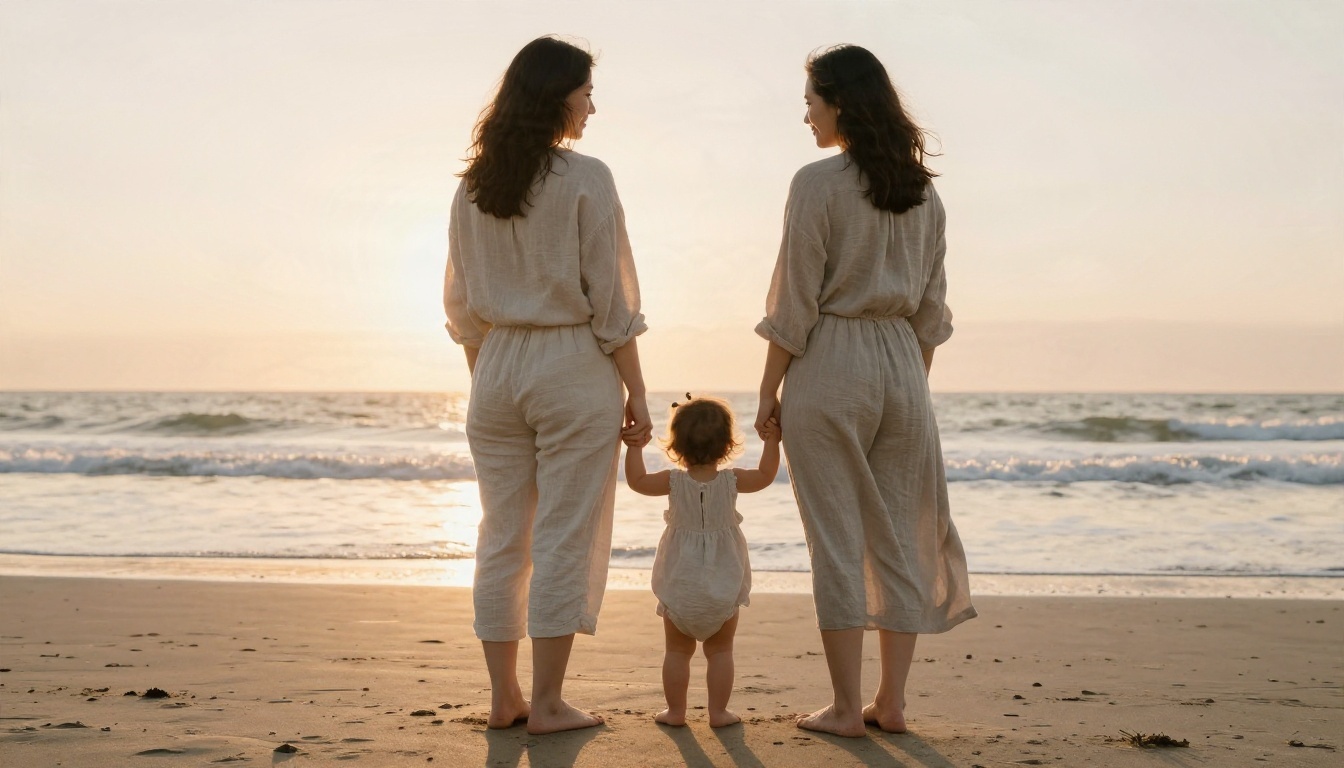
Parents and a Toddler on the Beach
This one relies on a single physical connection, the toddler held between both parents. That overlap tells the model the three bodies belong together, which stops the "floating heads" problem.
Copy this prompt:
A mother, father and toddler daughter standing close on a quiet beach at golden hour, the toddler lifted between them with arms around both necks, waves foaming softly behind, warm backlight from the right creating rim light on hair, 50mm f/1.8 lens, eye-level medium shot, visible skin texture, sand on bare feet, linen clothing in neutral tones, Kodak Portra 400 film grain, photorealistic candid family portrait
Why it works: the toddler is the anchor. Rim light from behind separates all three silhouettes, and neutral linen keeps the palette calm so faces draw the eye.
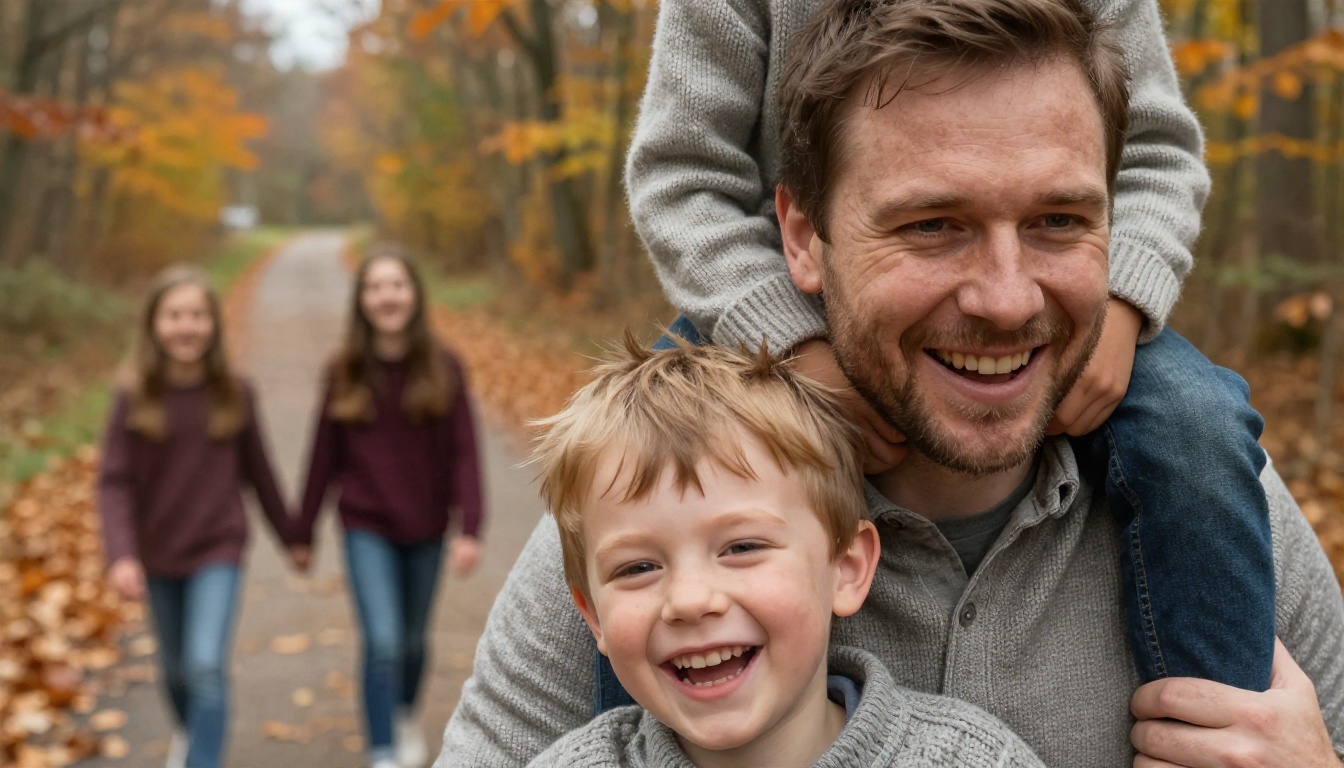
One Parent and Two Kids in the Forest
Not every family has two parents, and a good prompt should say so plainly. Here a father carries a small boy on his shoulders while a teenage daughter walks beside them. Different ages mean different heights, which gives the image a natural staircase of faces.
Copy this prompt:
A father holding his small son on his shoulders while his teenage daughter walks beside them on an autumn forest path, three people laughing, fallen orange leaves, soft overcast diffused light from above, 35mm f/2 lens, low angle looking slightly up, wool sweaters with visible knit texture, natural skin with freckles, shallow depth of field, Kodak Portra 400 grain, photorealistic documentary style
Why it works: overcast light is forgiving. No harsh shadows means no strange shapes on faces, and the low angle makes the group feel tall and protected.
💡 Variation: replace "father" with "grandmother" or "aunt" for blended or extended families. Keep the age gaps in the wording: the model reads "teenage" and "small" as strong height cues.
Prompts for 4 People
Four people is the classic family portrait, and also where the headcount error shows up most. Name each person once: "father, mother, older daughter, younger son." That single line cuts duplicate-face errors dramatically.
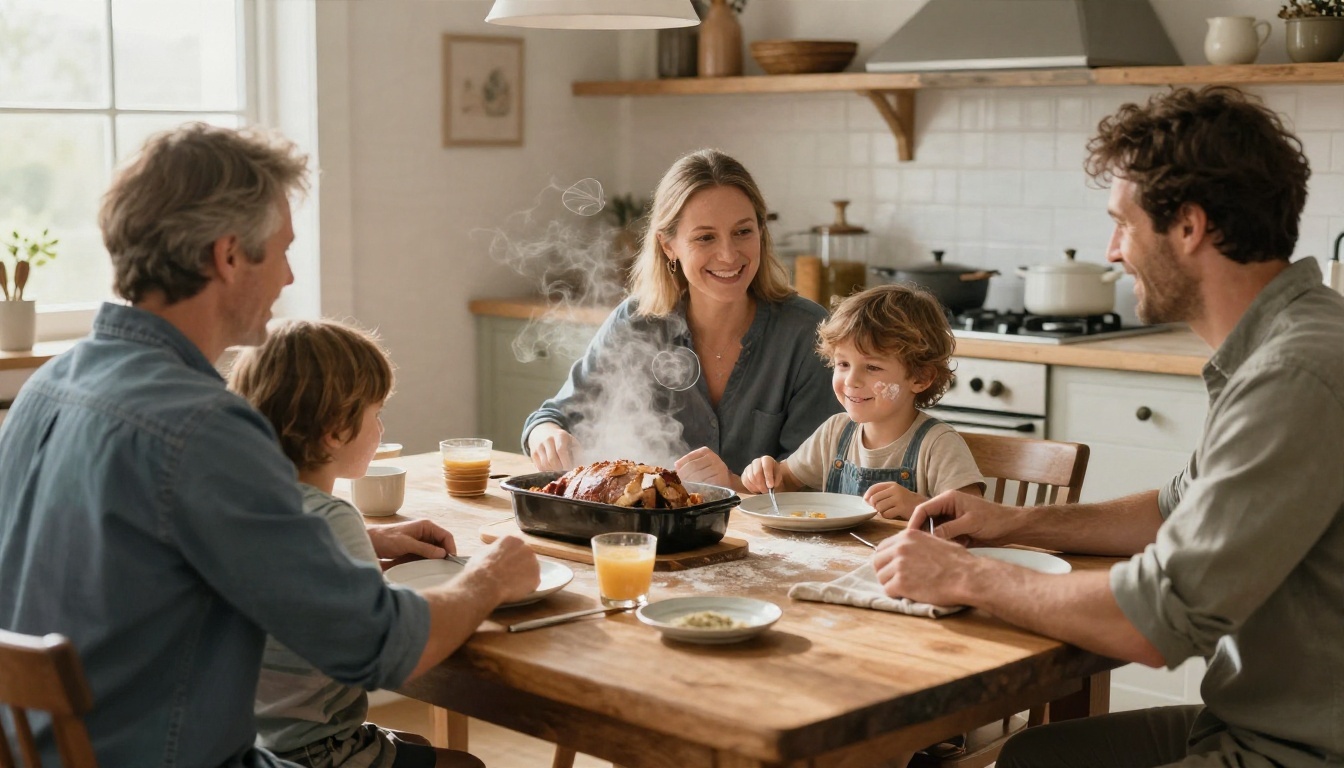
Around the Kitchen Table
A shared meal gives everyone a reason to look in different directions, so you avoid the stiff "everyone stare at the lens" look. It also gives the hands something to do.
Copy this prompt:
Family of four gathered around a rustic wooden dining table in a bright farmhouse kitchen, parents and two kids passing dishes and smiling at each other, steam rising from a roast, window light streaming from the left with soft shadows, 35mm f/1.8 lens, slightly elevated three-quarter angle, ceramic plates, linen napkins, flour on a child's cheek, realistic skin and fabric textures, Kodak Portra 400 grain, candid photorealistic lifestyle photography
Why it works: small, specific details (flour on a cheek, steam from a roast) read as lived-in moments. Window light from one side gives soft, directional shadows that look like real kitchen light.
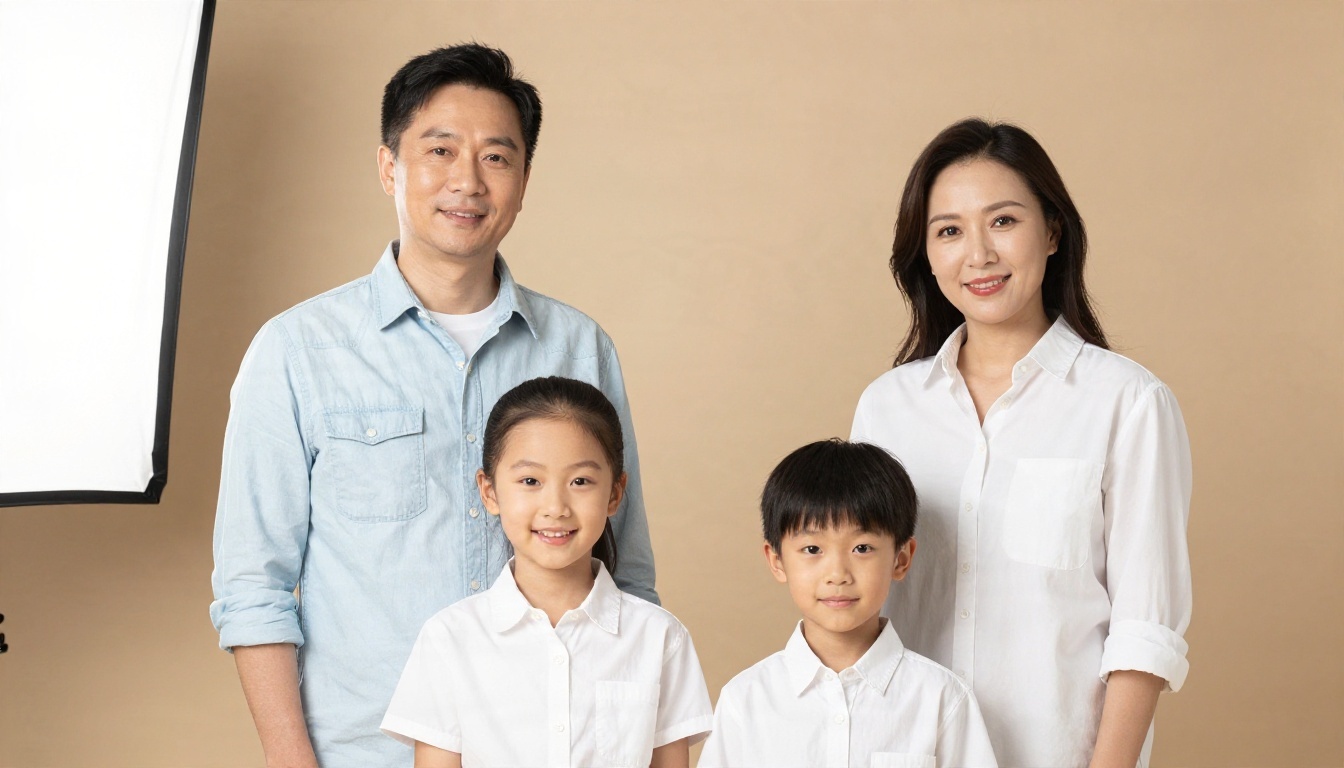
The Studio Portrait
Need something for a holiday card or a wall frame? A seamless backdrop and a staggered arrangement is the safest route. Matching colors make the group read as one unit even when poses differ.
Copy this prompt:
Studio portrait of a family of four in matching white shirts and denim, standing in a staggered arrangement against a warm beige seamless backdrop, father and mother in back, two children in front, soft large softbox light from front left with gentle fill, 85mm f/2.8 lens, straight eye-level full-body framing, crisp skin detail, natural smiles, fabric creases visible, Kodak Portra 400 tones, photorealistic professional family portrait
Why it works: "father and mother in back, two children in front" assigns positions. The 85mm focal length flatters faces and avoids the stretched look wide lenses give at the edges of a group.
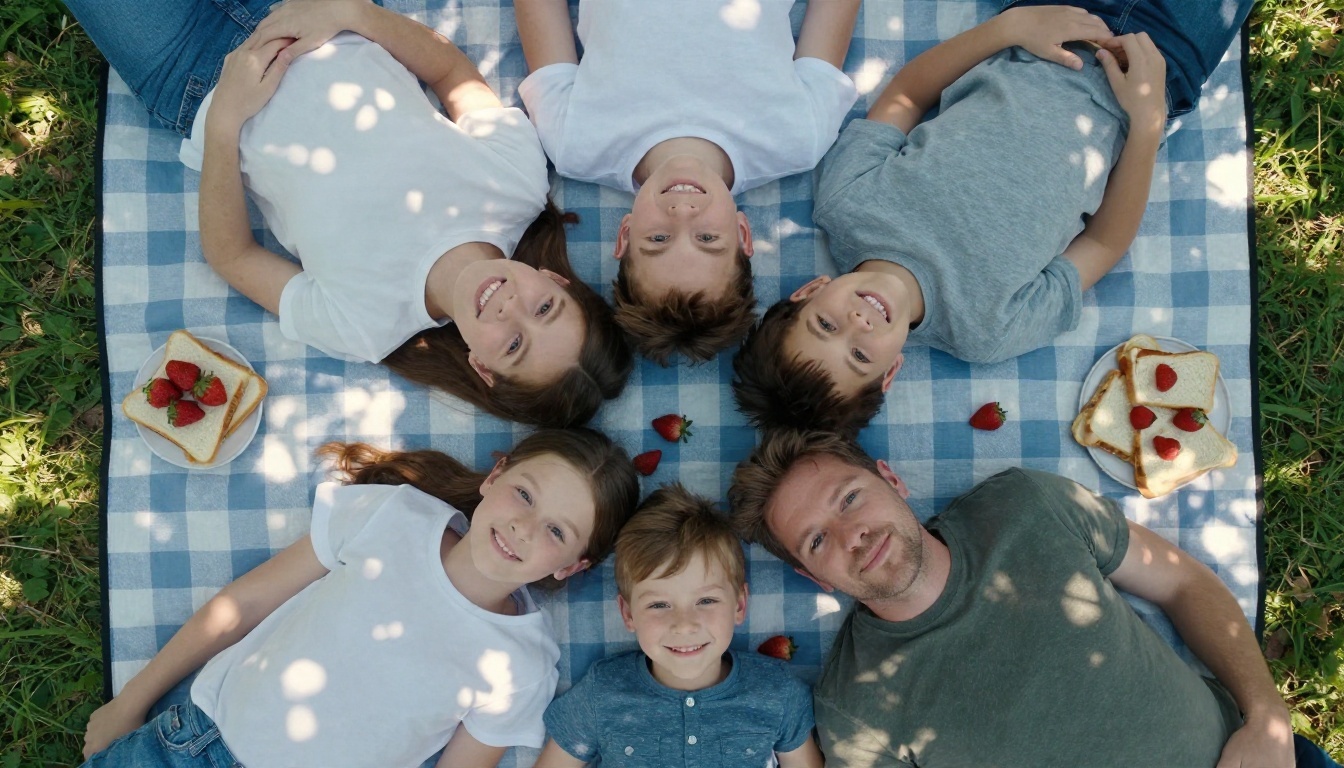
The Overhead Picnic
For a playful result, shoot from above. The heads-together star shape is a layout the model handles well because every face sits at a similar distance from the lens.
Copy this prompt:
Overhead top-down view of a family of four lying on a picnic blanket in a park, heads together in the center like a star, smiling up at the camera, parents and two kids, dappled sunlight through leaves from above, 24mm f/4 lens, aerial flat-lay perspective, gingham blanket, strawberries and sandwiches at the edges, natural skin texture, Kodak Portra 400 grain, photorealistic lifestyle photography
Why it works: bodies radiate outward, so nothing overlaps and hands stay out of sight. Food at the edges fills empty corners without adding more people to confuse the count.
Prompts for 5 People
Five is where things get hard. The frame is crowded, faces shrink and the model is tempted to add a sixth person or merge two. Three tricks help: use a wider lens, give the group a shared direction (walking, running, huddling) and keep clothing coordinated so each person stays visually separate.
Group size
Best composition
Lens range
Risk level
3 people
Triangle, one anchor
50mm to 85mm
Low
4 people
Staggered rows, circle, star
35mm to 85mm
Medium
5 people
Walking line, pile, tiered rows
24mm to 70mm
High
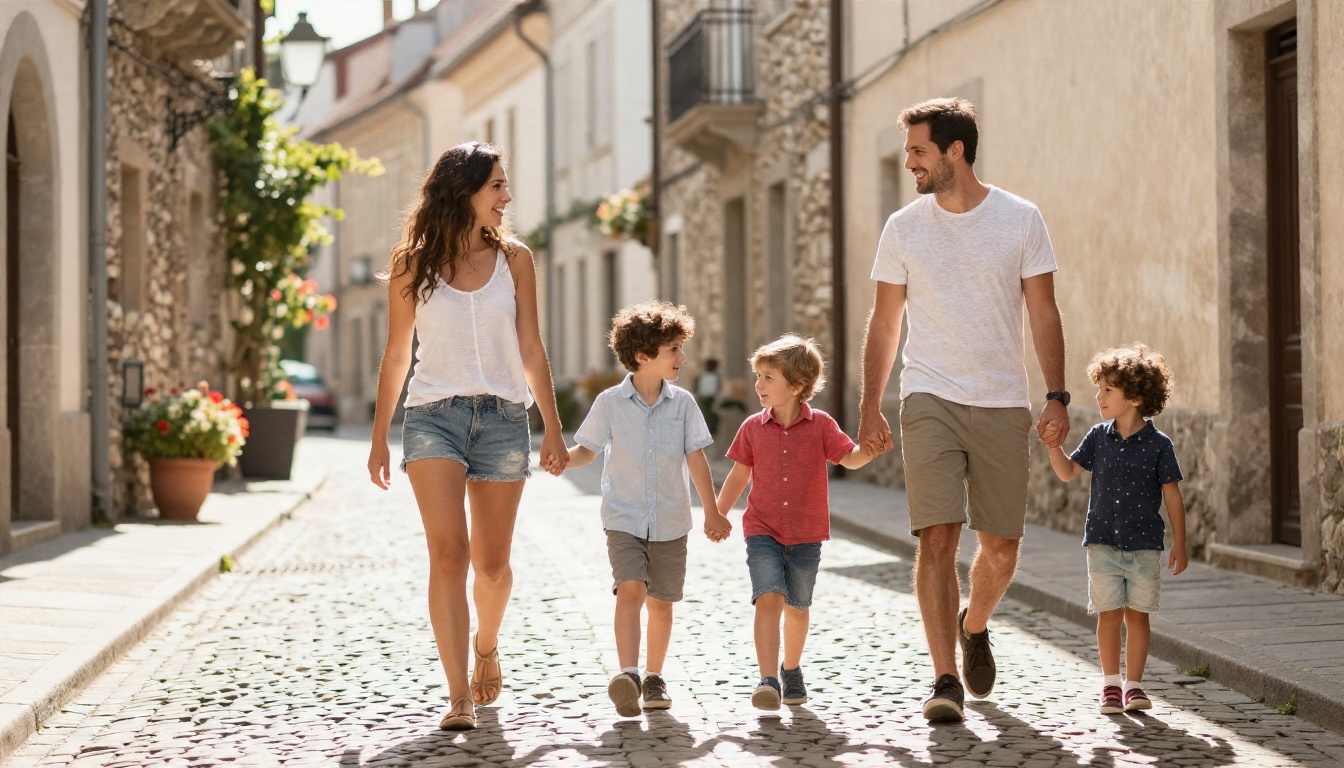
A Walk Down a Cobblestone Street
Shooting the family from behind and slightly to the side hides most of the face problems, while profiles and partial smiles still show emotion. It is also the easiest way to get five distinct heights in one frame.
Copy this prompt:
Family of five walking hand in hand down a sunlit cobblestone street in an old European town, parents with three children of different ages, the youngest skipping, backs partly turned with faces in profile smiling, shot from behind and slightly to the side, 70mm f/2.8 lens, warm afternoon light from the right, stone walls and flower pots blurred behind, cotton summer clothes with natural wrinkles, Kodak Portra 400 grain, photorealistic travel photography
Why it works: "hand in hand" links the bodies in a line, and "different ages" separates the heights. The blurred background keeps the model focused on the five figures.
The Holiday Sofa Pile
When everyone is squeezed together, the model treats the group as one object, which is exactly what you want. Include a grandmother and the generator will vary ages naturally.
Copy this prompt:
Family of five piled together on a large cream sofa in a cozy living room at Christmas, parents, two kids and a grandmother, everyone laughing at a joke, warm tree lights bokeh behind, soft lamp light from the left, 35mm f/1.8 lens, wide angle slightly from above, knitted sweaters with visible wool texture, mugs of cocoa, natural skin detail, Kodak Portra 400 grain, candid photorealistic holiday photography
Why it works: a laughing reaction gives all five faces the same emotion but different expressions, because everyone laughs a little differently. The sofa limits where bodies can go.
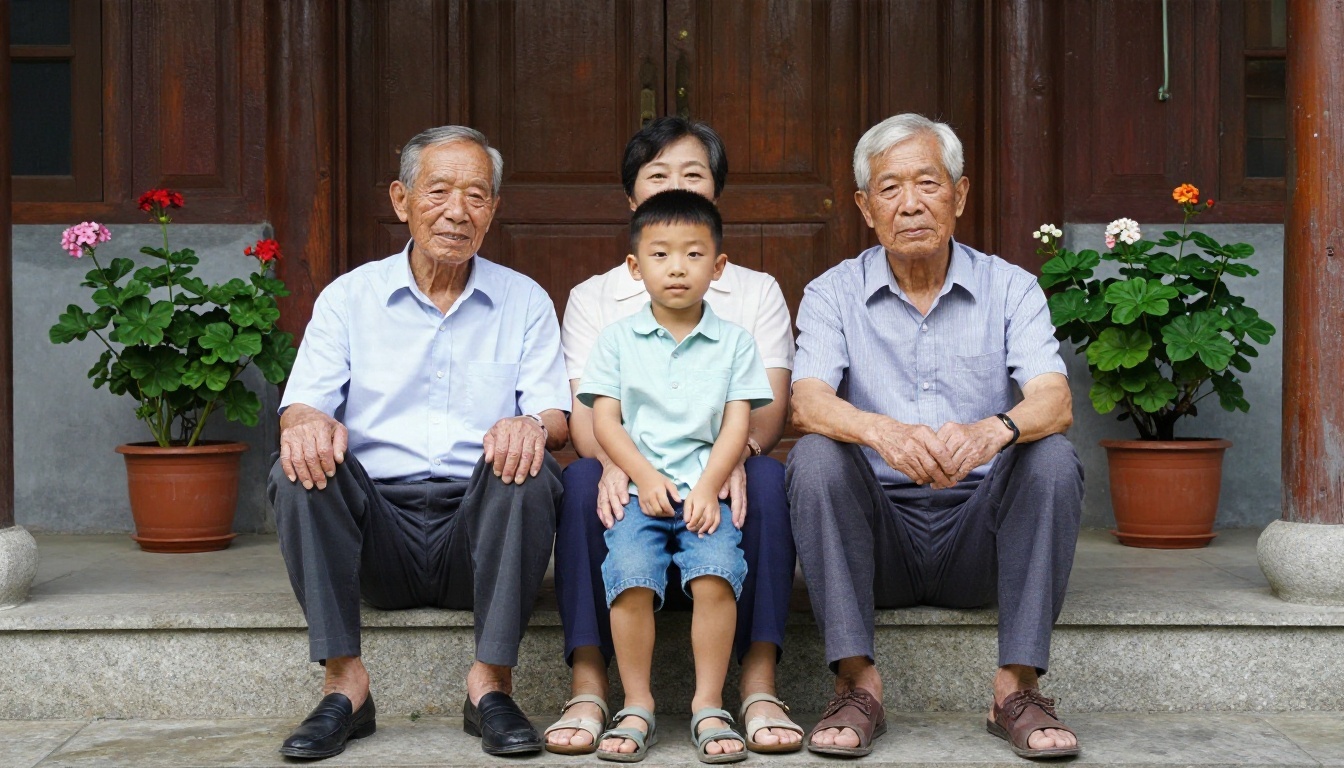
Three Generations on the Porch
For a formal heritage portrait, use symmetry and tiers. Seated grandparents at the back, standing parents, one child in front. Think of it as a small pyramid.
Copy this prompt:
Three generations of a family of five posed on the stone steps of a porch, grandfather and grandmother seated at the back, parents standing, one child in front, symmetrical formal composition, soft open shade with even light, 85mm f/2.2 lens, straight-on eye-level framing, weathered wrinkles, silver hair, cotton shirts, wooden door and potted geraniums behind, Kodak Portra 400 grain, photorealistic heritage family portrait
Why it works: open shade lights every face evenly, so nobody sits in a shadow cast by a neighbor. Words like "weathered wrinkles" and "silver hair" help the model render older skin with honest texture instead of smoothing it away.
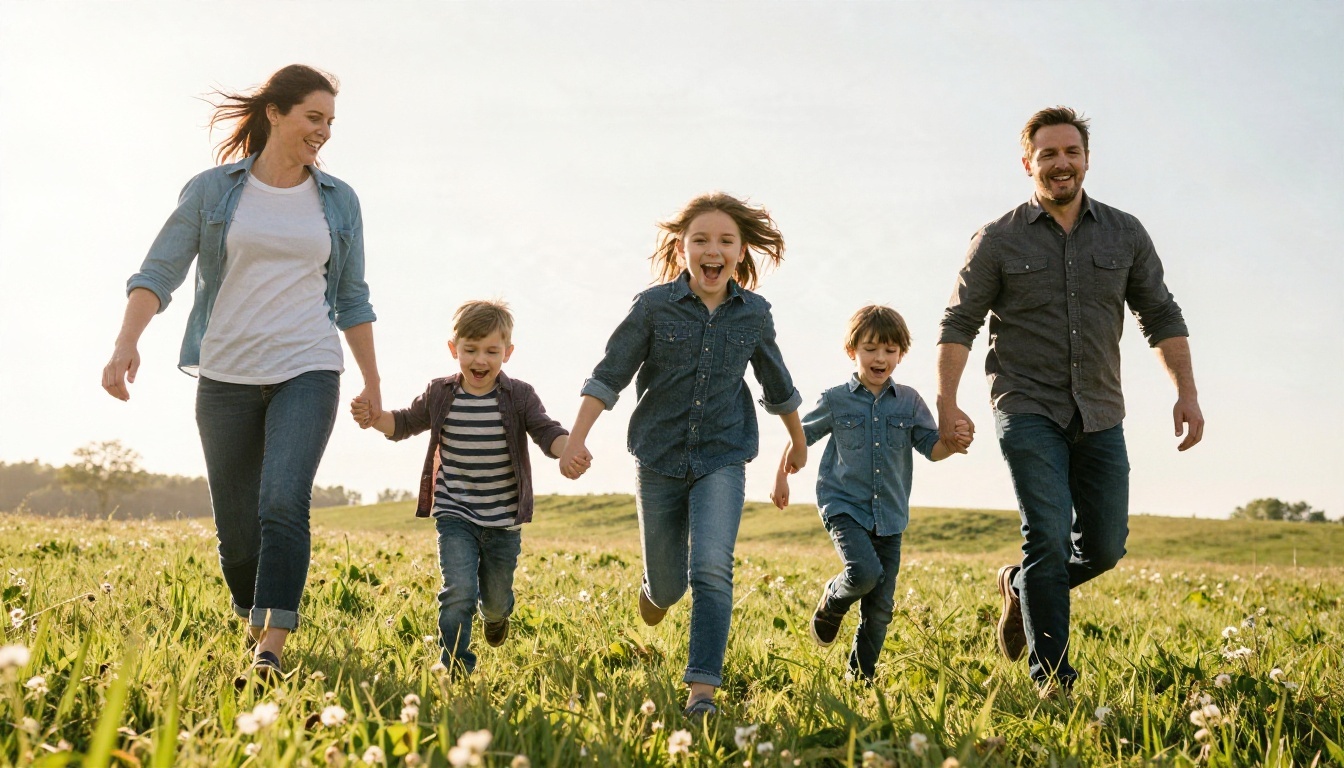
Running Across the Meadow
Action is risky with five people, but this prompt manages it by keeping everyone moving the same way, toward the camera, from a low angle near the ground.
Copy this prompt:
Family of five running toward the camera across a grassy hill in a spring meadow, parents and three kids mid-stride with joyful open mouths, wind in hair, wildflowers in the foreground, bright morning sun from behind left, 24mm f/2.8 wide lens, low angle near ground level, crisp motion with slight blur on trailing hair, cotton and denim clothing, Kodak Portra 400 grain, photorealistic action family photography
Why it works: a shared direction of travel stops the model from inventing five unrelated poses. Slight blur on trailing hair gives a sense of speed without smearing the faces.
💡 If it returns six people: add "exactly five people, no one else in the frame" at the very start of the prompt, and remove any words that suggest a crowd, like "group" or "gathering."
How to Use Seedream 4.5 on PicassoIA
All the prompts above work well with Seedream 4.5, which handles multiple faces and fine skin detail better than most models. Here is the workflow.
💡 Workflow tip: draft with a fast model, then run your favorite prompt through Seedream 4.5 for the final version.
Fixes for Common Problems
Even a good prompt produces the odd bad result. Match the symptom to the fix below instead of rewriting everything.
Problem
Likely cause
Fix to add
Wrong number of people
Vague group words
"exactly four people" at the start
Same face on everyone
No individual labels
Give each person an age and one trait
Extra or missing fingers
Hands are visible and busy
Hide hands (hugging, holding a child)
Plastic, airbrushed skin
Missing texture words
"visible skin pores, freckles, film grain"
Stiff, posed look
Everyone faces the lens
Give them an action or a reaction
Flat, dull colors
No light direction
"golden hour from the left, warm rim light"
Child looks like a small adult
Missing age cue
"four-year-old," "toddler," "six-year-old"
Keep Skin and Light Honest
Words like "flawless" and "perfect" push the model toward an over-smoothed look. Swap them for physical details: pores, freckles, flyaway hairs, fabric wrinkles. Real photographs have small imperfections, and your generations should too.
Use Real Camera Language
Lens and aperture numbers do more than you would expect. A 24mm lens gives a wide, energetic feel, 35mm feels documentary, 50mm looks natural, and 85mm flatters faces. Choose based on the group size: wider for five, tighter for three.
Fix Details After Generating
If one face or one outfit is wrong but the rest is perfect, do not throw the image away. Use an editing model such as Nano Banana to adjust that single detail, then keep the rest untouched. PicassoIA also offers inpainting, super resolution and image restoration tools for cleaning up and sharpening a final pick.
Build Your Own Prompt Library
Once a prompt works, save it. A good habit is keeping a short note with three lines for each scene: the prompt, the model, and the seed. After a few weeks you will have a personal set for birthdays, holidays, anniversaries and travel photos, ready to reuse with new details.
A simple way to adapt any prompt in this article:
Swap the setting: beach becomes lake, kitchen becomes backyard.
Swap the season and clothing: linen for summer, wool for winter.
Swap the light: golden hour for overcast, window light for lamp light.
Keep the structure: headcount first, lens and film feel last.
💡 Remember: consistency comes from the structure of the prompt, not from copying every word. Change the content, keep the order.
Try Your Own Family Scene
You now have nine tested prompts across three group sizes, a seven-part formula to build more, and a quick table for fixing the usual errors. The best next step is simple: pick the scene closest to your own family, paste the prompt, and change one detail to make it yours. Swap in your own setting, clothing colors and ages, and generate a batch of four.
Open Seedream 4.5 on PicassoIA and run your first family prompt today. When you want to compare results, try the same text on Nano Banana Pro or Seedream 5 Pro, and see which one gives you the faces you like best. You can browse every available model at picassoia.com/en/all-models, so experiment freely, keep the versions that feel like your family, and build a collection of portraits worth printing.