Type "fantasy" into an image generator and you will get something. Usually it is a generic glowing sorceress in front of a generic purple sky. The problem is not the model. The problem is that "fantasy" is not one style, it is a dozen different moods that share a few props. An elven archer in morning mist and a battered knight in a ruined cathedral need completely different light, lenses and color choices, and the model only gives you those if you ask for them.
This article breaks AI fantasy art styles into nine distinct looks. Every one comes with a real example image, a prompt you can copy, and the settings that made it work. All the examples here use a photographic approach: real lenses, real light, real fabric and stone textures. That choice is deliberate. Fantasy that looks like a film still is far more convincing than fantasy that looks like a screensaver.
💡 Quick win: If your fantasy images feel flat, the fix is rarely a longer list of magical adjectives. Add one lens, one light direction and one weather condition. Those three details do more than ten words like "epic" or "mystical".
Why Fantasy Needs Style Rules
Fantasy is a genre, not a look. Two images can both contain a castle and have nothing else in common. Before you write any prompt, decide which of these moods you are after, because everything else follows from that choice.
Three Layers of Every Prompt
Good fantasy prompts stack three layers, in this order:
- Subject and costume. Who is in the frame, what they wear, and what the materials are. "Hand-stitched leather bracers with silver filigree" beats "cool armor".
- World and atmosphere. Where they stand and what the air is doing. Fog, dust, snow, sea spray, candle smoke.
- Camera and light. Lens length, angle, light direction, film stock. This layer is what turns an illustration-flavored result into something that reads as a photograph.
Most weak prompts only have layer one. Strong prompts spend about a third of their words on each layer.
Settings That Rarely Change
Whatever the style, a few settings stay stable:
- Aspect ratio 16:9 for scenes with environments, 3:2 or 4:5 for character portraits.
- A fixed seed while you tweak the prompt, so you can see what each change really does.
- Natural light vocabulary: "morning light from the left", "overcast skylight", "low sun from the right". Avoid "glowing" and "magical aura", which push models toward cartoonish effects.
- Texture words: pores, wool weave, scratched steel, wet stone, frayed hem.
High Fantasy and Fairy Tale Looks
These two styles are cousins. Both live in forests and both lean on soft light, but one is heroic and the other is gentle.
High Fantasy: Elves and Ancient Forests
High fantasy is the Tolkien-adjacent look: noble characters, handcrafted gear, enormous old trees. The trick is restraint. The more you pile on glowing runes, the less believable it gets.
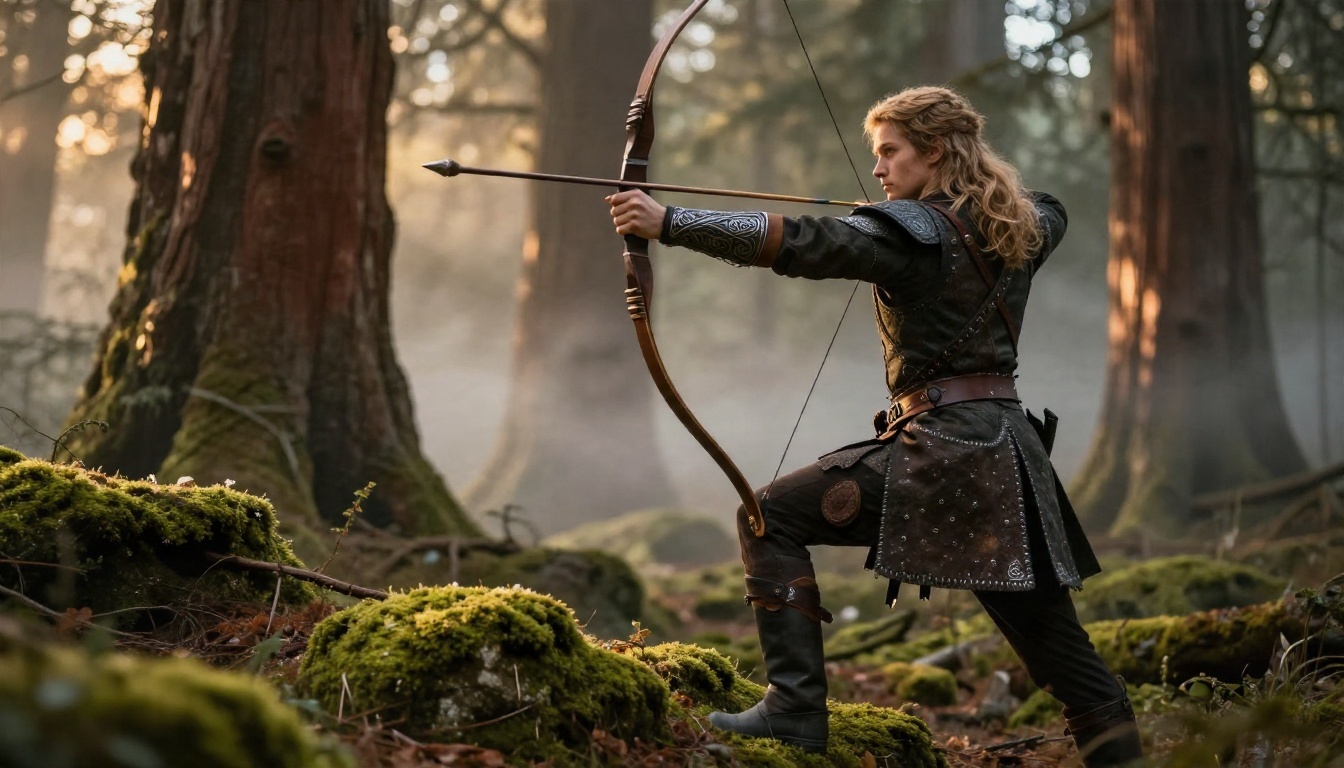
Prompt:
Raw photograph of an elven archer drawing a longbow on a mossy forest ledge, side profile, ancient redwood trunks and drifting mist behind, golden morning light from the left, 85mm f/1.8, visible leather stitching, silver filigree on bracers, fine skin texture, Kodak Portra 400 film grain.
Why it works:
| Element | Setting | Effect |
|---|
| Lens | 85mm f/1.8 | Compresses the forest and blurs the trunks into soft columns |
| Light | Golden, from the left | Rim light on hair and bow without any "glow" |
| Film stock | Kodak Portra 400 | Muted greens and warm skin, no oversaturation |
| Material detail | Leather stitching, filigree | Gives the costume weight |
For a character who needs to look natural, keep the "elf" part subtle. Asking for "pointed ears blended naturally into the skin" avoids the pasted-on look.
Fairy Tale: Soft, Small and Slightly Odd
Fairy tale style trades grandeur for intimacy. Think flower crowns, mushrooms, dew, pollen in backlight. The camera moves in close and the light gets softer.
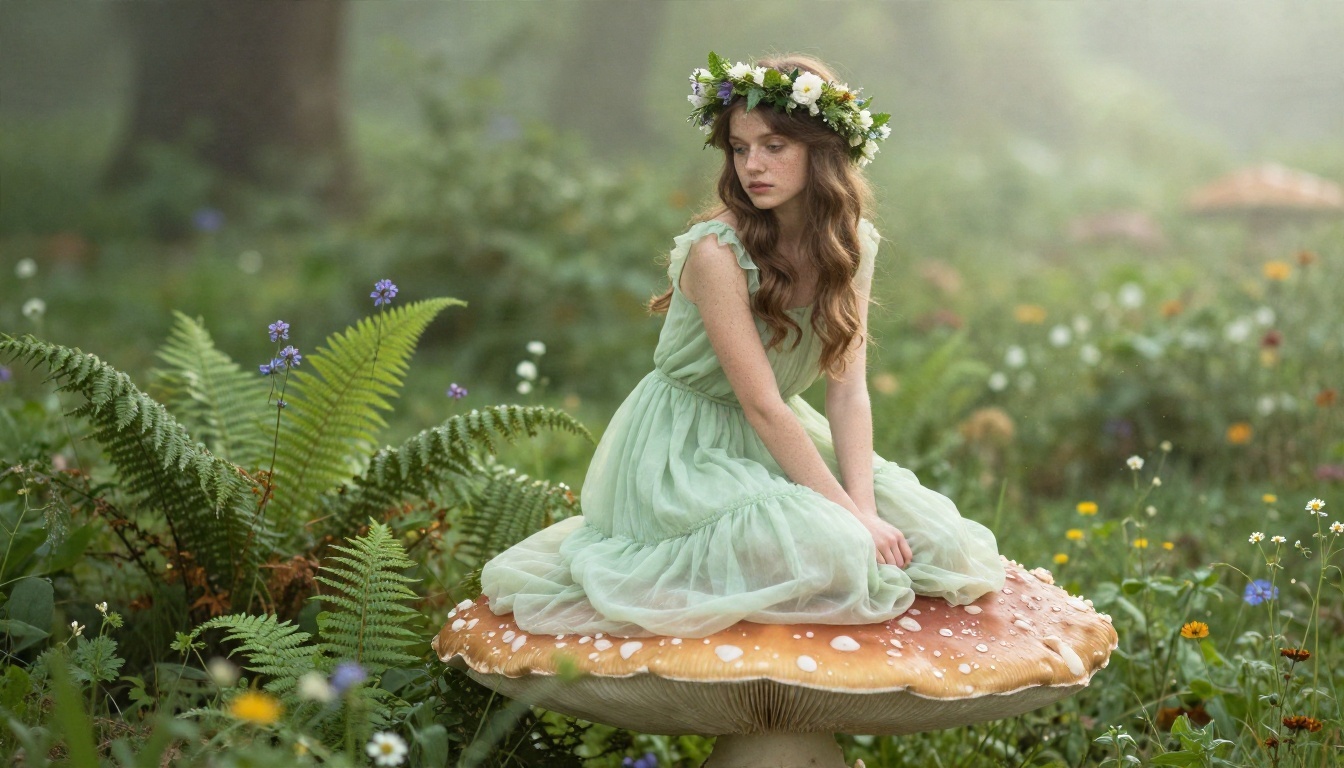
Prompt:
Raw photograph of a young woman in a flowing pale green dress with a real flower crown sitting on a cluster of giant mushrooms in a dew-covered glade, eye-level portrait, wild flowers and fern fronds, soft diffused morning light from the right, backlit floating pollen, 85mm f/1.8, freckled skin, Kodak Portra 400 film grain.
Settings to note:
- Diffused light instead of direct sun. Hard shadows kill the dreamy quality.
- Backlit particles (pollen, dust, tiny insects) add depth and a sense of magic without any visual effect.
- Real flowers in the prompt. "Flower crown" alone can produce plastic-looking blossoms, while "real wildflower crown with daisies and clover" tends to stay organic.
💡 Tip: Fairy tale prompts drift toward over-smoothed skin. Add "freckles, natural skin texture, flyaway hairs" to keep the portrait alive.
Dark Fantasy and Wizard Scenes
Both of these styles depend on contrast, but in opposite ways. Dark fantasy is cold and desaturated. Wizard scenes are warm pockets of candlelight in the dark.
Dark Fantasy: Ruins, Steel and Fog
Dark fantasy borrows from war photography and gothic architecture. Color is nearly absent. Texture does all the work.
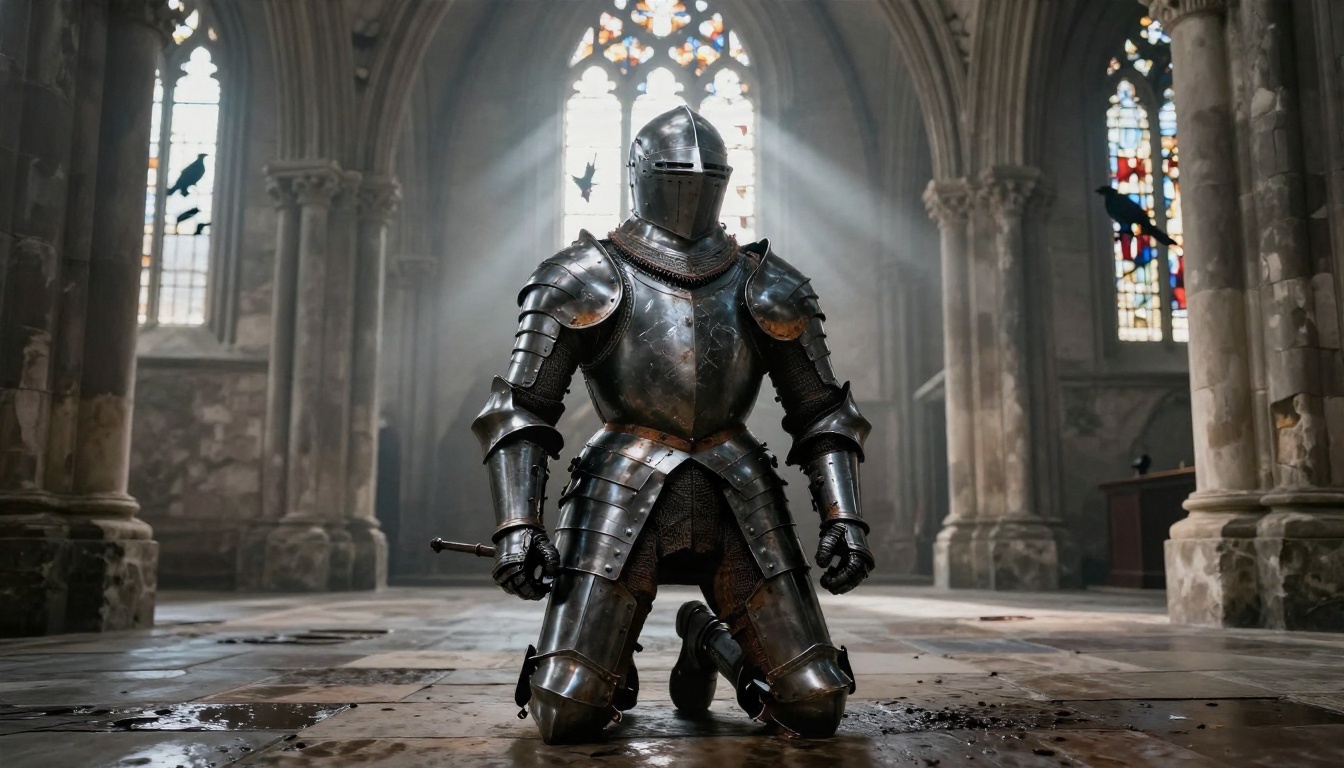
Prompt:
Raw photograph of a battle-worn knight in dented blackened plate armor kneeling inside a ruined gothic cathedral, wide low-angle shot, cold overcast light through broken stained-glass windows onto wet stone, thin fog, crows on collapsed arches, scratched steel and rust, 35mm f/2, desaturated palette, film grain.
Settings that matter:
| Setting | Value | Reason |
|---|
| Angle | Low, wide | Makes the architecture loom over the figure |
| Light | Cold, overcast | Avoids the "heroic sunbeam" cliché |
| Palette | Desaturated | Keeps the mood grim and the metal believable |
| Wear | Dents, scratches, rust | A clean suit of armor ruins the genre |
The word battle-worn is doing real work here. Without damage cues, models produce shiny cosplay armor.
Wizard and Study Scenes
Wizard imagery is an interior style. The subject is often old, the room is cramped, and the light comes from small sources.
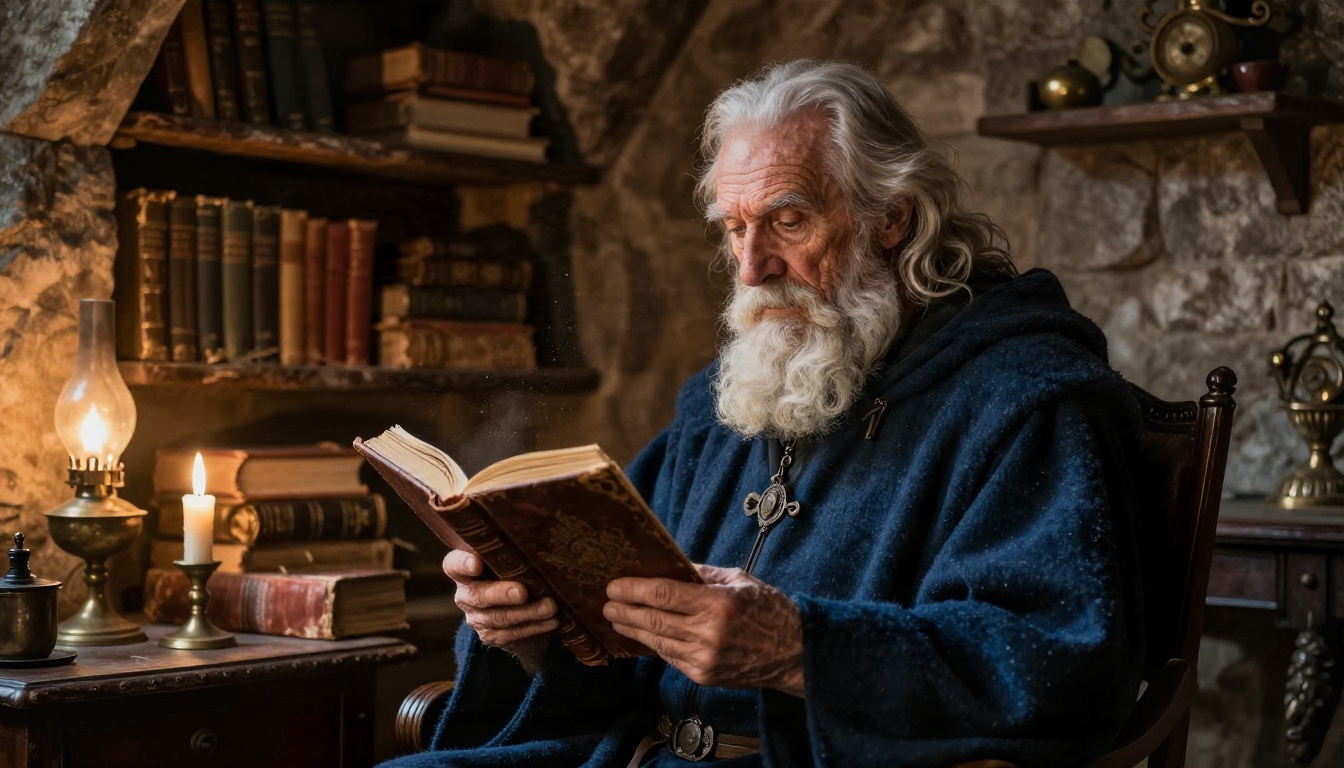
Prompt:
Raw photograph of an elderly bearded wizard in a heavy dark blue wool robe reading a leather-bound book in a cramped stone tower study, over-the-shoulder medium shot, shelves of cracked books, brass instruments, candles and an oil lamp lighting the scene warmly from the left, dust motes, wrinkled skin, silver beard detail, 50mm f/1.4, Kodak Portra 400 grain.
Why this one looks real: the magic is entirely implied. There is no floating fireball. The story comes from the props: brass instruments, cracked spines, dust in the lamp light. Quiet wizard scenes almost always beat spell-casting poses.
Epic Landscapes and Dragons
When the subject is the world itself, switch to a wide lens and pull the camera back. These two styles show how scale is built.
Epic Castle Landscapes
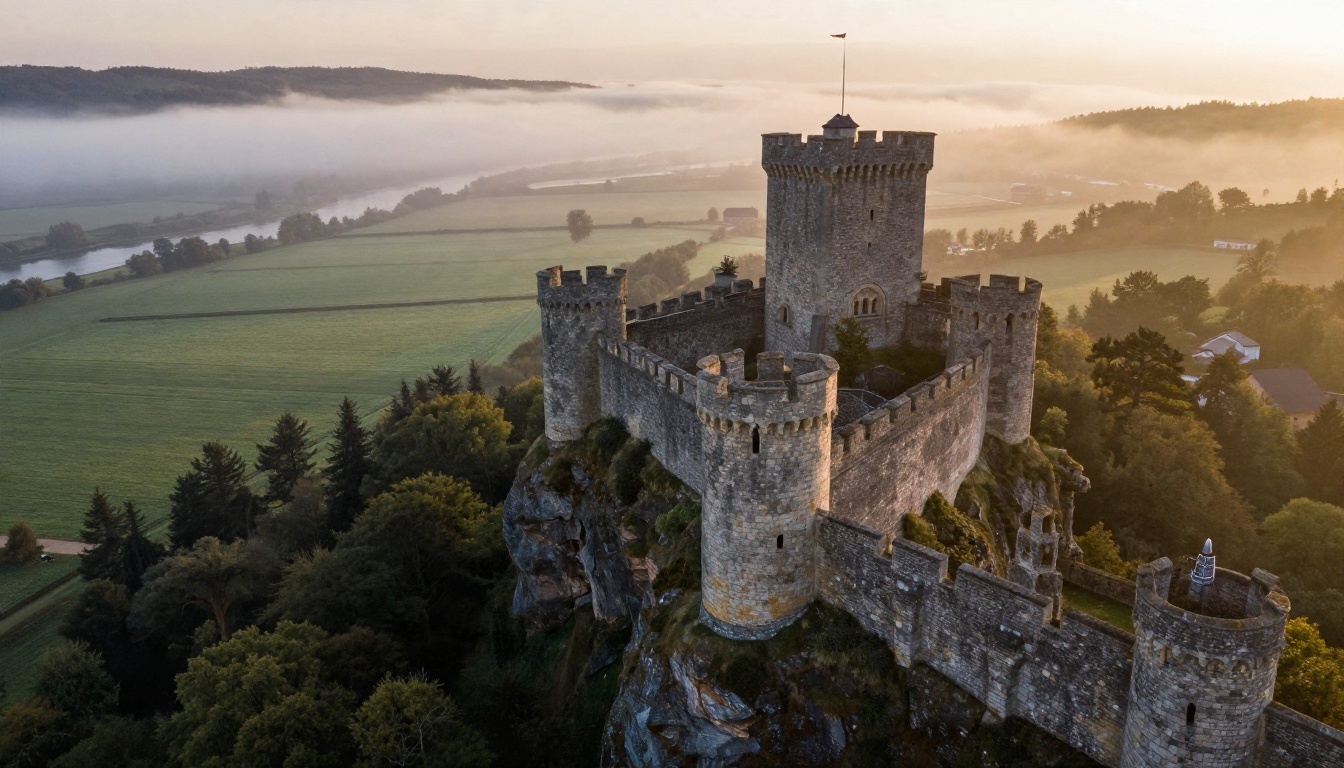
A believable fantasy kingdom starts with real geography: a cliff, a river, forest, farmland. The castle is the last thing you add.
Prompt:
Raw aerial photograph of a vast medieval stone castle with tall towers on a sheer cliff above a misty river valley at sunrise, high drone-style angle, patchwork fields and pine forest below, low clouds in the valley, warm light from the right grazing weathered stone, 24mm f/8, sharp architectural texture, natural haze.
Settings:
- f/8 or smaller aperture keeps the entire frame sharp, which is how real drone shots look.
- Atmospheric haze in the far distance gives the eye depth cues.
- Light grazing from one side reveals stone texture and makes towers feel solid.
Dragons at Scale
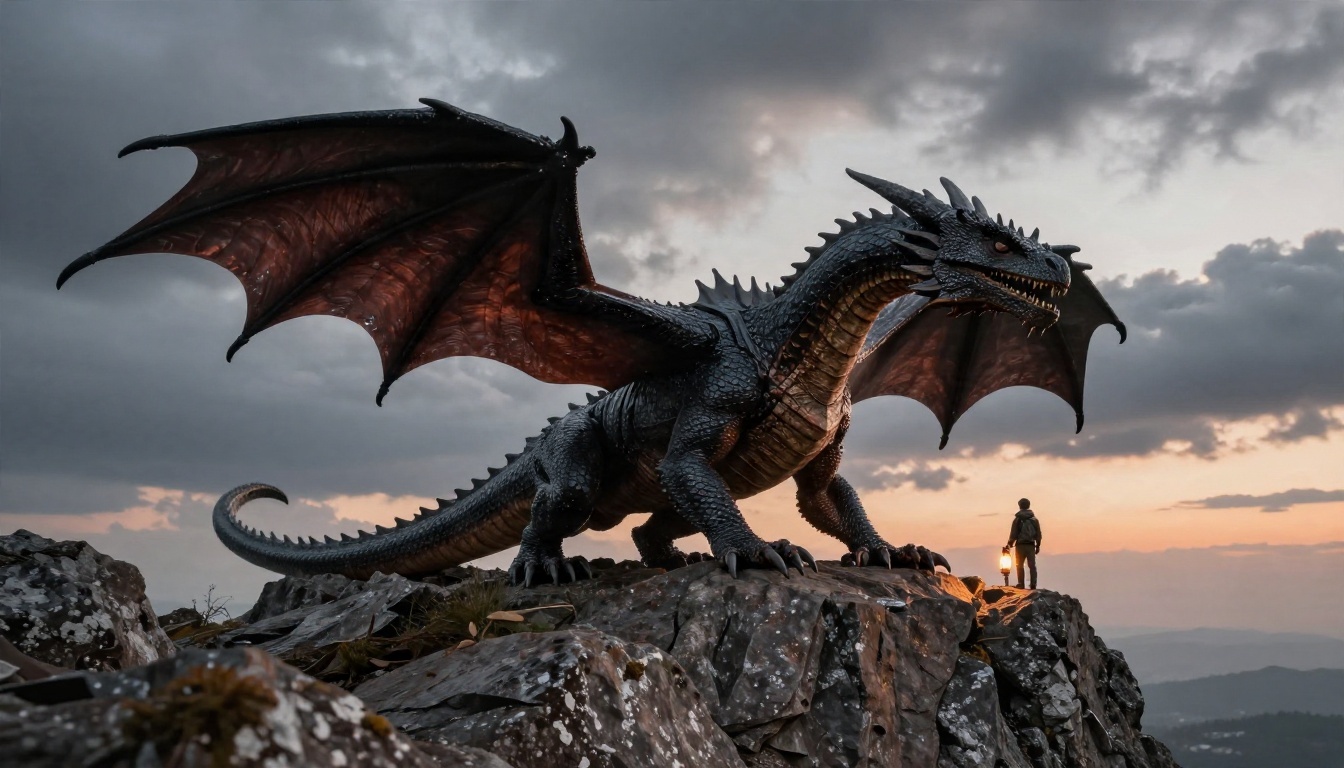
The hardest part of a dragon image is not the dragon. It is making the dragon feel large. Scale needs a reference object.
Prompt:
Raw photograph of a huge dark-scaled dragon perched on a rocky mountain crag at dusk, wings partly folded, a tiny rider with a lantern on the ledge below for scale, wide low-angle shot, storm clouds with a thin orange break on the horizon, realistic reptilian scale texture, wet rock, 24mm f/5.6, natural overcast light.
Three scale rules:
- Include a tiny human figure or a lantern.
- Shoot from a low angle so the creature rises above the viewer.
- Use overcast or dusk light, which hides the "rendered" feel that bright direct light can give to large creatures.
Cold, Coastal and Desert Realms
Biome-driven fantasy is where color palettes do the heavy lifting. Each of these three looks can be summed up by a single temperature: cold blue, warm teal, hot amber.
Ice Realms and Frost Queens
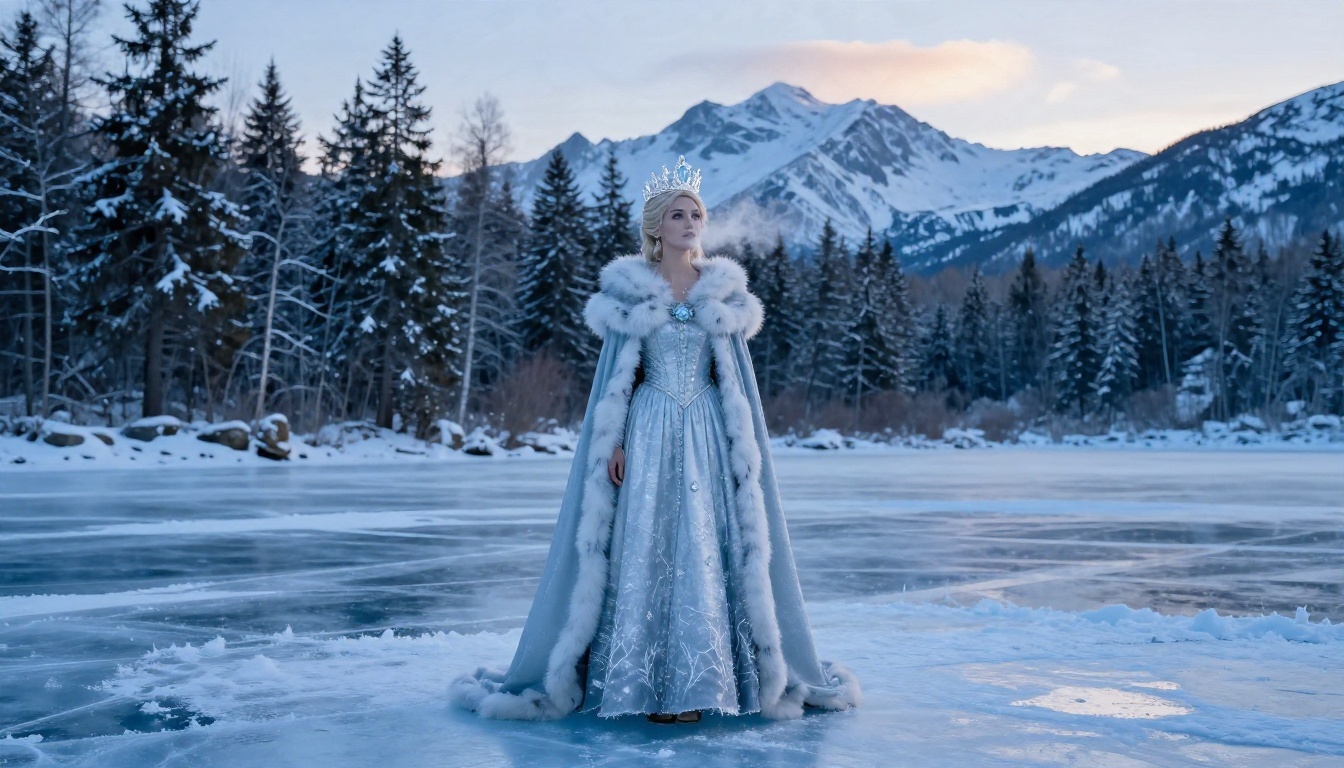
Blue hour is your friend here. It gives you cold shadows and a faint warm glow on the horizon, which stops the image from turning into a flat blue wash.
Prompt:
Raw photograph of a tall ice queen in a pale silver-blue fur-trimmed gown and a crown that looks like cut crystal, standing on a frozen lake at blue hour, full-body low-angle shot, snowy spruce forest and jagged mountains, soft twilight with a faint warm glow on the horizon, visible breath in the cold air, frost on fabric and eyelashes, 35mm f/2.
Settings: use breath, frost and snow grain as realism anchors. They tell the model the air is cold, and the whole image adjusts.
Sea Myths and Coastal Magic
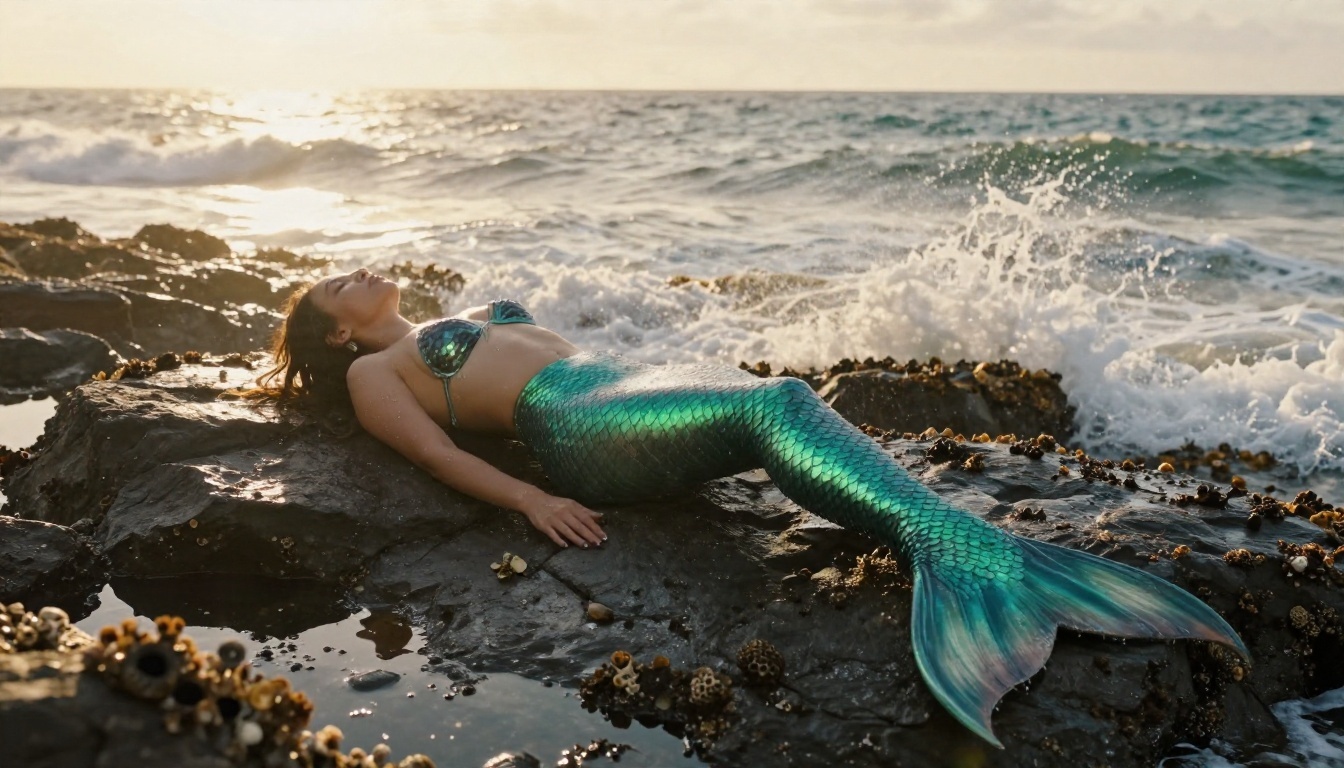
Mermaid and sea-folk imagery works best on real coastlines: wet rock, spray, tide pools. Avoid underwater prompts unless you want a soft, hazy result.
Prompt:
Raw photograph of a sea-folk woman with a realistically textured green-teal scaled tail resting on dark wet rocks on a rugged coastline at golden hour, side-angle medium-wide shot, waves crashing behind, wet hair, sea spray on skin, low warm sun from the left with salt mist, tide pools and barnacles in the foreground, 70mm f/2.8.
Settings: a 70mm lens flattens the waves into a pleasing backdrop, and foreground barnacles add the layered depth that portrait lenses often lose.
Desert Magic and Ancient Ruins
Desert fantasy leans on fabric movement and hard light. Silk in wind photographs beautifully, but only if the prompt mentions the wind.
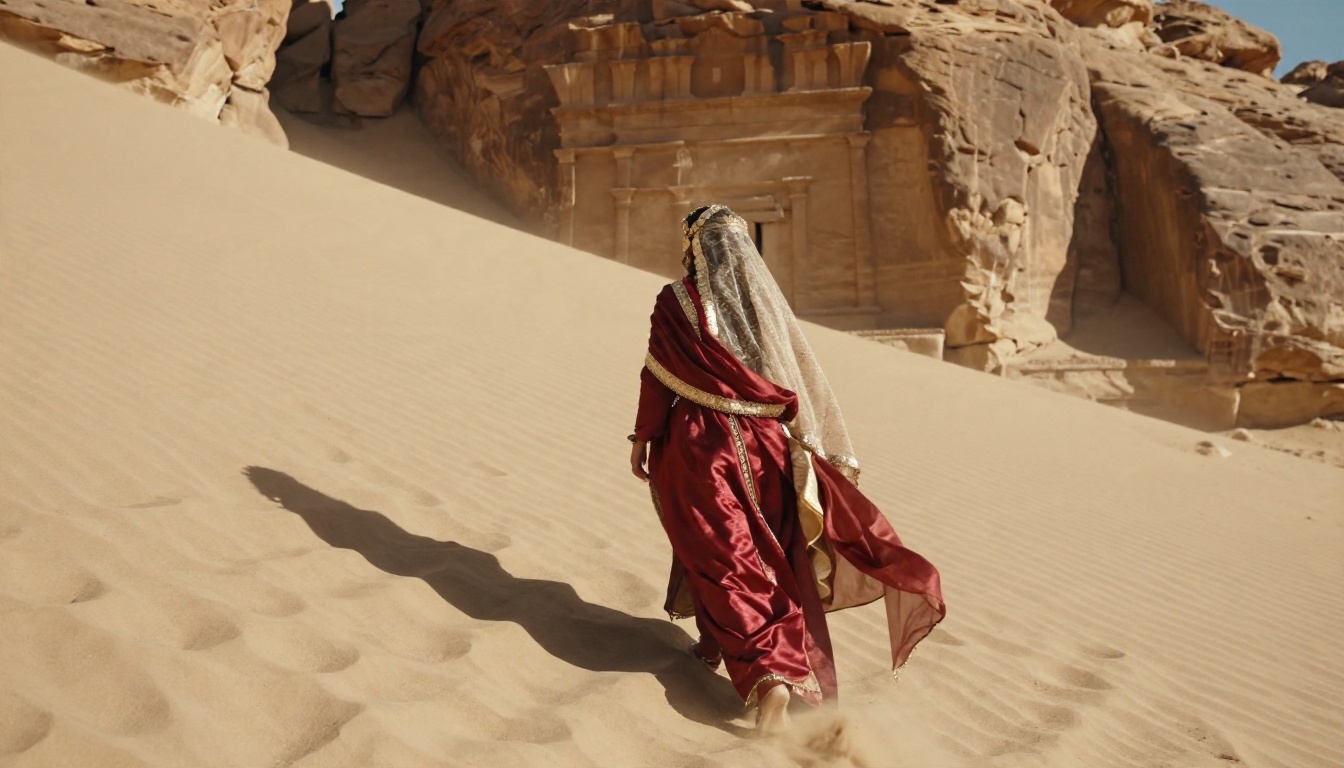
Prompt:
Raw photograph of a desert sorceress in layered crimson and gold silk robes with a veil and hammered brass jewelry walking up a sandstone canyon staircase toward carved ruins, rear three-quarter high-angle shot, wind-blown fabric, swirling sand, hard late-afternoon sun from the right with long shadows, 40mm f/4.
Settings: hard sun is acceptable here, unlike in the forest styles. Long shadows across sandstone give the scene its drama.
How to Use Seedream 4.5 on PicassoIA
For photographic fantasy, Seedream 4.5 is a strong first choice. It follows long, layered prompts well and handles textures such as leather, wool and wet stone cleanly. It also produces 4K output, so castles and canyon stairs keep their fine detail.
Step by Step
- Open the Seedream 4.5 page on PicassoIA and choose the text-to-image input.
- Paste your prompt, built from the three layers: subject, world, camera.
- Set the aspect ratio to 16:9 for landscapes and creature scenes, or a taller ratio for portraits.
- Generate a first image and read it critically. Is the light direction right? Is the costume material believable?
- Change one thing in the prompt, keep the seed fixed if available, and generate again.
- When the composition is right, run the winner through an upscaler such as Real ESRGAN for print-size output.
Settings to Tune
| Setting | Recommended | Notes |
|---|
| Aspect ratio | 16:9 | Best for scenes with environment |
| Prompt length | 60 to 120 words | Long enough for three layers, short enough to stay focused |
| Seed | Locked while editing | Isolates the effect of each change |
| Resolution | Highest available | Downscale later if needed |
💡 Tip: Keep a text file of "style blocks" for each look in this article. When you start a new image, paste the block and replace only the subject.
Picking the Right Model
No single model wins every style. Different generators have different strengths, so match the tool to the look.
Model Comparison
| Style | Good fit | Why |
|---|
| High fantasy, fairy tale | Seedream 4.5 | Clean textures and soft light |
| Dark fantasy, wizard interiors | Imagen 4 Ultra | Strong detail in metal, fabric and low light |
| Epic landscapes, dragons | Nano Banana Pro | Handles large scenes and 4K output |
| Fast drafts of any style | Flux Schnell | Quick iterations while you test prompts |
| Custom looks with LoRA | Flux 2 Klein 9B Base LoRA | Styled output when you want a consistent aesthetic |
| Titles or signage in the image | Ideogram v4 Quality | Reliable short text rendering |
If you want to edit an existing image, such as changing a cloak color or adding a lantern, Nano Banana works well for prompt-based edits.
Three Common Mistakes
- Stacking "epic", "magical", "stunning". These words add nothing visual. Replace them with materials, weather and light.
- Ignoring scale. If the creature or castle looks small, add a human figure, a lantern or a bridge for reference.
- Glowing everything. Magic reads better as implication: candlelight on a spellbook, breath in cold air, dust in a shaft of sun. Literal glow tends to flatten the photographic look.
Build Your Own Fantasy World
You now have nine styles, each with a prompt and the settings behind it. Pick the one that matches the world you want to build, swap in your own character and location, and change only one variable at a time. Within a few generations you will see how much a lens choice or light direction changes the mood.
Open Picasso IA, choose Seedream 4.5 or any other model from the table above, and run the elf, the knight or the dragon prompt as written. Then rewrite it for your own story. Browse the full model list at picassoia.com/en/all-models to find the one that suits your look, and start creating your fantasy images today.


