AI Fashion Model Prompts: Copy-and-Paste Examples for Clothing Photos
Ready-to-use AI fashion model prompts for clothing photos. Get tested wording for catalog shots, streetwear, outerwear, swimwear and shoes, plus a simple formula, a Seedream 4.5 walkthrough and fixes for bad fabric, hands and fit.
A good clothing photo sells the fabric before it sells the outfit. That is exactly where most AI fashion model prompts fall apart: the dress looks like plastic, the model has a mannequin stare, and the lighting feels like a stock render from a decade ago. The fix is not a longer prompt. It is a better structured one, written the way a photographer would brief a studio.
This article gives you ready-to-paste prompts for catalog shots, lifestyle scenes, streetwear, outerwear, swimwear and footwear. Every example below was built around the same logic, and every image you see was generated from a prompt very close to the one printed next to it. Copy them, swap the garment, and you will get usable AI clothing photos in minutes instead of booking a model, a studio and a photographer.
💡 Quick win: Name the fabric, not just the garment. "Cream linen shirt dress with visible slubs" beats "white dress" every single time.
Why Fashion Prompts Fail
Before the copy and paste part, it helps to see why a typical prompt produces weak results. Three problems show up again and again.
The Fabric Problem
Image models default to a smooth, glossy surface when you say "dress" or "jacket." Real garments have weave, fuzz, creases, stitching and weight. If your prompt never mentions texture, the model fills the gap with the most average answer, and average looks fake.
Add words like linen slubs, ribbed cuffs, denim stitching, satin sheen, wool fibers, fleece texture. These small phrases pull the render toward real product photography.
The Pose Problem
"Model posing" is too vague. You get a stiff front-facing stance with arms hanging like rope. Photographers direct models with small, specific actions: adjusting a collar, hand in a pocket, glancing over a shoulder, weight shifted onto one hip. Give the model something to do.
The Light Problem
Flat, shadowless light is the quickest tell that a picture is synthetic. Real fashion work has a light direction (window left, backlight from the sun, softbox right), a light quality (soft, diffused, golden) and usually a fill source. State all three.
The Prompt Formula That Works
Every prompt in this article follows the same order. Once you have it memorized, you can write a new one in under a minute.
Six Building Blocks
Block
What it does
Example wording
Subject and garment
Defines who wears what, with fabric
"Female model in a fitted navy wool blazer and white cotton tee"
Pose or action
Removes the mannequin stare
"arms relaxed, facing camera, weight on one leg"
Setting
Gives context and color palette
"seamless light gray studio backdrop"
Lighting
Sets mood and shadow shape
"large softbox from camera right, white fill card on the left"
Camera and lens
Controls perspective and blur
"70mm lens, f/5.6, shot from chest height"
Texture and film
Adds realism
"visible weave, denim stitching, fine film grain, Kodak Portra 400"
The Master Template
Paste this and replace the brackets:
[Model description] wearing [garment with fabric and color], [specific pose or action], in [setting with background details]. [Light direction and quality]. Shot on a [focal length] lens at [aperture] from [camera height or angle], [3 texture details], fine film grain, Kodak Portra 400, photorealistic, 16:9
💡 Pro tip: Keep the garment description at the front of the prompt. Models give more weight to early words, so the clothing stays accurate even when the scene gets busy.
Women's Prompts to Copy
These five prompts cover the most common womenswear categories. Each one is built for e-commerce, lookbooks and social ads.
Linen Shirt Dress, Studio Catalog
This is the classic daylight studio lookbook shot: clean, warm, and true to color. It works well for any relaxed natural-fiber garment.
Female fashion model standing in a sunlit minimalist white studio with a warm plaster wall and pale oak floor, wearing a flowing cream linen shirt dress with rolled sleeves and a thin tan leather belt, one hand adjusting the collar, weight shifted onto one hip. Soft morning window light from camera left, white bounce card on the right, visible linen slubs and mother of pearl buttons, natural skin texture. 85mm lens at f/1.8, eye level, full body, Kodak Portra 400, fine film grain, photorealistic, 16:9
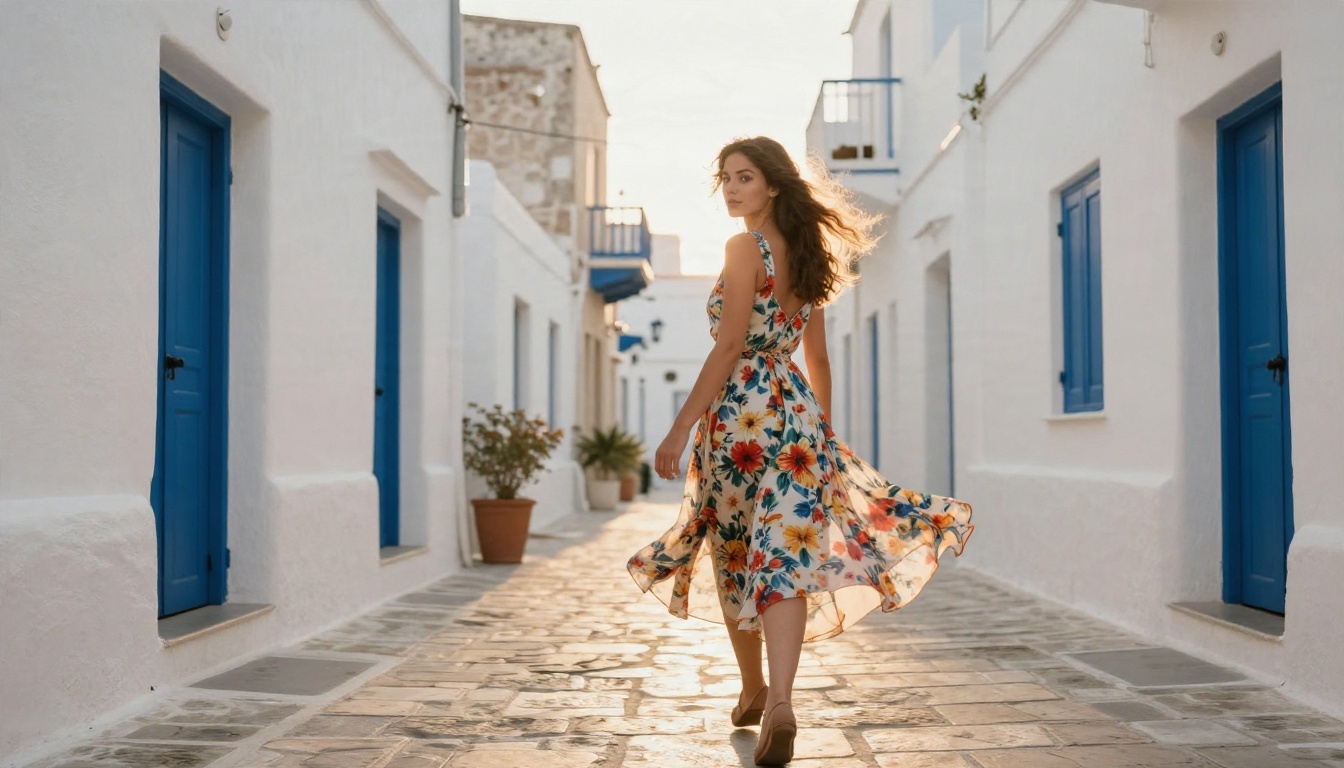
Summer Dress, Lifestyle Scene
For printed dresses, motion is everything. A breeze-caught skirt tells the viewer how the fabric moves, which a static pose cannot do.
Female model in a flowing floral midi summer dress walking through a sunlit Mediterranean old town alley with whitewashed walls and blue shutters, skirt caught mid-movement by a light breeze, glancing over her shoulder. Soft backlight from the afternoon sun with a warm glow in her hair, bounce from the pale walls. 85mm lens at f/2, three-quarter body framing, cotton print texture, cobblestones, gentle film grain, Kodak Portra 400, photorealistic, 16:9
💡 Why it works: The backlight creates a rim glow that separates the model from the wall, while the white walls bounce light back into the shadows. You get depth without any harsh contrast.
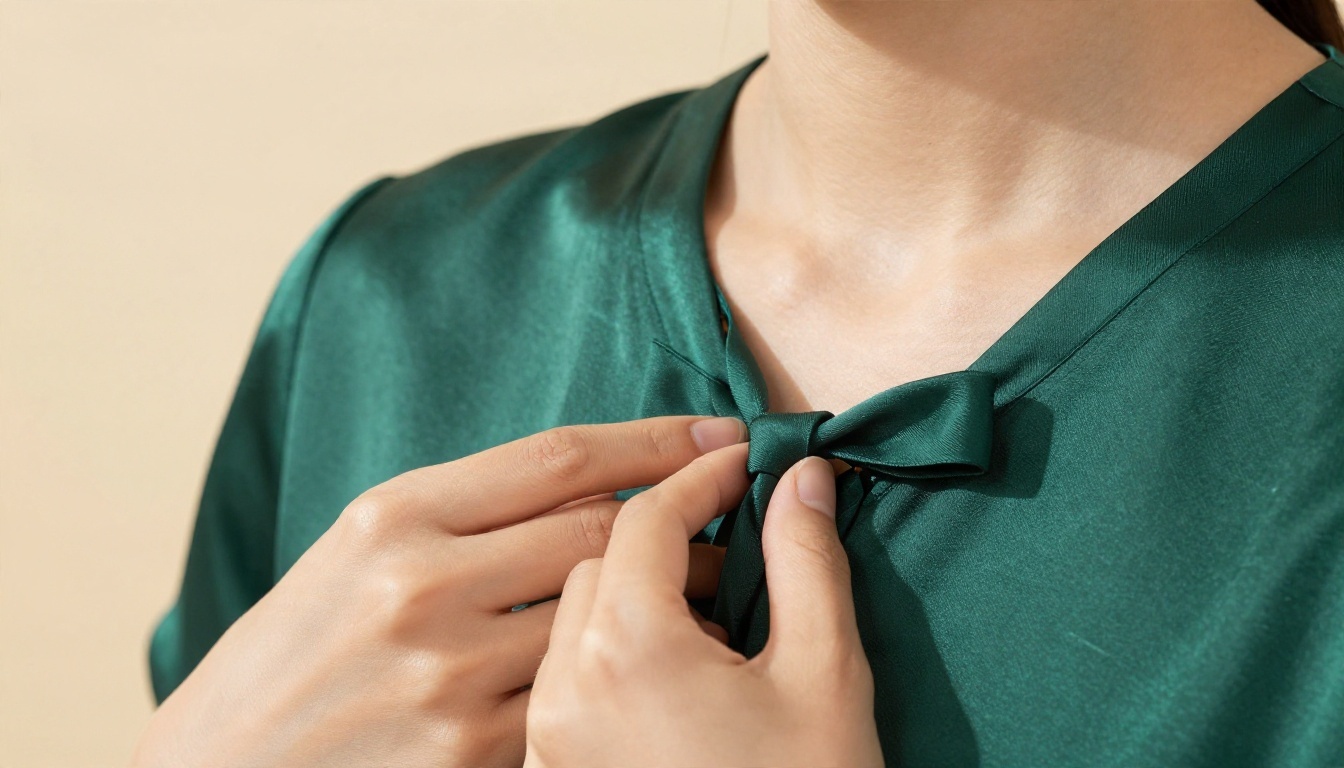
Silk Blouse, Fabric Detail
Detail shots are the ones that convince buyers. Silk is hard to get right, so the prompt leans on window light and a macro-style portrait lens.
Close-up detail shot of a model's torso wearing a deep emerald silk blouse with a soft bow at the neck, hands lightly touching the bow, plain warm beige backdrop. Window light from the left grazing the silk to show liquid highlights and tiny natural folds. 100mm lens at f/2.8, shallow depth of field, visible weave sheen, fine skin texture on the collarbone, subtle film grain, photorealistic, 16:9
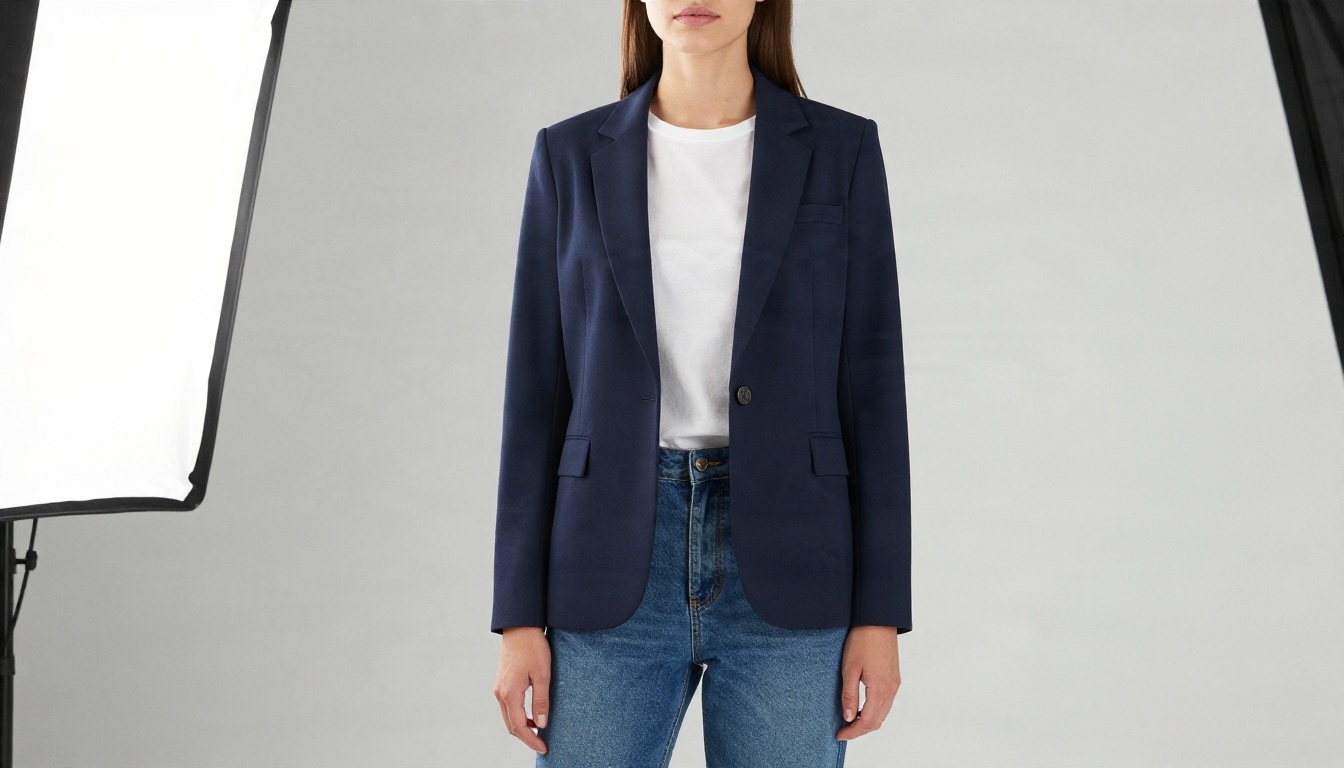
Blazer and Jeans, Clean Catalog
When you need a neutral marketplace image, use a gray seamless backdrop and even lighting. This is the format Amazon, Zalando and similar marketplaces expect.
Full body female model in a fitted navy blazer and white cotton tee with straight blue jeans, standing on a seamless light gray studio backdrop, arms relaxed, facing camera. Large softbox from camera right plus a white fill card on the left for even soft lighting. 70mm lens at f/5.6 from chest height, sharp fabric weave, denim stitching and blazer lapel visible, subtle film grain, Kodak Portra 400, photorealistic, 16:9
Satin Slip Dress, Evening Look
Satin catches light in a way that instantly reads as luxury. Pair it with warm, directional window light and a textured background such as brick.
Female model in a sage green satin slip dress standing in a warm loft with exposed brick walls and large arched windows, one hand resting on her collarbone, calm confident expression. Late afternoon light from the left with soft shadows on the brick. 50mm lens at f/2.8 from waist height, satin sheen, fine skin detail, Kodak Portra 400, photorealistic, 16:9
Men's Prompts to Copy
Menswear needs a different rhythm: stronger shadows, more structure, and poses that feel casual rather than posed.
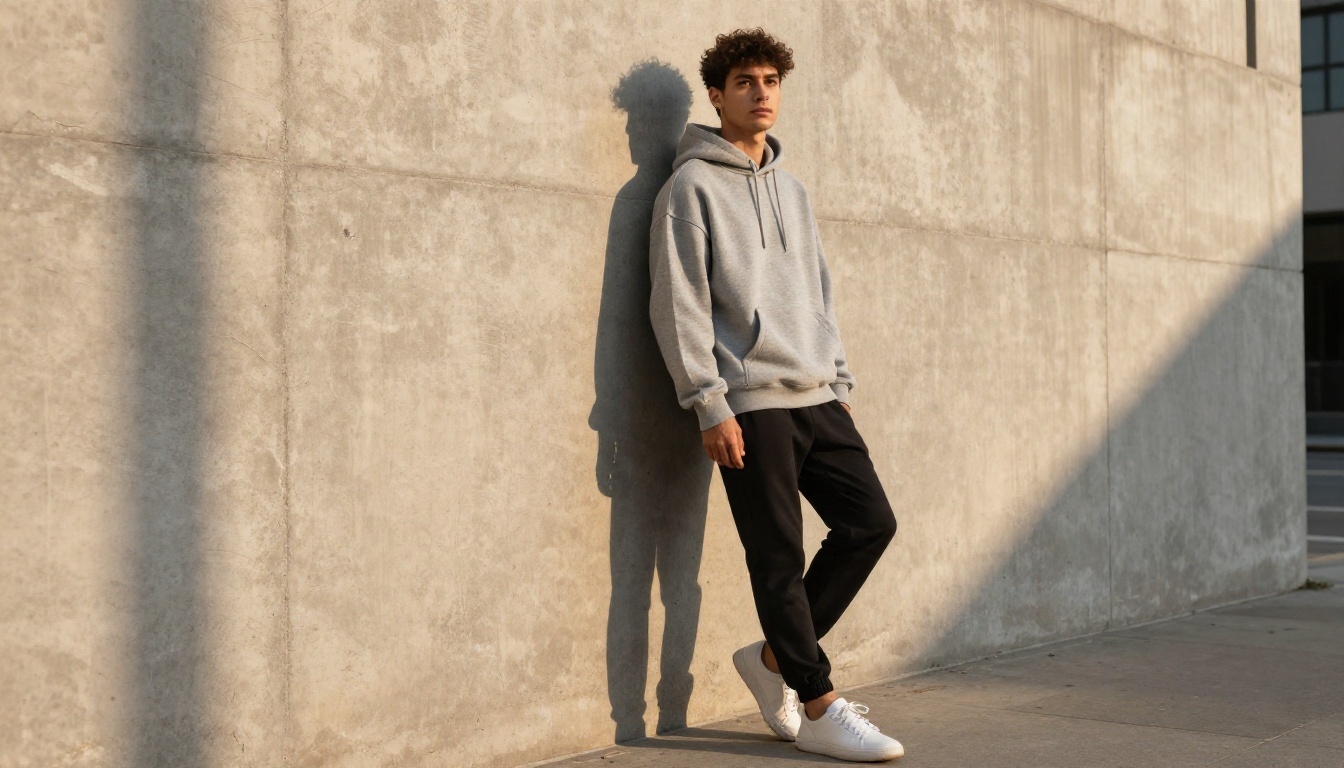
Streetwear Hoodie at Golden Hour
A low angle makes oversized clothing look intentional and gives streetwear its confident silhouette.
Male model in a heather gray oversized hoodie and black joggers leaning against a rough concrete wall on an empty city street at golden hour, one foot propped behind him, looking off to the side. Warm low sun from camera right with long soft shadows and slight rim light on the shoulders. Shot from a low angle with a 35mm lens at f/2, visible cotton fleece texture, ribbed cuffs, light dust in the air, Kodak Portra 400 grain, photorealistic, 16:9
💡 Tip: For hoodies and sweatshirts, always mention ribbed cuffs and fleece texture. Without them, the fabric tends to come out flat and shiny.
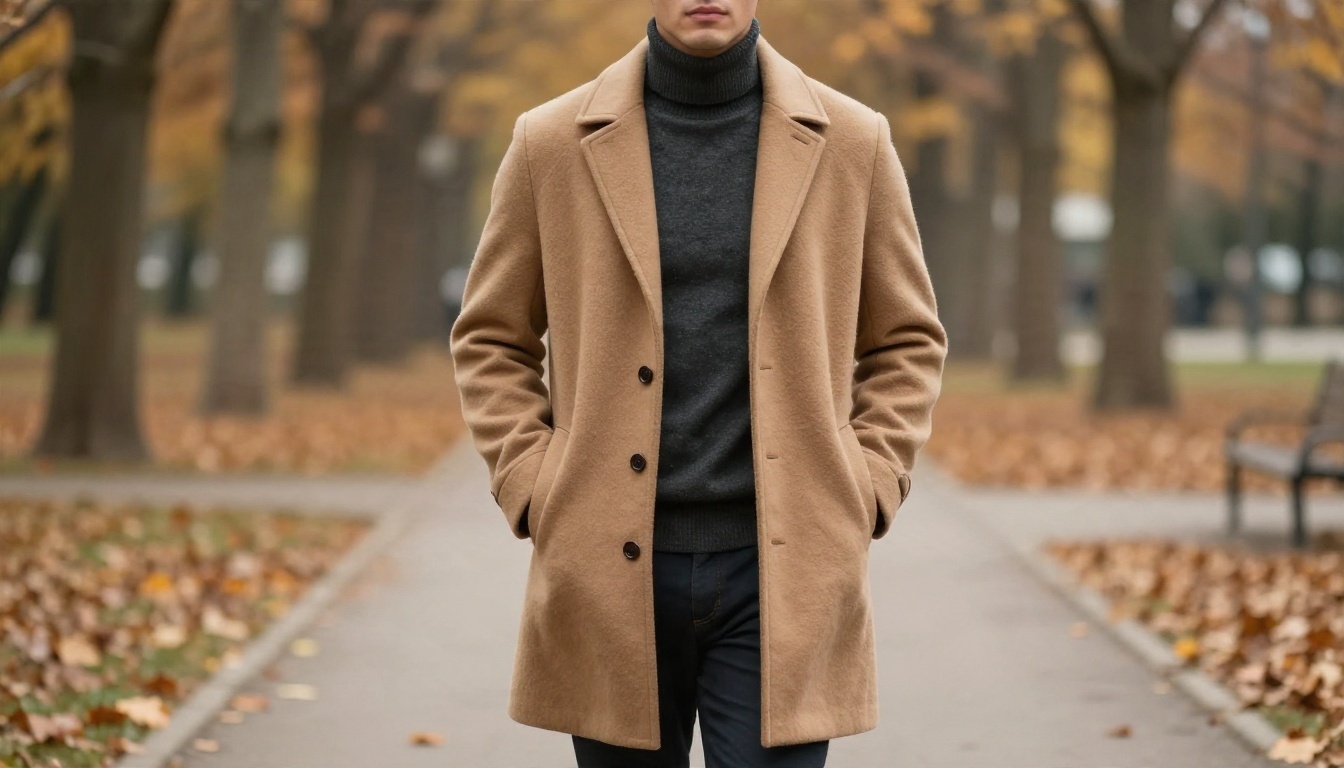
Wool Overcoat in Autumn Light
Outerwear looks best in overcast, diffused daylight. Hard sun flattens wool and hides the weave.
Male model in a camel wool overcoat over a charcoal turtleneck and dark trousers, standing on a quiet autumn park path with fallen leaves, hands in coat pockets, calm direct gaze. Overcast soft diffused daylight, no harsh shadows, muted warm tones. 105mm lens at f/2.8 from eye level, compressed background of blurred amber trees, visible wool fibers and knit ribbing, light film grain, Kodak Portra 400, photorealistic, 16:9
Quick Menswear Variations
Keep the structure and swap these pieces:
Denim jacket: "faded indigo denim jacket with copper rivets, white tee, hands in back pockets, brick wall, hard midday sun"
Linen suit: "stone linen suit with open collar shirt, relaxed stance on a terrace, soft sea light, visible creases"
Knitwear: "cream cable knit sweater, seated near a window, warm side light, chunky wool texture"
Body Types, Swimwear, and Shoes
A good catalog shows clothes on more than one kind of body. Prompts can be inclusive without becoming vague.
Plus Size and Inclusive Casting
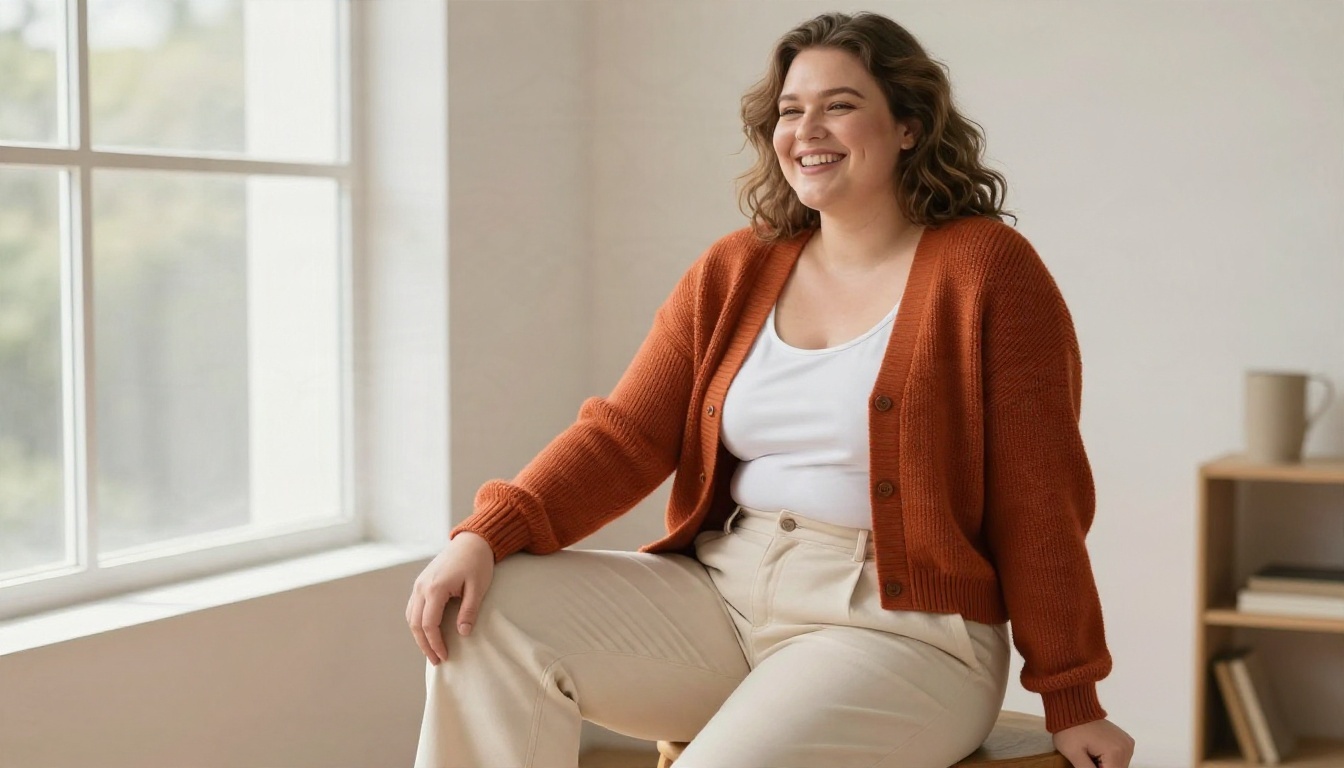
Be direct. Describe the model naturally, then focus the rest of the prompt on fit, fabric and mood, exactly as you would for any other model.
Plus size female model in a rust orange knit cardigan, white tank top and high waist cream trousers, sitting casually on a wooden stool in a bright airy studio, laughing naturally with a hand on her knee. Large window light from the left with soft reflector fill, warm and flattering. 50mm lens at f/2.8 from slightly above, chunky knit texture, natural skin detail, gentle film grain, Kodak Portra 400, photorealistic, 16:9
Swap in other descriptors to vary your casting: petite, tall and athletic, curvy, older model with silver hair, mid-50s man with a beard. Keep the rest of the prompt the same and compare the results side by side.
Couples and Two-Model Campaigns
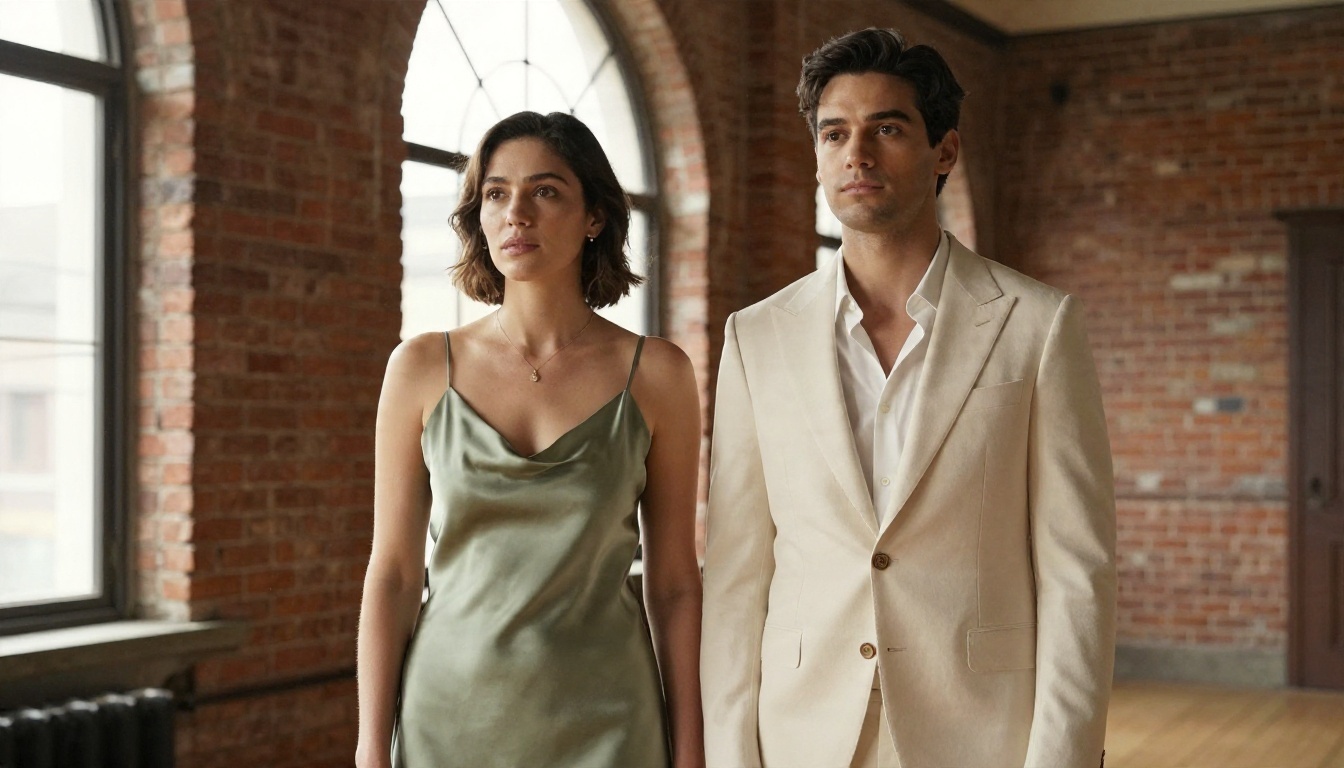
Two people in one frame is where models tend to slip, so keep the pose simple: standing side by side, shoulders angled, nobody touching.
Two models, a woman in a sage green satin slip dress and a man in a cream suit with open collar shirt, standing side by side in a warm loft with brick walls and large arched windows, shoulders slightly angled, relaxed confident expressions. Late afternoon light from the windows on the left with soft shadows on the brick. 50mm lens at f/2.8 from waist height, satin sheen, suit wool texture, subtle film grain, Kodak Portra 400, photorealistic, 16:9
Swimwear for Resort Campaigns
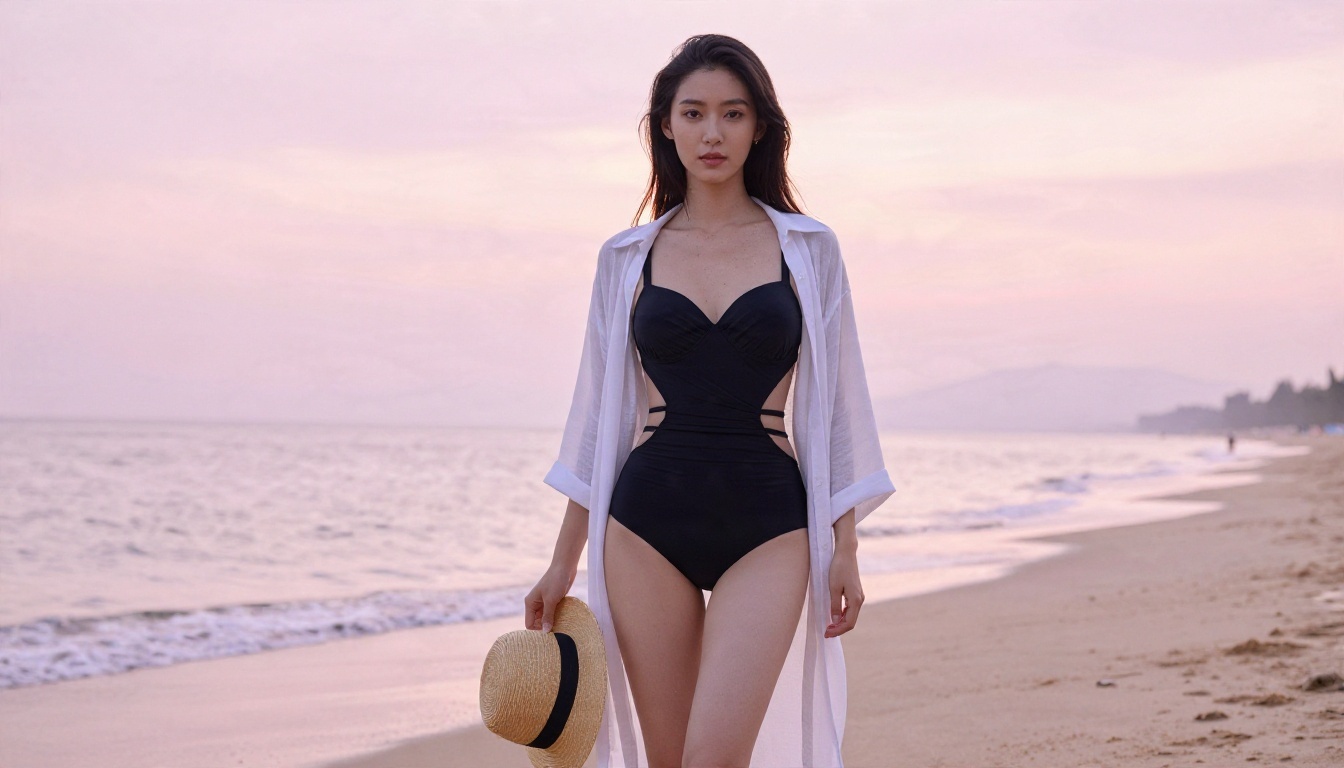
Swimwear works best when the setting does the heavy lifting. Soft sunrise light and a calm beach keep the picture tasteful and brand-safe.
Female model in a black tailored two piece swimsuit and sheer white linen shirt standing at the edge of a quiet beach at sunrise, wet sand reflecting a pale pink sky, one hand holding a straw hat. Soft low sunlight from behind left with gentle rim light on the shoulders and hair. 85mm lens at f/2 from a low angle, fine sand grains, fabric sheen, tasteful resort campaign look, film grain, Kodak Portra 400, photorealistic, 16:9
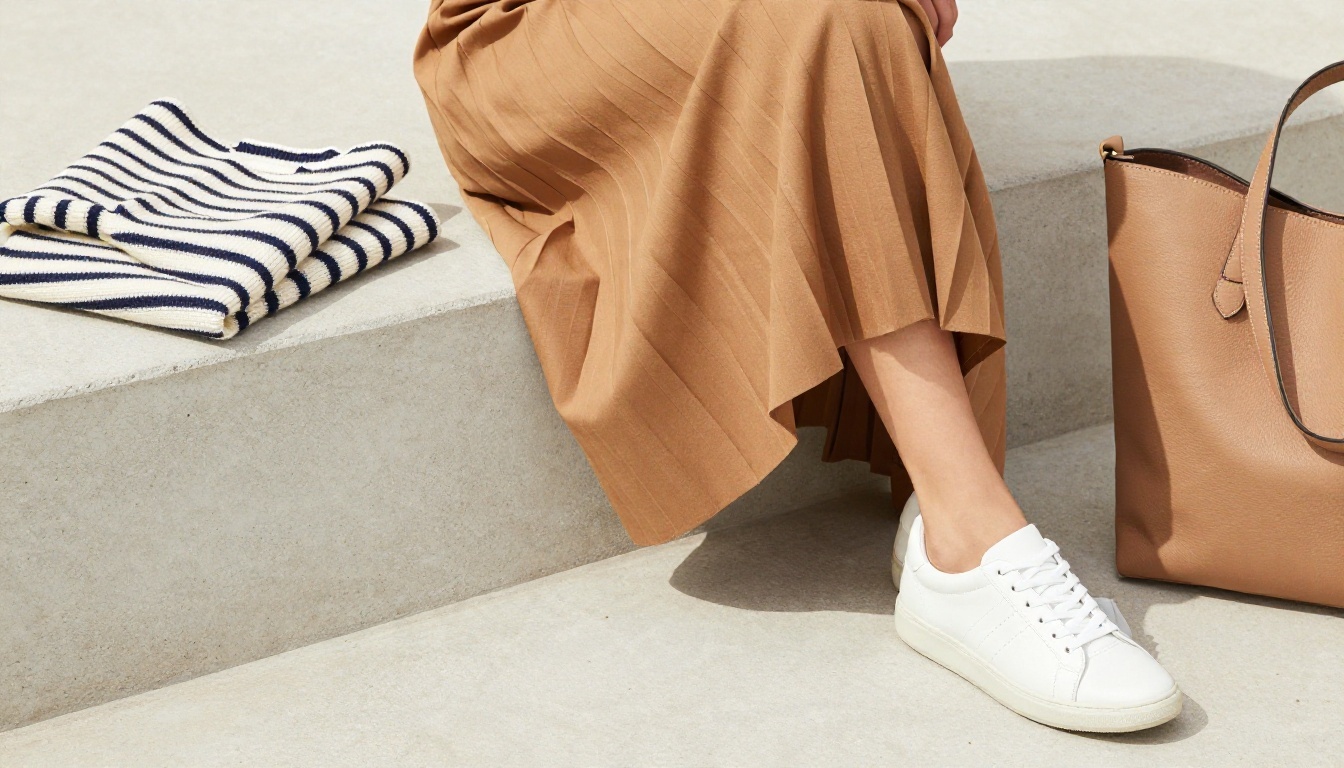
Footwear and Accessories
Shoes and bags need a different camera setup. Go higher, go wider, and let the surface texture do the work.
Seated female model's lower body wearing a pleated camel midi skirt and white leather sneakers on a pale concrete step, with a folded striped sweater and tan tote bag next to her. Bright overhead daylight with soft shadows, shot from a high angle with a 35mm lens at f/4, crisp pleat edges, leather grain on sneakers, concrete texture, light film grain, Kodak Portra 400, photorealistic, 16:9
How to Use Seedream 4.5 on PicassoIA
For clothing photos with sharp fabric detail, Seedream 4.5 is a strong first pick. It handles long, detailed prompts well and keeps texture crisp at high resolution, which matters when buyers zoom into stitching.
Paste one of the prompts above into the prompt box.
Set the aspect ratio. Use 16:9 for banners and lookbooks, or switch to a portrait ratio for product pages and social posts.
Click generate and wait a few seconds for the first result.
Check the fabric edges, hands and collar. If they look right, download the image.
If something is off, change one detail in the prompt and generate again.
Settings and Tweaks
Goal
What to change
Sharper fabric
Add the exact weave: "twill," "poplin," "boucle," "rib knit"
Warmer mood
Swap "overcast light" for "golden hour from camera right"
Cleaner marketplace shot
Use "seamless light gray backdrop, even softbox light"
More natural skin
Add "visible pores, fine flyaway hairs, no retouching look"
Bigger resolution
Run the finished picture through a super resolution tool
💡 Alternative models:Nano Banana Pro is great when you want to edit an existing photo, and Flux 2 Klein 4B Base is fast for testing many prompt variations in a row.
Put Your Real Garment on the Model
If you already have a product photo, P Image Try On lets you place a real outfit on a generated model, so the garment in the final image is your garment and not a lookalike. For quick edits, such as changing a color or background in an existing picture, Flux Kontext Fast works well. When you only need a clean white background for a listing, Remove Background gives you a tidy cutout in seconds. And if the backdrop in your shot looks too sharp, Depth of Field can soften it after the fact.
Fix Common Mistakes Fast
Even a good prompt produces the odd bad frame. Here are the problems that come up most often, and the shortest fix for each.
Problem
Likely cause
Fix
Fabric looks plastic
No texture words in the prompt
Add weave, fuzz and crease details
Stiff mannequin pose
Vague "posing" instruction
Give a small action: adjusting a cuff, glancing away
Hands look wrong
Hands doing something complex
Put hands in pockets, on a collar, or on the hip
Wrong garment color
Color buried late in the prompt
Move the garment description to the front
Flat, dull lighting
No light direction given
State source, direction and quality
Background steals focus
Busy scene, no depth control
Use f/2 to f/2.8 and say "background softly out of focus"
Skin looks airbrushed
Missing skin detail
Add "visible pores, natural skin texture"
Words to Avoid
Skip vague quality words such as "beautiful," "stunning" and "perfect." They do almost nothing. Replace them with concrete photographic details: a lens, a light source, a surface. Also avoid piling on style tags, because mixing "editorial," "street," "luxury" and "vintage" in one prompt confuses the output.
A Simple Testing Routine
Change one variable per round. Run the same prompt four times, pick the best frame, then adjust only the lighting. After that, adjust only the pose. In about ten generations you will have a repeatable recipe for your brand, and you can reuse it across a whole catalog by swapping just the garment name.
💡 Batch idea: Keep your model description, lighting and lens fixed, and only swap the garment line. That gives you a consistent look across twenty products without rewriting anything.
Make Your First Fashion Shot
You now have the structure, the vocabulary and nine working examples. The fastest way to improve is to run them. Pick the prompt closest to your product, replace the garment and fabric, and generate a few versions.
Open Seedream 4.5 on PicassoIA, paste your first prompt, and see how the linen, denim or wool comes out. Then try a second model and compare. Every model reads prompts a little differently, and finding the one that suits your garments is half the fun. For more options, browse the full list at picassoia.com/en/all-models and build your own library of prompts that sell clothes.