AI for Teachers to Create Worksheets: Free Tools, Prompts, and Examples
Sunday night worksheet prep does not have to eat your evening. See which free AI tools write practice sheets, quizzes and reading passages, copy tested prompts for math, reading and science, and check every page before it reaches students.
It is 9:40 on a Sunday night. You have a unit on fractions starting tomorrow, a class with three different reading levels, and exactly zero worksheets that fit. You could dig through old folders, or you could type four sentences into an AI model and have a clean, printable page in about a minute. That second option is what AI for teachers to create worksheets is really about: not replacing your judgment, but removing the blank page.
This article shows which free tools are worth opening, the prompt formula that produces usable sheets on the first try, and ready-to-copy examples for math, reading and science. You will also see how to add pictures, how to differentiate one sheet into three, and how to catch the mistakes AI still makes before they land on a student's desk.
Why Teachers Turn to AI Worksheets
The Time Math
A single good worksheet, written from scratch, takes most teachers 30 to 60 minutes once you count writing the questions, building the answer key, formatting, and fixing the layout. Multiply that by five classes and a week of lessons, and prep alone swallows a weekend.
With a language model, the first draft takes seconds. You spend your time where it counts: choosing the right questions, trimming the weak ones, and adjusting difficulty. Many teachers report that a sheet that used to take 45 minutes now takes closer to 10, and most of that is review.
What AI Does Well
Language models are strong at tasks with a clear pattern:
Generating many practice items at a stated difficulty
Writing short reading passages at a target grade level
Producing answer keys with worked steps
Rewriting the same content for different reading levels
Creating vocabulary lists, cloze exercises and matching sets
Drafting exit tickets and quick quizzes
Where It Still Slips
AI can invent facts, make arithmetic errors in long multi-step problems, and write questions that sound right but have two correct answers. It also does not know your students. That is why every example in this article ends with a review step. Treat the output like a draft from a capable student teacher: fast, useful, and in need of your signature.
💡 Rule of thumb: the more your worksheet depends on exact facts or exact numbers, the more carefully you should check it. The more it depends on wording and structure, the more you can trust the first draft.
Free AI Tools That Work
You do not need a paid subscription to start. Several strong models are available on PicassoIA, and the same account also handles image generation for worksheet artwork. Other products you may already know, such as ChatGPT, Google Docs and Canva, can handle layout and printing once the content is ready. Plan limits change often, so check current allowances on any tool before you build a routine around it.
Picking a Text Model
Different models suit different jobs. This table compares options that work well for classroom content:
If you only want one to start with, pick Claude Sonnet 5 for anything that needs polished wording, and GPT 5.6 Luna when you want an answer in seconds.
Adding Pictures to Worksheets
A worksheet with a clear picture holds attention longer than a wall of text, especially for younger students. Text-to-image models such as Nano Banana and Seedream 4.5 can produce a counting scene, a labeled-style plant, a map-like landscape or a story prompt picture from a one-sentence description. We will come back to that in a moment.
A Prompt Formula That Works
Vague prompts produce vague worksheets. "Make a fractions worksheet" will give you something generic. A short, specific prompt gives you something you can print.
The Five Part Prompt
Include these five pieces every time:
Role: "You are a grade 4 math teacher."
Topic and standard: "Adding fractions with unlike denominators."
Format: "12 questions, 8 short answer and 4 word problems."
Constraints: "Denominators under 12, no mixed numbers, use everyday contexts."
Output layout: "Title, name and date line, numbered questions, then a separate answer key."
The constraints piece does the most work. It tells the model what to avoid, which saves you from deleting questions later.
A Copy Ready Template
Paste this and replace the brackets:
You are a [grade] [subject] teacher.
Create a printable worksheet on [topic] for students who [describe level].
Include [number] questions: [mix of question types].
Constraints: [number ranges, vocabulary level, contexts to use or avoid].
Format: a title, a name and date line, short instructions,
numbered questions with space to answer, and a separate answer key
with brief worked steps.
Keep the language simple and do not include any images.
💡 Tip: end with "Ask me one clarifying question before you start if anything is unclear." The model often catches a missing detail, such as the grade level or the number of questions, that you forgot to mention.
Prompts and Examples by Subject
Math Practice Example
Prompt:
You are a grade 3 math teacher. Write a worksheet on multiplication
facts for 6, 7 and 8. Include 15 questions: 10 equations with a blank,
3 word problems about a school bake sale, and 2 "find the mistake"
questions where the answer shown is wrong. Add an answer key.
What you get: a tidy set of numbered questions, a short bake sale scenario, and two error-spotting items that push students to think instead of recall. Those "find the mistake" questions are worth requesting often, because they test understanding far better than another row of equations.
Reading Comprehension Example
Prompt:
Write a 200 word story for grade 2 readers about a lost mitten
on a snowy playground. Use short sentences and common words.
After the story, add 6 questions: 2 recall, 2 inference,
1 vocabulary in context, and 1 "what would you do" question.
Include an answer key with sample responses.
Why it works: naming the question types forces a balanced mix. Without that line, AI tends to write six recall questions that can be answered by copying a sentence.
Science Diagram Example
Prompt:
You are a grade 5 science teacher. Create a worksheet on the parts
of a plant and what each part does. Include a matching section with
6 pairs, a short paragraph with 5 blanks to fill from a word bank,
and 2 questions asking students to predict what happens if a plant
gets no sunlight. Add an answer key.
Pair this with a generated picture of a plant on a simple background, and you have a full sheet in a few minutes.
Differentiated Versions
This is where AI saves the most time. Once you have a sheet you like, send a follow-up:
Rewrite this worksheet three ways: (1) simplified vocabulary and
sentence starters for students reading below level, (2) the same
as written, (3) extended with two open-ended challenge questions.
Keep the answer key for each version.
You get three versions with matching content, so everyone works on the same topic and nobody feels singled out by a different title. Teachers who support multilingual students can also ask for a version with key terms listed in the home language beside the English word.
💡 Worth trying: upload a photo of a textbook page to a vision-capable model like Gemini 3.5 Flash and say "Write 10 new practice questions in the same style and difficulty as this page." You get fresh items without copying the original.
How to Use Claude Sonnet 5 on PicassoIA
Here is the full process, using Claude Sonnet 5 as the example. The same steps work for the other text models linked above.
Open the model page. Go to the Claude Sonnet 5 page and choose the option to run the model.
Paste your prompt. Use the template from earlier. Fill in the grade, topic, number of questions and constraints.
Set a clear system message if one is offered. Something like "You write classroom materials. Use plain language. Never invent statistics or quotations." This keeps tone and accuracy steady across sessions.
Run it and read the draft. Check the questions first, then the answer key.
Refine with a follow-up. Ask for fewer word problems, an easier second half, or a different context. Short follow-ups are faster than rewriting your prompt.
Copy the result into your document. Paste into Google Docs or Word, add your school's header, and print.
Parameter tips:
Lower randomness (if the setting appears) gives steadier math and fewer surprises.
Higher output length matters for long reading passages with many questions.
Ask for plain text if you plan to paste into a table or a template.
Add Pictures With Nano Banana
Once your text is ready, generate artwork to match. Open Nano Banana or Seedream 4.5 and describe the picture in one or two sentences. Good prompts for worksheets look like this:
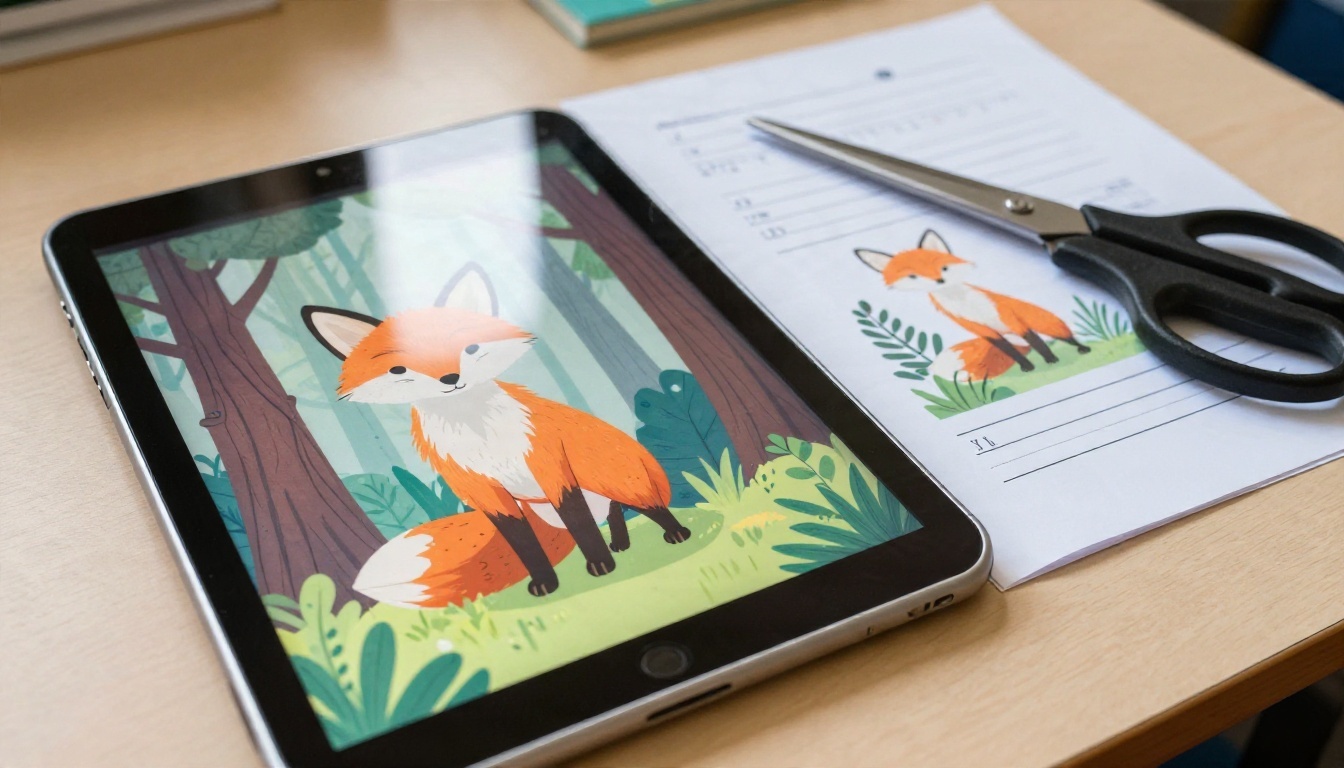
"A friendly red fox standing in a green forest clearing, soft daylight, simple background, clear outlines"
"Five apples on a wooden table, evenly spaced, top-down view, white background"
"A cross-section of a plant showing roots, stem and leaves, clean simple background"
Keep backgrounds plain so the image prints well on a school printer and does not eat ink. For sharper results at print size, Nano Banana Pro produces higher resolution images.
💡 Print tip: ask for "white background" and "no text in the image." Image models still struggle with small words, so add labels yourself in your document.
Check Before You Print
Fact-Check the Answer Key
Solve at least three questions yourself, and always the hardest one. If the model got an answer wrong, it may have written the question wrong too. For history, science and any date or number, verify against your textbook or a trusted classroom source.
Protect Student Privacy
Never paste real student names, grades, IEP details or any identifying information into an AI tool. If you want a worksheet tailored to a student's needs, describe the need in general terms: "a student reading about two grades below level who likes soccer."
3 Common Mistakes
Mistake
What happens
Fix
Prompt is too short
Generic, off-level questions
Use the five part formula
No answer key requested
You re-solve everything by hand
Ask for the key in the same prompt
Printing without reading
Typos, repeated questions, wrong answers
Review the full sheet on screen first
Another quiet issue is repetition. If you ask for 20 questions, check that they are not 20 versions of the same one. Add "each question must test a different skill" to your prompt.
A Weekly Workflow That Holds Up
Build a Prompt Library
Save your best prompts in one document, labeled by subject and grade. When a prompt works, you reuse it with a new topic and get a consistent result. After a month, most teachers have a dozen prompts that cover nearly everything they teach.
Batch Your Prep
Instead of making one sheet at a time, sit down once and generate the whole week:
List your five lessons and their goals.
Run one prompt per lesson.
Ask for a differentiated version of each.
Generate one picture per sheet where it helps.
Review everything in one sitting, then print.
Keep a Folder of Finished Sheets
Save each reviewed worksheet and its answer key with a clear name, such as "Grade4_Fractions_Unlike_Denominators." Next year, you will already have the best version and can tweak it in two minutes. Over time, you stop starting from zero and start editing from a library you trust.
Quick Reference Checklist
Prompt includes grade, topic, format, constraints and layout
Answer key requested and spot-checked
Reading level confirmed
Pictures use plain backgrounds
No student names or private details entered
Previewed on screen before printing
Make Your First Worksheet Today
Pick one topic you teach this week. Copy the template from this article, fill in the brackets, and run it in Claude Sonnet 5 or GPT 5.6 Luna. Read the draft, fix what feels off, and print it. Then open Nano Banana and make one picture to go with it.
Try the same prompt in two different models and compare the results; you will quickly find which one writes the way you teach. When you are ready to go further, browse the full list at picassoia.com/en/all-models and see what else fits your classroom, from image generation to speech tools for read-aloud audio.
Your Sunday night is yours again. Go make something your students will actually want to pick up.