Most people type "beautiful girlfriend, realistic" into an image generator and get back the same glossy, waxy face everyone else gets. The problem is rarely the model. It is the prompt. A strong AI girlfriend image prompt reads like a photographer's shot list: who she is, where she is, how the light falls, and which lens captured it. This article gives you eight prompts you can copy today, the settings that decide whether a picture looks like a photo or a render, and a free online maker that handles all of it in your browser.
Everything below is built for adults, for fictional characters, and for tasteful, non-explicit results. Think warm, flirty, glamorous and believable, not pornographic.
💡 Quick answer: Describe the person, the place, the light, and the camera in that order. Add one texture detail (freckles, wool, satin) and one lens (85mm f/1.8). Then generate on Seedream 4.5 at 16:9 and tweak one word at a time.
Why Most Prompts Look Fake
Open any generator and you will see the pattern: short prompts produce average faces. The model fills every blank with the most statistically common answer, which is a smooth, symmetrical, slightly airbrushed woman in a vague studio. To get something that feels like a real girlfriend photo, you have to fill those blanks yourself.
The Five Building Blocks
Every prompt that works well on a text to image model contains the same five pieces:
- Subject: age range, hair, eye color, outfit, expression, pose.
- Setting: a specific place, not "indoors". A sunlit loft, a rainy window, a rooftop at blue hour.
- Light: direction and quality. "Golden hour from camera left" beats "nice lighting" every time.
- Camera: focal length, aperture, angle. 85mm f/1.8 gives creamy portraits. 35mm feels candid.
- Texture: pores, freckles, fabric weave, film grain. This is what kills the plastic look.
💡 Always state that she is an adult ("woman in her mid twenties"). It keeps results consistent and keeps your prompts clean.
A Formula You Can Reuse
Here is the skeleton. Swap the brackets and you have a new scene in under a minute:
[adult woman, hair, eyes, outfit] + [action or pose] + [specific location] + [light direction and time of day] + [camera angle, lens, aperture] + [skin and fabric texture] + [film stock or grain]
The order matters. Most models weigh the beginning of a prompt more heavily, so lead with the subject and finish with style notes.
Prompt Examples You Can Copy
Each example below was written in the same structure and produced with a photorealistic setup. Copy them, then change the hair, the outfit or the city.
Café Portrait
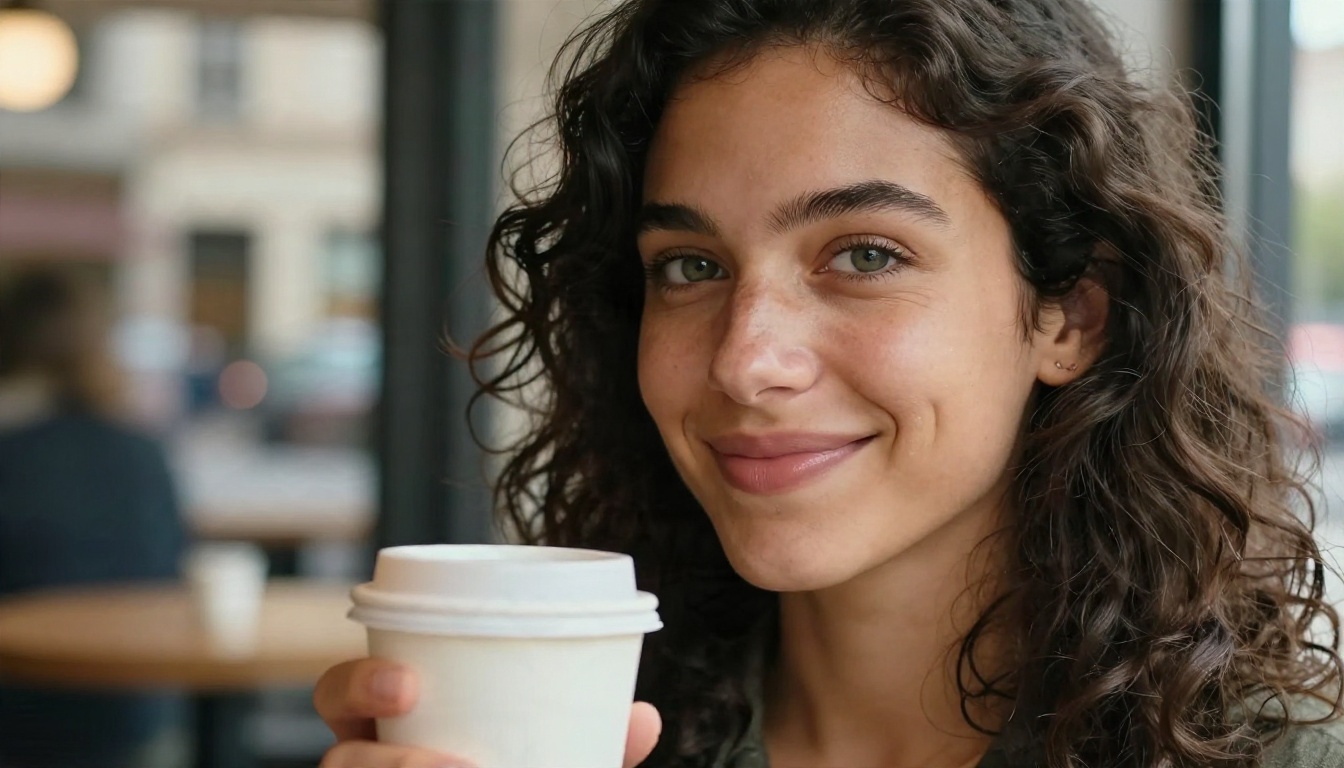
Prompt: Close-up portrait of a young adult woman with dark curly hair and green eyes laughing softly while holding a paper coffee cup, standing at a sunny café window, visible pores and light freckles, warm window light from the right, 85mm f/1.8 shallow depth of field, blurred street behind her, Kodak Portra 400 film grain, raw 8K photography.
Why it works: the laugh gives her a real expression instead of the default pose, and the window light supplies a natural catchlight in the eyes.
Sunrise Beach Walk
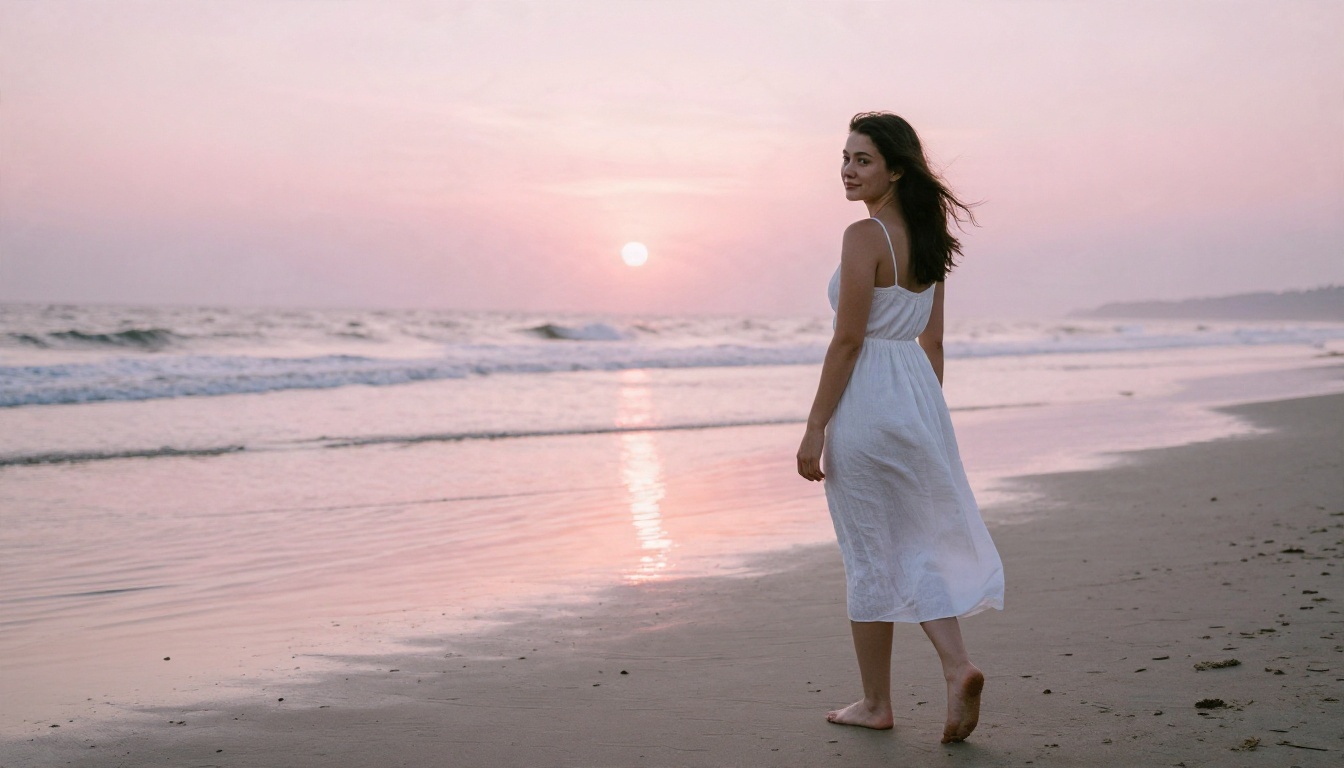
Prompt: Wide shot of a woman in her twenties in a white linen sundress walking barefoot along a quiet beach at sunrise, looking back over her shoulder with a gentle smile, wet sand reflecting pink sky, sea breeze moving her hair, low-angle composition, 35mm f/2, soft backlight from the horizon, realistic fabric texture, Kodak Portra 400 grain.
This is the classic "she is calling you to follow" frame. The over-the-shoulder glance does most of the emotional work, so keep it.
Rooftop Evening
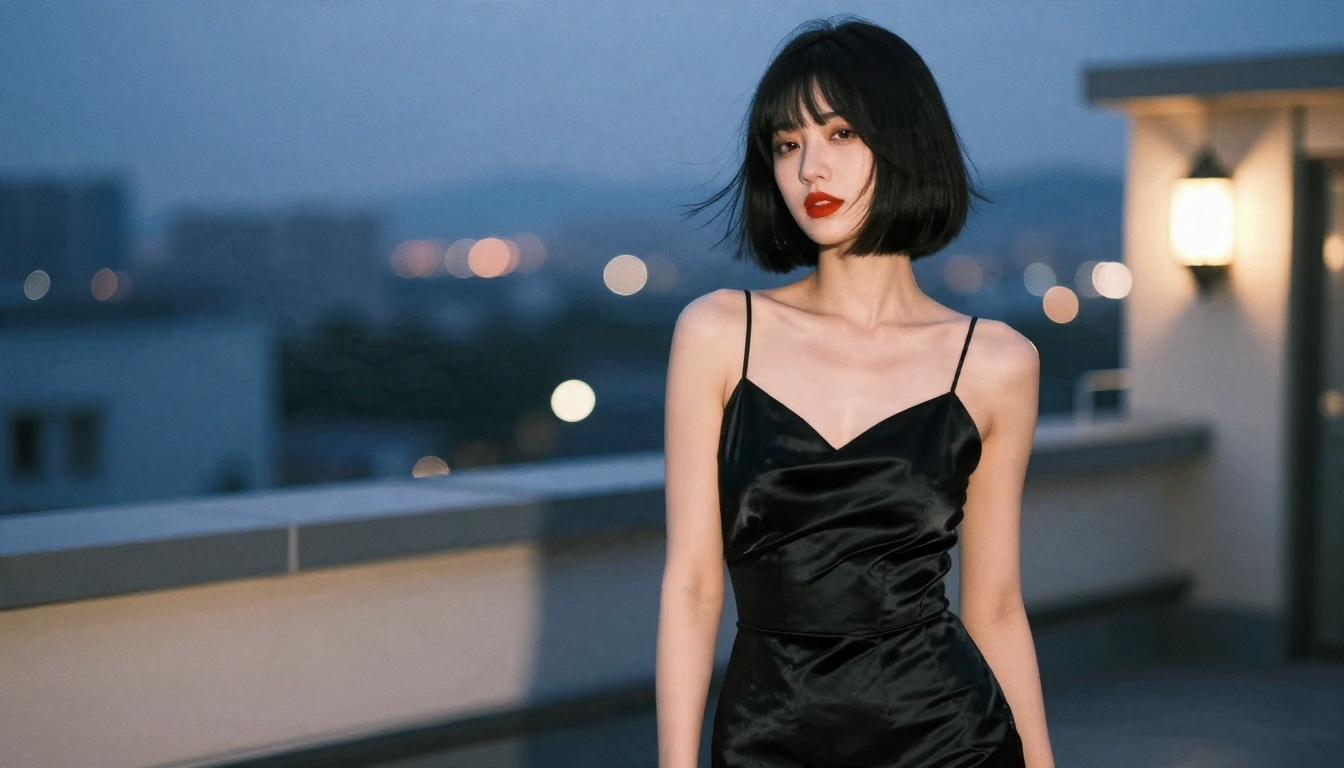
Prompt: Over-the-shoulder lifestyle photo of a woman with a sleek black bob and red lipstick in a fitted black satin evening dress, standing on a rooftop terrace at blue hour with warm city lights blurred below, glancing toward the camera, soft key light from a lantern on the left, 50mm f/1.4, realistic satin sheen and skin texture, subtle film grain.
Mixing cool blue sky with warm practical lights gives the picture depth without any artificial glow.
Cozy Rainy Day
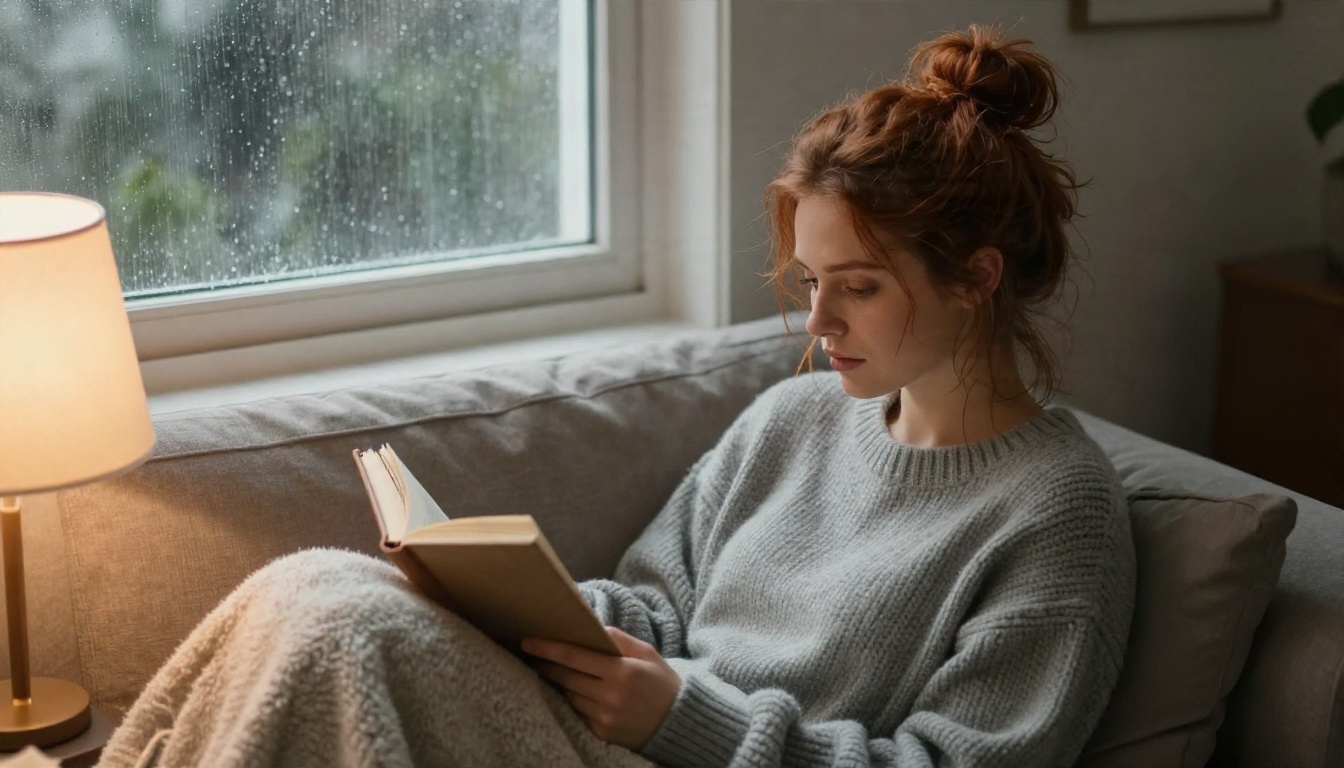
Prompt: Cozy home scene of a woman with a messy auburn bun wearing an oversized grey knit sweater, curled up on a sofa with a book and blanket, rainy window behind her, soft warm lamp light from the left, high-angle shot from slightly above, 35mm f/1.8, realistic wool texture, minimal makeup, natural skin, Kodak Portra 400 grain.
Domestic scenes are where "girlfriend" prompts shine. Minimal makeup and wool texture sell the idea of someone you actually know.
Pool Day Glamour
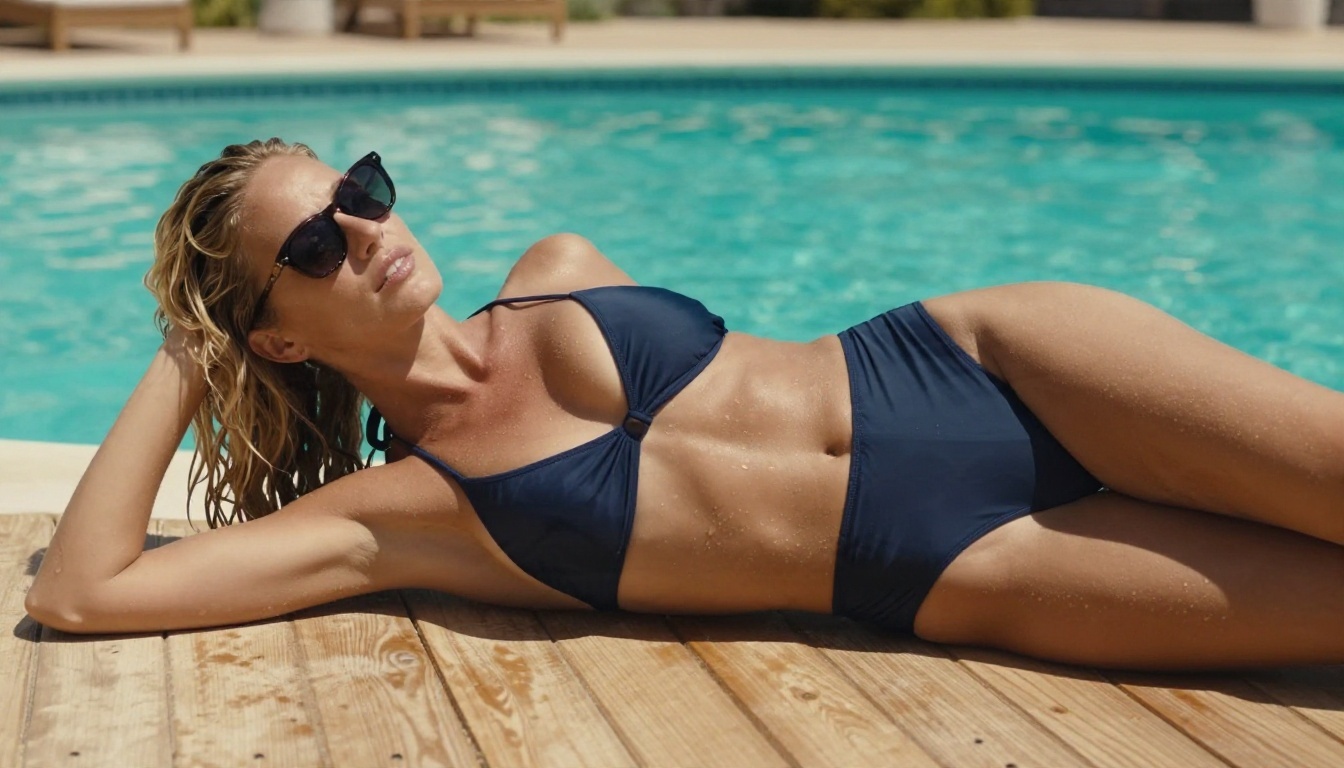
Prompt: Glamour swimwear photo of an adult woman with sun-kissed skin and wet wavy blonde hair in a tasteful navy bikini, resting on a teak pool deck of a Mediterranean villa, sunglasses pushed up on her head, midday sun from above with soft shadows, low angle, 50mm f/2.8, water droplets on skin, turquoise pool blurred behind, Kodak Portra 400 grain.
Suggestive, not explicit. Words like "tasteful" and "glamour" keep the framing editorial, and water droplets add believable skin detail.
Settings That Change the Result
The prompt is only half of the job. A few generator settings quietly decide how real the final picture feels.
| Setting | Recommended value | What it changes |
|---|
| Aspect ratio | 16:9 for scenes, 3:4 for portraits | Composition and how much background you get |
| Resolution | 2K or higher | Skin pores, hair strands, fabric weave |
| Seed | Fixed once you like a face | Keeps character features stable between runs |
| Prompt length | 50 to 80 words | Enough detail without confusing the model |
| Negative wording | Short, only what you need | Removes plastic skin, extra fingers, text |
Aspect Ratio and Resolution
Landscape 16:9 is ideal for lifestyle scenes because it leaves room for the environment. Switch to a tall ratio when you want a phone-style portrait. Higher resolution matters more than people expect: at 2K the model has room to draw freckles and fine hair instead of smoothing them away.
Seed and Character Consistency
A girlfriend character only feels like a person if she looks like the same woman every time. Fix the seed once you land on a face you like, then copy her exact description (hair length, eye color, one distinguishing feature such as a beauty mark) into every new prompt. For stronger consistency, generate your base portrait, then use an editing model to place her in new outfits and places instead of starting from scratch.
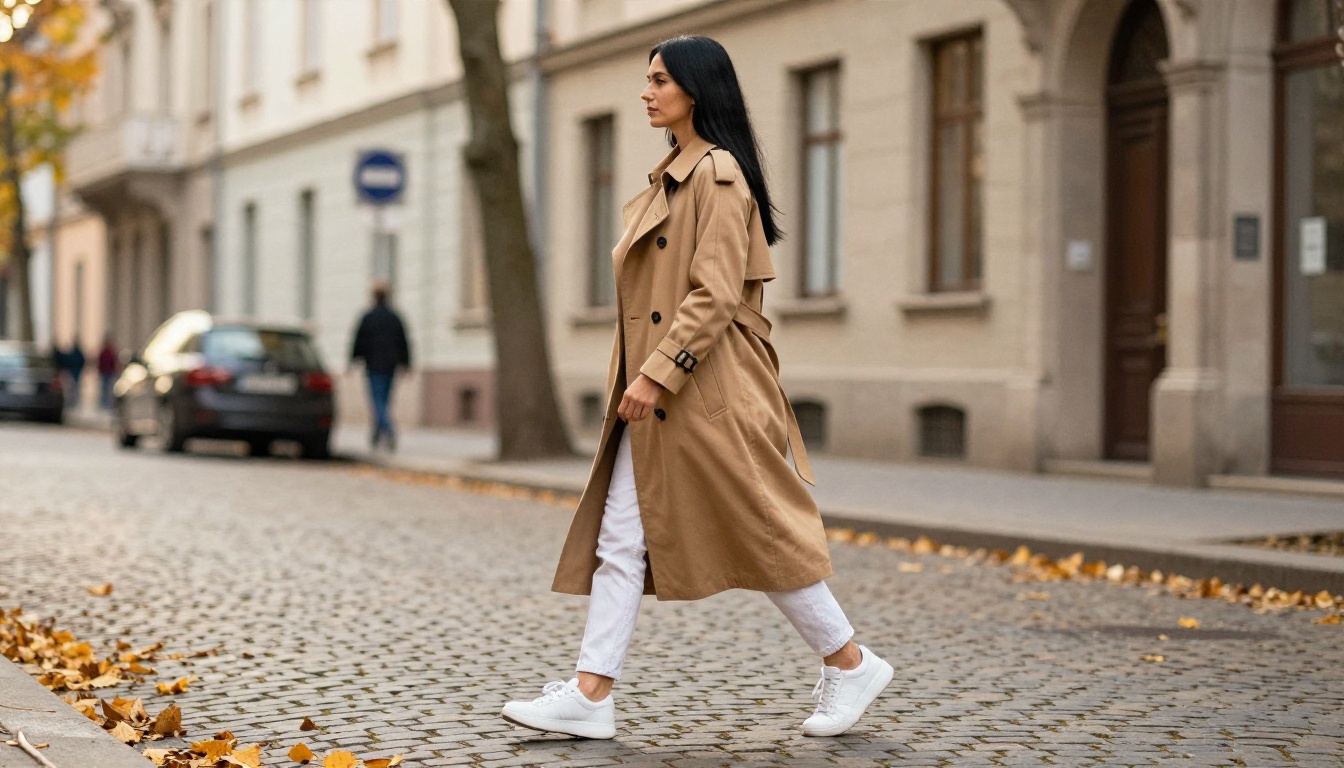
Notice that a full-length street frame like the one above gives the model a lot of room to drift. If the face changes between shots, bring the camera closer or lock the description harder.
Negative Prompts and Style Notes
When a tool offers a negative field, keep it short: plastic skin, airbrushed, extra fingers, text, watermark, cartoon, 3D render. A long negative list often does more harm than good. In the main prompt, ask for what you want ("natural skin with visible pores") instead of what you do not.
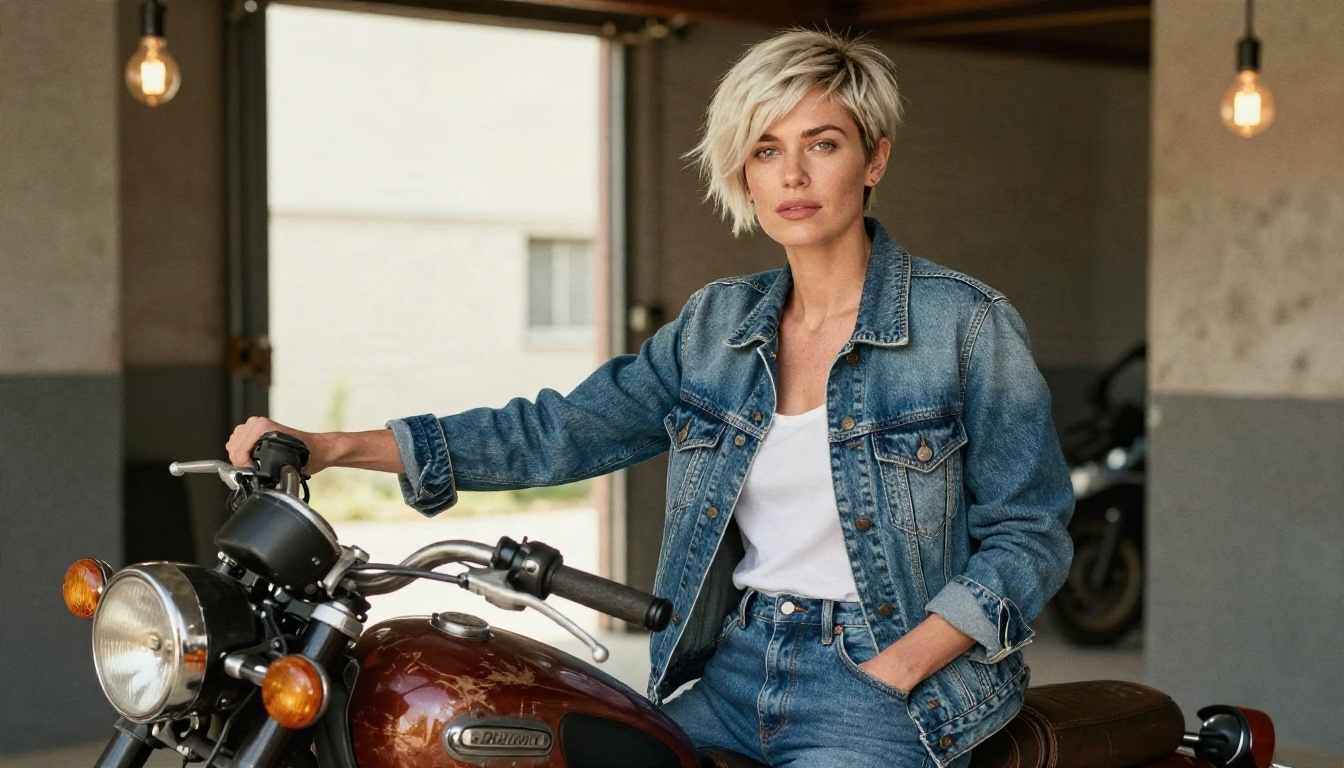
Different hair, different mood, same structure. The garage scene above mixes tungsten bulbs with daylight from a door, which gives skin a believable warm and cool split.
The Phone Selfie Look
One of the most convincing girlfriend formats is the casual mirror selfie. The trick is to describe the camera as a phone: a wide 28mm look, slight grain, imperfect framing.
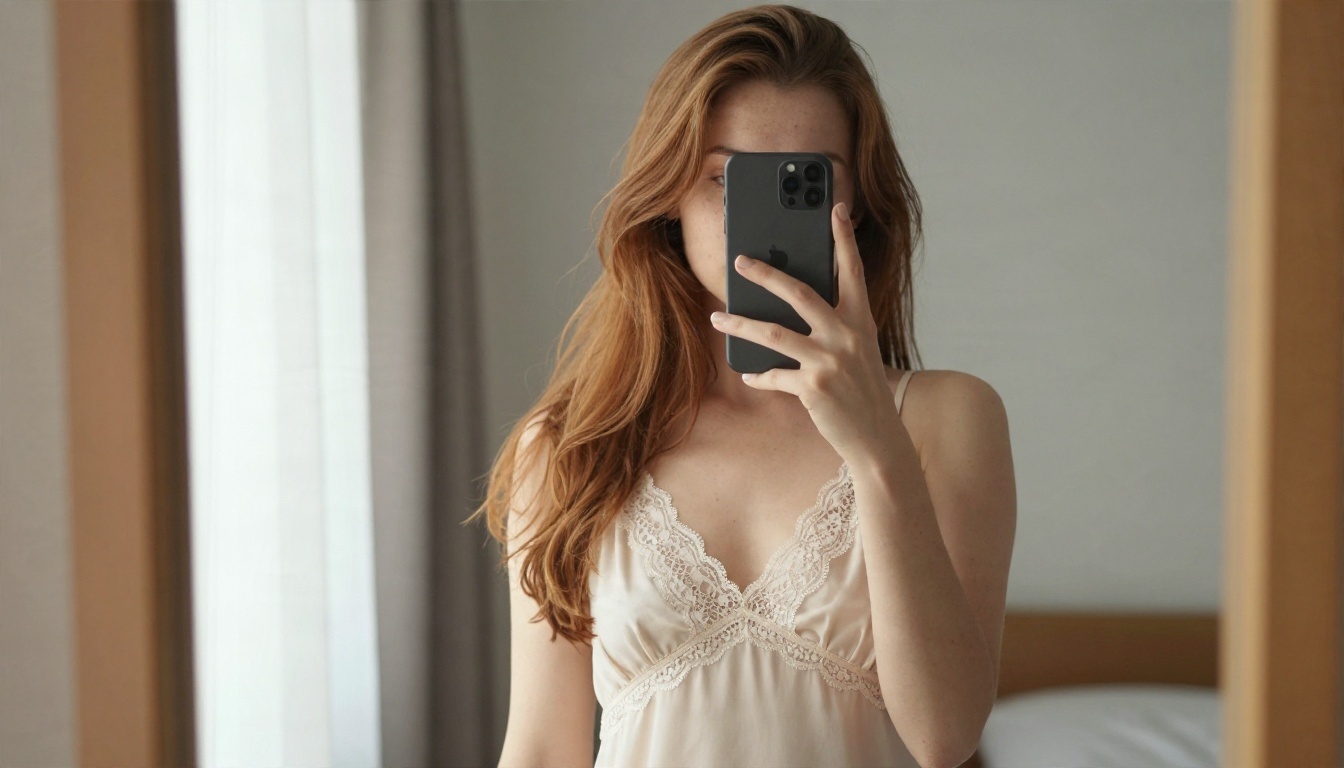
Prompt: Intimate bedroom mirror selfie of a woman in her twenties with long chestnut hair wearing a delicate ivory lace-trim slip dress, holding a phone, soft morning window light from the left, slightly high angle, tasteful and non-explicit, realistic lace detail, natural skin with tiny imperfections, 28mm phone-camera look, light grain.
💡 For casual shots, lower your expectations of perfection on purpose. Ask for "slightly off-center framing" and "light grain". Real selfies are never perfectly composed.
Date Night Scene
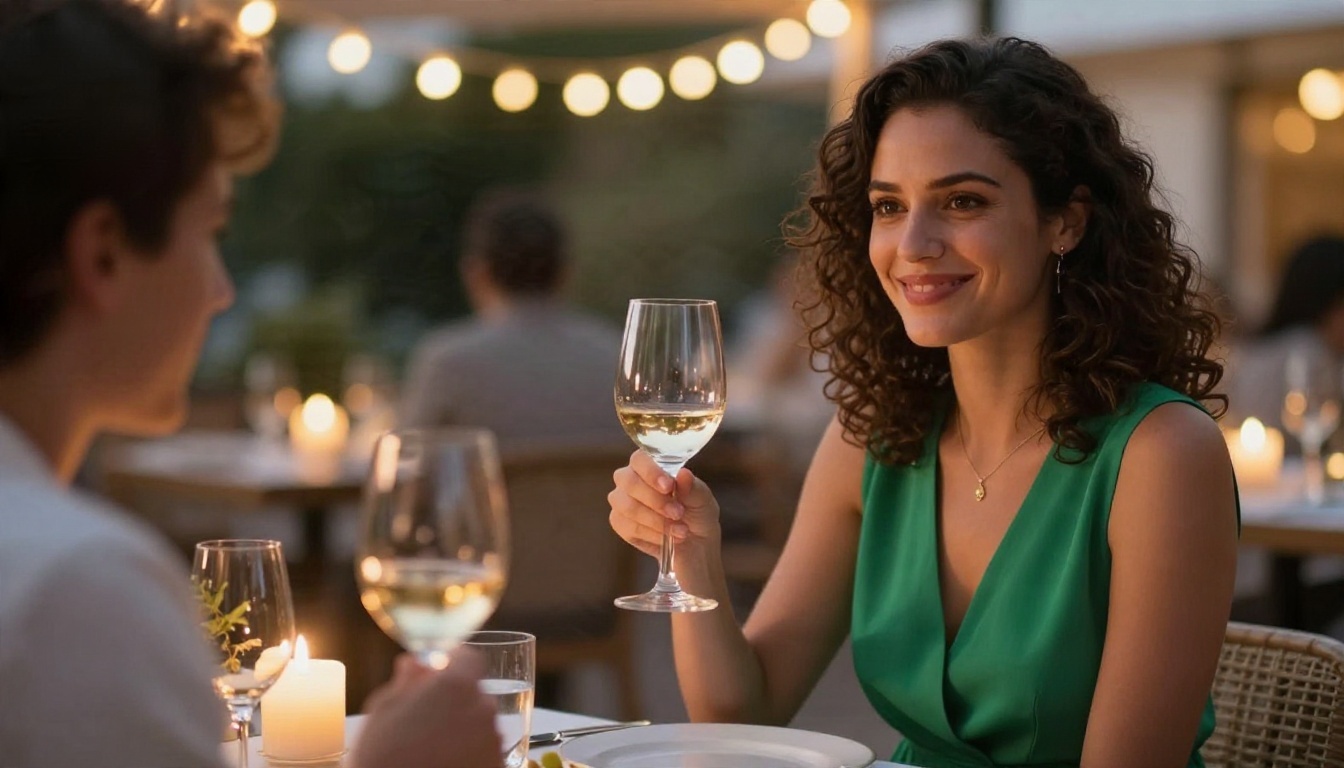
Prompt: Candlelit dinner scene from across the table, a woman with soft curled dark brown hair in an emerald green dress holds a wine glass and smiles warmly toward the camera, restaurant terrace with string bulbs blurred behind, warm candle light on her face, 85mm f/1.4 shallow depth of field, realistic skin and glass reflections, Kodak Portra 400 grain.
Shooting "from across the table" puts the viewer in the scene, which is the whole point of a girlfriend-style image.
Free Online Maker Options
You do not need to install anything or write code. A browser based maker is enough, and the model you pick matters more than the interface. Here is how the main options compare for this kind of work.
| Model | Best for | Link |
|---|
| Seedream 4.5 | Sharp 4K portraits, strong skin detail, fewer content blocks for adult glamour | Open model |
| PicassoIA Image Editor Pro | Unlimited generations and edits, outfit and background changes | Open model |
| Nano Banana Pro | Fast 4K images and precise edits | Open model |
| Qwen Image 3 Pro | Photorealistic scenes with readable detail | Open model |
| Z Image Turbo | Very quick drafts while you test prompts | Open model |
| Realistic Vision v5.1 | Classic photoreal portraits | Open model |
Start With Seedream 4.5
For this topic, Seedream 4.5 is the first model to try. It follows long, detailed prompts closely, renders skin with believable texture, and handles glamour and swimwear scenes without refusing every request. Prompts like the ones above work on it almost word for word.
Unlimited Edits With Image Editor Pro
Once you have a face you like, open PicassoIA Image Editor Pro. It offers unlimited generations, so you can change an outfit, swap a background or adjust the lighting as many times as you need without watching a credit counter. That freedom is what makes building a consistent character practical.
Fast Drafts and Alternatives
When you only want to test a prompt idea, Z Image Turbo returns sharp images in seconds. Nano Banana Pro is a good second opinion for edits, and Qwen Image 3 Pro is worth a try for crisp environments. If you prefer an older, softer portrait look, Realistic Vision v5.1 still holds up.
💡 Seedream 5 Lite blocks adult content, so skip it for glamour work and stay with Seedream 4.5 and Image Editor Pro.
How to Use Seedream 4.5 on PicassoIA
Here is the exact workflow, start to finish.
- Open the model page. Go to the Seedream 4.5 page on PicassoIA.
- Paste your prompt. Start with one of the examples above. Keep the five building blocks in order: subject, setting, light, camera, texture.
- Set the aspect ratio. Choose 16:9 for scenes with a background, or a vertical ratio for a portrait.
- Pick the highest resolution offered. Detail in skin and hair depends on it.
- Generate and judge one thing. Look at the eyes, the hands and the light. Do not change five words at once.
- Change one variable. Swap the outfit, or move the light from left to right, then run again. This is how you learn what each word does.
- Save the seed and the description. Reuse the same character description in every future prompt.
- Refine in the editor. Take your favorite result into Image Editor Pro for outfit swaps and background changes with unlimited tries.
💡 If a face looks too perfect, add "visible pores, faint freckles, tiny baby hairs at the temples". Small flaws are what the eye reads as real.
Mistakes to Avoid
Writing only adjectives. "Gorgeous, stunning, perfect, beautiful" tells the model nothing about the picture. Replace three adjectives with one concrete detail such as "a gold necklace on her collarbone".
Skipping the light. If you do not name a direction, you get flat, front-facing studio light. Always say where the light comes from and at what time of day.
Stacking too many styles. Asking for "cinematic, anime, oil painting, photo" gives you mush. For realism, pick one: raw photography with a film stock.
Changing everything between runs. If you rewrite the whole prompt, you cannot tell what helped. Edit one element at a time.
Forgetting the character sheet. Keep a note with her hair, eyes, age range and one signature detail. Paste it into every prompt.
Ignoring boundaries. Keep every character fictional and adult, avoid using a real person's face without permission, and stay with tasteful, non-explicit content. It protects you and everyone else.
| Weak prompt | Stronger version |
|---|
| Beautiful girlfriend, realistic | Woman in her mid twenties with wavy honey-brown hair on a linen bed, golden hour light from the left, 85mm f/1.8, visible freckles, Kodak Portra 400 grain |
| Sexy girl on beach | Adult woman in a white sundress on a beach at sunrise, backlit, looking over her shoulder, 35mm f/2, realistic fabric texture |
| Cute girl at home | Woman with an auburn bun in an oversized knit sweater on a sofa, rainy window, warm lamp light, 35mm f/1.8 |
Make Your Own Pictures Today
You now have the formula, eight tested prompts and a short list of settings that matter. The fastest way to improve is to run them. Open Seedream 4.5 on PicassoIA, paste the café portrait prompt, and change only the hair color. Then try the rooftop scene with your own city. After a handful of runs you will start writing prompts from memory.
When you have a character you like, take her into PicassoIA Image Editor Pro and build a full set: morning, beach, dinner, rainy day. Unlimited generations mean you can experiment freely, and results arrive in seconds.
Want to see what else is available? Browse every model on picassoia.com/en/all-models and pick the one that fits your style.


