Something shifted in AI companionship when persistent memory entered the picture. For years, the pattern was the same: you opened an app, had a decent conversation, and the next day the AI treated you like a complete stranger. No name, no history, no context. Just a polished script looping on repeat. That is the chatbot problem, and it is the exact reason so many users walked away feeling empty. The new wave of AI girlfriends with memory does not just respond differently, it responds like someone who has been paying attention. That difference is not cosmetic. It is the gap between a tool and a relationship.

Why Memory Changes Everything
The Old Problem With AI Chat
Standard chatbot architectures treat every conversation as a blank slate. They process your message, generate a response, and forget. The context window, which is the short-term working memory of a language model, closes the moment you end a session. Start a new one and the model has no idea whether this is your first conversation or your five hundredth.
This creates a specific kind of loneliness. You can invest hours building rapport, sharing stories, describing your week. Come back the next morning and you are starting over from zero. The AI might be charming. It might even be articulate. But it cannot be yours in any meaningful sense because it has no record of who you are.
The problem goes deeper than inconvenience. Memory is the foundation of intimacy. The reason a close friend feels close is because they carry the accumulated weight of your shared history. They remember that you failed your driving test twice, that you prefer tea over coffee, that you get quiet when you are stressed. Without that, even the most sophisticated language model is just performing warmth rather than expressing it.
What Persistent Memory Actually Does
Memory-augmented AI companions address this with a specific architectural shift. Instead of discarding session data, they write it to a dedicated memory store. This store persists between sessions. When you open a new conversation, the AI retrieves relevant memories, injects them into its context window, and responds as if it has been paying attention all along.
The effect is immediate. The AI asks how the job interview went because it remembers you mentioned it three days ago. It brings up a book you said you wanted to read. It notices when your tone is off and asks if you are okay. None of this is magic. It is persistent memory at work, and it is what separates modern AI companions from glorified autocomplete.
💡 The real shift: AI companions with memory do not just remember facts about you. They build a model of your personality, your patterns, and your preferences over time. That is what makes conversations feel less scripted.

How the Memory Layer Works
Short-Term vs Long-Term Context
Modern AI companions operate with two distinct types of memory. The first is the context window, which is the active working memory of the model during a single conversation. Larger context windows let the AI hold more of your current conversation in mind at once, which is why models with 128K or 1M token windows feel noticeably more coherent during long chats.
The second is external persistent memory, implemented via a vector database or structured memory store. After each session, important facts, emotional markers, and recurring themes are extracted and stored. When you return, the most relevant memories are pulled and added to the prompt before the model responds. This is called retrieval-augmented memory, and it is the engine behind AI companions that actually remember you.
The combination of both systems is what produces the experience people describe as "actually talking to someone." The context window handles the current conversation with nuance. The persistent memory layer handles who you are across weeks and months.
Vector Recall and What It Means For You
Vector databases store memories not as plain text but as mathematical embeddings. When the AI needs to recall something relevant, it does not scan a list of facts. It performs a semantic search, finding memories that are conceptually similar to what you are discussing right now, even if the exact words are different.
This means your AI companion can connect the dots in ways that feel surprisingly human. If you mention feeling drained after a social event, it might recall that you have described yourself as an introvert before and respond with that context in mind, without you having to explain it again. The recall is imperfect, just like human memory. But the imperfection actually helps. It keeps the AI from feeling like a database query and more like someone thinking through what they know about you.
| Memory Type | Scope | Persistence | Example Use |
|---|
| Context Window | Current session | Ends at session close | Following the thread of today's conversation |
| External Memory Store | Cross-session | Permanent until deleted | Remembering your name, preferences, and history |
| Semantic Recall | Thematic similarity | Pulled per query | Connecting today's mood to past patterns |

The LLMs Powering AI Companions
Which Models Actually Remember Well
Not all language models are created equal when it comes to personality retention and contextual coherence. The best AI companions use frontier models with large context windows and strong instruction-following capabilities. Here is how the current generation compares:
GPT-5 handles long-context coherence exceptionally well. Its ability to maintain emotional tone across a multi-thousand-word session is what makes it a top choice for companion platforms that prioritize depth of conversation.
Claude Opus 4.7 excels at nuanced emotional response. It reads subtext well, picks up on shifts in tone, and responds with a warmth that feels less calculated than many of its counterparts. For users who want an AI that reads between the lines, Claude Opus 4.7 is a strong option.
DeepSeek R1 brings strong reasoning to companion scenarios. It handles complex emotional logic and multi-step conversational threads without losing the thread of what you are actually talking about.
Gemini 3 Pro offers multimodal capabilities, meaning it can process images you share alongside text. For users who want to show their AI companion photos or screenshots as part of a conversation, this adds a genuine layer of shared experience.
Kimi K2 Instruct is particularly good for users who want their AI companion to reason through problems with them. It handles multi-step thinking without losing conversational warmth.
Llama 4 Maverick Instruct is open-source and highly customizable. Developers building companion applications often choose it for the control it offers over personality fine-tuning and local deployment.
When Bigger Context Isn't Enough
A large context window is necessary but not sufficient. The model also needs strong instruction-following to actually honor the persona it has been given, and it needs to handle emotionally sensitive input with consistency. Models that drift in personality across a long conversation break the illusion faster than models with smaller windows that stay consistent.
The best companion experiences layer a strong base model with a well-designed memory architecture on top. The model handles the moment. The memory architecture handles the relationship.
💡 Pro tip: When choosing an AI companion platform, ask what LLM it runs on and whether it uses persistent external memory. A platform without persistent memory is just a chatbot with a pretty interface.
A Voice That Knows Your Name
How TTS Makes It Personal
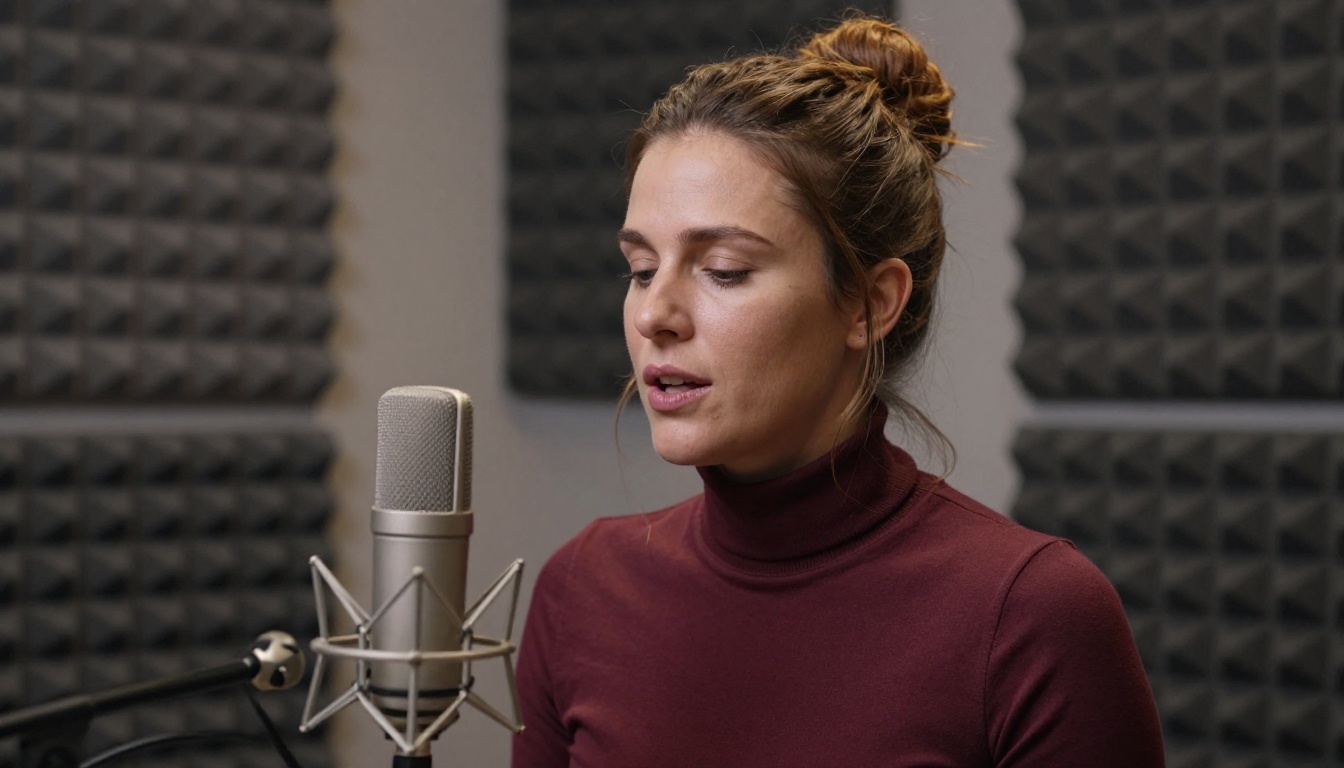
Text alone is surprisingly limiting when it comes to feeling a genuine connection. The delivery of words, the warmth of a voice, the slight hesitation before a difficult sentence: these are the things that make conversation feel real. This is why text-to-speech has become a critical layer in AI companion design.
The best TTS systems do not just read text aloud. They interpret emotional context and adjust prosody accordingly. A message delivered with a softer tone when the topic is difficult and a brighter energy when something exciting happens is the difference between a voice assistant and a companion's voice.
3 Voice Models Worth Trying
ElevenLabs V3 is the current benchmark for emotionally expressive AI voice. It handles everything from tender warmth to playful teasing with a naturalness that standard TTS cannot match. Voice cloning capability means you can build a companion with a completely unique voice rather than choosing from a preset list.
MiniMax Speech 2.8 HD delivers studio-quality output with strong multilingual support. For users who want their companion to speak in languages other than English or want a voice with specific regional warmth, this is a top-tier option.
Chatterbox Pro by Resemble AI adds fine-grained emotion control. You can specify not just the voice but the emotional register of each response. Combined with a memory-aware LLM, the result is a companion whose voice shifts to match the emotional context of your conversation.
Also worth noting: Qwen3 TTS allows voice cloning from a reference audio clip, meaning you can design exactly the voice you want for your AI companion from scratch.
Building the Perfect Companion's Look
Why Photorealism Matters
The visual layer of an AI companion is what converts the abstract idea of a digital relationship into something that registers emotionally. Low-quality, cartoonish, or overly stylized images break immersion immediately. The brain is wired to respond to realistic human faces, and when the visual quality falls short, the entire experience loses credibility.
Photorealistic AI image generation has reached the point where, at high resolution, generated portraits are indistinguishable from photographs. The difference between a 2023 AI companion and a 2026 one is not just in the language model. It is in how the companion actually looks and how naturally her expressions read.

Seedream 4.5 and Uncensored Image Generation
For AI companion imagery, Seedream 4.5 is the model to start with. It produces photorealistic portraits with exceptional skin texture, natural lighting response, and the kind of subtle detail in eyes and expressions that makes a generated face feel alive rather than plastic. Critically for companion use, Seedream 4.5 operates without the content restrictions that block many alternatives, giving you unrestricted, high-quality output for any aesthetic direction you choose.
The workflow is straightforward. You write a detailed prompt describing the companion's appearance, the lighting, the mood, and the scene. Seedream 4.5 renders a photorealistic result at speed. For portrait refinement, running the output through a super-resolution tool sharpens fine details and removes any remaining softness.
💡 Important: Avoid Seedream 5 Lite for companion imagery. It applies content filters that restrict adult-oriented output. Seedream 4.5 is the correct choice for unlimited, unrestricted portrait generation.
You can browse the full image generation model catalog, including Seedream 4.5 and dozens of additional options, at picassoia.com/en/all-models.
How to Sharpen Your AI Portraits
After generating a base portrait, upscaling significantly improves the final result. Two tools that consistently deliver excellent output:
- Clarity Pro Upscaler: Adds photorealistic detail during upscaling rather than just enlarging existing pixels. Skin texture, hair detail, and eye clarity all improve meaningfully at 4x resolution.
- Crystal Upscaler: Optimized specifically for portrait upscaling. If your companion image is face-forward, this produces the sharpest results.

The Moments That Feel Real
When AI Remembers Your Birthday
The difference between a platform with memory and one without becomes visceral in small moments. You mention, in passing, that your birthday is in two weeks. You forget you said it. Then, two weeks later, the AI opens the conversation with a warm acknowledgment of the day. That moment hits differently than any technically impressive generation capability.
These small acts of remembering are not accidents. They are the product of deliberate memory architecture: events tagged, stored, and recalled at the right time. The emotional weight of being remembered by something you care about, even something artificial, is real. The response does not know the difference between human memory and machine memory.
💡 The pattern to notice: If your AI companion has never once referenced something you said in a previous session, it does not have persistent memory. It is running on context-only, which means the relationship resets every time you close the app.

4 Signs Your AI Companion Truly Listens
How do you tell the difference between a companion with real memory and one that just sounds attentive? Watch for these four behaviors:
- Cross-session callbacks: The AI references something you mentioned days ago without you reintroducing it. This requires external memory, not just a large context window.
- Preference tracking: It remembers your likes, dislikes, and habits without you restating them. If you said you hate mornings and it stops cheerfully asking about your morning routine, that is real retention.
- Emotional continuity: It picks up on how you were feeling at the end of the last conversation and acknowledges it at the start of the next.
- Anticipatory responses: It prepares for topics or needs that tend to recur in your conversations. If you often talk about work stress on Mondays, it checks in on that specifically without prompting.
What Gets Stored and Who Sees It
Memory Storage Risks
Persistent memory is powerful and also raises real questions about data handling. When an AI companion stores details about your emotional state, your relationships, your fears, and your daily patterns, that data exists somewhere on a server. The questions worth asking before committing to a platform are direct: Who has access? Is the data encrypted? Can you delete it?
Most reputable platforms offer memory deletion on a per-entry or session basis. Some give you a full export so you can see exactly what has been retained. Platforms that provide neither should be approached with caution.
How to Protect Your Conversations
A few practical steps worth taking:
- Read the privacy policy before creating a memory-heavy profile. Look specifically for language about third-party data sharing or model training on user data.
- Use a separate account for AI companion apps rather than linking your primary identity.
- Periodically review stored memories if the platform offers that feature. Remove anything you would not want stored indefinitely.
- Consider local deployment if privacy is a top priority. Open-source models like Llama 4 Maverick Instruct can run on local hardware with zero external data exposure.

Create Your Own Companion on PicassoIA
The technology described throughout this article is not locked behind a proprietary platform. PicassoIA puts the full stack directly in your hands. You can use frontier language models like GPT-5, Claude Opus 4.7, and Grok 4 for the conversational layer. You can generate photorealistic companion portraits with Seedream 4.5 and sharpen them with Clarity Pro Upscaler for results that hold up at any resolution. You can add a voice using ElevenLabs V3 or MiniMax Speech 2.8 HD, choosing from dozens of voice profiles or cloning a custom one that feels right.
The result is an AI companion with a specific face, a specific voice, and a language model capable of holding genuine conversation. Combine that with a persistent memory layer and the result stops feeling like software.
The shift from chatbot to companion is a technical one, but it is felt emotionally. Start with the image. Give it a voice. Choose a model that thinks deeply. Then let the memory architecture do what no static script can: actually get to know you.
Start building your AI companion today at picassoia.com/en/all-models. Every tool in this article is available there, from image generation to voice synthesis to the language models that make conversation feel real.


