It is the night before Halloween, you have a bedsheet, a glue gun and zero ideas. Sound familiar? Most people lose hours scrolling through catalogs of overpriced polyester costumes that look nothing like the photo. There is a better way to work: describe the look you want, let an image model show you what it could look like, then build it from things you already own. That is what AI Halloween costume ideas are really good for. They turn a vague mood into a picture you can copy.
This article walks through real examples, the exact prompts behind them, and easy DIY looks that need nothing more than felt, face paint, cardboard and a little patience. You will also see how to run the process step by step on PicassoIA, so your next costume starts with a clear reference instead of a blank stare into the closet.
Why AI Works for Costumes
Costume planning is a visual problem. You are not trying to write an essay about a scarecrow, you are trying to decide whether the hat should be burlap or felt, whether the stitches go on the cheeks or the forehead. Text search gives you long lists. Image generation gives you an answer you can see.
An Idea Machine in Minutes
Type one sentence and you get a dozen directions. A "witch" can turn into a foggy forest wanderer, a Victorian widow, a thrift store grandma with a pointed hat. Each variation shows you props, color palettes and silhouettes before you spend a cent. The point is not to copy a render pixel for pixel. The point is to borrow decisions: the tattered hem, the muted charcoal, the broom with real straw.
Preview Before You Buy
Anyone who has ordered a costume online knows the gap between listing and delivery. A quick image preview closes that gap. You can test colors against your skin tone, check whether a prop looks silly at full size and rule out ideas that need materials you cannot find. It costs a few seconds, and it saves a lot of returns.
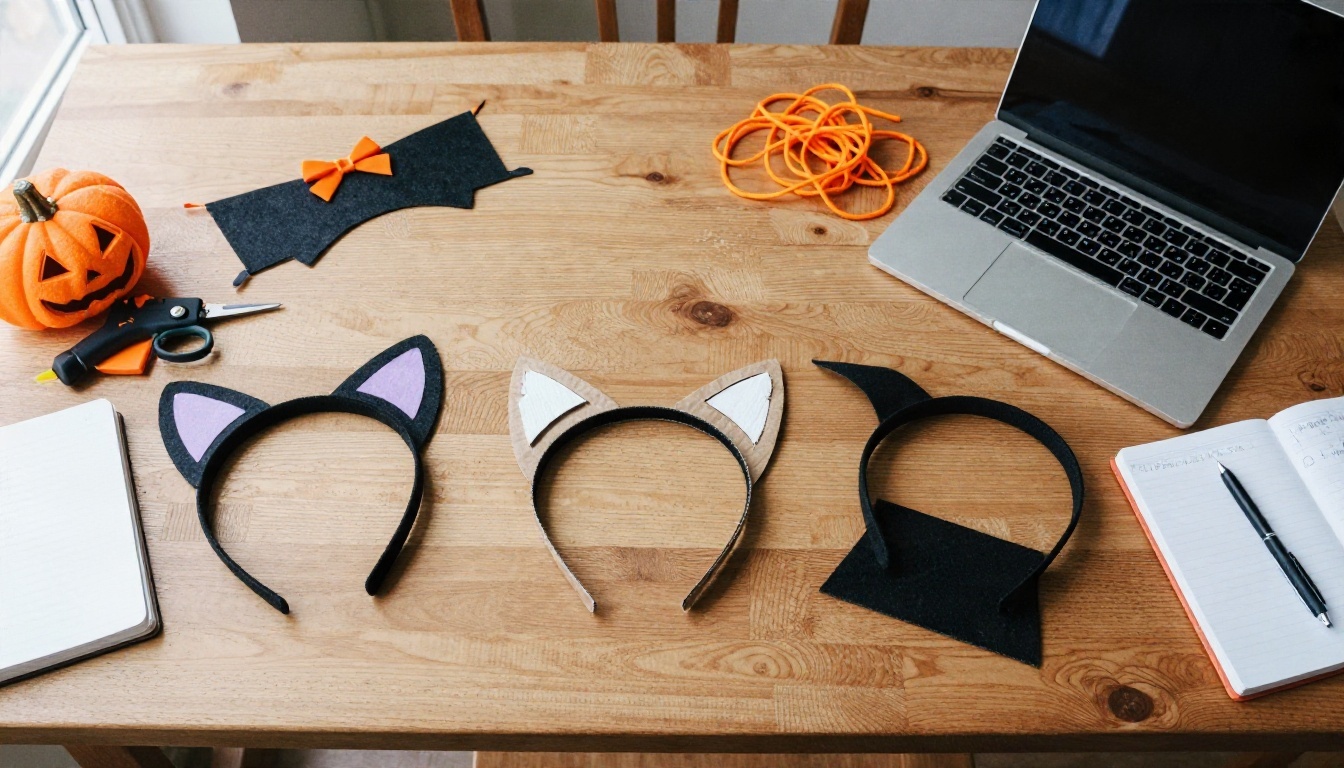
💡 Quick tip: Before you generate anything, photograph your supplies the way this flat lay does. Knowing you have black felt, white face paint and a glue gun shapes better prompts than a wish list of things you do not own.
Classic Costume Ideas With Prompts
Classics stay classic because everyone recognizes them from across the room. The trick is giving each one a specific, believable twist. Below are four looks, each with the thinking behind it and a prompt you can adapt.
The Handmade Vampire
The cover image shows the idea: a burgundy velvet cape with a stiff collar, pale makeup, plum lips and a single brass candlestick. Nothing here is expensive. A cape is a rectangle of fabric with a ribbon at the neck, and the collar is cardboard wrapped in the same material. The mood comes from candlelight and dark wood, not from fangs.
Prompt to try: Photograph of a young woman in a handmade vampire costume, burgundy velvet cape with a high collar, lace choker, pale makeup with plum lips, holding a brass candlestick in a candlelit Victorian hallway, warm candle glow from the left, 85mm lens, shallow depth of field, Kodak Portra 400 film grain.
The Burlap Scarecrow
Scarecrows are the best budget costume on the list. You need old flannel, a burlap sack or a cut feed bag, a handful of raffia, and a brown eyebrow pencil for stitch lines. The portrait below shows how far texture goes: straw poking out of sleeves and a patched hat sell the look more than any mask could.
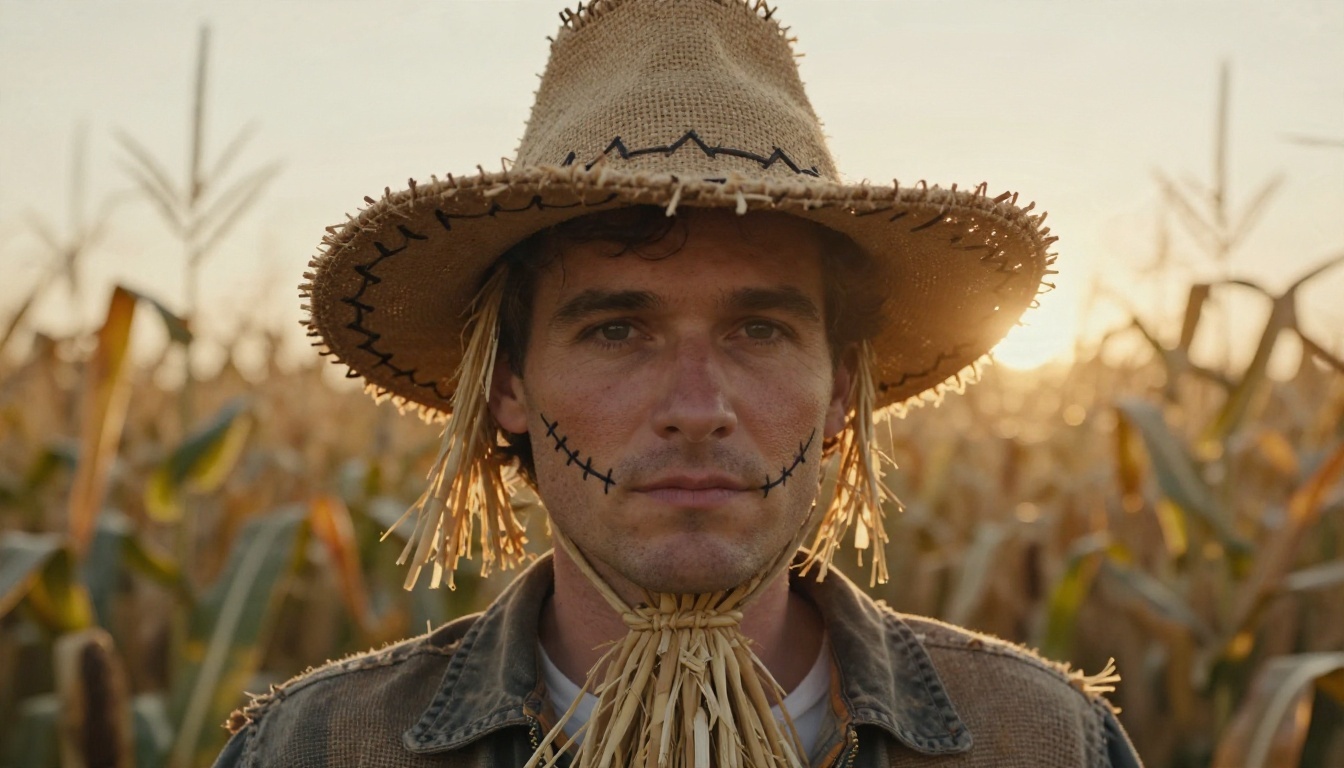
Prompt to try: Close-up portrait of a man dressed as a scarecrow, stitched burlap hat, straw poking from his sleeves, painted stitch lines on cheeks, golden cornfield at sunset, warm backlight, 85mm f/1.8, rough fabric texture.
The Forest Witch
Forget the shiny, plastic witch hat. A more modern take is a layered tulle skirt in charcoal and black, a hat with frayed edges and a straw broom. Fog and fallen leaves do the rest of the work in photos. For a real-life version, cut tulle strips, tie them around a cheap elastic waistband and rough up the hat brim with sandpaper.
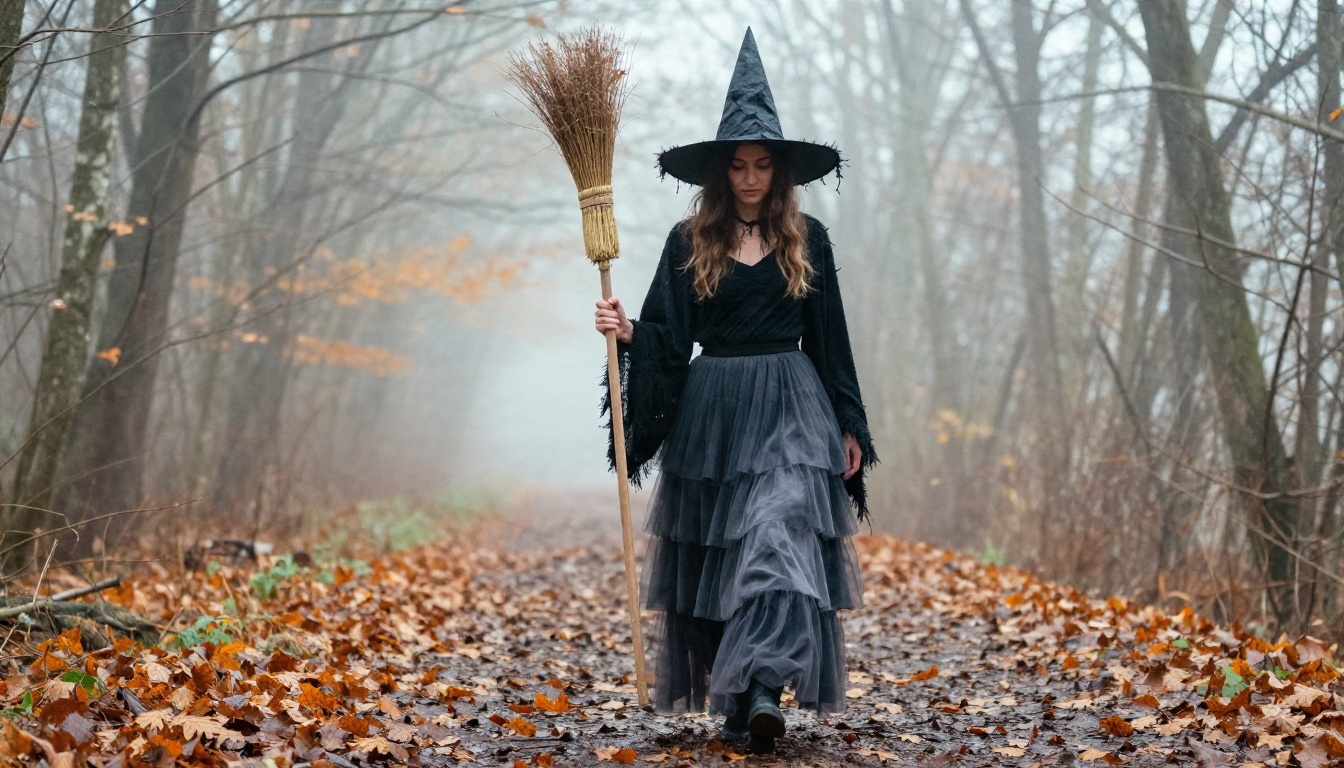
Prompt to try: Low-angle photograph of a woman dressed as a witch with a tattered black hat and layered charcoal tulle skirt, walking along a foggy forest path, straw broom, overcast morning light, 35mm lens, damp leaves.
💡 Quick tip: Add the word tattered or frayed to any prompt about fabric. It pushes the result toward something you can really recreate with scissors and sandpaper, instead of a pristine shop display.
The Bedsheet Ghost
The oldest costume in the book still works, especially for kids. A white sheet, two round holes, an orange bucket. In an image preview you can see something important: the ghost reads better with visible folds, a slightly uneven hem and warm backlight than as a flat white blob. When you cut the real thing, leave the bottom edge ragged and wrinkled on purpose.
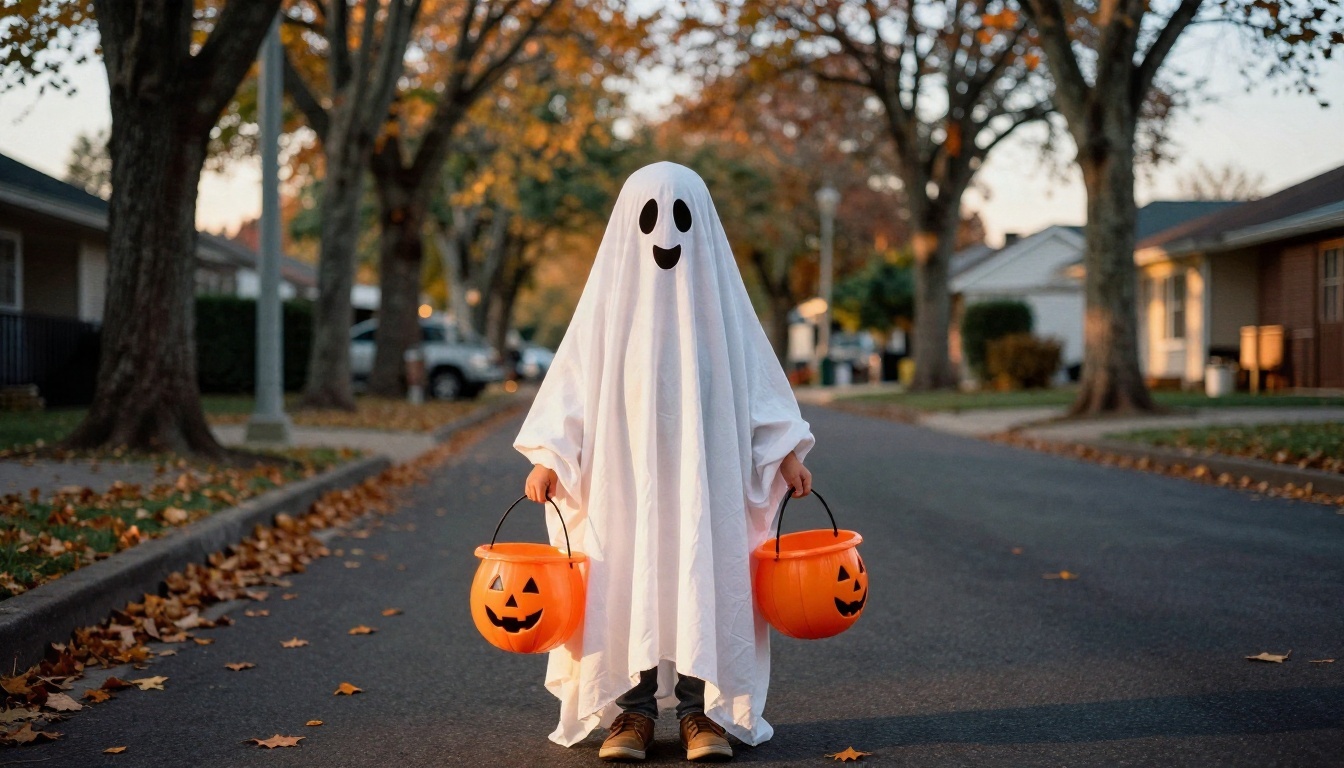
Prompt to try: Full-length photograph of a child dressed as a cheerful ghost in a hand-cut white bedsheet with round eye holes, holding an orange trick-or-treat bucket on an autumn street at golden hour, soft cotton folds.
Easy DIY Looks You Can Build
These ideas are built for one evening, one table and a modest budget. Use AI to settle the design, then build the version that fits your supplies.
Cardboard and Foil Couples
Astronaut and alien is a pairing that works because the two halves make sense together, and both are made of cheap parts. The helmet is a cardboard box or a paper bag painted silver, then lined with crinkled aluminum foil. The alien needs green face paint and a headband with two pipe cleaner antennae. The porch scene below shows how string lights and a dusk sky make a homemade costume look like a deliberate scene.
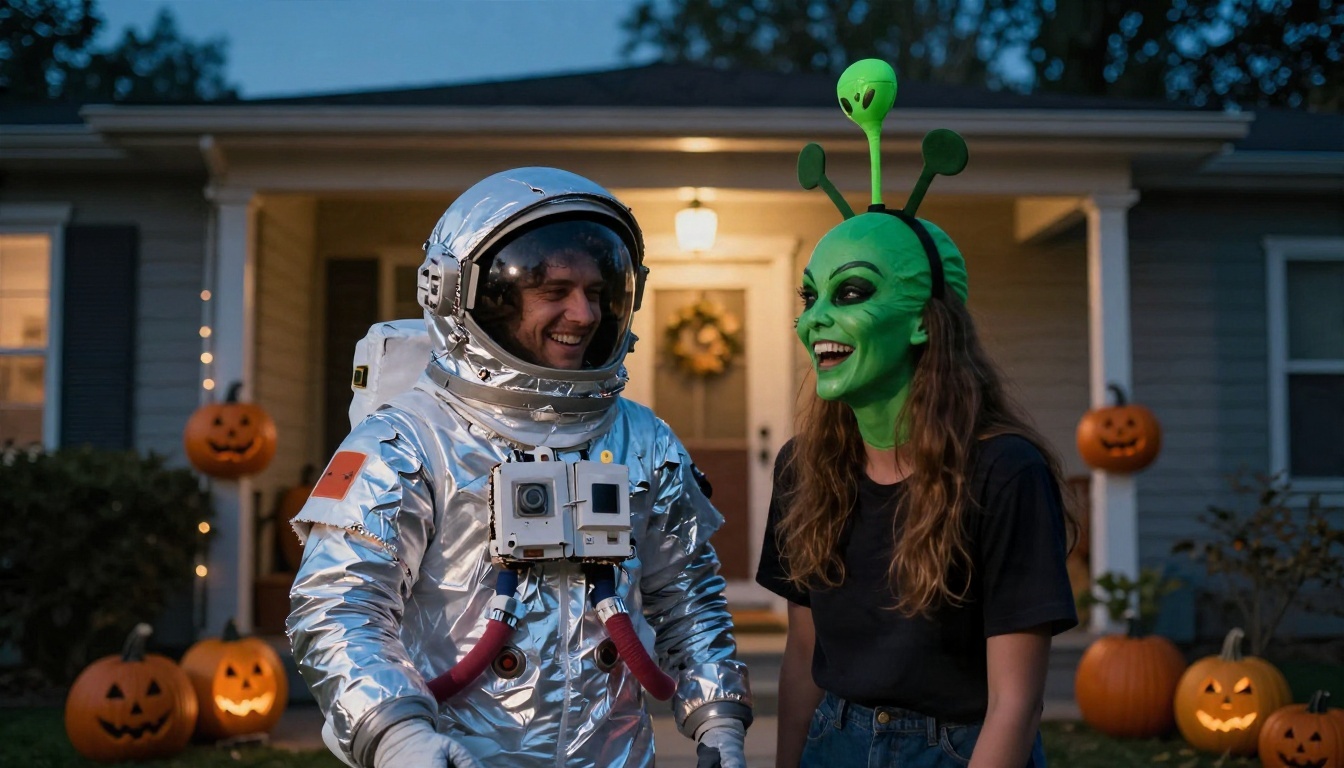
Prompt to try: Medium shot of two friends in couples Halloween costumes, one as a retro astronaut with a homemade foil and cardboard helmet, the other as an alien with green face paint, suburban porch with pumpkins and string lights at dusk, 50mm lens.
Other couple pairings that photograph well:
- Salt and pepper shakers, built from two white and black cardboard tubes
- Bride of a mummy and mummy, using gauze strips and tea-stained fabric
- Peanut butter and jelly, with two painted foam boards worn as sandwiches
- Lumberjack and tree, flannel plus a felt tree trunk and branch headpiece
Skeleton Face Paint
If you only have twenty minutes, makeup is the answer. A skeleton face needs black and white cream paint, a fine brush and a mirror with good light. The macro shot below shows the pattern: black around the eye sockets, a nose hollow, lines across the lips for teeth. Practice on the back of your hand first.
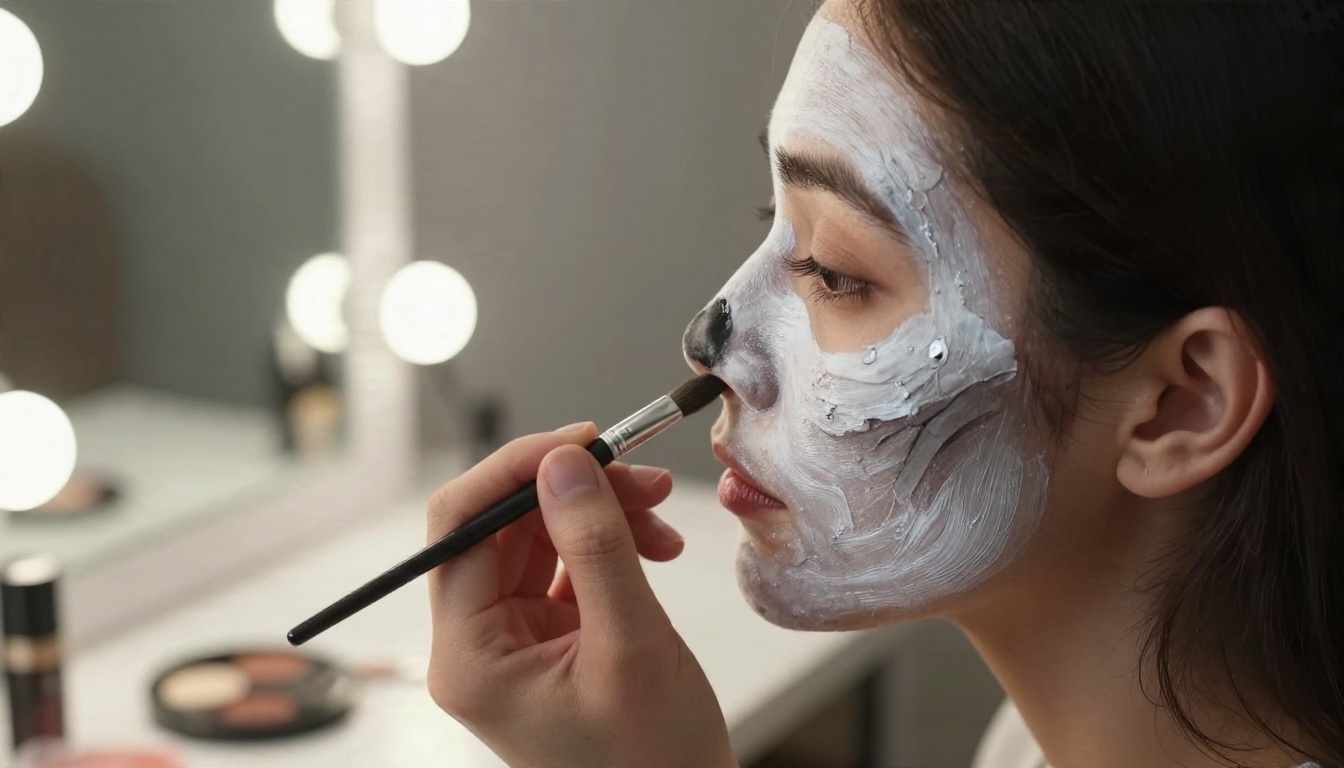
Prompt to try: Close-up macro photograph of hands applying skeleton face makeup with a fine brush to a woman's face in front of a vanity mirror with bulb lights, black and white face paint palette, 100mm macro lens.
💡 Quick tip: Ask the model for a front-facing portrait with even lighting when you want a makeup reference. Angled, moody shots hide the details you need to copy.
A Pumpkin Costume for Your Dog
Pets are the easiest participants because they have no opinions about the plan (they will have opinions about the hat). A pumpkin outfit is an orange fleece vest, green felt leaves and a stem hat attached with a soft elastic strap. Keep it light, keep it comfortable and take the photo fast.
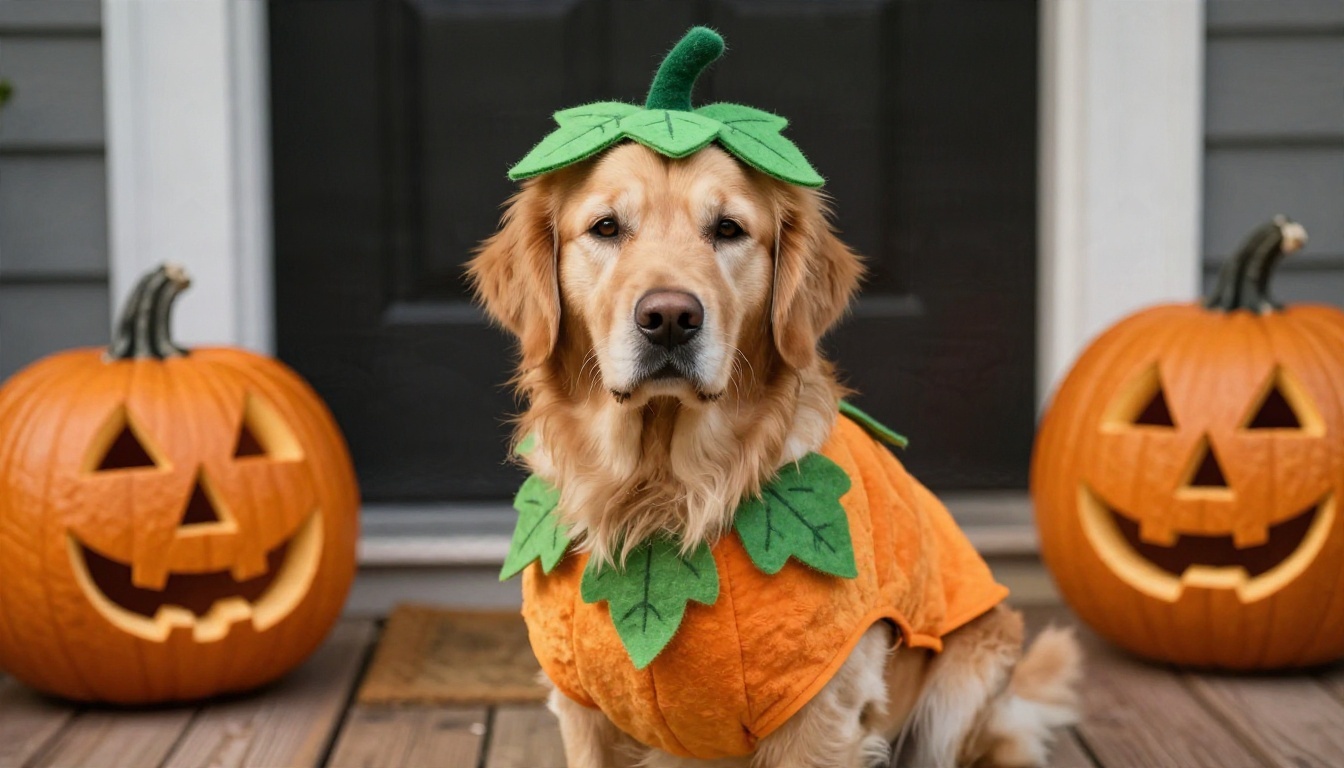
Prompt to try: Close-up photograph of a golden retriever wearing a handmade pumpkin costume with felt leaves and a green stem hat, sitting on a wooden porch step beside carved jack-o-lanterns, soft late afternoon light.
How to Write Better Prompts
Good prompts for costumes are not mysterious. They answer the same questions a photographer would ask on set. Who is in the picture? What are they wearing? Where are they standing? What light is on them?
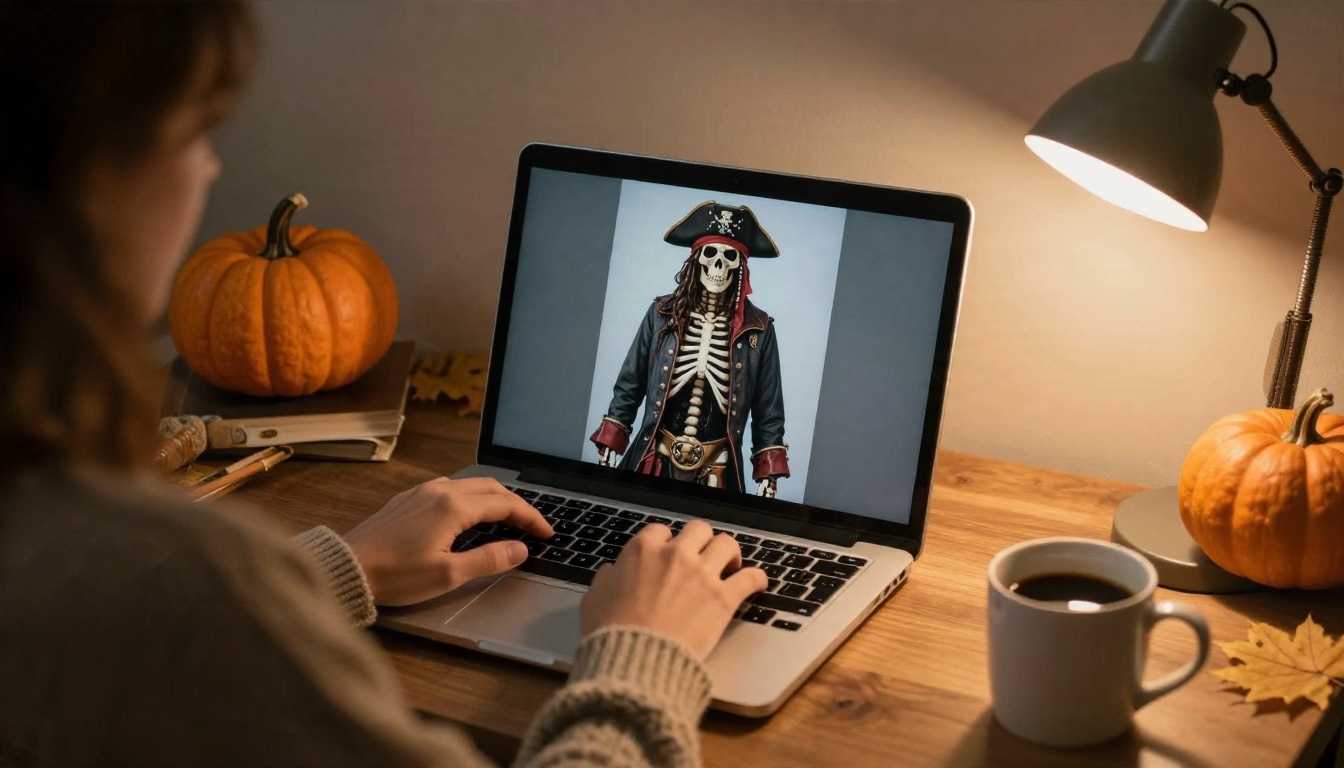
A Simple Prompt Formula
Use this five-part order and you will rarely get a muddy result:
- Subject and costume: who it is and what they wear
- Materials: velvet, burlap, foil, felt, tulle
- Setting: hallway, forest, porch, living room
- Light: candlelight, golden hour, overcast, lamp glow
- Camera: lens length, angle and grain, such as 85mm f/1.8, Kodak Portra 400
| Prompt part | Weak version | Strong version |
|---|
| Costume | a witch | a witch with a frayed black hat and layered charcoal tulle skirt |
| Materials | nice fabric | worn velvet with visible weave |
| Setting | outside | foggy forest path with fallen orange leaves |
| Light | bright | soft overcast morning light |
| Camera | photo | low-angle, 35mm lens, shallow depth of field |
Common Mistakes to Avoid
- Asking for too many ideas at once. A prompt with a pirate, a clown and a robot gives you a confused mess. One costume per image.
- Skipping materials. Without them the model invents shiny, impossible fabrics you cannot buy.
- Ignoring the setting. A costume looks different in a hallway than in a field. The place sets the mood.
- Forgetting realism cues. Words like skin texture, fabric folds, film grain keep the result looking like a photo and not a poster.
- Making it too perfect. Real DIY has seams and wrinkles. Add them to your prompt so your reference is something you can actually build.
How to Use Seedream 4.5 on PicassoIA
For photorealistic costume references, Seedream 4.5 is a strong first choice. It handles fabric texture, faces and lighting well, and it follows long prompts without losing details. Here is the process from blank page to finished reference.
Step by Step
- Open the model page. Go to the Seedream 4.5 page on PicassoIA.
- Paste your prompt. Start with one of the prompts above, or write your own with the five-part formula.
- Choose a wide ratio. Pick 16:9 for scene shots and a vertical ratio when you want a full-length costume reference.
- Generate and compare. Run the prompt two or three times. Each run gives you different details for hats, props and makeup.
- Refine one thing at a time. If the cape is wrong, change only the cape in the prompt. Changing everything at once makes it hard to see what worked.
- Save your favorite. Keep the picture on your phone as a shopping and building reference.
Settings Worth Adjusting
| Setting | What it does | Suggested use |
|---|
| Aspect ratio | Controls the frame shape | 16:9 for scenes, portrait for outfits |
| Prompt length | Gives more control | 40 to 80 words for costumes |
| Repeat runs | Shows variations | Three runs per idea |
| Lighting words | Changes the mood | Candlelight for spooky, golden hour for friendly |
💡 Quick tip: If you want to change a costume you already like, such as swapping the cape color, try Nano Banana. It is built for editing as well as generating, so you can adjust details without starting over.
Models Worth Trying
Different jobs call for different tools. Here is a quick comparison of the models that suit costume work.
| Model | Best for | Link |
|---|
| Seedream 4.5 | Detailed, photorealistic costume portraits | Seedream 4.5 |
| Nano Banana | Editing a costume you already generated | Nano Banana |
| Nano Banana Pro | High resolution results for print or posters | Nano Banana Pro |
| Flux Schnell | Fast brainstorming, many ideas quickly | Flux Schnell |
| P Image Ideogram | Images that include short text, like a party invite | P Image Ideogram |
A good workflow: brainstorm quickly with Flux Schnell, pick a winner, regenerate it in Seedream 4.5 for detail, then use Nano Banana to tweak small things such as a hat color.
Group and Party Ideas
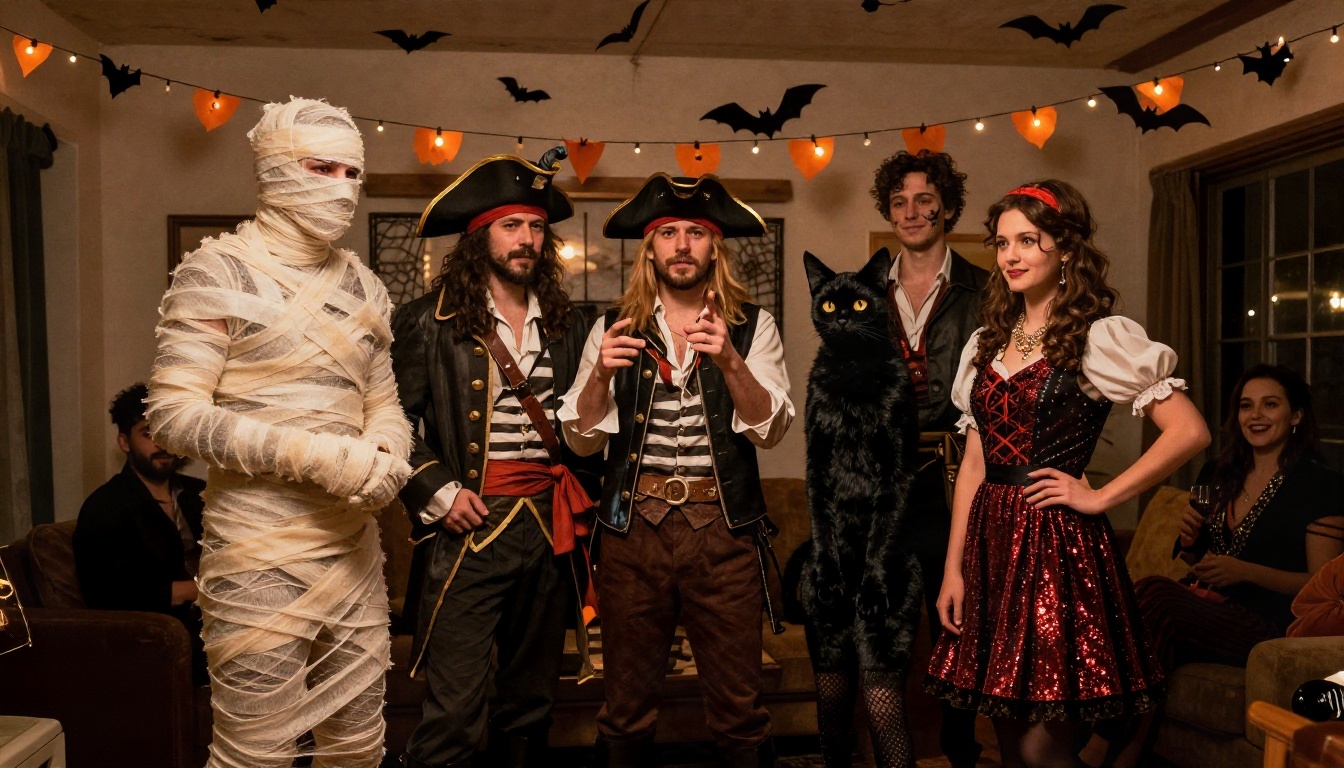
Halloween is better with company. Group costumes work when the pieces are simple and the theme is clear. The party scene below mixes a mummy, a pirate, a black cat and a flapper, and it still looks cohesive because the setting ties everything together: paper bats, warm lamps and string lights.
Themes That Work for Groups
- Classic monsters: vampire, mummy, werewolf, witch, ghost
- Decades party: 1920s flapper, 1950s diner, 1980s aerobics
- Fairy tale villains: a wolf, a stepmother, a troll under a bridge
- Farm and harvest: scarecrow, pumpkin, crow, farmer
Plan the Look Before the Night
Use AI to build a mood board for the whole group. Generate one image per person with a shared setting and light, such as "warm lamplight in a living room." You will see right away whether colors clash or whether two people picked the same silhouette. Then split the shopping list: one person handles hats, another handles makeup, another collects the fabric.
💡 Quick tip: Share the generated pictures in your group chat. A shared visual makes it easy to agree on the plan and stops the last-minute "wait, what are you wearing?" panic.
Make Your Own Costume Preview
You now have everything you need: a handful of tested prompts, a formula for writing your own, and a set of DIY builds that cost very little. The best next step is the simplest one. Pick the costume that made you smile and write a one-sentence prompt for it. Add the fabric, the setting and the light. Run it a few times and see what comes back.
Open Seedream 4.5 on PicassoIA and try your first idea tonight. If you want to test other styles, browse the full list at picassoia.com/en/all-models and compare how each model handles velvet, burlap, foil and face paint. Change one word, change one color, and keep going until the picture looks like something you can build. Your costume will be ready long before the trick-or-treaters arrive.


