Generate imagesVisual EffectsLarge Language Models
AI Headshot Generator API: Build a Headshot App
Build a working headshot app on top of an AI headshot generator API. This article shows the request flow, the models worth using, backdrop choices, Python code, quality checks, and the consent rules that keep customer photos safe.
Upload a selfie, get a boardroom-ready portrait back. That is the promise behind every AI headshot generator API, and it is far easier to build than most developers expect. You do not train a face model, you do not rent GPUs, and you do not book a photographer for each customer. Your app sends one photo and one instruction to an HTTP endpoint, waits a few seconds, and receives a finished image ready for a LinkedIn profile, a team page or a press kit.
This article walks through the whole build: the request flow, the models worth using, working Python, the quality checks that stop weak portraits from reaching customers, and the consent rules that keep the product safe. Everything below is based on the PicassoIA developer API and the models listed on the platform.
💡 Short version: host the selfie on your own storage, call picassoia/picassoia-image-editor-pro with that selfie as image 1, poll the prediction until it succeeds, run a quick check, then show the result.
Why Build on an API
Studio headshots cost real money and real time. A photographer books a slot, a retoucher works for days, and a remote team of forty people needs forty appointments. A headshot app turns all of that into an upload form and a button. The part that makes it a business instead of a demo is control: your own interface, your own backgrounds, your own price, and your own data rules.
Who Needs This
The demand is wider than people assume. These are the products that keep asking for a headshot feature:
HR and onboarding tools that need one consistent photo style for every new hire
Résumé builders and job boards where a profile photo changes how a page looks
Creator and freelancer platforms that want a polished avatar at sign up
Agencies that deliver portrait packs to corporate clients
Event software that collects speaker photos in every possible lighting condition
Build or Buy
Option
Setup time
Control
Best for
Ready-made headshot website
Minutes
Low
A single personal photo
No-code wrapper around a form
Hours
Medium
Internal tools and quick tests
Your own app on an API
A few days
Full control of design, pricing and data
Products and platforms
If you only need your own photo, use a website. If headshots are a feature inside something you sell, an API wins on every axis that matters after launch.
The economics tell the same story. A photographer charges per person, so the cost grows with every customer you add. An API call is software: the work that goes into the first headshot is the same work that serves the ten thousandth, and your margin improves as usage grows instead of shrinking.
The Request Flow in Five Steps
Every headshot app, however polished its interface, runs the same loop. The PicassoIA API is asynchronous and Replicate-style: you create a prediction, poll it, then read the result.
Collect the selfie in your frontend.
Validate and store it so you have a URL the API can fetch.
Create the prediction with a POST to the model endpoint.
Poll the prediction until its status is final.
Check and deliver the output URL.
The base URL is https://api.picassoia.com/v1, and every request carries an Authorization: Bearer pia_sk_... header. You create those secrets from the API page on picassoia.com, and an account can hold two of them, so one can serve production while the other serves staging.
Upload and Validate
Reject bad input early. Accept JPEG, PNG and WebP, keep the file well under the 10 MB request body limit, and set a minimum resolution so faces are not smaller than a postage stamp. Then coach the user on the same screen: face the window, hold the phone at eye level, one person in frame, no sunglasses.
A ten second hint on the upload screen saves more support tickets than any model setting. A blurry selfie in a dark hallway produces a blurry headshot every single time.
Create the Prediction
Model endpoints follow one pattern: POST /v1/models/{owner}/{name}/predictions. The body wraps every parameter inside an input object. For a headshot, the input holds the selfie URL and a text instruction. You get back a prediction object with an id and a status right away, long before the image exists.
Poll, Then Store
Call GET /v1/predictions/{id} every two or three seconds until the status reads succeeded, failed or canceled. If a customer closes the tab, POST /v1/predictions/{id}/cancel stops the job. When it succeeds, download the output and copy it to your own storage so your product never depends on a third party URL.
💡 A prediction can run for up to 3 hours on the server side. Your interface should give up much sooner. Edits normally finish in seconds, so a 90 second client timeout with a clear retry button is plenty.
Pick Models That Fit
The API and the MCP connector currently expose four models. Two matter for headshots, and the rest of the platform helps while you prototype in the browser.
The last three live in the web app. Check the API documentation before wiring them into code, because the public API lists four models today.
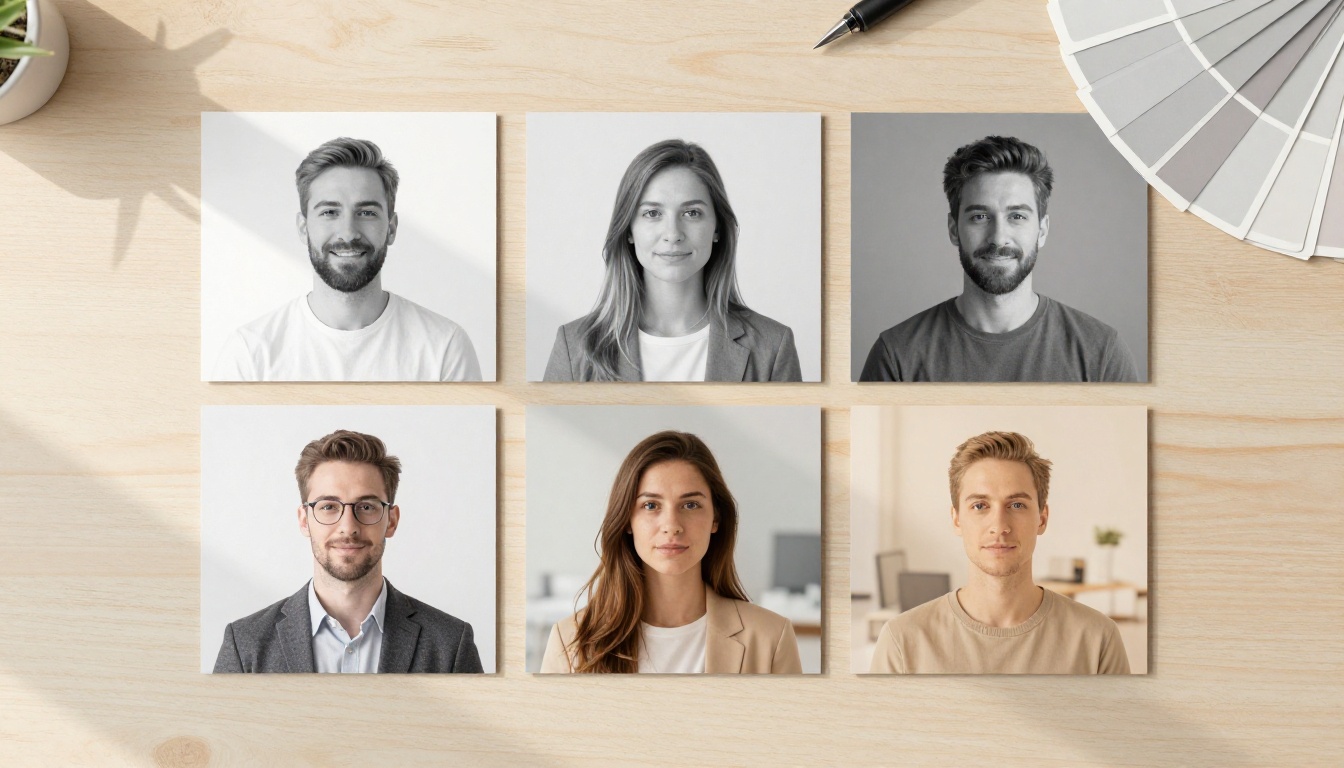
Backgrounds deserve their own decision, since they change how the portrait reads in a profile circle. A simple mapping gives your users a sensible default:
Use case
Backdrop
Why it works
LinkedIn and job applications
Neutral grey
Calm, reads well at thumbnail size
Company directory
White
Identical across the whole team
Portfolio and creative work
Charcoal
Adds depth without distraction
Sales and real estate
Blurred office
Feels approachable and local
Editor or Text to Image
A customer wants to look like themselves, only better lit and better dressed. Text to image invents a new person, which is the wrong product. An editing model keeps the face from the selfie and changes everything around it, so PicassoIA Image Editor Pro is the workhorse. Use PicassoIA Image for the images your own marketing needs: landing page samples, test fixtures and empty office backdrops.
Cleanup After the Edit
Two small steps lift the result. Bria Remove Background gives customers a transparent cutout they can place on their company color. Topaz Image Upscale pushes a web sized portrait toward print resolution. Offer them as optional extras after the main result looks right.
Upload the selfie as the first reference image. The model accepts up to three, and the first is the primary one.
Write the instruction and refer to the selfie as image 1.
Pick the aspect ratio, output format and quality.
Generate, compare the two variations if you asked for two, and download the best one.
Want zero prompting? Professional Headshot takes a single photo and a background choice: white, black, neutral, gray or office. It also offers 14 aspect ratio presets, a gender setting for better facial accuracy, a seed for repeatable results, and PNG or JPG output. It is the quickest way to see what each background looks like before you build your own selector.
Settings That Matter
Parameter
What it does
Sensible default
images
Up to 3 references, first is primary
Selfie first
prompt
The edit, referring to image 1, image 2
Under 4,000 characters
aspect_ratio
Output shape
match_input_image
output_format
WebP, JPG or PNG
PNG for delivery
output_quality
0 to 100, JPG and WebP only
95
num_outputs
1 or 2 variations per call
2 for a retry button
seed
Repeats a result exactly
Store it with the job
A Prompt That Works
Put identity first, then the scene. Name the wardrobe, the backdrop and the light so the model has nothing to guess:
Turn image 1 into a professional corporate headshot of the same person.
Keep the face, skin tone, hair and expression natural and unchanged.
Dark navy blazer over a white shirt, seamless soft grey studio backdrop,
soft main light from the left, gentle fill from the right, 85mm portrait
lens look, natural skin texture with visible pores, sharp eyes.
Skip vague requests like "make me look amazing". They invite smoothing, and smoothed skin is the fastest way to a plastic, obviously fake result.
Working Code in Python
The snippets below follow the Replicate-style shape described above. The official docs at picassoia.com/en/api include examples in Python, Node and cURL, so confirm field names there before you ship.
The Core Function
import os
import time
import requests

BASE = "https://api.picassoia.com/v1"
HEADERS = {"Authorization": f"Bearer {os.environ['PICASSOIA_TOKEN']}"}
MODEL = "picassoia/picassoia-image-editor-pro"


def make_headshot(selfie_url: str, backdrop: str = "soft grey studio backdrop") -> str:
    prompt = (
        "Turn image 1 into a professional corporate headshot of the same person. "
        "Keep the face, skin tone and hair natural and unchanged. "
        f"Dark navy blazer, {backdrop}, soft main light from the left, "
        "85mm portrait lens look, natural skin texture."
    )
    created = requests.post(
        f"{BASE}/models/{MODEL}/predictions",
        headers=HEADERS,
        json={"input": {
            "images": [selfie_url],
            "prompt": prompt,
            "output_format": "png",
        }},
        timeout=30,
    )
    created.raise_for_status()
    prediction = created.json()

    deadline = time.time() + 90
    while prediction["status"] not in ("succeeded", "failed", "canceled"):
        if time.time() > deadline:
            requests.post(f"{BASE}/predictions/{prediction['id']}/cancel", headers=HEADERS, timeout=30)
            raise TimeoutError("Headshot took too long")
        time.sleep(3)
        prediction = requests.get(
            f"{BASE}/predictions/{prediction['id']}", headers=HEADERS, timeout=30
        ).json()

    if prediction["status"] != "succeeded":
        raise RuntimeError(prediction.get("error") or prediction["status"])
    return prediction["output"][0]
The token comes from an environment variable, never from the frontend. If it ships inside a mobile bundle or a browser script, anyone can read it.
Respect the Five Job Limit
An account runs 5 predictions at once, shared across every credential and every MCP connection. A launch day spike will hit that wall, so queue jobs on your side:
import asyncio

slots = asyncio.Semaphore(4)  # leave one slot for retries


async def run_job(selfie_url: str) -> str:
    async with slots:
        return await asyncio.to_thread(make_headshot, selfie_url)
Save each job in a table with its status, then show customers their place in line. A visible queue feels fast. A frozen spinner feels broken.
Quality Checks Before Delivery
A headshot that looks 95 percent right is still a refund request. People notice faces with an almost supernatural sensitivity, so check every output before it reaches a customer.
Likeness and Skin
Run through this list on a test set of fifty selfies before launch:
Face shape and eye color match the selfie
Skin keeps its pores, fine lines and tone, with no waxy blur
Hair edges are clean, with no halo against the backdrop
Teeth, ears and glasses have the right count and symmetry
Jewelry and collars are not melted into the neck
Background is plain enough for a profile photo thumbnail
Look at the result at thumbnail size and at full size. Many flaws only show up at one of the two.
Build the test set on purpose. Include dim rooms, glasses, beards, long hair, hats and people photographed from slightly below. Log the seed and the prompt for every run, so when a customer reports a strange portrait you can reproduce it in a minute and fix the instruction instead of guessing.
Automated Screening
Large language models help in two places. First, they can turn form choices (backdrop, outfit, mood) into the final instruction, so product people can edit wording without a deploy. Gemini 3.5 Flash is a fast option for that job, and Claude Sonnet 5 suits longer rulebooks. Second, Llama Guard 4 12B can screen free text that users type into custom instruction fields.
The public API lists four models, so for these steps call your own LLM provider or test the prompts in the PicassoIA web app first.
Keep a human fallback too. Give every result a Try again button that runs the same selfie with a new seed, and a Report link that lets a customer flag a bad portrait.
Consent and Privacy Rules
A face is personal data. Treat it that way from day one, because a headshot app that mishandles photos does not get a second chance.
Consent and Storage
Ask users to confirm the photo shows themselves or someone who agreed
Delete the original selfie as soon as the final portrait is delivered
Never reuse customer photos for samples or marketing without written permission
Label the output as AI generated inside your app, since some platforms and employers care
Publish a plain language privacy page that says how long files are kept
Limits to Plan Around
Limit
Value
What to do
Concurrent predictions
5 per account
Queue jobs and cap workers at 4
Request body
10 MB
Resize large selfies in the browser
Prompt length
4,000 characters
Cap your instruction builder
Prediction timeout
3 hours
Cancel stale jobs yourself
API credentials
2 per account
One for production, one for staging
💡 Check pricing before you promise a price. The API page describes predictions as currently free, while the pricing page lists API Access on the Pro+, Elite and Infinite plans. Read both before you set what your customers pay.
Make Your First Headshot Today
Skip the planning documents. Open PicassoIA Image Editor Pro, upload one selfie, and try three versions of the prompt above: a grey backdrop, a white backdrop, an office backdrop. Pick the winner, copy its wording into the Python function, and you have the backbone of a working product.
From there, add an upload screen, a queue, a retry button and a consent checkbox. That is the entire list. Create your own images with Picasso IA, push the prompts until the portraits look like real photographs, and ship the first version this week. Your customers will care far more about a clean, fast result than about any feature you could add later.