AI Humanizer Prompt: Make ChatGPT Text Sound Human With Examples
A copy and paste AI humanizer prompt that removes the stiff, repetitive rhythm from ChatGPT writing. See real before and after examples, prompt variations for blogs, emails and support replies, and the mistakes that still give your text away.
You paste a request into ChatGPT, and four tidy paragraphs come back in seconds. Every sentence is correct. Every transition is smooth. And yet something feels off, like a stranger in a very nice suit reading you a script. That feeling is exactly what readers, editors and detection tools pick up on, and it is fixable with the right AI humanizer prompt.
This article gives you a prompt you can copy today, explains why each line in it works, and shows real before and after examples so you can judge the difference yourself. You will also get variations for blog posts, emails, academic writing and support replies, plus the mistakes that still make text sound machine-made even after a rewrite.
💡 Quick answer: A good humanizer prompt does three things. It bans the stock phrases AI loves, it forces uneven sentence length, and it gives the model a real voice sample to copy. Everything below is a version of those three moves.
Why ChatGPT Text Sounds Robotic
Language models predict the most likely next word. Averaged across billions of pages, "most likely" turns into "most generic." The result reads like a polite committee wrote it. Nothing is wrong, but nothing is risky or personal either, and personal is what makes writing feel alive.
The Telltale Patterns
After reading hundreds of raw model outputs, the same habits show up again and again:
Stock openers such as "In today's fast-paced world" or "In the ever-evolving landscape of"
Rule of three lists in nearly every paragraph, always balanced and always tidy
Uniform sentence length, usually 18 to 25 words, with no short punches and no long tangents
Hedging filler like "it is important to note that" and "it is worth mentioning"
Neat closing lines that restate the paragraph in a slightly shinier way
Overused vocabulary such as "delve," "tapestry," "testament," "pivotal," and "seamless"
Zero specifics: no names, no numbers, no small awkward details from real life
Humans do the opposite. We start sentences with "And." We drop in a fragment. We name the exact coffee shop. We say "honestly" when we mean it.
Why Detectors Flag Smooth Text
Detection tools do not read for meaning. They measure statistical smoothness, often described as low perplexity and low burstiness. Perplexity is how surprising your word choices are. Burstiness is how much your sentence length and structure vary. Raw model output scores low on both because it is consistent to a fault.
Human editors catch the same thing by instinct. They cannot name the metric, but they feel the sameness by paragraph two. That is why a prompt aimed at rhythm and specificity beats one that simply says "make it sound human."
💡 Reality check: No prompt guarantees a pass on every detector, and detectors disagree with each other constantly. Treat the goal as writing that a real reader enjoys, not writing that games a score.
The Base Humanizer Prompt
Here is the prompt I reach for first. It works as a rewrite instruction you paste in front of any draft.
Copy and Paste Version
Rewrite the text below so it reads like a real person wrote it, not an AI.

Rules:
1. Vary sentence length on purpose. Mix very short sentences (3 to 6 words) with longer ones. Never write three sentences in a row with the same length.
2. Use contractions (it's, don't, we'll) wherever a person would.
3. Cut every stock phrase: "in today's world," "it's important to note," "delve," "tapestry," "testament," "seamless," "pivotal," "landscape."
4. Replace vague claims with one specific detail: a number, a name, a place, or a small real-life example. If the original has none, add a plausible placeholder in [brackets] for me to fill in.
5. Break the rule of three. Use lists of two or four items, or no list at all.
6. Start at least one sentence with "And," "But," or "So."
7. Allow one fragment per paragraph. Like this.
8. Do not end paragraphs with a summary sentence. End on the last useful point.
9. Keep my meaning and facts exactly. Do not invent statistics.
10. Match this tone: [describe tone, for example "friendly, direct, a little dry"].

Return only the rewritten text.

Text:
[paste draft here]
Why Each Line Works
Rule
What it fixes
Why it helps
Vary sentence length
Flat rhythm
Raises burstiness, which is what detectors and readers both notice
Use contractions
Formal stiffness
Spoken English is contracted, written AI output often is not
Cut stock phrases
Generic vocabulary
Removes the fingerprints of default model style
One specific detail
Vague claims
Specifics are hard to fake and easy to trust
Break the rule of three
Predictable lists
Models love triplets, people mix it up
Start with "And" or "But"
Over-formal grammar
Mirrors natural speech
One fragment per paragraph
Perfect syntax
Perfect syntax feels engineered
No summary endings
Echo conclusions
Stops the paragraph from repeating itself
Keep facts exact
Hallucinated numbers
Protects accuracy while style changes
Rule 9 matters more than it looks. Without it, models sometimes "humanize" by inventing a statistic or a fake anecdote, which is worse than sounding robotic.
Before and After Examples
Examples teach faster than rules. Each pair below shows raw ChatGPT output, then the result after running the base prompt.
Example 1: Marketing Email
Before (raw AI):
In today's fast-paced business environment, it is important to note that effective time management is a pivotal factor in achieving success. Our innovative scheduling tool offers seamless integration, intuitive design, and powerful features that empower your team to work smarter, not harder.
After (humanizer prompt):
Your team loses about an hour a day to calendar chaos. We've all watched a "quick sync" eat a Tuesday. Our scheduling tool plugs into the calendar you already use, and setup takes ten minutes. No training session. No new login to forget.
Notice what changed. The opener became a concrete cost. The three adjectives vanished. The tone shifted from brochure to colleague.
Example 2: Blog Intro
Before:
Sourdough bread has become increasingly popular in recent years. It offers numerous benefits, including improved flavor, better digestion, and a satisfying baking experience. In this article, we will delve into the art of sourdough baking.
After:
My first sourdough loaf could have been used as a doorstop. Dense, gray, sad. But I kept at it, and somewhere around loaf six the crumb finally opened up. Here's what changed between the doorstop and the bread I'm proud to slice.
The "after" version includes a personal detail that was not in the original. That is what the placeholder rule is for. If you did not bake a doorstop, replace it with your own true detail.
Example 3: LinkedIn Post
Before:
Leadership is about empowering others, fostering collaboration, and driving results. By cultivating a culture of trust, leaders can unlock the full potential of their teams.
After:
The best manager I ever had never gave speeches. She asked, "What's blocking you?" and then actually removed the blocker. Trust isn't a poster on the wall. It's a Friday afternoon when someone fixes your problem without being asked.
💡 Pattern to copy: In every "after," a vague abstraction became a small scene. If you remember one habit from this article, make it that one.
Prompt Variations for Different Jobs
One prompt will not fit every format. Swap the tone line and add one or two extra rules.
Casual Blog Voice
Add these lines to the base prompt:
Write like I'm explaining this to a friend over coffee. Use "you" often. Include one mild opinion and one small joke. Keep paragraphs to 4 sentences or fewer.
Academic Tone Without Stiffness
Academic writing needs formality, but it does not need to be lifeless. Use this variation:
Keep a formal register, but vary sentence structure. Avoid filler transitions like "moreover" and "furthermore" more than once per page. Prefer active voice. Keep every citation and claim exactly as written. Do not add facts.
💡 A note on honesty: If a school, employer or publisher requires you to disclose AI assistance, disclose it. A humanizer prompt is for improving style and clarity, not for hiding authorship where rules require openness.
Customer Support Replies
Support text is where robotic phrasing hurts most. Customers can smell a template.
Rewrite this reply so it sounds like a calm, helpful person on a good day. Open by acknowledging the specific problem in one short sentence. No "we apologize for any inconvenience." Give the fix in numbered steps. Close with one real offer to help further, not a slogan.
Here is a quick comparison of tone settings and what they produce:
Tone setting
Best for
Typical result
Friendly, direct, a little dry
Blogs, newsletters
Conversational with light humor
Calm, warm, plain
Support, onboarding
Short sentences, clear steps
Confident, concise
Sales, landing pages
Punchy, specific, no filler
Formal but varied
Reports, essays
Professional without the stiffness
Feed It Your Own Voice
Rules get you most of the way. A voice sample gets you the rest, because the model can copy patterns you could never describe in a bullet list.
The Voice Sample Method
Paste 200 to 400 words you wrote yourself before the draft. An old email, a long text message, or a voice memo transcript all work. Then add this line:
Here is a sample of my natural writing. Study its sentence length, word choice, punctuation habits and humor. Rewrite the draft below so it could pass as written by the same person. Do not copy phrases from the sample, only the style.
Voice memos deserve a special mention. When you talk, you naturally use fragments, tangents and half-finished thoughts. Transcribe a two minute ramble and you have a style sample no prompt can imitate from scratch.
The Two Pass Edit
Single pass rewrites often swap one set of patterns for another. A two pass approach works better:
Pass one, the rewrite. Run the base prompt or a variation.
Pass two, the audit. Ask the model to list every sentence that still sounds generic, then fix only those.
A short audit prompt:
Read the text below as a skeptical editor. List the five most robotic sentences and say why each one sounds machine-written. Then rewrite only those five sentences. Leave everything else untouched.
After both passes, read the result out loud. Wherever you stumble, a human reader will stumble too. Fix those spots by hand. Ninety seconds of manual editing is worth more than any additional prompt.
How to Use Claude Sonnet 5 on PicassoIA
You do not need a separate subscription for each model to test these prompts. PicassoIA puts several text models in one place, so you can run the same humanizer prompt through different engines and compare. Claude Sonnet 5 is a strong first choice because it follows long, rule-heavy instructions closely, which is exactly what a humanizer prompt is.
Paste the base humanizer prompt into the prompt field, with your draft at the bottom where it says [paste draft here].
Fill in the tone line. Be specific: "warm, plain, slightly funny" beats "professional."
Add your voice sample above the draft if you have one.
Run it, read the output aloud, and note which sentences still feel stiff.
Run the audit prompt from the previous section on those sentences.
Settings Worth Adjusting
If the model exposes a temperature or creativity control, nudge it slightly higher than your default. A bit more randomness produces less predictable word choices, which is the whole point. Keep it modest, though. Too high and facts start to wobble.
Try the same prompt on a few other models and compare tone:
💡 Smart workflow: Draft with one model, humanize with another. A different model rewriting the text breaks the original model's habits more effectively than asking the same one to edit itself.
Mistakes That Still Sound Robotic
Even with a good prompt, three problems show up constantly.
1. Swapping words instead of changing structure. Replacing "utilize" with "use" is cosmetic. If every sentence still has the same shape, subject, verb, object, three adjectives, the text reads exactly as before. Ask for structural changes: shorter sentences, reordered clauses, a question in the middle.
2. Over-correcting into fake casualness. Some prompts push the model to stuff text with "honestly," "look," "here's the thing," and "let's be real." Used once, it sounds human. Used six times, it sounds like a different kind of robot. Cap these phrases in your prompt: "Use at most one casual interjection per 300 words."
3. Skipping the human pass. The prompt gets you to 80 percent. The last 20 percent is yours: a detail only you know, a joke that fits your audience, a sentence you cut because it felt wrong. No instruction replaces that.
A fast self-check you can run before publishing:
Does the first sentence say something specific, or could it open any article on the topic?
Is there at least one detail only someone with real experience would include?
Do three consecutive sentences share the same length? Break one.
Does any paragraph end by repeating itself? Cut the last line.
Can you read the whole thing aloud without wincing?
Write Your Next Draft Today
The pattern is simple. Ban the stock phrases, force uneven rhythm, demand one real detail per claim, and give the model a sample of how you actually write. Then do a short human pass at the end. That sequence turns flat model output into text that people finish reading.
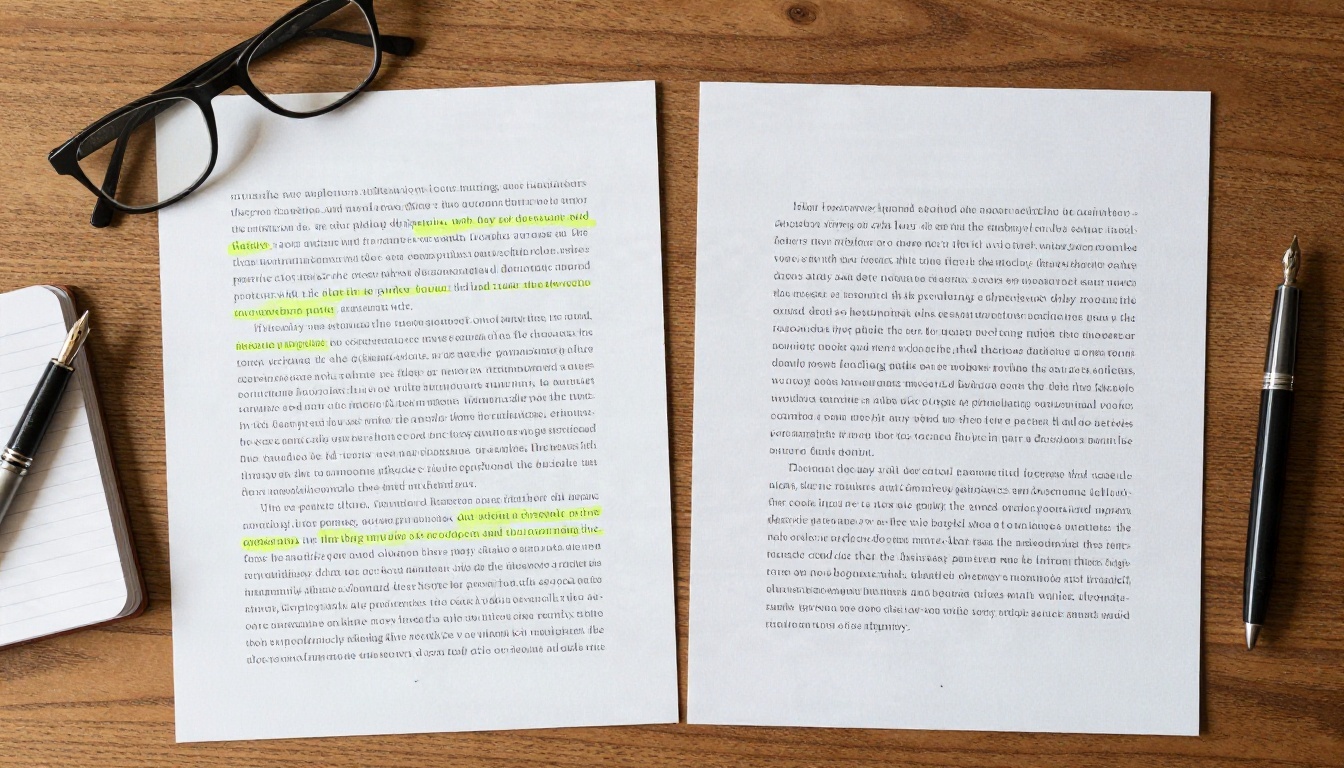
Pick one piece you wrote with AI this week, paste it into the base prompt, and compare the two versions side by side. You will hear the difference in the first paragraph.
Ready to try it? Open Claude Sonnet 5 on PicassoIA, run the prompt, then try the same draft on GPT 5.6 Terra and see which voice fits you best. When your writing is ready for visuals too, PicassoIA also offers image and video models you can browse at picassoia.com/en/all-models, so your words and your images can come from the same place.