You have a bare room, a vague idea of "warm but modern," and a sofa budget that does not allow mistakes. An AI image generator for interior design lets you see the room first. You type a sentence, and a few seconds later you are looking at a photoreal living room with the right light, the right rug and the wrong lamp, which you can fix by changing one word and running it again.
This article gives you the practical side: how these tools actually behave, room prompts you can copy for every space in the house, which free options are worth your time, and real examples generated for this piece so you can judge the quality yourself.
💡 Quick take: Describe the room like a photographer would. Name the furniture, the materials, the light direction and the lens. Vague prompts give you generic showroom images. Specific prompts give you rooms that feel lived in.
What an AI Interior Generator Does
At its core, an AI interior design generator is a text-to-image model that has seen millions of room photographs. It does not "design" in the architectural sense. It predicts what a photo of the room you described would look like, and it is very good at that.
Text to Image vs. Photo to Image
There are two ways people use these tools:
- Text to image: You write a description and the model invents a room from nothing. Best for mood boards, style exploration and early ideas.
- Photo to image (editing): You upload a photo of your actual room and ask the model to restyle it, add furniture or change the wall color. Best for virtual staging and renovation previews.
Models like Nano Banana handle both modes, which is why they are popular with homeowners who want to test a new paint color on a real photo.
What It Cannot Do
Be realistic about the limits so you do not get frustrated:
- It does not know your exact floor plan or measurements.
- It cannot guarantee that a sofa will fit through your door.
- Furniture proportions can drift, so treat renders as inspiration, not blueprints.
- Text on signs, books and labels often comes out garbled, so skip it in prompts.
💡 Tip: Use the render to decide on style, palette and mood. Use a tape measure to decide on sizes.
Room Prompts That Work
Good prompts follow a pattern. Once you see it, you can write them for any room without a template.
The Five Part Prompt Formula
Every strong interior prompt answers five questions:
- Room and style: "Scandinavian living room," "Japandi bedroom," "industrial loft kitchen."
- Hero furniture: the two or three pieces that define the room.
- Materials and colors: oak, travertine, boucle, brushed brass, sage green.
- Light: time of day and direction, such as "soft morning light from the left."
- Camera: lens and angle, such as "24mm lens, eye level, f/8."
Add "photorealistic, natural film grain, realistic textures" at the end to keep the result away from the glossy, over-smooth look that gives AI images away.
| Prompt element | Weak version | Strong version |
|---|
| Style | "nice living room" | "Japandi living room, low walnut sofa" |
| Light | "bright" | "diffused daylight through paper screens" |
| Material | "wood" | "wide plank oak with visible grain" |
| Camera | (nothing) | "35mm lens, low angle, f/4" |
| Mood | "cozy" | "quiet, calm, warm evening glow" |
Living Room Prompt
The living room is where most people start, and it rewards a clear style choice. Here is a prompt that produced the calm, balanced scene below:
Low-angle photograph of a Japandi style living room with a low-profile walnut sofa, a paper lantern floor lamp, a dark ash coffee table with a tea set, a jute rug, shoji-style sliding screens with diffused daylight behind, a single branch in a ceramic vase, 35mm lens f/4, realistic wood grain, natural film grain.
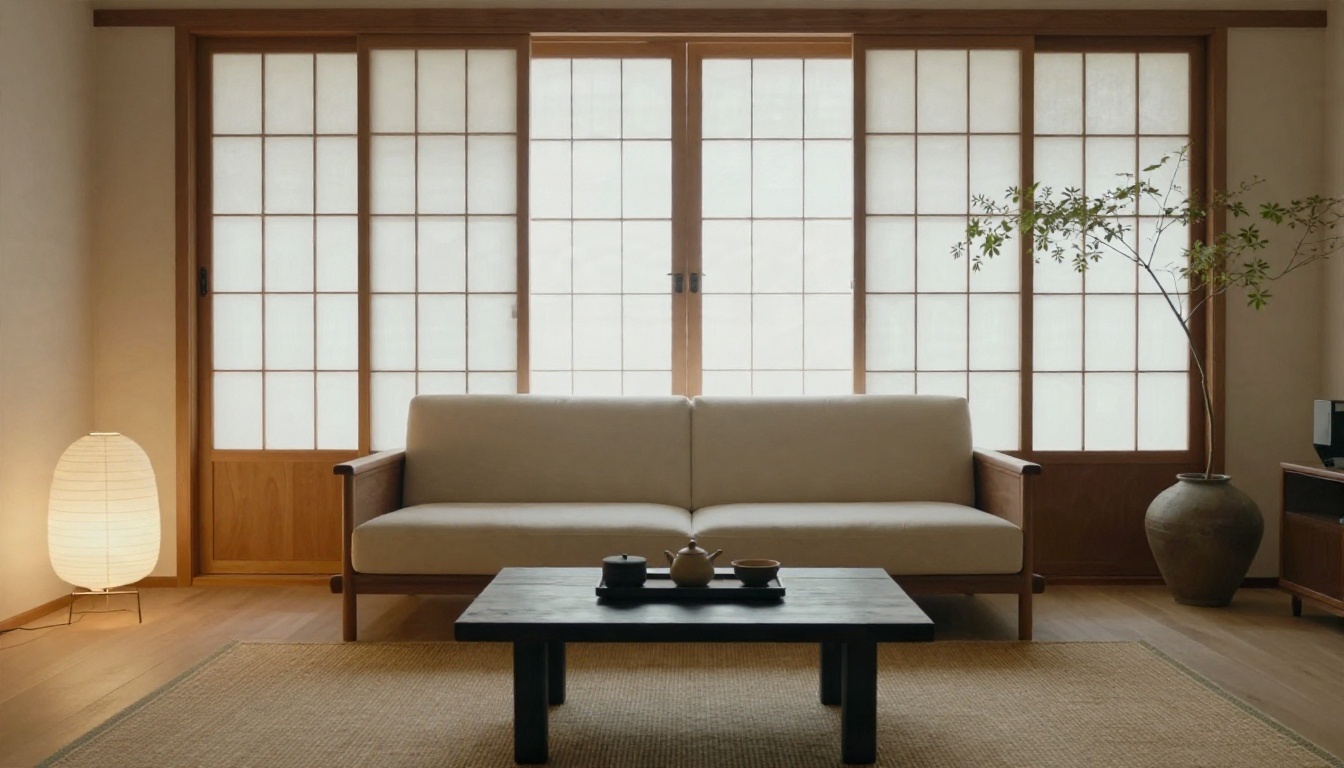
Notice how many materials are named. The model needs those words to render texture on the wood, the rug and the ceramic.
Bedroom Prompt
Bedrooms are about softness. Name the fabrics and keep the palette tight.
Low-angle photograph of a minimalist bedroom with a platform bed, crisp white linen sheets, a taupe wool throw, soft morning light from the left, pale plaster walls, a rattan pendant lamp, an oak nightstand with a glass of water, 35mm lens f/2.8.
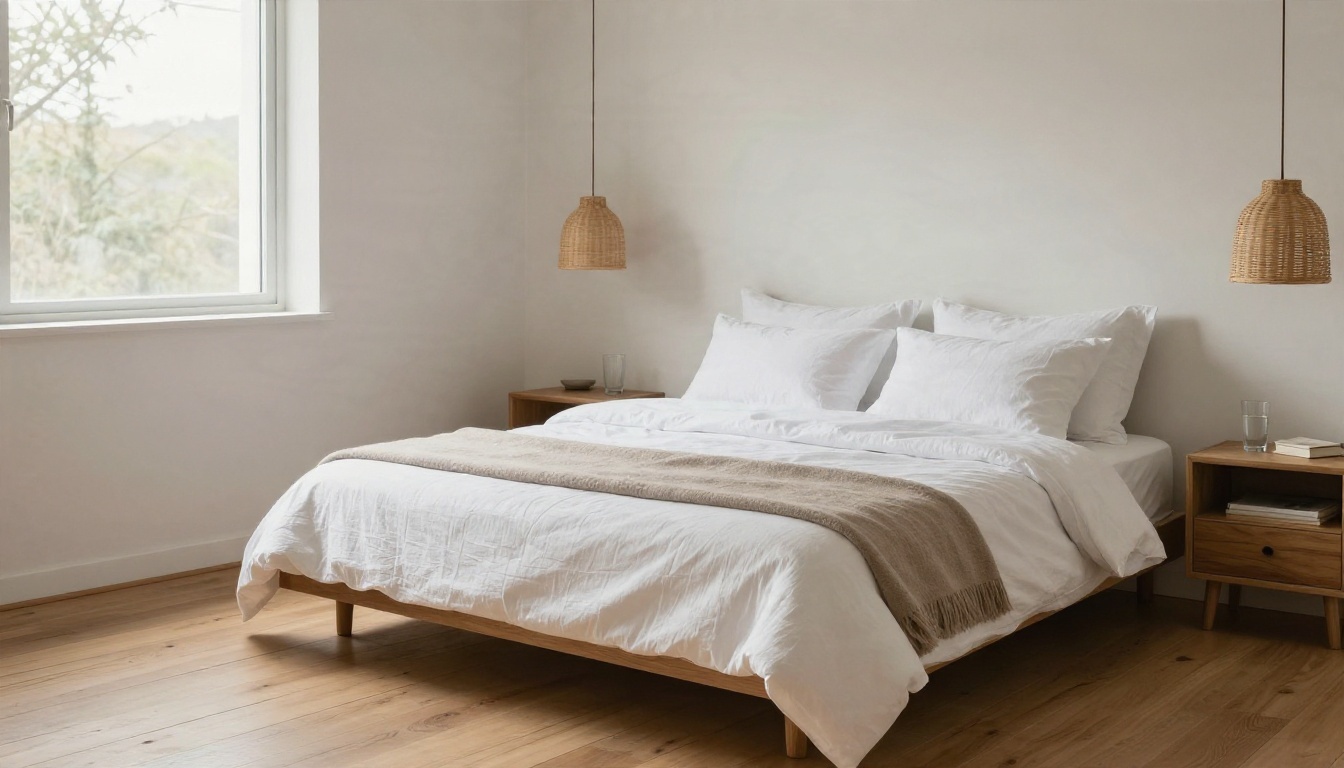
The small details, like the glass of water and the wrinkles in the linen, are what make an image feel photographed instead of generated.
Kitchen Prompt
Kitchens are hard because they combine many surfaces: stone, metal, tile, wood. Anchor the prompt with one bold color and let everything else stay neutral.
Wide eye-level photograph of a contemporary kitchen with matte sage green shaker cabinets, a white quartz island with three oak bar stools, brushed brass faucet, handmade zellige tile backsplash, late morning daylight from a large window on the right, a bowl of lemons, 28mm lens f/5.6.
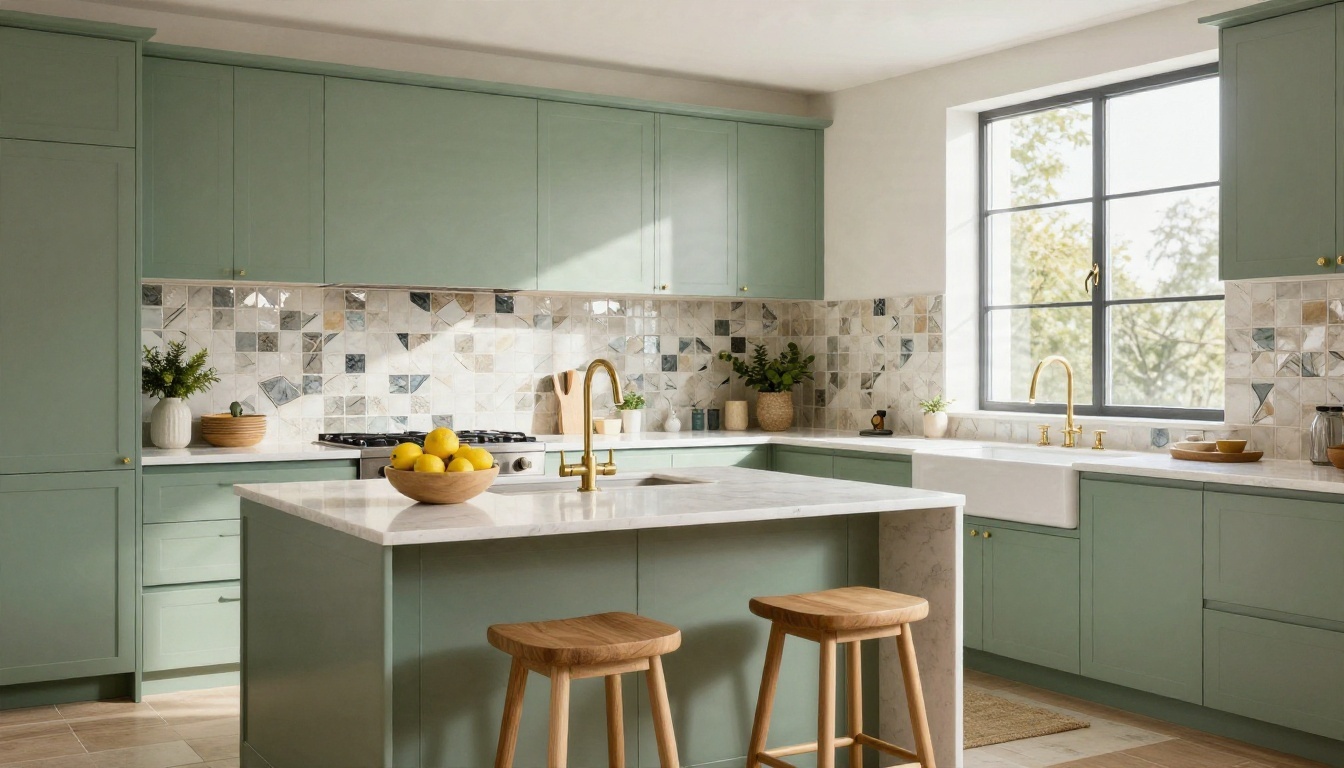
💡 Tip: If you are weighing cabinet colors for a real renovation, run the same prompt four times and change only the color word. Side by side, the decision gets easier.
Bathroom Prompt
Bathrooms look best in close, angled shots where the materials do the talking.
Close-up angled photograph of a bathroom vanity with a floating walnut cabinet, honed marble countertop with grey veining, an oval vessel sink, matte black wall faucet, round mirror with thin brass frame, folded white towels, warm diffused light from the left, 50mm lens f/2.2.
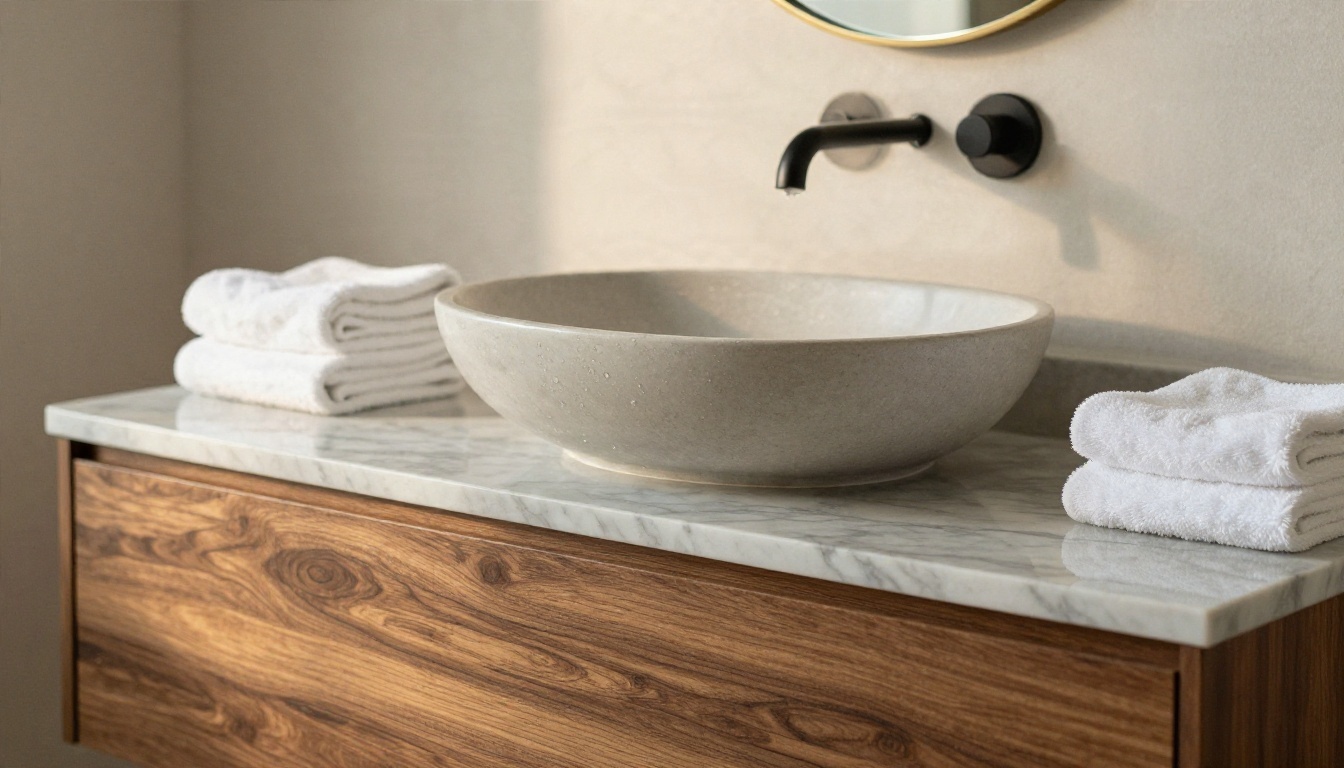
Mentioning "water droplets" or "folded towels" gives the model small props that add realism without cluttering the frame.
More Rooms to Try
Once you have the formula, other spaces are easy. A few variations that work well:
Home Office Prompt
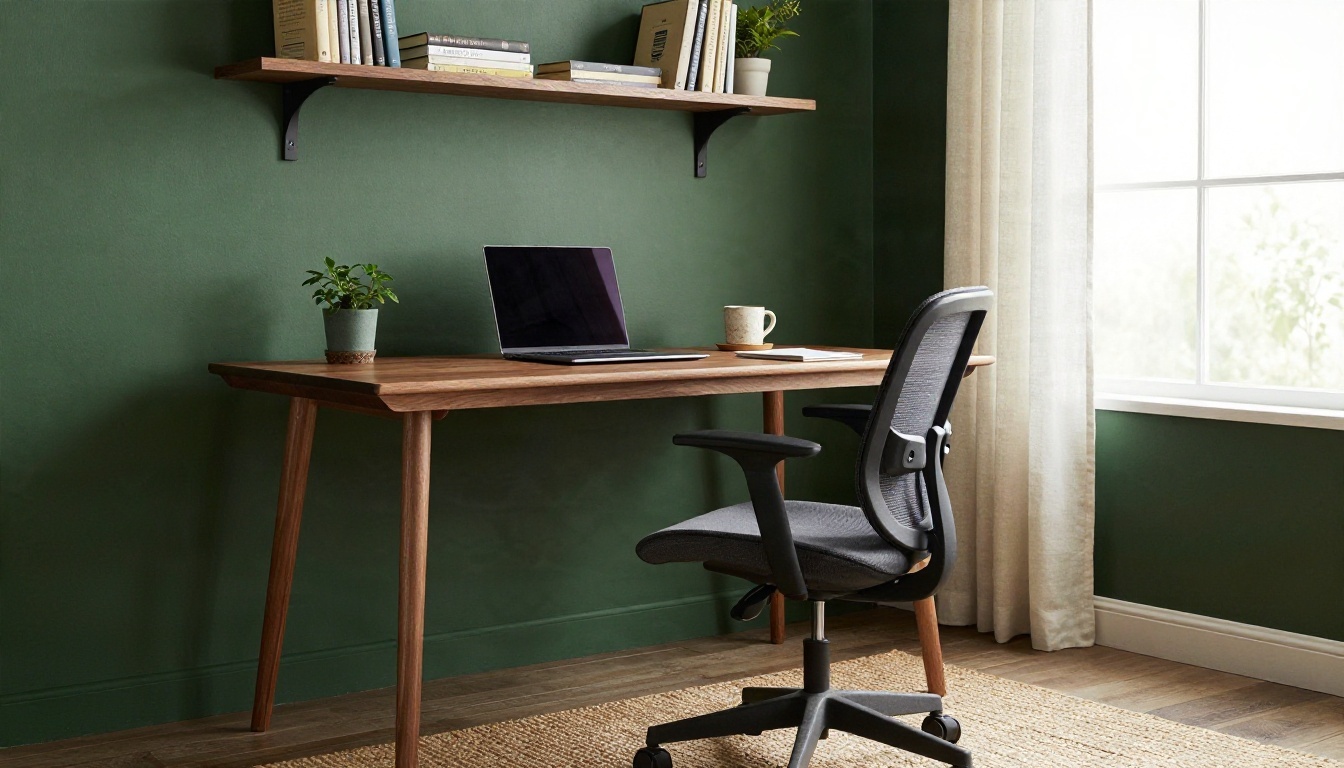
Work spaces benefit from a strong wall color because it frames the desk and hides the fact that no real office is ever this tidy.
Corner-angle photograph of a home office with a solid walnut desk, ergonomic mesh chair, built-in shelves with books and plants, deep forest green wall, soft overcast daylight from the right, linen curtains, woven jute rug, 35mm lens f/4.
Dining Room Prompt
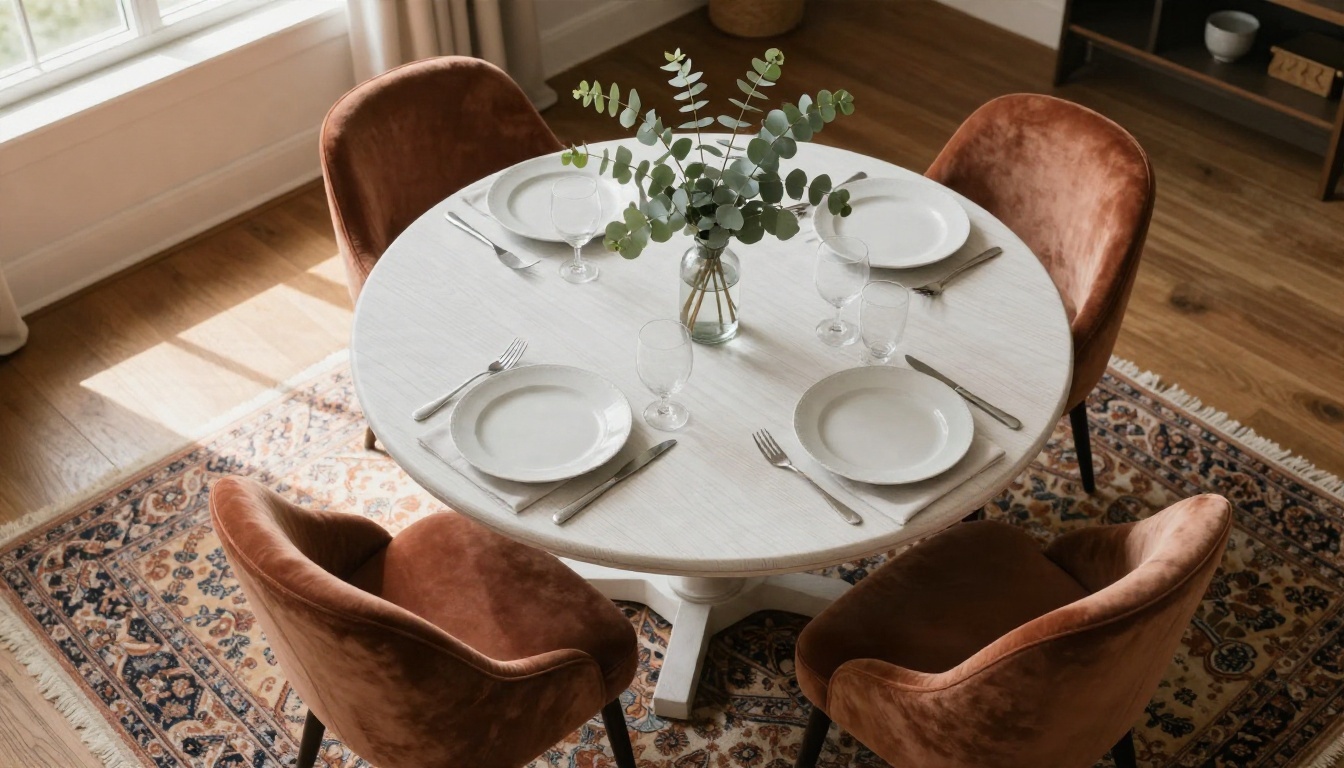
An aerial or high-angle view works well for dining rooms because you can see the table setting, the chairs and the rug in one frame.
Aerial high-angle photograph looking down into a dining room with a round white oak table set for four with stoneware plates and linen napkins, curved velvet chairs in terracotta, patterned wool rug, afternoon sunlight from the left, fresh eucalyptus in a glass vase, 24mm lens f/6.3.
Reading Nook and Balcony Prompts
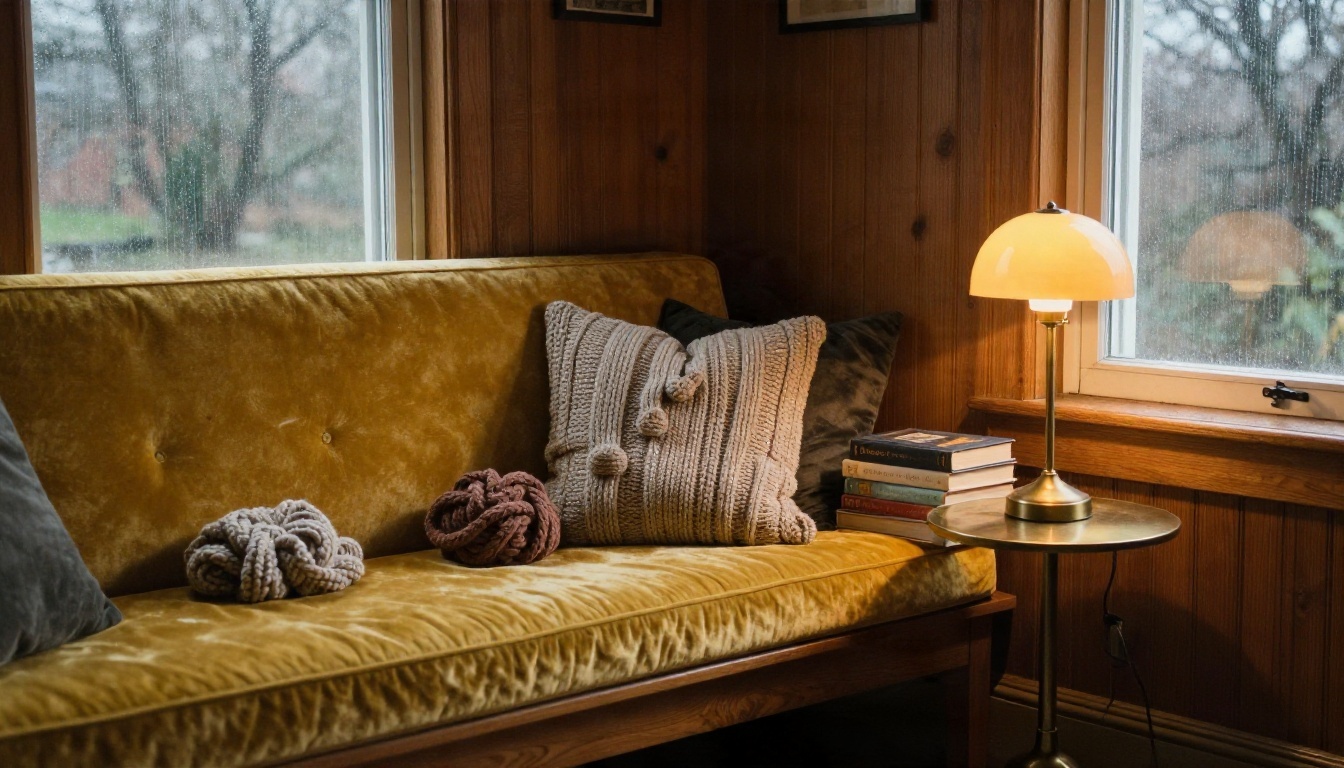
Small spaces are perfect for AI testing, since a single corner is easier to describe than a whole house.
Medium shot of a reading nook built into a bay window, with a cushioned bench in mustard velvet, knit pillows, a stack of books, rainy grey light outside and warm lamp glow inside from the right, wood-paneled walls, 50mm lens f/2.
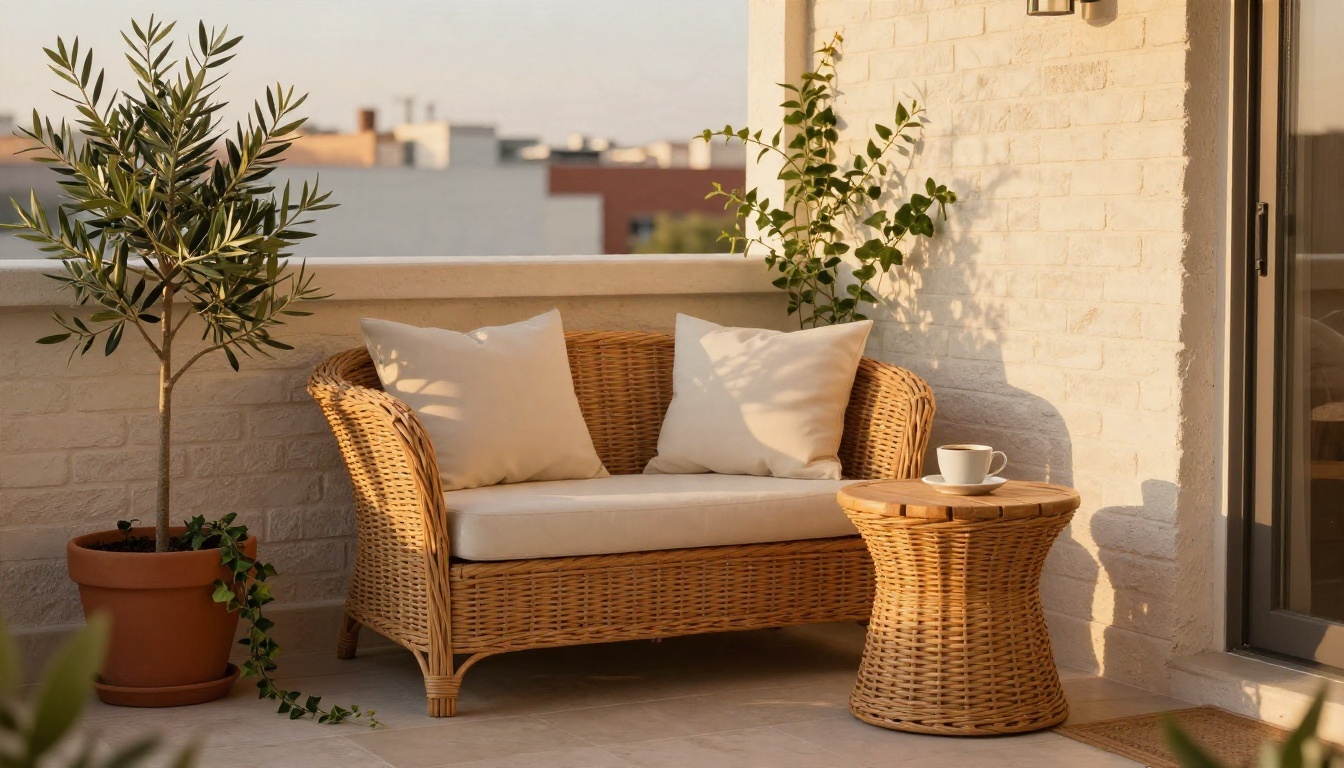
For outdoor corners, swap the indoor materials for rattan, teak, terracotta and plants, and set the light to golden evening.
Free Options Worth Using
Everyone asks about cost first, so here is a plain answer.
What "Free" Usually Means
Most tools labeled free fall into one of three buckets:
- Free tier with limits: a handful of generations per day or month.
- Free to try, paid for high resolution: previews are free, downloads cost credits.
- Open models: free to run, but you need hardware or a host.
Always check whether free images carry a watermark and whether you can use them commercially. If you are building a client mood board, that detail matters.
Free Models Worth Trying on PicassoIA
For interiors, a few models stand out. Pick based on what you need:
| Model | Best for | Why it works for rooms |
|---|
| Nano Banana Pro | 4K detail and editing | Handles photo edits and sharp material textures |
| Seedream 4.5 | High resolution renders | Clean lines, strong light, believable fabrics |
| Imagen 4 | Photorealism | Natural color and accurate shadows |
| Z Image Turbo | Fast drafts | Quick mood board iterations |
| Flux Schnell | Speed on a budget | Good for testing many layouts quickly |
| Flux 2 Klein 4B Base | Style control | Pairs well with LoRAs for a consistent look |
💡 Workflow tip: Draft with a fast model like Z Image Turbo or Flux Schnell to settle on layout and color, then re-run your best prompt in Seedream 4.5 or Imagen 4 for the final image.
How to Use Seedream 4.5 on PicassoIA
Seedream 4.5 is a strong pick for interiors because it renders light and materials with a lot of restraint. Here is a simple routine:
- Open the model page and choose a 16:9 ratio. Wide frames suit rooms better than squares.
- Paste your prompt. Start with the five part formula: room and style, hero furniture, materials, light, camera.
- Set the resolution high if the option is available. Interiors have many fine textures that benefit from extra pixels.
- Generate and compare. Run three or four versions. Change only one variable at a time, such as the sofa color.
- Refine with small edits. If the rug is wrong but everything else works, rewrite just the rug description and generate again.
- Save the winners into a folder labeled by room so you can compare styles later.
💡 Parameter tip: Keep your prompt under about 120 words. Longer prompts often cause the model to ignore the last details. Put the most important items first.
If you want to restyle an existing photo of your room, try Nano Banana Pro. Upload your photo and describe the change in plain language, for example "replace the grey sofa with a green velvet one and keep everything else."
Beyond Single Rooms
Virtual Staging for Empty Rooms
Real estate agents and sellers use AI to show what an empty room could look like. The idea is simple: start with a bare room, then add a few well chosen pieces. A designer armchair, a floor lamp and a rug are often enough to give a buyer a sense of scale and purpose.
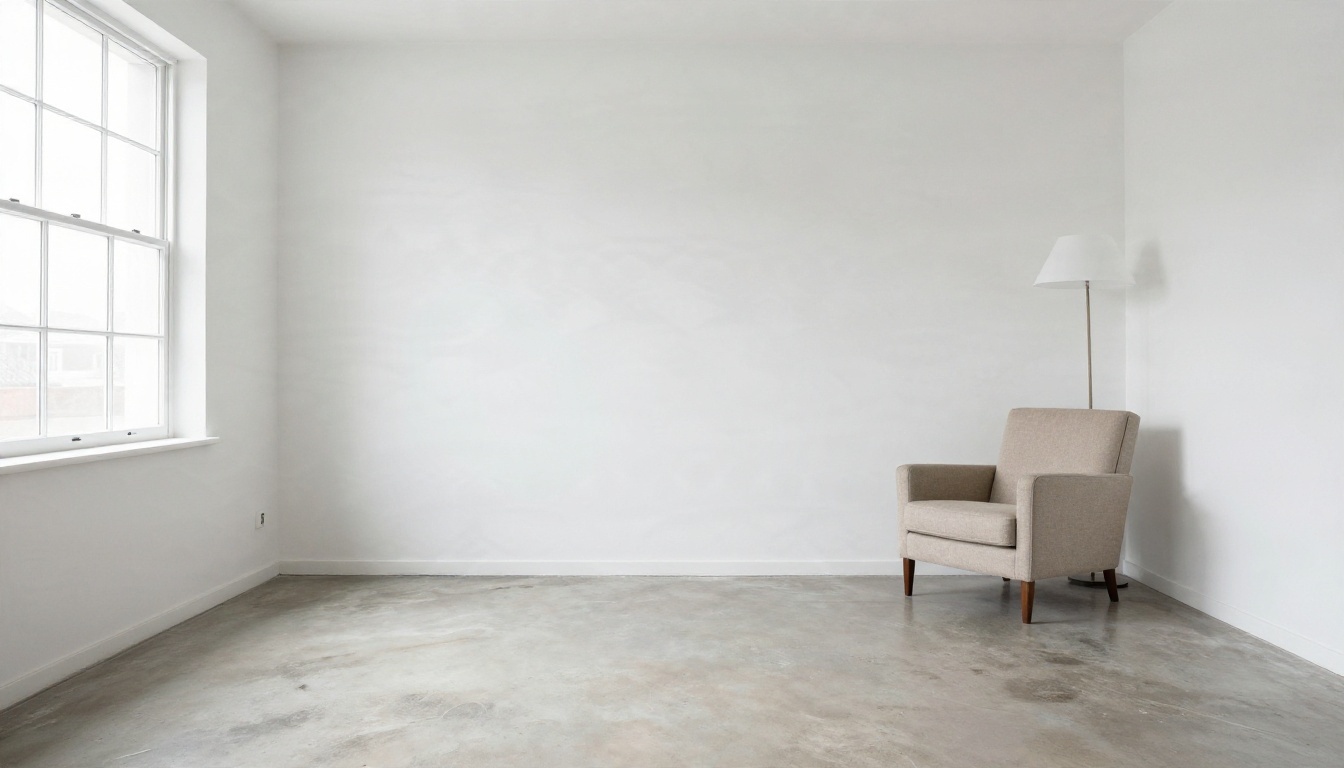
If you stage listings for sale, mention in the listing that the images are digitally staged. Buyers appreciate the honesty, and in many places disclosure is expected.
Building a Consistent Mood Board
A mood board works only if the images feel like they belong in the same home. A few habits help:
- Reuse the same material words across prompts, such as "natural oak" and "warm white plaster."
- Keep the light consistent. If the living room has soft morning light, give the kitchen the same.
- Stick to three or four colors. Name them in every prompt.
- Use the same lens range, between 24mm and 50mm, for a believable set.
Mistakes That Ruin Renders
Most disappointing results come from the same handful of habits.
Overloading the Prompt
Asking for "boho, industrial, minimalist and farmhouse" in one room creates a confused image. Pick one dominant style and one accent influence at most.
Skipping the Light
Without a light direction, models default to flat, even brightness. That is why so many AI rooms look like catalog photos with no shadows. Name the time of day and the side the light comes from.
Ignoring Scale and Layout
If you do not describe where things sit, the model may place a giant sofa in a tiny room. Add spatial hints like "compact apartment," "high ceilings," or "a small round table for two."
Forgetting Realism Cues
Words like "film grain," "visible wood grain," "linen wrinkles" and "dust in the sunbeam" push the output toward photography. Without them, surfaces look plastic.
💡 Quick fix: If an image looks too perfect, add "lived in, slightly imperfect, natural wear" to the prompt.
Trusting the Render Too Much
A render shows a mood. Before ordering furniture, check dimensions, lead times and whether the style fits your actual light. Many people also fall in love with a color on screen, then dislike it on a wall. Test a paint sample in your own room at different hours.
Try Your Own Room
You now have the formula, a set of room prompts, and a short list of free models to test. The fastest way to get better is to run your own room through it. Describe your space, pick one style, and generate three versions. Change the sofa. Change the light. Swap oak for walnut. In ten minutes you will have a clearer picture of your home than weeks of browsing could give you.
Open PicassoIA, try Seedream 4.5 or Nano Banana Pro with one of the prompts above, and see what your next room could look like. When you want more options, browse every model at picassoia.com/en/all-models and keep experimenting.


