A restaurant interior is one of the most expensive things you will ever guess at. Pick the wrong banquette color, hang the lights too high, squeeze in six extra tables, and you only find out after the contractor has been paid. AI interior design for restaurant projects changes that order of events. You describe the room in plain English, and a few seconds later you are looking at a photorealistic version of it, ready to be judged, tweaked or thrown out.
This article is for owners, chefs, designers and anyone sketching a first concept. You will find free tools worth opening today, a prompt formula that works, ready-to-paste prompts for six restaurant styles, layout ideas, and the mistakes that waste the most time.
Why Restaurant Owners Use AI Design
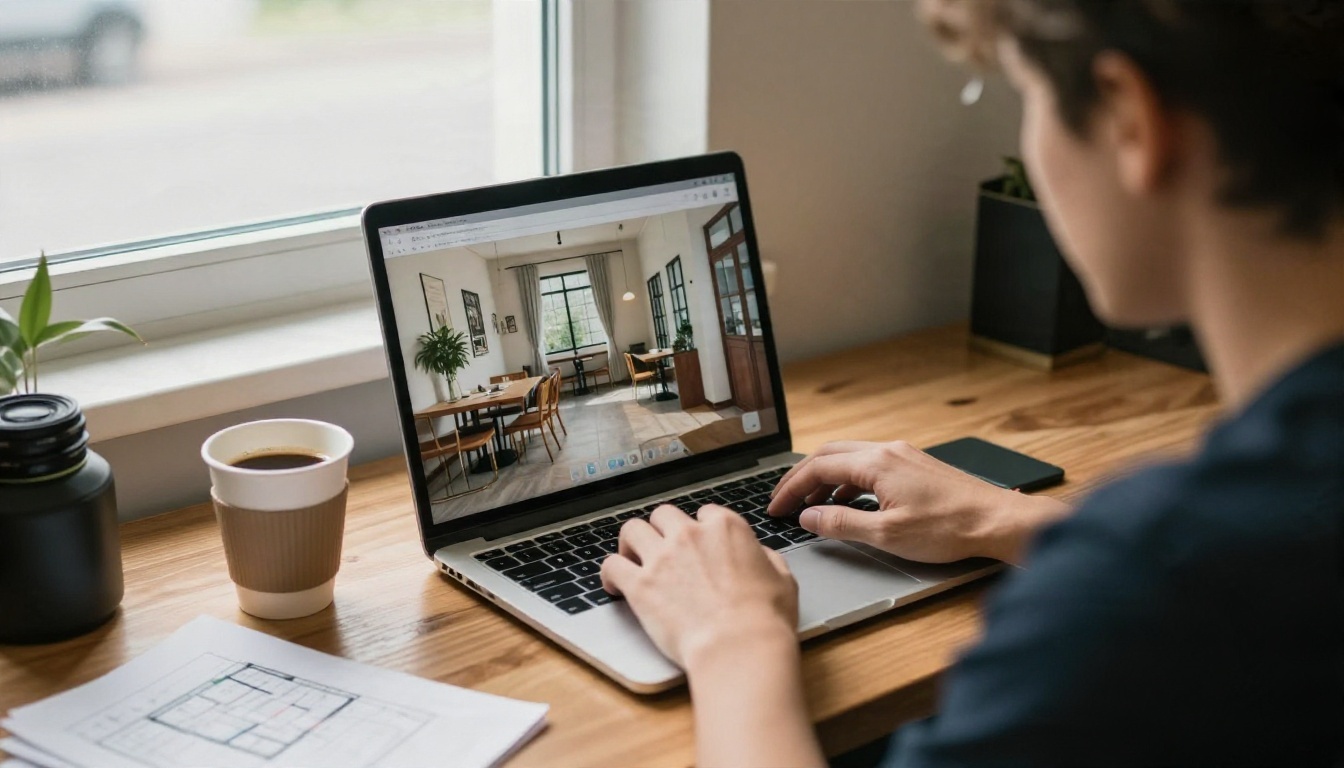
Hiring a hospitality designer is still the right call for a build-out. But the early phase, the "what do we even want this room to feel like" phase, is where most budgets leak. Moodboards on a phone are vague. Pinterest folders contradict each other. A business partner says "warm and modern" and means something entirely different from what you picture.
AI image generation fixes the vague part. Instead of collecting references, you generate the exact room you are describing, then show it to your partner, your landlord, your investor or your designer. Everyone reacts to the same picture.
What AI Does Well
- Fast concept testing. Ten versions of a dining room in the time it takes to drink one coffee.
- Material and color decisions. Terracotta plaster against green velvet? Walnut against white marble? You see it before you buy samples.
- Mood and lighting studies. Morning cafe light versus candlelit dinner service is a big difference, and AI shows it clearly.
- Pitch material. Investors and landlords respond to images far more than to a paragraph of description.
- Staff and signage ideas. Uniform colors, menu board placement and entrance styling can be mocked up quickly.
Where It Falls Short
AI does not know your square footage, your fire exits, your ventilation route or your local code. A generated room will happily place a table in front of an emergency door. Treat every output as a visual concept, not a construction drawing. Dimensions, plumbing, accessibility rules and kitchen flow belong to a licensed professional.
💡 Tip: Use AI to decide what the room should feel like. Use a designer or architect to decide how it gets built.
You do not need a paid subscription to start. Most image tools offer free generations or trial credits, and PicassoIA hosts a large set of text-to-image models in one place, so you can compare results without hopping between sites. Specific limits change over time, so check each model page for current free usage before you plan a big batch.
Image Generators
These are the models that turn a written description into a dining room:
- Nano Banana is a strong all-rounder that also handles edits. Upload a photo of your empty space and ask it to add booths or change the wall color.
- Nano Banana Pro is the sharper option when you want higher detail for a pitch deck.
- Seedream 4.5 produces clean 4K results with convincing textures like plaster, linen and wood grain.
- Imagen 4 leans photographic, which suits lighting and glassware details.
- GPT Image 2 follows long, detailed prompts well, useful when you list many objects in one room.
- Qwen Image 3 is another photorealistic option worth testing for variety.
Editing and Upscaling Tools
- Flux Kontext Fast edits an existing picture with short instructions, like "replace the chairs with rattan chairs."
- Real ESRGAN upscales a good result up to 4x, handy when you need print-quality images for a presentation board.
Quick Comparison
| Task | Best Starting Model | Why |
|---|
| First concept from text | Nano Banana | Fast, flexible, easy to iterate |
| Photo of empty space to finished room | Flux Kontext Fast | Edits instead of replacing the scene |
| Pitch deck hero image | Seedream 4.5 or Nano Banana Pro | Higher detail, strong textures |
| Long, detailed room descriptions | GPT Image 2 | Follows many instructions at once |
| Print-size upscale | Real ESRGAN | Increases resolution without redoing the design |
How to Use Nano Banana on PicassoIA
Because Nano Banana handles both generation and editing, it is a good first stop. Here is the workflow:
- Open the Nano Banana model page on PicassoIA.
- Write your prompt in the text box. Start with the restaurant style, then the materials, then the lighting (the formula is in the next section).
- If the model lets you upload a reference, add a photo of your actual empty space or a mood image you like.
- Pick a wide aspect ratio such as 16:9 when available. Dining rooms read better in landscape.
- Generate, then look at the result critically: is the lighting right, are the chairs believable, does the room feel too crowded?
- Change one thing at a time in the next prompt. If you change five details at once, you will never know which one improved the picture.
- Save the best three versions and compare them side by side.
Settings That Help
- Keep prompts between 40 and 120 words. Shorter prompts give generic rooms, much longer ones start to contradict themselves.
- Re-use the same wording for the parts you like and only edit the part you want to change.
- Generate at least four variations per idea before judging a style.
Good restaurant prompts feel like a photographer's brief. They name the space, the surfaces, the light and the lens. Vague adjectives like "beautiful" or "cool" do almost nothing.
The Five Part Structure
- Restaurant type and cuisine. "Neighborhood Italian trattoria" gives the model a whole visual vocabulary.
- Materials and colors. Name real surfaces: lime plaster, terrazzo, walnut, brass, zellige tile, boucle, leather.
- Furniture and layout. Banquettes, round tables, bar stools, open kitchen pass.
- Lighting. Time of day, direction and source: "late afternoon sun from tall windows on the left," "warm pendant lamps."
- Camera. Lens and angle: "28mm wide shot from the entrance, eye level."
Then add a style anchor like "architectural photography, natural light, film grain" so the result looks like a real photograph and not a glossy render.
Camera and Light Words
| Goal | Words to Add |
|---|
| Warm evening mood | "golden hour," "candlelight," "tungsten pendant lamps" |
| Fresh daytime feel | "soft morning light," "large windows," "diffused daylight" |
| Intimate close-up | "85mm f/1.8," "shallow depth of field," "creamy bokeh" |
| Full room overview | "24mm wide angle," "eye level from the entrance" |
| Layout study | "high angle from above," "aerial view of the floor" |
| Realistic texture | "visible wood grain," "linen weave," "leather patina" |
💡 Tip: Always add what you do not want in plain words, such as "no people, no text, no signage." It keeps the room clean and avoids garbled lettering on walls.
Prompts by Restaurant Style
Copy any of these, then swap in your own colors and materials. Each one is built on the five part structure.
Italian Trattoria
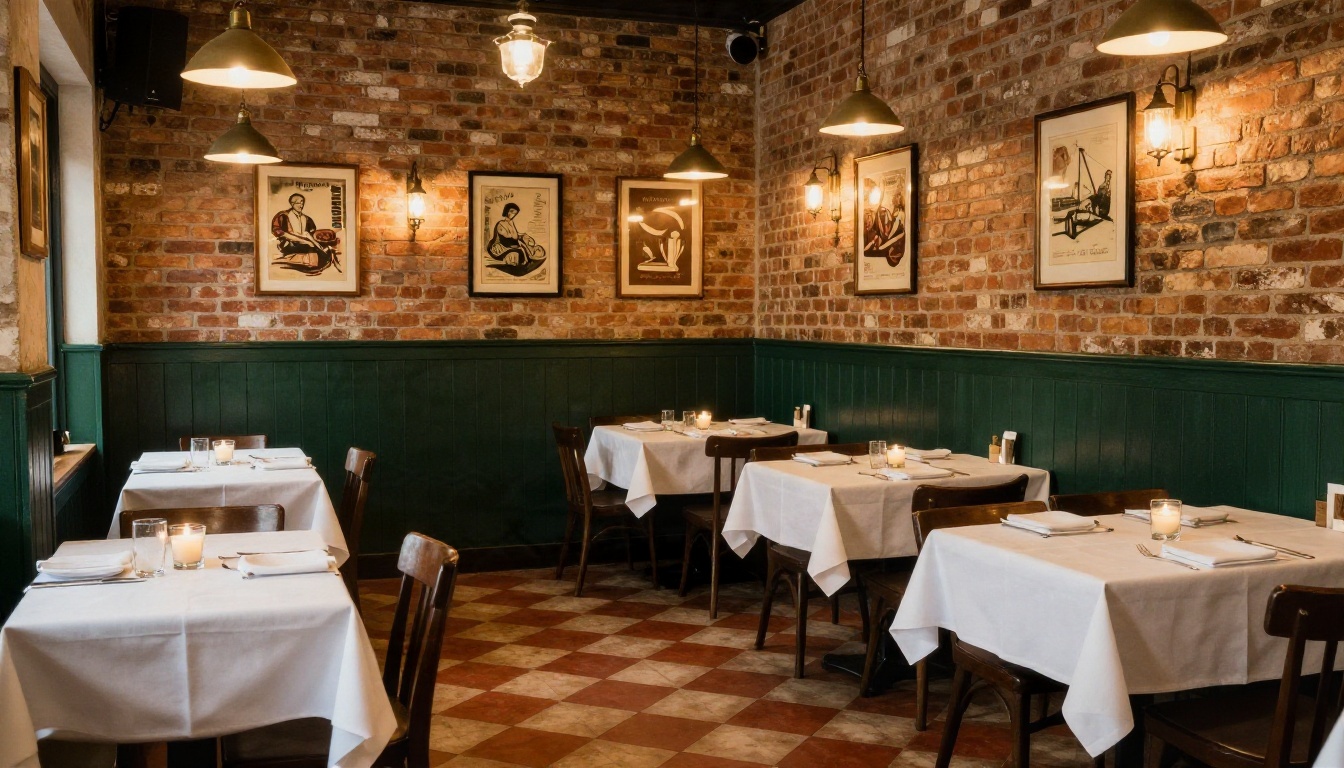
Prompt: "Neighborhood Italian trattoria dining room, checkered terracotta tile floor, dark green wainscoting, white tablecloths, candles in glass holders, exposed brick wall with framed vintage prints, warm pendant lights, low angle shot, 28mm lens, warm evening light, architectural photography, film grain, no people."
The strength of this style is warmth and familiarity. The brick and tile give the model plenty of texture to work with, and the candles create small pools of light that make an empty room feel alive.
Japanese Minimalist
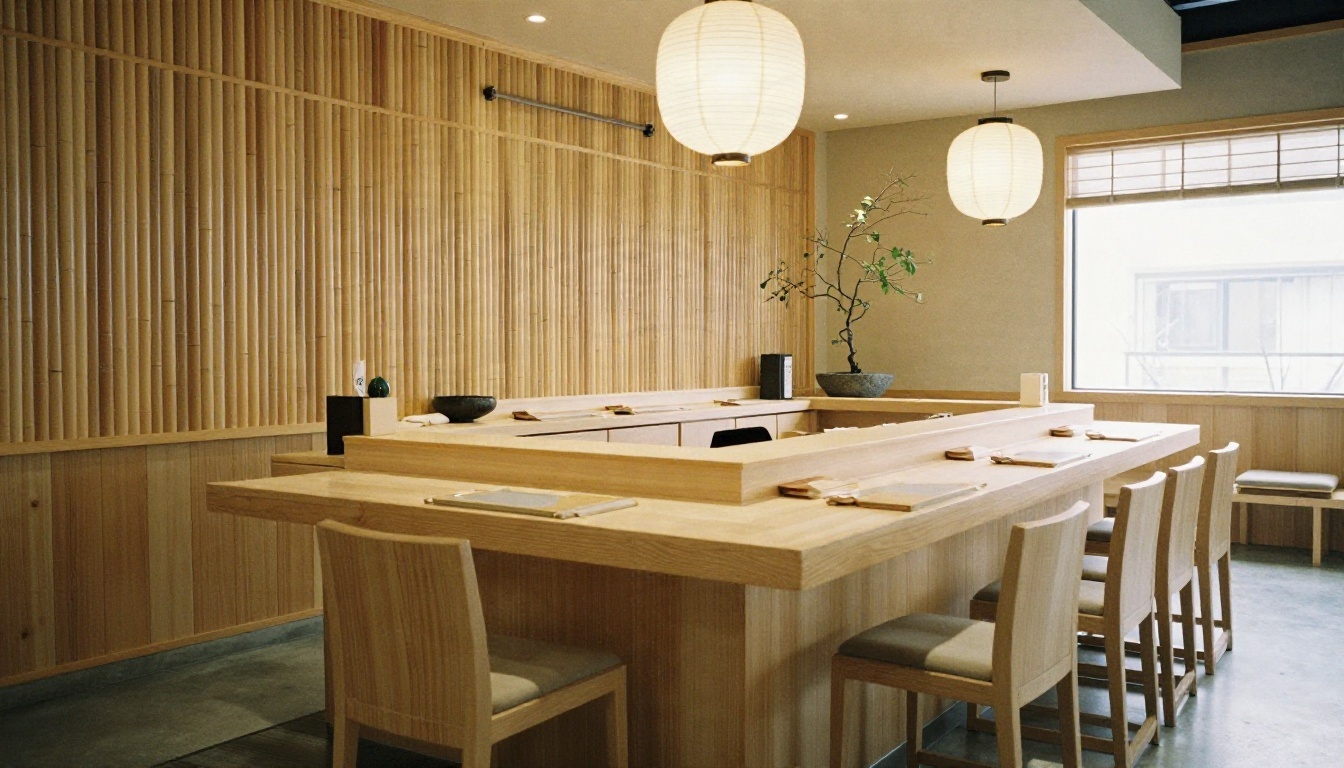
Prompt: "Minimalist Japanese restaurant, pale ash wood sushi counter, bamboo wall slats, paper lantern pendants, polished concrete floor, a single branch in a stone bowl, soft daylight from a high clerestory window on the right, 35mm lens, muted beige and charcoal palette, calm atmosphere, natural film grain."
Restraint is the whole point here. If the AI adds too many decorations, add "very few objects, large areas of empty wall" to the prompt. Negative space is part of the design.
Moody Bistro Bar
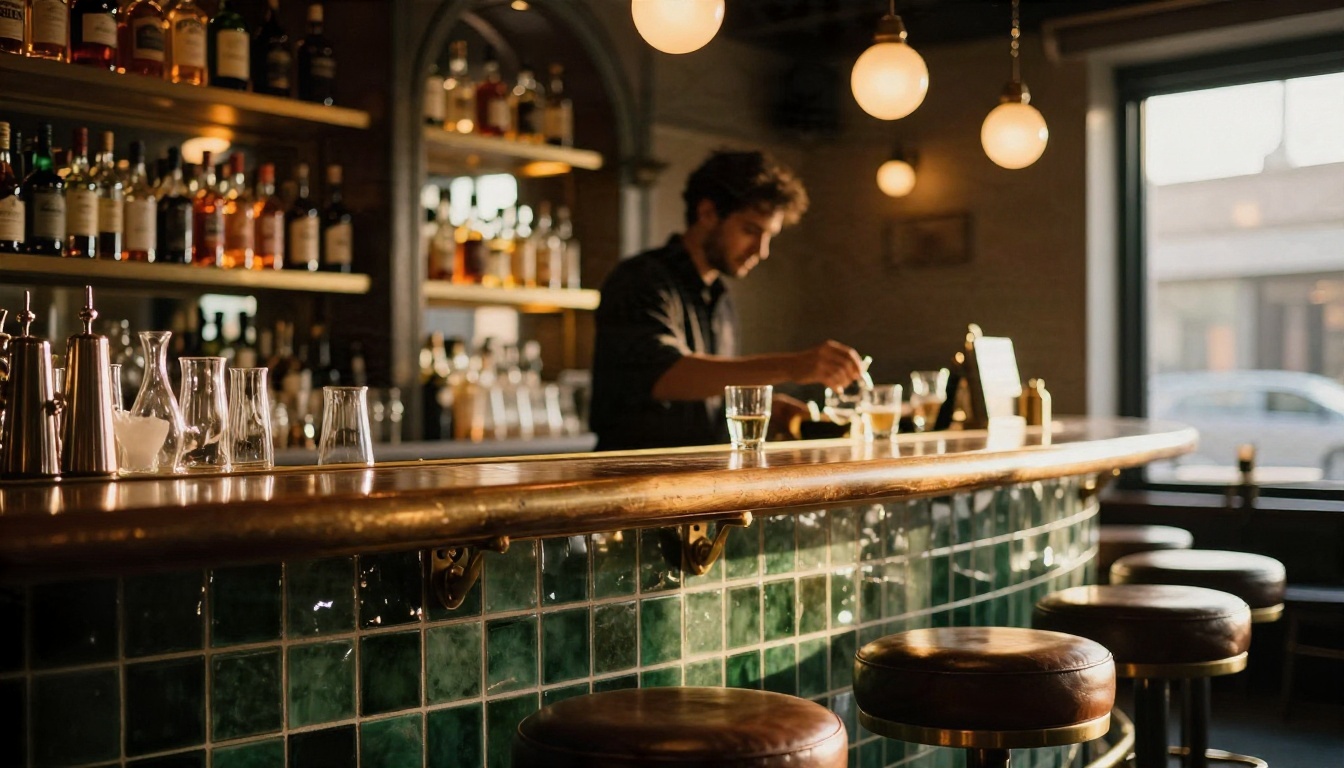
Prompt: "Moody bistro bar at golden hour, curved bar counter covered in dark green zellige tile, brass foot rail, leather stools, shelves of bottles lit from behind with amber light, bartender polishing a glass slightly out of focus, 50mm f/1.8 lens, realistic glass reflections, intimate atmosphere."
Bars reward close, shallow-focus shots. Ask for reflections and glaze and the tile will look like handmade ceramic instead of flat color.
Bright Daytime Cafe
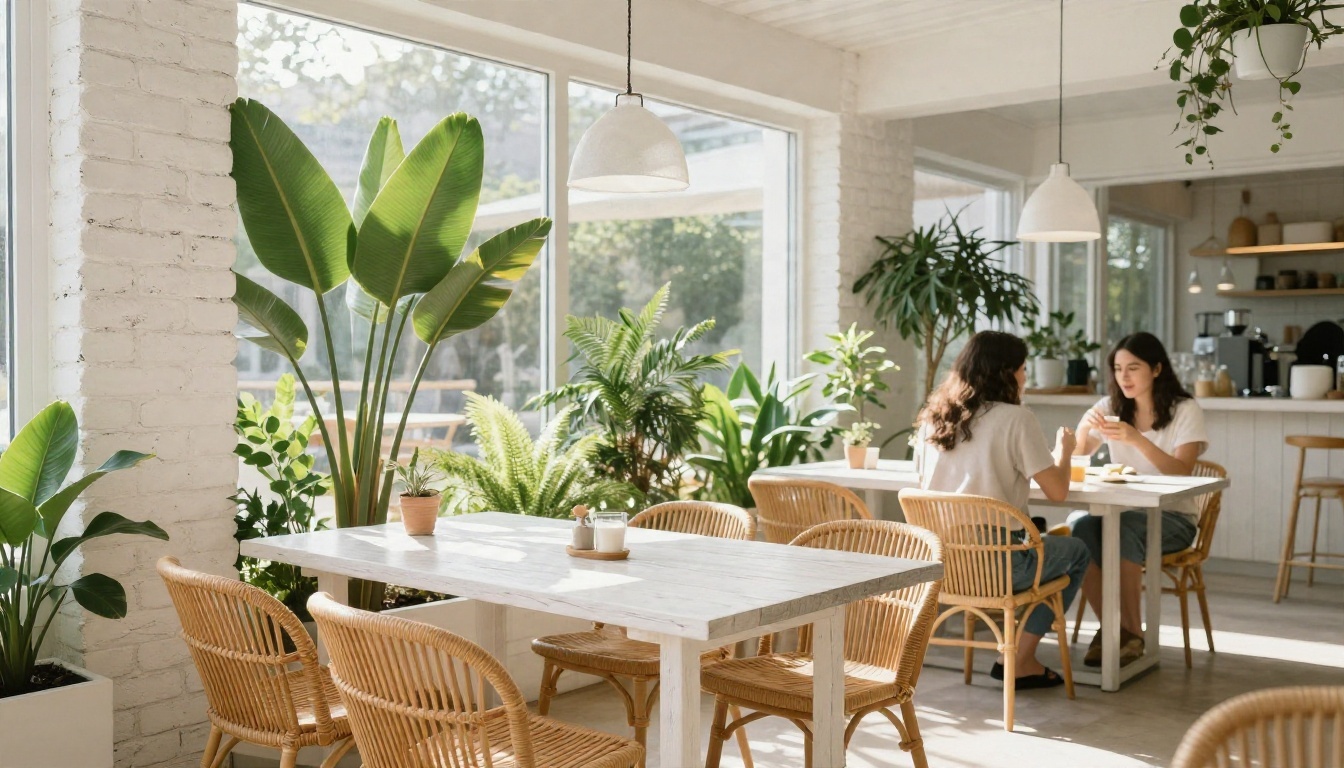
Prompt: "Bright casual cafe restaurant, white oak tables, rattan chairs, large leafy plants, whitewashed brick walls, big glass windows with soft morning light, fresh palette of white, green and natural wood, a few diners softly blurred in the background, 35mm lens."
Notice the blurred diners. Adding people in soft focus gives the space a sense of scale and life without letting faces become the subject.
Fine Dining Room
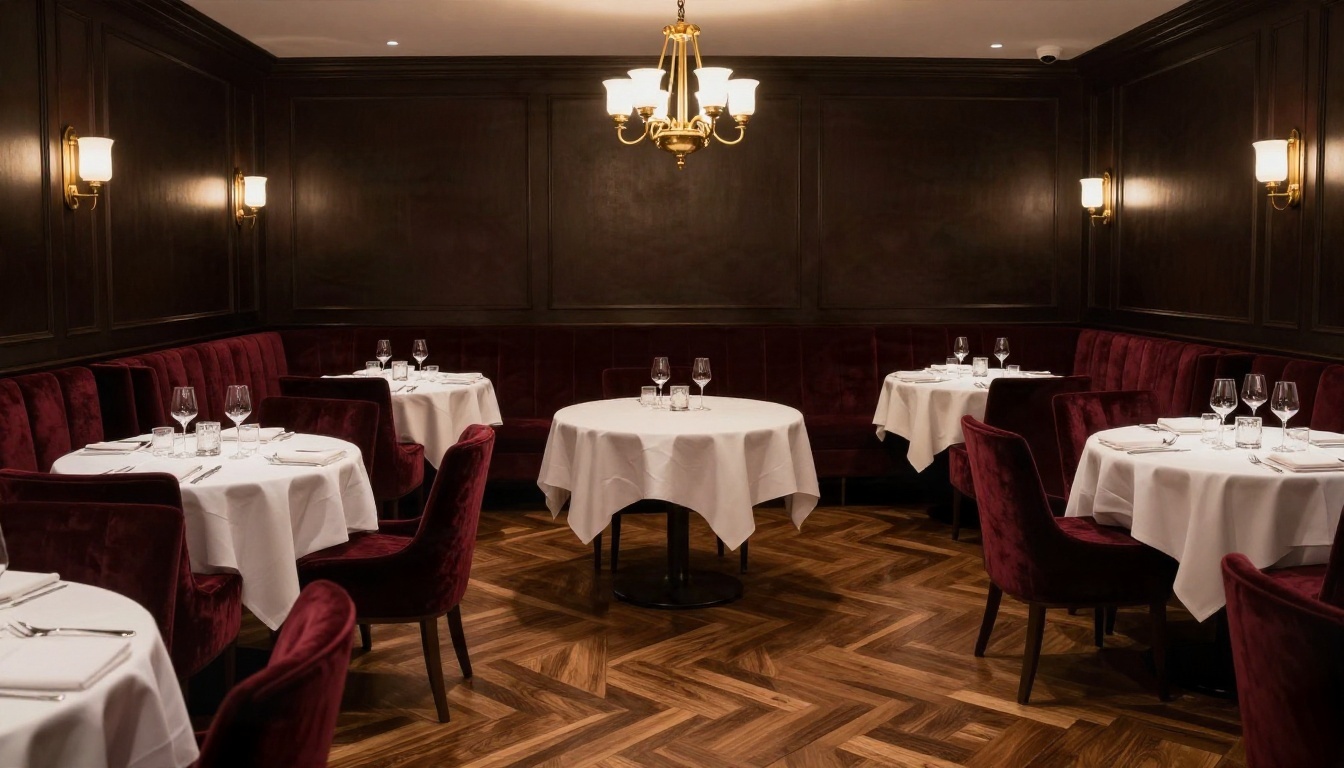
Prompt: "Fine dining room, deep burgundy velvet banquettes, round tables with crisp white cloths, statement brass chandelier, dark paneled walls with soft picture lights, herringbone parquet floor, 28mm lens, low warm ambient light, highlights on glassware, empty before service."
Luxury comes from material contrast: soft velvet next to hard brass, matte paneling next to glossy glass. Say so in the prompt and the model follows.
Industrial Burger Joint
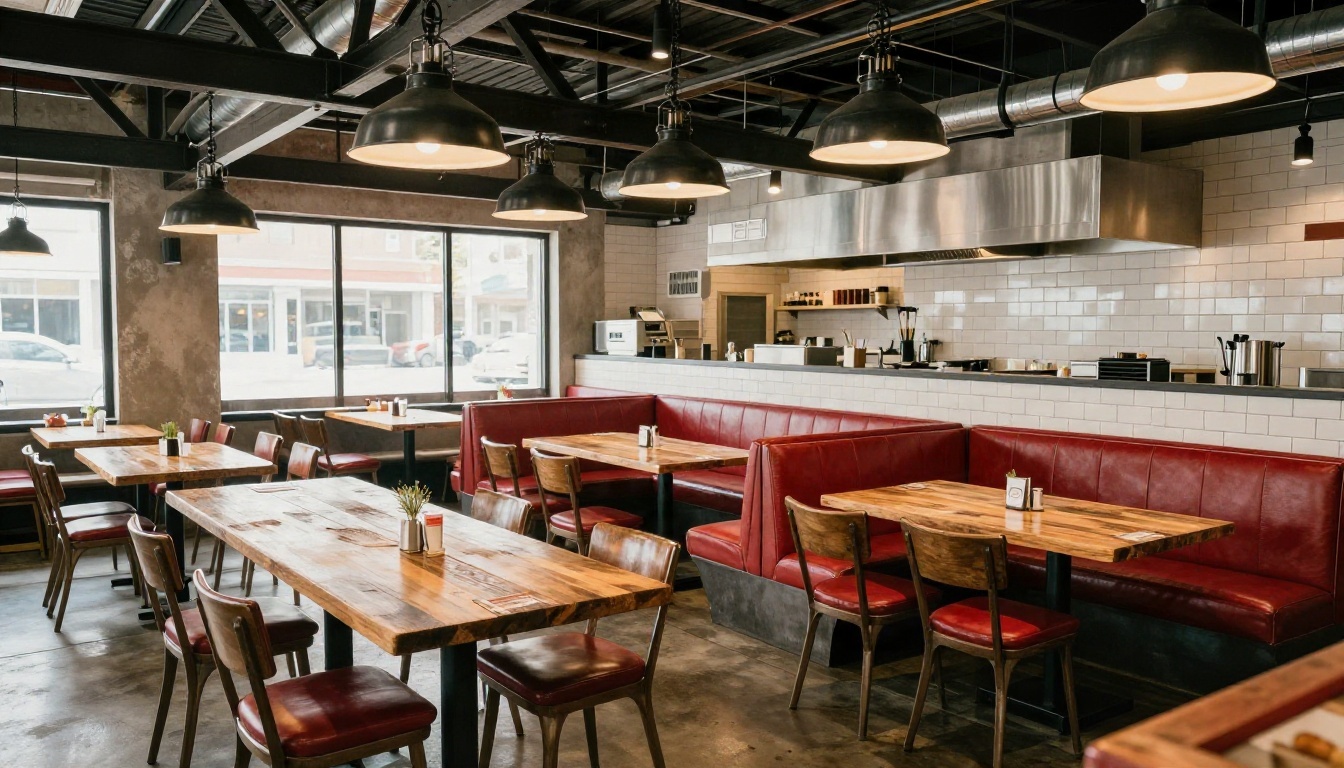
Prompt: "Industrial burger restaurant, exposed steel beams, black metal pendant lights, reclaimed wood communal tables, red leather booths, white subway tile wall, polished concrete floor, tidy open kitchen in the background, 24mm lens, tungsten lights mixed with window daylight."
Fast casual spaces need to look durable and easy to clean. Mentioning concrete, tile and leather pushes the model toward surfaces that survive heavy traffic.
Layout and Seating Ideas
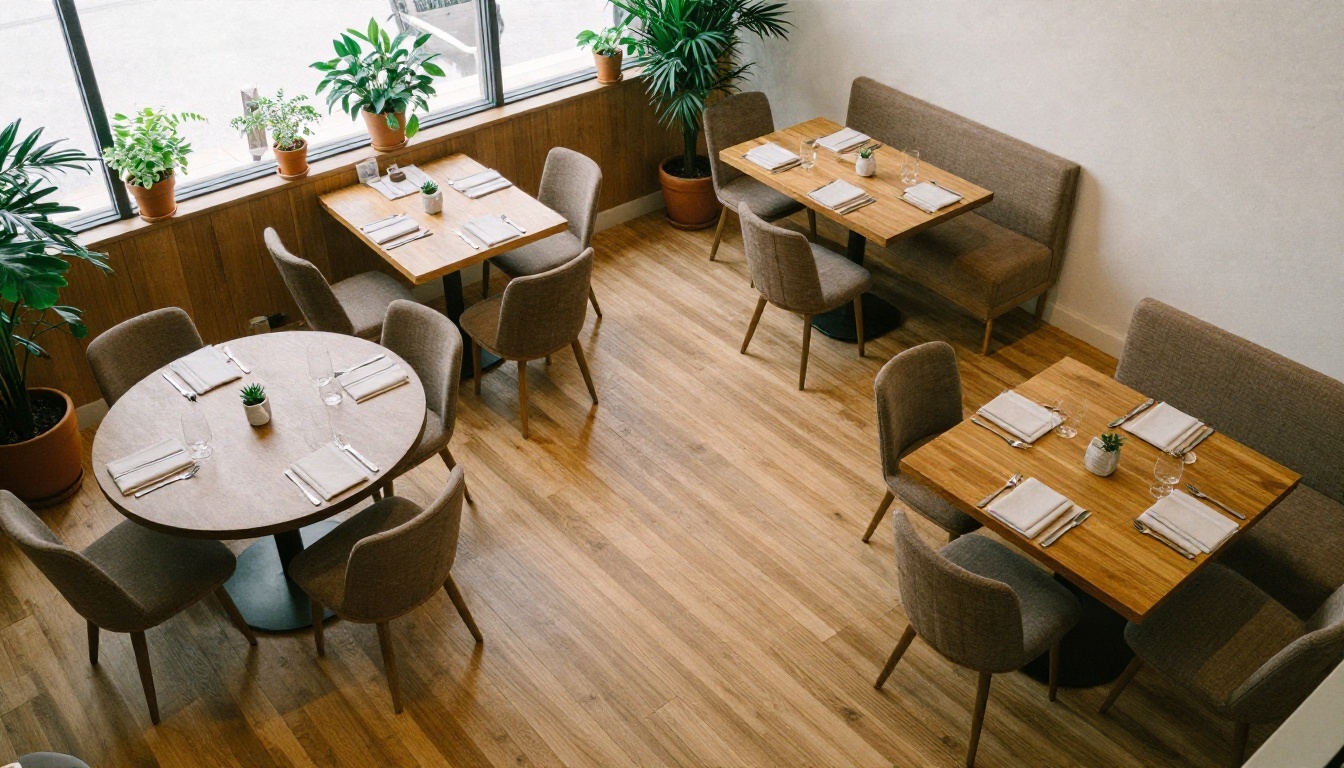
An aerial prompt is one of the best uses of AI for restaurants. It will not give you accurate measurements, but it shows rhythm: where the booths sit, how the aisle flows, how many table shapes feel like too many.
Spacing and Flow
Use the AI image as a conversation starter, then check the numbers with a professional. Common rules of thumb restaurateurs work from:
- Leave a main walkway wide enough for two people to pass, or one server carrying a tray with room to spare.
- Put booths along walls to use dead space, and place flexible two-tops in the middle so they can be pushed together.
- Keep the path between the kitchen pass and the busiest tables short.
- Avoid placing tables directly beside the restroom door or the dish return.
Local codes decide exact aisle widths and capacity, so treat these as starting points only.
Zones and Atmosphere
Even a small room can feel like several. Try prompts that describe zones:
- A bar zone near the entrance for walk-ins and waiting guests.
- A booth zone along one wall for couples and small groups.
- A communal table zone for lively evenings.
- A quiet corner with softer light for anniversaries and business dinners.
Generate each zone as its own image, then compare them. If the booth zone looks inviting but the communal zone looks cold, you know where to spend your decor budget.
Details That Sell the Room
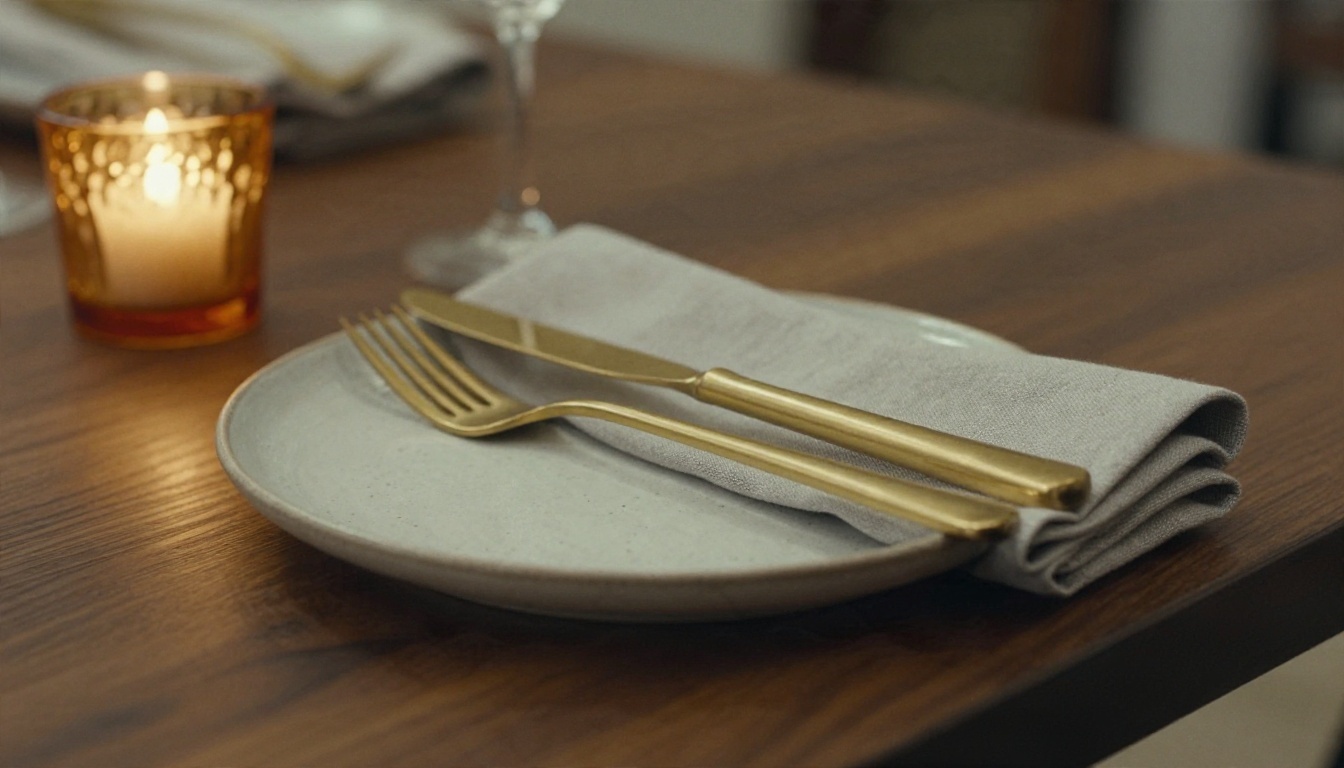
Guests rarely remember a floor plan. They remember the weight of the fork, the glow of a candle, the feel of a napkin. Close-up prompts help you decide on those small things before you order them in bulk.
Try prompts such as: "close-up of a restaurant table, handmade speckled ceramic plate, brushed brass cutlery, charcoal linen napkin, amber candle holder, dark walnut tabletop with visible grain, 85mm f/1.8, warm side light."
Use this approach for:
- Tableware and glassware combinations.
- Menu cover and menu board styling (keep text to one or two words, since AI lettering can be unreliable).
- Lighting fixtures at table height.
- Plant and flower arrangements.
- Staff uniform and apron colors.
💡 Tip: If AI gets a small object slightly wrong, such as a strange fork, ignore it. You are choosing a mood and a material, not placing an order. Buy the real item from a supplier's catalog.
Common Mistakes to Avoid
- Writing "luxury restaurant" and nothing else. The model fills the gaps with generic gold and marble. Name your materials instead.
- Changing too many things per round. Edit one element at a time so you can see what worked.
- Trusting the layout. AI invents impossible doorways, floating stairs and tables blocking exits. Verify with real measurements.
- Ignoring lighting. A beautiful room lit like a warehouse feels wrong. Always describe the light source and time of day.
- Chasing the model's taste. If every output looks like a magazine spread but nothing like your neighborhood, add local details such as your street's brick color or regional ceramics.
- Skipping the upscale. A small image looks soft on a big screen. Run your favorite through Real ESRGAN before you present it.
- Forgetting the budget. A generated room may include materials that cost five times your allowance. Cross-check each surface with a real price.
A Simple Workflow You Can Repeat
- Write a one-sentence concept: cuisine, mood, neighborhood.
- Generate four wide shots using the five part formula.
- Pick the best, then make edits with Flux Kontext Fast or Nano Banana.
- Generate a bar shot, a table close-up and an aerial view in the same style.
- Upscale the finalists.
- Share the set with your designer and contractor and ask for comments on feasibility.
This takes an afternoon and can save weeks of back-and-forth.
Try Your Own Restaurant Concept
You already know what your place should feel like: the smell from the kitchen, the sound of the room on a Friday night, the way the light hits the bar at six o'clock. AI image generation lets you turn that feeling into a picture you can show someone else.
Pick one of the prompts above, change the cuisine, change the colors, add your city's brick or tile, and generate your first dining room on PicassoIA. Try Nano Banana for fast experiments, Seedream 4.5 when you want sharper detail, and browse the full list of tools at picassoia.com/en/all-models. Make ten versions, keep the three that make you smile, and bring them to your next meeting. The best restaurant interiors start with a clear picture, and now getting one takes minutes.


