You stand at the curb, look at your house, and something feels off. The lawn is patchy, the shrubs are overgrown, and you have no idea what would actually look good. Hiring a designer can cost thousands before a single shovel hits the soil. AI landscape design flips that order: you see the finished yard first, tweak it in seconds, and only then spend money. This article walks through how it works, which free tools make sense, 20+ front yard ideas, and real examples of what AI can produce from a simple description.
What AI Landscape Design Actually Does
At its core, AI landscape design turns a description or a photo of your property into a realistic picture of a finished yard. You type something like "curved flagstone path, layered grasses, Japanese maple, craftsman house," and an image model draws it. Some tools start from your own photo and redraw the lawn around your existing house. Others invent a yard from scratch so you can collect ideas.
What it is good at:
- Showing mood, color and plant layout in under a minute
- Testing five different styles on the same house without paying for five drawings
- Giving you a clear picture to show a contractor or nursery
- Spotting what you hate before it is planted
What it is not:
- A surveyed plan with measurements, drainage or grading
- A plant list tuned to your soil and frost dates
- A replacement for local code, setback or HOA rules
💡 Think of AI as your sketchbook, not your engineer. It answers "what could this look like?" very well. It does not answer "will this survive my winters?" That part is still on you or a local nursery.
Who Benefits Most
Homeowners planning a front yard refresh get the biggest payoff, because curb appeal is visual and fast to judge. New buyers with a blank lot, renters who want to propose changes to a landlord, and DIY gardeners who like to plant in stages all benefit. Real estate agents also use these images to show buyers what a bare yard could become.
The Intent Behind the Search
Most people searching for this want one of three things: a free way to try it, a pile of front yard ideas, or proof that the results look real. The sections below cover all three.

Free is a moving target, so check limits before you commit. Here is how the main routes compare in practice.
| Approach | Best for | Starts from your photo? | Typical limit |
|---|
| Text to image models | Collecting ideas and moods | No | Daily or monthly credits |
| Photo editing models | Redesigning your real yard | Yes | Credits per edit |
| Dedicated garden planner apps | Layouts and plant lists | Sometimes | Watermarks or limited exports |
| Free trials from design software | Quick one off tests | Yes | Few renders |
For most homeowners, a general image model beats a single purpose garden app, because you can change anything: the path material, the house color, the time of day, the season. On PicassoIA you can try several models side by side, such as Seedream 4.5 for crisp detail, Imagen 4 for photorealistic lighting, and Nano Banana for editing a photo you already have.
Text Prompts vs Photo Edits
Text prompts are perfect when you are still dreaming. You do not need a photo, and you can generate ten wildly different yards in ten minutes.
Photo edits are better once you have narrowed it down. You upload a picture of your actual house and ask the model to replace the lawn, add beds, or change the walkway while keeping the building intact. This is the version that makes you say "that is my house."
A Quick Reality Check on "Free"
Free credits are enough to design one yard properly. If you plan to iterate on three or four properties, or want 4K output, expect to use paid credits eventually. Always test with a small batch first and keep your best prompts saved in a note.
How to Use Nano Banana on PicassoIA
This is the simplest way to redesign your own front yard from a phone photo. Nano Banana handles image editing, so it can keep your house and swap out everything around it.
Step by step:
- Take a clean photo. Stand near the curb or at the end of the driveway. Shoot in soft light, ideally overcast or early morning, with the whole facade in frame.
- Open Nano Banana on PicassoIA and upload that photo as the reference image.
- Write one clear instruction. For example: "Keep the house exactly as it is. Replace the lawn with a curved flagstone path, layered ornamental grasses, white hydrangeas and a Japanese maple. Golden hour light. Photorealistic."
- Generate and compare. Run it two or three times. Small changes in wording can produce very different layouts.
- Refine one thing at a time. Ask for "wider path," "more evergreen shrubs," or "remove the tree on the left." Single edits keep the image stable.
- Save the winner and, if you want crisp print quality, use the platform's super resolution tools to upscale it before showing a contractor.
💡 Pro tip: Always start your prompt with "keep the house, driveway and windows unchanged." Without it, models sometimes redraw the building too.
Settings Worth Adjusting
- Aspect ratio: match your original photo so nothing is stretched
- Number of outputs: generate several at once to compare layouts
- Reference strength (when offered): higher keeps more of your original house
When to Switch Models
If your result looks soft or the plants appear generic, try Seedream 4.5 or Nano Banana Pro for finer textures like bark, stone grain and leaf detail. For fast low cost drafts, Imagen 4 Fast is a handy way to test layouts before spending on high detail renders.
Front Yard Ideas With Real Examples
Below are eight styles, each paired with an AI generated example and a prompt skeleton you can adapt. Swap in your own house style, climate and plants.
Modern Minimalist
Clean lines, hard edges and restraint. Think large concrete pavers set in dark gravel, a handful of sculptural plants, and one confident tree.
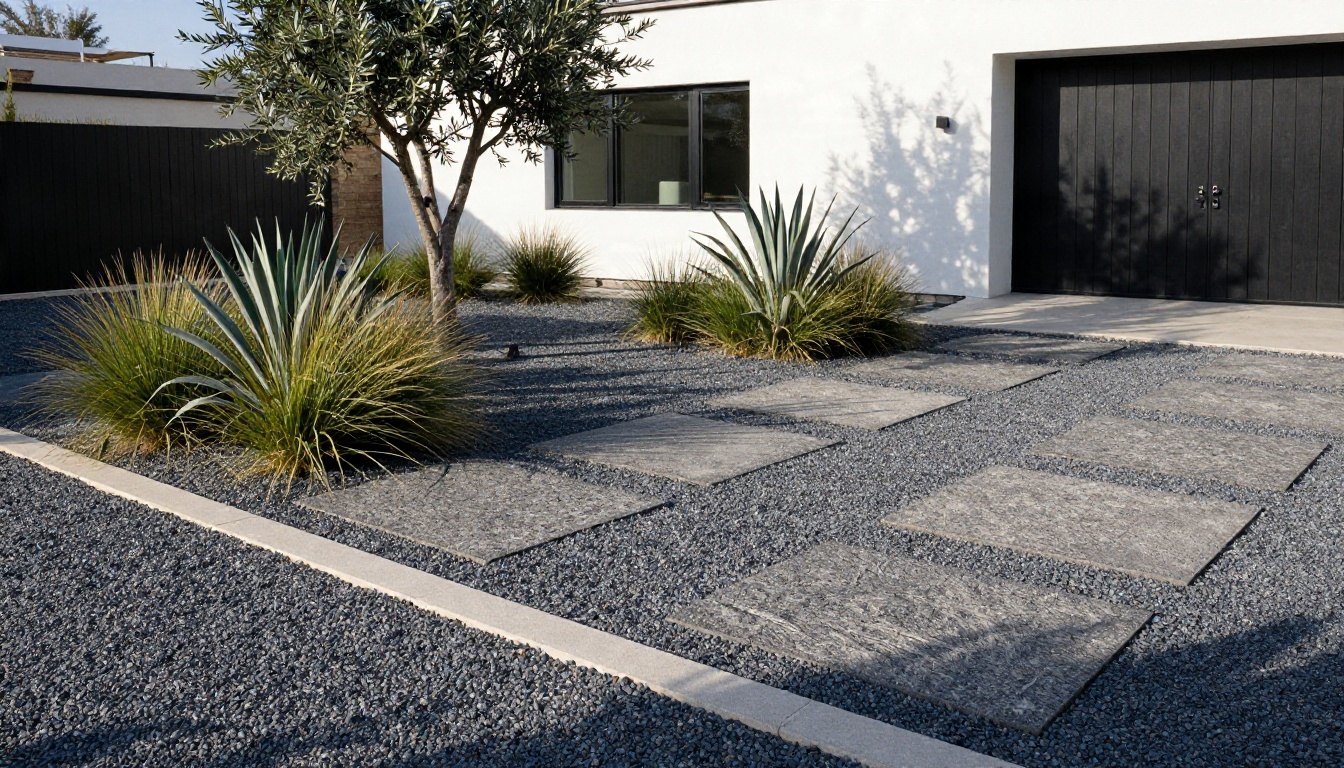
Plants that fit: agave, ornamental grasses, olive, dwarf pines.
Prompt idea: "Low angle photo of a modern minimalist front yard, rectangular concrete pavers in pea gravel, agave and grasses, one olive tree, white stucco house, late afternoon sun, 24mm lens."
Cottage Garden
Soft, abundant and a little wild. Flowers spill over edges, and the border becomes the star. This style is forgiving, because a bit of mess looks intentional.
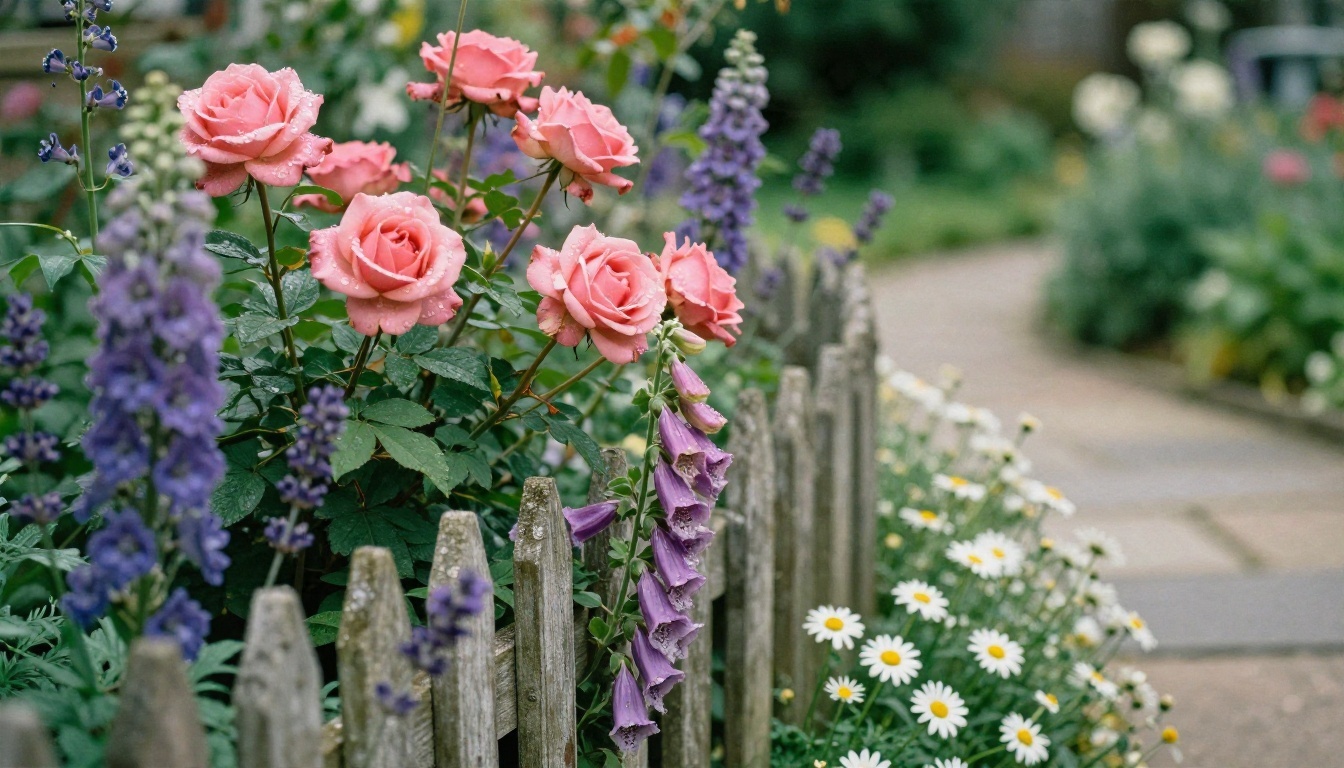
Plants that fit: foxglove, roses, lavender, delphinium, daisies.
Prompt idea: "Close up of a cottage garden front border in full bloom, foxgloves, roses, lavender, weathered picket fence, soft morning backlight, 85mm lens."
Low Maintenance Yard
If you hate mowing, this is your route. Replace most of the lawn with mulched beds, drought tolerant plants and a path that doubles as structure.
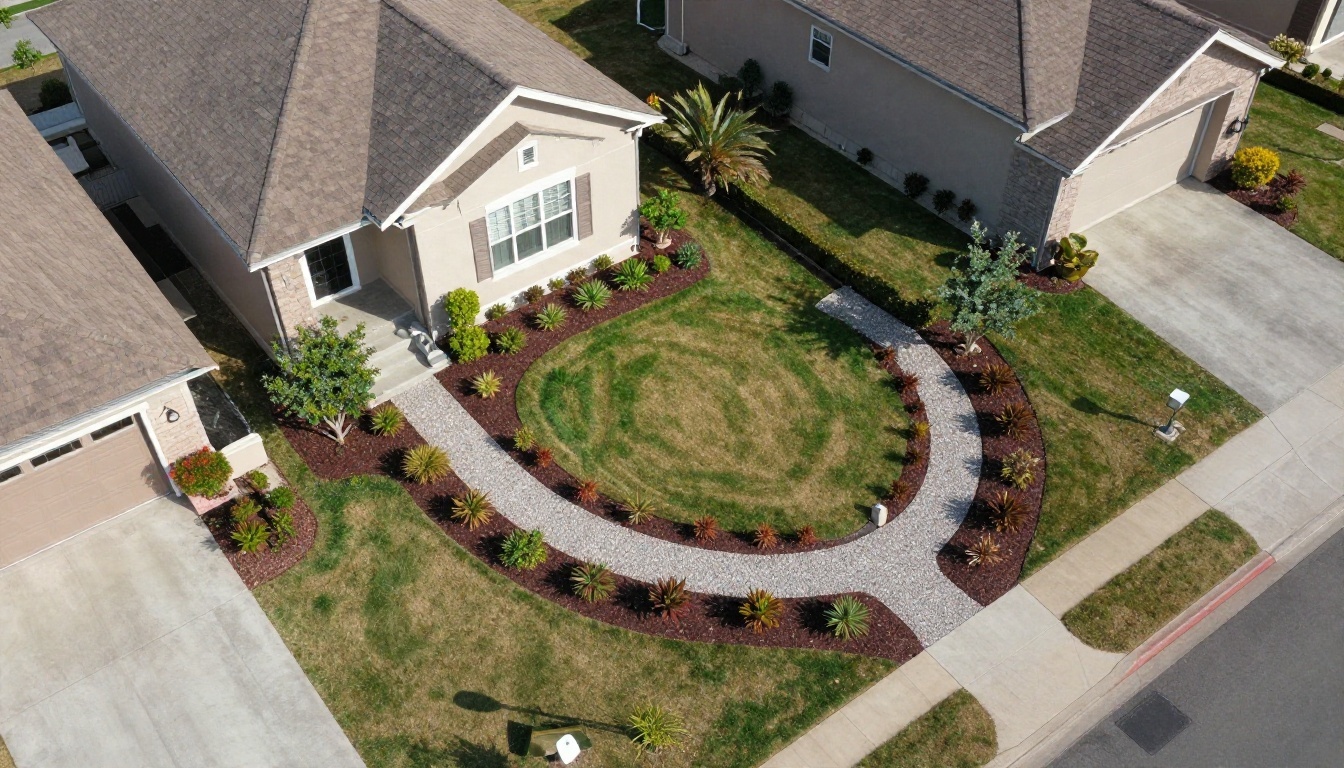
Plants that fit: sedum, salvia, lavender, native grasses.
Prompt idea: "Aerial view of a suburban house with a low maintenance front yard, curved mulch bed, drought tolerant plants, decomposed granite path, small circle of lawn, mid morning sun."
💡 Aerial prompts are great for checking proportions: bed size versus lawn, path curves, and how the driveway meets the garden.
Native Pollinator Garden
A planting that feeds bees and butterflies, often needs less water once established, and looks full of life from June to October.
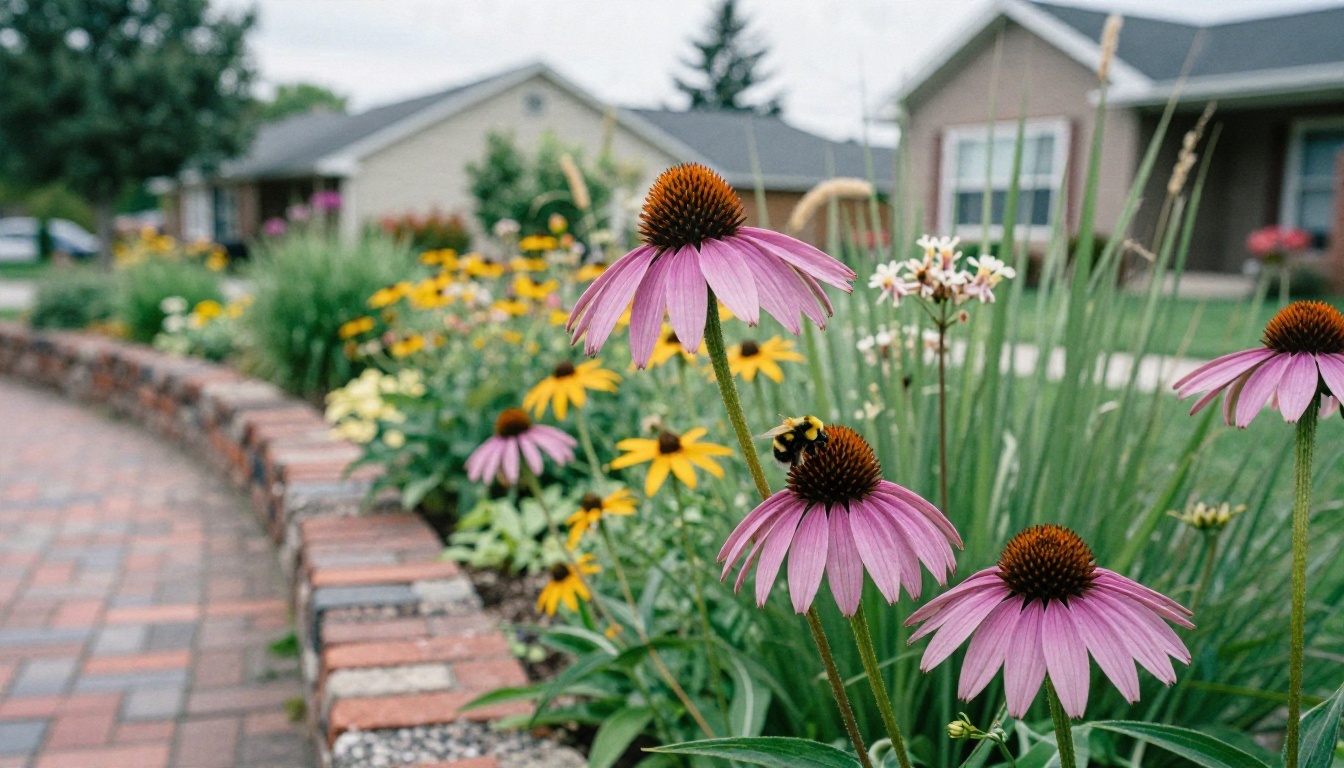
Plants that fit: purple coneflower, black eyed Susan, milkweed, little bluestem.
Prompt idea: "Townhouse front garden with native pollinator planting, coneflower, milkweed, bluestem grass, brick walkway, low stone wall, a bee on a flower, overcast light."
💡 Always replace the plants in these images with natives from your own region. Ask a local nursery which species suit your area.
Mediterranean Courtyard
Warm gravel, terracotta, herbs and citrus. It works especially well with stucco or stone houses and in dry climates.
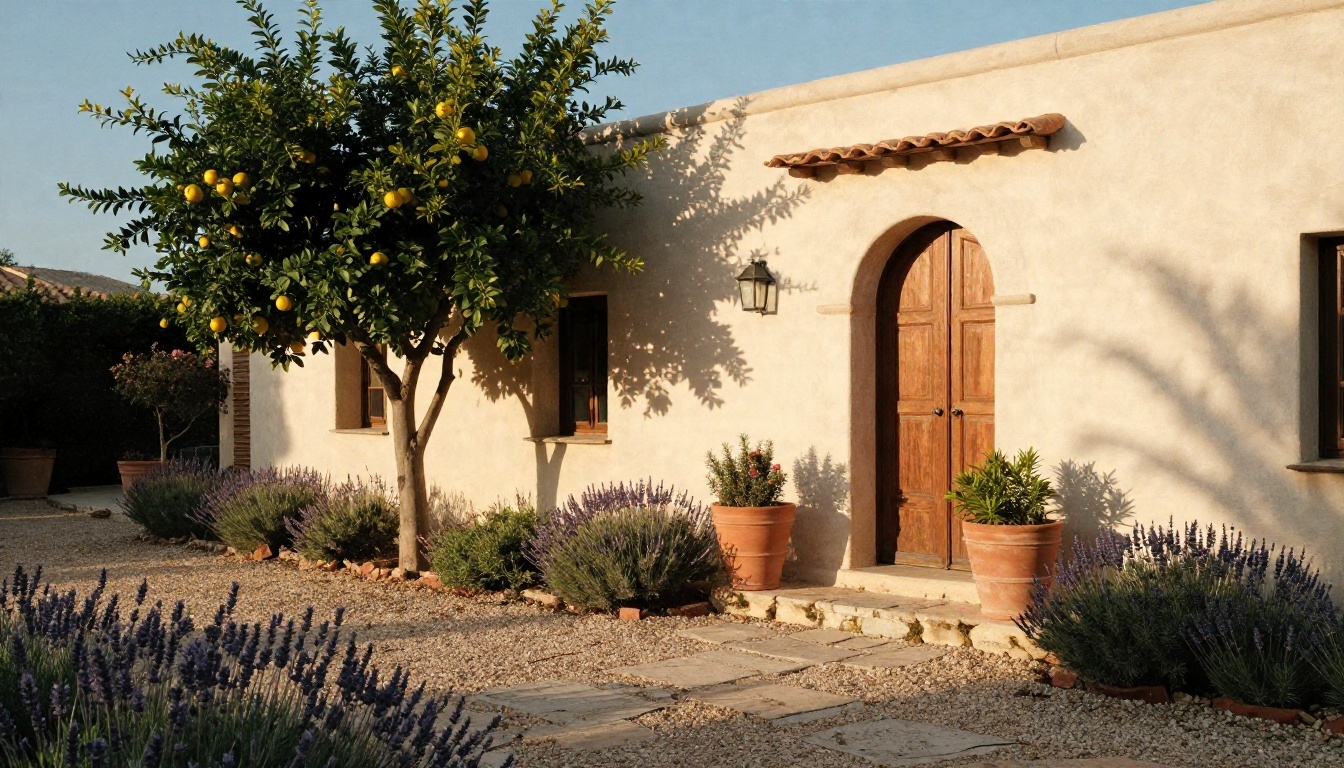
Plants that fit: lavender, rosemary, potted citrus, olive, thyme.
Prompt idea: "Mediterranean front yard in warm evening sun, terracotta pots with citrus, gravel courtyard, lavender hedges, stone steps to an arched wooden door."
Japanese Inspired Entry
Quiet and spare, built around gravel, moss, stone and one carefully shaped tree. Small yards suit this style very well.
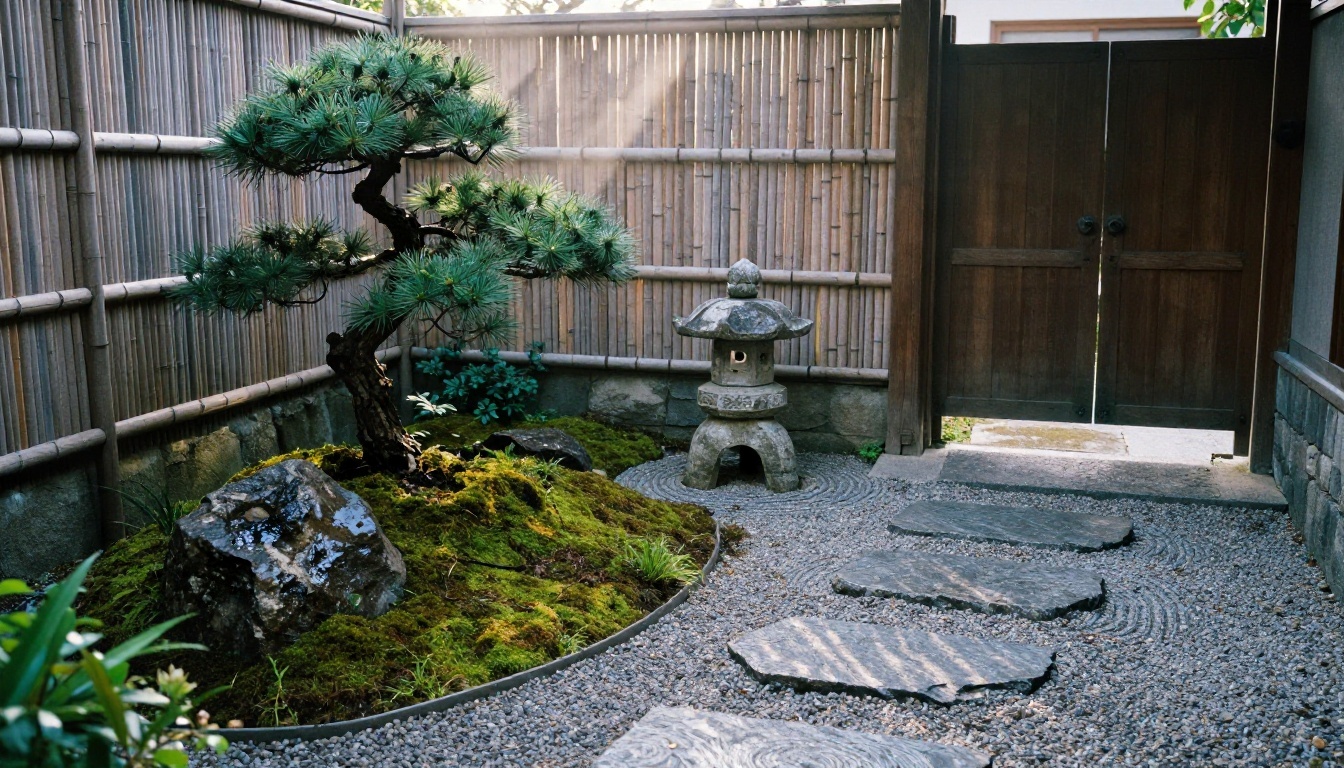
Plants that fit: pine, moss, Japanese maple, bamboo (in containers or barriers), ferns.
Prompt idea: "Japanese inspired front garden entry, raked gravel, moss covered stones, sculpted pine, stone lantern, bamboo fence, misty morning light."
Sloped Yard With Terraces
Slopes seem like a problem, but AI is surprisingly good at imagining terraces and steps that turn the grade into a feature.
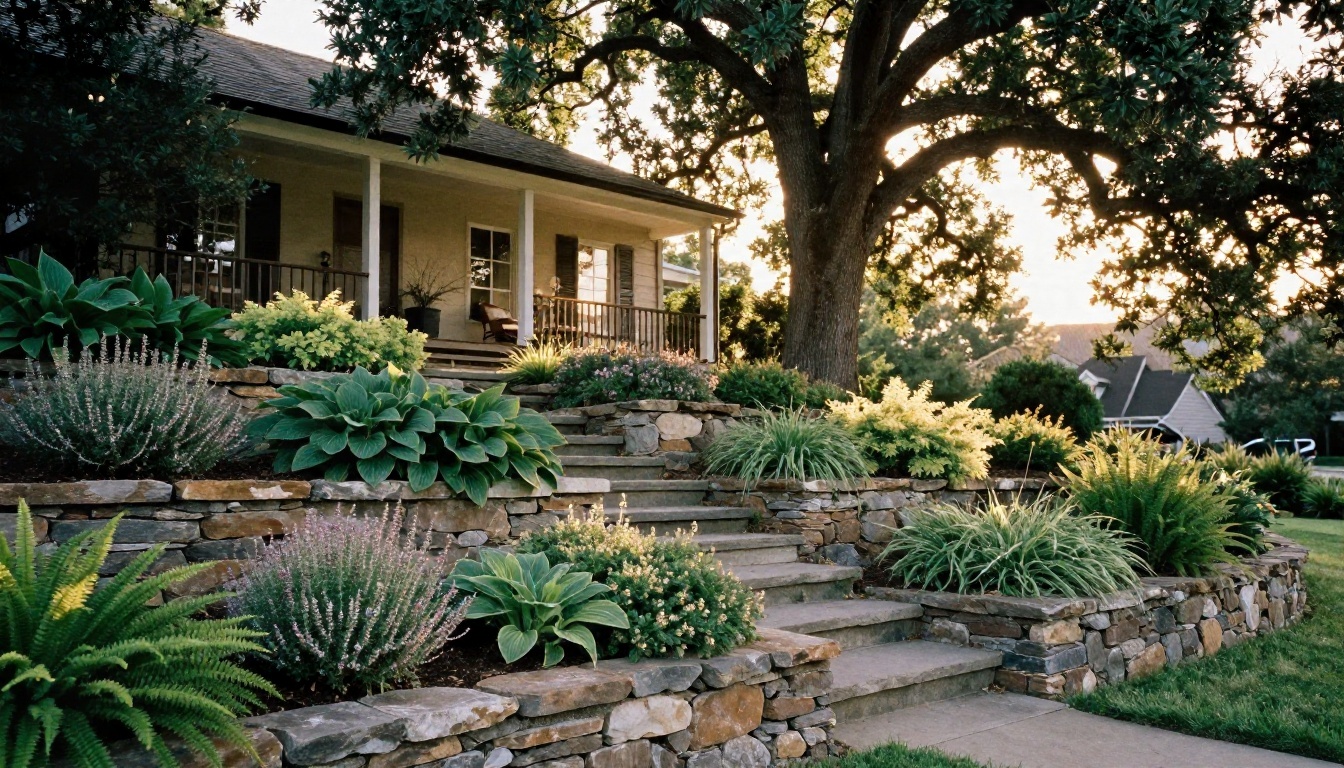
Plants that fit: creeping thyme, sedum, hostas, ferns.
Prompt idea: "Sloped front yard with terraced stone retaining walls, creeping thyme, hostas, natural stone steps to a farmhouse porch, dappled afternoon light under an oak."
💡 For real slopes, AI shows you the look. A landscape professional must still check retaining wall height, drainage and permits.
Backyards and Patios Too
Front yards get the attention, but the same method works for the back of the house. Describe how you want to use the space, then let the model fill in the rest.
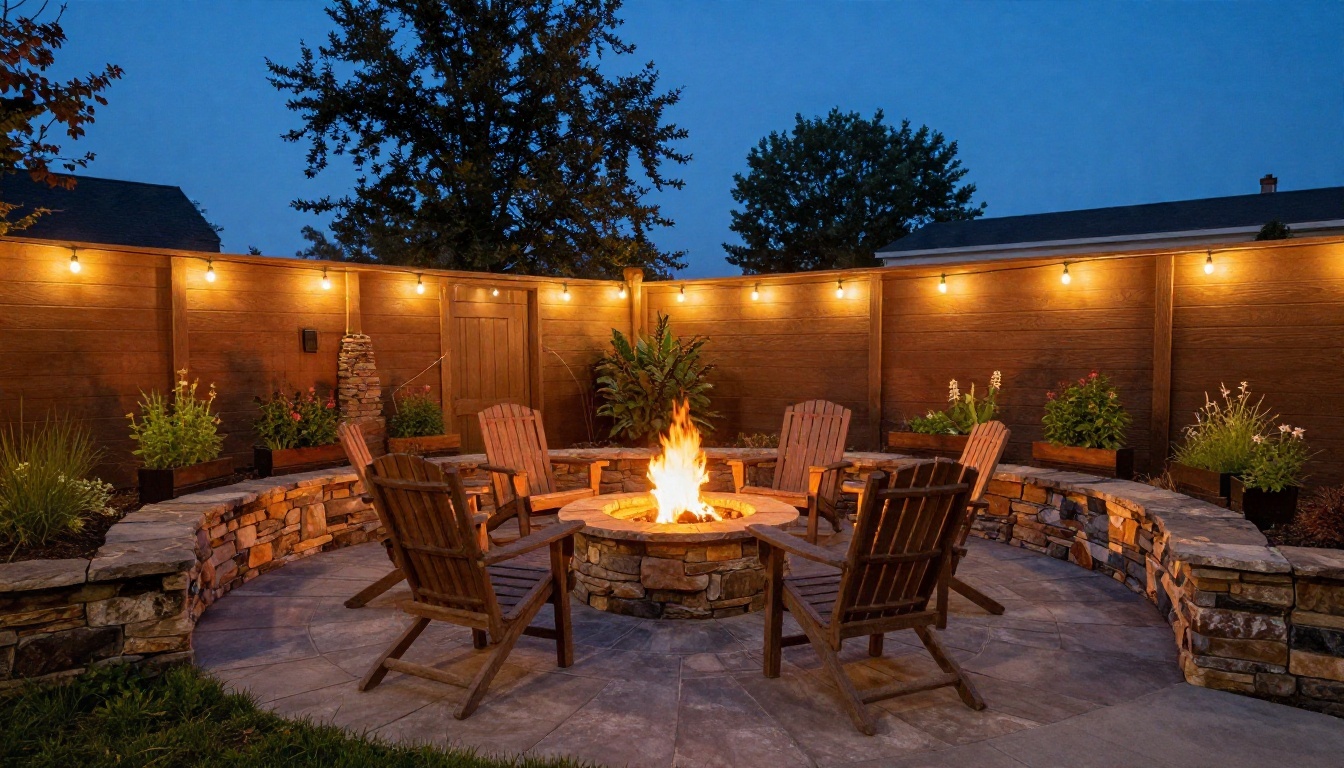
Questions to answer before you prompt:
- Will you eat outside, lounge, garden, or play?
- How much sun does the space really get?
- Do you want privacy from neighbors?
- Is there a view you want to frame?
Prompt idea: "Backyard patio at dusk, stone fire pit with a circle of teak chairs, warm string lights, raised cedar planters with herbs, stone retaining wall, 28mm lens."
Features Worth Testing
- Fire pit zone: adds an evening gathering point
- Raised beds: keep herbs and vegetables tidy
- Layered lighting: string lights plus low path lights for ambiance
- Stone walls: define edges and add texture
Prompts That Actually Work
The difference between a generic yard and a believable one is usually the prompt. Use this structure:
[Style] + [house type] + [path or hardscape] + [plants] + [light and time of day] + [camera angle and lens]
A Prompt Formula You Can Copy
"Photorealistic front yard of a [house style] house, [hardscape material] path, [3 to 5 plants], [lighting], shot from [angle] with a [lens], natural film grain, no people."
Details That Add Realism
| Detail | Why it helps | Example wording |
|---|
| Light direction | Creates believable shadows | "low sun from the left, long shadows" |
| Lens | Sets perspective | "35mm f/4, deep depth of field" |
| Surface texture | Avoids plastic look | "weathered flagstone with moss in the gaps" |
| Season | Controls color | "late spring, peonies in bloom" |
| Camera height | Changes the feel | "low angle" or "aerial drone view" |
Common Mistakes
- Asking for too many plants. Five or six species look designed. Fifteen look chaotic.
- Forgetting the house. The building sets the style. Name it.
- Skipping the light. Without it, images look flat.
- Ignoring your climate. A beautiful image with palms will not survive a Minnesota winter.
- Changing everything at once. Edit one element per round.
From Image to Real Yard
A great picture is the start. Here is how to turn it into something you can actually build.
Break the Image Into Layers
Look at the image and list what you see in order: hardscape (paths, steps, walls), structure plants (trees, large shrubs), filler plants (perennials, grasses), and finishing touches (mulch, lighting, pots). Build in that order, because hardscape is the costly part and the hardest to change later.
Match Plants to Your Climate
AI tends to mix plants from different regions. Take the plant names from the image and check them against your hardiness zone with a local nursery, extension office, or garden center. Swap anything that will not thrive.
Budget in Phases
| Phase | What to do | Why |
|---|
| 1 | Remove lawn, set path and edges | Defines the layout |
| 2 | Plant trees and large shrubs | They need the longest to grow |
| 3 | Add perennials and grasses | Quick color and texture |
| 4 | Mulch, lighting, pots | Finish and polish |
💡 Save three versions of your design: the dream version, the realistic version, and the budget version. Having all three makes quotes much easier to compare.
Show It to Pros
Bring your best two or three images to a landscaper. Contractors respond well to visual references, and you will spend less time explaining what you mean by "relaxed but tidy."
Make Your Own Yard Images
Reading about it only goes so far. The fastest way to find your style is to generate a few versions of your own house and see which one makes you stop scrolling.
Open PicassoIA, pick a model such as Seedream 4.5, Imagen 4 or Nano Banana, and start with one of the prompts above. Upload a photo of your house for a personal redesign, or describe a fresh yard and compare styles. Try three looks in the same afternoon: modern, cottage, low maintenance. Keep the one that feels like home, and see how much clearer your next conversation with a landscaper becomes.
Want more options? Browse every available model at picassoia.com/en/all-models and find the one that renders gravel, grass and flowers the way you like.


