You have a blank wall, a sofa you are not sure about, and a budget that does not allow for mistakes. Normally that means weeks of scrolling through mood boards and hoping the pieces work together. With AI living room design online free, you type a few lines describing the room you imagine and get a photorealistic picture in seconds. No interior designer, no 3D software, no subscription needed to start.
This article walks through how the generators work, which settings matter, the exact prompts that produce believable rooms, and eight style directions you can copy today. Every photo you see below was produced from a text prompt.
What an AI Living Room Generator Does
An AI room generator is a text-to-image model trained on millions of interior photographs. You describe furniture, materials, light and mood, and it assembles a picture that matches. Think of it as a very fast mood board that renders your idea as a real photo instead of a collage of other people's rooms.
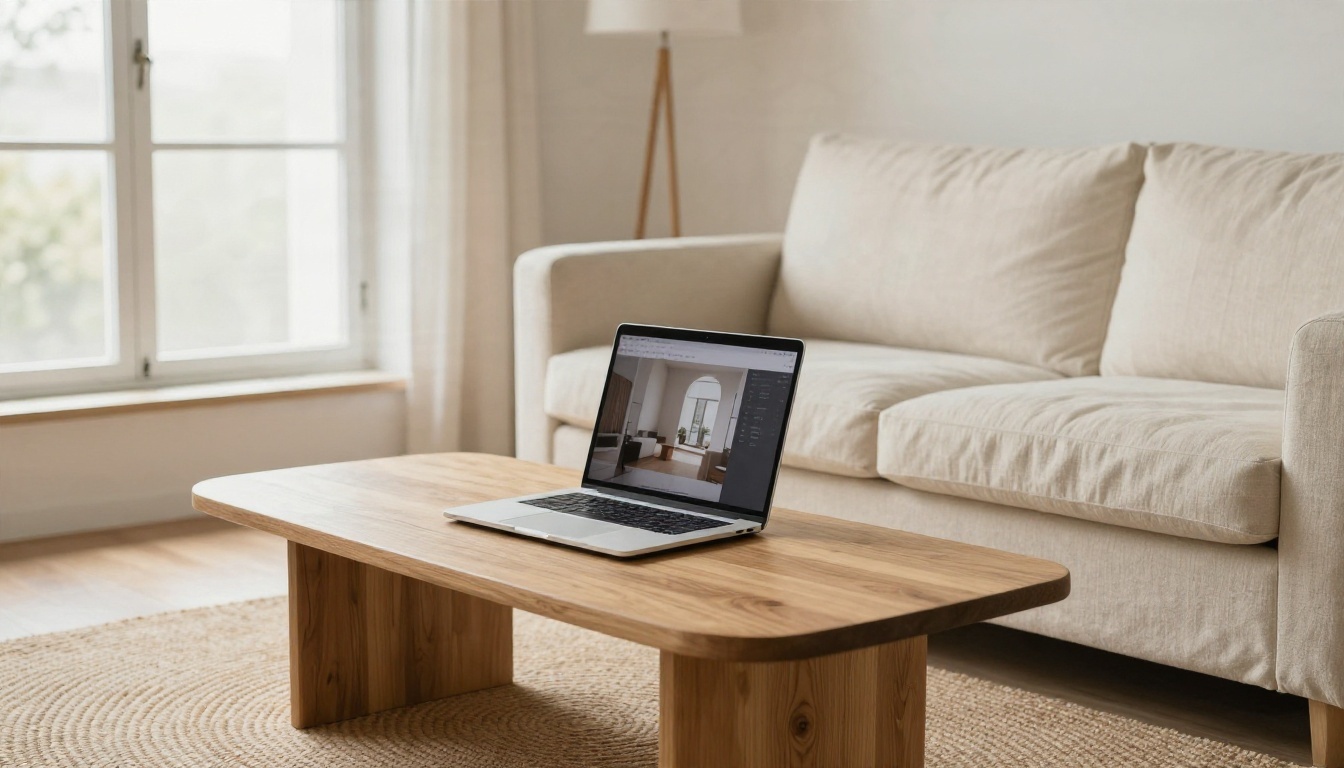
Two Ways to Use It
There are two main workflows, and most people end up mixing them:
- Text to image: you describe a room from scratch. Best for inspiration and for testing a style before committing.
- Image to image or editing: you upload a photo of your actual room and ask the AI to restyle it, swap the sofa, repaint the walls or add a rug. Best for decisions about a real space.
What You Can Expect
Modern models handle fabric texture, wood grain, window light and reflections well. They are still imperfect with exact dimensions, so treat the output as a visual direction, not a blueprint. Measure twice before buying anything you see in a render.
💡 Tip: Generate five or six variations of the same prompt before judging a style. One image can be a lucky accident or a bad roll. A set shows the real tendency.
You do not need a paid design suite to get useful results. A free generator gives you three things a designer would charge for: speed, volume and honest comparison. You can look at ten sofa colors in ten minutes and know which one makes your room feel calm.
| Task | Traditional route | AI generator |
|---|
| Test a color palette | Paint samples, weeks of waiting | One prompt, seconds |
| Compare layouts | Sketches or paid 3D software | Several variations at once |
| Show an idea to a partner | Pinterest boards | A picture of your own room |
| Cost to experiment | Often hundreds of dollars | Free to start |
The trade-off is control. Paid design software lets you place a 220 cm sofa exactly 40 cm from the wall. An image generator gives you a convincing picture, and you refine the numbers afterwards with a tape measure.
Vague prompts give generic rooms. "Nice living room" returns the same beige sofa everyone has seen a thousand times. Strong prompts follow a simple order: subject, materials, light, camera, mood.
The Five Building Blocks
- Room and layout: "spacious living room, three-seat sofa facing a fireplace"
- Materials and colors: "oatmeal boucle sofa, travertine coffee table, pale oak herringbone floor"
- Light: "warm afternoon sun from the left, soft shadows on the rug"
- Camera: "shot at eye level, 24mm lens, shallow depth of field"
- Mood and realism: "editorial interior photography, film grain, lived-in details"
A Prompt You Can Paste Right Now
A bright Scandinavian living room, oatmeal boucle sofa with terracotta and sage cushions, round travertine coffee table, ivory wool rug on pale oak floor, floor-to-ceiling window with linen curtains, warm afternoon sunlight from the left, 24mm lens, soft film grain, realistic textures, magazine interior photograph.
Notice the camera and texture words. They push the model toward photography and away from the glossy, plastic look that gives AI rooms away.
Words That Improve Realism
- Texture words: boucle, linen weave, brushed brass, matte plaster, visible wood grain
- Light words: golden hour, diffused overcast daylight, lamplight glow, side light
- Imperfection words: lived-in, half-read book, folded throw, a cup of tea
Imperfection is the secret. Real rooms are never perfectly symmetrical, and models respond well when you ask for small human details.
Eight Style Ideas With Prompts
Pick a direction, paste the prompt, and adjust colors to match your taste.
Japandi: Calm and Uncluttered
Japandi blends Japanese restraint with Scandinavian warmth. Think low furniture, natural wood, paper lanterns and a lot of empty space.
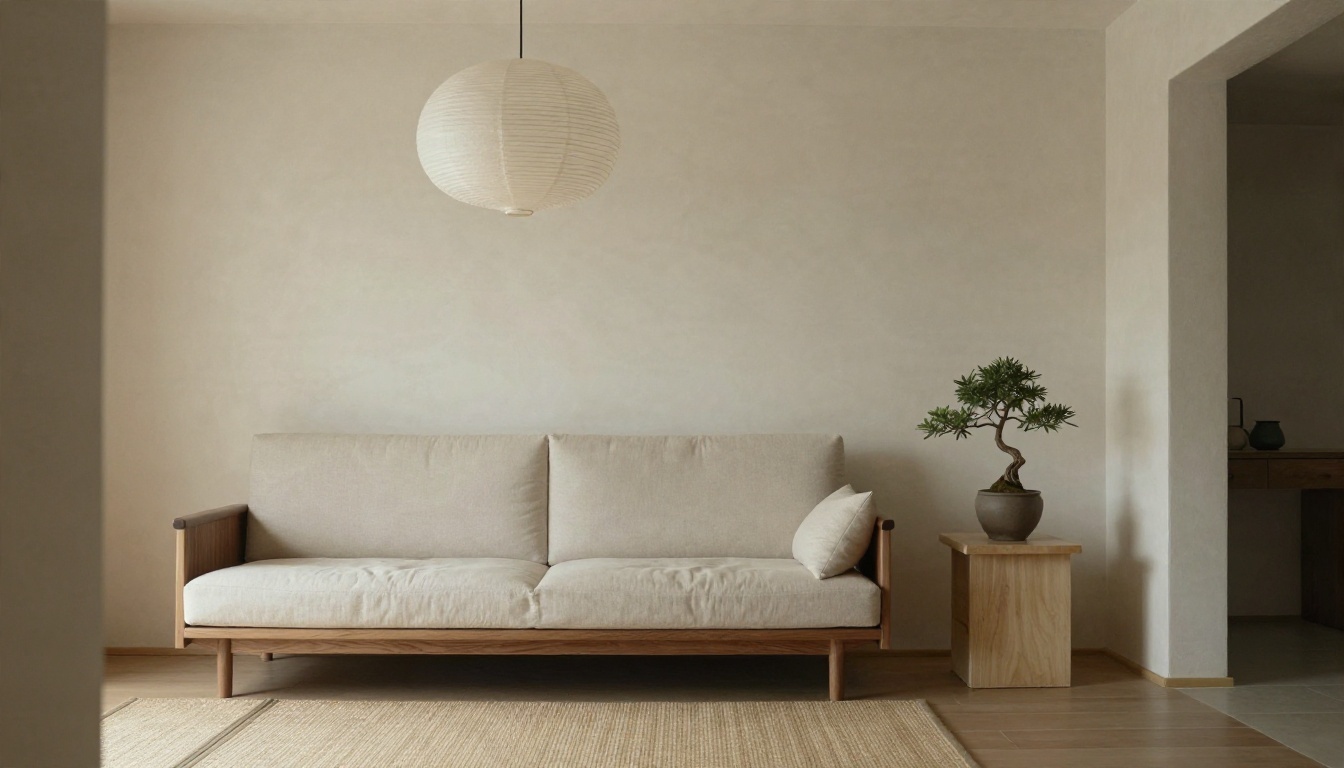
Prompt: Japandi living room, low walnut sofa, paper lantern pendant, bonsai on an ash side table, woven rug, beige plaster walls, soft overcast daylight from the right, 28mm lens, matte ceramics, serene mood.
Mid-Century Modern: Warm and Characterful
Teak, brass, mustard and rust. This style rewards close-up shots because the materials are the show.
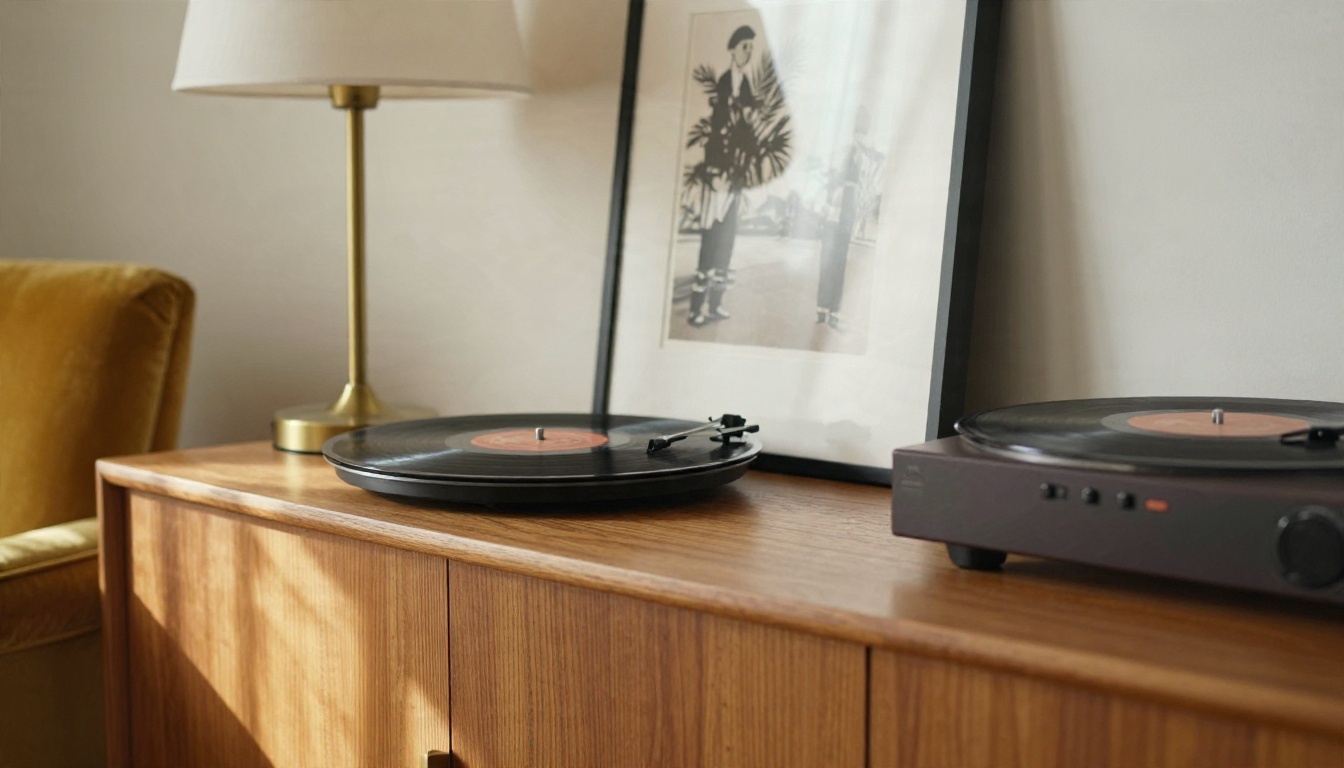
Prompt: Mid-century modern living room corner, teak sideboard, brass table lamp, mustard velvet armchair, record player, late afternoon light raking across wood grain, 85mm f/1.8, film grain.
Boho: Layered and Collected
Boho thrives on pattern, plants and handmade pieces. Ask for layered rugs and many plants of different sizes so the room feels gathered over years.
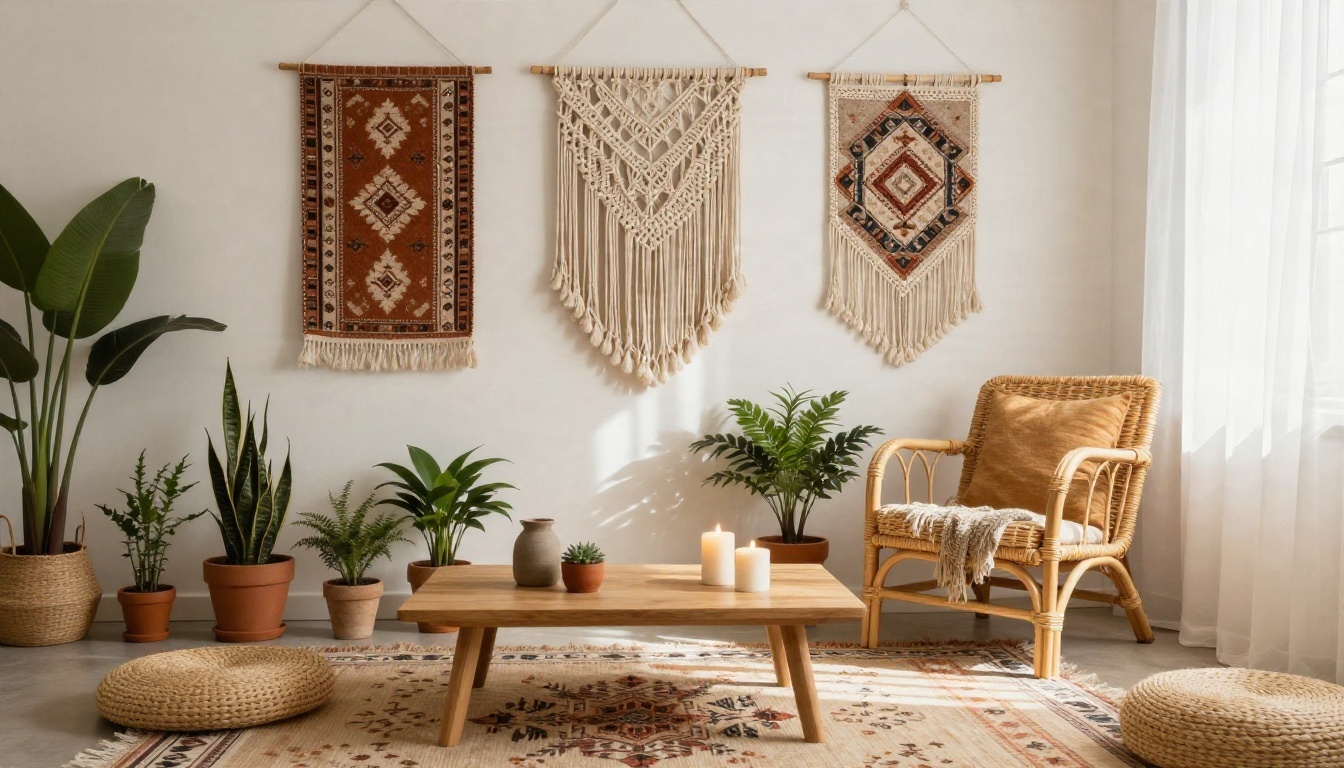
Prompt: Boho living room, rattan armchair, layered kilim rugs, macrame wall hanging, many potted plants, low wooden table with candles, warm sunlight through sheer curtains, terracotta and mustard palette.
Industrial Loft: Raw and Bold
Brick, steel, leather and concrete. Shoot it from a low angle to exaggerate ceiling height.
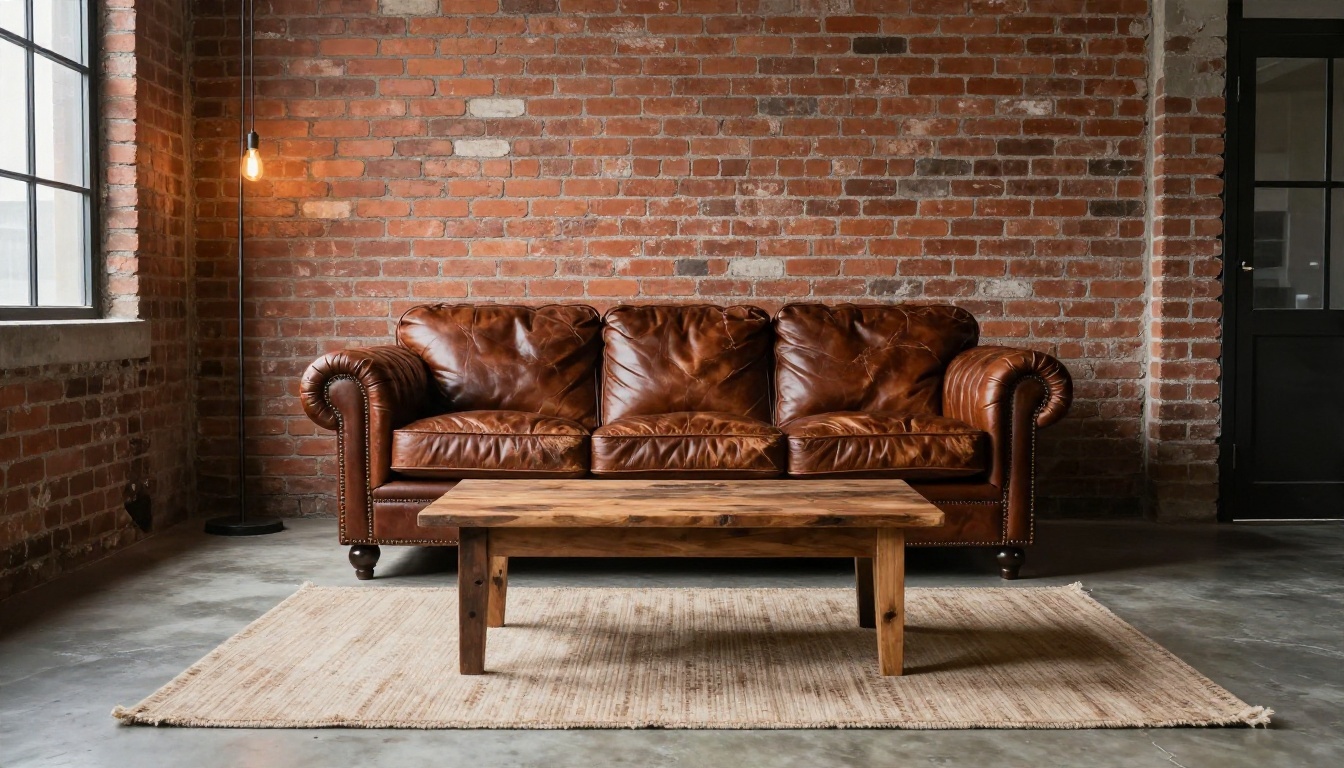
Prompt: Industrial loft living room, exposed red brick wall, black steel-framed windows, distressed brown leather chesterfield, reclaimed wood coffee table, concrete floor, cool daylight from the left with Edison bulb glow, 20mm low angle.
Quick Style Comparison
| Style | Core materials | Palette | Best for |
|---|
| Japandi | Ash, walnut, paper, plaster | Beige, warm gray, black accents | Small to medium rooms |
| Mid-century | Teak, brass, velvet | Mustard, rust, olive | Rooms with good natural light |
| Boho | Rattan, wool, cotton | Terracotta, cream, mustard | Renters who love layering |
| Industrial | Brick, steel, leather | Brown, black, charcoal | Open plan and high ceilings |
| Scandinavian | Oak, linen, boucle | White, sand, sage | Almost every home |
| Modern luxury | Marble, brass, velvet | Ivory, gold, deep green | Large or view-rich rooms |
Designing a Small Living Room
Small rooms are where AI helps most, because mistakes cost the most. A sofa that is 15 cm too deep can ruin the flow of a 14 square meter room, and you only find out after delivery.
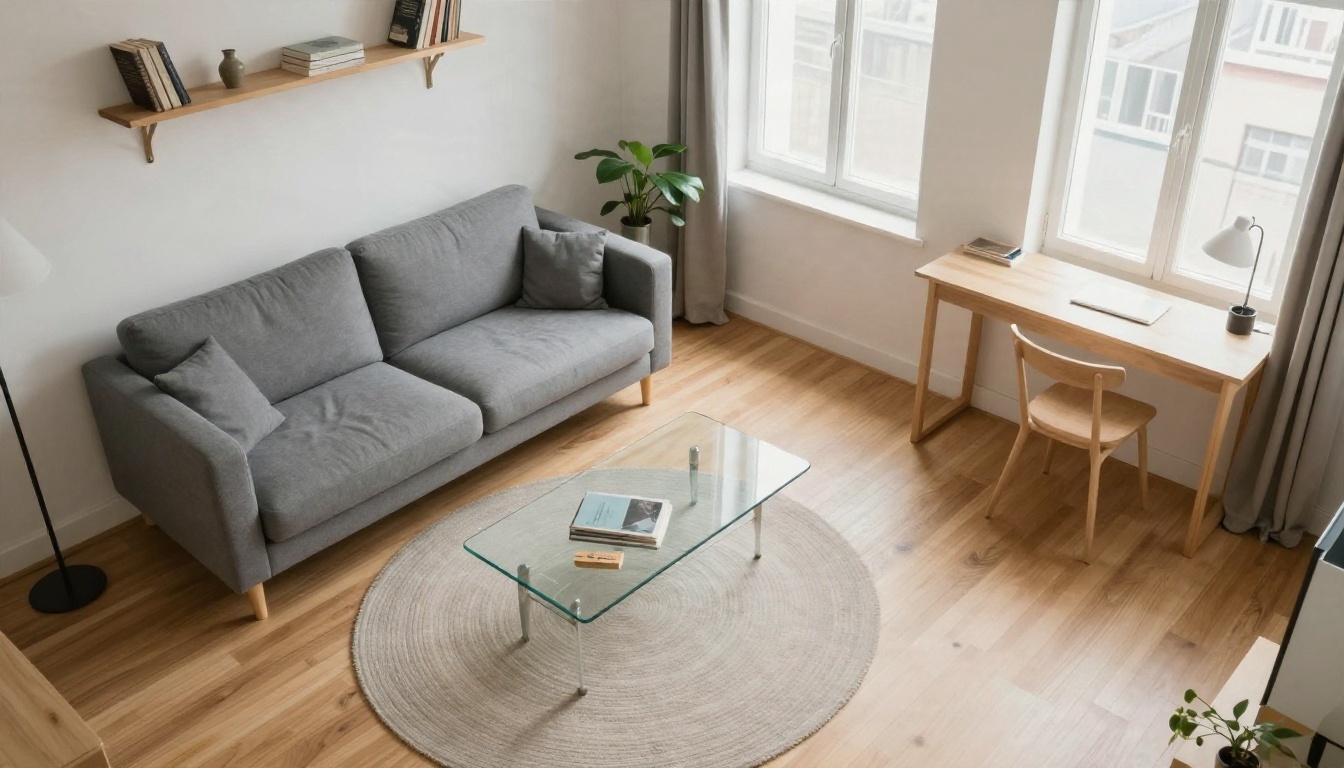
Prompt Tricks for Tight Spaces
- State the size: "small apartment living room, 14 square meters".
- Name compact furniture: "armless two-seat sofa, nesting tables, wall-mounted shelves".
- Ask for light colors and a mirror to open the space visually.
- Use a high-angle camera so the layout is readable at a glance.
Prompt: High-angle photograph of a small apartment living room, compact gray sofa, glass coffee table, round rug, floating shelves, slim desk nook, bright window light from above frame, 24mm lens, parquet floor, a plant and a book on the table.
Check the Layout Before You Buy
Generate the same room with the sofa on two different walls. You will see immediately which version leaves a clear path to the window. It takes two minutes and avoids a very expensive rearrangement.
Lighting Changes Everything
The same room looks like three different rooms at 9 a.m., 4 p.m. and 9 p.m. Lighting is also where AI images most often fall flat, because people forget to describe it.
Three Lighting Setups to Try
- Morning side light: fresh, airy, ideal for minimalist and Scandinavian rooms.
- Golden hour: warm and flattering, brings out wood and fabric texture.
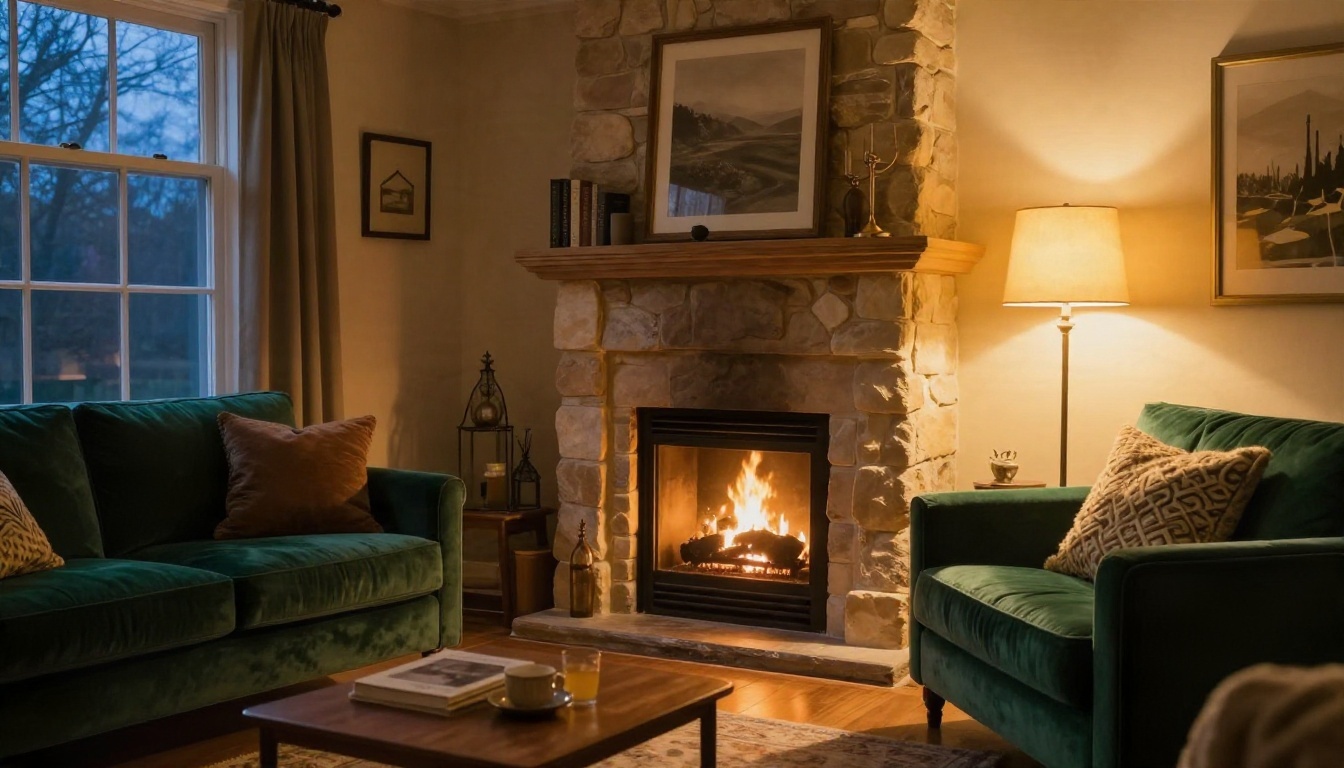
- Evening lamplight: layered pools of warm light from floor and table lamps, perfect for cozy rooms with a fireplace.
💡 Tip: Say where the light comes from. "Warm sunlight from the left" gives a far more believable shadow pattern than "good lighting".
The dusk scene above comes from a prompt that asks for golden lamplight on the right and fading blue window light on the left. Mixing warm and cool sources is what makes the image feel like a real photograph.
From Empty Room to Furnished
If you are moving in or renovating, start with the empty room. Upload or describe the bare space, then furnish it in steps: sofa first, then rug, then lighting, then decor.
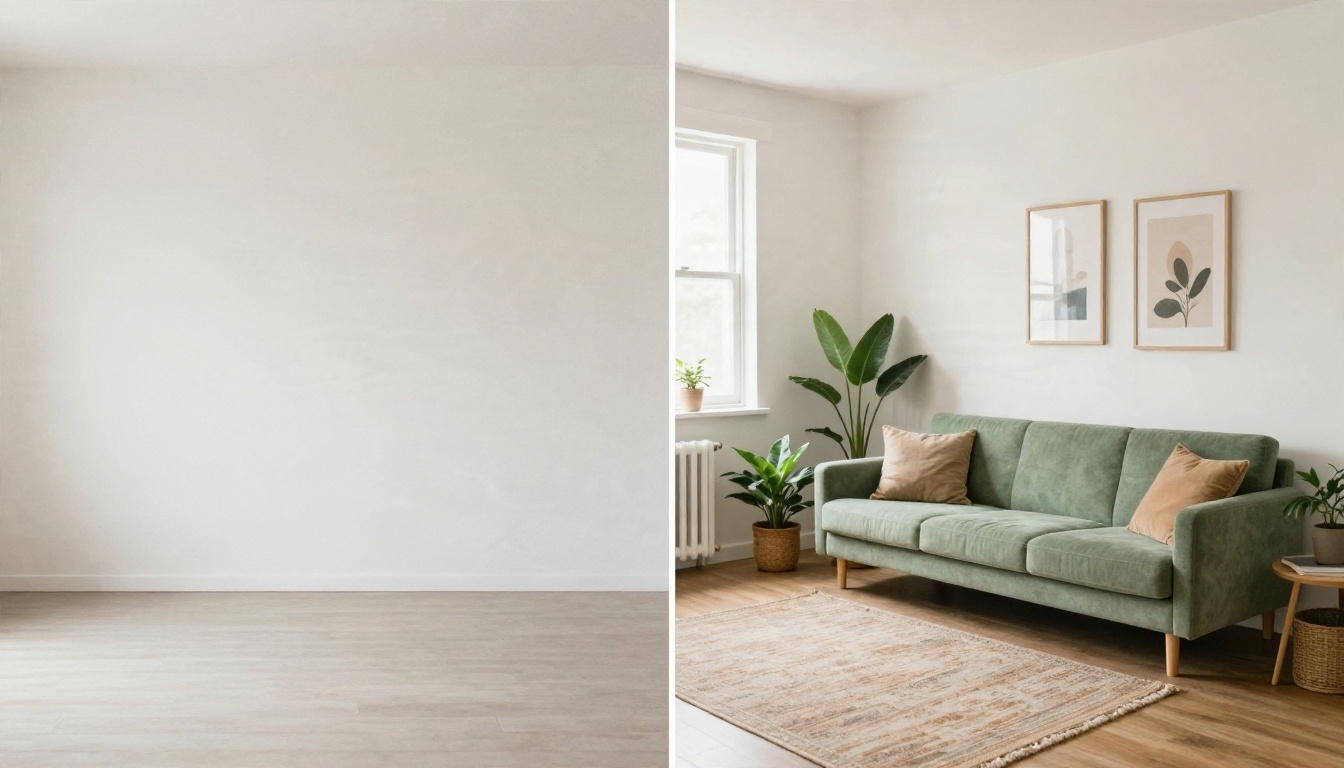
A Step-by-Step Furnishing Order
- Choose the sofa color. It sets the palette for everything else.
- Add a rug that is large enough for the front legs of all seating to rest on it.
- Pick one accent color and repeat it three times: a cushion, a vase, a picture.
- Add plants for height and softness.
- Finish with lighting at three different heights.
Editing tools shine here. With an editor such as PicassoIA Image Editor Pro you can keep the room and change one item at a time, such as "replace the gray sofa with a sage green one", without rebuilding the whole scene.
Best Models for Room Design on PicassoIA
Different models have different strengths. These are the ones worth trying for interiors.
| Model | Strength | Good for |
|---|
| Seedream 4.5 | Sharp 4K detail, strong prompt following | Hero images and final renders |
| Nano Banana Pro | Editing and consistent changes | Restyling an existing room photo |
| Imagen 4 | Natural light and clean photographic look | Realistic daylight scenes |
| Qwen Image 3 Pro | Photorealistic materials | Texture heavy rooms |
| Flux 2 Klein 4B Base | Fast, light, good for iterating | Quick style tests |
| Nano Banana | Generate and edit in one model | Simple room tweaks |
A practical workflow: iterate quickly with a fast model, then render your favorite direction with Seedream 4.5 for the final image.
How to Use Seedream 4.5 on PicassoIA
Seedream 4.5 is a good first choice for living rooms because it keeps furniture shapes clean and renders fabric and wood convincingly.
Step by Step
- Open the model page. Go to the Seedream 4.5 page on PicassoIA.
- Paste your prompt. Use the five-block formula: room, materials, light, camera, mood.
- Set the aspect ratio to 16:9. Wide frames show more of the room and look natural for interiors.
- Choose the highest resolution offered. Fine textures like linen weave and wood grain need pixels.
- Generate a batch. Run the prompt several times and compare.
- Refine one thing at a time. Change the sofa color or the light direction, not everything at once, so you can see what each change does.
- Save your favorite. Use it as a reference for editing or as a shopping reference.
Parameter Tips
- Keep prompts between 40 and 90 words. Shorter ones get generic, longer ones start to contradict themselves.
- Name two or three materials, not ten. The model spreads attention thin if you list everything.
- Add "no people, no text" if you want a clean room. Stray signs and letters are a common artifact.
💡 Tip: Need a sharper version for printing or sharing? Run the final image through a super resolution model on the platform to upscale it two to four times.
Luxury and Statement Rooms
Not every room has to be practical. If you are collecting ideas for a showpiece space, push the prompt toward scale and drama: double-height ceilings, floor-to-ceiling glass, marble and a sculptural sofa.
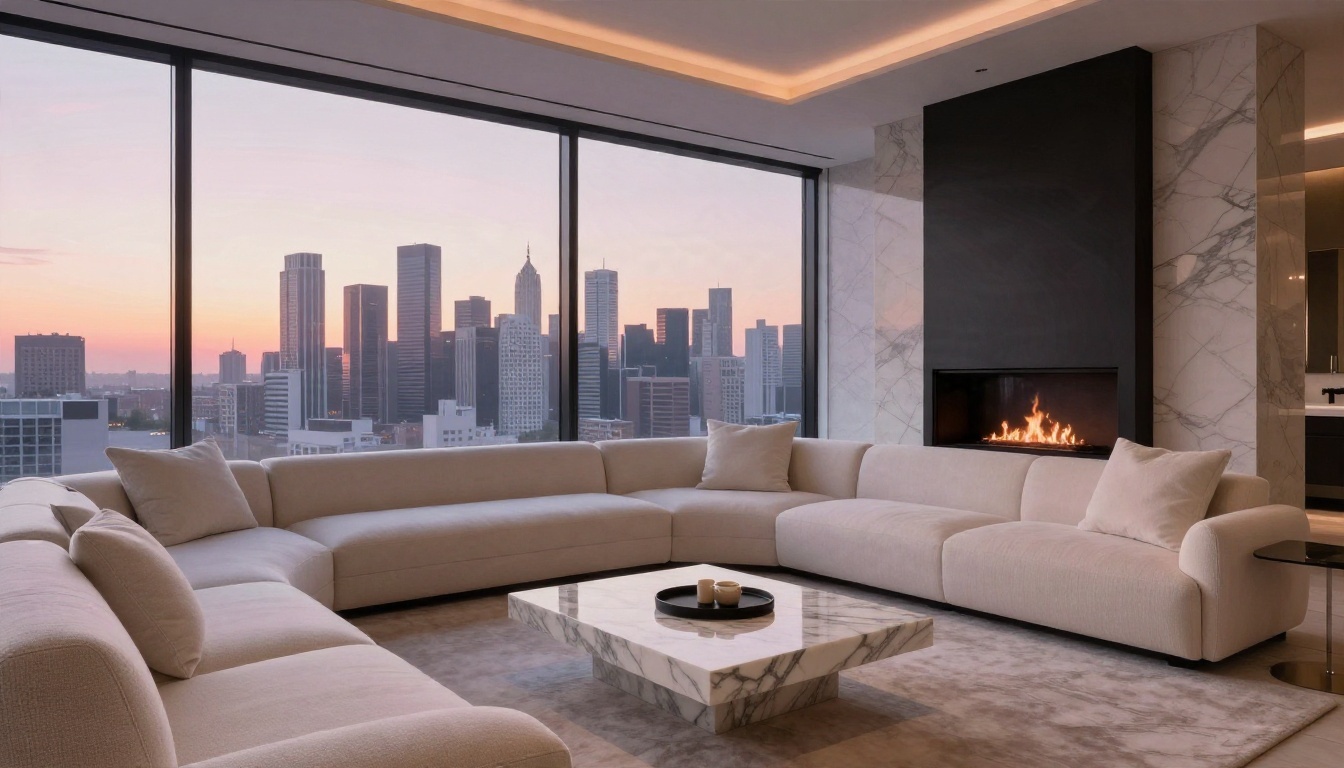
Prompt: Luxury modern living room, curved ivory sofa, marble coffee table, floor-to-ceiling windows over a city skyline at sunrise, double-height ceiling, slim black fireplace, 16mm low angle, pink and gold morning light from the right, marble veining and bouclé texture.
Even if your own room is modest, these images help you borrow one idea at a time: a curved sofa, a stone table, a single large window treatment.
Five Mistakes to Avoid
- Describing too much. A prompt with twenty objects produces clutter and odd furniture. Pick the five that matter.
- Skipping the light. Without a light source, rooms look flat and artificial.
- Trusting proportions blindly. Always measure real furniture before ordering.
- Changing everything between runs. Alter one variable at a time or you will never learn what worked.
- Ignoring the real room. Fantasy renders are fun, but the best decisions come from editing a photo of your own space.
Turn Your Ideas Into Pictures Today
You now have the prompt formula, eight styles to start from and a clear workflow: generate quickly, compare variations, then render your favorite at high quality. The only thing left is to see your own living room on screen.
Open Seedream 4.5 on Picasso IA, paste one of the prompts above and change the colors to match your sofa, your floor and your windows. Then try PicassoIA Image Editor Pro to swap furniture in a photo of your actual room. Browse every option at picassoia.com/en/all-models and keep experimenting. Your next living room might take ten minutes to design and a single afternoon to arrange.


