You typed "AI movie trailer maker free online" into a search bar because you want a trailer, not a subscription page. Fair. The good news: you can absolutely get a watchable, cinematic trailer without paying anything. The less good news: "free" means different things depending on the tool. Some apps stamp a logo across every frame. Others cap you at a few exports a month. A few hand you 480p footage and call it a day.
This article sorts through all of it. You will see what kinds of free trailer makers exist, which limits actually matter, how a trailer is built from AI clips, and how to put one together yourself with a realistic workflow.
💡 Quick answer: no AI trailer maker is free with zero strings attached. The best free setups give you short clips, decent resolution, and no watermark, but you pay in time, credits, or length limits. Knowing which limit you can live with is the whole game.
What an AI Trailer Maker Actually Does
A movie trailer is a promise in 60 to 150 seconds. It sells a mood, a conflict, and a hint of a payoff. An AI trailer maker tries to automate the boring parts of that: writing the beats, producing the shots, cutting them to music, and adding a voice that says something dramatic about a world where everything has changed.
Under the hood, almost every tool combines the same ingredients:
- Script or prompt to scenes. A language model breaks your idea into a shot list.
- Shot generation. A text to video or image to video model produces short clips, usually 3 to 10 seconds each.
- Editing and pacing. Clips are trimmed and ordered, often with quick cuts that speed up toward the end.
- Sound. Music, sound hits, and a narrator voice are added or generated.
- Export. The final file is rendered at some resolution, with or without a watermark.

Template apps versus generative tools
This split matters more than any feature list. Template apps drag your own footage or stock clips into a trailer layout with titles and transitions. They are fast and predictable, but you need material to start with. Generative tools create the shots from text, so you can build a trailer for a film that does not exist yet. Most people searching for a free trailer maker want the second kind, because that is where AI changes the economics.
Who this is useful for
Indie writers pitching a story, YouTubers making channel teasers, game developers showing a concept, students working on a class project, and anyone planning a fan trailer for a book. If you only need a quick teaser for social media, you can skip the heavy setup and use a single strong clip with a good title card.
The Real Limits of Free Trailer Apps
Here is the pattern across the market in late 2026. Free tiers vary, and they change often, so treat this as a map of what to expect rather than a price list. Always check the current plan page before you invest an afternoon.
| Limit type | What you usually see | Why it hurts a trailer |
|---|
| Watermark | Logo or banner on every export | Ruins the cinematic feel, hard to hide without cropping |
| Resolution cap | 480p or 720p on free plans | Fine for phone screens, soft on a big TV |
| Monthly credits | A small bucket of generations | A trailer needs 15 to 30 shots, so credits vanish fast |
| Clip length | 3 to 10 seconds per generation | You must stitch many clips together |
| Export length | Often one minute on free tiers | Enough for a teaser, tight for a full trailer |
| Premium effects | A handful of uses per month | Good transitions and voices run out quickly |
| Commercial use | Restricted on free plans | Matters if you monetize the video |
Reports from this year point to a consistent picture. Most free AI video makers watermark their exports, and a few popular editors are exceptions, though with their own caps. One editor gives unlimited exports without a watermark but limits you to 480p. Another allows 1080p but only lets you use premium AI effects a few times a month. Other tools lock the watermark in until you pay. And no source claims a service that is unlimited in length, resolution, and features all at once.

The limit that matters most
For trailers, it is rarely the watermark alone. It is the credits per month. A 90 second trailer cut at an average of 3 seconds per shot needs about 30 clips. If each generation costs a credit and you need two or three tries to get a shot you like, you are at 60 to 90 generations. A free plan with 10 or 20 credits will not get you there.
That is why free and unlimited generation matters more than a fancy template library. Which brings us to the setups that actually work.
Three Free Routes to a Trailer
You have roughly three paths, and they differ in how much control you get.
Route 1: One click trailer generators
You paste a synopsis, pick a genre, and the app returns a finished trailer. It is the fastest route and the one most marketing pages promise. The catch is predictable: generic shots, stock sounding narration, and strict free limits. Use this to test an idea in five minutes, not to produce your final cut.
Route 2: Template editors with AI features
These are classic editors with AI assistants for captions, background removal, and voice. You supply the footage. If you already have clips from a camera or phone, this route gives you the cleanest result and the most control over pacing. It is a smart choice for fan edits and real footage.
Route 3: Build it from AI clips yourself
You generate each shot with a video model, add a voice and music, and cut it in any editor. This takes longer than a one click tool, but it is the only route that gives you a trailer that looks like your story rather than everyone else's. If the platform you use offers generous or unlimited generations, the cost drops to almost nothing.
💡 Tip: mix routes. Generate your shots in route 3, then use a template editor for titles and the final cut. You get better shots and a faster assembly.
Plan the Trailer Before You Generate
The single biggest waste of credits is generating shots without a plan. A trailer has a recognizable shape, and if you follow it, even simple clips feel like a real film.
The five beat structure
- Hook (0 to 10 seconds). A striking image and a line of dialogue or silence. Something that makes people stop scrolling.
- World (10 to 30 seconds). Show where and when this takes place. Two or three wide shots.
- Conflict (30 to 60 seconds). Introduce the character and the problem. Faster cuts begin.
- Escalation (60 to 80 seconds). Music builds, shots shorten to one or two seconds, stakes rise.
- Title and tag (last 10 seconds). Hit of silence, the title card, a release line.
Write a shot list first
Before you touch a generator, list 20 to 30 shots. For each, note the subject, the camera angle, and the lighting. A short list in a notebook beats generating at random.

Keep characters consistent
The hardest part of AI trailers is making the same person appear in several shots. Three habits help:
- Describe the character with the same exact wording every time: age, hair, clothing, and one distinctive detail.
- Generate a still image of the character first, then animate it with an image to video model.
- Keep shots short. Consistency drifts the longer a clip runs.
Example: A Detective Trailer in Six Shots
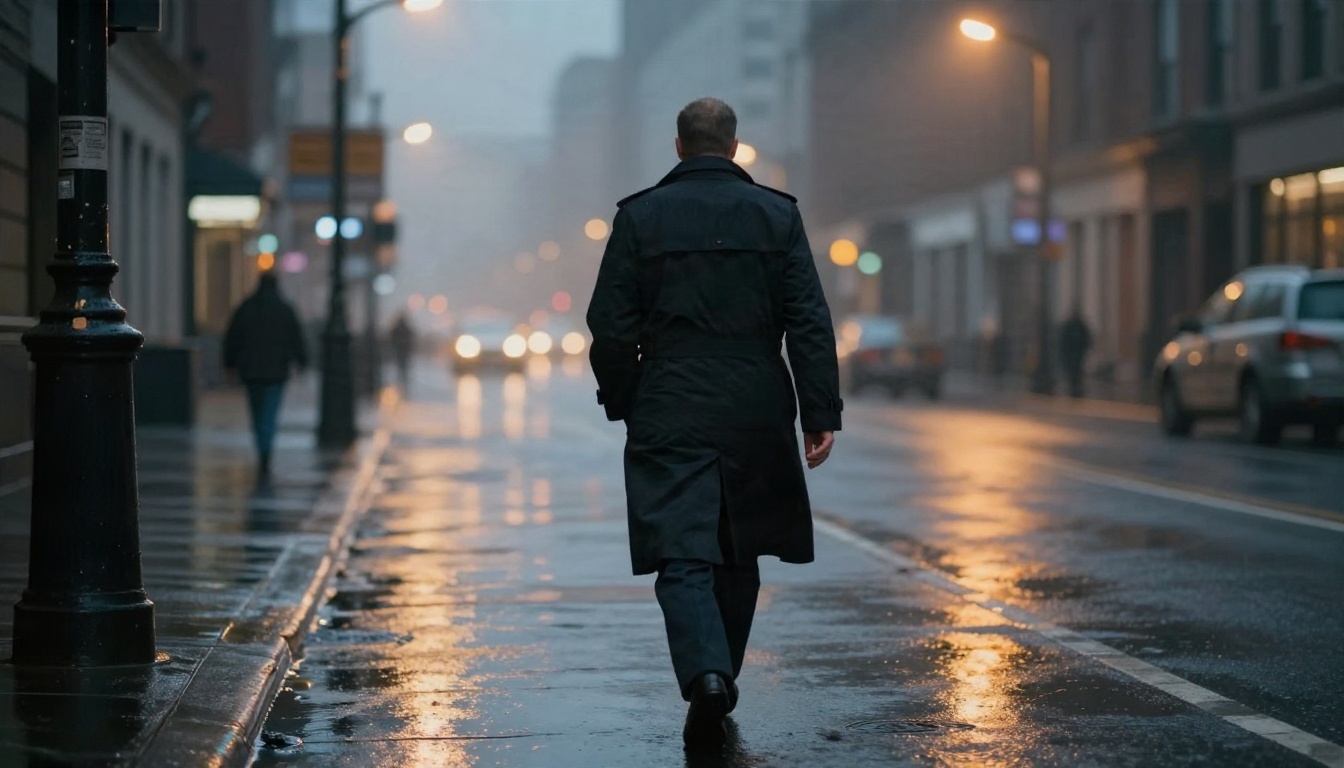
To make this concrete, here is a short noir trailer plan. Every shot is under five seconds, and each uses a prompt you can adapt.
| Shot | Beat | Prompt idea |
|---|
| 1 | Hook | Wide shot, empty wet street at dusk, amber streetlights, slow push in, rain hitting asphalt |
| 2 | World | Rooftop view of an old harbor town, low fog, a ferry horn in the distance |
| 3 | Character | Medium shot of a detective in a trench coat lighting a match in a dark office |
| 4 | Conflict | Close-up of a photograph pinned to a wall with red string, camera slowly tilts |
| 5 | Escalation | Handheld chase through a narrow alley, quick cuts, footsteps echo |
| 6 | Title | Silhouette in a doorway, backlight, hold on the frame for the title |
Two details turn a decent prompt into a good one. First, name the camera movement (slow dolly in, handheld, gentle pan). Second, state the lighting (warm streetlight from the left, hard backlight). Models respond to those far better than to adjectives like "epic" or "cinematic".
Sound sells the trailer
Music and narration do half the work. A good trailer voice is low, unhurried, and a little ominous. You can generate the narration with a text to speech model and the score with an AI music generator, then lay them under your clips. If you want a character to speak on screen, a lip sync model matches the mouth movement to your audio.
How to Use Seedance 2.5 Lite on PicassoIA
For a free trailer workflow, the video model matters most, because that is where your credits go. Seedance 2.5 Lite is positioned as a free and unlimited AI video generator with clips up to 10 seconds, which fits trailer shots well. Here is how to use it.
Step by step
- Open the model page. Go to the Seedance 2.5 Lite page on PicassoIA.
- Pick text or image input. Use a text prompt for fresh shots, or upload a still of your character to animate it.
- Write a short, specific prompt. Subject, action, camera movement, lighting. One shot per prompt.
- Choose a clip length. Between 4 and 6 seconds works for most trailer shots. Save the full 10 seconds for your opening or title moment.
- Generate and review. Because generation is free and unlimited, you can run several variations of the same shot and keep the best one.
- Download and label. Name files by shot number so assembly is quick.
Parameter tips
- Keep one action per clip. Two actions in one prompt usually produce a muddled result.
- Specify camera motion once. "Slow dolly in" is clearer than a list of movements.
- Use the same character sentence. Paste it at the start of every prompt.
- Generate extra. Aim for 40 clips if you need 25. Editing is easier with choices.
💡 If a shot looks almost right, regenerate with one change only, such as the lighting or the angle. Changing three things at once makes it impossible to see what worked.
Other Video Models Worth Trying
Different models handle different jobs. You do not have to commit to one.
| Model | Good for | Link |
|---|
| Seedance 2.5 Lite | Free, unlimited trailer shots up to 10 seconds | Open |
| Kling v3 Video | Cinematic motion and strong realism | Open |
| Veo 3.1 Fast | Clips with native audio, quick turnaround | Open |
| Wan 2.5 I2V Fast | Animating a still image of your character | Open |
| Hailuo 2.3 Fast | Quick photo to video tests | Open |
| Sora 2 | Text to video with synced audio | Open |
A sensible approach is to test one shot on two models, pick the one that matches your look, and stay with it for consistency. Switching models mid trailer changes color and texture, which viewers notice.
Add voice, music and polish
- Narration: Realtime TTS 2 turns your script into a natural spoken voiceover.
- Score: Music 2.6 generates a full track from a text description, such as "slow tense strings building to a heavy percussion hit".
- On screen dialogue: Kling Lip Sync matches mouth movement to your audio.
- Sharper output: Video Upscale lifts the footage toward 4K if your clips come out soft.
Free Does Not Mean Rough
Some limits you can work around, and a few free setups are better than they look.
Beat the resolution cap
If an app limits you to 720p, generate your shots elsewhere at the highest quality available and use the app only for assembly. Or upscale the final clips with a video upscaler before you cut. Sharp source footage survives compression better.
Beat the credit cap
Write your shot list first, generate each shot once at low cost, and only retry the shots that fail. Pair a limited premium model for two or three hero shots with an unlimited model for everything else. Hero shots are the opening frame, the title moment, and the big reveal.
Beat the length cap
A 60 second trailer is plenty. Many of the best trailers on streaming platforms are under 90 seconds. If your plan limits you to one minute, stick to the five beat structure and cut anything that does not serve it.

Common Mistakes That Make Trailers Look Cheap
- Too many styles. Mixing a photoreal clip with a stylized one breaks the spell. Pick a look and hold it.
- No silence. The best trailers use a beat of quiet before the title. It feels expensive.
- Shots that run too long. Past the midpoint, aim for 1 to 2 seconds per shot.
- Narration over everything. Let the images and music carry some moments alone.
- Ignoring the first frame. Most viewers decide in two seconds. Spend your best generation on the opener.
- Forgetting the title card. A clean title and a release line make the project feel finished.
- Skipping the rights check. If the trailer is for a real brand, a real actor, or a real franchise, get permission. Use original characters for anything you plan to monetize.
Frequently Asked Questions
Can I really make a trailer for free?
Yes, if you accept some tradeoffs. Use a free generator for your shots, a free editor for the cut, and keep the length near a minute. You pay with time rather than money.
Which free app has no watermark?
It changes by month and plan, so check the pricing page of any tool before you start. A reliable workaround is to generate on a platform that exports clean clips and assemble them in an editor that does not add a mark.
How long does a trailer take to make?
A first trailer usually takes two to four hours: 30 minutes for the plan, an hour for shots, an hour for sound, and an hour for the edit. The second one goes much faster.
Can I use the trailer commercially?
Check the license of each tool you used. Free plans often limit commercial use, and the rules for voices and music can differ from those for video.
Do I need editing experience?
No. A basic editor with a timeline, cuts, and an audio track is enough. The shot list and the five beat structure do most of the work.
Make Your First Trailer This Week
You now know the real trade offs behind a free AI movie trailer maker: watermarks, credit caps, resolution, and length. You also have a structure, a six shot example, and a clear workflow for turning an idea into a finished teaser.
The fastest way to see whether this works for you is to try it. Open Seedance 2.5 Lite on PicassoIA, write the opening shot of your story, and generate three versions. Add a voiceover with Realtime TTS 2, lay a score from Music 2.6, and cut it together. When you want to try other looks, browse every model at picassoia.com/en/all-models and test the same shot across a few of them. Your trailer is one prompt away.


