Fine art has always been fascinated by two people close together: Rodin's marble embraces, Edward Weston's studies of form, the soft black and white couples of mid century photography. Today you can create that same mood in seconds with an AI nude couple workflow, no studio, no models, no rental fees. The trick is knowing what to ask for. A vague prompt gives you plastic skin and awkward hands. A well built prompt gives you something that looks like it came out of a photography book.
This article shows you exactly how to do that. You will see nine photorealistic examples, the prompts behind them, the models that handle skin and light best, and the settings that separate a believable image from an obvious fake. Everything here stays artistic and non-explicit: implied nudity, draped fabric, silhouettes, bare shoulders and careful framing. For adults only, always.
What an AI Nude Couple Image Really Is
When people search for this topic, they are rarely after anything crude. Most want artistic couple photography: boudoir style portraits, intimate wedding anniversary art, romantic wall prints, or reference material for painters and illustrators. The category sits between classical figure study and modern glamour photography.
Implied nudity versus explicit content
The line is simple. Implied nudity uses fabric, shadow, pose and crop to suggest the human form without showing everything. A sheet over a shoulder. A back turned to the lens. A silhouette against a window. Explicit content shows everything, and that is not what this article is about.
Implied work is also simply better art. It leaves room for the viewer's imagination, which is why a draped sheet photographs with more emotion than anything literal.
Why couples are harder than solo portraits
Two bodies in one frame means twice the chances for errors: merged limbs, extra fingers, mismatched skin tones, faces that blur into each other. Newer models handle this far better than they did even a year ago, but your prompt still needs to describe who touches whom, and where.
💡 Tip: Always name the contact point. "His hand rests on her waist over the linen" beats "a couple hugging" every time.
Free Online Models That Work Best
You do not need a paid studio subscription to get strong results. Several models on PicassoIA suit this kind of work, and the order below reflects how I would approach it.
| Model | Best for | Why it works |
|---|
| Seedream 4.5 | First choice for couples and skin realism | Sharp 4K output, uncensored, handles two subjects well |
| PicassoIA Image Editor Pro | Fixing and refining results | Unlimited generations, ideal for iterating on small details |
| Z Image Turbo | Fast drafts | Very quick, good for testing compositions |
| Flux 2 Klein 9B Base LoRA | Styled, film like looks | LoRA support for a consistent photographic feel |
| Qwen Image 3 Pro | Natural light and clean detail | Strong photorealism with balanced color |
Why Seedream 4.5 leads
Seedream 4.5 produces 4K images with believable pores, fabric weave and light falloff. It is also uncensored, so it does not refuse artistic couple prompts the way many mainstream generators do. For a topic like this, that matters more than any other feature.
Why Image Editor Pro comes second
Even the best first render sometimes has one flaw: a hand at a strange angle, a sheet fold that looks wrong. PicassoIA Image Editor Pro gives you unlimited generations, so you can keep adjusting without watching a credit counter. Think of Seedream as your camera and Image Editor Pro as your retouching desk.
Free online access
Both models run in your browser. There is nothing to install and no GPU needed. That is what "free online" really means here: you open a page, type a prompt, and download the result.
Nine Artistic Examples and Their Prompts
Below are nine styles that work reliably. Each one shows a different mood, angle and lighting setup. Copy the prompt logic, then swap the location, wardrobe fabric and color palette.
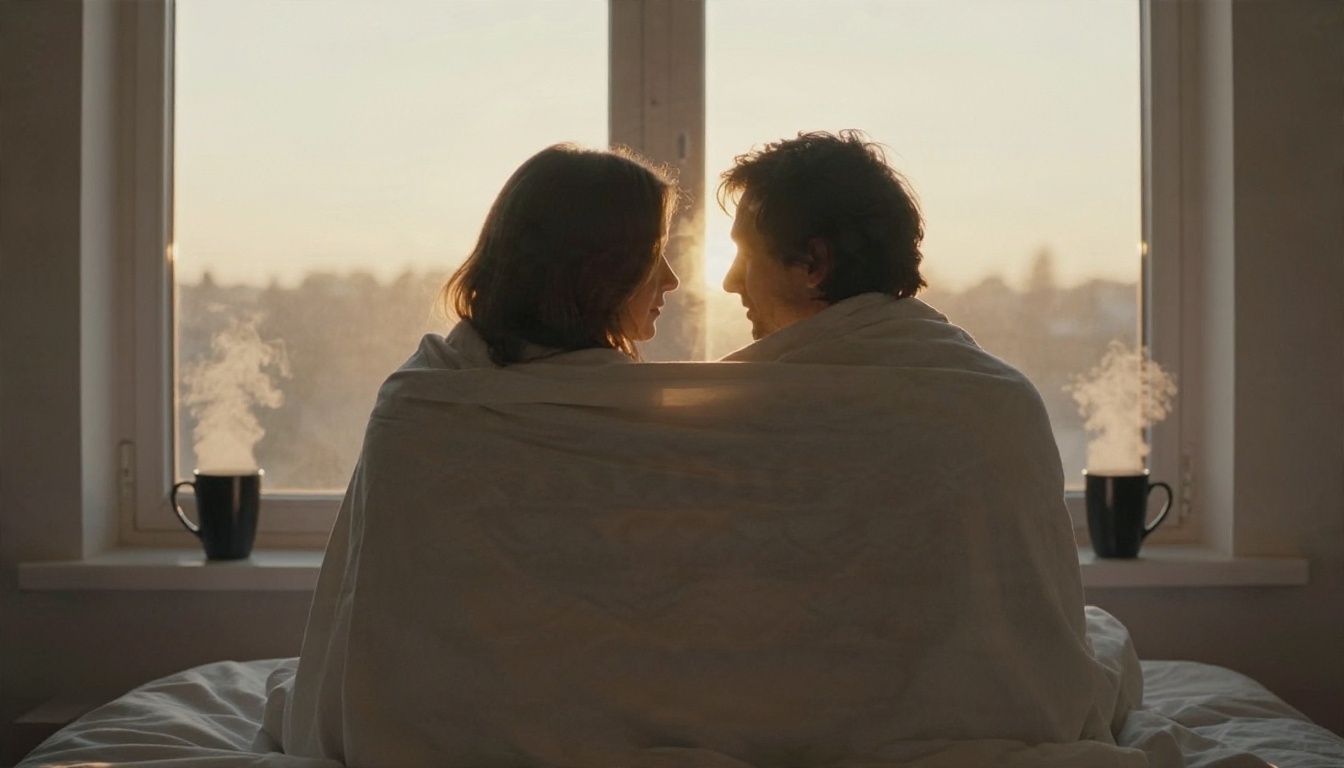
1. The window silhouette
The most forgiving composition of all. A backlit silhouette hides skin detail, which means fewer anatomy mistakes, and the sunrise glow does the emotional work.
Prompt idea: Backlit silhouette of an adult couple embracing in front of a large window at sunrise, a white bedsheet draped over their shoulders, only outlines visible, steam from coffee mugs on the sill, golden volumetric light, 50mm f/1.4, Kodak Portra 400 grain.
2. The hands close up
Skip faces and bodies entirely. Two hands on linen can carry more intimacy than a full figure.
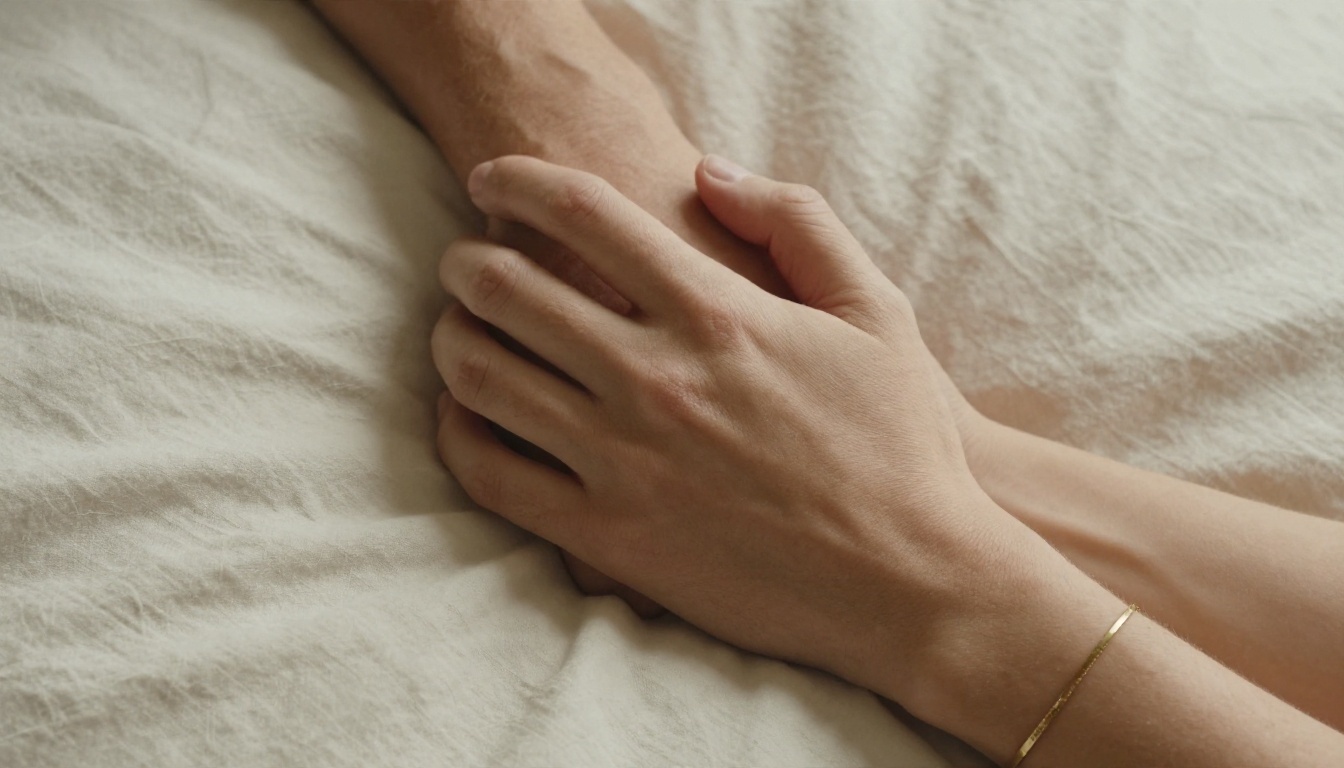
Prompt idea: Close-up of two adult hands intertwined on rumpled ivory linen, a delicate gold bracelet, visible pores and fine hairs, soft window light from the right, 100mm macro f/2.8, shallow depth of field.
Use a macro lens in your prompt. It pushes the model toward sharper skin texture and creamy background blur.
3. The dawn beach blanket
Outdoor scenes give you natural color grading for free. Pink sky, wet sand reflections, cool horizon light.
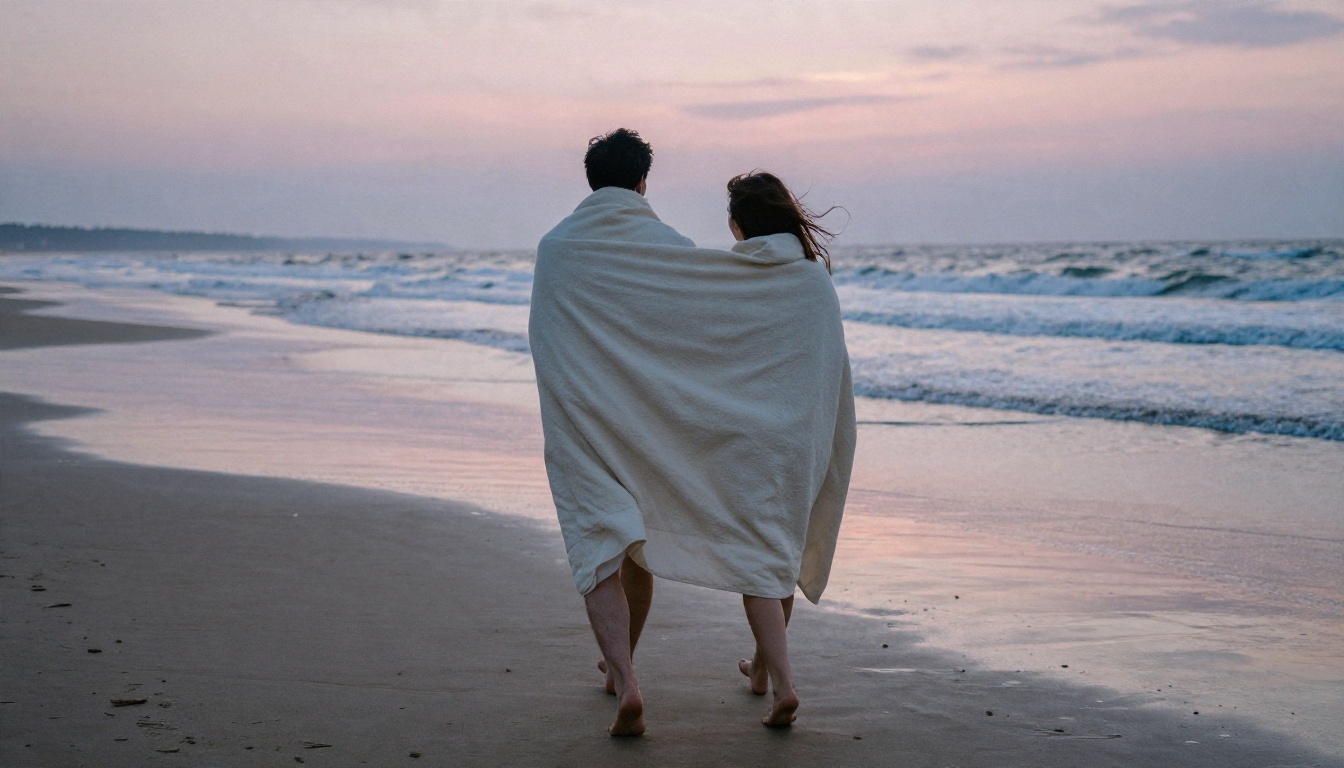
Prompt idea: Adult couple seen from behind walking barefoot on an empty beach at dawn, wrapped together in one large cream cotton blanket, hair loose in the wind, wet sand reflecting a pink sky, 35mm f/2, low angle.
4. Black and white studio portrait
Monochrome is the classic language of figure photography. It removes color distractions and puts every shadow to work.
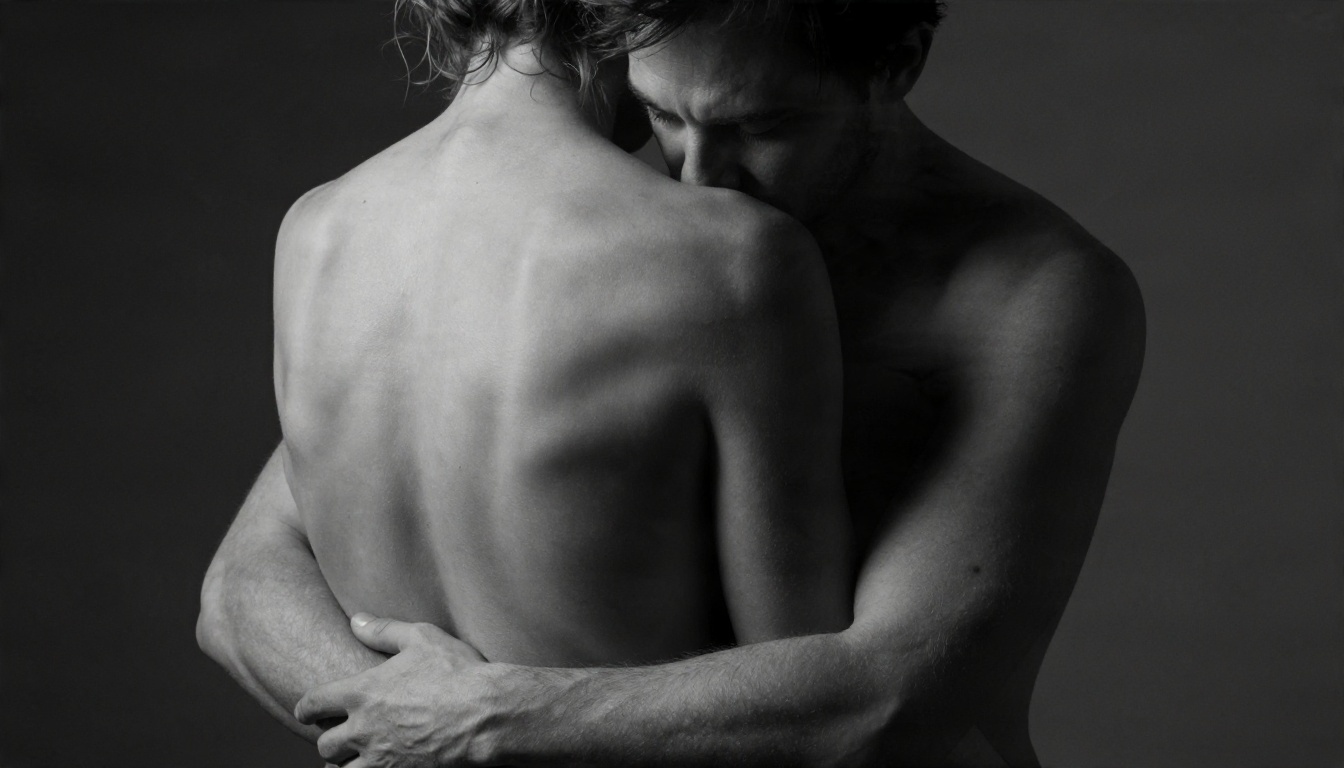
Prompt idea: Black and white fine art studio portrait of an adult couple, her bare back turned to camera, his arms around her from behind, cropped at the upper torso, single softbox from the left, dark gray backdrop, 85mm f/2, Ilford HP5 look.
Cropping at the upper torso is a quiet safety tool. It keeps the image tasteful and keeps the model from inventing anatomy below the frame.
5. The candlelit bath
Warm light, steam and water give skin a glow that is hard to fake in any other setting.
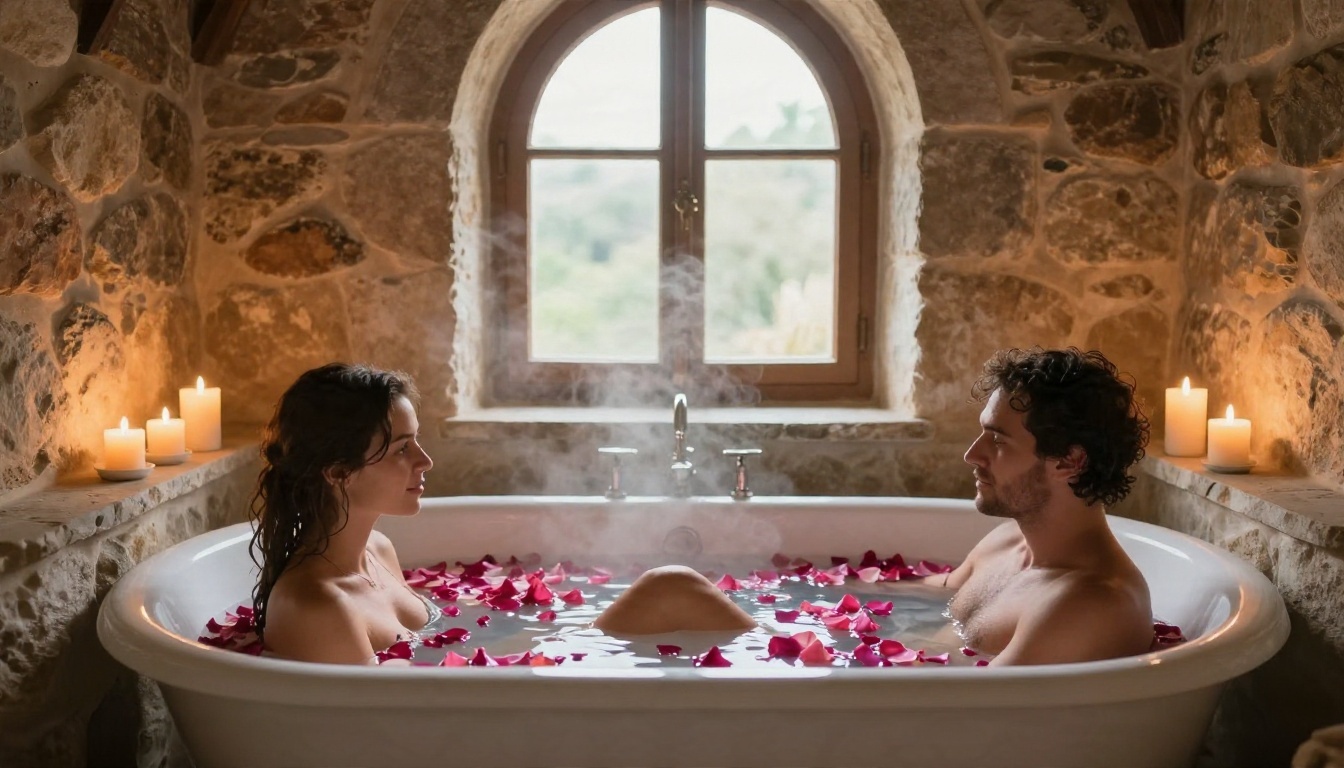
Prompt idea: Adult couple sharing a deep freestanding white bathtub filled with milky water and rose petals, only shoulders and heads visible, candles on a stone ledge, mixed candlelight and soft daylight from an arched window, 35mm f/1.8.
Milky water or foam is a useful trick. It gives the model a natural reason to keep the frame modest.
6. The overhead flat lay
A top down angle turns a bed into a graphic composition: lines of fabric, curves of hair, soft shadows.
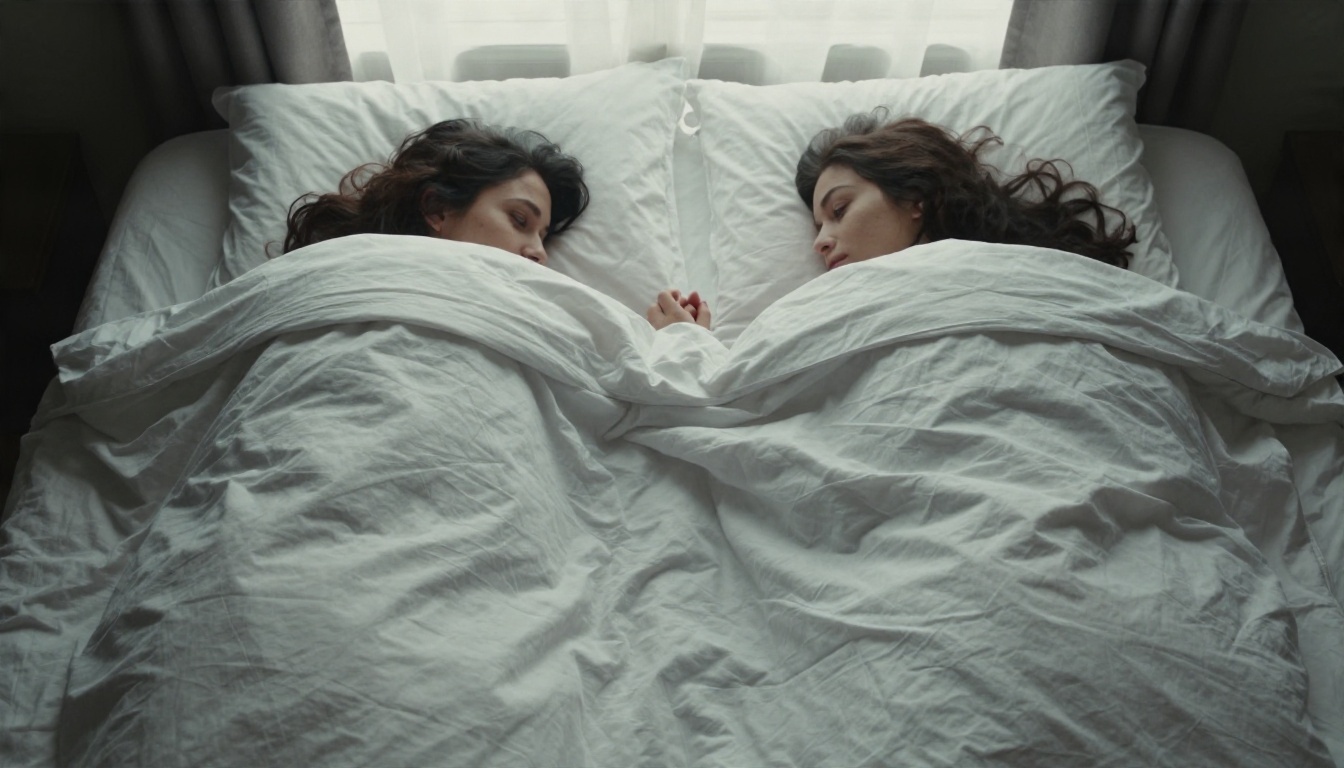
Prompt idea: Adult couple lying on a white hotel bed, shot directly from above, wrapped in a soft gray duvet with only shoulders and faces visible, her head on his chest, diffused overcast window light, 35mm f/2.8.
7. Fireside slow dance
Two light sources give you a rich color contrast: orange firelight against cool moonlight.
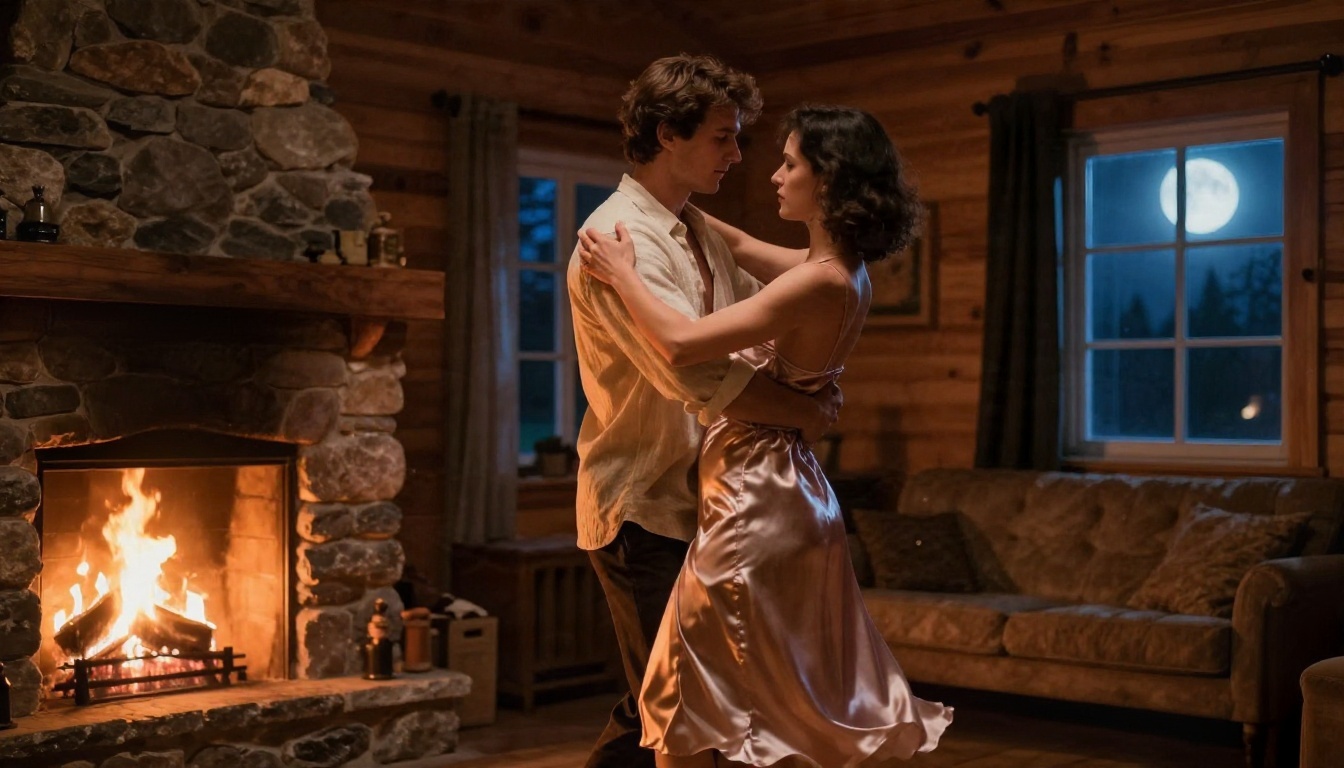
Prompt idea: Adult couple dancing slowly in a dim wooden cabin, he in an open linen shirt, she in a silk robe slipping off one shoulder, stone fireplace glowing on the left, cool moonlight on the right, 50mm f/1.4.
8. Forest mist
Nature scenes lean toward the classical. Think of paintings of figures in landscapes, but photographed.
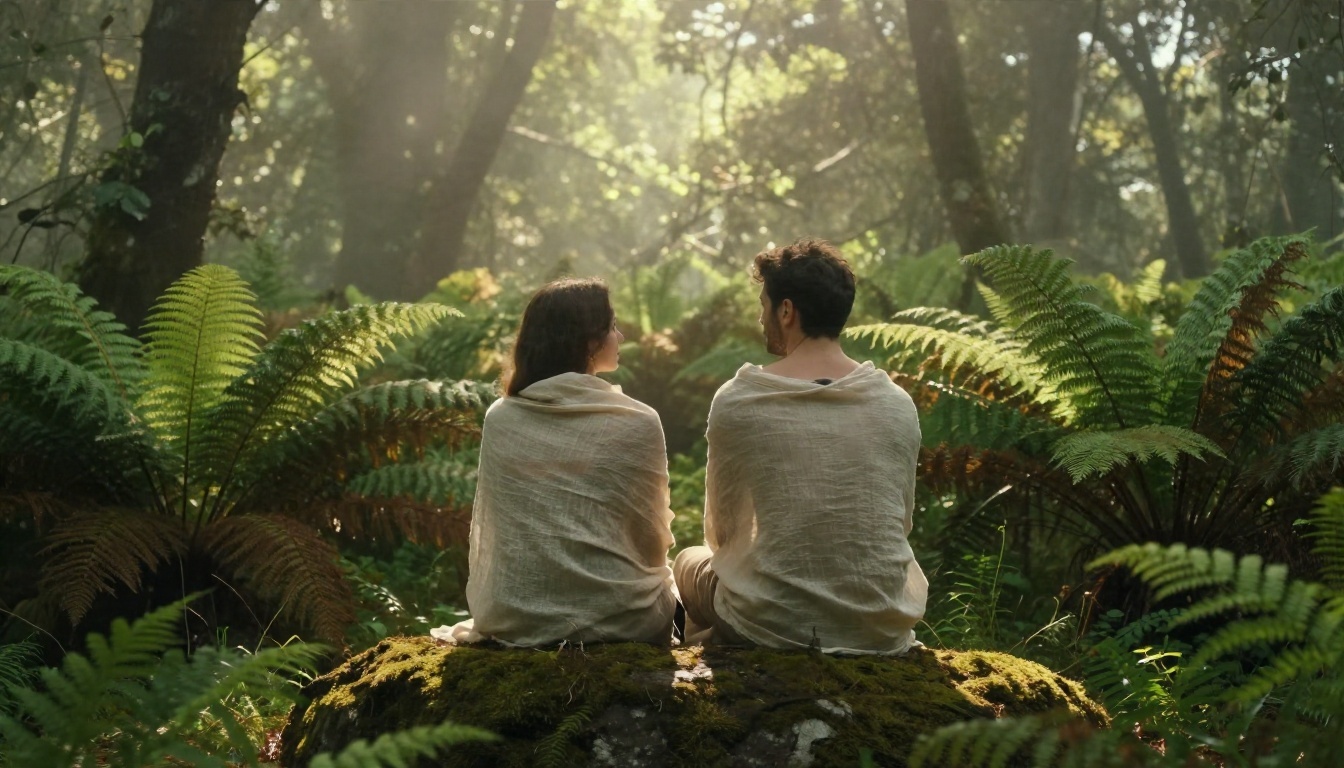
Prompt idea: Adult couple sitting back to back on a mossy rock in a misty fern forest, wrapped in sheer natural linen shawls, bare shoulders visible, backlight through trees, 70mm f/2, earthy green and amber palette.
9. The sculptural profile
This one borrows from classical statuary. Tight framing, side profile, cloth draped like marble drapery.
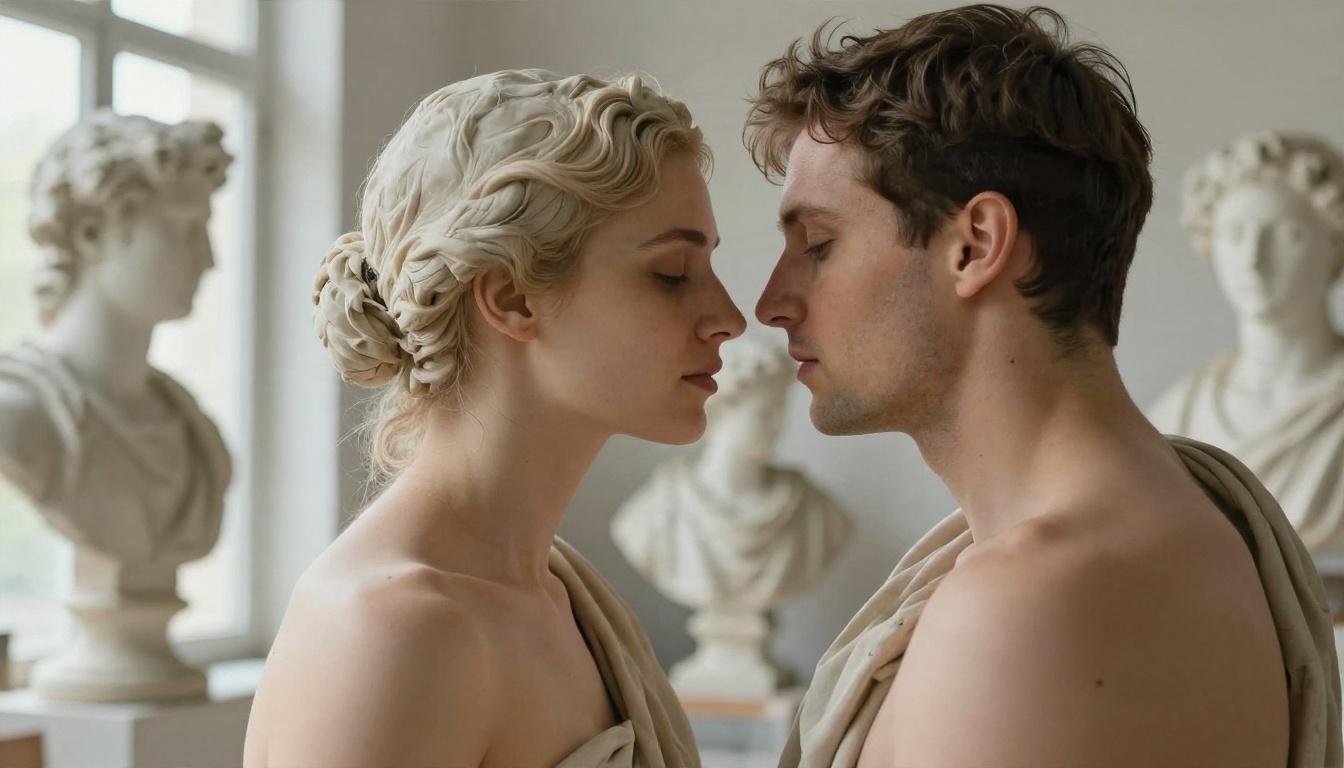
Prompt idea: Adult couple in a sunlit art studio, side profile close up, faces nearly touching, a plaster colored cloth across their shoulders, marble busts blurred behind, window light from the left, 105mm f/2.
How to Build the Prompt Yourself
Every strong prompt in this article follows the same structure. Once you see it, you can build your own in under a minute.
The five part formula
- Subject and action: who they are and exactly how they touch or pose.
- Environment: loft, beach, cabin, studio. Add two or three real objects.
- Lighting: direction, color and quality. "Warm morning light from the left" is far better than "nice lighting".
- Camera: lens length, aperture, angle and distance.
- Texture and film: skin pores, fabric weave, film grain, a film stock name.
Words that improve realism
- Skin: natural pores, fine peach fuzz, subtle goosebumps, soft freckles
- Fabric: linen weave, silk folds, rumpled cotton
- Light: rim light, volumetric haze, soft bounce, gentle shadow falloff
- Film: Kodak Portra 400, fine organic grain, soft halation
Words that ruin realism
Avoid "perfect skin", "flawless", "airbrushed", "ultra smooth" and "8K masterpiece trending". They push the model toward a glossy, artificial look. Ask for imperfection instead and the result feels more human.
💡 Tip: Say "adult couple" in every prompt. It is clear, responsible and keeps the output aligned with what you actually want.
Settings That Make the Difference
Prompts do about 70 percent of the work. The rest comes from the controls beside the text box.
| Setting | Recommended value | What it does |
|---|
| Aspect ratio | 16:9 for scenes, 3:2 for portraits | Gives room for two people without cramping limbs |
| Resolution | Highest available, 2K to 4K | More pixels means better skin and fabric detail |
| Seed | Fixed once you like a result | Lets you change one word at a time and compare |
| Prompt length | 50 to 90 words | Long enough for detail, short enough to stay coherent |
| Batch size | 2 to 4 images | Gives you a choice without wasting time |
Lens and lighting beat style words
Telling the model "85mm f/1.8" does more than telling it "cinematic". The first changes depth of field and compression. The second is just a mood word. Use real photographic language.
Lock the seed, change one thing
When a render is nearly right, keep the seed and edit a single phrase: swap "overcast light" for "golden light", or "linen" for "silk". This is how pros iterate, and it saves a lot of time.
How to Use Seedream 4.5 on PicassoIA
Here is the workflow I recommend, start to finish.
Step by step
- Open the Seedream 4.5 page on PicassoIA.
- Paste your prompt into the text box. Start with one of the nine ideas above.
- Set the aspect ratio to 16:9 for wide scenes or a taller ratio for portraits.
- Choose the highest resolution offered.
- Generate two to four variations.
- Pick the strongest one and note its seed.
- Refine: change one phrase, keep the seed, and generate again.
- Send the final image to PicassoIA Image Editor Pro to fix small flaws such as a stray finger or an odd fabric fold.
Parameter tips
- Put the most important element first in the prompt, usually the couple and their pose.
- Keep the lighting description in one sentence so the model does not mix light sources.
- If hands look wrong, shorten the pose description and describe them separately: "her fingers trace his jaw".
- For faster drafts, test the composition in Z Image Turbo first, then move to Seedream for the final.
Fixing common problems
| Problem | Fix |
|---|
| Merged or extra limbs | Use a pose with fewer visible limbs, such as an embrace from behind |
| Plastic skin | Add pores, peach fuzz and film grain to the prompt, remove "flawless" |
| Faces look identical | Describe each person separately: hair, jaw, age range |
| Odd sheet folds | Name the fabric and how it hangs: "linen draped loosely over one shoulder" |
| Flat lighting | Name a single light direction and add "gentle shadow falloff" |
Keeping Your Work Tasteful and Responsible
Artistic work gets taken seriously when the creator is serious about it. A few rules are worth following every time.
Use fictional adults only
Create entirely invented subjects. Do not use the likeness of a real person without their clear permission, and never create images of anyone under 18. Stay with fictional adults and you avoid the biggest problems in this field.
Choose implication over exposure
The nine examples above all use fabric, shadow, crop or distance. This is a deliberate artistic choice. It makes images that can hang on a wall, sit in a portfolio or be shared without trouble.
Label and store your images sensibly
If you publish AI work, say it is AI generated. Keep private projects in private folders. Treat the images the way a photographer treats sensitive client work.
Ideas for Using Your Results
Once you have a set you like, there are plenty of places they can go.
Print and display
A black and white studio portrait or a hands close up makes an elegant print for a bedroom or hallway. Generate at the highest resolution and use a super resolution tool if you need more pixels for a large format.
Reference for artists
Painters, illustrators and sculptors often use photographic references for pose, drapery and light. An AI render with a clear light direction is useful for studying how shadow wraps around a form.
Mood boards and story projects
Writers, filmmakers and photographers build mood boards before a shoot. AI couple images help you test locations, wardrobe fabric and color palettes quickly, before spending anything on a real production.
Start Creating Your Own
You now have the prompt formula, the settings and nine examples to borrow from. The only thing left is to try it. Open Seedream 4.5 on Picasso IA, paste one of the prompts above, and change a single detail: the location, the fabric or the time of day. Then take your favorite result into PicassoIA Image Editor Pro, where unlimited generations let you polish it until it looks right.
Want more options? Browse every image model at picassoia.com/en/all-models and test them against the same prompt. Small differences in skin tone, grain and light will show you which one fits your style best. Pick your first prompt and generate it now.


