You type "a nice outfit for a date" into an AI image tool and get a blurry person in a vague jacket with six buttons and no sleeves. Sound familiar? The problem is almost never the model. It is the prompt. A good AI outfit generator prompt names the garments, the fabric, the fit, the colors and the setting, and it tells the camera how to look at all of it. Get those pieces right and you can produce lookbook quality photos of any outfit you can imagine, from a navy blazer on a cobblestone street to an elf queen's velvet gown in a misty forest.
This article gives you copy and paste examples for three very common searches: prompts you can run through ChatGPT, prompts for men's outfits, and prompts for fantasy looks. You will also get a repeatable formula, a quick reference table, a step by step tutorial and a list of mistakes that quietly wreck clothing details.
What an Outfit Prompt Really Is
An outfit prompt is a short description that tells an image model what a person wears, how it fits, and how it is photographed. Most people only write the first part. That is why the results look generic.
The Five Parts of a Good Prompt
Every strong outfit prompt carries five ingredients. Miss one and the model fills the gap with a guess.
- Garments: name each piece. "Navy unstructured blazer, white oxford shirt, beige chinos, brown suede chukka boots."
- Fabric and texture: wool, linen, satin, denim, leather, knit. Texture words are what make clothes look touchable.
- Fit and shape: oversized, tailored, high waisted, cropped, relaxed, slim.
- Setting and light: a street at golden hour, a loft with window light, a snowy park on an overcast day.
- Camera: lens, angle and depth of field. "85mm f/1.8, shallow depth of field, eye level."
💡 Tip: Write garments from top to bottom: outer layer, top, bottom, shoes, accessories. Models read in order, and a consistent order keeps pieces from disappearing.
Why Vague Prompts Fail
"Stylish outfit" means nothing specific. The model has to pick a person, a pose, a color palette and a cut of clothing all at once, so it averages thousands of images and returns something forgettable. The more concrete nouns you provide, the less the model improvises.
| Vague prompt | Specific prompt |
|---|
| Cool winter outfit | Oversized cream cable knit sweater, plaid wool scarf, black leather gloves, dark jeans, tall boots |
| Man in a suit | Charcoal two button wool suit, light blue shirt, navy knit tie, black cap toe oxfords |
| Fantasy character | Moss green velvet gown with embroidered leaf pattern, leather bracers, bronze circlet |
| Summer look | White linen sundress, straw hat, woven sandals, bright midday sun, sea haze |
ChatGPT Prompts That Actually Work
There are two ways to use ChatGPT for outfits. You can ask it to write the image prompt for you, or you can use it as a stylist that builds the outfit idea first. Both work best when you give it constraints.
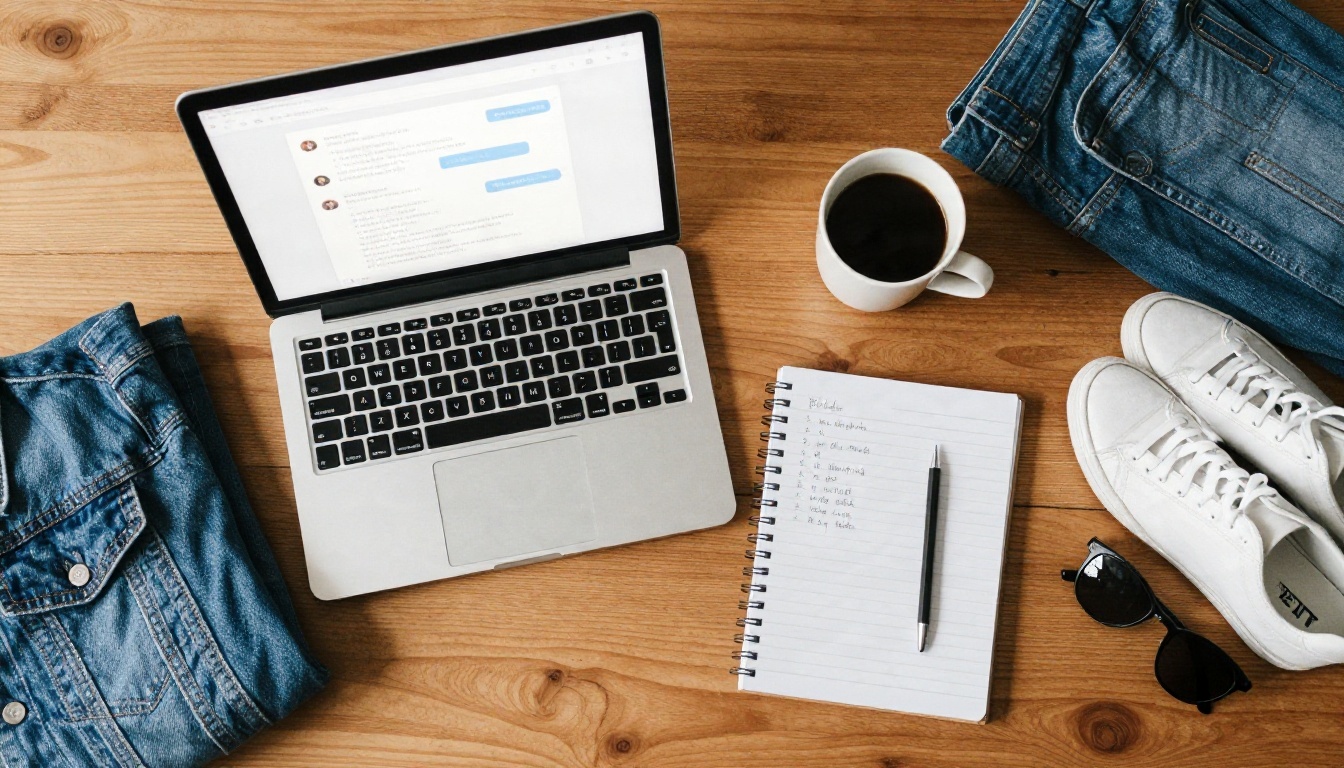
Ask ChatGPT to Write the Prompt
This is the fastest route. Paste a plain request and let the chatbot turn it into a detailed image prompt. A model like GPT 5.6 Luna handles this well and replies quickly, while GPT-4o is a solid free option for shorter requests.
Try this instruction:
Act as a fashion photographer and prompt writer. Write one image generation prompt for a smart casual outfit for a man in his thirties. List every garment with fabric and color, then add lighting, lens, camera angle and skin and fabric texture details. Keep it photorealistic, 16:9, no text in the image.
What you get back is usually a paragraph of 80 to 120 words. Copy it into an image model and run it. If the result misses on one item, go back to the chat and say "make the boots dark brown suede and the blazer unstructured" instead of rewriting everything.
Build the Outfit Idea First
Sometimes you do not know what you want to wear. Use ChatGPT as a stylist before you generate anything:
I have dark selvedge jeans, a white tee and olive bomber jacket. Suggest three outfit combinations for a rainy autumn evening in the city. For each one, list shoes, layers and one accessory, then write a photorealistic image prompt I can paste into an image generator.
This two step flow gives you the creative part from the chatbot and the visual part from the image model. Each tool does the job it is good at.
Seasonal Prompt Examples
Seasons are an easy way to practice, because weather gives you light, color and fabric for free.
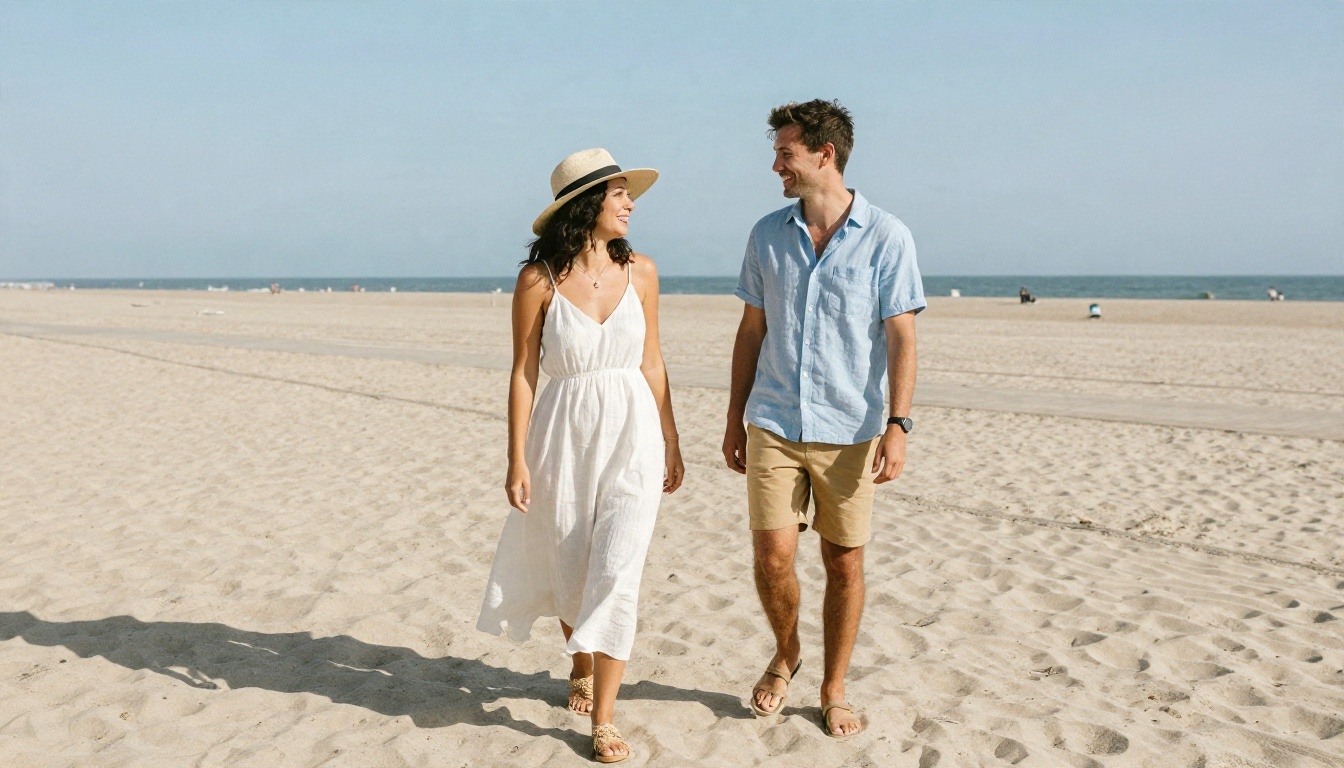
Summer prompt:
Wide shot of two friends on a sandy beach boardwalk, woman in a flowy white linen sundress with a straw hat and woven sandals, man in a light blue short sleeve linen shirt and tan shorts, laughing together. Bright midday sun with soft sea haze, 24mm f/4 lens, slightly low angle, visible linen wrinkles and straw weave, Kodak Portra 400 color, fine film grain, 16:9.
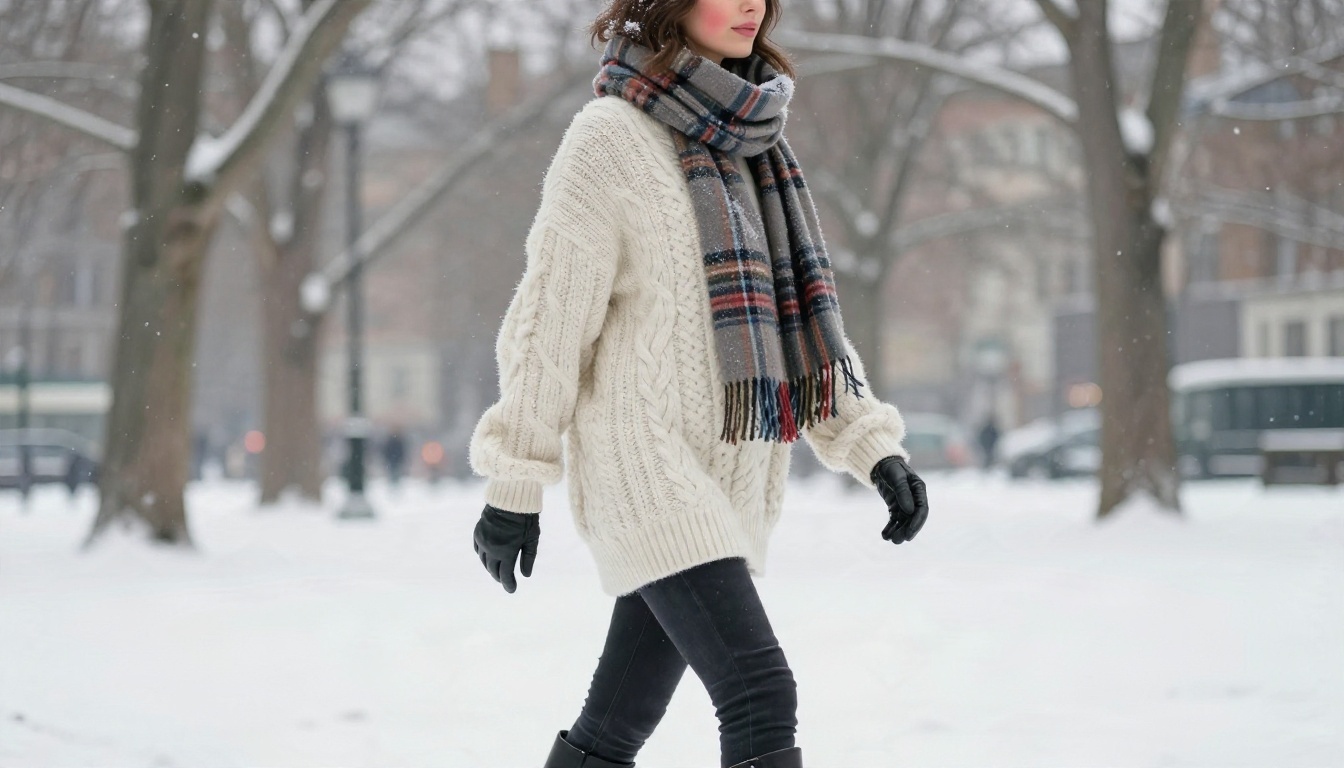
Winter prompt:
Woman in an oversized cream cable knit sweater, long plaid wool scarf, black leather gloves, dark skinny jeans and tall boots, walking through a snowy city park with bare trees. Soft overcast light, light snowflakes falling, 135mm f/2.8 telephoto compression, side profile, visible wool fibers, rosy cheeks, natural skin texture, Kodak Portra 400, 16:9.
Notice that both prompts use the same skeleton: subjects, garments, light, lens, texture. Only the content changes.
Men's Outfit Prompt Examples
Men's fashion prompts fail for a specific reason: people write "casual guy outfit" and the model returns a generic gray hoodie. Men's looks are defined by small decisions, such as collar style, trouser break and shoe type, so your prompt needs to name them.
Smart Casual
Smart casual is the most requested look, and it rewards precise vocabulary like "unstructured" and "chukka."
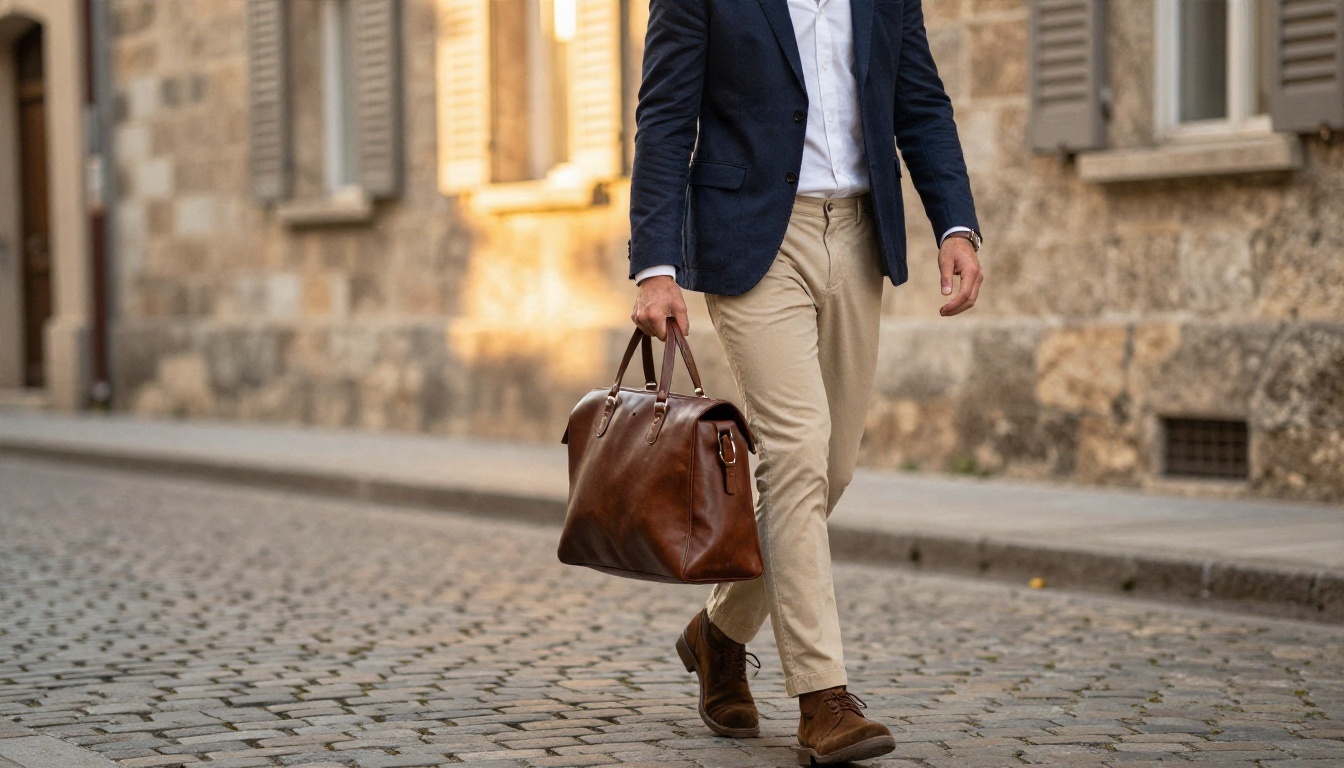
Full body photograph of a man in his thirties walking along a cobblestone street in a European old town, navy unstructured blazer, white oxford shirt open at the collar, slim beige chinos, brown suede chukka boots, leather messenger bag. Golden hour sunlight from behind left with warm rim light, stone buildings with shutters softly blurred, low angle, 50mm f/1.8 lens, visible fabric texture, light stubble, natural skin pores, Kodak Portra 400, film grain, 16:9.
Why it works: each garment has a color and a cut, the light direction is stated, and the lens choice gives a clean background blur that keeps focus on the clothes.
Streetwear
Streetwear lives on layering and texture contrast: nylon against knit, denim against wool. Say so.
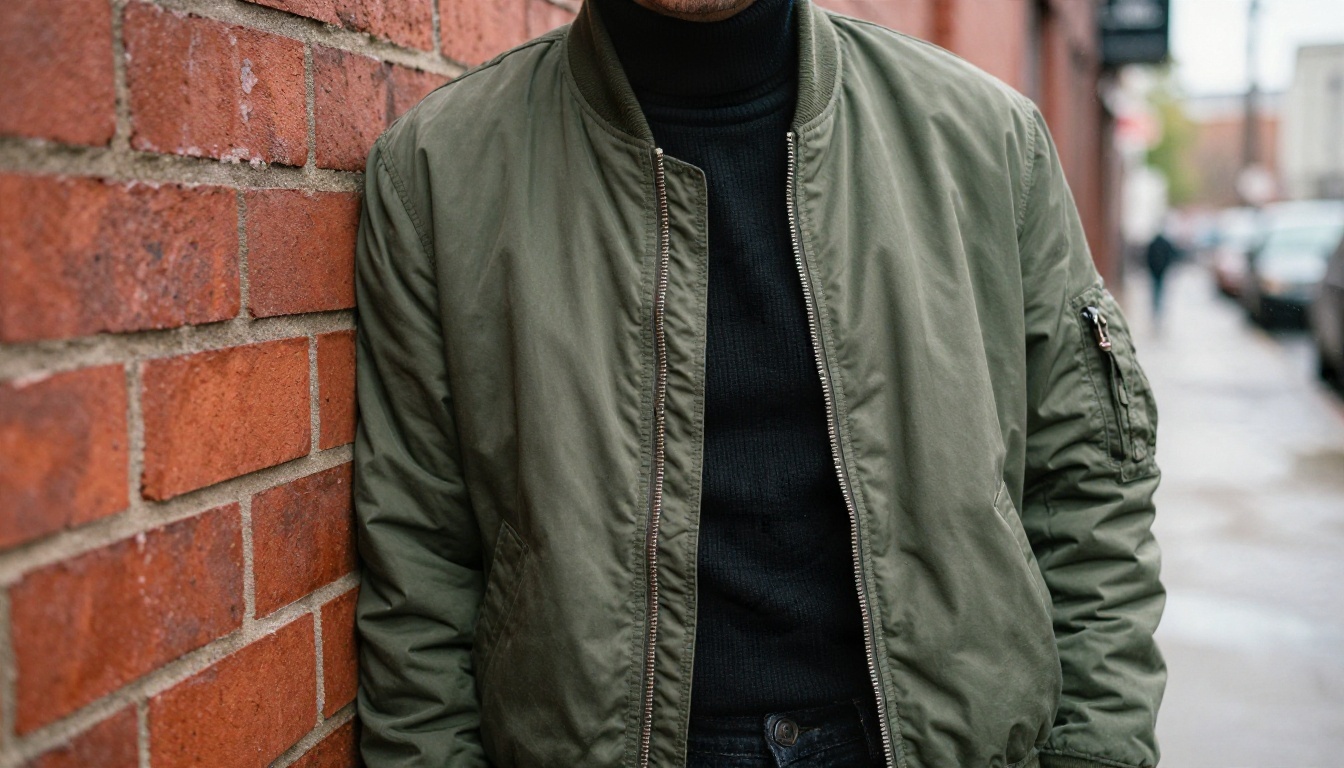
Medium close up of a man in an olive green bomber jacket, black ribbed turtleneck, dark selvedge jeans and a wool beanie, leaning against a weathered red brick wall in an urban alley after rain. Overcast soft light from above right, wet pavement with muted reflections, 85mm f/2 lens, eye level, visible nylon sheen, knit texture and denim stitching, Kodak Portra 400, film grain, 16:9.
Swap the jacket for a puffer, a work jacket or a varsity jacket and keep everything else. That gives you a dozen variations from one prompt.
Formal and Evening
For suits and evening wear, lead with the fabric and the fit. "Charcoal two button wool suit, tailored, light blue shirt, navy knit tie, black cap toe oxfords, standing in a hotel lobby with warm lamp light, 70mm f/2, three quarter angle." Fabric sheen is the detail that separates cheap looking results from convincing ones, so mention wool, satin or silk rather than just "suit" or "dress."
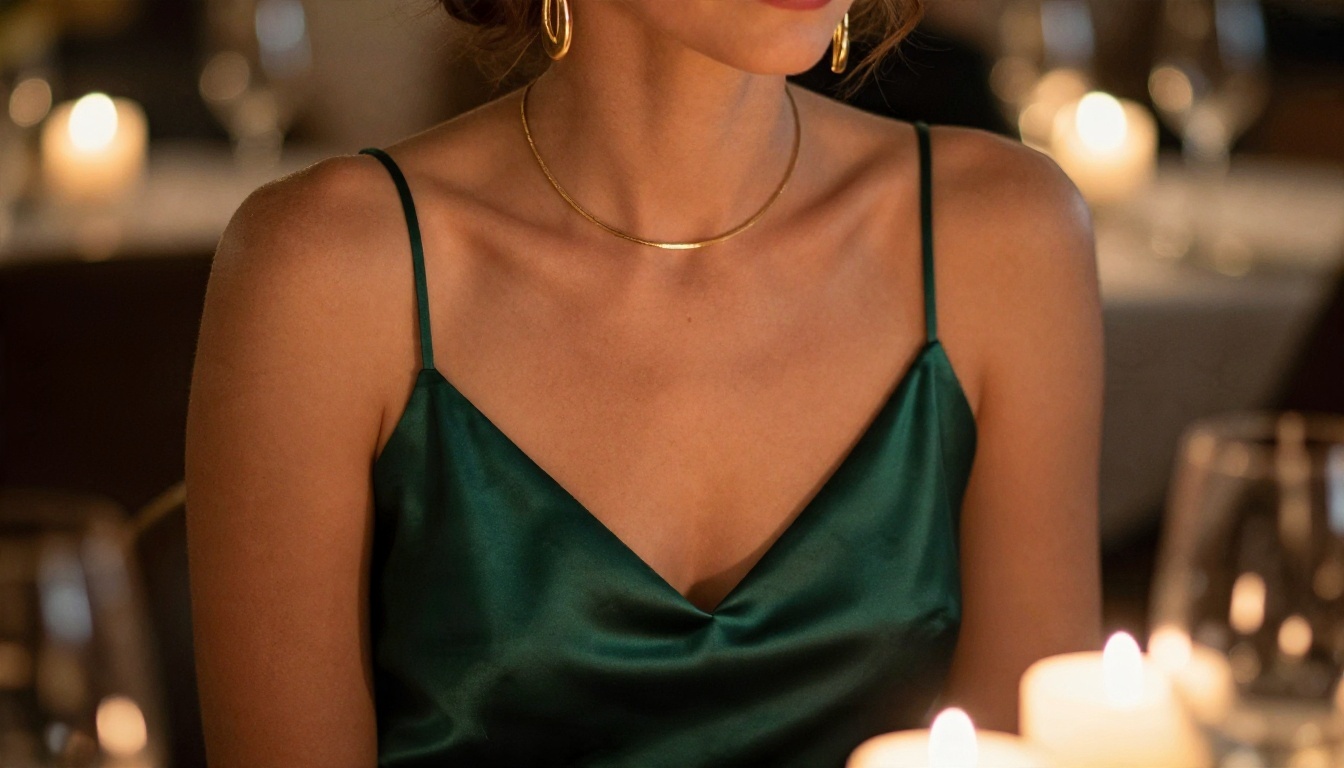
The same logic applies to women's evening wear: "deep emerald satin slip dress, gold drop earrings, thin gold necklace, candlelit restaurant table, warm candle glow from the front right, 85mm f/1.4, satin sheen and fold highlights."
Fantasy Outfit Prompts
Fantasy is where outfit prompts get fun. The trap is that models drift toward painted, glossy artwork. If you want the result to feel like a real photo of a real costume, you have to anchor it in real materials and a real place.
Elf and Forest Looks
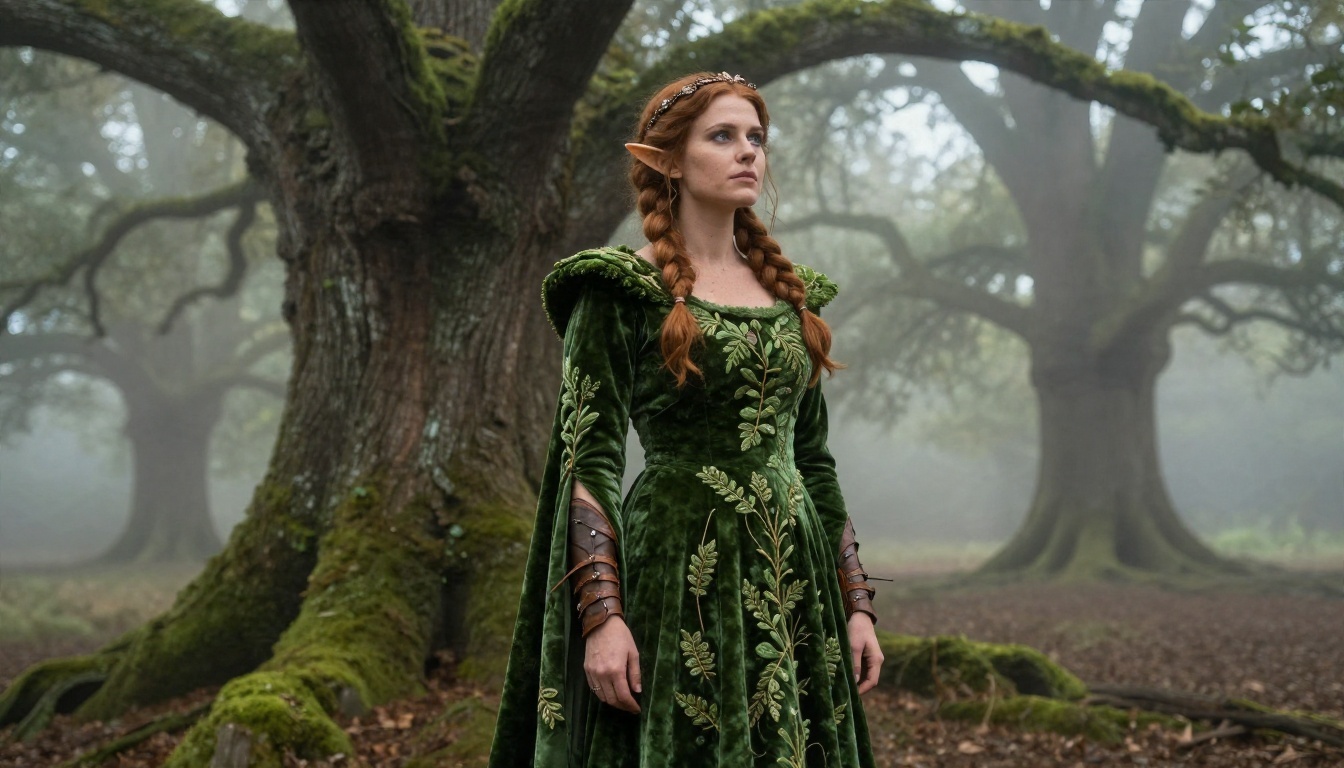
Photograph of a woman dressed as a forest elf queen in a real misty ancient woodland, long flowing moss green velvet gown with hand embroidered leaf pattern, leather bracers, a delicate bronze circlet in braided auburn hair, standing among tall mossy oak trunks. Volumetric morning light filtering through the canopy from the right, soft fog, 35mm f/2 lens, low angle, visible velvet pile and embroidery thread, natural skin texture, practical costume, Kodak Portra 400, film grain, 16:9.
The phrase "practical costume" is a small but useful trick. It tells the model to render fabric, stitching and props as physical objects instead of magical effects.
Knights and Warriors
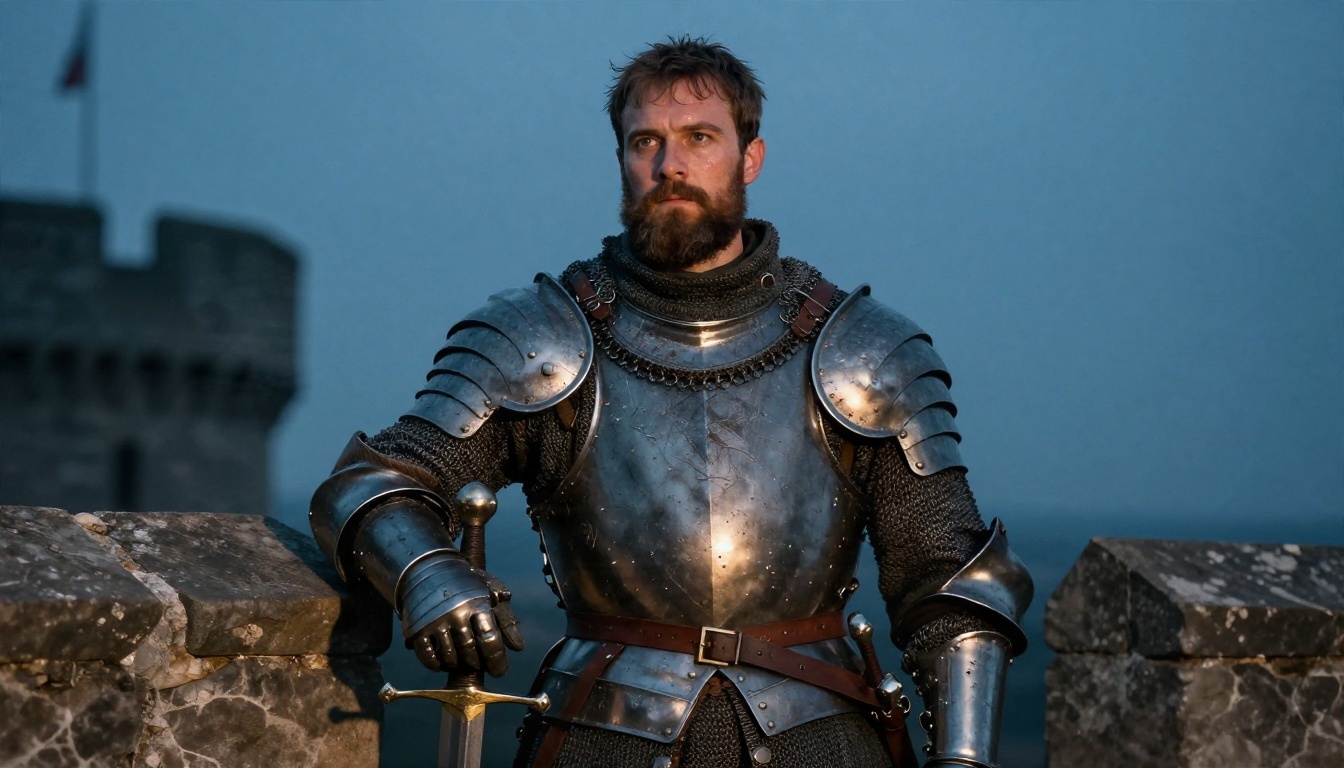
Photograph of a bearded man dressed as a medieval knight in weathered steel plate armor with a dark wool surcoat and leather belts, standing on a stone castle rampart at dusk, one gloved hand resting on a sword hilt. Warm low sunlight from the left, cool blue sky behind, 70mm f/2.8 lens, three quarter angle, scratches and dents on real metal, chainmail rings, cracked leather, natural skin pores, Kodak Portra 400, film grain, 16:9.
Keeping Fantasy Photorealistic
Use this short checklist when a fantasy prompt keeps coming out looking like concept art:
- Name physical materials: velvet, steel, wool, leather, linen, bronze. Avoid "magical glowing robe."
- Add wear and damage: scratches, dents, creases, mud on the hem.
- Put the person in a real place: a woodland, a castle wall, a quarry, a village street.
- Use a camera line: lens, aperture and film stock pull the image toward photography.
- Skip effect words: "ethereal," "glowing," "epic digital painting" push the model toward illustration.
💡 Tip: Want a fantasy look for a costume party or a tabletop character? Generate the same character in three outfits by keeping the face and pose text identical and changing only the garment line.
Quick Reference Table
Keep this table next to your prompt window. Fill each row with something specific.
| Prompt slot | What to write | Example |
|---|
| Subject | Age range, build, pose | Man in his thirties walking |
| Outer layer | Garment, fabric, color | Navy unstructured wool blazer |
| Base layer | Top and bottom | White oxford shirt, beige chinos |
| Shoes and extras | Type, material | Brown suede chukka boots, leather bag |
| Location | Real, simple place | Cobblestone street in an old town |
| Light | Direction and time of day | Golden hour from behind left |
| Camera | Lens, aperture, angle | 50mm f/1.8, low angle |
| Texture and finish | Skin and fabric detail | Visible weave, natural pores, film grain |
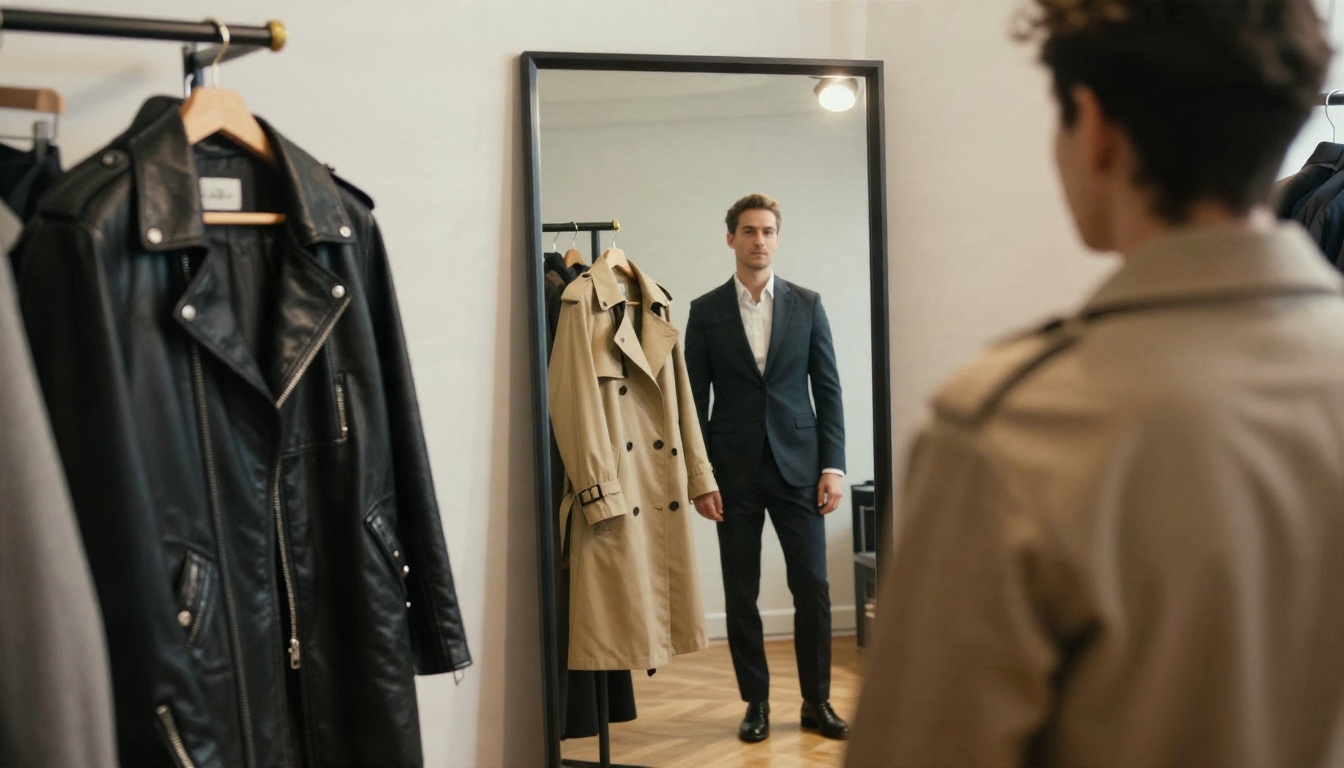
How to Use Nano Banana Pro on PicassoIA
Once your prompt is ready, you need a model that respects clothing details. Nano Banana Pro is a strong pick for outfit work because it follows long, item by item descriptions well and produces sharp 4K output. Here is the flow:
- Open the model page. Go to the Nano Banana Pro page on PicassoIA.
- Paste your prompt. Use the garment first structure from the formula above. Keep the whole prompt in one paragraph.
- Set the aspect ratio. Choose 16:9 for lookbook style scenes, or a portrait ratio for full body outfit shots on social media.
- Generate and review. Check the garments one by one: sleeves, collar, shoes, accessories. Note which piece went wrong.
- Revise only the broken part. Change the one phrase that failed, such as "tailored" to "relaxed fit," and run it again.
- Try a second model for comparison. Seedream 4.5 and GPT Image 2 read the same prompt differently, so one may nail a fabric the other misses.
| Model | Good for | Try it with |
|---|
| Nano Banana Pro | Sharp 4K lookbook shots, long prompts | Smart casual and evening wear |
| Seedream 4.5 | Rich color and skin detail | Fantasy portraits |
| GPT Image 2 | Following detailed instructions | Prompts written by ChatGPT |
Change One Piece Without Starting Over
Often the picture is nearly right and one item is wrong. Regenerating from scratch changes the face, the pose and the light too. An editing model avoids that.
Swap a Single Garment
Flux Kontext Fast edits an existing photo from a short instruction. Upload your image and write something like:
Change the navy blazer to a black leather jacket. Keep the face, pose, background and lighting unchanged.
This works well for trying colors and cuts on the same person before you decide on an outfit. It is also a cheap way to build a mini lookbook: one base photo, five edit instructions, five outfits.
Fix Small Details
If the shoes look odd or a sleeve length is off, edit only that area: "Replace the shoes with brown suede chukka boots, keep everything else exactly the same." Short, single purpose edits give cleaner results than long ones that change several things at once.
Common Mistakes to Avoid
Most failed outfit images come from the same short list of errors:
- Stacking too many garments. Past six or seven pieces, models start merging them. Split complex outfits into two prompts or edit afterward.
- Skipping the fabric. "Jacket" can be anything. "Waxed cotton field jacket" is a specific object.
- Mixing style clashes. "Formal tuxedo, streetwear sneakers, fantasy cloak" pulls in three directions. Pick one lead style.
- Forgetting the camera. Without a lens and angle, you get a flat, centered, catalog style image.
- Adding text to clothing. Logos and slogans usually come out garbled. Leave them out and add them later if needed.
- Ignoring light. The same blazer looks cheap under flat light and expensive under side light.
- Rewriting everything on each try. Change one variable at a time, so you know which edit helped.
💡 Tip: Save your best prompts in a note with a short label like "navy blazer, golden hour." After ten or fifteen of them you will have a personal prompt library that you can remix in seconds.
Try Your Own Outfit Ideas
You now have the formula, the examples and the editing trick. The fastest way to improve is to run a few prompts yourself. Start with one look from this article, such as the navy blazer or the elf gown, and change three things: the color, the fabric and the light. Compare the results side by side and notice which words moved the image most.
Open PicassoIA, pick Nano Banana Pro or Seedream 4.5, paste a prompt and see how your outfit looks on screen. If you want a bigger selection of image, editing and text models to test against each other, browse everything at picassoia.com/en/all-models. Your next outfit idea is one prompt away.


