AI Photo Prompts for Women in Saree: Free, Copy and Paste Examples
Nine ready to paste AI photo prompts for women in saree, from Banarasi silk and Kanjivaram temple scenes to chiffon portraits and bandhani close-ups, plus a simple formula, fixes for bad drapes and a step by step tutorial.
You type "woman in saree" into an AI image generator, and what comes back looks like a costume party. The pleats melt into the skirt, the pallu floats at a strange angle, and the silk looks like shiny plastic. The good news: the fix is almost never a better model. It is a better prompt. Below you will find nine free, copy and paste prompts for AI photos of women in sarees, each tested for realistic drape, believable fabric and natural skin. Use them as they are, or swap the colors, city and light to fit your own idea.
💡 Quick tip: Every prompt here is written for photorealistic output. If you want a different mood, change the setting and the light first, not the fabric words.
Why Saree Prompts Fail
A saree is six meters of fabric folded, pleated and draped in a specific order. Image models have seen millions of photos of sarees, but they have also seen plenty of mislabeled images, so they guess. Two problems show up again and again.
The Drape Problem
Models often forget the structure: pleats at the front, a pallu crossing the shoulder, a visible blouse. When your prompt only says "saree", the model may merge everything into one long dress. Naming the pleats, the pallu and the border forces it to build the garment in the right layers.
The Plastic Skin Problem
Beauty words such as "perfect", "flawless" and "stunning" push the skin toward a waxy, airbrushed look. Photographers do the opposite. They ask for pores, small shadows, a soft glow on the cheekbone. Use camera words, not compliments.
Weak prompt phrase
Stronger replacement
beautiful woman in saree
young woman in a crimson Banarasi silk saree, gold zari border
perfect skin
natural skin texture, fine pores, soft highlight on cheekbone
warm golden hour light from the left, long soft shadows
high quality
85mm f/1.8, shallow depth of field, Kodak Portra 400 grain
The Prompt Formula That Works
Good saree prompts follow the same order every time. Think of it as a short photo brief you would give a real photographer.
Subject + saree fabric and color + pose + setting + light + lens and film
Fabric First
Name the weave, not just the color. "Banarasi silk with gold zari" and "pastel chiffon with a pearl border" give completely different results. Useful fabric words include Kanjivaram silk, Banarasi, organza, georgette, chiffon, handloom cotton, bandhani, linen, sequined net.
Light and Lens Second
Light does most of the realism work. Say where it comes from: "soft window light from the left", "warm backlight with rim light on the fabric", "overcast daylight". Then add a lens such as 85mm f/1.8 for portraits or 35mm f/2 for wider scenes.
Setting Last
A believable place anchors the image. Heritage havelis, South Indian temples, Kerala backwaters, Kolkata tea stalls and weaver workshops all carry strong visual cues that the model knows well.
💡 Keep one idea per prompt. A saree, one location, one light source. Crowded prompts create confused images.
Free Copy and Paste Prompts
Each prompt below is ready to paste. Replace anything in your own words and keep the structure.
Banarasi Silk in a Haveli
A classic editorial look. Warm light, carved stone, rich red and gold.
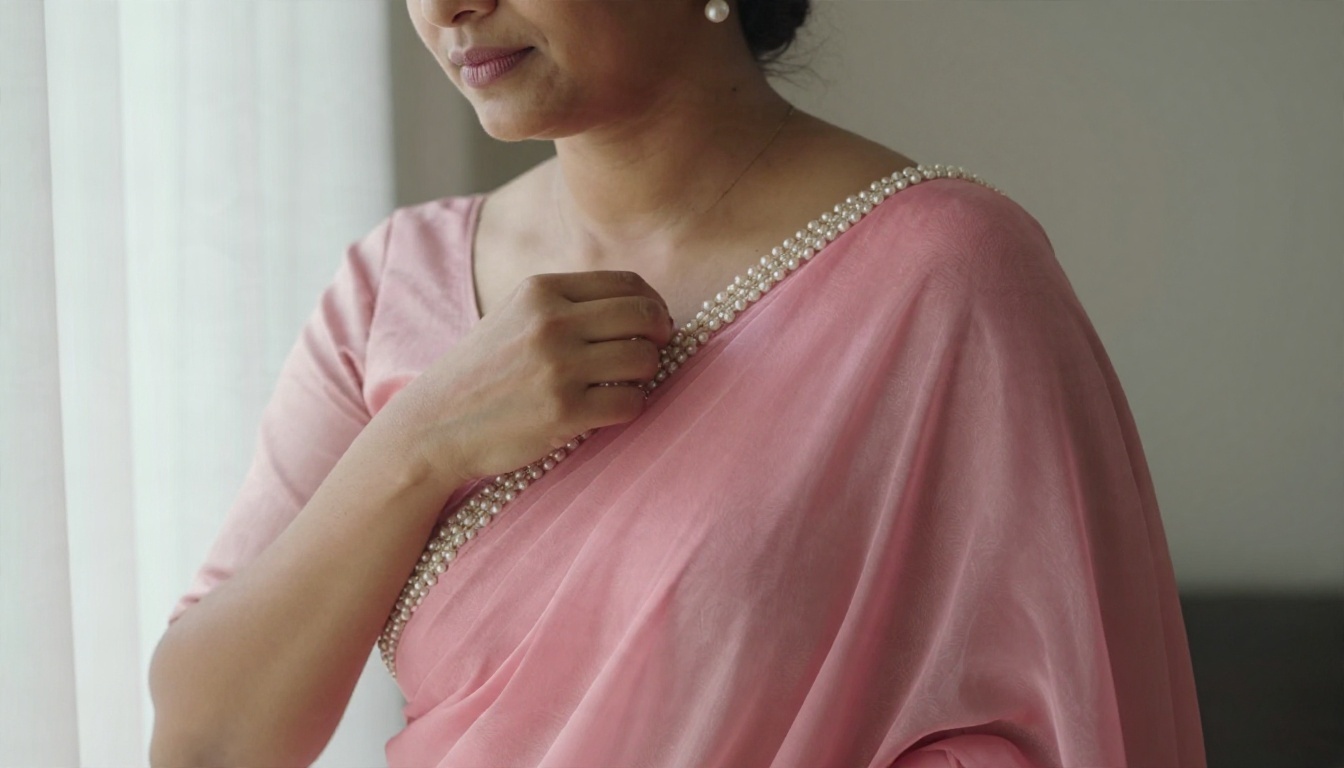
The portrait above shows the soft, window lit style. For the haveli version, use this:
Young Indian woman in a deep crimson Banarasi silk saree with intricate gold zari border, standing in an arched corridor of a Rajasthan haveli at golden hour, looking over her left shoulder with a soft half smile, pallu flowing across her arm, natural skin texture, jhumka earrings, jasmine flowers in a loose braid, sandstone pillars, warm volumetric sunlight from the left, 85mm f/1.8, shallow depth of field, Kodak Portra 400 film grain, photorealistic
Chiffon Soft Portrait
Best for clean, bright, minimal images. Great for profile pictures and fashion mockups.
Close-up portrait of an Indian woman in a pastel pink chiffon saree with a pearl border, gently adjusting the pallu on her shoulder, standing beside a tall window in a bright minimalist apartment, soft diffused morning light from the left, visible skin texture, small bindi, pearl earrings, 85mm f/1.8, shallow depth of field, Kodak Portra 400 film grain, realistic fabric folds
Kanjivaram at the Temple
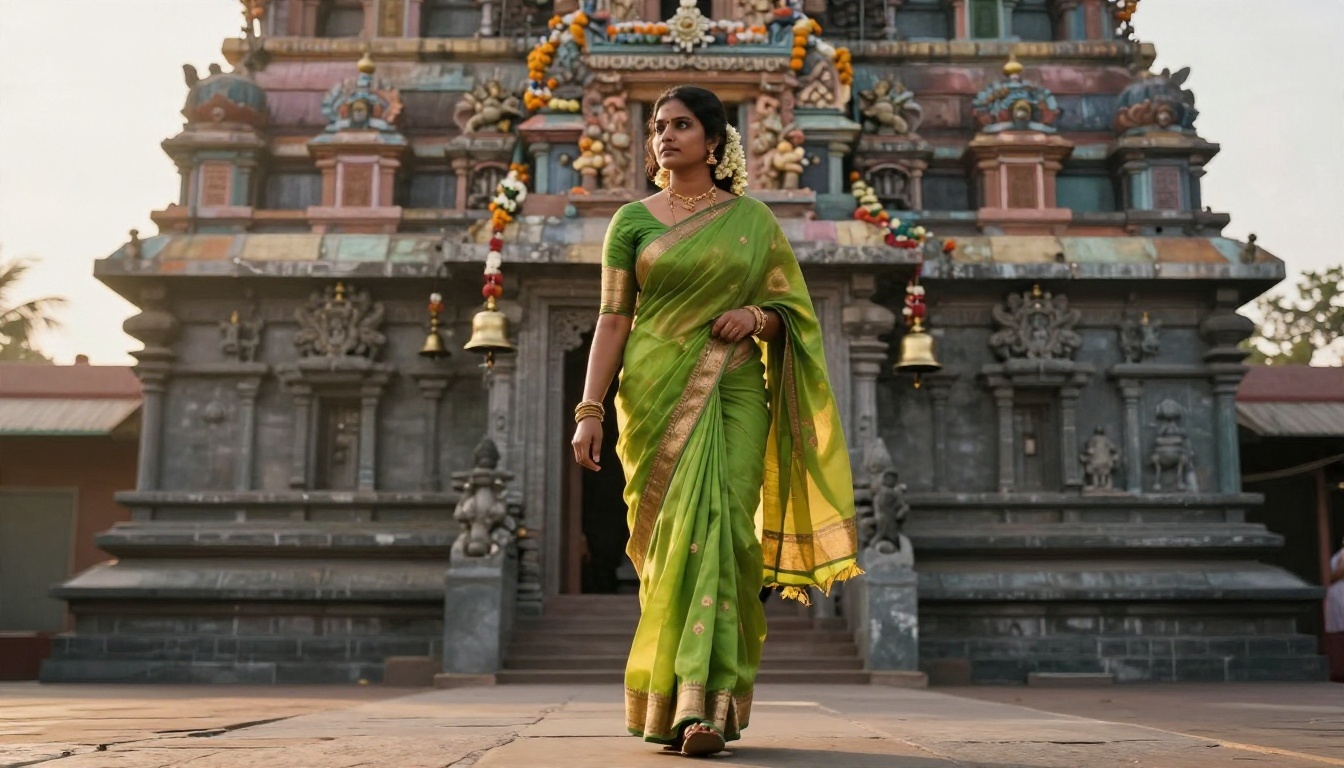
Deep greens and golds against old stone. Shot from a low angle, it feels grand and cinematic.
Wide low angle photo of a woman in an emerald green Kanjivaram silk saree with a temple border, walking up the stone steps of a South Indian temple at sunrise, carved gopuram and brass bells behind her, jasmine gajra in her hair, warm golden backlight creating rim light on the silk, 35mm f/2, Kodak Portra 400 grain, realistic textures
Street Chai Candid
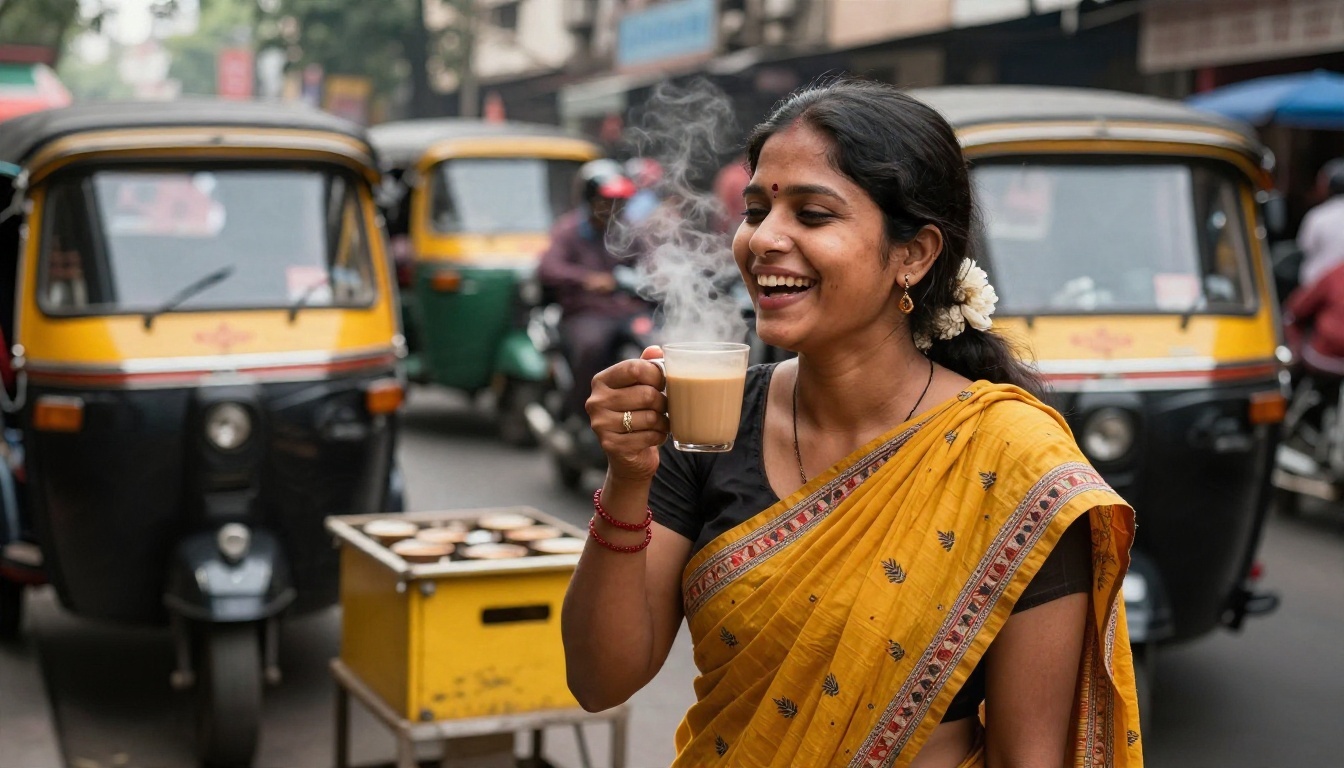
Not every saree photo needs to be formal. A candid moment feels real and gets saved more often.
Candid street photograph of a woman in a mustard yellow cotton saree with a block print border, laughing and holding a cup of chai at a busy Kolkata tea stall, rickshaws and yellow taxis blurred behind her, overcast soft daylight, steam rising from the cup, 50mm f/1.8, mid shot at eye level, natural skin texture, Kodak Portra 400 film grain
Bridal Saree Portrait
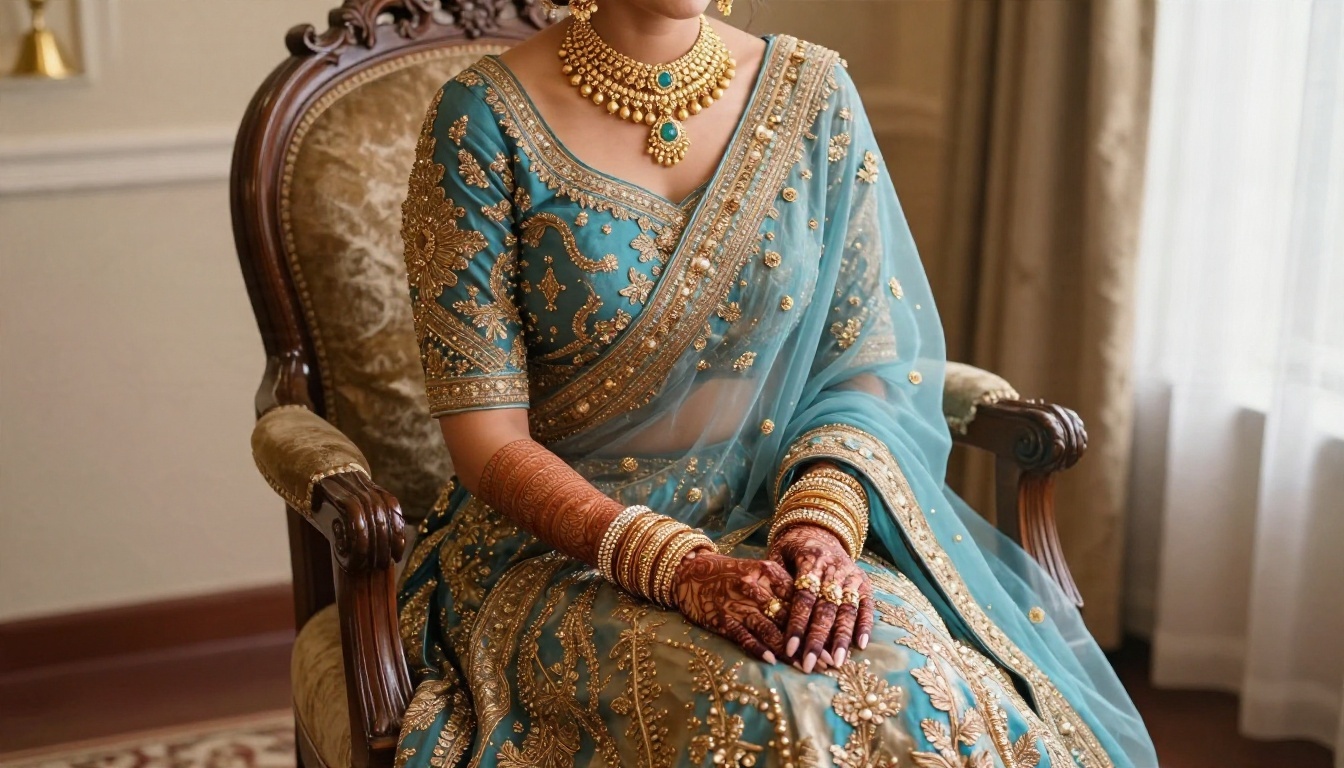
Heavy embroidery, jewelry and warm interior light. Here the fabric detail is the star.
Elegant full length photograph of a bride in a royal blue and gold embroidered saree, seated on an ornate carved wooden chair in a wedding suite, mehndi on her hands, maang tikka and layered gold necklace, soft window light from the right mixed with warm lamps, 70mm f/2, high angle, detailed embroidery texture, Kodak Portra 400 film grain
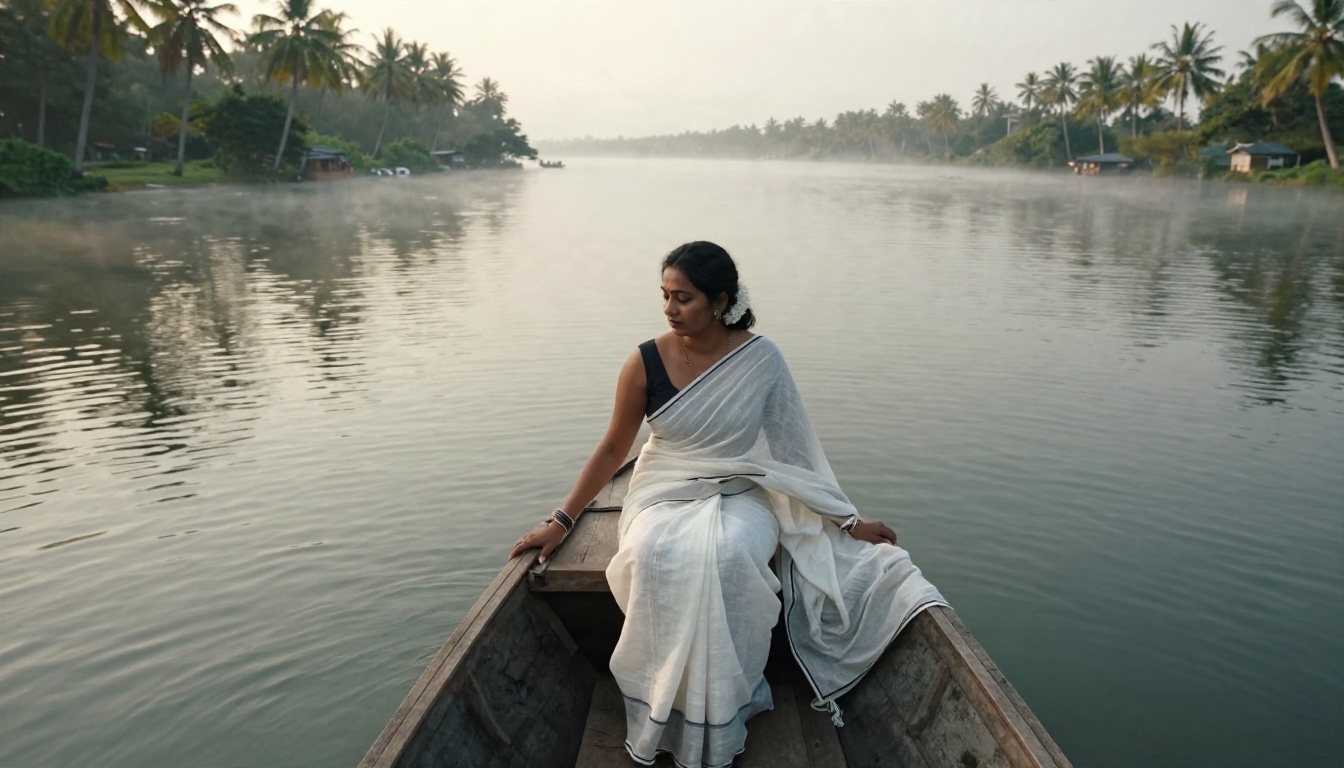
Kerala Backwater Morning
Minimal, quiet and almost monochrome. White and off white sarees with a thin dark border look beautiful against mist and water.
Overhead photograph of a woman in a white linen saree with a thin black border, sitting on a wooden boat deck on a calm Kerala backwater at dawn, coconut palms along the shore, mist over the water, soft pearly light, wide 24mm lens from above, her hand trailing near the water, muted tones, Kodak Portra 400 film grain
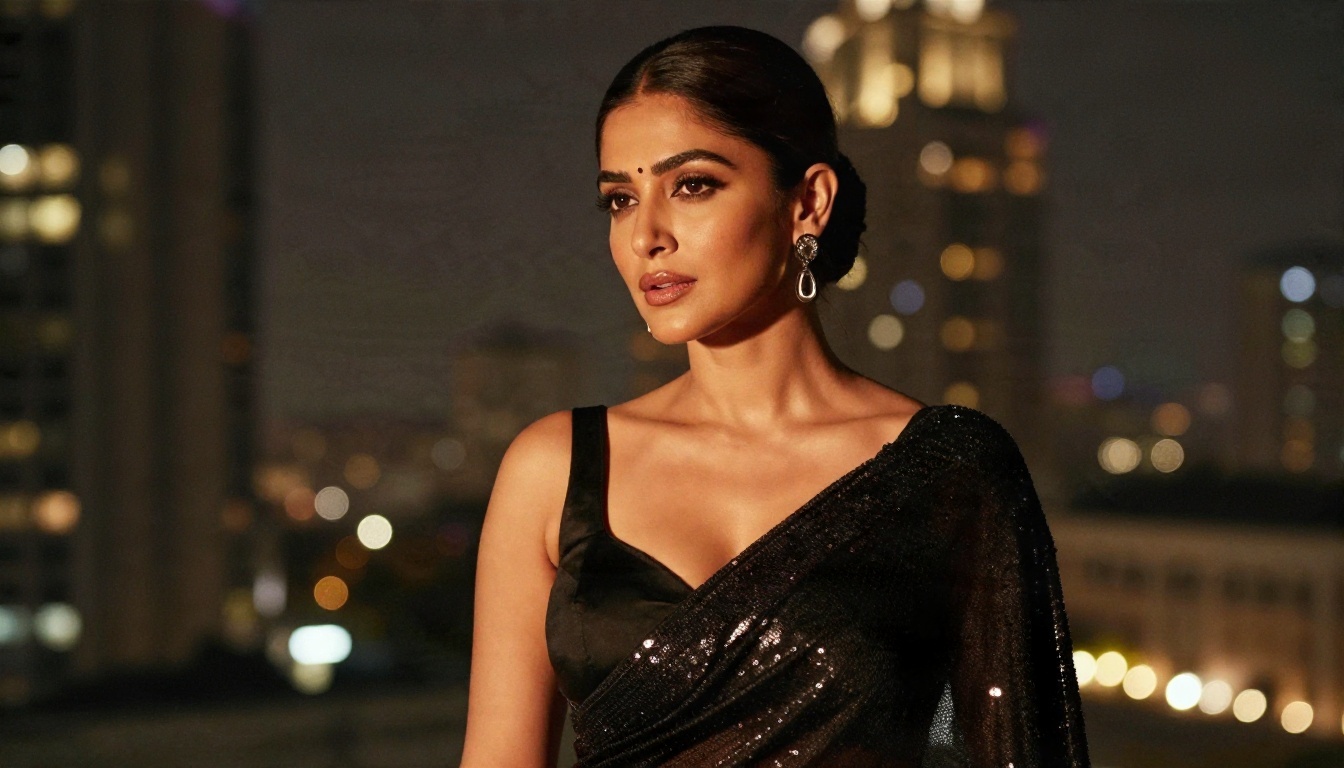
Black Sequin Evening Look
A modern, glamorous take. Keep it tasteful and let the light shape the face and shoulders.
Evening portrait of a woman in a black sequined designer saree with a sleek modern blouse, at a rooftop party in Mumbai, city lights softly blurred behind her, warm tungsten practical lights, side lighting on cheekbones and collarbone, glossy lips, drop earrings, 85mm f/1.4, three quarter angle, realistic skin and sequin sparkle, Kodak Portra 400 grain
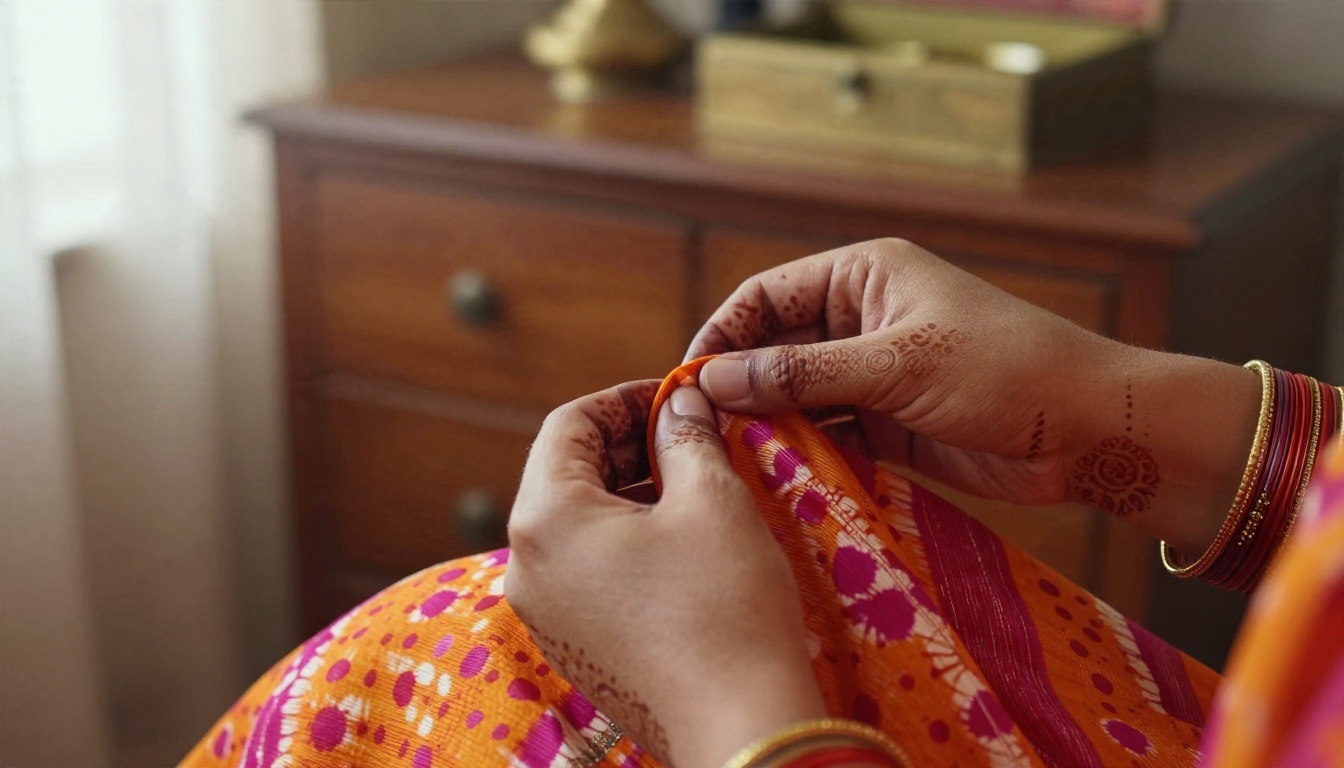
Bandhani Detail Macro
Close-ups prove the fabric is real. Use this one when you want texture, bangles and pleats to take over the frame.
Macro photograph of hands adjusting the pleats of an orange and magenta bandhani saree, bangles on her wrists, mehndi patterns, shallow depth of field, soft window light from the left, 100mm macro f/2.8, extreme close up on woven threads and tie dye dots, wooden dresser with a brass jewelry box blurred behind, Kodak Portra 400 grain
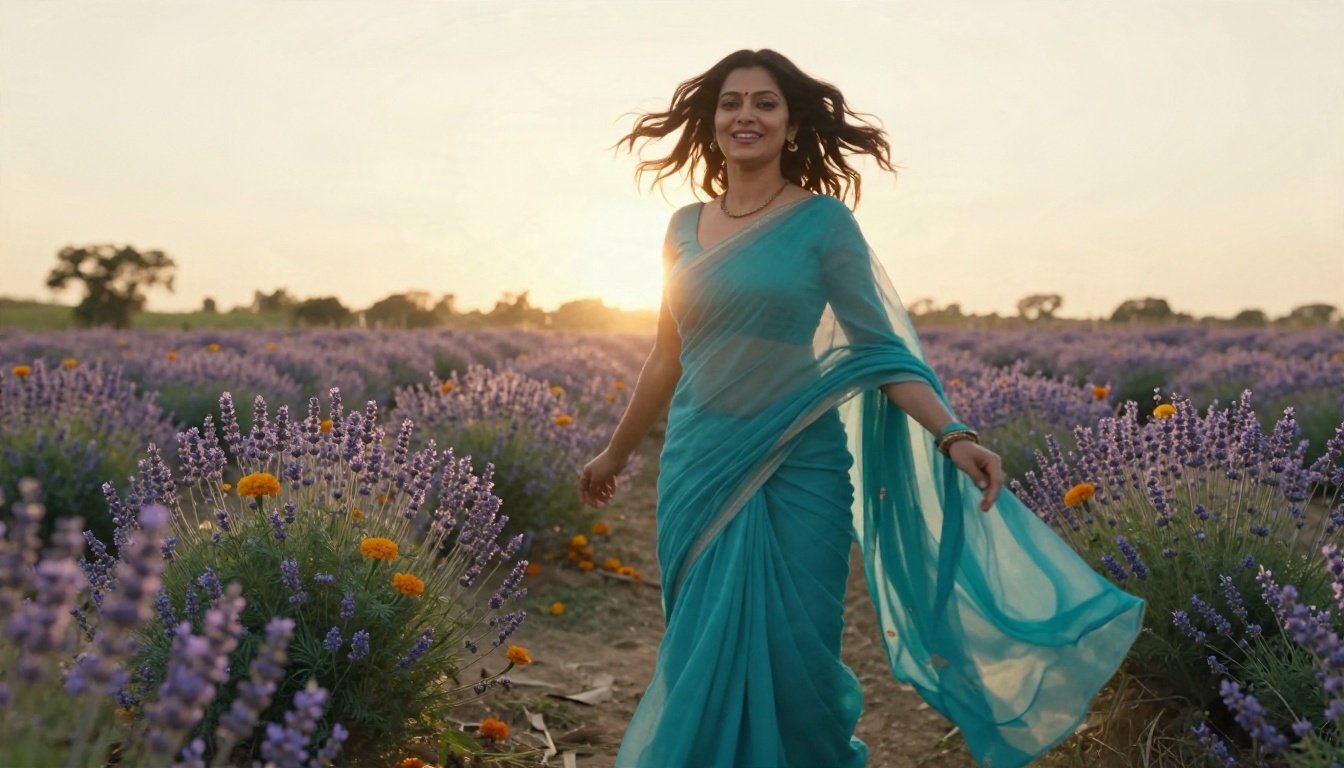
Teal Organza in Motion
Movement is hard for AI, so describe it clearly: billowing, twirling, backlit. Sheer fabrics respond well to sun flare.
Cinematic photograph of a woman in a teal organza saree twirling in a marigold garden at golden hour, saree billowing in motion, hair flying, joyful smile, warm backlight with soft sun flare from behind right, 35mm f/2, slight low angle, realistic fabric transparency and skin texture, Kodak Portra 400 film grain
Handloom Weaver Portrait
Do not forget older women and everyday scenes. These portraits carry the most character.
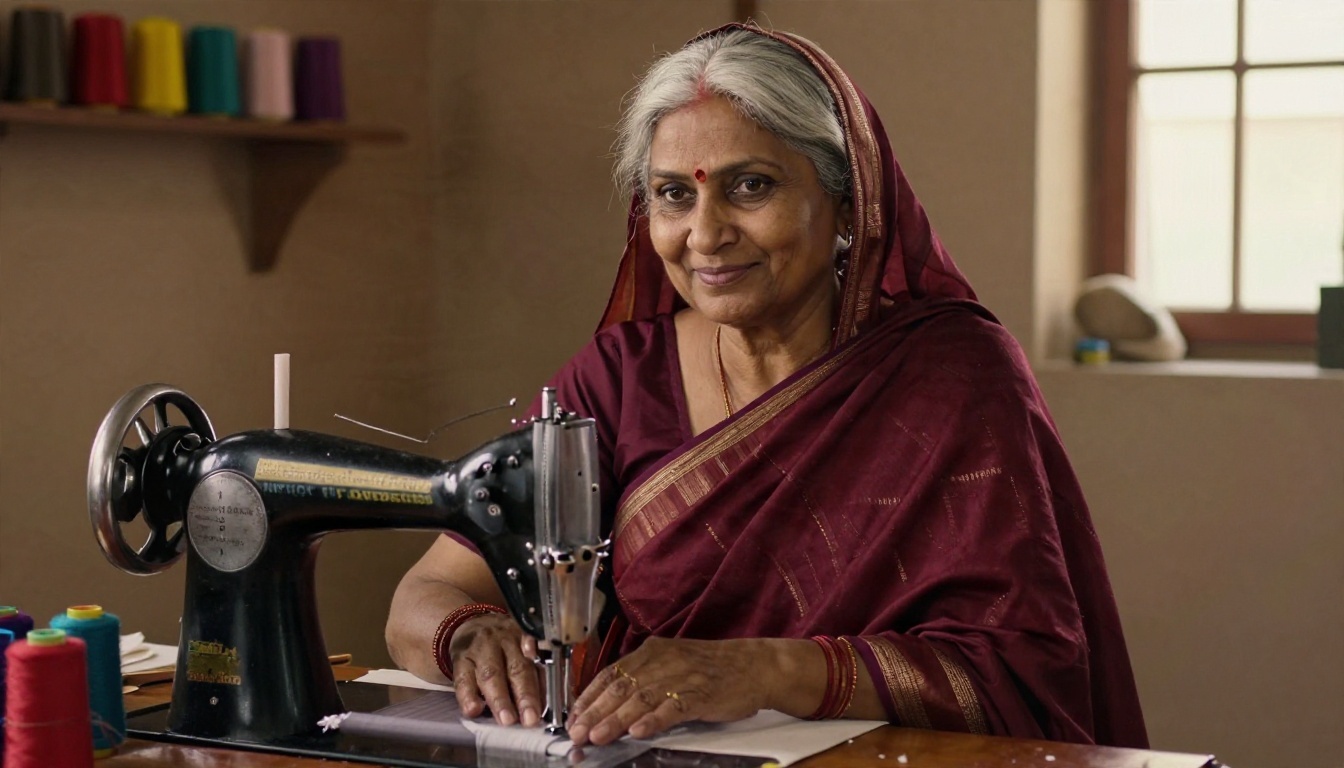
Portrait of a mature Indian woman with silver hair in a maroon handloom cotton silk saree, seated in a traditional weaver's workshop with colorful thread spools around her, warm tungsten light mixed with window light from the right, kind eyes, laugh lines, realistic skin texture, 85mm f/2, medium close up at eye level, Kodak Portra 400 film grain
Which Model Fits Which Look
Different models handle sarees differently. You can run all of these on PicassoIA, so test the same prompt on two or three and keep the winner.
💡 For heavy embroidery and zari work, start with Seedream 4.5. For small changes to an image you already like, such as turning a red saree into green, try Nano Banana Pro.
How to Use Seedream 4.5 on PicassoIA
Seedream 4.5 is a solid first pick for saree work because it keeps pleats and borders crisp. Here is the process.
Paste one of the prompts above into the prompt box.
Set the aspect ratio. Use 16:9 for wide scenes like the temple or backwaters, and 3:4 or 2:3 for full length portraits.
Choose the highest resolution available if you plan to print or post on a large screen.
Generate, then look at three things: the pleats, the pallu and the hands.
If one of them is wrong, edit only that sentence in the prompt and run it again. Do not rewrite everything.
Save the winner and generate two or three variations with a different light direction.
Parameter tips
Keep prompts between 50 and 90 words. Shorter prompts leave gaps, longer ones start to conflict.
Put the saree description in the first third of the prompt. Models give early words more weight.
Reuse the same prompt with a new location to build a consistent set.
Fixes for Common Problems
Even good prompts misfire. Here is what usually helps.
The pleats look like a flat skirt. Add "neat vertical pleats tucked at the waist, front pleats visible". Mention a slight side angle so the folds catch light.
The pallu disappears. Describe where it goes: "pallu draped over the left shoulder and flowing behind her". Add a gentle breeze for natural movement.
The border pattern is blurry. Name the border: "wide gold zari border", "thin black border", "temple border". Close-ups and a longer lens help too.
The skin looks airbrushed. Remove words like flawless and perfect. Add "natural skin texture, fine pores, soft film grain".
The hands look odd. Give the hands a simple job: holding a cup, adjusting the pallu, touching a bangle. Hands with a clear task usually come out cleaner.
The blouse is missing or wrong. State it once: "fitted three quarter sleeve blouse in matching gold". Without that line, many models skip it.
The setting feels generic. Swap vague places for exact ones, such as "Kolkata tea stall", "Udaipur haveli corridor" or "Alleppey backwater boat".
💡 Keep a notes file of prompts that worked. Over time you will build a small library of fabrics, lights and places that you can mix and match in minutes.
Quick Variations You Can Try Today
Take any prompt above and change just one thing:
Color swap: crimson to peacock blue, mustard to rose pink, emerald to ivory.
Time swap: golden hour to blue hour, midday overcast, or warm lamp light at night.
Place swap: haveli to a heritage library, temple to a lakeside ghat, tea stall to a flower market.
Lens swap: 85mm for tight portraits, 35mm for environment, 100mm macro for textile detail.
Mood swap: laughing candid, calm gaze at the camera, or mid walk with fabric in motion.
Small, single changes keep the saree looking right while giving you a whole set of fresh images.
Try Your Own Saree Photos
You now have nine prompts, a formula that holds up, and a short list of fixes. The fastest way to improve is to run them. Pick one fabric, one place and one light, paste the prompt into Seedream 4.5 on PicassoIA, and see what comes back. Then change a single detail and compare.
If you want more options, compare the same prompt in Imagen 4 or Nano Banana Pro, or browse the full list at picassoia.com/en/all-models. Create a Kanjivaram temple scene, a chiffon portrait and a street candid in the same afternoon, and you will have a complete photo set built from words alone.