AI Rap Generator With My Voice: Free Options, Beats and Settings
Want a rap track that actually sounds like you? This article shows the free ways to get your voice into an AI rap: cloned speech, your own recording over an AI beat, and the exact lyric, tempo and slider settings that make the result believable.
You type a few lines, press a button, and a stranger's voice raps your words over a beat. It sounds slick, but it is not you. That gap is the real problem behind the search for an AI rap generator with my voice: most tools write the song, and almost none of them let you decide whose throat it comes out of. The good news is that you can close that gap today, for free, if you split the job into three parts: lyrics, beat, and voice. This article shows how each part works, which free options are worth your time, and which settings make the result sound human instead of synthetic.
What "With My Voice" Really Means
Before you open any tool, decide what you actually want. People use the same phrase for three very different outcomes, and picking the wrong one wastes an evening.
Three ways to put yourself in the track
Clone your voice and have it speak the verse. You give a short audio sample, type the lyrics, and a voice cloning model reads them in a voice that resembles yours. The delivery is spoken, so think talk-rap or spoken word, then place it over a beat.
Generate the beat with AI, record the vocals yourself. The most reliable route for a real flow. The AI handles the instrumental, you handle the performance.
Generate a full song and accept the built-in vocalist. Fastest, zero personal voice, ideal for demos, hooks and ideas.
Most beginners expect option 3 to somehow sound like them. It will not. A full song generator invents its own singer and rapper, which is useful, but it is a different product from voice cloning.
💡 Quick rule: if you need your identity in the audio, use option 1 or 2. If you need a finished idea in two minutes, use option 3 and replace the vocals later.
Why full song tools sing for you
Models such as Music 2.6 read a style prompt and lyrics, then compose vocals, melody and arrangement together. The voice is baked into the generation. There is no slot for a reference recording, and that is not a flaw. It is the trade for getting a coherent, mixed song from one prompt.
Voice cloning models like Chatterbox work the opposite way. They do nothing musical. They only produce speech, but they can copy a voice from a short clip. Put the two kinds of tools together and you get something close to what the keyword promises.
Free Options Worth Trying
Free is a slippery word in this niche. Some tools give you a daily allowance, some limit length, some watermark the output. Always check the terms on the page before you build a project around a tool.
What "free" usually includes
On PicassoIA, several music and speech models are free to try online with no music skills or coding needed. Expect limits on how many generations you can run, but plenty of room to test a verse, a hook and a beat before you commit.
💡 Smart combo: generate an instrumental, clone your voice for the verse, then layer them in any free audio editor. You keep control of timing and mix, and the voice is yours.
Record a Clean Voice Sample
Voice cloning is only as good as the clip you feed it. A noisy phone recording in a tiled bathroom produces a noisy, echoing clone. This step takes ten minutes and decides most of the quality.
Mic and room basics
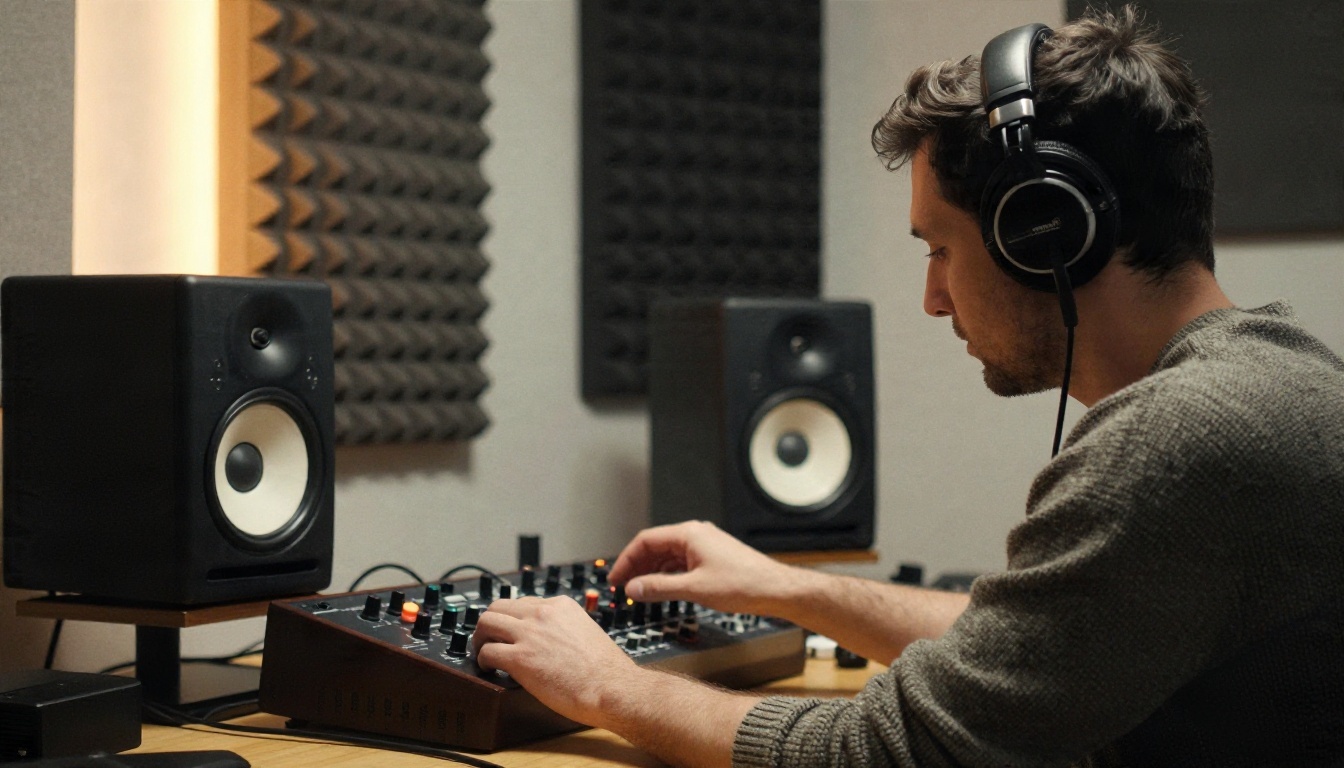
You do not need a studio. You need quiet and soft surfaces.
Record in a small room with fabric: a bedroom with a bed, curtains and clothes in the closet works better than a kitchen.
Hold the phone about a hand span from your mouth, slightly off to the side to avoid breath pops.
Switch off fans, air conditioners and notifications. Put the phone in airplane mode.
If you own a condenser microphone with a pop filter, use it. If not, a phone is fine.
Keep volume steady. Do not shout, do not whisper.
What to say in the clip
Read a natural paragraph for 10 to 30 seconds, at your normal speaking pace, with a bit of emotion. Avoid mumbling and avoid long pauses. If you plan to rap fast, include a few quick lines at the end so the model hears how your voice behaves at speed. Skip music in the background. Any beat under your voice will leak into the clone.
💡 Safety note: only clone your own voice, or a voice whose owner has clearly agreed. It keeps your project clean and protects other people.
Write Lyrics and Pick Beats
Even the best voice model cannot rescue a verse that ignores rhythm. Rap is rhythm first, rhyme second, meaning third in the way the ear receives it.
Use structure tags
Music generators read section labels. In Music 2.6 you can mark parts with tags such as [Intro], [Verse], [Pre Chorus], [Chorus], [Bridge], [Hook], [Break] and [Outro]. Tags tell the model where energy should rise and where a hook belongs. Here is a skeleton that works:
[Intro]
[Verse]
Sixteen bars of what I carried up the stairs
[Hook]
Say it loud, we are not going anywhere
[Verse]
Second verse, same fire, different air
[Outro]
If you leave lyrics empty and switch on the lyrics optimizer, the model writes words for you from the style prompt. That is fine for brainstorming, but written lines you control will always sound more personal.
Rhythm and syllable habits
Aim for 8 to 12 syllables per line at medium tempo. Cram 20 and the model stumbles.
Put the strongest rhyme at the end of the line, where the beat lands.
Use short sentences. Breath marks are places for commas and line breaks.
Read the verse out loud with a metronome app before you generate anything.
Repeat a hook phrase three or four times. Repetition is what makes a chorus stick.
Tempo and genre ranges
Style
Typical tempo
Feel
Boom bap
85 to 95 BPM
Dusty drums, sampled loops
Trap
130 to 150 BPM (felt at half time)
Rolling hi-hats, deep 808
Drill
138 to 144 BPM
Sliding bass, dark piano
Lo-fi hip hop
70 to 90 BPM
Mellow, warm, relaxed
Old school
95 to 105 BPM
Funky bass, live drums
Instrumental first, vocals second
Generate the beat on its own. In Music 2.6 you can switch on instrumental mode and describe the style in the prompt. For example: boom bap hip hop instrumental, dusty vinyl drums, upright bass loop, 90 BPM, warm, no vocals. Listen for a loop you could ride for 16 bars without getting bored. Then reuse that style description when you generate a full version if you want an AI vocalist for comparison.
How to Use Music 2.6 on PicassoIA
Music 2.6 is the fastest way to hear your lyrics as a finished rap song. It outputs full songs with vocals and instrumentation, lets you set structure with tags, and exports MP3 or lossless WAV at 44.1 kHz.
In Prompt, describe the style, mood and scene. Example: hard hitting trap rap, male vocal, aggressive delivery, dark 808 bass, 140 BPM, late night drive.
In Lyrics, paste your verses with structure tags. Use line breaks between lines.
Leave Is Instrumental off if you want vocals, or switch it on for a beat only.
Choose audio format. MP3 is fine for drafts, WAV when you plan to edit further.
Run the generation, listen, and change only one thing per attempt: style words, lyrics, or tempo.
Settings that matter
Setting
Recommended
Why
Prompt
2 to 3 genre words plus mood
Short and specific beats long and vague
Lyrics
1 to 3,500 characters with tags
Tags control the arrangement
Is Instrumental
On for beats
Gives you a clean backing track
Lyrics Optimizer
On only if lyrics are empty
Generates words from the prompt
Audio format
WAV for editing, MP3 for sharing
Lossless keeps room for mixing
Sample rate
44100
Standard music quality
Bitrate
256000
Highest option, best sound
💡 Prompt tip: name the vocal style. "Raspy male rap vocal, fast flow" and "smooth female rap, melodic hook" produce very different performances.
If the first result almost works, try a sibling model. Music 2.5 is another full song option with vocals, and Lyria 3 gives you a different tone to compare. Treat them like different producers: same brief, different taste.
Clone Your Voice With Chatterbox
Now the part that puts you in the song. Chatterbox reproduces a voice from a few seconds of reference audio and offers an emotion control, so a verse does not sound like a weather report.
Paste one verse into Prompt. Keep each run to 4 to 8 lines. Short runs stay stable.
Upload your clean clip as the Audio Prompt.
Adjust the sliders using the table below.
Generate, listen, and rerun with a different seed until the phrasing lands.
Setting
Default
Rap starting point
Effect
Exaggeration
0.5
0.6 to 0.7
More energy and attitude. Extreme values can get unstable
CFG weight (pace)
0.5
0.3 to 0.4
Lower values slow it down, giving a more deliberate delivery
Temperature
0.8
0.7 to 0.9
Higher gives more variation between runs
Seed
0 (random)
Fix a number you like
Repeats the same performance
Because Chatterbox speaks the words, think of the result as a vocal take without melody. Rap works well with that. Line up each generated verse over your beat in an audio editor, nudge the start time until it locks to the kick drum, and trim breaths that feel too long.
💡 Trick for tight timing: generate each line or couplet separately. You can then place every phrase on the beat instead of fighting one long file that drifts.
Qwen3 TTS as a second opinion
Qwen3 TTS can clone a voice or let you design one from a description. If Chatterbox gives you a clone that feels too polite, run the same verse through Qwen3 TTS and compare. For polished spoken parts such as a spoken intro or outro, Speech 2.8 HD is a clean studio-style voice you can use alongside your cloned verses.
Mistakes That Make It Sound Fake
Most AI rap that feels off fails for the same handful of reasons. None need expensive fixes.
Common problems and fixes
Problem
Cause
Fix
Clone sounds muffled
Noisy or echoing sample
Re-record in a room with soft surfaces
Words rush or stumble
Too many syllables per line
Cut to 8 to 12 syllables
Vocals sit on top of the beat
No volume balance
Lower the voice 2 to 3 dB, add light reverb
Every line sounds identical
Same exaggeration on every take
Vary exaggeration between verse and hook
Beat feels generic
Vague style prompt
Add tempo, instruments and a mood word
Flow drifts off the kick
One long audio file
Generate and place line by line
Three habits that help
Listen on two devices. Check the draft on headphones and on a phone speaker. If the words vanish on the phone, the voice is too quiet.
Save versions. Name each export with the date and the changed setting so you can return to the best one.
Finish the hook first. A strong chorus makes a mediocre verse forgivable. The reverse is rarely true.
Where this works best
AI rap with your voice shines for demos, social clips, freestyle sketches, game and video voiceovers, birthday songs and writing practice. It is less convincing for a lead single that must compete with studio releases, where a human take, a proper mix and a live performance still win. Think of it as your fast sketchbook: ideas become audible in minutes, and the best ones can go to a real session afterward.
Make Your First Track Today
Here is a path you can finish in under an hour, with no budget.
Record a 20 second clean sample of your voice.
Write 8 lines and a 4 line hook with sensible syllable counts.
Generate a beat with Music 2.6 in instrumental mode, or a full AI version as a reference.
Clone your voice with Chatterbox and render the verse line by line.
Layer the audio, balance the levels, and export.
Open PicassoIA, pick a model from the lists above, and run your first verse. Change one setting at a time, keep the takes that surprise you, and you will have a rap that sounds like a person you know: you. Want more tools for sound, speech and visuals in one place? Browse everything on picassoia.com/en/all-models, then make the cover art, the voice and the beat for your next track without leaving the platform.