Most teams price an AI video API the way they price a coffee: a few cents, no big deal. Then the first batch of 5,000 clips finishes rendering and the invoice reads like a month of rent. The sticker price per second is real, but it is only one of four numbers that decide whether a video pipeline survives contact with volume. The other three are your retry rate, your rate limits and the length of the clips you actually keep.
This article walks through all four with plain arithmetic you can copy into a spreadsheet. Prices below come from public roundups gathered in late 2026, and they move fast, so treat every figure as a snapshot and check the provider's own pricing page before you sign anything.

What Scale Really Means Here
"Scale" is a slippery word. For a solo creator it might mean 200 clips a month. For an agency it could be 3,000 variations of one ad. For a consumer app it means unpredictable bursts from thousands of users at once. Each of those hits a different wall: the first hits budget, the second hits throughput, the third hits rate limits.
The Per-Second Price Range
One August 2026 roundup of official rates put the spread between the cheapest and priciest video models at roughly 35x, from about $0.02 per second at the low end to about $0.70 per second for Sora 2 Pro at 1080p. That gap matters more than any feature comparison. A model ten times cheaper lets you afford ten times more attempts, and in generative video, attempts are what buy quality.
Why Seconds Beat Clips
Providers sell by the second, not by the clip, so the first thing to do is convert everything to cost per finished second. A five-second clip at $0.05 per second costs $0.25. A ten-second clip costs $0.50. If your use case needs 15-second spots, the model's maximum clip length also decides how many stitched segments you pay for.
💡 Rule of thumb: always budget in cost per kept second, never cost per generated second. The difference is your retry rate, and we get to it shortly.
Current Pricing by Provider
Public numbers vary between sources, and aggregator sites sometimes disagree with each other by a wide margin. The table below uses the figures that appeared most consistently in recent comparisons.
| Model family | Approx. price per second | Notes |
|---|
| Veo 3.1 Lite | $0.03 at 720p, $0.05 at 1080p | Lowest first-party video rate in several roundups |
| Runway Gen-4 Turbo | $0.05 | 5 credits per second at $0.01 per credit |
| Kling 3.0 | $0.084 at 720p, $0.112 at 1080p | Listed without native audio |
| Runway Gen-4.5 | $0.12 | 12 credits per second |
| Sora 2 Pro | $0.70 at 1080p | Highest listed rate |
One more caution about Sora. At least one source claimed the Sora 2 API was scheduled to shut down in late September 2026. I could not confirm what its current status is, so check availability before building anything around it.

Budget Tier Models
Budget models are the ones that make high volume possible. Veo 3.1 Lite and Veo 3.1 Fast sit in the lower price brackets of Google's lineup, while open-weight families such as Wan 2.5 T2V Fast and LTX 2.5 Fast are built around speed and low cost per clip. For social content, product loops and rough drafts, these tiers are usually enough.
Premium Tier Models
Premium models earn their price when a clip goes in front of paying customers. Sora 2 Pro, Kling v3 and the full Veo 3.1 deliver tighter motion, better physics and in several cases synchronized audio. The smart pattern is a funnel: draft on a cheap model, then re-render only the winners on a premium one.
Credit Systems and Hidden Math
Runway's API sells credits at $0.01 each, so a model that burns 12 credits per second is $0.12 per second. Credit systems are not worse than per-second billing, but they make comparison harder. Convert every plan to dollars per second before you compare. Also check whether unused credits expire, and whether volume discounts begin at a threshold your team will realistically reach.
The Real Cost of Retries
Nobody gets a usable clip on every attempt. Hands bend wrong, a logo morphs, a camera move ignores your prompt. Your hit rate is the share of generations you would actually publish, and it multiplies everything.

Hit Rate Changes Everything
Take 1,000 finished clips of 8 seconds each, which is 8,000 seconds of video. Here is what that costs at different per-second rates, first with a perfect hit rate and then with three generations needed per keeper (a 33 percent hit rate, which is realistic for complex prompts).
| Price per second | Perfect hit rate | Three tries per keeper |
|---|
| $0.03 | $240 | $720 |
| $0.05 | $400 | $1,200 |
| $0.084 | $672 | $2,016 |
| $0.12 | $960 | $2,880 |
| $0.70 | $5,600 | $16,800 |
Look at the last row. A premium rate with a mediocre hit rate costs $16,800 for what a budget model might deliver for under $1,000. The cheap model can fail five times and still win on price. That is the whole argument for drafting cheap and finishing selectively.
💡 Cut retries first. Better prompts and a good starting image usually reduce retries more than switching vendors does. Image-to-video typically gives you more control over composition than text-to-video, which means fewer wasted generations.
Audio, Resolution and Duration Multipliers
Three settings quietly change the bill:
- Resolution: Kling 3.0 lists $0.084 at 720p and $0.112 at 1080p, a 33 percent jump for the same clip. Veo 3.1 Lite goes from $0.03 to $0.05, a 67 percent jump.
- Native audio: Some models charge extra for generated sound, and others bundle it. Always check which rate you are reading.
- Duration: Longer clips cost more per clip, but they can also fail more often as they stretch. Generating 5-second segments and stitching them can be cheaper than gambling on one 15-second render.
Rate Limits That Break Pipelines
Money is only half the story. A pipeline that costs $300 but can only run two jobs at once will take days to finish a batch your client wants by morning.

Concurrency vs Requests per Minute
Two different limits get confused constantly. Requests per minute caps how many jobs you can submit. Concurrency caps how many can render at the same moment. Video is slow, so concurrency is usually the one that bites you.
What the public documentation and developer reports show:
- Runway applies limits per project and per model by usage tier, and a Tier 3 project can run five concurrent Gen-4.5 generations. Requests above the limit are queued instead of rejected.
- LTX's API allows two simultaneous generations by default.
- Google's Veo 3.1 numbers conflict across sources. One third-party guide cites 50 requests per minute for production models and 10 for preview models, while a developer forum thread describes frequent 429 RESOURCE_EXHAUSTED errors even at low usage. Treat all of these as unverified until you read the official quota page for your account.
Throughput Math You Can Run
Assume a clip takes about two minutes to render (an assumption, since render time varies by model and queue load). Here is the daily ceiling at different concurrency levels:
| Concurrent jobs | Clips per hour | Clips per 24 hours |
|---|
| 2 | 60 | 1,440 |
| 5 | 150 | 3,600 |
| 10 | 300 | 7,200 |
If you need 5,000 keepers and your hit rate is 33 percent, that means 15,000 generations. At two concurrent jobs, that is more than ten days of non-stop rendering. At ten, it is just over two days. Concurrency, not price, becomes the bottleneck.
Handling 429 Errors
A 429 response means you hit a limit. Do not hammer the endpoint. Use a queue with exponential backoff, add random jitter so parallel workers do not retry in lockstep, and log every rejection so you can see where your real ceiling sits. Also keep a fallback model configured, so a throttled primary does not stall the whole job.

Is It Viable? Three Scenarios
Viability depends on what a finished clip is worth to you. Compare cost per keeper against the value of that clip, and the answer usually becomes obvious.
Solo Creator
A solo creator making 200 social clips a month at 6 seconds each, with three tries per keeper, generates 3,600 seconds. At $0.05 per second that is about $180. Against the cost of stock footage, freelance editors or a shoot day, that is a bargain. At $0.70 per second it would be $2,520, which makes no sense for social content. Verdict: viable on budget models, painful on premium ones.

Agency Batch
An agency producing 3,000 ad variations of 8 seconds with a funnel approach drafts 9,000 clips on a cheap model and re-renders the best 600 on a premium one. Draft cost at $0.03 per second is about $2,160. Premium re-renders at $0.12 for 600 clips of 8 seconds come to $576. Total near $2,700, versus well over $16,000 if every attempt ran on a premium rate. Verdict: viable, if you invest in the funnel and in concurrency.

Product With Daily Users
Here the risk is that cost grows with usage while revenue may not. If each user generates five clips a day at 5 seconds, that is 25 seconds per user per day. At $0.05, that costs $1.25 per user per day, or about $37 a month. Unless your subscription price comfortably clears that, with room for retries, support and margins, the unit economics break. Verdict: viable only with strict quotas, tiered plans, caching, and cheap defaults. Burst traffic also means you need a queue in front of the API, because the provider's concurrency limit will not bend to your launch day.
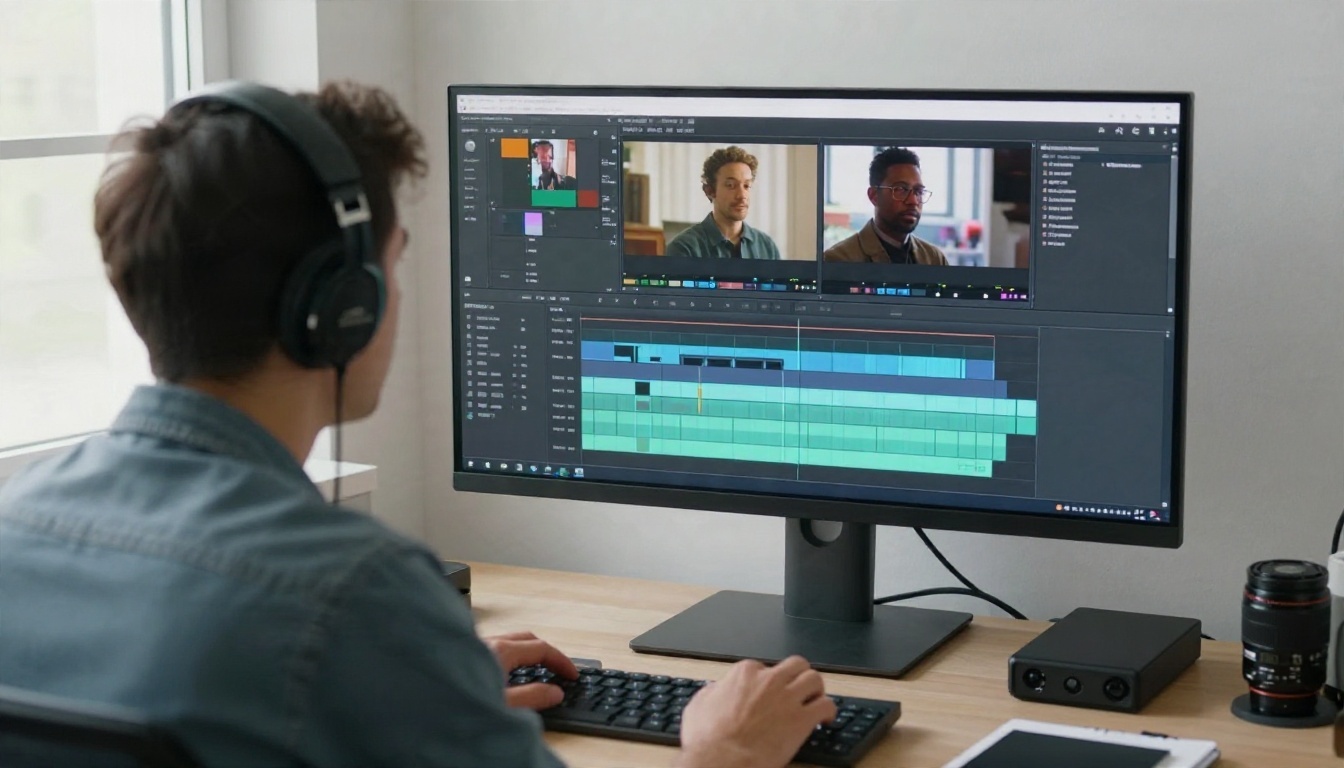
How to Prototype on PicassoIA
Before wiring an API into production, test your prompts and your hit rate on a platform where experiments are cheap. You can measure real retry rates without writing a line of integration code, and that single number improves every budget forecast above.
- Pick a draft model. Start with Seedance 2.5 Lite, listed as a free and unlimited generator for clips up to 10 seconds, or Wan 2.5 T2V Fast for quick iterations.
- Write a motion-first prompt. Describe the subject, then what moves, then the camera. Keep it chronological: "a barista pours milk, slow dolly in, warm morning light."
- Run ten variations. Count how many you would publish. That ratio is your working hit rate.
- Re-render winners on a premium model. Move the best prompts to Kling v3, Veo 3.1 or Seedance 2.5 for the final pass.
- Compare results side by side. Check whether Hailuo 02 or Sora 2 handles your specific subject better, since models differ more on subject matter than benchmark charts suggest.
Once you have a hit rate and a preferred model, plug those numbers into the tables above. Your own data beats any roundup.

Build a Budget Before You Build
Here is the short version. An AI video API is viable at scale when you treat it like a manufacturing line: measure the hit rate, draft cheap, finish selectively, and size concurrency to your deadline. It is a trap when you pick a premium model by default, ignore retries and discover your rate limit on launch day.
A practical checklist:
- Convert every price to dollars per kept second.
- Measure your hit rate on at least 10 real prompts before forecasting.
- Multiply by your retry factor, then add 20 percent for surprises.
- Compute daily throughput from your concurrency limit, not your wish list.
- Keep a second model configured as a fallback.
- Recheck official pricing monthly, because the market moves fast.
Try It Yourself on Picasso IA
The cheapest way to find out whether video generation fits your workflow is to make a few clips and count the keepers. Open Picasso IA, pick a draft model, write one motion-first prompt and generate ten variations. Then repeat the best one on a premium model and compare. In an afternoon you will have your own hit rate, a feel for each model's style and a real number to put in your budget. Browse every video model at picassoia.com/en/all-models and start experimenting with your own clips today.


