You download an AI waifu app on a Tuesday night, pick a character with silver twin tails, and send a casual "hi." Ten messages later the app asks for $12.99 a month. Sound familiar? That moment is exactly where most people get stuck: the free tier feels generous for about an hour, then the walls go up.
This article breaks down what these apps actually do, which free options are worth your time, which chat features justify a subscription, what the pricing looks like in practice, and what to use when an app does not fit. It also shows how to build your own anime-inspired companion visuals with image models you control.
💡 Quick take: Free tiers are good for testing personality and tone. Paid tiers matter mostly for memory, voice, photos and fewer message limits. If you only want great character art, a dedicated image model beats any chat app.
What an AI Waifu App Does
An AI waifu app is a chatbot wrapped in a character. You pick or design a persona (often anime-styled), and a large language model plays that person: it remembers your name, teases you about your favorite show, and answers at 3 a.m. when nobody else will. Many apps add a generated portrait, a voice, and sometimes a short video loop.

The word "waifu" comes from anime fandom, where it describes a fictional character someone feels strong affection for. Apps borrowed the term because it signals style: big expressive eyes, soft color palettes, personality archetypes like the shy classmate or the confident older sister.
The three layers inside every app
Under the hood, nearly every product is built from the same three layers:
- The language model: generates replies and holds the persona.
- The memory system: stores facts about you so the character stays consistent.
- The media layer: creates the portraits, selfies, voice clips or video.
Knowing this helps when comparing apps. Two products can look identical on the surface while one has a weak memory layer that forgets your dog's name by Friday.
Who actually uses them
Searches around this topic come from three groups. Some people want a casual companion for light conversation. Others want roleplay and storytelling, treating the character as a co-writer. A third group mostly cares about character art and treats the chat as a bonus. Knowing which group you belong to saves money, because each one needs a different product.
Free Options Worth Trying
Most mainstream apps run on a freemium model. You get a taste, then a paywall. Prices and limits change often, and many review sites are affiliate-driven, so treat any number you read (including the ones here) as a starting point and confirm on the app's own pricing page before paying.

What free tiers usually include
Based on what recent roundups report, a typical free plan gives you:
- A limited daily message count or slower replies
- A small set of premade characters
- Basic text chat with short-term memory
- Occasional ads or upgrade prompts
What it usually withholds: long-term memory, voice calls, custom character creation, photo generation and anything adult-oriented.
Free versus paid at a glance
| App type | Typical free access | Typical paid price (approx.) | Best for |
|---|
| Character.AI | Large free character library, queues at peak times | About $9.99/month (US) | Casual roleplay, non-adult use |
| Replika | Core chat is free | Up to about $19.99/month for Pro, lifetime options reported | Emotional conversation, filtered content |
| Candy AI | Very limited trial | Roughly $6 to $13/month depending on source | Adult-oriented companion chat |
| Nomi | Limited free use | Subscription, praised for memory | Long-term relationships with a persona |
| Kindroid | Limited free use | Subscription, known for customization and calls | Deep personalization |
The spread in the Candy AI line is real: one roundup lists a headline price near $6 while others say $13, and at least one reviewer says tokens and add-ons pushed their actual spending higher. That gap alone tells you to budget for the high end.
Free ways to test without a card
A few habits keep the trial honest:
- Use a throwaway email and skip linking social accounts.
- Set a timer for a 20-minute test chat, then judge the replies, not the novelty.
- Ask a memory question an hour later ("what did I say my job was?") to see if the character remembers.
- Screenshot the paywall moment so you know exactly what was locked.
💡 Tip: A strong free test is asking the same question twice with slightly different wording. If the character contradicts itself, the persona layer is weak.
Chat Features That Matter
Marketing pages list dozens of features. Only a handful change the experience.

Memory beats everything else
Memory is the single biggest quality gap. Good systems store your name, preferences and past conversations in a searchable summary. Weak ones keep only the last few messages. If a companion forgets your favorite anime after two days, no voice pack or fancy avatar will save it.
Personality consistency
Look for apps that let you define traits, speech style and backstory, then actually stick to them. Check whether the character stays in voice during a long roleplay or drifts into generic assistant language ("As an AI...").
Voice, photos and video
Voice calls and image generation are the usual upsells. Voice quality varies wildly: some sound natural, others sound like a navigation system. Selfie features usually mean the app generates a portrait on request, and some now add short animated clips. These are fun, but they are also the features that push prices up.
Feature priority checklist
| Feature | Worth paying for? | Why |
|---|
| Long-term memory | Yes | Makes the character feel consistent |
| Custom persona editor | Yes | Gives you control over tone |
| Voice calls | Maybe | Great if you like audio, skip otherwise |
| Photo generation | Maybe | Often cheaper to generate elsewhere |
| Video loops | Rarely | Costly, short, and repetitive |
| Higher message caps | Yes, if you chat daily | Removes daily limits |
The Real Cost of Pricing
Sticker price and real price are different things. Subscriptions are the baseline, but tokens, credits and add-on packs can double the bill.

Monthly versus yearly plans
Yearly plans often cut the monthly rate by 30 to 50 percent, but they lock you in before you know whether the character will bore you in week three. A good rule: pay monthly for the first two months, then switch if you are still chatting daily.
Hidden costs to watch
- Credits for images or voice that run out faster than the subscription period
- Premium characters sold separately from the plan
- Regional pricing that makes the same plan cost far more or far less depending on your country
- Auto-renewal with unclear cancellation steps
A realistic budget
If you chat daily and want memory plus occasional images, plan for roughly $10 to $20 a month. Anything above that usually means you are paying for add-ons you could replace with separate tools. Some 2026 coverage mentions much higher premium tiers in limited rollouts, which is a good reminder to read the fine print before tapping "upgrade."
💡 Money saver: Generate your character portraits outside the app and keep the subscription for chat only. Image credits are usually the most inflated line item.
Privacy and Safety Checks
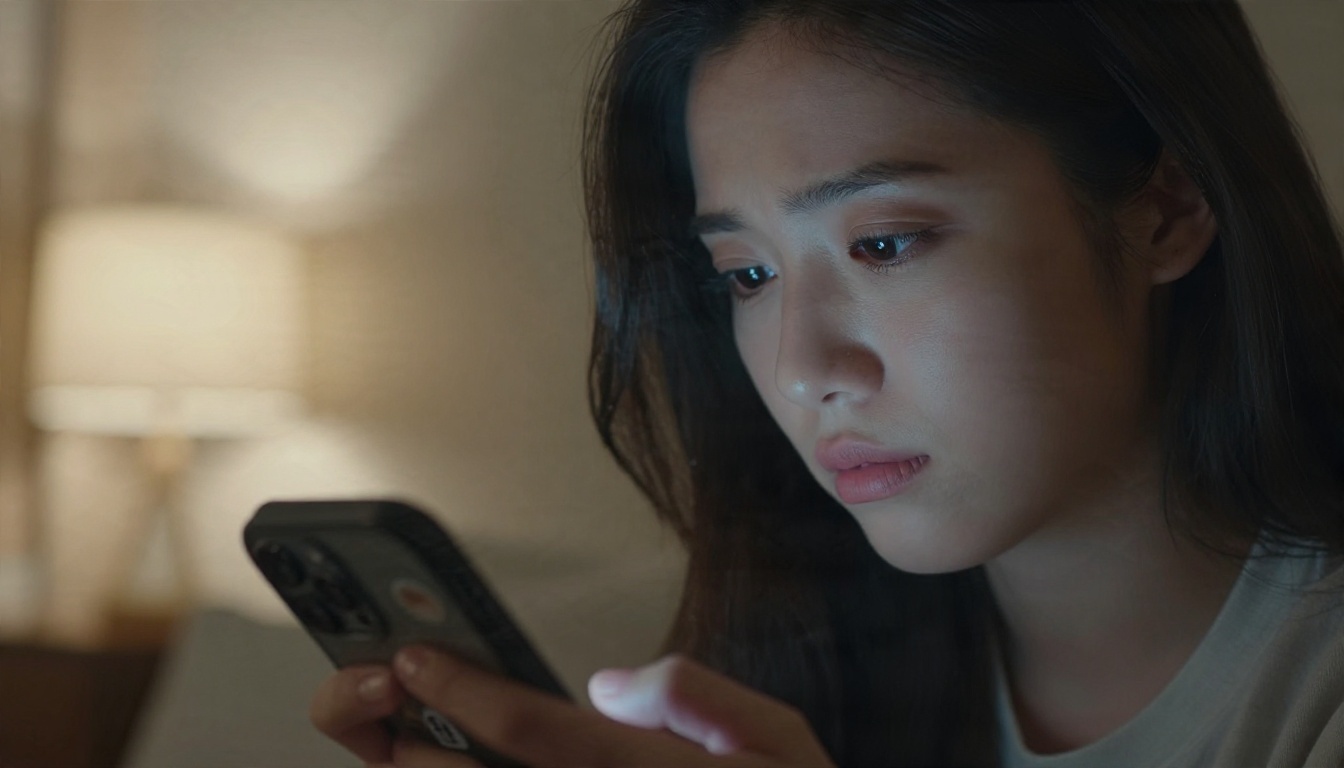
You are sharing personal conversations with a company. That deserves a few minutes of attention before you pour your heart out.
Questions to ask before you sign up
- Does the privacy policy say chats are used to train models?
- Can you delete your data and your account from inside the app?
- Is there an age gate, and are adult features clearly separated?
- Does the company explain where data is stored?
Emotional boundaries
These apps are built to be agreeable, which can make them feel deeply supportive. That is fine as entertainment or a low-stakes place to talk. It becomes a problem if the app replaces real contact entirely, or if you feel pressured to spend to keep the relationship going. If a character guilt-trips you about upgrading, close the app.
Adult content, handled responsibly
Some products are explicitly adult-oriented and some are strictly filtered. Choose based on your own preferences, stay within the platform's rules, and avoid creating images of real people without their consent. Keep anything you generate within the law and within the terms of the tool you use.
Alternatives to Waifu Apps
If the pricing frustrates you or the filters feel too tight, you have two practical routes: use a general-purpose language model as the chat engine, or build the visual side with image models and keep the conversation separate.

Use a language model as the personality
You can write a character sheet (name, age, speech habits, backstory, boundaries) and paste it into a chat model as a system prompt. Several capable models on PicassoIA work well for this:
These are general models with their own safety rules, so they are best for friendly, creative, story-driven chat rather than explicit roleplay.
Build the visuals separately
The strongest argument for splitting the workflow is image quality. A dedicated image model gives you far more control over face, outfit, lighting and mood than the portrait generator inside a chat app.

For character art, these models are a strong place to begin, in this order:
- Seedream 4.5 for sharp, detailed portraits up to 4K
- PicassoIA Image Editor Pro for unlimited generations and edits
- Nano Banana Pro for consistent faces and clean edits
- Qwen Image 3 Pro for photorealistic skin and lighting
- Flux 2 Klein 9B Base LoRA for styled looks with LoRA control
Chat app versus DIY setup
| Factor | Dedicated app | DIY with models |
|---|
| Setup time | Minutes | 30 to 60 minutes |
| Monthly cost | $10 to $20 typical | Often lower, pay for what you use |
| Memory | Built in | You maintain a character sheet |
| Image control | Limited presets | Full control over look and style |
| Content limits | Set by the app | Set by each model |
| Best for | Convenience | Creative control |
How to Use Seedream 4.5 on PicassoIA
If you want your companion to look the same every time, start with a solid portrait. Seedream 4.5 is a strong pick because it handles faces, hair texture and soft lighting well and outputs high-resolution images.

Step-by-step
- Open the model page on PicassoIA and choose Seedream 4.5.
- Write a character prompt with these parts: subject, hair and outfit, setting, lighting, lens or camera look, mood.
- Set a 16:9 or 3:4 ratio depending on whether you want a wallpaper or a profile portrait.
- Generate four variations and pick the one that feels most like your character.
- Reuse the winning description word for word in later prompts to keep the face consistent.
- Fine-tune the result in PicassoIA Image Editor Pro to change outfit, background or small details.
Prompt example
A young woman with long silver-lavender hair in twin tails, soft sailor-style blouse, sitting by a rainy window, warm afternoon light from the left, 85mm lens, shallow depth of field, natural skin texture, film grain.
Parameter tips
- Be specific about light. "Window light from the left" gives better portraits than "nice lighting."
- Name the lens. Terms like 85mm and f/1.8 push the result toward a photographic look.
- Keep a character sheet. Save hair color, eye color, outfit and mood in a note so you can paste them into each prompt.
- Change one thing at a time. If you swap outfit and setting together, the face often drifts.
💡 Tip: Use a chat model like Claude Sonnet 5 to expand a short character idea into a detailed image prompt, then paste it into the image model.
Making Companions Feel Consistent
Consistency is what separates a fun toy from a character you come back to. Whether you use an app or build your own, the same habits apply.

Write a one-page character sheet
Include name, age range, speaking style, three strong opinions, two habits, and a list of topics the character avoids. Paste it at the start of every new chat if your tool has no memory. It takes ten minutes and improves replies more than any paid upgrade.
Keep a visual reference set
Save three to five approved images of your character. When you generate new ones, describe the same hair, eyes and outfit style. Models like Nano Banana Pro are particularly good when you want to edit an existing image rather than start from scratch.
Share and compare
Communities around these apps trade prompts, character sheets and tips. Borrow ideas freely, but never post private conversations or images of real people.
Try It Yourself on PicassoIA
You do not have to pick between a paywalled app and nothing. Write a short character sheet, let a language model like GPT 5.6 Luna speak in that voice, and generate portraits with Seedream 4.5. Then refine them with PicassoIA Image Editor Pro, which gives you unlimited generations so you can experiment as much as you like without watching a credit counter.
Start with one character, three portraits and one long chat. If the result beats what your current app gives you for $13 a month, you have your answer. When you want more options, browse every available model at picassoia.com/en/all-models and build the companion you actually pictured.


