Type "AI waifu chatbot" into a search bar and you get a wall of promises: unlimited chat, zero filters, a companion who remembers your birthday. Then you sign up, send fifteen messages, and hit a paywall. Sound familiar? That gap between the pitch and the reality is exactly what this article is about.
I'll break down what an AI waifu chatbot really is, what "uncensored" means in practice (it's less simple than the marketing suggests), which free options are worth your time, and what to use when a dedicated waifu app doesn't fit. You'll also see how to build the visual side of a character with photorealistic image models, because a persona feels a lot more alive when it has a face.
💡 This topic is for adults only. Every platform and tool mentioned here is intended for users 18 and older, and everything generated on PicassoIA in this article stays suggestive and non-explicit.
What an AI Waifu Chatbot Is
An AI waifu chatbot is a conversational program built around a fictional, usually anime-styled companion. You pick or design a character, give her a personality, and talk. Under the hood it's a large language model wrapped in a persona prompt, a memory layer, and a friendly interface.
Anime Personas, Real Conversations
The "waifu" part is the character skin: a shy classmate, a sarcastic mage, a cheerful café owner. The "chatbot" part is the language model producing replies in that voice. Better apps add long-term memory, voice messages, and generated images so the character stays consistent over weeks of chatting.

Why People Use Them
The reasons are more ordinary than the stereotype suggests:
- Casual conversation after work, without social pressure.
- Roleplay and storytelling, often closer to interactive fiction than romance.
- Language practice with a patient, always-available partner.
- Creative writing support, where the character helps shape a story or world.
- Companionship for people who are isolated or simply curious.
What "Uncensored" Really Means
"Uncensored" is the most abused word in this category. There's no industry definition, so each app uses it differently. For one platform it means romantic roleplay is allowed. For another it means adult themes are allowed behind a paid tier. For a third it's just a banner.
Filters, Memory, and Message Caps
When you compare apps, check these four things rather than trusting the label:
| What to check | Why it matters |
|---|
| Content policy | Is adult roleplay allowed, and on which plan? |
| Message limits | A free plan with 20 messages a day isn't "unlimited" |
| Memory length | Short memory means your character forgets you quickly |
| Image and voice features | Often locked behind credits or subscriptions |
💡 Read the content policy page before you pay. If the rules aren't written down anywhere, treat "uncensored" as a sales word.
Where Free Plans Hit a Wall
Recent roundups I checked were mostly written by the vendors themselves, so treat the rankings as marketing, not independent testing. The pattern is consistent though: "free" usually means a trial or a capped tier. Reviews of Oniichat, for example, describe only about twenty free messages and no NSFW on the free plan. Hi Waifu offers a free plan with basic chat and character customization, with paid tiers reported around $12.99 per month. Always confirm current limits on the site itself, because they change often.

Free Options Worth Trying
No single app wins for everyone. Here's how the names that appear most often stack up, based on what reviewers and the platforms themselves report. Details can shift, so verify before you commit.
| Platform | Best for | Free tier notes |
|---|
| PolyBuzz | Huge character library | Free to start, reported as generous |
| Candy AI | Memory and stability | Usable free trial, premium for more |
| CrushOn AI | Character variety | Free tier with limits |
| SpicyChat | Community characters | Free tier with caps |
| Hi Waifu | Anime-style companions | Basic free plan, paid tiers from about $12.99 |
| Dippy | Cross-session memory | Free to try |
| Character.AI | Polished experience | Free, but heavily filtered and text-only |
Text-Only Platforms
Character.AI is the biggest name here and the most polished, but its filters are strict, so it fits storytelling and light roleplay better than anything adult. If you want a gentle, safe companion for conversation, that restriction is a feature rather than a flaw.
Platforms With Image Features
Apps like Candy AI and several waifu-focused services bundle generated selfies and avatars. The catch is that images usually run on credits. If visuals matter to you, there's a cheaper path: chat with one tool and make the character art separately, which I'll cover below.

Alternatives to Dedicated Waifu Apps
You don't need a waifu app to get a waifu-style conversation. Any capable language model can play a character if you write a good persona prompt. The trade-off: general-purpose models follow their own provider's safety policies, so they're not built for uncensored adult chat. They are excellent for personality, humor, worldbuilding, and long story arcs.
Use a General LLM for Personas
These language models on PicassoIA work well as persona engines for SFW or lightly romantic roleplay and character design:
A persona prompt that works: state the name, age (adult), speaking style, three personality traits, one flaw, a shared backstory, and a rule such as "stay in character, keep replies under four sentences." Short rules beat long lore dumps.

Character.AI Style Alternatives
If you like the community-character format, SpicyChat, CrushOn AI, and PolyBuzz follow it, while Candy AI and Dippy lean toward a single long-term companion. The first group suits variety. The second suits attachment and memory.
Build Your Waifu Visuals on PicassoIA
Chat is only half of a companion. A face and a consistent look make the character feel real. PicassoIA doesn't run a chatbot companion app, but it does give you the image side: photorealistic portraits of an anime-inspired character, suggestive in a glamour sense and never explicit.

Seedream 4.5 for Portraits
Seedream 4.5 is the first model I'd reach for. It produces sharp, high-resolution portraits with convincing skin, hair, and fabric detail, and it's more relaxed about glamour content than many mainstream generators. For a waifu persona, describe hair color, outfit, setting, and lighting, then keep those words the same across generations.
Image Editor Pro for Unlimited Edits
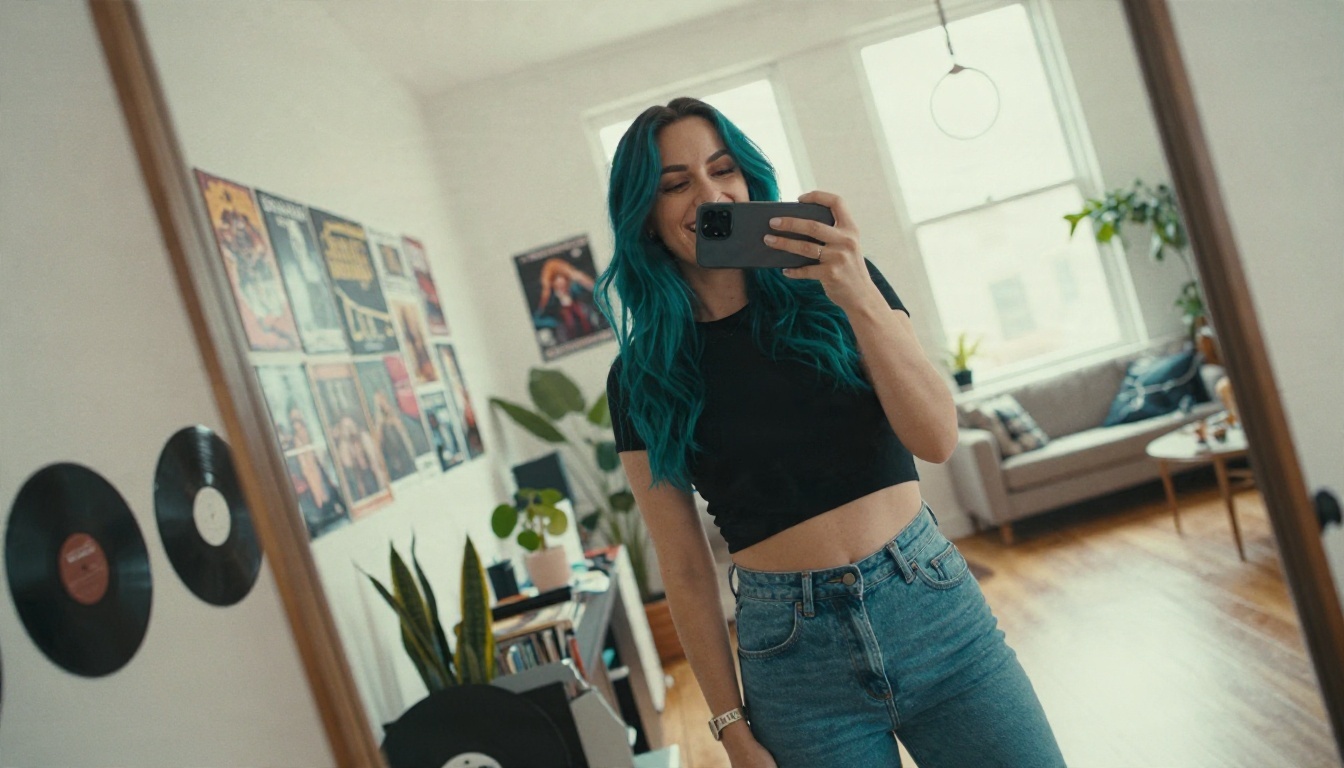
PicassoIA Image Editor Pro is built for unlimited generations, which matters when you're iterating on a character. Take a portrait you like, then change the outfit, background, or expression without starting over. That's how you keep one face across a whole gallery of scenes.
Other Models Worth Testing
Different models read prompts differently, so it pays to compare a few:
A Simple Character Workflow
- Write the persona with a language model such as Llama 4 Maverick Instruct. Settle on name, hair, outfit style, and mood.
- Draft the portrait in Seedream 4.5. Use a prompt like: "adult woman, long pastel pink twin tails, white lace camisole, cozy bedroom, morning window light, 85mm lens, film grain."
- Refine in Image Editor Pro. Swap the outfit, change the room, adjust the expression, and keep the face steady.
- Build a set. Make six to ten scenes: café, beach, street, bedroom, train. A gallery gives your character a history.
- Optional: train a LoRA with P Image Trainer for strict face consistency.
💡 Prompt tip: fix three anchors in every prompt (hair color, hair style, one signature accessory). Everything else can change, but those three keep the character recognizable.

Privacy and Safety Basics
These apps hold some of the most personal conversations people have online. Treat them accordingly.
Protect Your Data
- Use an email alias, not your main address.
- Never share your full name, address, workplace, or financial details with a character, however natural the conversation feels.
- Check whether chats are used for model training and whether you can delete them.
- Avoid apps with no privacy policy, no company name, or no way to delete your account.
- Be careful with uploaded photos. Don't upload real people's pictures to any companion app.

Keep It Healthy
A companion can be fun, comforting, and creative. It can also become a substitute for human contact if you let it. A few honest checks:
- Set a time limit if you notice you're skipping sleep or plans.
- Treat the character as fiction. It simulates care, it doesn't feel it.
- Watch spending. Credit systems are designed to nudge small purchases that add up.
- Talk to a real person if the chats start replacing your actual support network.
Create Your Own Companion Art
You've now got the full picture: free waifu chat apps are real but capped, "uncensored" depends on the platform and the plan, general language models make solid persona engines for non-explicit roleplay, and the visual side is where you can get the most out of your time for little cost.
The fastest way to see this work is to run it yourself. Start with Seedream 4.5, write a portrait prompt for your character, and refine it in PicassoIA Image Editor Pro with unlimited generations. Mix in the other image models until the face feels right, then pair it with the language model of your choice for the voice.
Ready to build? Browse every available model at picassoia.com/en/all-models and start creating your own character today.


