You open a generator, type "cute anime girl," and get the same wide-eyed face everyone else gets. That is the problem with most AI waifus character ideas: they start generic and stay generic. The fix is not a better tool. It is a better character. A waifu that people remember has a clear personality, a signature look, a setting that fits her, and a prompt that locks all of it together.
This article gives you all four. You will find seven character archetypes with ready-to-use prompt details, a breakdown of the generators that handle them best, a five-part prompt formula, and a list of the mistakes that quietly ruin results. Every example image below is a photorealistic take on the character, the kind of result you get when you ask an image model for a real-world, cosplay-style rendering of an anime idea.
💡 Quick answer: Pick an archetype, give her three visual anchors (hair, outfit, accessory), choose one setting and one light source, then reuse that exact wording every time you generate. Consistency comes from repeated, specific language.
What Is an AI Waifu, Really?
"Waifu" comes from Japanese fan culture. It describes a fictional character someone feels a strong fondness for. In the AI image world, the word has widened: it now means any original or inspired female character you design and generate on demand. Some people build a single signature character. Others keep a whole cast.
The appeal is simple. You decide the face, the temperament, the wardrobe and the world she lives in, and you can generate her again and again in new scenes.
Waifu, OC, and Character Sheet
Three terms get mixed up, so here is the short version.
| Term | Meaning | Best use |
|---|
| Waifu | A character you feel attached to, often with a defined personality | Personal collections, wallpapers, fan projects |
| OC (Original Character) | A character you invented from scratch | Stories, games, comics, social accounts |
| Character sheet | A reference document listing hair, eyes, outfit, traits | Keeping every future generation consistent |
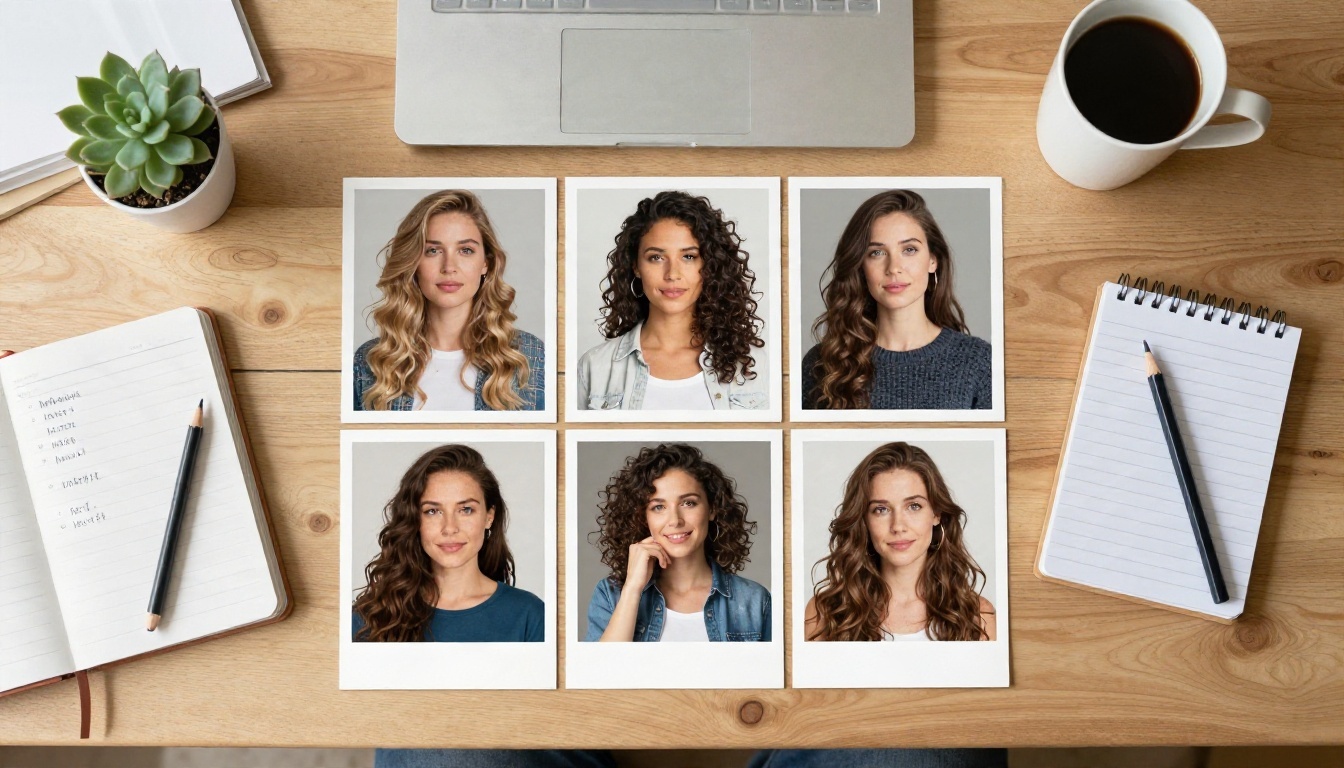
You do not need to draw anything to make a character sheet. A short written description works, and so does a board of reference images. The photo of a desk covered in contact sheets and notes below is exactly how many creators work: print or collect the faces you like, then write down what makes each one distinct.
Why Photorealistic Versions Work
Flat anime-style output is everywhere, which is why it often feels interchangeable. A photorealistic rendering does something different. It treats the character like a real person in a real place: skin with pores, fabric with weave, light that behaves the way light does. The character stops looking like a template and starts looking like someone you could meet.
That is also why a cosplay-style realism approach is popular. You keep the iconic hair color, uniform and accessories, but the camera language (lens, light, grain) comes from photography. The result feels fresh because the contrast between fantasy design and real texture is striking.
7 AI Waifu Character Ideas That Work
Each archetype below comes with a visual shorthand and the exact detail that makes it recognizable. Use them as they are, or blend two together.
The Cool Kuudere
Quiet, composed, a little unreadable. The kuudere archetype is about restraint, so the visuals should be calm and controlled. Think silver or white hair, violet or pale blue eyes, dark clothing, minimal expression.
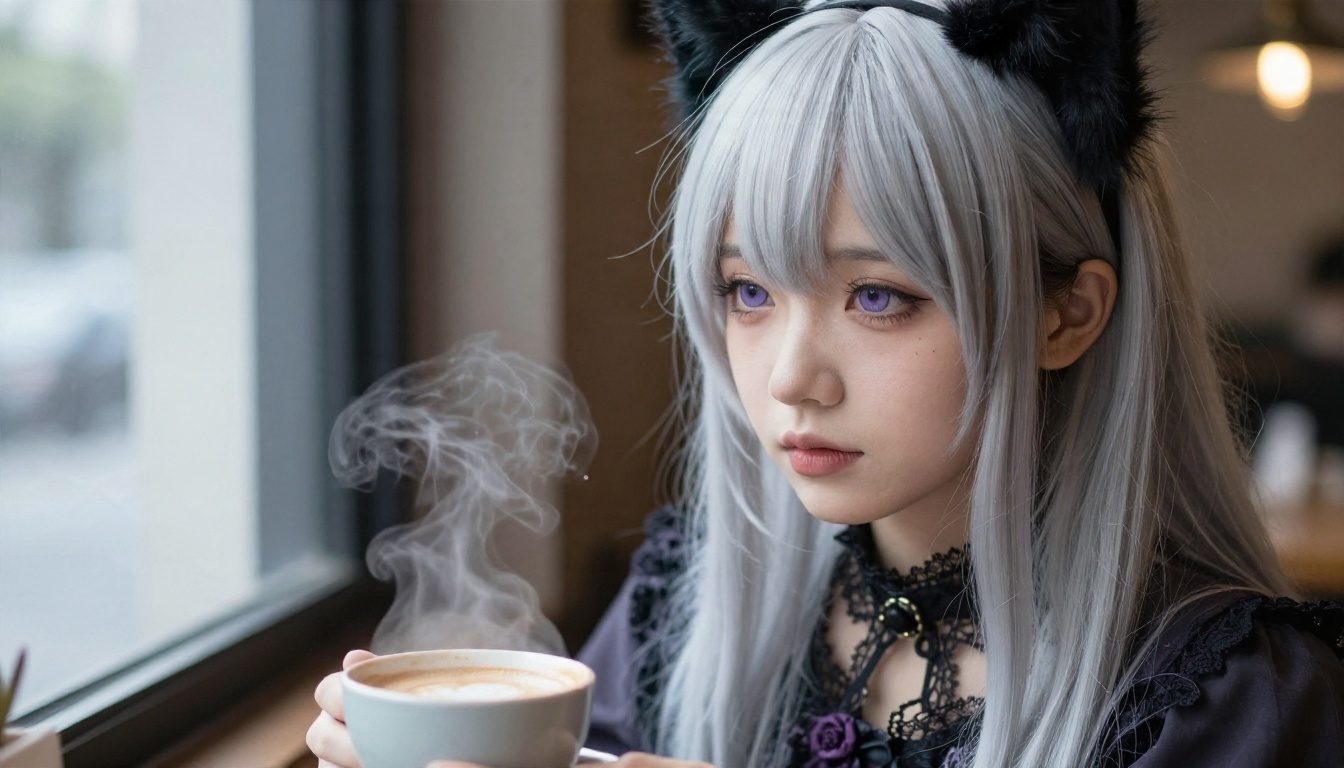
Prompt anchors: silver-white long hair, soft violet eyes, black lace choker, charcoal blouse, steam rising from a ceramic cup, window light from the left, 85mm f/1.8.
The setting matters here. A dim cafe, a library or a rainy window all reinforce the mood. Avoid bright, busy backgrounds, because they fight the character's stillness.
The Sunny Genki Girl
The opposite energy: loud, athletic, always moving. A genki character needs saturated color, open space and a pose that suggests motion.
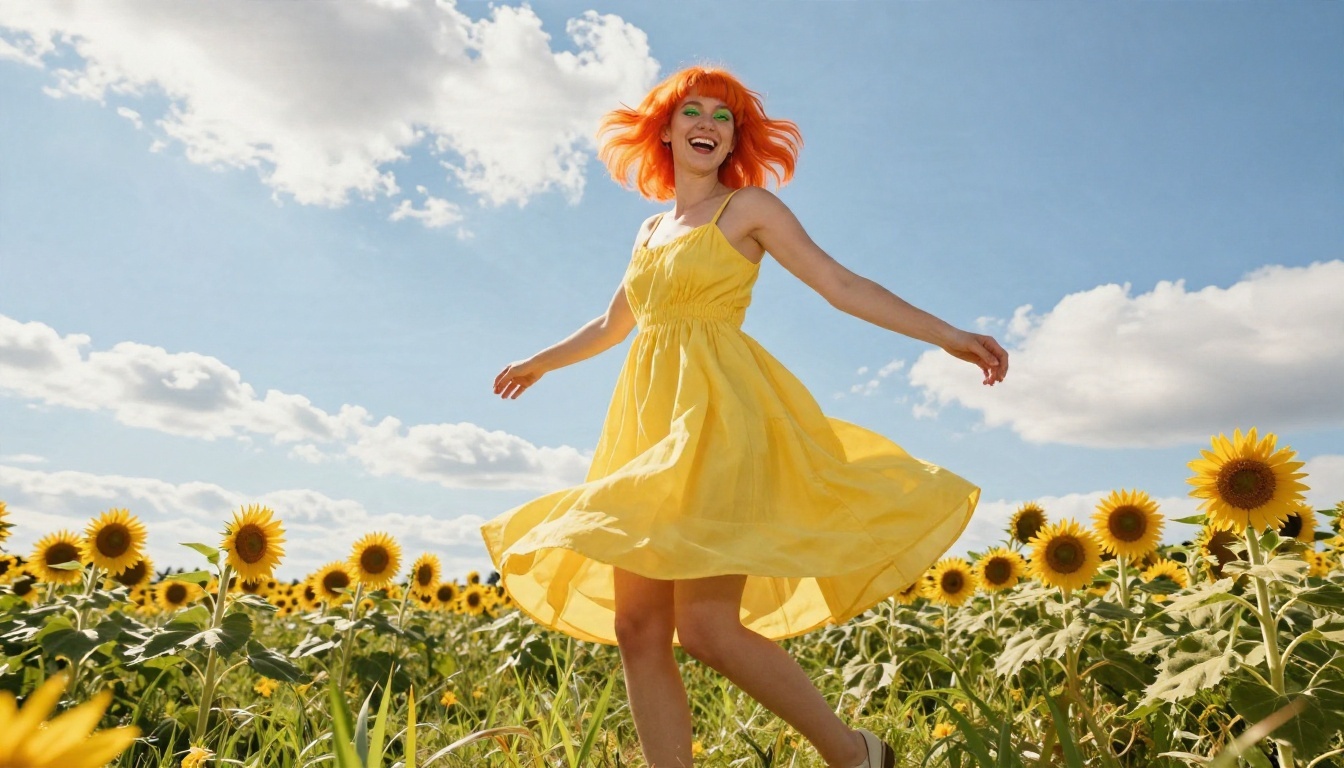
Prompt anchors: bright orange ponytail, green eyes, yellow sundress, sunflower field, low angle, warm backlight, laughing mid-spin.
A low camera angle exaggerates the sky and makes her feel larger than life. If your results look stiff, add a motion verb: spinning, running, leaping, tossing.
The Shrine Maiden
Tradition, calm authority, and a touch of mystery. The shrine maiden (miko) look is crimson and white clothing, long dark hair, stone steps, cedar trees and mist.
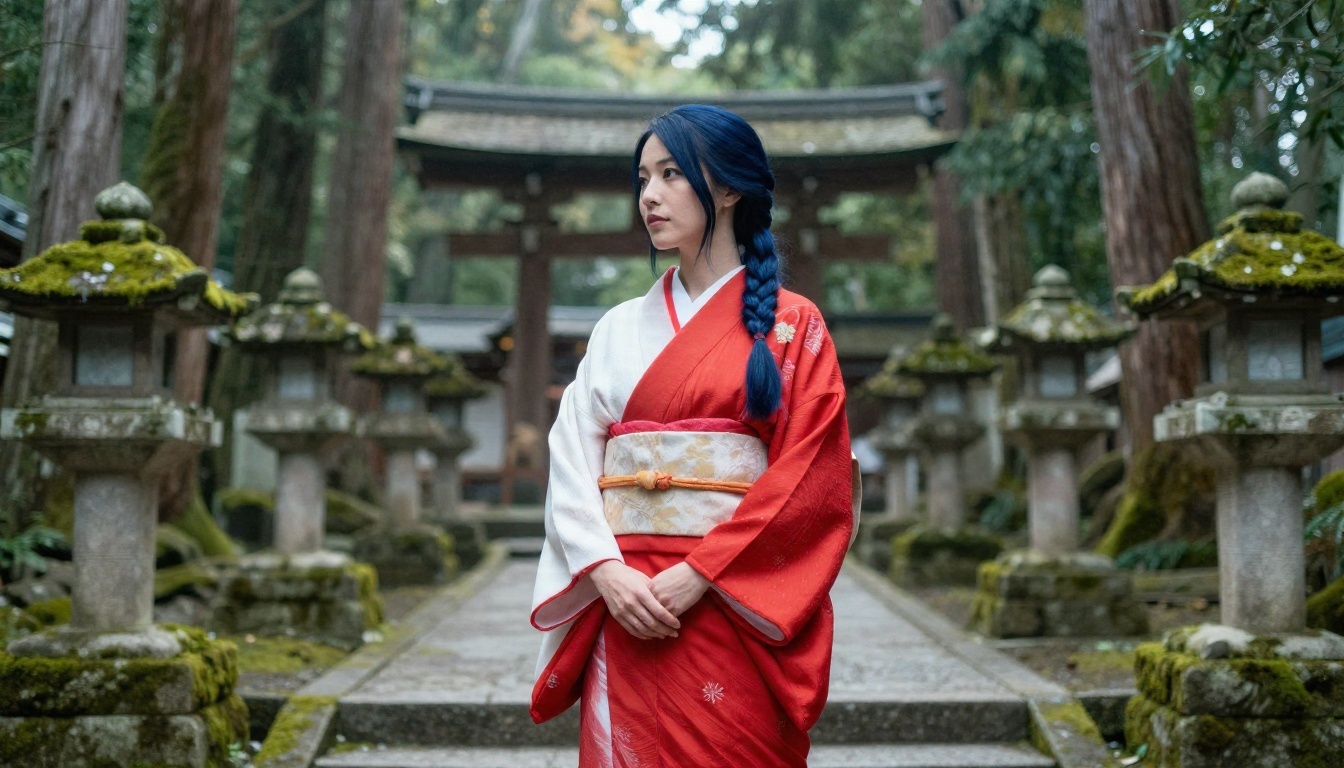
Prompt anchors: long dark-blue hair in a half-up braid, crimson and white shrine outfit, moss-covered stone steps, soft morning mist, 50mm f/2.
💡 Mention fabric by name (cotton, hemp, silk). Models respond to material words and render visible weave instead of a flat color block.
The Gentle Dreamer
Soft, kind, and slightly distant. This archetype loves open landscapes, pastel palettes and flowing clothing. It is also the easiest one to make beautiful because the formula is forgiving: lavender or pale pink hair, a white dress, a quiet natural setting.
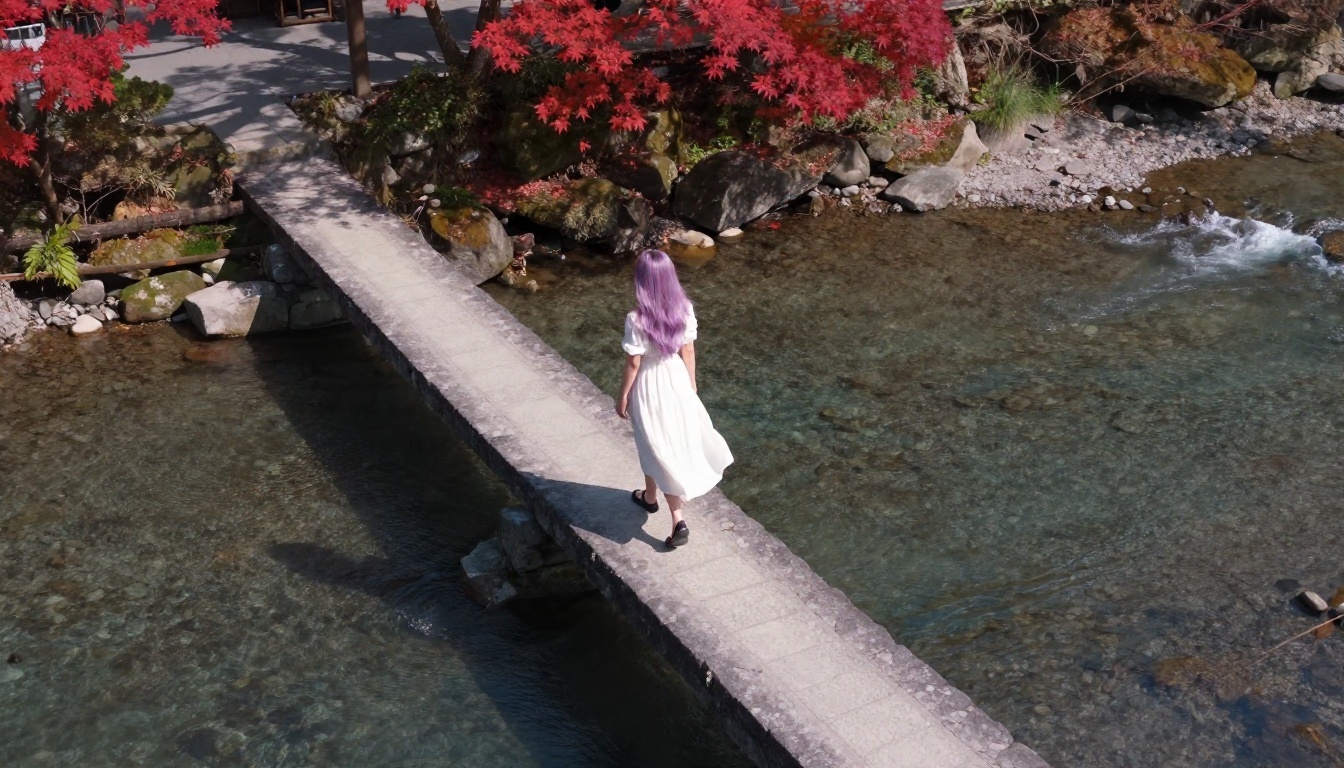
Prompt anchors: aerial high angle, lavender hair, white summer dress, stone bridge, clear river, red maple leaves, dawn light.
Pulling the camera far back, as in the image above, turns a portrait into a scene. It is a good trick for wallpapers, where the character shares the frame with a landscape.
The Fearless Warrior
Sharp, confident, ready for a fight. Pair red or black hair in a high ponytail, amber eyes, tactical or armor-inspired clothing with a moody urban or ruined backdrop.
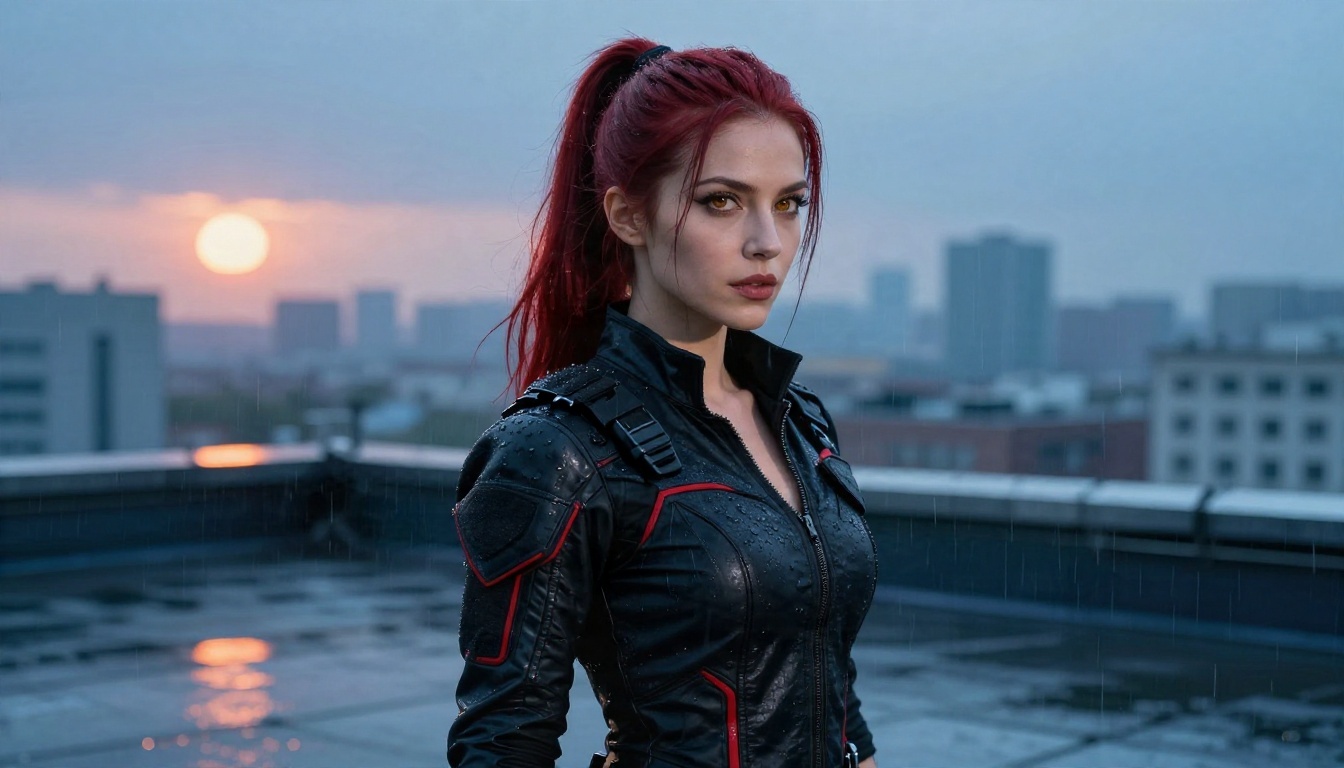
Prompt anchors: crimson high ponytail, amber eyes, black jacket with red trim, fingerless gloves, rain-wet rooftop, cool blue ambient light with an orange rim from the setting sun.
The split between cool shadows and warm rim light gives the figure a cinematic edge. Name both light colors in your prompt, or the model will pick one and flatten the rest.
The Devoted Maid
Warm, attentive, and detail-oriented. The maid archetype works best in bright, domestic spaces: conservatories, kitchens, gardens, sunlit hallways. Keep the costume elegant and tidy, with lace, cotton and a ribbon accent.
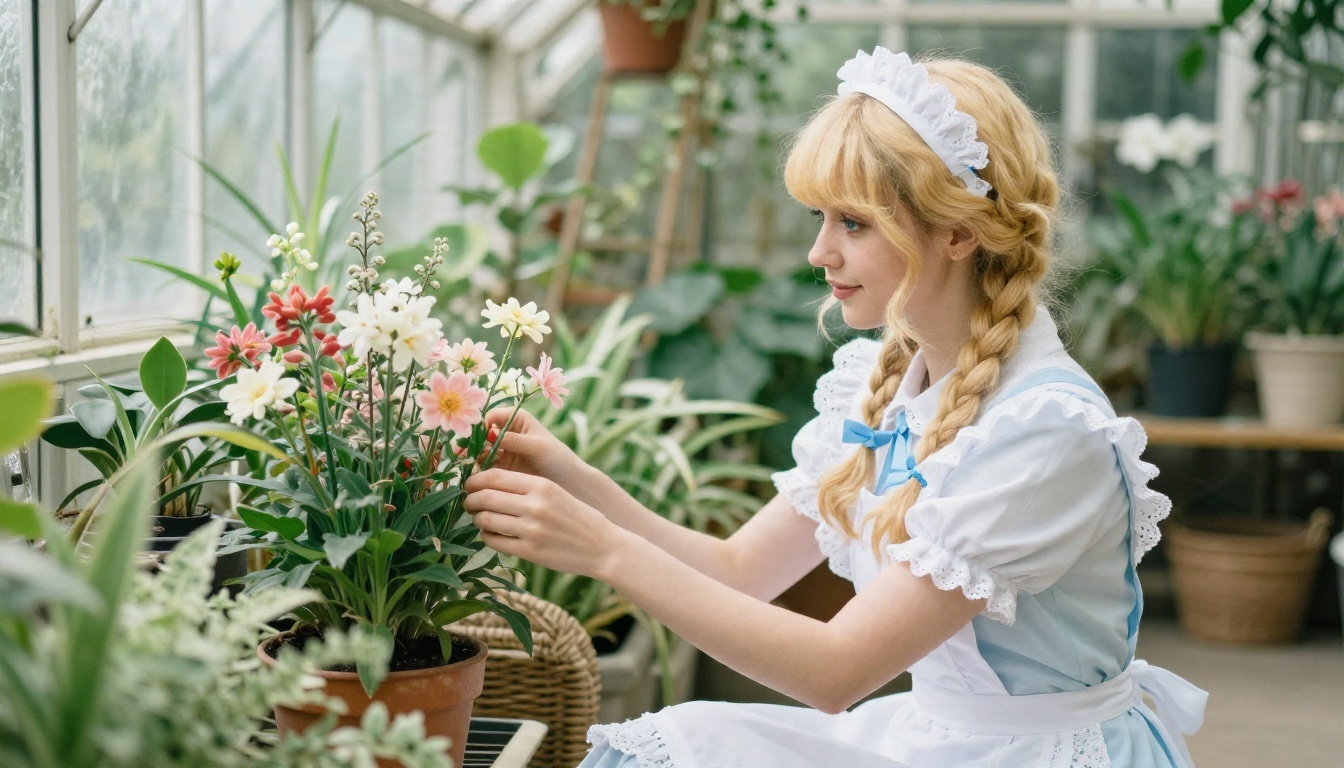
Prompt anchors: blonde twin braids, blue eyes, white apron dress, blue ribbon, arranging flowers, glass-roof light from above, side profile.
A candid action, like arranging flowers, gives the image a story. Static poses look posed. Actions look lived in.
The Fiery Tsundere
Sharp tongue, soft heart. The tsundere look mixes attitude and style: a varsity jacket, bold makeup, a playful smirk, and a backdrop with energy, like an arcade at twilight.
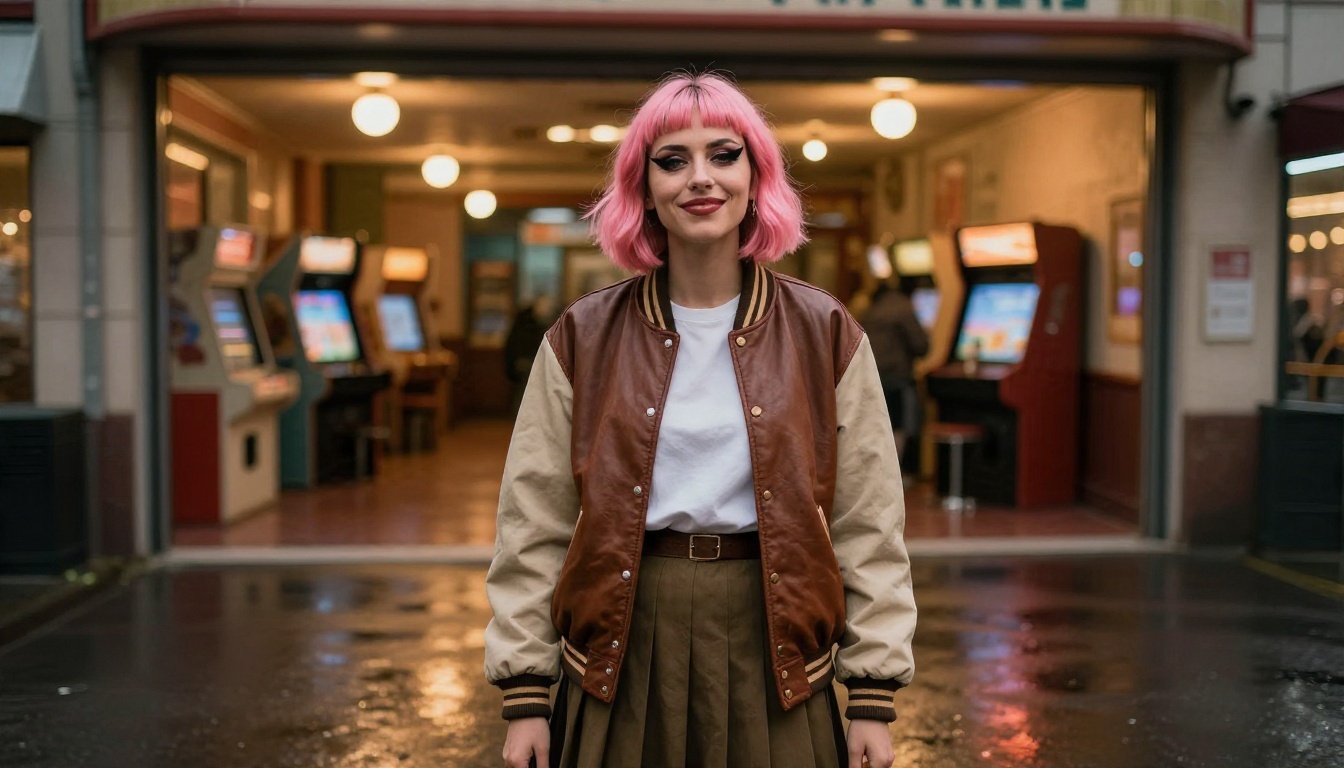
Prompt anchors: short pink-tinted hair, cat-eye makeup, vintage varsity jacket, pleated skirt, arcade entrance, warm tungsten bulbs, wet pavement, 28mm f/2.
Expression is the whole archetype. Write the exact look you want: "crossed arms, looking away, slight smirk." Vague emotion words like "angry" or "shy" give you a blank stare.
Free Generators Worth Trying
Not every generator handles a stylized character idea in a realistic render. Some drift toward plastic skin, and others ignore small details like accessories. These are the models I would test first, and all of them are on PicassoIA.
Seedream 4.5 for Detail
Seedream 4.5 is a strong first pick when you want fine texture: hair strands, fabric weave, jewelry, skin. It follows long, layered prompts well, which matters when your character has five or six visual anchors.
Nano Banana Pro for Consistency
Nano Banana Pro is useful when you already have a face you like and want to put her in new scenes. Its sibling, Nano Banana, handles edits and generation in one place, so you can change an outfit or background without starting over.
Qwen Image 3 Pro for Realism
Qwen Image 3 Pro leans photorealistic. If your goal is the cosplay-meets-film-still look shown in this article, put it on your shortlist. The standard Qwen Image 3 is worth a test too.
Fast Options for Drafts
When you are still exploring ideas and need volume, speed matters more than polish. Z Image Turbo produces sharp images quickly, and the Flux 2 Klein 4B Base and Flux 2 Klein 9B Base LoRA models give you more room to steer style. For editing and fixes, PicassoIA Image Editor Pro offers unlimited generations, so you can iterate on small changes without counting attempts.
💡 Run the same prompt through two models and compare. The differences in skin, light and fabric tell you quickly which one suits your character.
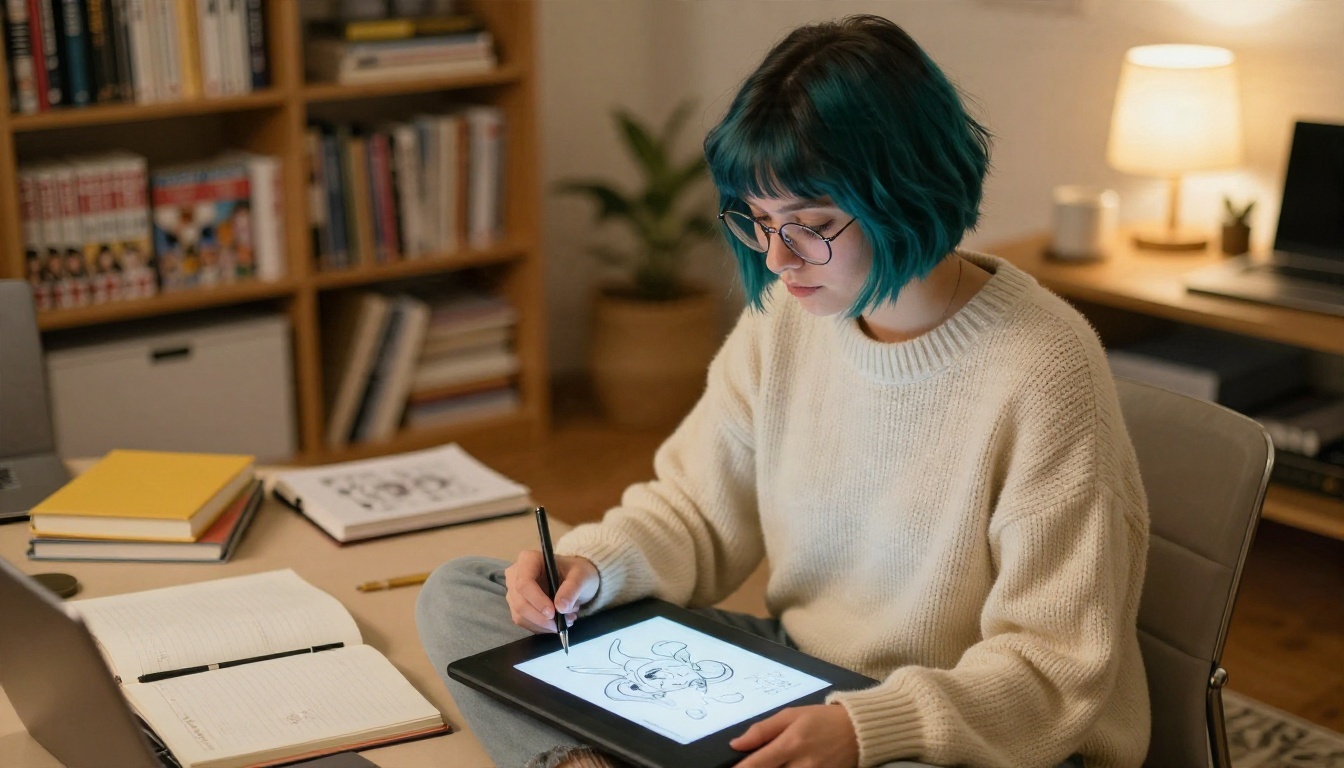
Most weak prompts fail for the same reason: they describe the idea of a character, not the picture of one. A model cannot read your mind about what "elegant" looks like. It can read "long dark-blue hair in a half-up braid, crimson and white shrine outfit."
The Five-Part Structure
Build every prompt in this order:
- Subject and pose. Who she is and what she is doing: "a woman arranging flowers, side profile."
- Signature look. Hair color and style, eye color, outfit, one accessory.
- Setting. One specific place, with two or three background details.
- Light. Direction, quality and color: "soft glass-roof light from above."
- Camera. Lens, angle and film feel: "85mm f/1.8, shallow depth of field, Kodak Portra 400, fine grain."
Order matters because models weigh early words more heavily. Subject and look first, atmosphere last.
Copy-Ready Prompt Examples
Use these as templates and swap the details.
Kuudere portrait:
Close-up portrait of a young woman with silver-white long hair and a black cat-ear headband, soft violet eyes, dark lace choker, seated at a cafe window, steam rising from a cup, soft window light from the left, 85mm f/1.8, visible skin pores, Kodak Portra 400, fine film grain, raw photograph.
Genki full body:
Full-body low-angle photograph of a cheerful woman with a bright orange ponytail and green eyes, yellow sundress, spinning in a sunflower field, warm midday backlight, 35mm f/2.8, natural skin texture, film grain.
Warrior scene:
Medium shot of a confident woman with a crimson high ponytail and amber eyes, black tactical jacket with red trim, standing on a rain-wet rooftop at dusk, cool blue ambient light with a warm orange rim light, 70mm f/2, raindrops on leather.
💡 Add words like pores, fabric weave, film grain, shallow depth of field when you want a photographic result. Leave them out and many models default to a smooth, illustrated look.
Keep Your Character Consistent
The hardest part of building a waifu is not the first image. It is the fiftieth. Faces drift, hair colors shift and outfits change between generations. A few habits fix most of it.
Save a "locked" description. Write one paragraph with the hair, eyes, build, outfit and accessory, and paste it at the start of every prompt. Change only the setting, pose and light.
Use a reference image. Editing-focused models such as Nano Banana Pro and PicassoIA Image Editor Pro let you start from an image you already like and change only what you specify.
Train a style when you are serious. If you are building a long-running character, a LoRA trainer such as Qwen Image LoRA Trainer Legacy lets you teach a model your character's look from a set of images.
Change one variable at a time. If you swap the outfit, the room and the light all at once, you cannot tell which change broke the face.
Mistakes That Ruin Good Ideas
Even strong characters fall apart for predictable reasons.
- Too many anchors. Fifteen details compete with each other. Stick to three to five visual anchors.
- Contradicting yourself. "Soft morning light" plus "dramatic night shadows" gives you muddy results.
- Skipping the camera. Without lens and angle language, every image looks like the same default portrait.
- Ignoring hands and accessories. Mention them directly, or the model will invent them.
- Copying a copyrighted character. Build an original character inspired by an archetype rather than reproducing someone else's design. It is safer and, honestly, more fun.
- Settling on the first result. Generate four to six variations, pick the best, then refine.
💡 If a face looks slightly off, do not rewrite the whole prompt. Fix one thing: the eye color, the lighting direction or the lens. Small edits beat full rewrites.
Start Building Your Own Character
You now have seven archetypes, a prompt formula, and a shortlist of generators. The fastest way to get better is to build one character and push her through five different scenes: a portrait, a full-body shot, an action moment, a quiet moment and a wide landscape.
Open Seedream 4.5 or Qwen Image 3 Pro on PicassoIA, paste in one of the prompts above, and change the hair color, the outfit and the setting. Then refine the best result in PicassoIA Image Editor Pro, where unlimited generations let you try as many small edits as you like. If you want to compare more options, the full list is at picassoia.com/en/all-models.
Your first character will not be perfect, and that is fine. The third version will be better than the first, and the tenth will look like a person with a history. Start with one archetype from this article and make her yours.


