You typed "romantic wedding photo" into an image generator and got a plastic-skinned bride, a groom with six fingers and a sky that looks like a screensaver. That is the usual result of a lazy prompt, not a weak tool. A good AI wedding photo generator prompt reads like a shot list from a real photographer: who is in the frame, where they stand, what the light is doing, and which lens captured it.
This article gives you nine prompts you can copy today, the settings that keep faces and fabric believable, and an honest look at which online tools work best for couples. Every example below is written for photorealistic results, the kind you could use for save-the-dates, mood boards, vow-renewal invitations or just a daydream about your own day.
💡 Quick tip: Treat a prompt as a brief for a photographer. If a human could not picture the shot from your words, the AI cannot either.
Why Wedding Prompts Fail
Most weak results come from three habits. Fix these and your output improves before you touch a single setting.
- Vague emotion words. "Beautiful, romantic, stunning" tells the model nothing about composition. Replace them with actions: "forehead to forehead, eyes closed, her hand on his chest."
- No light direction. Without a light source, the model invents a flat, even glow. That glow is what makes skin look waxy.
- No camera language. Lens length, aperture and film stock steer the model toward photographic depth and grain instead of an airbrushed illustration look.
There is a fourth habit worth naming: stuffing 15 ideas into one sentence. A wedding image works when it has one subject, one moment and one mood.
After testing many variations, the structure that gives the most reliable wedding photos has five parts. Write them in this order, separated by commas.
| Part | What to write | Example |
|---|
| Subject and action | Who, what they wear, what they are doing | Bride in ivory lace veil looking over her shoulder |
| Environment | Place, time of day, background detail | Stone church vestibule, tall window |
| Light | Direction, softness, color | Soft diffused window light from the left |
| Camera | Lens, aperture, angle | 85mm f/1.8, shallow depth of field |
| Texture and film | Skin, fabric, grain, palette | Visible freckles, Kodak Portra 400 grain, warm ivory tones |
Keep the whole prompt between 50 and 80 words for everyday use. Go longer only when you need a hero image, like a cover portrait for an invitation suite.
💡 Wedding wording that helps: "candid documentary moment," "natural skin texture with visible pores," "fabric weave," "gentle highlight roll-off." These phrases push the output away from the over-smoothed look.
Nine Free Prompt Examples to Copy
Each prompt below is ready to paste. Change the clothing, location or season to match your own story.
Bride Close-Up in Window Light
The classic getting-ready portrait. Soft side light is the safest way to get believable skin.
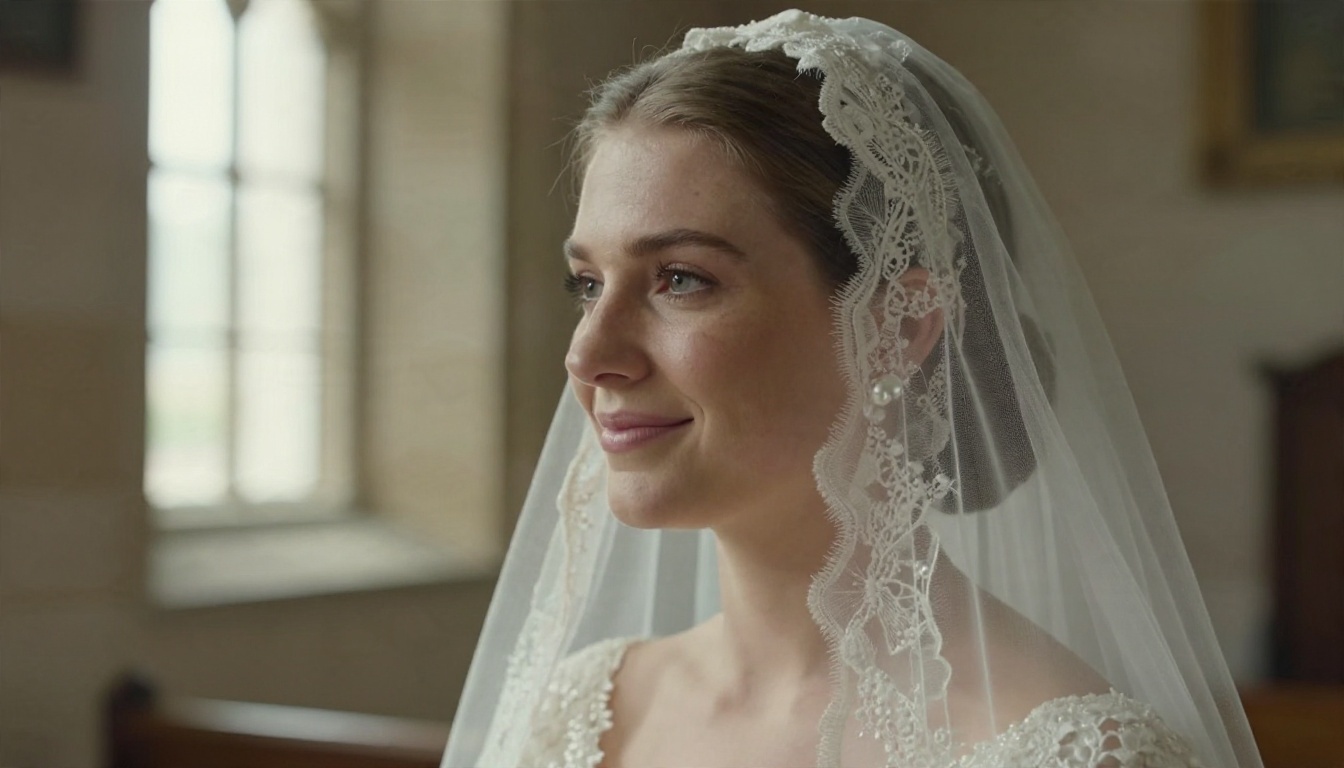
Prompt: Close-up portrait of a bride in a sheer lace veil looking over her shoulder toward the camera, soft natural smile, tiny freckles and realistic skin texture, pearl earrings, hair in a loose low chignon, standing beside a tall window in a bright stone church vestibule, soft diffused window light from the left, gentle shadow falloff on the right cheek, 85mm f/1.8 shallow depth of field, Kodak Portra 400 film grain, warm ivory tones
Why it works: the "shadow falloff on the right cheek" line gives the face dimension, and the pearl earrings add a small, specific detail that anchors realism.
Ring and Detail Flat Lay
Detail shots are the easiest category for AI. There are no faces to get wrong, so you can focus on texture.
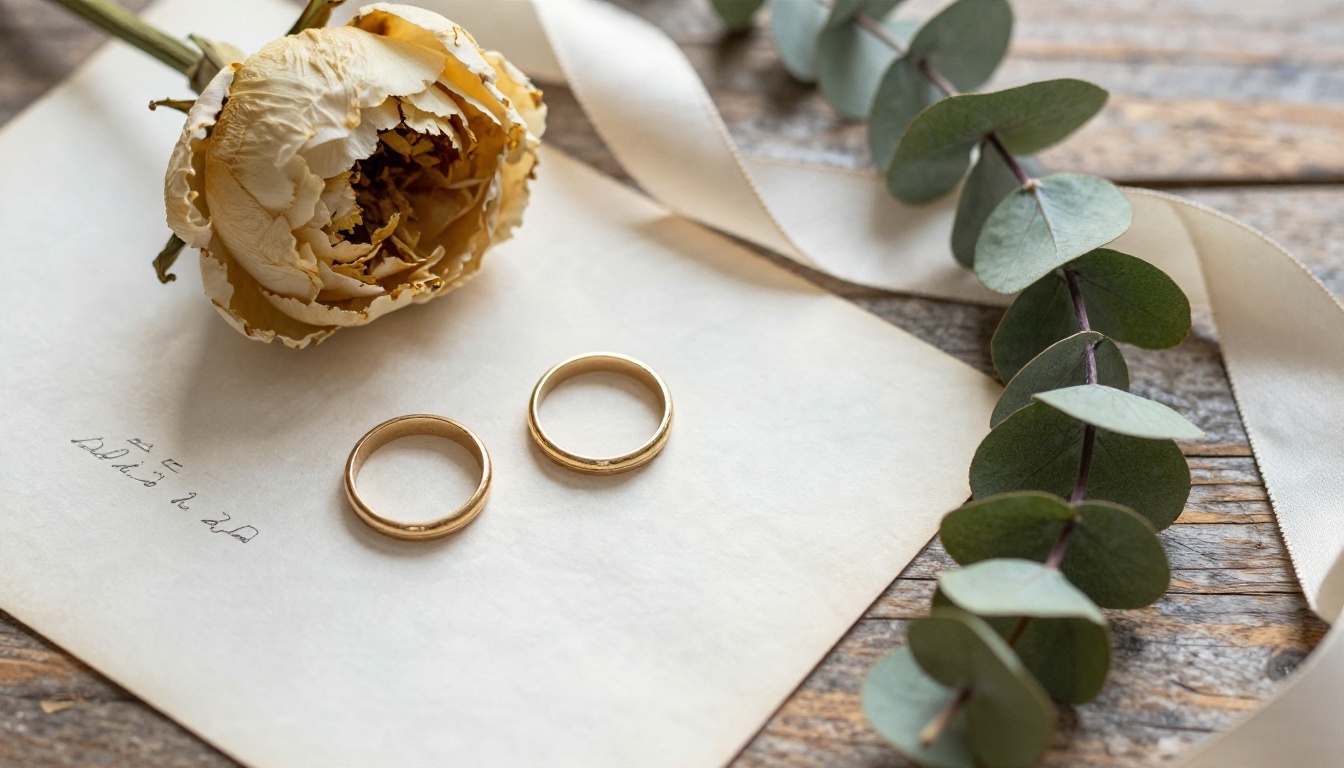
Prompt: Overhead flat-lay macro photograph of two gold wedding rings resting on an open vintage letter beside a dried peony bouquet, a silk ribbon and a sprig of eucalyptus, on a weathered oak table, soft morning light from a window at the top left, fine brass reflections, visible paper fibers and petal veins, 100mm macro lens f/2.8 shallow depth of field, Kodak Portra 400 grain, muted cream and sage palette
Use this one for invitations, thank-you cards and website headers. Swap the letter for a menu card or a pressed flower page to match your theme.
First Dance in a Barn Venue
Movement is harder. Giving the model a clear moment, "mid-turn with her skirt swirling," avoids stiff poses.
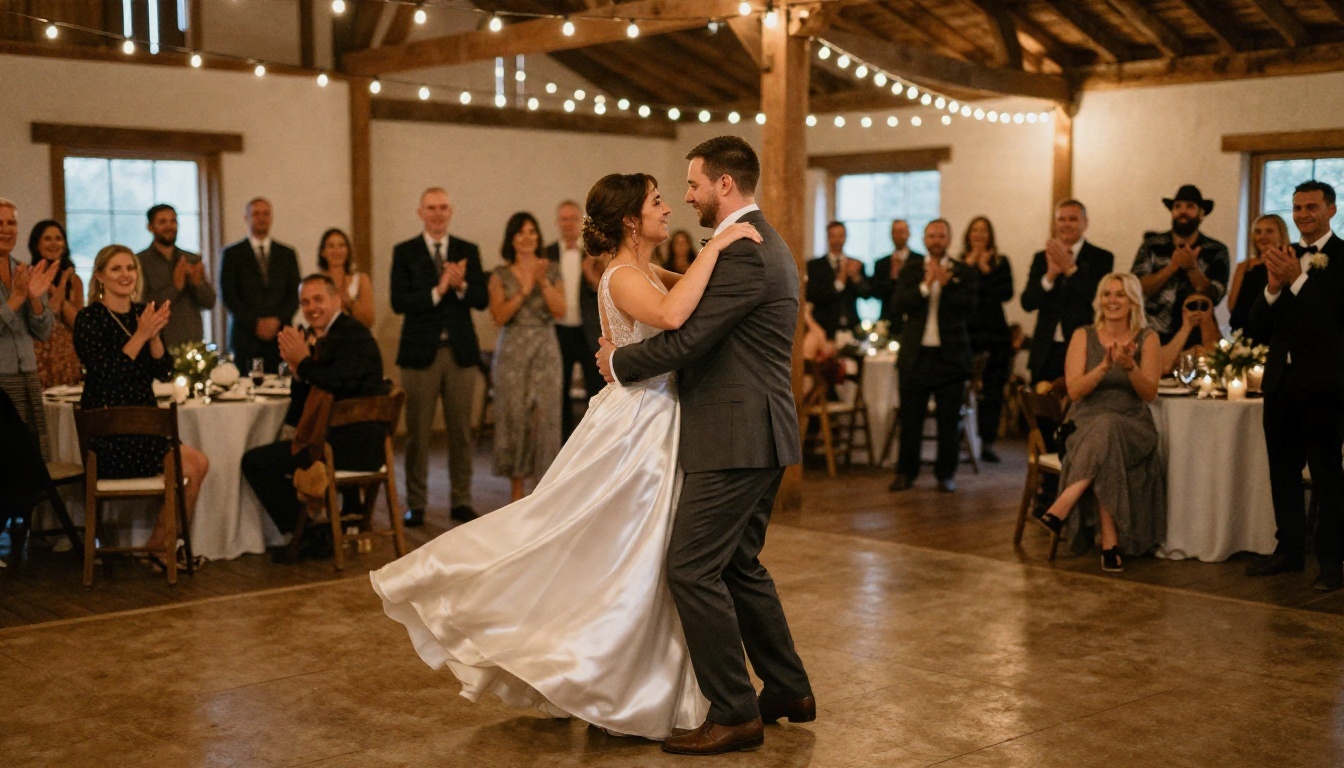
Prompt: Wide shot of a newlywed couple during their first dance in a rustic barn reception, bride in a satin gown and groom in a charcoal suit, mid-turn with her skirt swirling, guests softly blurred and clapping in the background, warm string lights overhead and wooden beams, low camera angle from the dance floor, 35mm f/1.8 lens, soft tungsten glow mixed with dim window light, natural film grain, candid documentary feel
A wider lens such as 35mm helps because it includes the room, which hides small errors in the faces of background guests.
Beach Elopement From Above
For destination or elopement ideas, an aerial angle gives a different feel from the usual eye-level portrait.
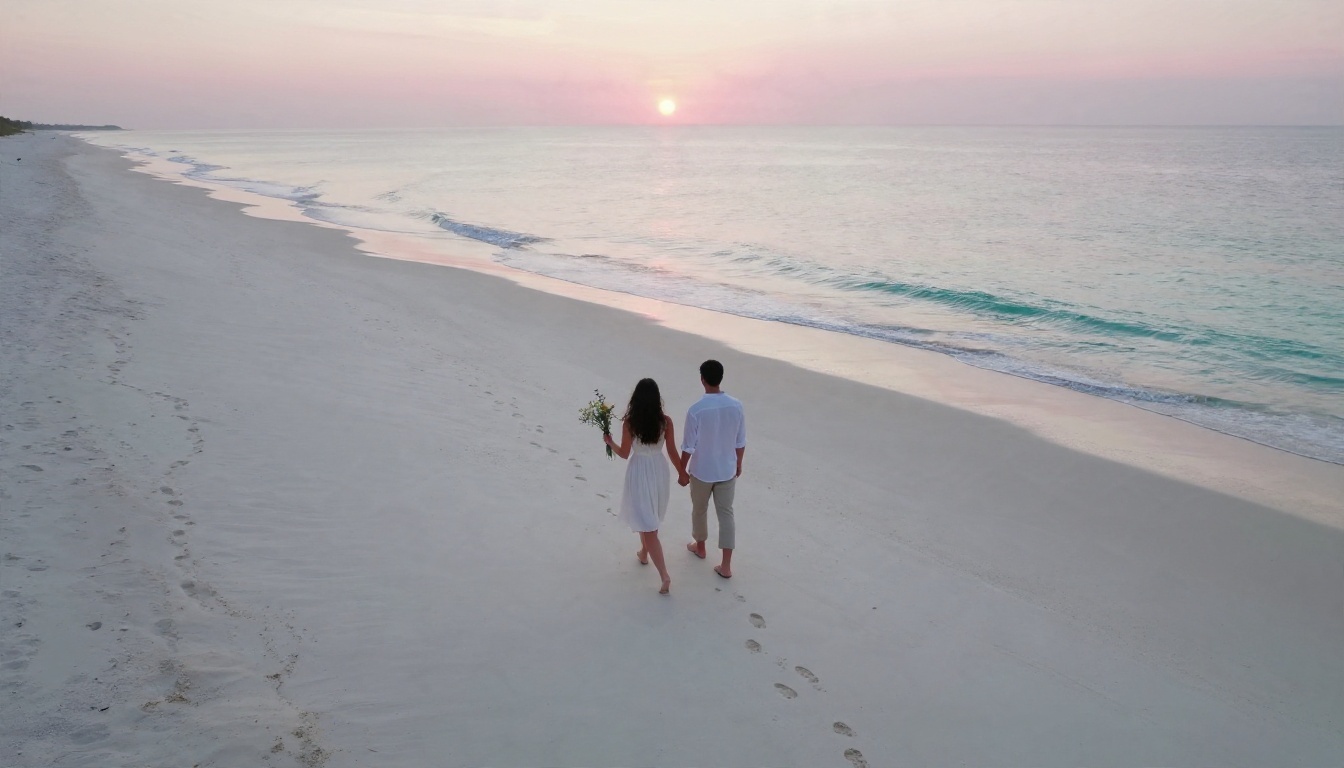
Prompt: Aerial drone-angle photograph of a barefoot couple eloping on a quiet white sand beach at sunrise, bride in a short flowing chiffon dress holding wildflowers, groom in rolled linen trousers and a white shirt, long footprints trailing behind them toward gentle turquoise waves, soft pink and peach sky, low sun from the horizon, wide 24mm lens, crisp sand grain texture and sea foam detail, natural color grading
The footprints are a small storytelling touch. They tell the viewer where the couple has been, and they make the sand look real.
Groom's Emotional Reaction
The best wedding photos are often the reaction, not the pose. This prompt asks for a tear and a quiet black and white film look.
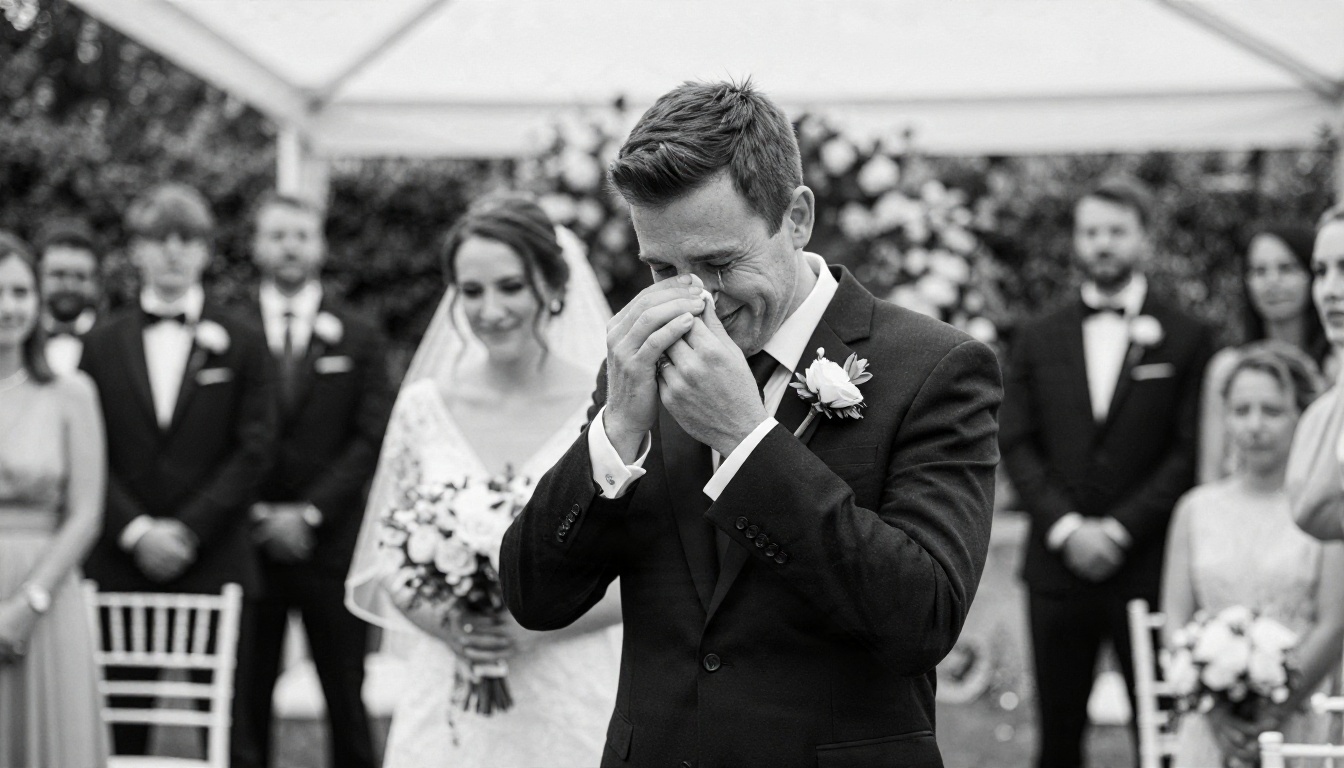
Prompt: Candid black and white style film photograph look of a groom wiping a happy tear while watching his bride walk down the aisle, close-up three-quarter angle, groomsmen blurred behind him in a garden ceremony with white chairs and floral arch, soft overcast light from above, 70mm f/2 lens, visible skin pores, fabric weave of the suit, heavy Ilford style film grain, emotional authentic moment
Black and white is forgiving. It removes color shifts in skin and lets the expression carry the image.
Autumn Pre-Wedding Session
Seasonal sessions are popular for save-the-dates. A telephoto lens compresses the background into soft, creamy color.
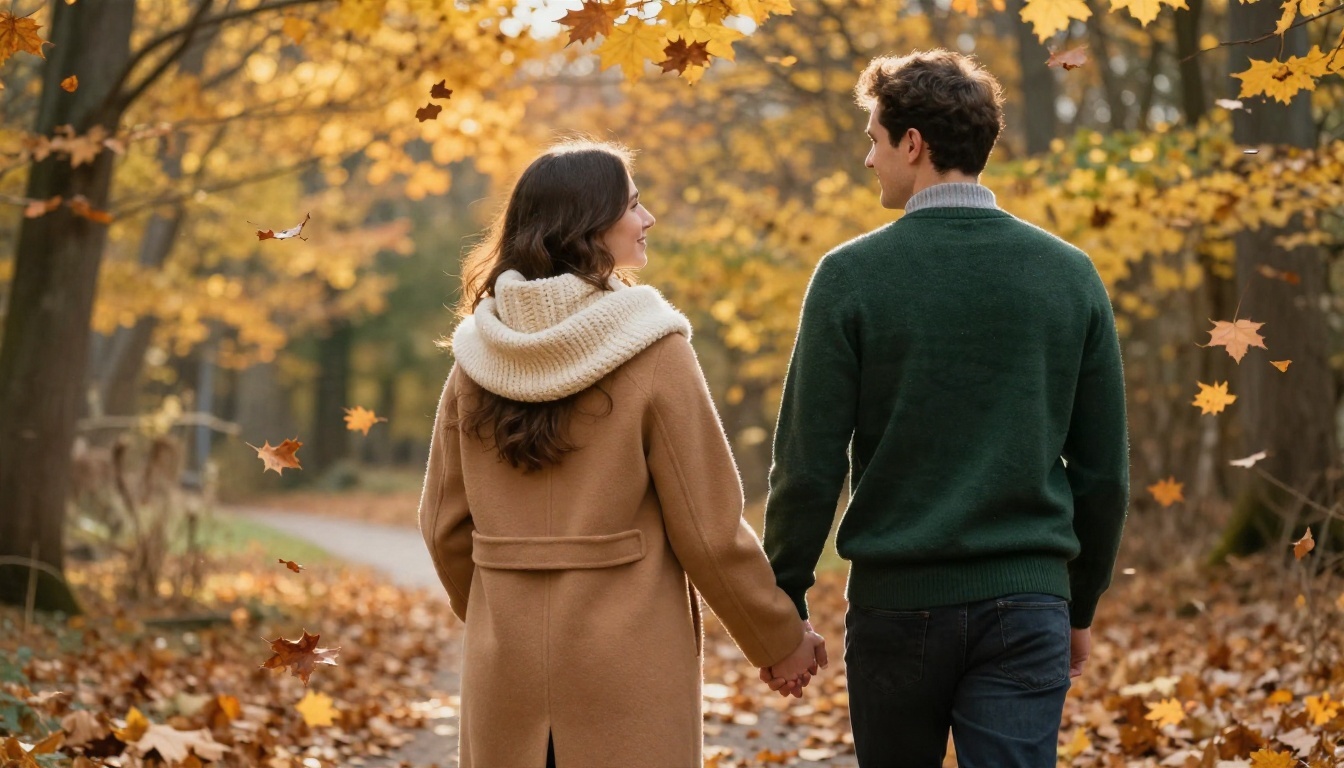
Prompt: Autumn pre-wedding session, couple walking hand in hand along a leaf-covered forest path, woman in a camel wool coat and cream knit scarf, man in a dark green sweater, seen from behind and slightly to the side at a low angle, golden maple and oak leaves falling, backlit amber sunlight filtering through branches from the right, 135mm f/2 telephoto compression, creamy bokeh, Kodak Portra 400 grain, real wool texture
Shooting the couple from behind is a smart choice when you are still working on facial accuracy. The mood stays intact.
Reception Table Styling
Planning decor? Generate your table before you buy a single candle.
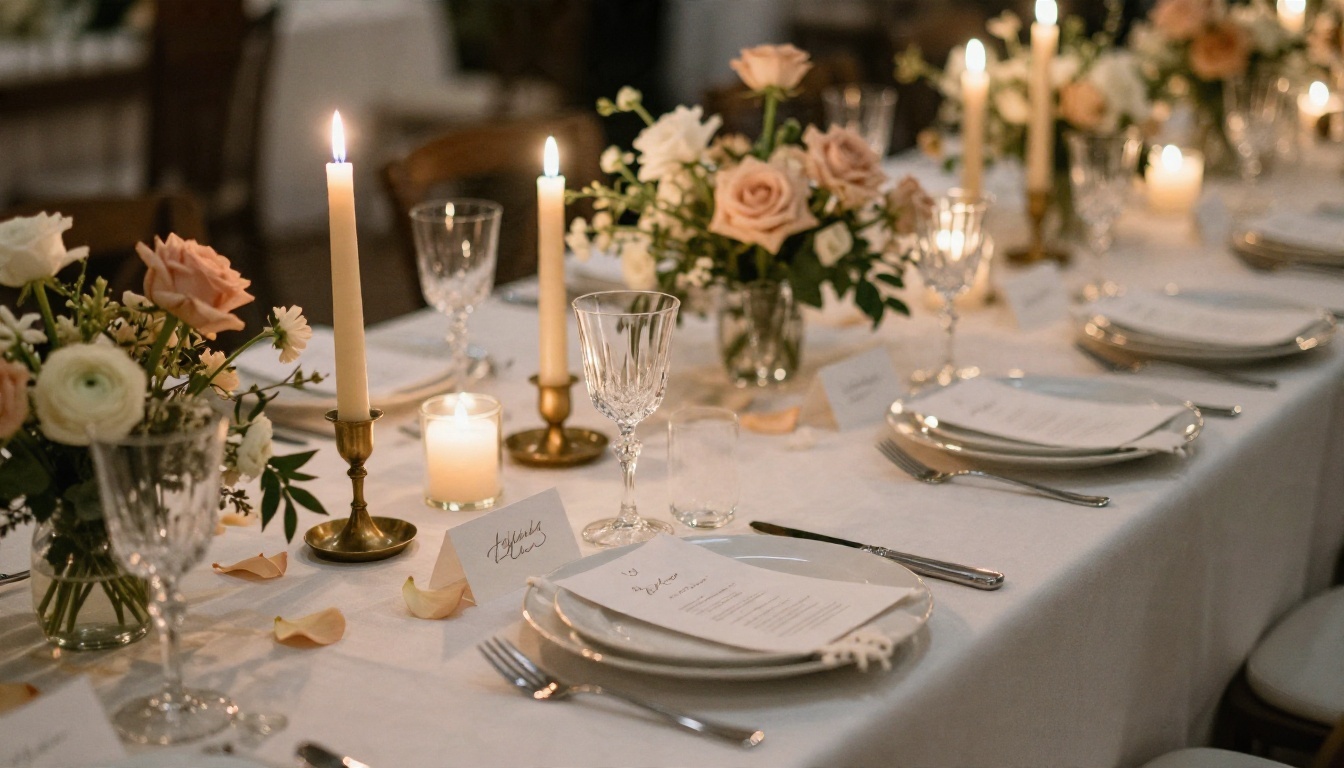
Prompt: Detail photograph of an elegant wedding reception table set for dinner, white linen, handwritten-style blank place cards, stemmed crystal glasses, lit taper candles in brass holders, low arrangement of garden roses and ranunculus in blush and cream, shot from a low table-level angle with a 50mm f/1.4 lens, warm candlelight mixed with soft dusk light from the left, shallow depth of field, wax drip and petal texture, film grain
Notice "blank place cards." Asking for blank cards avoids garbled lettering, a common problem in generated images.
Petal Exit Celebration
A high-energy shot to balance the quiet portraits in your collection.
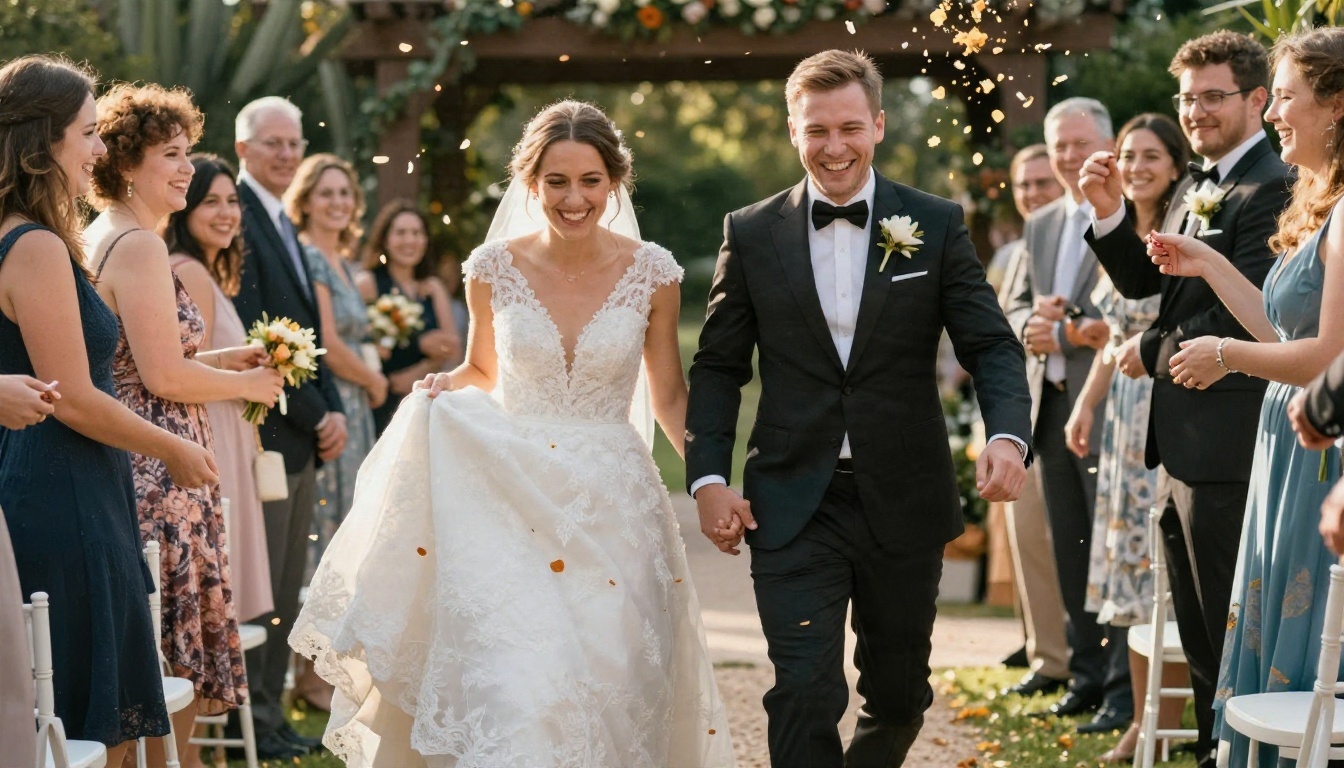
Prompt: Joyful couple running through a tunnel of guests tossing dried flower petals at a wedding exit, bride lifting her dress hem, groom laughing and holding her hand, petals frozen mid-air, shot from the front at eye level with a 35mm f/2 lens, late afternoon sunlight from behind creating soft rim light, blurred crowd of smiling guests, realistic fabric and petal textures, candid film look
"Petals frozen mid-air" tells the model the shutter speed, and backlight gives each petal a glowing edge without any artificial effect.
Vintage Studio Portrait
If you love a retro look, give the model an era, a fabric and a single light source.
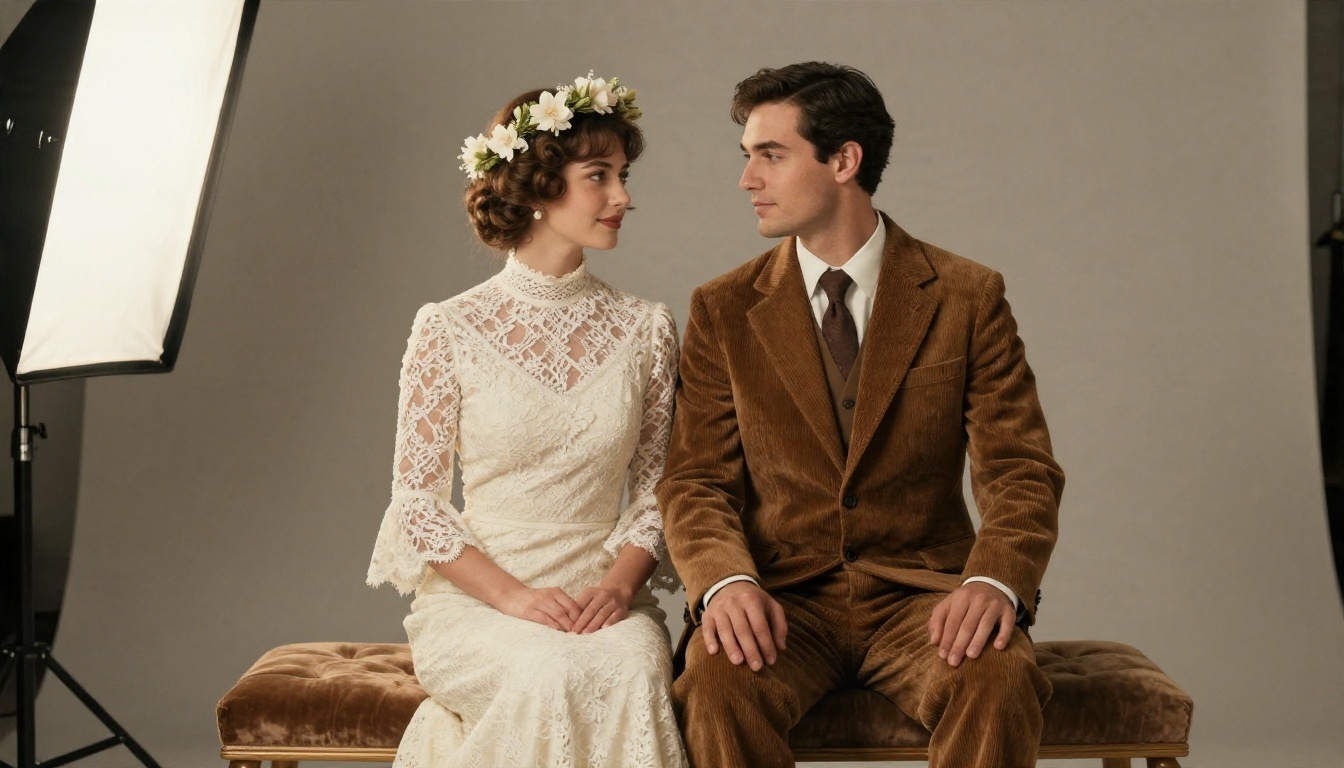
Prompt: Vintage-inspired studio wedding portrait of a couple seated close on a velvet bench, bride in a 1970s high-neck lace gown with bell sleeves and a flower crown, groom in a brown corduroy suit with wide lapels, plain warm gray backdrop, single large softbox from the left giving soft Rembrandt light, 85mm f/2.8 lens, medium shot at eye level, fine skin texture, subtle warm film color cast and grain
A plain backdrop and one softbox keep the scene simple, so the model spends its effort on faces and clothing.
Best Settings for Realistic Results
Prompts do most of the work, but a few settings decide whether the image looks like a photo or a painting.
| Setting | Recommended value | Reason |
|---|
| Aspect ratio | 16:9 for banners, 3:2 for prints, 4:5 for social posts | Match the final use before generating |
| Resolution | Highest available, then upscale | More pixels mean cleaner lace and hair |
| Seed | Fix it once you like a composition | Lets you change one word at a time |
| Variations | Generate 4 per prompt | Faces vary a lot, so pick the best |
| Style | Photographic or raw | Avoids the painterly default |
Aspect Ratio and Resolution
Choose the ratio first. Cropping a square image into a banner often cuts off a veil or a hand. If you need a print, generate at the highest size, then run the result through an upscaler such as Clarity Pro Upscaler, which sharpens fine texture like lace and stitching.
Seeds and Variations
Once a composition feels right, lock the seed and change only one phrase per run: the light direction, the dress or the time of day. This is how you tune an image instead of rolling the dice each time. If the tool has no seed field, keep the first half of your prompt identical and edit the last half.
Fixing Hands and Faces
Hands remain the most common flaw. Three habits help:
- Place hands in simple positions: on a chest, around a bouquet, holding another hand.
- Use a mid-distance shot. Close hands at wide angles tend to distort.
- Ask for "correct hands with five fingers each" and "lifelike eyes and teeth" at the end of the prompt.
When a face is almost right, do not rewrite everything. Regenerate with the same seed and add one detail, such as "natural asymmetry in the smile."
💡 Skin realism: Mention "visible pores," "faint flush on the cheeks," or "tiny freckles." These small flaws read as real. Perfect skin reads as fake.
Not every generator suits wedding work. The table below lists models available on PicassoIA that handle portraits, fabric and light well, with the situation where each one shines.
| Model | Best for | Notes |
|---|
| Seedream 4.5 | Sharp, high-resolution couple portraits | Strong skin and fabric detail |
| Nano Banana Pro | Editing a photo and keeping the person recognizable | Good for tweaking outfits or settings |
| Imagen 4 Ultra | Fine detail in flowers, lace and jewelry | Clean, natural color |
| GPT Image 2 | Following long, detailed prompts | Handy for complex scenes |
| Flux 2 Klein 4B Base | Fast drafts and quick tests | Lightweight, good for trying ideas |
| Ideogram v4 Quality | Images that include short text, such as a sign | Better lettering than most |
If you want a quick draft, start with a faster model, pick the best composition, then recreate it in a higher-detail model. This saves time and keeps your credits for the final version.
Using Your Own Faces
A generator working from text alone cannot know what you and your partner look like. If you want the couple in the image to resemble you, you need a tool that takes a reference photo. AI Avatars builds images from a face photo, and Nano Banana can edit an existing picture while keeping the person recognizable. Use clear, front-facing, well-lit reference photos, and expect to generate several times before the likeness feels right.
How to Run a Prompt on PicassoIA
Here is the fastest route from prompt to finished picture, using Seedream 4.5 as the example model.
- Open the model page. Select Seedream 4.5 from the text-to-image collection.
- Paste your prompt. Start with one of the nine examples above. Edit clothing, place and season.
- Set the aspect ratio. Pick 16:9 for banners or a portrait ratio for invitations.
- Generate several versions. Run the prompt three or four times and compare faces, hands and light.
- Refine one thing at a time. Change the light direction, the lens or a single clothing detail.
- Upscale the winner. Send the best image through Clarity Pro Upscaler for print-ready detail.
- Save and organize. Keep your best prompts in a note so you can reuse the structure for the next scene.
💡 Parameter tip: If an image looks too smooth, add "film grain" and "visible skin pores." If it looks too harsh, add "soft diffused light" and "gentle highlight roll-off."
Where AI Fits in a Real Wedding
AI images work well for planning and for extras. They do not replace the people who will stand beside you on the day.
| Good use | Why |
|---|
| Mood boards | Show your florist or planner the exact palette and light you want |
| Save-the-dates and invitations | Create a styled scene without booking a studio |
| Decor previews | Test table settings, arches and color combinations |
| Vow renewal or anniversary art | Picture a dream location you could not travel to |
| Gifts | Turn a shared fantasy into a printed keepsake |
A few honest habits keep things comfortable for everyone. Tell guests when an image is AI-made, particularly if it shows real people. Keep your human photographer for the ceremony, because no prompt captures your grandmother's laugh. And never generate images of real people without their permission.
Create Your Own Wedding Images
You now have nine prompts, a five-part formula and a short list of tools that suit couples. The fastest way to improve is to pick one example, change three details to match your story, and run it. Do it again with a different light direction. In an hour you will have a set of images that look far more like your own day than any stock photo.
Start with Seedream 4.5 or Nano Banana Pro on Picasso IA, paste the bride close-up prompt, and see what the window light does to the skin. Then try the beach elopement, the vintage studio and the reception table. When you are ready to try other styles, browse every image model at picassoia.com/en/all-models and find the one that fits your wedding best.


