Type "AI with no moderation" into a search bar and you will get a wall of promises: no filters, no refusals, no rules. Click through and the picture changes fast. Some tools simply have a looser filter. Some hide a paywall behind the word "free." A few are risky to your privacy. And every single one still runs into limits that no setting can remove.
This article sorts the real from the marketing. You will see what "no moderation" actually means in practice, what free chat and image tools can and cannot do, where the hard lines sit, and which alternatives on PicassoIA give you the most creative room without the usual headaches.
What "No Moderation" Really Means
The phrase sounds absolute, but moderation is not one switch. It is a stack of layers, and each tool decides how many of them to keep.
The Three Layers of Filtering
Most AI products filter at three different points:
- Model training. The model itself is trained to refuse certain requests. This layer is baked in and cannot be toggled from the outside.
- Prompt and output classifiers. A separate system scans what you type and what comes back, then blocks or rewrites it.
- Platform policy. Terms of service, account bans, region rules and payment processors add a final layer on top.
A tool marketed as "unfiltered" usually drops the second layer, softens the third, and leaves the first one mostly alone. That is why you still see refusals in some "uncensored" chats.
Unmoderated Versus Permissive
💡 Quick distinction: unmoderated means nobody is checking. Permissive means someone decided on a wider set of allowed content. Almost everything you will find online is permissive, not unmoderated.
Real, total absence of moderation exists mainly when you run an open-weights model on your own hardware. Even then, you are responsible for what you create, and the law still applies to you.
Search intent behind this keyword is mixed, and that is worth saying plainly. Most people are not trying to do anything shady.
Common Reasons Behind the Search
- False refusals. A novelist asks for a tense, violent scene and gets a lecture. A nurse asks a direct medical question and gets a vague reply.
- Adult but legal creative work. Glamour, boudoir, swimwear and fashion photography are legitimate genres that overcautious filters often block.
- Research and red-teaming. Safety researchers need to see how a model behaves without guardrails.
- Roleplay and fiction. Writers want dark themes, morally grey villains and mature storylines.
- Privacy. Some people dislike the idea of every prompt being reviewed by a human or logged forever.
What Pushes Tools to Over-Block
Providers filter hard because the consequences of getting it wrong are severe. In early 2026, Grok publicly acknowledged generating an image of young girls in sexualized clothing, which triggered global criticism. Researchers also reported in mid-2026 that ChatGPT could be nudged into producing graphic images through a prompt that looked harmless. Those cases explain why mainstream platforms lean cautious, even if that frustrates ordinary users.
The free chat market splits into three groups. Each has a different trade-off.
Hosted Permissive Chatbots
These are web apps that wrap an open-weights model with a light system prompt. Names that come up often include Venice.ai and Perchance. They are fast to try and require no setup, but you are trusting a small company with your prompts. Read the privacy policy before you type anything personal.
Typical limits of the free tier:
- Daily message caps
- Smaller models than the paid tier
- Shorter memory of the conversation
- Queue times at busy hours
Self-Hosted Open Models
Running a model locally is the closest thing to true "no moderation." You download open weights, run them on your own GPU, and nothing leaves your machine. The cost is hardware and time: a decent graphics card, some storage, and patience while you set it up.
💡 Reality check: a small local model with no filters is often worse at writing than a large hosted model with filters. Freedom does not equal quality.
Mainstream Models With Smart Prompting
Often the better route. Many refusals are false positives caused by vague wording. Give context, state the genre, explain that the work is fiction or research, and a general model will usually cooperate on mature but legal themes. Models like Qwen3.7 Plus, Gemini 3.5 Flash and GPT 5.6 Luna handle dark fiction, hard questions and blunt feedback well when the request is clear.
| Option | Cost | Privacy | Quality | Setup |
|---|
| Hosted permissive chatbot | Free tier with caps | Depends on provider | Medium | None |
| Self-hosted open model | Hardware cost | Highest | Medium to high | Heavy |
| Mainstream model, clear prompt | Free or low cost | Standard policy | High | None |
Image generation is where the "no moderation" search is loudest, and where the gap between marketing and reality is widest.
What You Can Realistically Expect
Free image tools with relaxed filters generally allow glamour, swimwear, boudoir and fashion-style work. They do not allow explicit pornography on the more reputable platforms, and they should never allow content involving minors, real people without consent, or anything illegal. A tool that claims otherwise is a red flag, not a feature.
Common catches with free image sites:
- Watermarks and low resolution on the free tier
- Daily credit limits that run out after a handful of images
- Weak anatomy and faces, because the model behind the site is old
- Upload retention, where your reference photos stay on someone else's server
The Face and Likeness Problem
Even the most permissive generators draw a hard line at real people. Making sexualized or deceptive images of a real person without their consent is harmful and, in a growing number of countries, illegal. If a tool lets you upload someone's photo and strip their clothes, walk away. That is exactly the kind of product that attracts regulators.
Where the Hard Limits Sit
No tool removes the law. One of the clearest lines in the whole conversation is this: an uncensored tool removes platform filtering, not legal responsibility.
Limits That Never Disappear
- Content involving minors. Absolutely off the table, everywhere, always.
- Non-consensual imagery of real people. Deepfake nudes and impersonation are illegal in many places.
- Direct incitement and credible threats. Fiction is fine; operational instructions for harm are not.
- Fraud and scams. Fake IDs, fake documents and impersonation.
- Copyright and trademark abuse. Using protected characters or logos commercially can still get you sued.
Limits That Depend on Where You Live
Rules on adult content, age verification and AI labelling differ from country to country. Some regions require clear labelling of AI-generated images. Others restrict adult material behind age checks. Check your local rules before publishing anything.
The Safety Net Worth Knowing About
If you build your own app on top of a language model, a classifier like Llama Guard 4 12B can screen prompts and replies against a safety policy you control. It is a useful reminder that moderation is a design choice you can tune, not only a restriction handed down by a platform.
Risks Nobody Mentions in the Ads
Most pages promoting unfiltered AI are written by the companies selling it. The pitch rarely includes the downsides.
Privacy and Data Retention
Unfiltered does not mean private. A site with no content filter may still log every prompt, store every image, and sell anonymized data. Look for a clear statement on retention, deletion and training use before you paste anything sensitive.
Malware and Fake Apps
Search results for this keyword are full of sketchy downloads: "free uncensored AI" installers that carry adware, browser extensions that read your tabs, and fake apps that harvest logins. Stick to browser-based tools from known providers, or build locally from well-known open-source projects.
Quality Drops
A few unfiltered tools use old or heavily compressed models. You get freedom but poor hands, plastic skin and muddy detail. For anything you plan to publish or print, quality matters as much as permissions.
Account and Payment Problems
Platforms that push the edge of content rules often lose payment processors or get delisted by app stores. Subscribe to a tool that disappears next month and you lose your credits, history and workflow.
Better Alternatives on PicassoIA
If your real goal is more creative room for adult but legal visuals, such as glamour, fashion, swimwear and boudoir photography, you do not need a shady site. These models give you more freedom to work with and far better quality than most "uncensored" generators.
Seedream 4.5 for Glamour and Fashion
Seedream 4.5 is the first model I would reach for. It produces sharp, realistic skin, believable fabric and clean lighting, and it handles tasteful glamour, bikini and lingerie-style fashion prompts that more restrictive generators often refuse. It outputs up to 4K, so images hold up for print and large screens.
PicassoIA Image Editor Pro for Unlimited Edits
PicassoIA Image Editor Pro is the second stop. It lets you generate and edit without hitting a credit wall, which matters when you are iterating on a look. Change outfits, adjust lighting, fix hands, swap a background, and keep going without counting generations.
More Models Worth Trying
| Model | Best for | Link |
|---|
| Seedream 4.5 | Realistic glamour and fashion | Open model |
| PicassoIA Image Editor Pro | Unlimited generation and editing | Open model |
| PicassoIA Image | Unlimited text-to-image | Open model |
| Z Image Turbo | Fast drafts in seconds | Open model |
| Flux 2 Klein 9B Base LoRA | Styled looks with LoRA | Open model |
| Nano Banana Pro | Detailed 4K images and edits | Open model |
| Qwen Image 3 Pro | Photorealistic portraits | Open model |
💡 Content note: a few models on the list, such as Nano Banana Pro and Qwen Image 3 Pro, apply stricter filters of their own. Use them for general photorealism and editing, and use Seedream 4.5 and Image Editor Pro when your project leans toward glamour.
For Chat and Writing
For text, PicassoIA hosts mainstream language models rather than unfiltered ones. That is a feature if you want reliable, high-quality writing. For dark fiction, direct feedback or technical questions, Qwen3.7 Plus, Gemini 3.5 Flash and Granite 4.1 8B are strong, free-to-try options. Pair a language model with an image model: draft your scene description in chat, then paste it into the image generator.
How to Use Seedream 4.5 on PicassoIA
A quick walkthrough for getting a clean, realistic result on your first try.
Step by Step
- Open the Seedream 4.5 page on PicassoIA.
- Write your prompt in one flowing paragraph. Start with the subject and pose, then the setting, then the light, then the camera.
- Set the aspect ratio. Use 16:9 for banners, 3:4 or 2:3 for portraits, 1:1 for social posts.
- Choose a high output size if you plan to print or crop.
- Generate, review, then adjust one thing at a time.
Prompt Tips That Work
- Name the lens and light. "85mm f/1.8, golden hour light from the right" gives you a natural look immediately.
- Describe skin and fabric. Words like "visible pores," "satin sheen" and "linen weave" push realism up.
- Keep it tasteful. Suggest rather than show. Clean, attractive images get better results and are easier to share on mainstream platforms.
- Ask for film grain. A line like "Kodak Portra 400 grain" removes the plastic, over-smoothed look.
- Iterate in Image Editor Pro. Use Image Editor Pro to fix small details without regenerating the whole scene.
A Sample Prompt to Copy
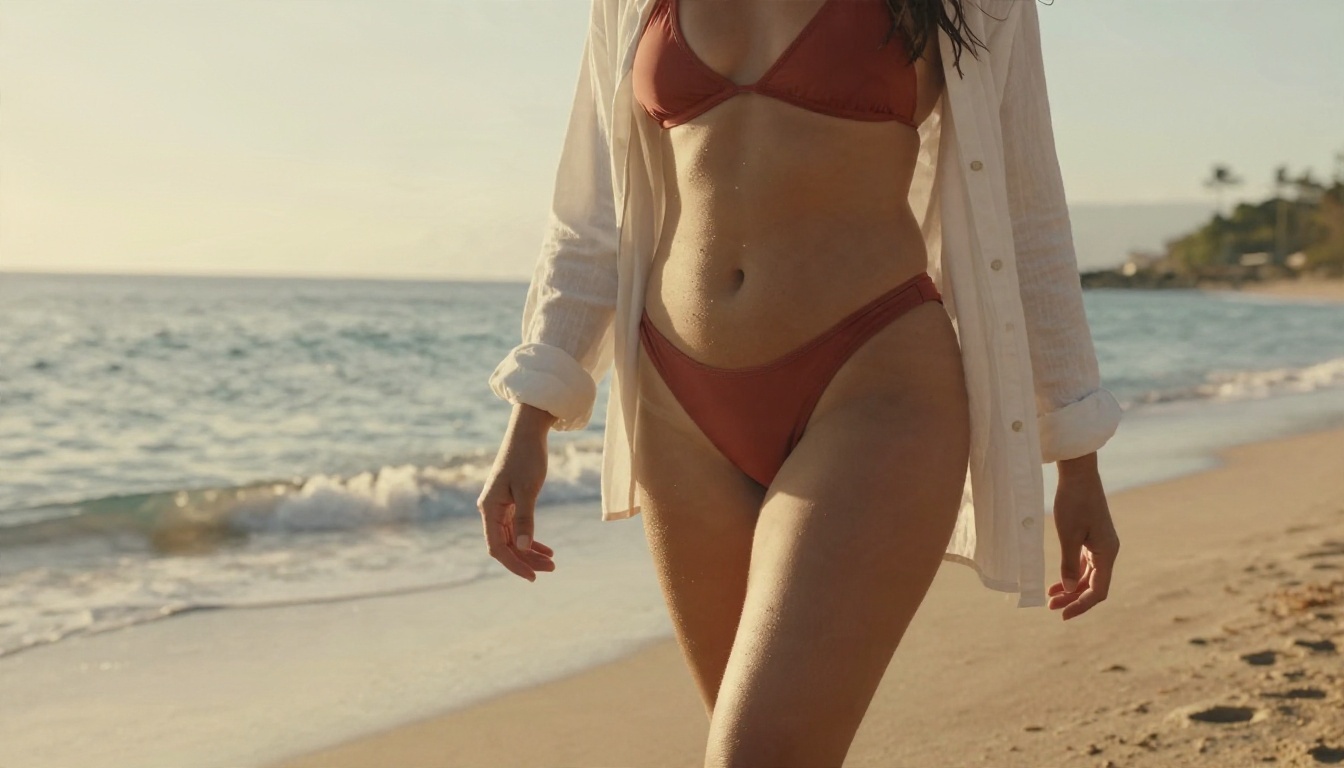
A woman in a terracotta bikini and an open white linen shirt walks along wet sand at golden hour, low-angle shot with the sea behind her, warm light from the right creating a soft rim on her shoulders, 35mm f/2.8 lens, salt-spray haze, realistic skin texture, Kodak Portra 400 film grain.
A Safer Workflow for Creators
You do not need to chase "no moderation" to get good, flexible results. A small routine keeps you productive and out of trouble.
Four Habits That Save Time
- Start with context. Tell the chat model what the project is, who the audience is and what tone you want.
- Use real descriptions, not tricks. Clear, specific prompts beat jailbreak attempts almost every time.
- Keep adult work consenting and fictional. Invented characters, adult subjects, no real people.
- Save your best prompts. A personal library of working prompts is worth more than any unfiltered site.
When a Tool Refuses You
A refusal does not always mean your idea is off limits. Rephrase with more context. Remove vague or loaded wording. Break a big scene into smaller steps. If the same tool keeps blocking a legal, harmless idea, switch to another model rather than fighting the filter.
Try It Yourself on PicassoIA
The honest answer to "AI with no moderation" is that the label is mostly marketing. What you can really get is a tool with a wider creative range, better quality and fewer pointless refusals, and that is available right now without installing anything or trusting a stranger's server.
Open Seedream 4.5, write a prompt about a scene you have always wanted to see, then refine it in PicassoIA Image Editor Pro with unlimited generations. Draft your ideas in chat first with Qwen3.7 Plus if you want help with the wording. When you want to try something new, browse the full catalogue at picassoia.com/en/all-models and see how far a good prompt can go.


