You can draw a character in an afternoon. A believable place for that character to stand takes much longer. That is the gap most anime creators hit: the hero is sharp, the pose is right, and then the canvas behind them is a blank gradient because nobody has a scene idea ready. A background scene idea generator closes that gap. You type a few words about place, time and mood, and you get a concrete, paintable location in seconds.
This article is built for working artists. It covers a prompt formula you can reuse forever, twelve free prompts for 2D and 3D anime, photoreal reference examples to study, and a short workflow for turning those references into finished anime backgrounds. Everything here is free to copy.
💡 Quick answer: A good anime background prompt names five things: the place, the time of day, the weather, three physical props, and the camera height. Skip any one of them and the AI fills the gap with something generic.
What a Scene Idea Generator Does
Why Backgrounds Carry the Story
Watch any scene from a well-directed anime and pause it before the character speaks. The background already told you the season, the hour, the social class of the neighborhood and whether the moment feels lonely or warm. Power lines, a faded vending machine, a cloud shaped like a loaf of bread: these small objects make an audience believe a world exists past the edge of the frame.
An idea generator does not replace the painter. It replaces the blank page. You get a location brief with enough detail to sketch from, block out in 3D, or feed into an image model for reference.
2D and 3D Need Different Briefs
The same location needs different information depending on how you will build it.
| Need | 2D anime background | 3D anime environment |
|---|
| Main goal | One strong painted view | A space that works from many angles |
| Perspective | Fixed, often one or two point | Free camera, so every side matters |
| Detail focus | Depth layers, cloud shapes, light direction | Modular props, scale, readable silhouettes |
| Lighting | Painted into the image | Needs a clear key direction you can recreate |
| Best prompt style | Describe a single frame | Describe the whole space and its landmarks |
| Reference use | Trace composition and color | Measure proportions and layout |
If you work in 2D, write prompts like a photographer framing one shot. If you work in 3D, write them like a location scout walking the whole site.
The Slot Template
Use this skeleton for every scene idea. Fill each slot with specific words, never vague ones like "nice" or "beautiful".
- Place: the exact type of location, such as "rural railway crossing" instead of "countryside".
- Time and light: "late golden hour, low sun from the left" beats "evening".
- Weather and air: wet pavement, drifting mist, heavy cumulus clouds, falling snow.
- Three props: objects that carry story, such as a bicycle, a street mirror, a bus timetable.
- Camera: height, distance and lens feel, such as "eye level, wide, deep focus".
A finished example: "Quiet residential street after summer rain, golden hour with sun low on the left, wet asphalt reflecting towering clouds, a red vending machine, a round street mirror and a leaning bicycle, eye level wide shot, deep focus."
Mood and Time of Day
Mood changes everything, so give it its own word. Here is a fast reference you can paste next to any prompt.
| Mood | Time and weather | Color feel |
|---|
| Nostalgic summer | Late afternoon after rain | Orange clouds, deep blue sky |
| Quiet loneliness | Blue hour, empty street | Indigo with small warm windows |
| Fresh start | Early morning, light mist | Pale green and soft white |
| Gentle sadness | Overcast, light snow | Cold grey-blue with one red accent |
| Adventure | Midday, open sky | Saturated greens and bright cyan |
💡 Tip: Keep one warm accent in cold scenes and one cool accent in warm scenes. A single red gate in snow or a single blue sign in an orange street gives the eye a place to rest.
Free Prompts for 2D Anime Scenes
These are written for flat, painterly frames. Every prompt below has a photoreal reference image so you can see the structure a background artist would trace. Paste the prompt into a text-to-image model, or use it as a brief for your own paintings.
School and Slice of Life
School locations are the backbone of slice of life anime, and they reward strong light direction.
Prompt 1, rooftop:
"School rooftop in summer, green chain-link fence along the edge, rusted water tank, metal stairwell door, huge cumulus clouds, strong sun from upper right, low-angle wide shot, flat clean color, hand-painted anime background."
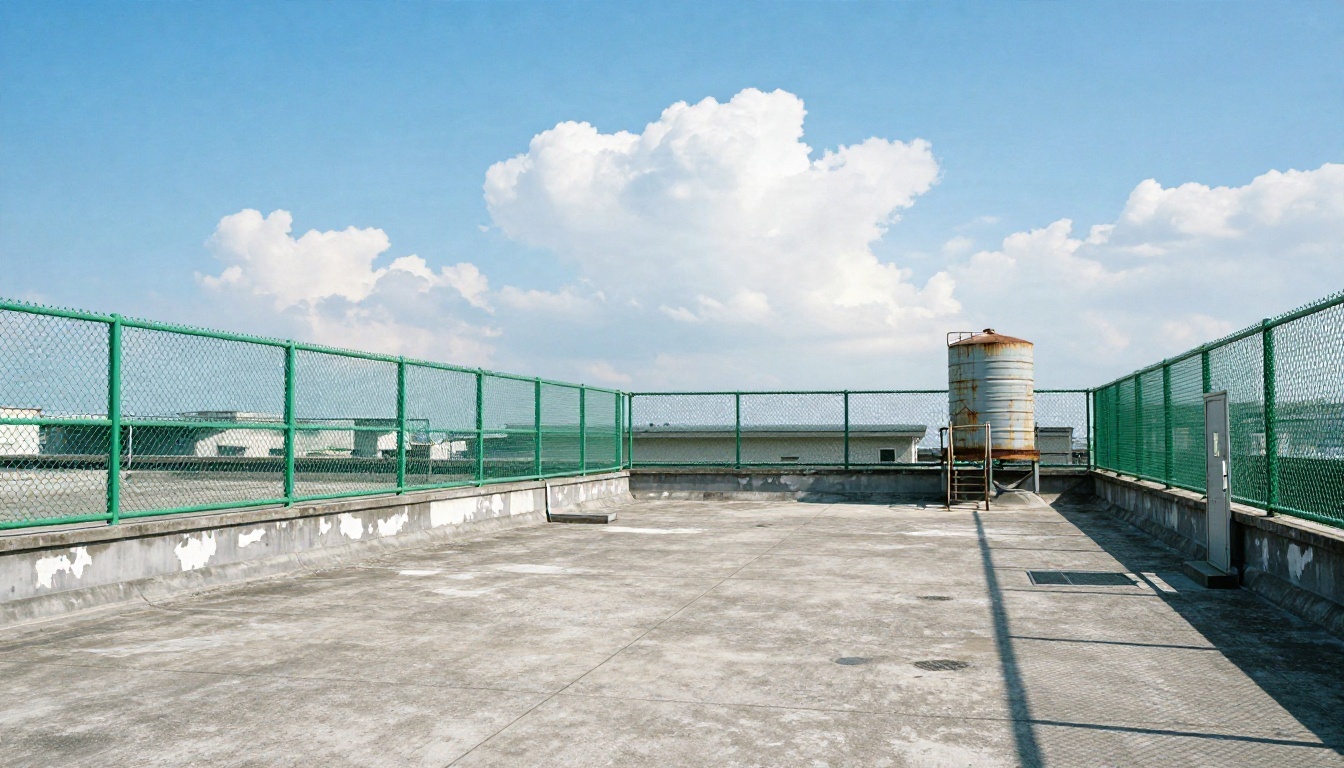
Notice how the fence creates a grid that frames the sky. In a painted background, that grid is what makes the clouds feel far away. A low camera makes the rooftop feel like an entire world.
Prompt 2, classroom:
"Empty classroom late afternoon, rows of wooden desks, chalkboard with faint dust, tall windows on the left, long sunlight across the floor, wide shot from the back corner, soft warm palette, anime film background."
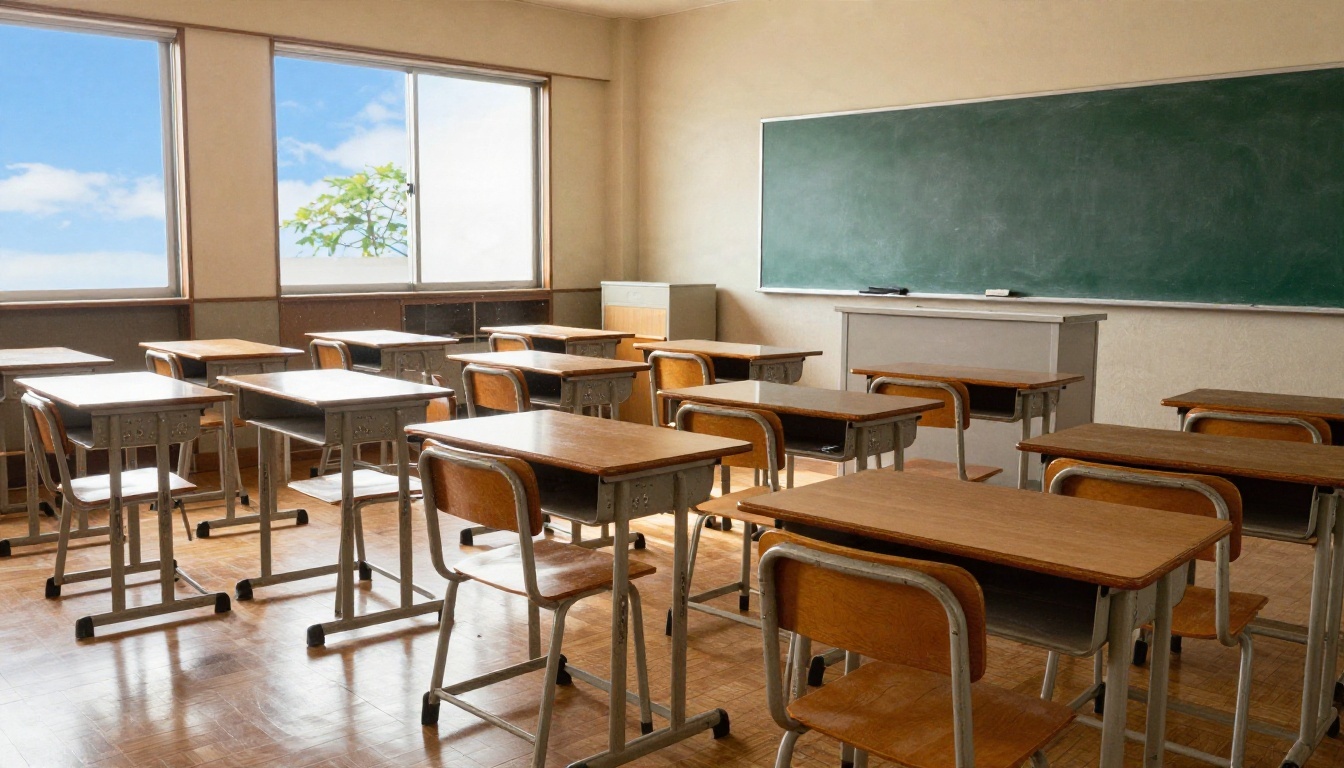
The repeating desks give you instant perspective lines. The window light is the whole scene: draw it as a set of bright parallelograms on the floor and the room reads at once.
Quiet Town Corners
Small outdoor locations are the most requested backgrounds in short films and music videos.
Prompt 3, railway crossing:
"Rural railway crossing at sunset, red and white barrier arms down, single track leading into rice fields, wooden utility poles, orange sky fading to violet, centered symmetrical composition, low camera, anime background painting."
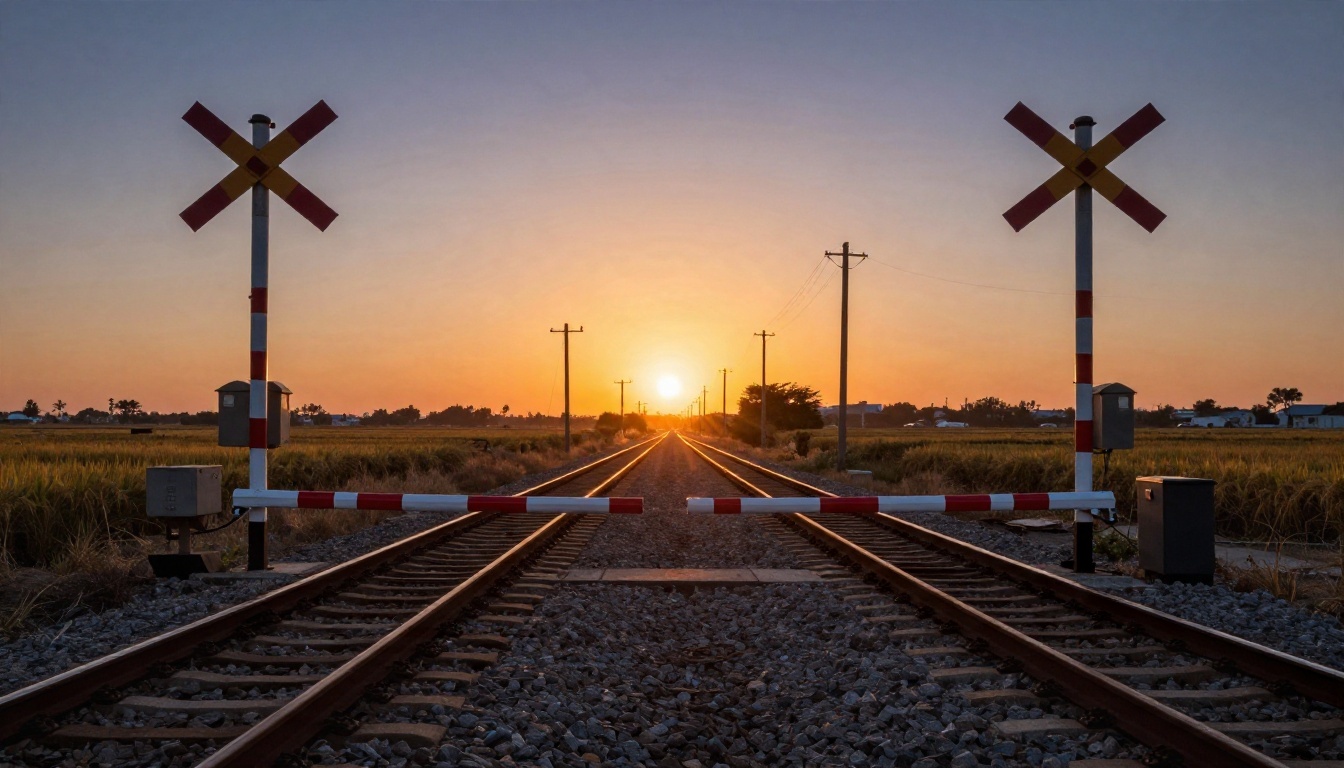
Symmetry is a gift here. The track gives you a one-point perspective, and the sunset sky gives you a gradient that can carry emotion without any characters at all.
Prompt 4, convenience store at dusk:
"Convenience store on a street corner at blue hour, warm light spilling onto wet pavement, bicycle rack, vending machine, power lines against deep indigo sky, no people, medium wide shot, anime night background."
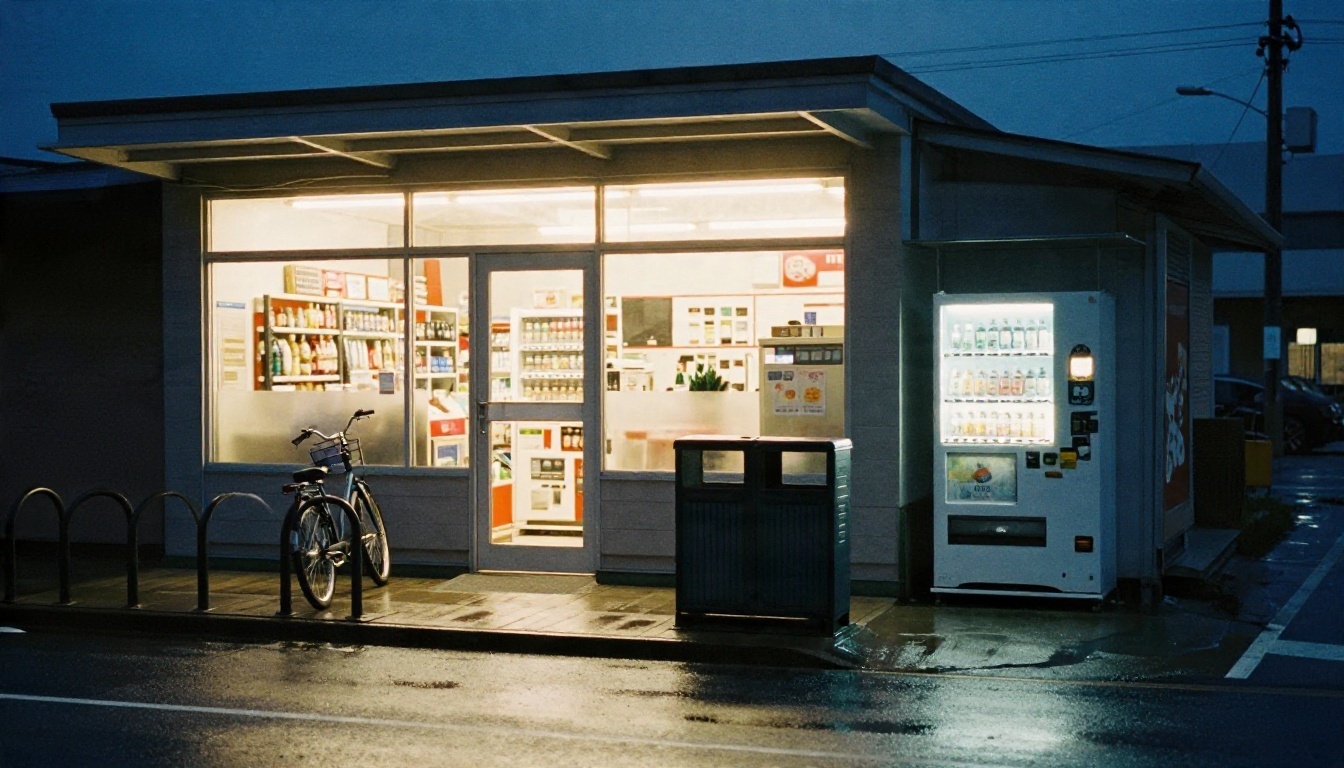
This is the classic late-night anime location. The contrast between cool sky and warm storefront does most of the storytelling for you.
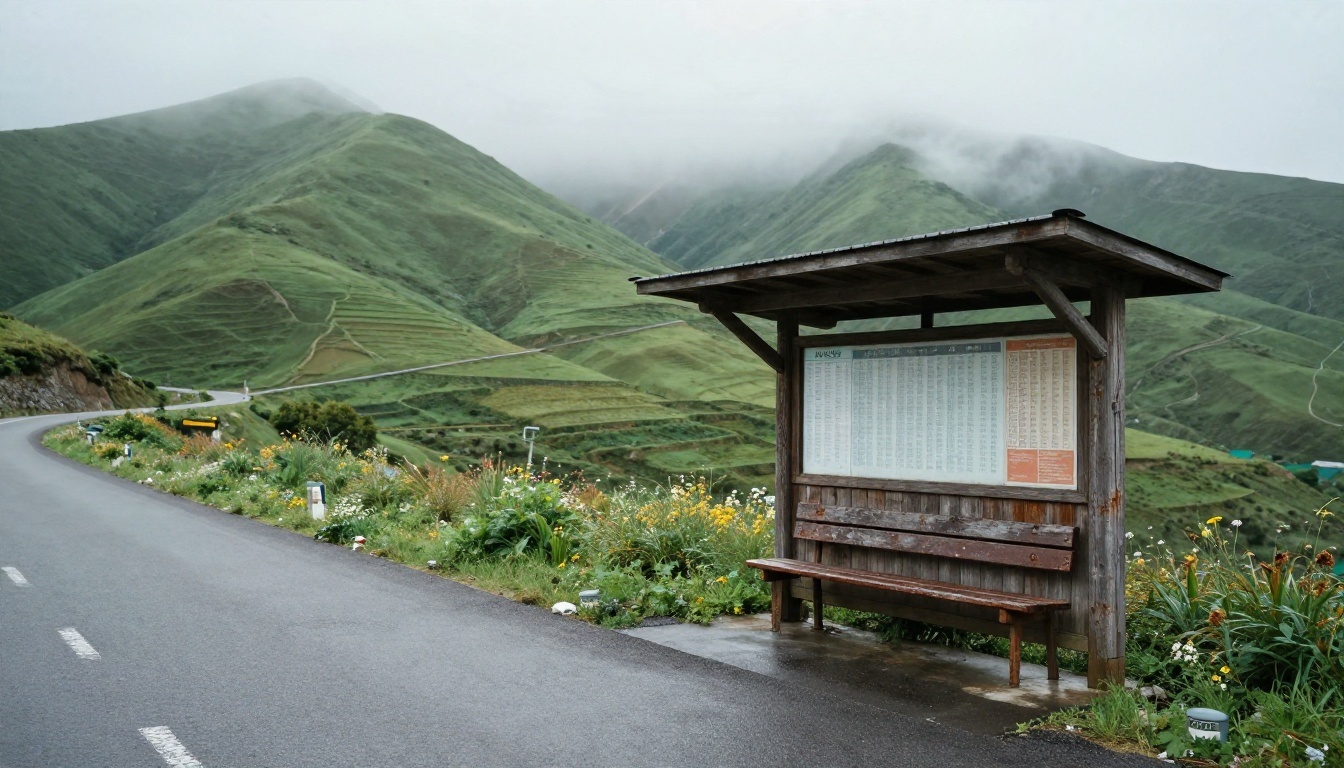
Prompt 5, countryside bus stop:
"Lonely wooden bus stop beside a winding mountain road, terraced hills and low clouds behind, wildflowers on the roadside, faded timetable sign, soft morning light, wide shot at roadside height, gentle anime background."
Interior Rooms
Prompt 6, bedroom:
"Teenager bedroom with no people, wooden desk under a big window, white curtains moving, stacked books, desk lamp, rumpled bed, afternoon light making a bright patch on the floor, three-quarter view, warm anime interior."
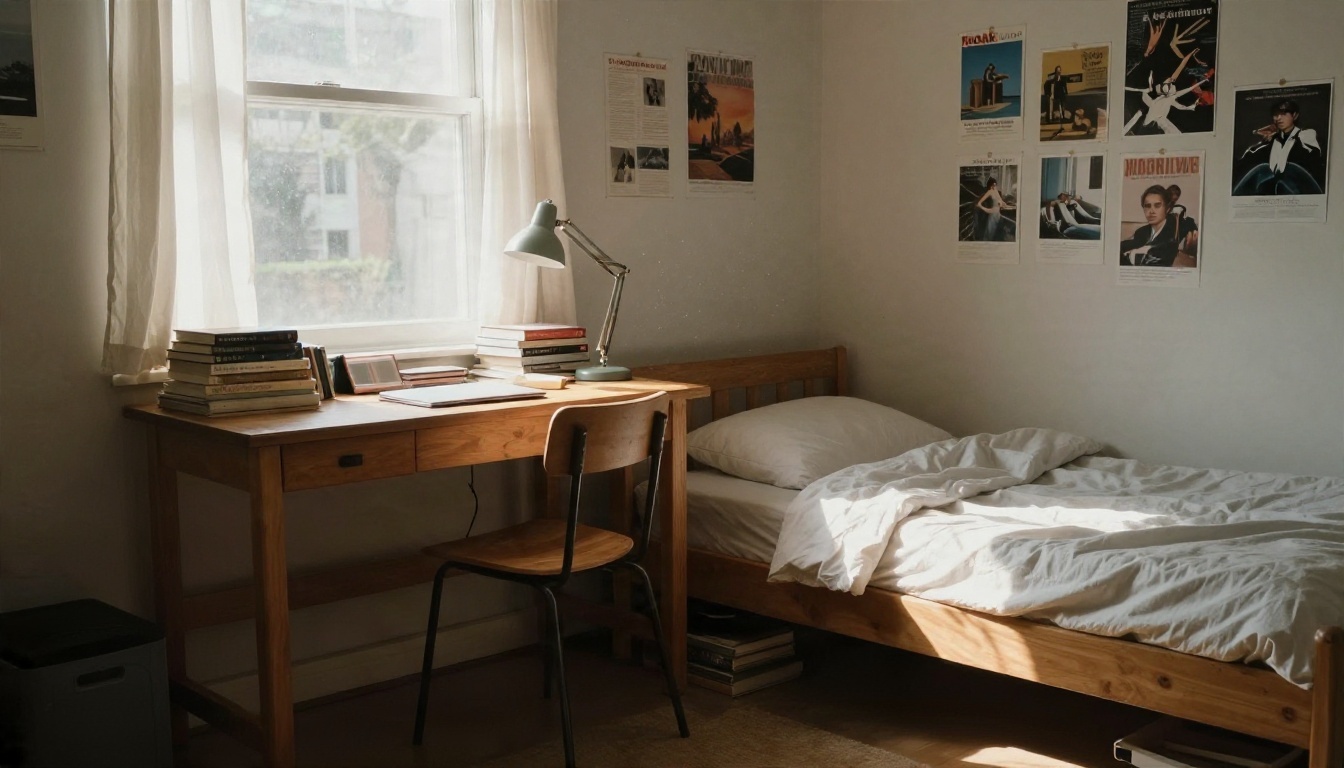
Interiors work best when the window is the biggest light source. Put the bright patch on the floor, add dust in the air, and the room feels lived in.
Prompts for 3D Anime Environments
Fantasy Forest and Nature
3D scenes need a focal landmark so the camera always has something to orbit. A giant tree, a tower or a lake does that job.
Prompt 7, giant tree clearing:
"Ancient forest clearing with a colossal mossy tree at the center, thick roots across the ground, ferns, sunbeams from upper left through mist, stone path leading to the trunk, wide view looking up, stylized 3D anime environment, toon shading."
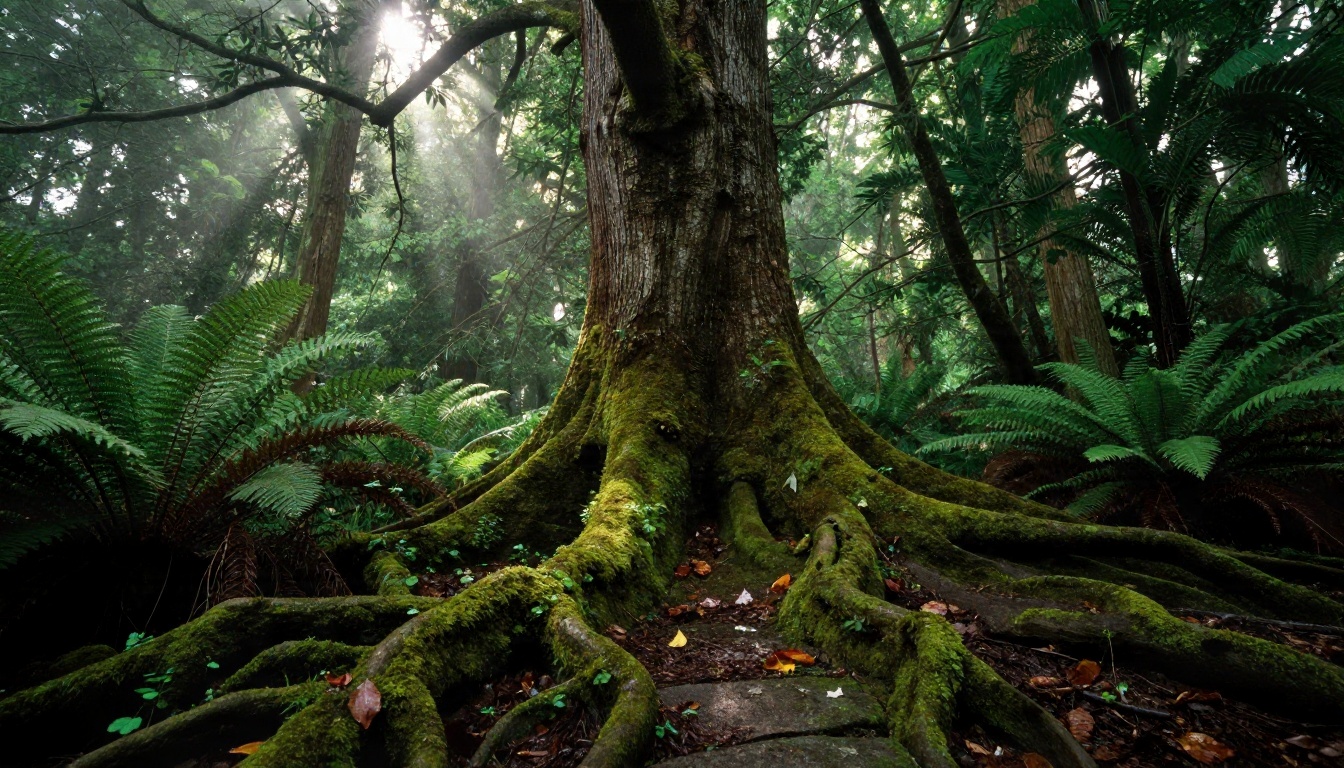
For 3D, this image tells you three things before you open the engine: the tree is the landmark, the path is the player route, and the light comes from one side. That is a full blockout plan.
Prompt 8, seaside stairs:
"Steep stone staircase in a coastal town between old wooden houses, harbor below, laundry on a line, potted plants on the steps, sleepy cat on a wall, bright morning sun, high-angle view from the top, stylized 3D anime environment."
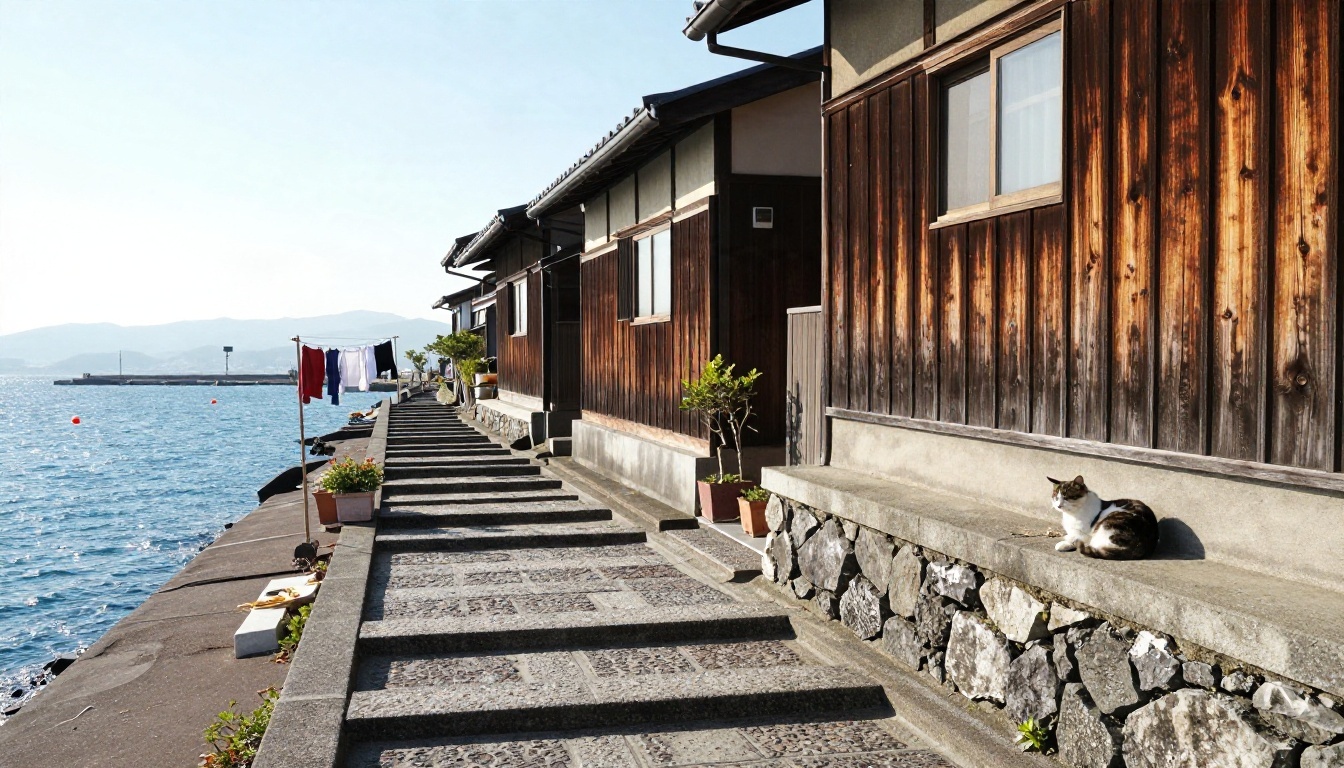
Stairs are perfect for 3D because they create a natural camera path. You can animate a slow walk down the steps and every frame will have layered depth.
Layout Rules for 3D Blockouts
Before you model anything, follow these simple rules:
- Pick one landmark the player or camera can always see.
- Use three depth layers: near props, a middle zone for action, and a far backdrop.
- Light from one direction so shadows stay readable in toon shading.
- Keep silhouettes simple. Chunky roofs, poles and trees read better than fine detail.
- Reuse modular pieces such as fences, signs and lamps to save time.
Prompt 9, shrine in snow:
"Snowy shrine path lined with tall cedar trees and stone lanterns leading to a vermilion torii gate, fresh snowfall, soft overcast light, small footprints, mist between trunks, symmetrical view, stylized anime scene."
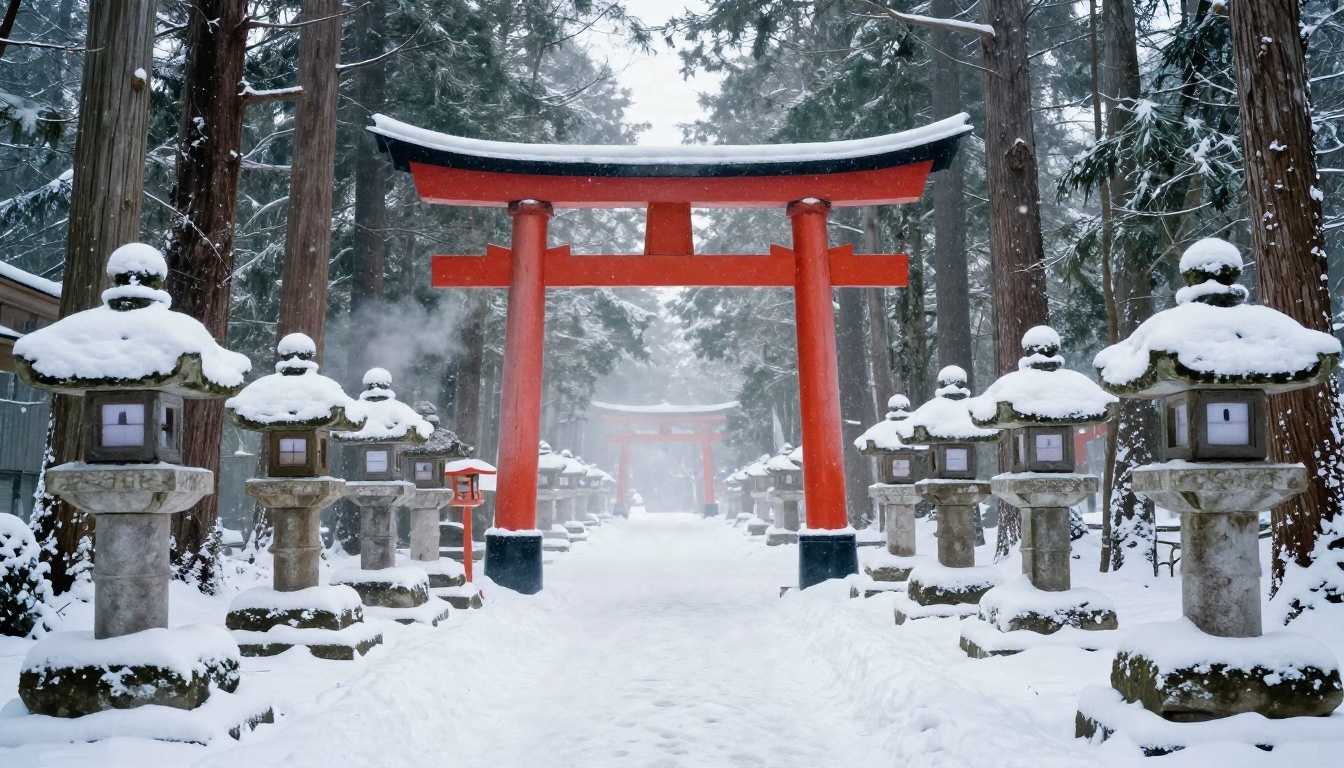
The red gate is the single warm accent in an otherwise cold palette. That one decision gives the whole scene a focal point.
Three More Prompts to Copy
Prompt 10, flooded train station: "Empty rural train station platform with shallow water covering the tracks, reflected sky, rusted bench, hanging station sign, soft dawn light, wide symmetrical anime background."
Prompt 11, hillside cemetery at golden hour: "Stone steps and quiet grave markers on a green hillside, long shadows, small orange flowers, town and sea in the distance, low camera, nostalgic anime film mood."
Prompt 12, school festival night: "School courtyard prepared for a night festival, paper lanterns on strings, wooden food stalls, warm bulbs against a deep blue sky, no crowd, medium wide shot, anime summer evening."
A Photo Reference Workflow
Generate Photoreal Reference First
The fastest route to a convincing anime background is not to prompt for anime directly. Generate a photoreal reference first, then convert or paint over it. Photoreal output gives you correct perspective, believable light and real material behavior, all of which are the hardest parts to invent from scratch.
The nine photos in this article were all made this way. They are not anime, and that is the point: they show structure, light and props that you can restyle in any direction.
- Write the five-slot prompt for your scene.
- Ask for a real photograph with lens and light details.
- Pick the best frame and study where the horizon, vanishing point and light source sit.
- Restyle it as anime, either by painting over it or with an image model.
Convert References to Anime Style
Once you have a reference, a few models on PicassoIA are useful for the anime step:
💡 Tip: Keep the photo's composition and ask the model to change only the rendering style. If the result drifts, shorten your prompt to the place, the light and the style, and drop the extra props.
Which Model for Which Job
Different tasks need different tools. This table maps the jobs in this article to models you can try.
| Job | Model | Why it fits |
|---|
| Photoreal reference photos | Seedream 4.5 | Sharp, high-resolution scenes with believable light |
| Fast scene idea batches | Z Image Turbo | Quick output, good for testing many ideas |
| Detailed realistic environments | Qwen Image 3 | Strong photorealism for reference frames |
| Prompt-faithful compositions | Nano Banana Pro | Follows layout instructions closely and also edits images |
| Lightweight open-style generation | Flux 2 Klein 4B Base | A lean model that is easy to iterate with |
| Scenes with a sign or short text | Ideogram v4 Balanced | Renders short words on signs more reliably |
| Anime or painterly finish | Krea 2 Medium | Anime and painterly styling |
A practical split: use one model for photoreal reference, then a second for the anime restyle. Keep the same seed or the same base photo between steps and your composition will hold.
Ready-Made Idea Lists by Theme
If you need inspiration before writing a prompt, pick a theme and mix one place with one prop and one weather condition.
Everyday Japan
- Vending machine beside a rice field
- Footbridge over a quiet river
- Narrow shopping arcade with shutters half down
- Laundry balcony at sunrise
School Life
- Rooftop after a typhoon
- Library corner with dust in sunbeams
- Gym storage room with a single window
- Bike shed in a rain shower
Fantasy and Adventure
- Floating islands seen from a cliff path
- Overgrown greenhouse with a broken glass roof
- Lighthouse on a stormy ridge
- Market street in a mountain village
Night and Mood
- Last train platform in light snow
- Laundromat with warm windows on an empty street
- Hospital rooftop with distant city lights
- Riverside path with fireflies
💡 Mix rule: Pick one item from two different lists and merge them. "Library corner" plus "fireflies" becomes a quiet scene that no one else has painted.
Common Mistakes to Avoid
Mistake 1: Too Many Ideas in One Frame
A prompt with fifteen objects gives you a cluttered mess. Stick to three props. If the scene feels empty, add atmosphere (mist, dust, rain) rather than more objects.
Mistake 2: Forgetting the Light Direction
"Sunset" is not a light direction. Write "sun low on the left" or "light through a window on the right". For 3D, this is the single most useful line, because you will need to recreate it with a lamp.
Mistake 3: Flat Horizon
A horizon that sits dead center splits the image in half. Place it on the upper or lower third, and let the sky or the ground carry the mood.
Mistake 4: Ignoring Scale Cues
Without a bench, a bicycle or a door, there is no sense of size. Always include at least one human-scale object.
Mistake 5: Prompting for Style Too Early
When you ask for "anime style" in the first pass, the model often simplifies the architecture and breaks perspective. Build the structure with a photoreal reference, then restyle.
Build Your Own Scene Library
The best background artists keep a library. Start yours today: pick three locations from this article, write their five-slot prompts in your own words, and generate a few variations of each. Save the ones where the perspective feels right, then restyle your favorites into anime.
Open Seedream 4.5 on Picasso IA to create photoreal references, then switch to Krea 2 Medium or Qwen Image Edit Plus LoRA Photo To Anime for the anime look. The platform offers many more image models if you want to compare, and you can browse every one at picassoia.com/en/all-models.
Pick a rooftop, a railway crossing or a quiet bus stop, change one prop, and see what appears. Your next scene is one prompt away.


