Most people searching for AI erotica want one of two things: a story that actually builds tension, or a chatbot that stops lecturing them every third reply. Both are possible in 2027, but only if you pick the right tool and ask for the right thing. This article sorts the free story apps worth opening, shows you the prompts that produce slow-burn, sensual fiction, and gives you sample scenes to adapt. Everything here is for adults aged 18 and over, and the examples stay suggestive rather than explicit.
What AI Erotica Really Means Now
The label covers a wide range. At one end sits romance fiction with heat: charged glances, a hand on a lower back, a door closing. At the other end sit tools built specifically for explicit adult writing. Knowing which end you want saves hours of frustration, because the apps behave very differently.

Romance With Heat vs. Explicit Fiction
Mainstream language models are very good at the first kind. They write atmosphere, dialogue, longing and pacing well, and they handle sensual scenes with a fade to black. Dedicated adult platforms exist for the second kind, and their terms, filters and age checks vary from one service to the next.
💡 Quick rule: If you want craft (voice, tension, character), start with a strong general model. If you want fewer limits on explicitness, you need a dedicated adult platform, and you should read its terms before you pay for anything.
Who Is Using These Tools
Three groups show up again and again:
- Romance and fan fiction writers who use AI to break writer's block or draft chapters faster.
- Couples who write shared stories as a playful way to talk about what they like.
- Solo readers who want a story shaped around their own taste, with the pacing they prefer.
Free Story Apps Worth Trying
A quick note on research: most "best of 2027" lists online are affiliate pages that copy each other, and their prices and feature claims often disagree. Treat any app's free tier as something to test yourself, not something to trust from a blog post (this one included). Plans, limits and filters change often.

Chat-Style Companions
SpicyChat AI is the name that comes up most often in free comparisons. It is a character chat platform rather than a dedicated story generator, so you play out scenes with a persona instead of receiving a finished chapter. Reviews mention a free tier with generous message limits, along with queue waits and ads. Paid tiers are listed at several price points, so check the current page.
Story-First Writers
My Spicy Vanilla and DreamGen lean toward producing full narratives. You set a premise, characters and tone, and the tool writes passages you can steer and extend. Some listings give them a limited free tier or trial. Reviewers disagree on how explicit the output can get, which is a good reason to test with a short scene before committing.
Interactive Adventure Apps
AI Dungeon works like a text adventure: you type an action and the story answers. It has a free tier and paid plans. It suits readers who enjoy being inside the story instead of reading one, and it rewards short, specific inputs.
| App type | Best for | Free tier | Watch out for |
|---|
| Chat companions | Roleplay, ongoing characters | Usually yes, with limits | Queues, ads, short memory |
| Story-first writers | Full chapters, premise driven | Limited or trial | Word caps, varying filters |
| Interactive adventures | Choose-your-path scenes | Yes, basic | Drift away from your plot |
| General language models | Craft, dialogue, editing | Often yes | Fade to black on explicit scenes |
Use Mainstream Models for Sensual Writing
If you care more about prose than shock value, a general language model is often the best free option. You get better grammar, stronger characters and far better memory of what you wrote ten messages ago. On PicassoIA you can try several of them in one place.

Models That Write Well
- Claude Sonnet 5 writes with a natural voice and keeps character details consistent across long scenes. Claude Sonnet 4.6 is a solid, lighter alternative.
- GPT 5.6 Luna is fast, which suits quick drafts and brainstorming when you want ten opening lines in seconds.
- Gemini 3.5 Flash is useful for rapid rewrites and tone changes.
- Deepseek V3.1 and Llama 4 Maverick Instruct are worth testing when you want a different voice, since open models often phrase things more loosely.
- Kimi K2.6 handles long, multi-chapter plans when you outline first and write second.
What They Will and Won't Write
Expect these models to write romance, longing, flirtation and sensual atmosphere. Expect them to decline or soften graphic content. That is not a flaw in your prompt. It is a boundary of the model, and no wording trick should be needed. If a scene needs more explicitness than a model allows, a dedicated adult platform with proper age verification is the honest route.
💡 Pro move: Write the scene up to the doorway with a general model, then end the chapter there. Readers often find the cut-away more charged than the full description.
Writing Prompts That Actually Work
Vague prompts produce generic fiction. Specific prompts produce scenes that feel written by a person. The difference is almost always detail about character, setting and pacing.
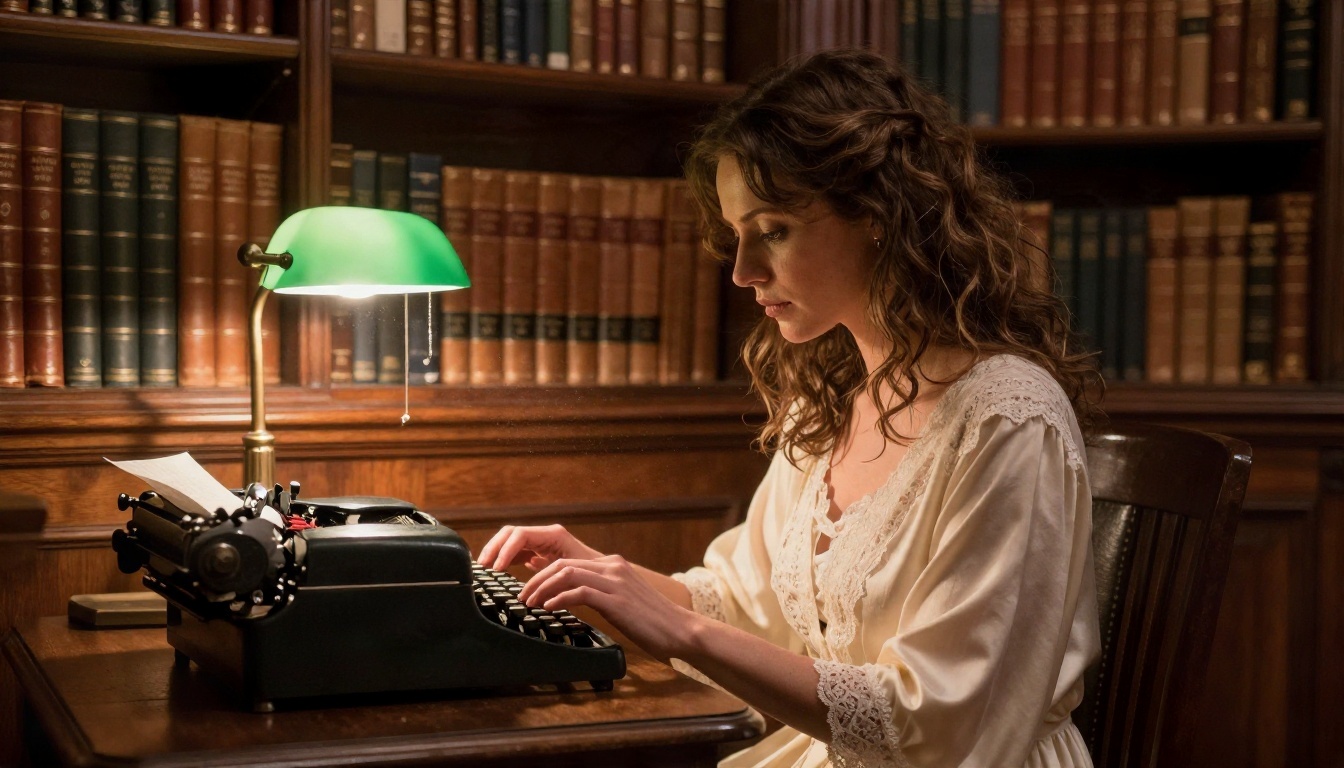
The Five-Part Prompt Formula
- Characters: names, ages (adults only, always state this), jobs, one flaw each.
- Setting: a specific place, season and time of day.
- Tension: what stands between them and what they want.
- Tone and heat level: "slow burn, sensual, fade to black" is a clear instruction.
- Format: point of view, tense, length, and where to stop.
A working template:
"Write a 600 word scene in close third person, past tense. Two adults, Mara (34, restoration architect) and Julien (37, wine importer), are stuck in a small hotel lobby during a storm. They have history and neither will say it. Slow burn, sensual and tasteful, no explicit content, end on a look instead of a kiss."
Ten Prompts to Copy
Paste these as they are, or swap names and settings:
- A rival chef and a food critic share a late-night kitchen after closing.
- Two translators at a conference flirt in three languages.
- An old flame returns to a seaside town for a wedding.
- A landlord and a tenant bond over a leaking roof and a bottle of wine.
- Two strangers share a train compartment on an overnight route.
- A bookshop owner receives anonymous love letters in returned novels.
- Former rivals are assigned the same villa on a work retreat.
- A pianist and her new accompanist rehearse past midnight.
- A photographer is hired to shoot a couple's anniversary and feels pulled toward one of them.
- Two neighbors trade notes through a shared balcony wall.
💡 Tip: Add "show, don't tell" and "use sensory detail: sound, texture, temperature" to any prompt. It pushes the model away from stock phrases.
Sample Scenes and Examples
Here is what the prompts above can produce. These excerpts are written in a sensual, non-explicit style, the kind a general model will happily draft.

A Slow-Burn Opening
The storm had taken the lights twice already. Mara stood by the lobby window, counting the seconds between thunder and silence, aware of Julien without turning around. He had not said her name since the elevator. He did not need to. The air between them had weight, like a held breath, and every time the candle on the front desk flickered, his reflection in the glass moved a little closer.
Notice what works here: one clear setting, a concrete detail (the candle, the elevator), and tension built from what goes unsaid.
Dialogue That Crackles
"You're staring," she said.
"You're letting me."
She laughed, low and unhurried, and set her glass down on the bar. "Is that a complaint?"
"It's a confession," Julien said. "I came here to sign a contract. I'm not sure I remember what it said."
Short lines, a push and pull, and nothing described that the reader cannot imagine better than the writer could. If you want to edit, ask the model: "Rewrite this with more restraint and a longer pause before her last line."
Fix Common Problems
| Problem | Likely cause | Fix |
|---|
| Generic, repetitive prose | Vague prompt | Add character flaws and a specific setting |
| Scene rushes to the ending | No pacing instruction | Say "slow burn, 600 words, stop before the kiss" |
| Characters forget details | Long conversation | Paste a short character sheet at the top |
| Model refuses the scene | Heat level above its limit | Lower the explicitness or switch tools |
Add Pictures to Your Stories
A story with a strong visual mood draws readers in faster. Photorealistic portraits, settings and scene-setters make a chapter feel like a magazine feature, and you can make them in minutes on PicassoIA.

Start With Seedream 4.5
Seedream 4.5 is the first model to try for glamour, boudoir-style and romantic portraits. It produces sharp, realistic skin and fabric, handles lighting direction well, and is quick enough to iterate on. Keep the look suggestive and tasteful: silk, linen, candlelight, a bare shoulder.
A prompt that works:
"Photorealistic portrait of an adult woman in a champagne satin robe on a rumpled linen bed, golden morning light from a window on the left, 85mm lens, shallow depth of field, Kodak Portra 400 film grain, natural skin texture."
Iterate in Image Editor Pro
PicassoIA Image Editor Pro offers unlimited generations, which matters when you are refining a character across a dozen images. Generate once, then adjust: change the outfit, the room, the light, or the mood without paying per attempt. That freedom to try again is what makes consistent characters possible for a long story.
More Models to Test

Match Image to Scene
Pull the setting from your story into the picture prompt. If your chapter is a stormy hotel lobby, ask for warm tungsten light against wet windows. If it is a villa holiday, ask for low golden sun and linen. The closer the visual details match the text, the more convincing the pairing feels.
💡 Tip: Always describe your subjects as adults, and keep image prompts to glamour and suggestion. Models on any platform will reject anything beyond that, and so should you.
Safety, Privacy and Consent Rules
AI makes writing adult fiction easy. It also makes it easy to cross lines you should not cross. A few rules keep the experience good for you and fair to everyone else.

Adults and Fiction Only
Every character must be an adult, and you should say so in the prompt. Never write sexual content about real people, whether celebrities, coworkers or exes. Invented characters keep the whole thing in the realm of fiction, which is where it belongs.
Protect Your Privacy
- Use a separate email for adult platforms.
- Read what an app says about storing chat history and whether it trains on your content.
- Avoid putting your real name, workplace or address into a story or a character sheet.
- Do not upload photos of real people you do not have permission to use.
Check Terms Before You Pay
Prices, limits and content rules move quickly in this space. Before subscribing, test the free tier with a short scene, check the cancellation terms, and confirm the app verifies age. If something feels evasive, leave.
Write Your First Scene Today
Pick a pair of characters, a place and a mood, then paste the five-part prompt into one of the language models above. Draft a 600 word opening, ask for one rewrite with more restraint, and stop on a look instead of a kiss. Then bring the scene to life: open Seedream 4.5, describe the room and the light from your chapter, and generate a portrait to match. Move to PicassoIA Image Editor Pro when you want to keep refining without limits.
Picasso IA puts writing models and photorealistic image tools in one place, so your story and its pictures grow together. Browse everything at picassoia.com/en/all-models and start your first chapter tonight.


