Most people who fail at suggestive AI video do not fail because of the video model. They fail at the prompt. A vague line like "sexy woman on a beach" gets you a stiff clip at best and a blocked request at worst, while a tight, cinematic paragraph written by the right assistant gets you a smooth, glossy, magazine-style shot on the first run. This article tells you which AI writes those paragraphs best, gives you free example prompts you can copy today, and lists the settings that keep your Seedance 2 style generations stable.
One boundary up front: everything here is about suggestive, non-explicit glamour, meaning swimwear, lingerie-style fashion, boudoir lighting and flirtatious mood, with adult fictional characters only. Explicit content is blocked by Seedance-class models anyway, and fighting the filter wastes credits.
💡 Quick answer: use a strong general-purpose language model to write the prompt (Claude Sonnet 5 and GPT 5.6 Luna are the most reliable), feed it a six-slot template, keep clips between 5 and 10 seconds, and start from a still image for the most predictable result.
What "Best AI" Really Means Here
Prompt writer versus video model
Two different tools are involved, and mixing them up is the most common source of confusion. The prompt writer is a large language model that turns your rough idea into a structured scene description. The video model is the engine that renders those words into moving pixels with synced audio. A weak prompt writer produces generic output no matter how good the video model is, and the best video model still blocks a prompt that trips its moderation layer.
So "best AI for NSFW Seedance 2 prompts" has two answers: the best assistant for drafting, and the best place to render the draft.
Where the filter sits
Seedance-style models run a content check before generation begins. Based on what platform documentation says, a blocked request returns an error naming the model, and on some platforms repeatedly resubmitting the same moderated input can raise the chance of an automated account flag. Text-to-video generally runs into fewer image-related restrictions than image-to-video, but both pass through the same prompt screening.
That has a practical consequence: your prompt writer should be good at implying rather than stating. Light, fabric, camera movement, mood and body language carry the sensual feel. Blunt words do not, and they get the clip rejected.

Best AI Prompt Writers Ranked
I ran the same brief through several assistants: "adult woman in a bikini at golden hour, slow cinematic push-in, suggestive but tasteful, five seconds." What mattered was not creativity but obedience to structure, restraint with risky wording, and how often the output rendered without a block.
| Rank | Model | Best for | Weak spot |
|---|
| 1 | Claude Sonnet 5 | Cinematic, chronological prompts that follow a template exactly | Can be cautious if your brief is blunt |
| 2 | GPT 5.6 Luna | Fast iteration, many variations in seconds | Sometimes over-writes, so trim it |
| 3 | Gemini 3.5 Flash | Describing a reference image into a prompt | Less consistent camera language |
| 4 | Qwen3.7-Plus | Batch prompts and multilingual briefs | Needs a firmer template |
| 5 | Kimi K2.6 | Long shot lists with continuity notes | Verbose by default |
Claude Sonnet 5 for structured scenes
If you want one pick, this is it. Give it the template in the next section and it returns a clean paragraph in the right order, with a single camera move and a single mood. It tends to describe light and fabric beautifully, which is exactly the vocabulary that makes a suggestive clip read as artful rather than crude.
GPT 5.6 Luna and Gemini 3.5 Flash for speed
GPT 5.6 Luna is the sprinter. Ask for ten variations of the same scene with different cameras and you get them in the time it takes to sip coffee. Gemini 3.5 Flash earns its spot because it reads images: upload your first-frame still and ask it to describe the pose, outfit and lighting, then convert that description into motion.
Qwen and Kimi for volume work
When you are producing a batch of clips for a series, Qwen3.7-Plus and Kimi K2.6 handle long lists with continuity notes, such as "same character, same wardrobe, shot 3 of 6."
💡 Pre-check tip: run your finished prompt through Llama Guard 4 12B, a free moderation model, before you spend a generation. If it flags the text, rewrite the flagged phrase with softer, more visual language.
Six slots in a fixed order
Guides from different platforms disagree on the exact order, but they agree on the ingredients. This is the sequence that gave the most consistent renders:
- Subject: who, age band, hair, wardrobe, one defining detail.
- Action: one clear movement, described in the present tense.
- Environment: place, time of day, two or three props.
- Lighting: direction, color temperature, quality (soft, hard, rim).
- Camera: one move only, plus lens feel.
- Style and constraints: film stock, realism, and what to avoid.
Paste this into your prompt writer as a system instruction:
"Write one Seedance video prompt of under 120 words for an adult fictional character. Use this order: subject, action, environment, lighting, camera, style. Use one action and one camera move. Keep it suggestive and tasteful, describe fabric, light and mood instead of anatomy, and end with 'photorealistic, natural skin texture, no text, no watermark'."
Match length to duration
A 5-second clip can hold exactly one idea. If your prompt contains three actions and two camera moves, the model either rushes or ignores half of it. For 10 seconds you can add a second beat, such as a glance toward the camera at the midpoint. Longer prompts do not mean better clips. Under 120 words is a solid target.

Free Seedance 2 Prompt Examples
Copy these as they are or hand them to your assistant to adapt. Every one is written to stay suggestive, not explicit.
Golden hour beach walk
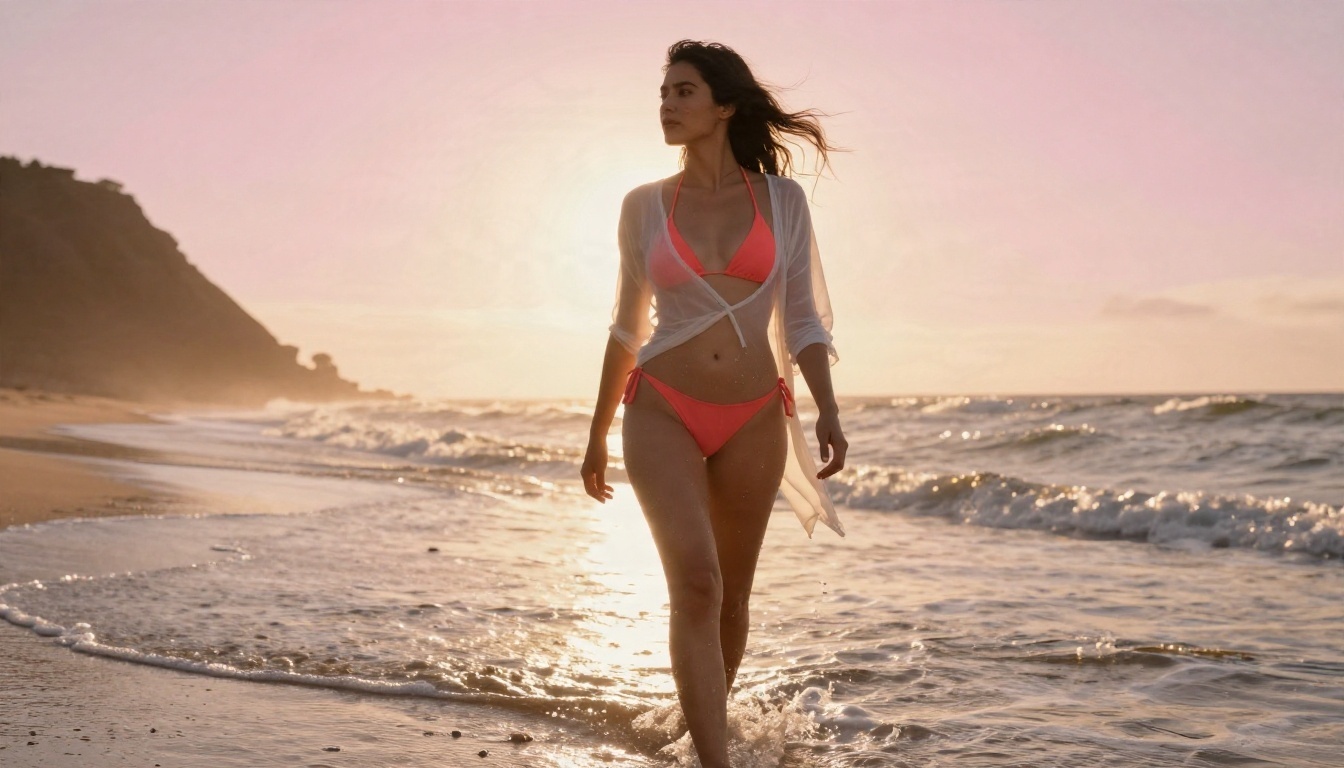
A woman in her late twenties with sun-kissed skin and loose wavy hair, wearing a coral bikini and a sheer white cover-up, walks slowly along a wet shoreline at golden hour, foam swirling around her ankles as she glances over her shoulder. Warm low sun backlights her hair and shoulders. Slow low-angle tracking shot moving alongside her, 35mm lens feel. Soft ocean ambience and gentle waves. Photorealistic, natural skin texture, film grain, no text.
Window portrait at dusk
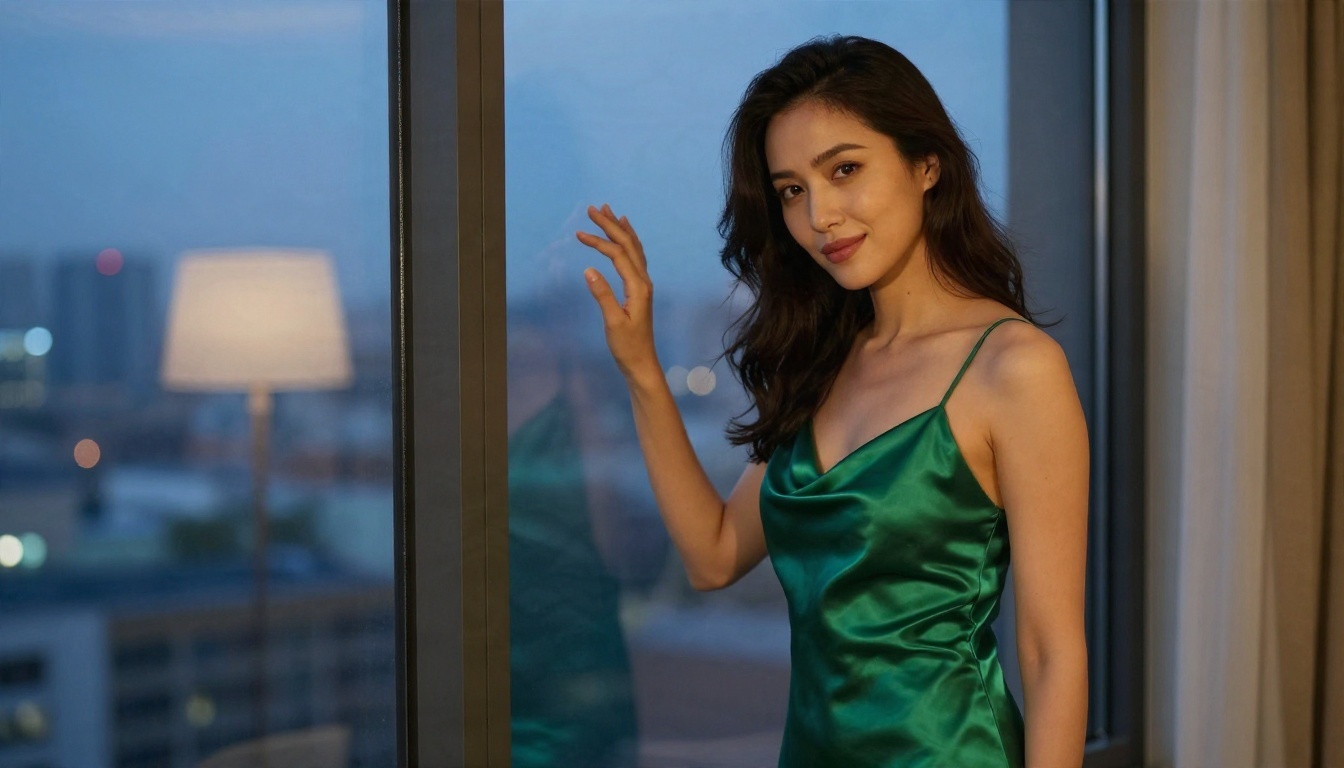
A woman in an emerald satin slip dress stands at a floor-to-ceiling apartment window, one hand resting on the glass. She turns her head slowly toward the camera with a quiet smile. City lights blur behind her, warm lamp light on her face, cool blue twilight outside. Slow push-in from medium shot to close-up, 85mm shallow depth of field. Soft room tone, distant traffic hum. Photorealistic, fine skin pores, subtle film grain.
Infinity pool lounge
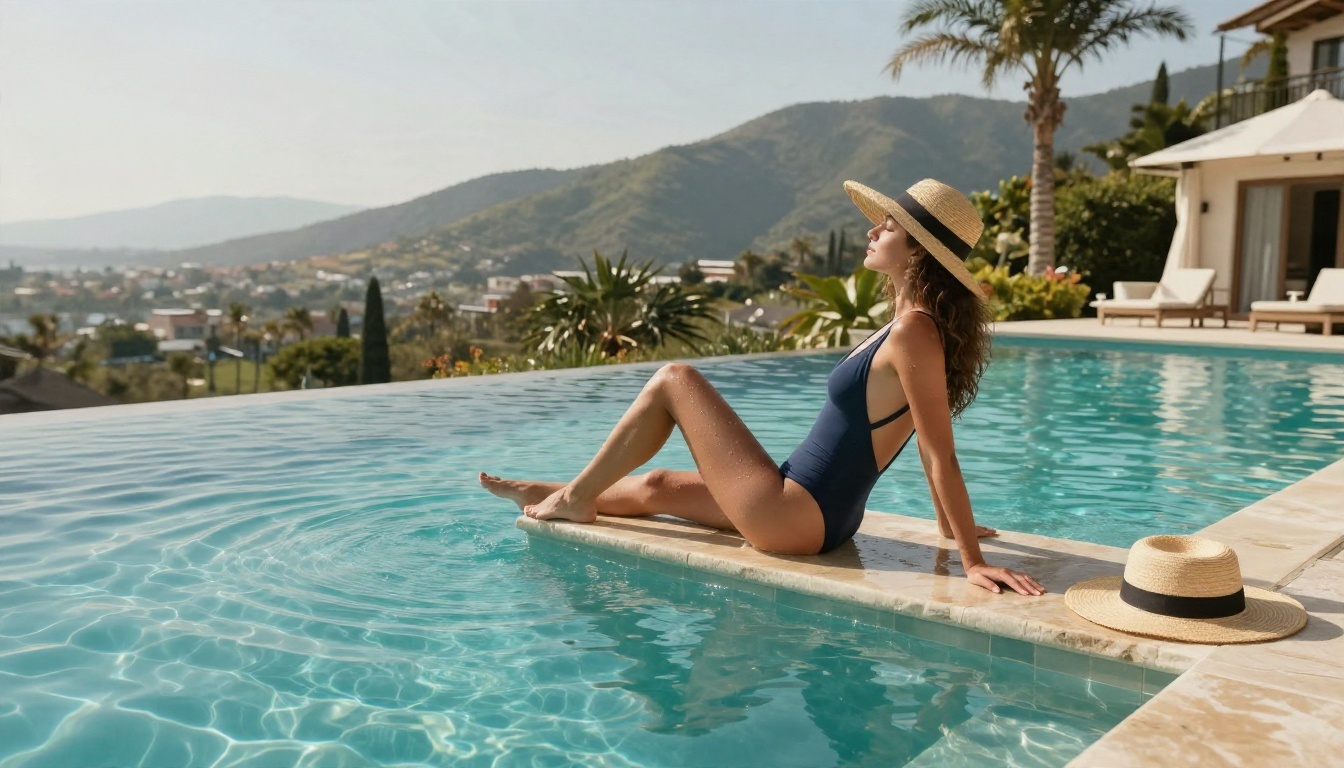
A woman in a navy one-piece swimsuit sits on the edge of an infinity pool, slowly swirling her feet in turquoise water. She tilts her head back, eyes closed, then looks toward the camera with a relaxed smile. Bright late-morning sun, dappled reflections on her skin, palm trees and hazy hills behind. Wide shot with a gentle drift to the right. Water splashes, light breeze, cicadas. Photorealistic, resort editorial look.
Sailboat sunset
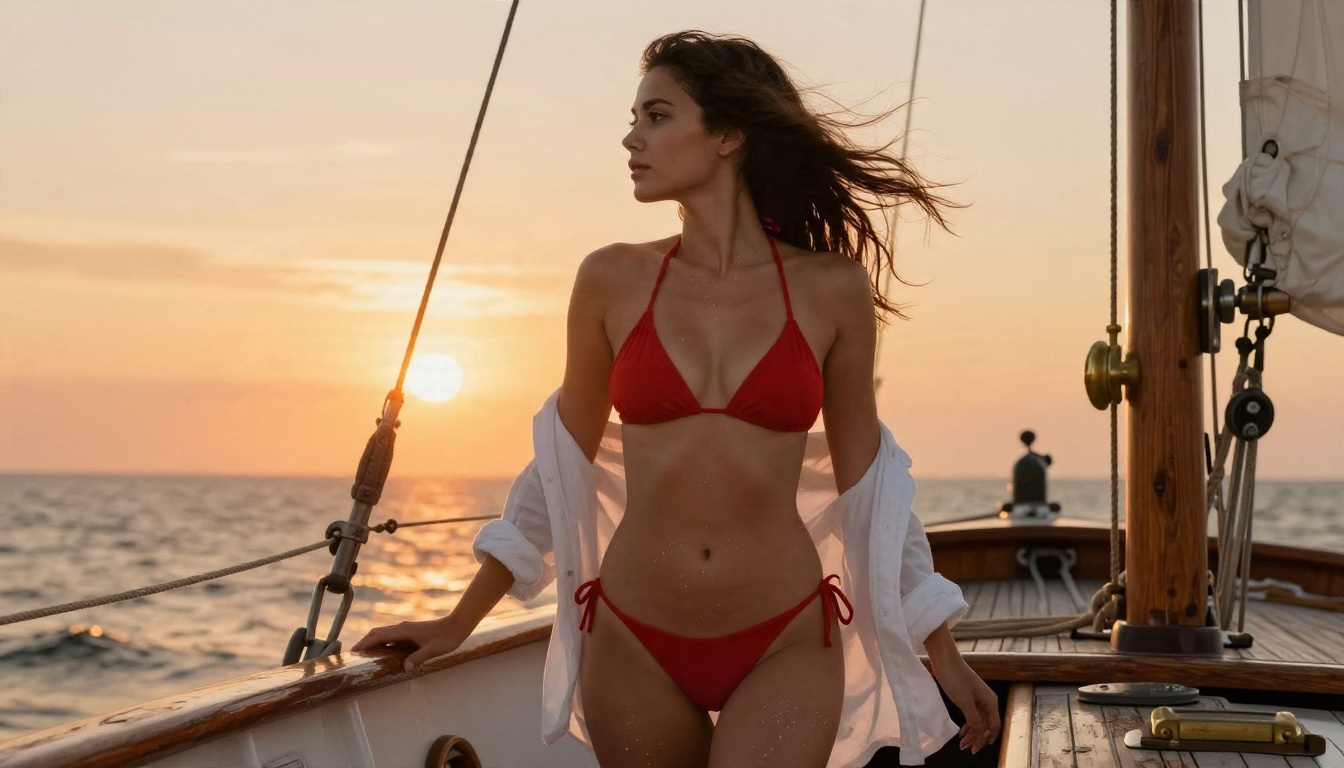
A woman in a red halter bikini and open white linen shirt stands on the deck of a wooden sailboat, one hand on a rope, hair blowing sideways in the wind. She turns and laughs toward the camera. Deep orange sun low on the horizon, warm backlight, salt spray on her skin. Slightly tilted handheld shot with a slow arc around her. Wind, creaking rope, lapping water. Photorealistic, weathered teak and canvas textures.
Hotel corridor tracking shot
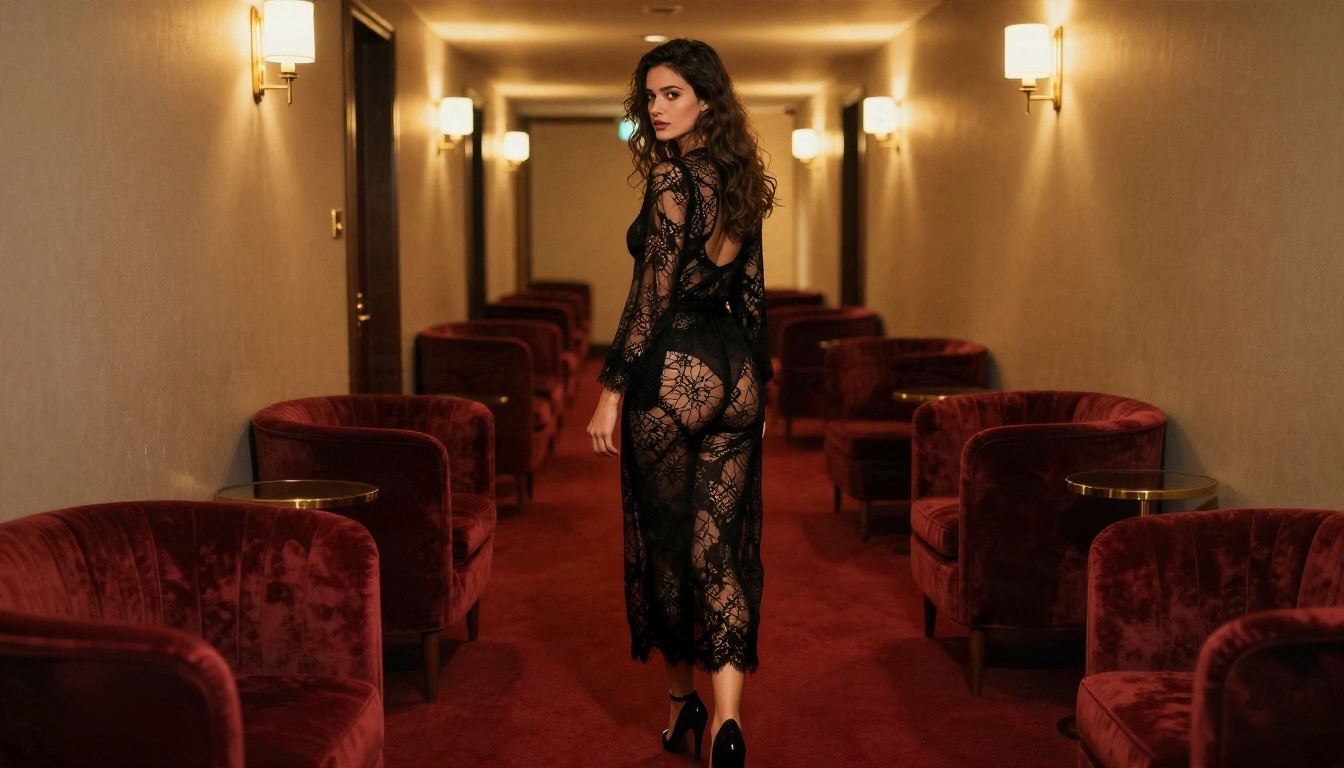
A woman in a sheer black lace robe over a matching bodysuit walks away down a hotel corridor with red carpet and brass wall sconces, then glances back over her shoulder with a knowing look. Amber pools of light, moody and cinematic. Smooth rear tracking shot at eye level, 50mm lens feel. Soft footsteps on carpet, distant jazz. Photorealistic, lace and velvet detail, fine film grain.
Soft morning close-up
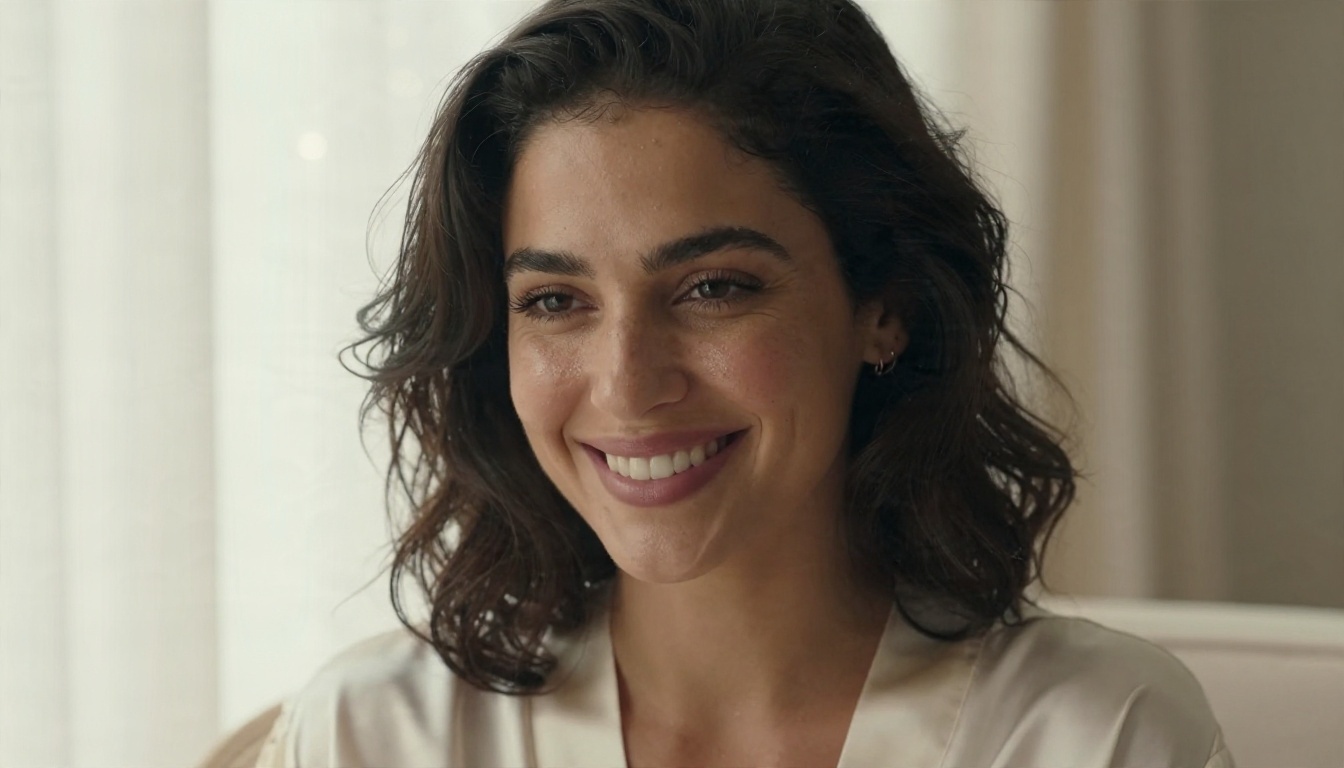
Close-up of a smiling woman with wavy dark hair wearing a cream silk robe, seated by a bedroom window. She exhales, brushes a strand of hair from her face and looks into the lens. Soft side light, white curtains drifting in the breeze. Very slow push-in, 105mm shallow focus. Quiet room tone and birdsong. Photorealistic, visible eyelashes and freckles.
Settings That Matter
Platforms differ, so check the options of the one you use. Third-party documentation for Seedance 2.0 lists clips of roughly 4 to 15 seconds, 480p to 1080p output, 24 fps and several aspect ratios, though audio behavior is reported inconsistently across hosts. On PicassoIA the Seedance family exposes the following, which is what I used as reference below.
| Setting | Recommended | Why |
|---|
| Duration | 5 seconds to start, 10 for two beats | Short clips follow prompts more faithfully |
| Resolution | 720p for finals, 480p for tests | Cheaper drafts, sharper finals |
| Aspect ratio | 9:16 for social, 16:9 for cinematic | Decide before generating |
| Audio | On, with sound written into the prompt | Ambience adds realism |
| First frame image | Yes, whenever you have one | Locks face, outfit and lighting |
| Reference images | Up to 9, for character consistency | Same person across a series |
| Seed | Fix it when you like a result | Reproducible variations |
Start from a still, not from text
Text-only generation is a lottery for faces and outfits. Starting from a still image makes the video inherit everything you already approved. Build the still with Seedream 4.5 or edit an existing photo with PicassoIA Image Editor Pro, then animate it. That is the most dependable route to consistent glamour clips.
Write the audio into the prompt
Native audio models respond to sound cues in the text. Add one short sentence such as "soft ocean ambience and gentle waves." Put any spoken line in double quotes. Skip music requests unless you want it, since background music can fight the mood.
Where to Run These Prompts
Seedance 2.0 in its full, standard variant has no page on PicassoIA, so I will not pretend you can run it there. What you can run today, for similar results, goes in this order:
- Seedream 4.5 for the first-frame still. It handles swimwear and glamour imagery with strong skin and fabric realism, and it is quick.
- PicassoIA Image Editor Pro for editing and refining stills with unlimited generations, which suits trial and error.
- Seedance 2.0 Fast for the video, with the quickest turnaround in the 2.0 line.
- Seedance 2.0 Mini as a lighter option with native audio and lip-sync support.
- Seedance 2.5 Lite for unlimited generation on supported plans, with clips up to 10 seconds at 480p or 720p.
If you need maximum length, Seedance 2.5 is the longer-clip option, and Seedance 1.5 Pro is a solid fallback with audio.
How to Get Similar Results on PicassoIA
This walkthrough uses Seedance 2.0 Fast, the closest fast option to a Seedance 2 workflow.
Step by step
- Make the still. Generate your character in Seedream 4.5 with a prompt like "adult woman, coral bikini, golden hour beach, 35mm, photorealistic." Fix flaws in Image Editor Pro.
- Draft the motion prompt. Paste the six-slot template into Claude Sonnet 5 or GPT 5.6 Luna and describe only the movement, light, camera and sound, since the still already defines the look.
- Open Seedance 2.0 Fast and upload the still as the image (first frame).
- Set resolution to 720p. The default is 480p, which is fine for tests only.
- Keep duration at 5. Use -1 only if you want the model to choose the length.
- Leave Generate Audio on and make sure your prompt names one or two sounds.
- Pick the aspect ratio or leave it on adaptive so it follows your still.
- Generate, then fix the seed if you like the result and want variations.
Parameter tips
- The first-frame image cannot be combined with reference images. Use one or the other.
- A last frame image only works when a first frame is also present, which is useful for controlled endings such as a turn toward the camera.
- Reference images, up to nine, are the right choice when you need one character across several clips and do not have a single perfect still.
- If a clip drifts, shorten the prompt before touching any other setting.
Staying Inside the Filter
Words that trigger blocks
Moderation reacts to explicit anatomical and sexual terms, to anything involving minors or youthful descriptors, to real public figures, and to violence mixed with sensuality. Swap them for visual language. Instead of stating what is exposed, describe the lace, the light, the posture and the glance. Always specify an adult age band, such as "late twenties," and use fictional characters rather than real people's likenesses.
What to do after a block
Do not resubmit the same text again and again, since some platforms treat repeated moderated attempts as a risk signal. Instead:
- Check the prompt with Llama Guard 4 12B.
- Ask your assistant to rewrite it "with the same mood, using only visual and sensory description."
- Shorten the prompt and remove adjectives that describe the body.
- Switch from text-to-video to a still-first workflow, where the image is approved before animation.
💡 Rule of thumb: if the sentence would not appear in a fashion magazine caption, rewrite it.
Try Your Own Clips Today
You now have the assistants, the template, six prompts you can copy and a clear settings list. The fastest way to improve is repetition: build a still in Seedream 4.5, polish it in PicassoIA Image Editor Pro, draft a prompt with Claude Sonnet 5, and animate it with Seedance 2.0 Fast. Change one variable per run (the light, the camera move, the sound) so you can see exactly what each one does.
When you want to try other engines, browse the full catalog at picassoia.com/en/all-models and run a few experiments of your own. The uncensored, fast image tools and unlimited options make it cheap to test twenty versions of a shot until one looks like a real fashion film.


