A good prompt is the difference between a muddy, plastic-looking picture and a photo you would print and hang on a wall. The model is rarely the problem. The words are. If you have ever typed "a beautiful woman in a field" and got something generic, this page is for you. Below you will find the best AI prompts free to copy, broken down by subject, with the exact wording, the reason each piece is there, and the online generators where you can run them today without paying for anything.
I tested every example here on current text to image models. Where a prompt needs tweaking for a specific model, I say so. By the end you will have a working prompt formula, a table of 20 ready prompts, and a clear idea of which free online generator suits which job.
What Makes a Prompt Work
Most people write prompts like search queries: two or three nouns and hope. Image models respond far better when you describe a photograph the way a photographer would brief an assistant. That means subject, setting, light, lens and texture.
The Five Part Formula
Use this order. It is easy to remember and it works on almost every model.
- Subject and action: who or what, and what they are doing.
- Environment: where, with two or three concrete details.
- Light: direction, time of day, softness.
- Camera: lens, aperture, angle, distance.
- Texture and finish: skin, fabric, film grain, color mood.
Here is a bare prompt and the same idea rebuilt with the formula:
Weak: a man drinking coffee in a cafe
Strong: a bearded man in his forties holding a white ceramic cup at a window table in a small cafe, steam rising, soft overcast daylight from the left, 50mm lens at f/2 with shallow depth of field, wool sweater fibers and wood grain visible, Kodak Portra 400 film grain
The second version gives the model almost nothing to guess, so it stops guessing the boring default.
Why Specific Beats Long
Length alone does not help. A 200 word prompt full of adjectives like "stunning, amazing, epic, masterpiece" produces mush because those words carry no visual information. Concrete nouns and measurable choices do. "85mm f/1.4" tells the model how blurry the background is. "Beautiful" tells it nothing.
💡 Tip: Replace every vague adjective with something you could point at in a photo. "Moody" becomes "low sun behind a thin cloud layer, long shadows." "Luxury" becomes "polished marble, brushed brass, soft side light."
| Vague word | Concrete replacement |
|---|
| Beautiful | Natural skin texture, soft window light, catchlights in the eyes |
| Realistic | Fine pores, flyaway hairs, Kodak Portra 400 grain |
| Cinematic | 35mm lens, low angle, warm key light, cool shadows |
| Detailed | Visible fabric weave, wood grain, dew on leaves |
| Professional | Softbox on the left, seamless backdrop, 100mm macro |
Free AI Prompts for Images: Examples by Subject
Each example below is a prompt you can paste as it is. Swap the bracketed or specific details for your own and keep the structure.
Portrait Prompts
Portraits are where weak prompts fail fastest, because we notice small errors in faces. Anchor the face with lens, light and skin details.
Prompt:
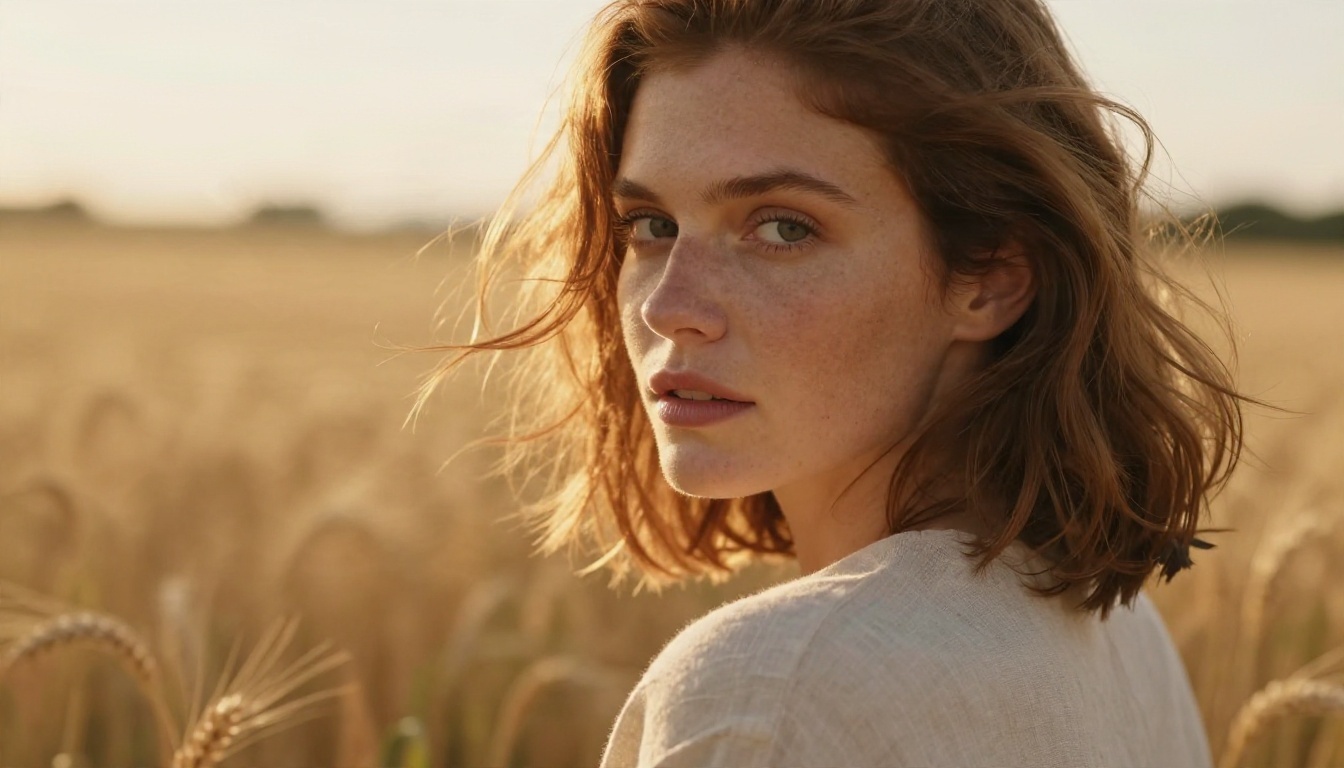
Close-up portrait of a woman in her thirties with auburn hair and light freckles, looking over her shoulder in a sunlit wheat field at golden hour, warm backlight creating a rim on hair strands, linen shirt with visible weave, soft wind lifting hair, 85mm lens at f/1.4 with creamy bokeh, natural skin pores and fine peach fuzz, Kodak Portra 400 film grain
Why it works: backlight gives separation, the 85mm f/1.4 pairing is the classic portrait look, and "skin pores" pushes the model away from airbrushed skin.
Landscape Prompts
Landscapes reward wide lenses and a clear light source. Always name where the light enters the frame.
Prompt:
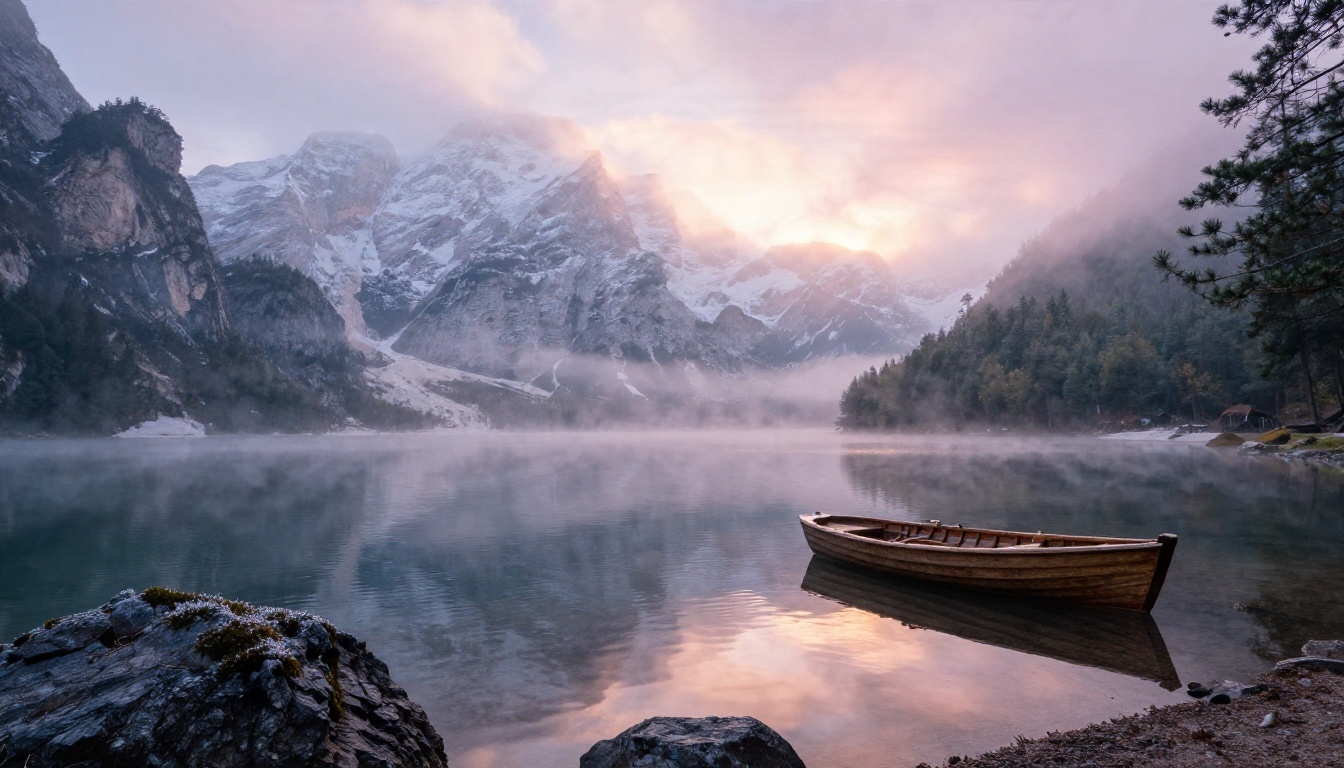
Wide low angle landscape photograph of a misty alpine lake at dawn, jagged snow dusted peaks reflected in still water, a small wooden rowboat at the shoreline, pine trees with dew covered needles, soft pink and amber light breaking through low clouds from the right, 24mm lens at f/8 with deep depth of field, crisp rock texture and gentle ripples, Kodak Portra 400 film grain
Why it works: the foreground object (the rowboat) gives scale, and f/8 tells the model to keep everything sharp from front to back.
Product Photo Prompts
This is the most commercially useful category. Small shops use it to build catalog images without a studio. Keep the background simple and the light directional.
Prompt:
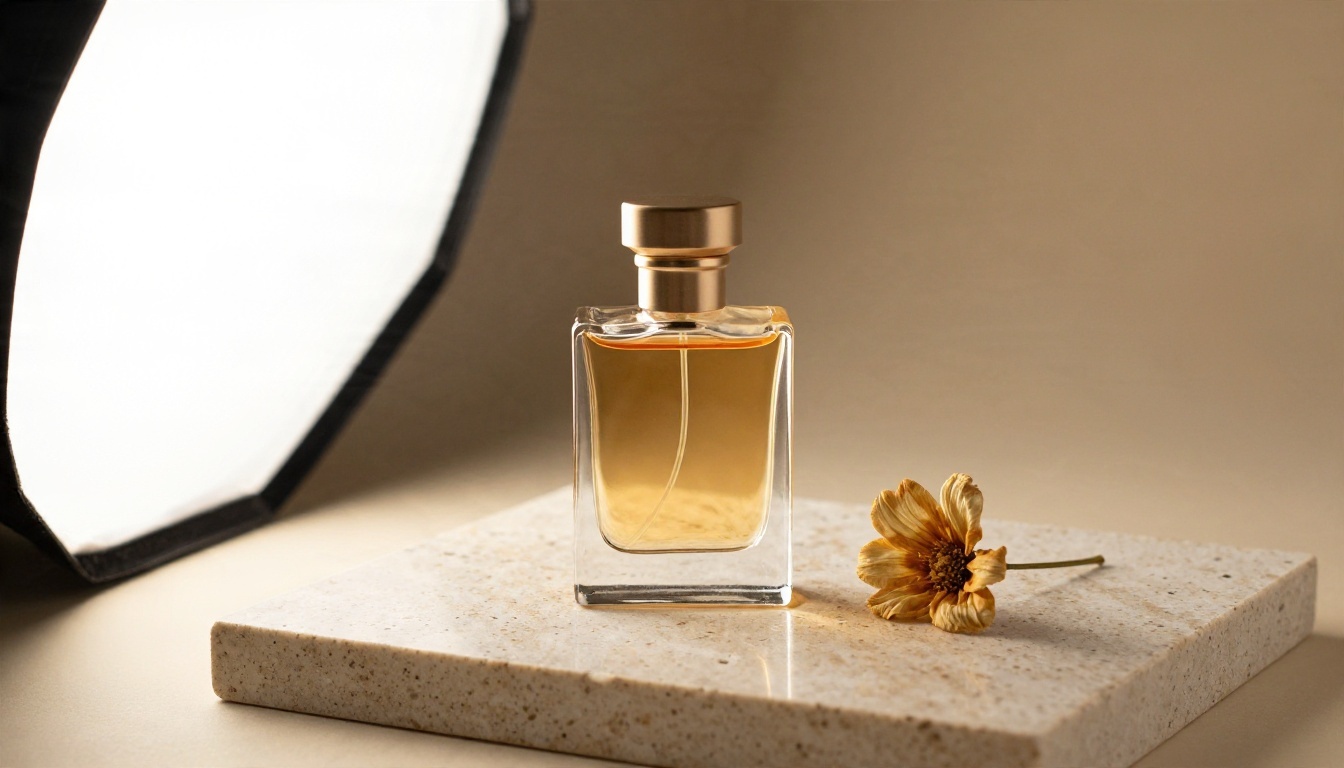
Studio product photograph of a glass perfume bottle with amber liquid on a polished slab of travertine stone, a single dried flower beside it, soft diffused light from a large softbox on the left with a gentle gradient shadow on a warm beige backdrop, 100mm macro lens at f/5.6 from a slightly elevated front angle, crisp glass reflections and fine stone pores
Why it works: glass and stone are hard materials to fake, so describing reflections and pores forces more careful rendering.
Street and Travel Prompts
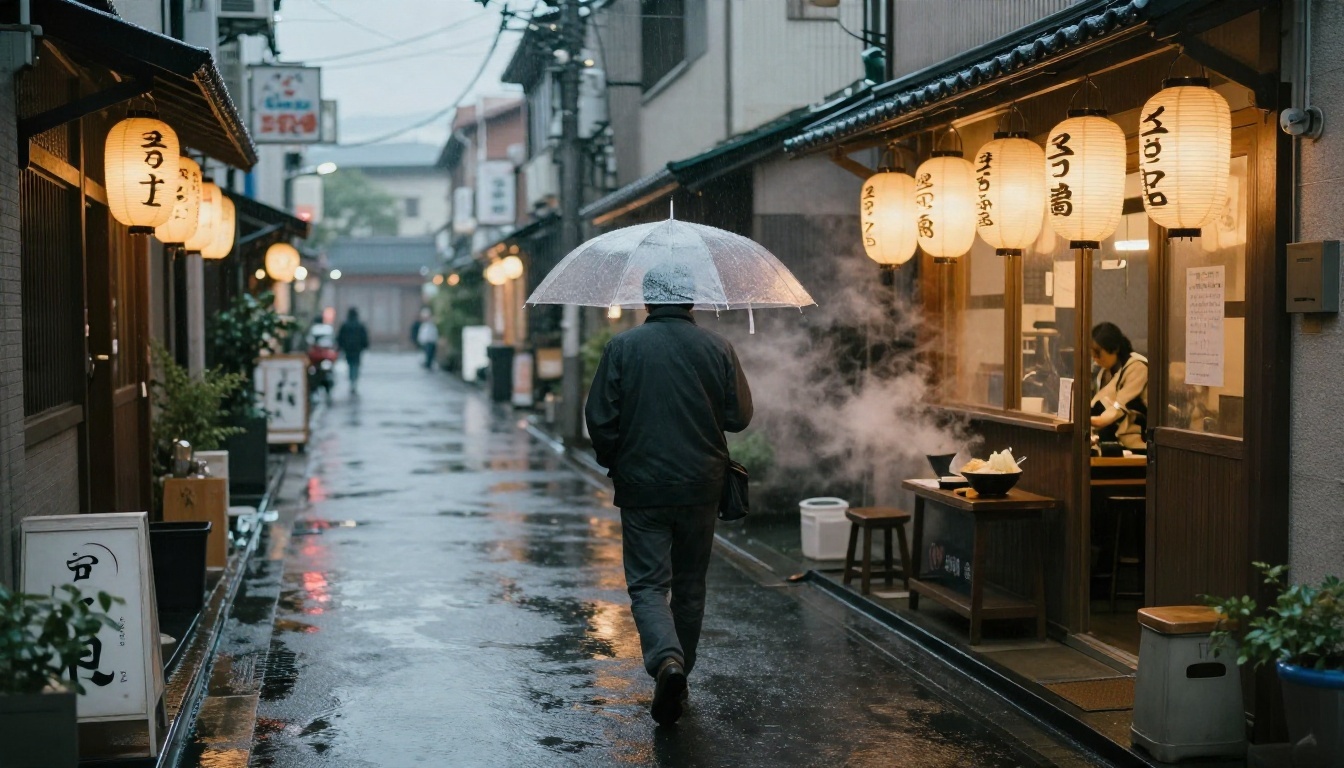
Street scenes need atmosphere. Weather, reflections and a human figure do most of the work.
Prompt:
Street photograph at dusk of a rain soaked side alley in Tokyo, a man with a transparent umbrella walking away from the camera, warm paper lanterns and shop windows reflecting on wet asphalt, steam rising from a ramen stand, soft overcast twilight, 35mm lens at f/2 from a low angle, realistic wet textures, Kodak Portra 400 film grain
💡 Tip: Swap "Tokyo" for any city and change one local detail, such as tram cables for Lisbon or market awnings for Marrakech. The structure carries over.
Interior and Food Prompts
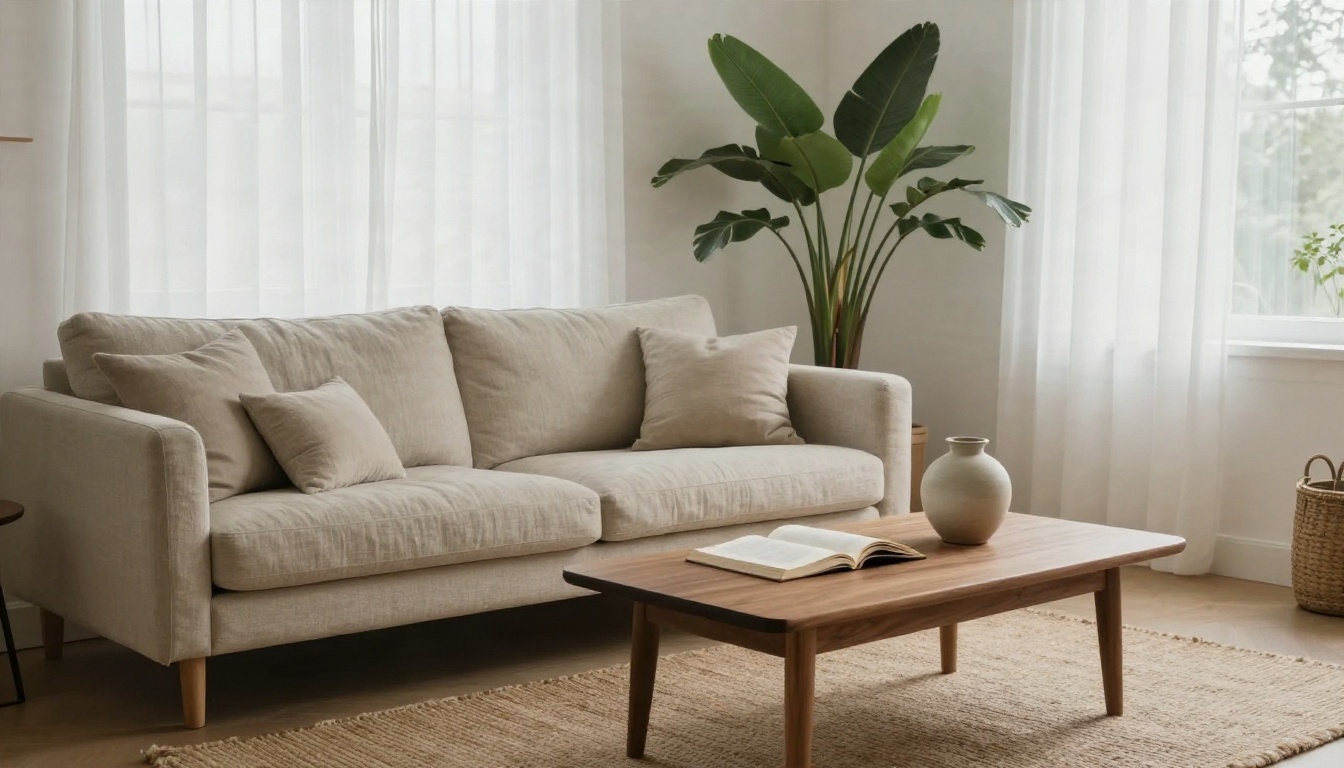
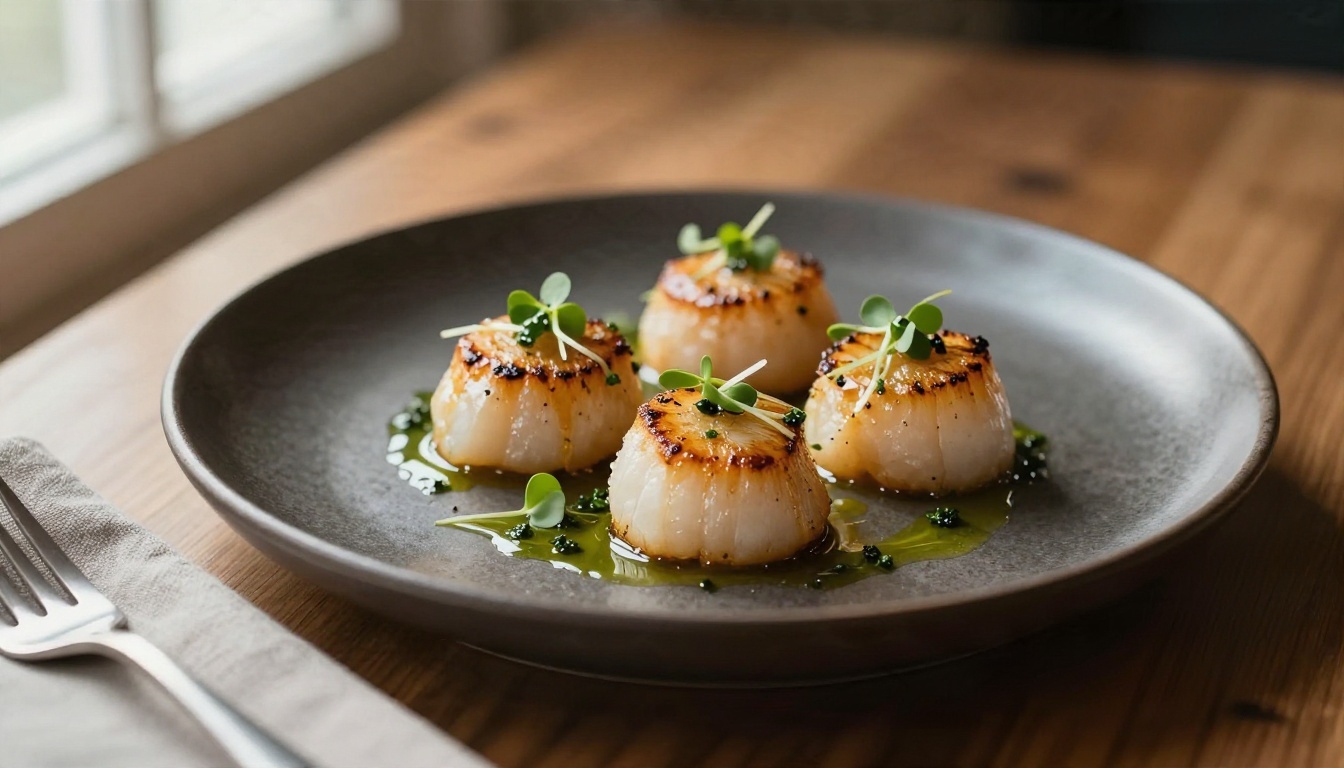
Interiors need a wide lens and soft daylight. Food needs a macro lens and side light. These two are often asked together by people building listing or menu pages.
Interior prompt:
Cozy Scandinavian living room with a linen sofa, walnut coffee table, woven rug, large plants and a tall window with sheer curtains, soft overcast daylight from the right, an open book and ceramic vase on the table, shot from a corner at 24mm f/5.6, fabric weave and wood grain clearly visible
Food prompt:
Macro photograph of seared scallops with microgreens and herb oil on a matte dark ceramic plate, wooden table, side light from a window on the left creating soft highlights on the glossy sear, linen napkin and fork blurred in the foreground, 90mm macro lens at f/2.8 from a 45 degree angle
Fashion Prompts
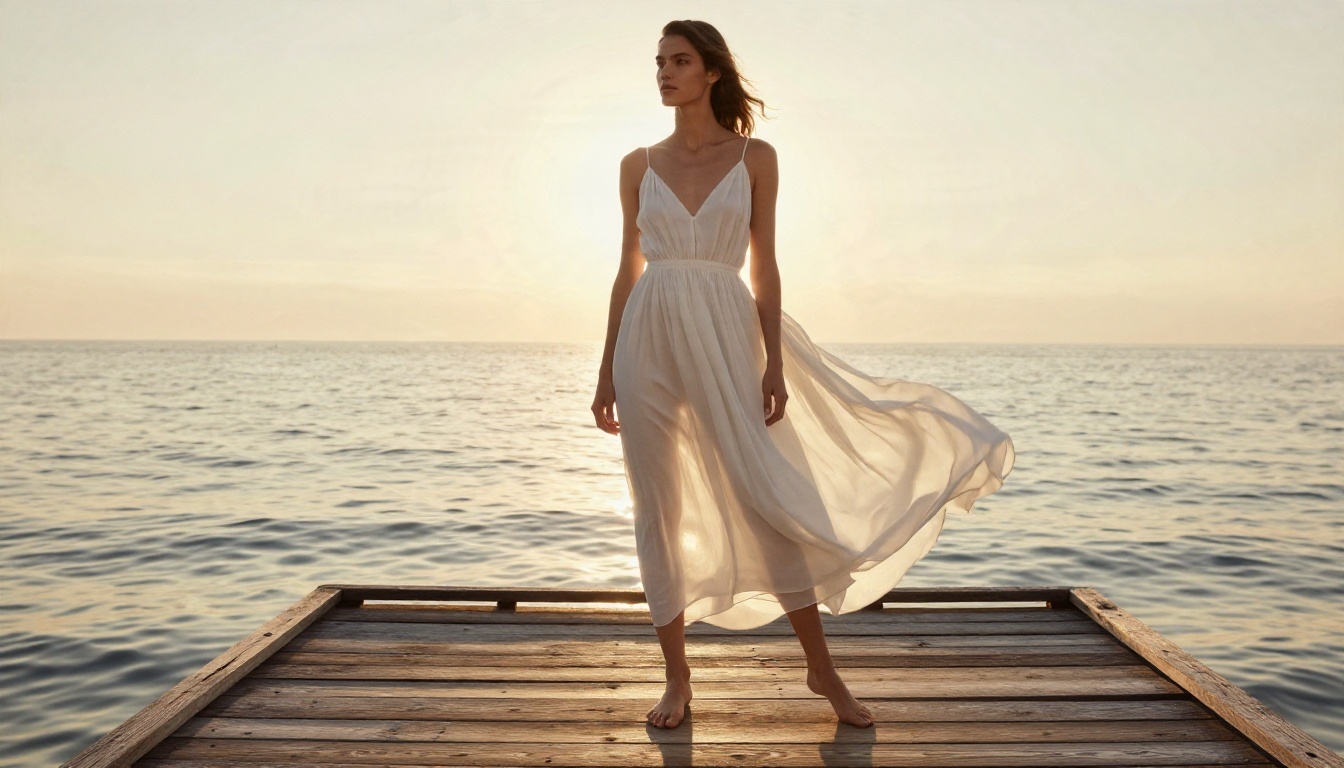
Fashion images depend on movement and fabric. Mention wind, folds and the type of light that flatters skin.
Prompt:
Fashion editorial photograph of a model in a flowing white summer dress standing on a sun bleached wooden pier at golden hour, calm sea behind, wind moving the fabric, warm sunlight from behind creating a soft halo, full length shot from a low angle at 70mm f/2.8, natural skin texture, visible fabric folds
Online Generators That Run Free Prompts
A prompt is only half the equation. The same text gives different results on different models, and some tools hide the good models behind a paywall. Here is what to check before you commit time to one.
What to Look For
| Feature | Why it matters |
|---|
| Free daily or starter credits | Lets you test a prompt several times before judging it |
| Multiple models in one place | Same prompt, different engines, no new account each time |
| Resolution up to 2K or 4K | Needed for print and product pages |
| Image editing tools | Fix a hand or a background without starting over |
| No forced watermark | Matters if you plan to post or sell the result |
Models Worth Trying
These are the models I used or compared on PicassoIA, with what each is best at.
| Model | Best for | Prompt style it likes |
|---|
| Seedream 4.5 | Sharp 4K realism, portraits, fashion | Long, structured, photographic |
| Nano Banana Pro | 4K detail and strong scene understanding | Natural sentences with clear intent |
| Imagen 4 | Photorealistic landscapes and food | Concise, concrete descriptions |
| Imagen 4 Ultra | High detail on textures and materials | Detailed material and lighting cues |
| Nano Banana | Fast generation and quick edits | Short prompts, easy follow up changes |
| P Image Ideogram | Precise layouts and short text in images | Exact wording in quotes |
| Flux 2 Klein 4B Base | Flexible base for styled or tuned outputs | Clear subject plus style cues |
💡 Tip: Run the same prompt on two or three models in one sitting. You learn more about what your prompt is really saying by seeing where the engines disagree.
A Copy and Paste Prompt List
Twenty prompts, ready to use. Each is short enough to read at a glance, and each follows the five part formula in compressed form. Add "Kodak Portra 400 film grain, raw 8K photography" at the end of any of them for a consistent photographic finish.
| # | Category | Prompt |
|---|
| 1 | Portrait | Elderly fisherman with a weathered face and white stubble, mending a net on a harbor wall, soft overcast light, 85mm f/1.8, wool collar texture |
| 2 | Portrait | Young woman laughing in a sunlit kitchen, flour on her hands, window light from the left, 50mm f/2, candid framing |
| 3 | Portrait | Man in a tailored navy suit on a city rooftop at blue hour, warm window glow behind him, 85mm f/2, fabric weave visible |
| 4 | Portrait | Child holding a paper lantern in a quiet garden at dusk, soft warm light on the face, 70mm f/2.8, shallow depth |
| 5 | Landscape | Rolling lavender fields at sunrise with a stone farmhouse, low raking light from the right, 35mm f/8 |
| 6 | Landscape | Desert dunes at late afternoon, sharp wind ripples, long shadows, a single figure for scale, 70mm f/11 |
| 7 | Landscape | Foggy pine forest road at dawn, a red car far in the distance, diffused light, 85mm compression |
| 8 | Landscape | Rocky coastline with crashing waves at sunset, wet stone texture, 24mm f/9, long exposure softness in the water |
| 9 | Product | White sneakers on a concrete step, hard side light, long shadow, 50mm f/4, clean background |
| 10 | Product | Ceramic mug with steam on a walnut table, soft window light, 100mm macro f/4, glaze reflections |
| 11 | Product | Leather wallet on a linen cloth, softbox from above left, 90mm f/5.6, stitching in sharp focus |
| 12 | Product | Skincare jar on wet slate with water droplets, cool side light, 100mm macro f/5.6 |
| 13 | Food | Rustic sourdough loaf cut open on a floured board, steam, warm side light, 60mm f/2.8 |
| 14 | Food | Bowl of ramen with soft egg and scallions, overhead shot, steam, wooden table, 35mm f/4 |
| 15 | Interior | Sunlit bedroom with white linen bedding and a wooden bench, morning light, 24mm f/5.6 |
| 16 | Interior | Modern kitchen with marble counters and brass fixtures, afternoon light, 24mm f/7.1, corner view |
| 17 | Street | Cobblestone alley in Lisbon with hanging laundry, late golden light, 35mm f/4, low angle |
| 18 | Street | Cyclist crossing a wet crosswalk at dawn, reflections on asphalt, 50mm f/2, side view |
| 19 | Fashion | Model in a camel trench coat walking through autumn leaves, backlight, 85mm f/2.2 |
| 20 | Fashion | Linen shirt and straw hat on a sailboat deck, bright sun, 50mm f/4, sea glare |
How to Fix Weak Results
Even a great prompt misses sometimes. When it does, change one thing at a time. If you rewrite everything, you will never know what helped.
Common Mistakes
- Stacking style words. "Photorealistic, hyperrealistic, ultra real, 8K, 16K" does not add up. Pick one clear finish such as film grain and a lens.
- Contradicting yourself. "Dark moody scene with bright sunny light" confuses the model. Choose one light source.
- Skipping the light. If you only describe the subject, the model invents the lighting, and it usually invents flat studio light.
- Cramming too many subjects. Three people, a dog and a car in one frame raises the odds of warped hands and faces. Start with one subject.
- Ignoring aspect ratio. A wide landscape in a square format loses its drama. Set the ratio before generating.
Wording That Helps
Models read positive descriptions better than long lists of things to avoid. Instead of writing "no blur, no distortion, no extra fingers," say what you want: "sharp focus, natural hand pose with five fingers resting on the cup." If a tool offers a separate negative prompt field, keep it short and specific.
💡 Tip: If skin looks plastic, add "visible pores, subtle flyaway hairs" and remove the word "perfect." If a scene looks flat, add the light direction and a time of day.
Iterate in Small Steps
Treat the first image as a draft. Change the light, then the lens, then the framing. Three small edits beat one total rewrite. Save the version that got closest, because that becomes the base for your next prompt.
Build Your Own Prompt Library
The best prompts you will ever use are the ones you wrote and tested yourself. A free list is a starting point, not a finish line.
Organize What Works
Keep a simple document with four columns: subject type, prompt, model used, and a note on what you would change. After a month you will have a personal set of reliable templates, and you will stop starting from a blank box.
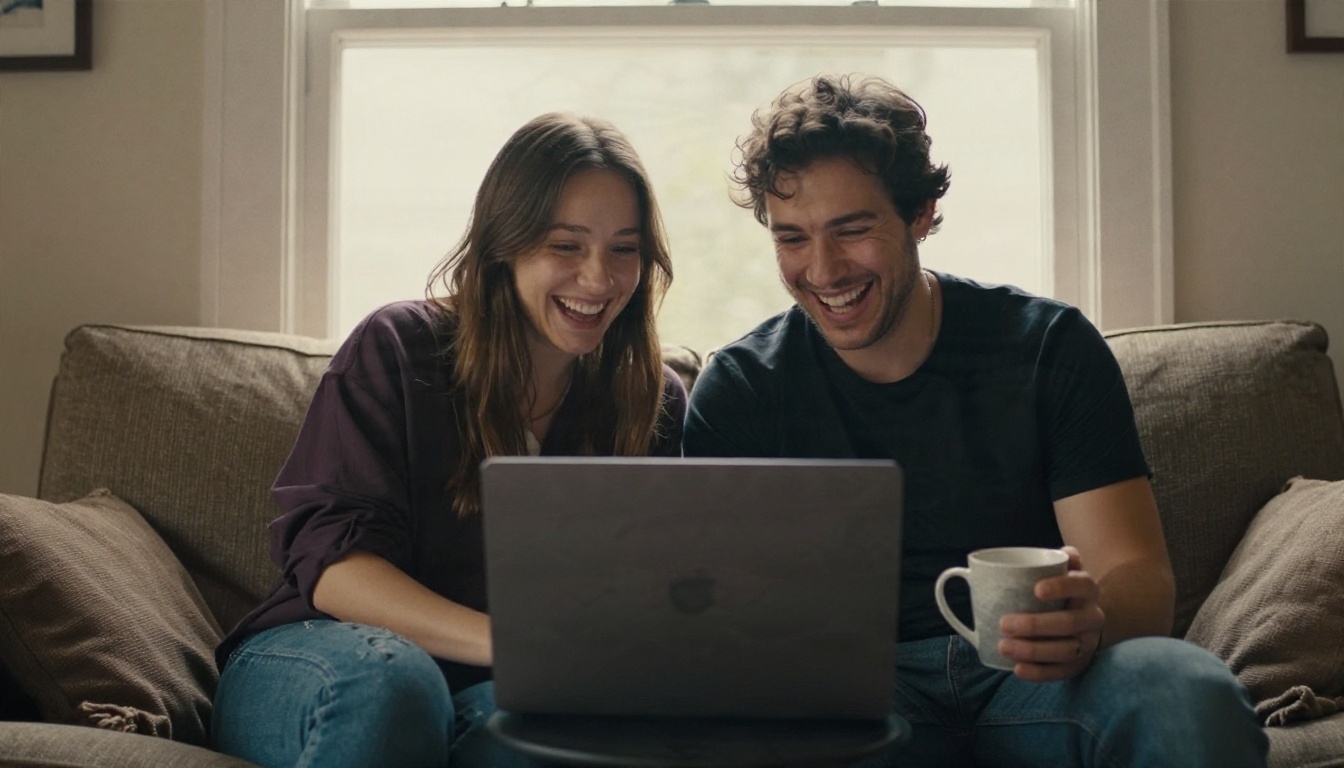
Share and Compare
Prompts improve fast when someone else reads them. Send a friend or teammate the text and the result and ask what they would add. Fresh eyes spot missing light or vague nouns that you have stopped seeing.
A few habits that pay off quickly:
- Write prompts in one sentence per idea, not one long run on line.
- Keep a "swap list" of locations, outfits and time of day for fast variation.
- Note the seed or settings if the tool exposes them, so you can reproduce a result.
- Re-run old favorites on new models. They often look better on a newer engine.
Try These Prompts Yourself
Pick one prompt from the list above, paste it in, and change a single detail: the city, the light, the lens. Run it on two different models and compare. That one exercise teaches more than reading ten more lists.
Ready to see your own words turn into photos? Open the text to image models on PicassoIA, try Seedream 4.5 or Imagen 4 with the prompts above, and browse every available option at picassoia.com/en/all-models. Start with the portrait or product prompt, adjust it to your project, and build your own library from there.


