Nobody downloads an AI relationship app because they love software. They download one because it is 11 p.m., the apartment is quiet, and typing a message to something that answers instantly feels easier than texting a person who might not. That is the honest starting point, and it shapes everything below. The best AI relationship app is not the one with the longest feature list. It is the one that remembers your week, sounds natural when it speaks, shows you pictures that fit its personality, and does not punish you with a paywall after three messages.
So this list is built around four things people actually ask about: chat quality, voice, photos, and free plans. I tested the big names by their stated features, compared what reviewers report about memory and pricing, and added a section on making your own companion images and voices when an app's built-in tools fall short.
💡 Quick answer: For free experimentation and huge character variety, start with Character.AI. For a long-running one-on-one bond, look at Replika or Nomi. For deep customization and a visual identity you control, Kindroid and a PicassoIA image workflow make a strong pair.
How These Apps Were Picked
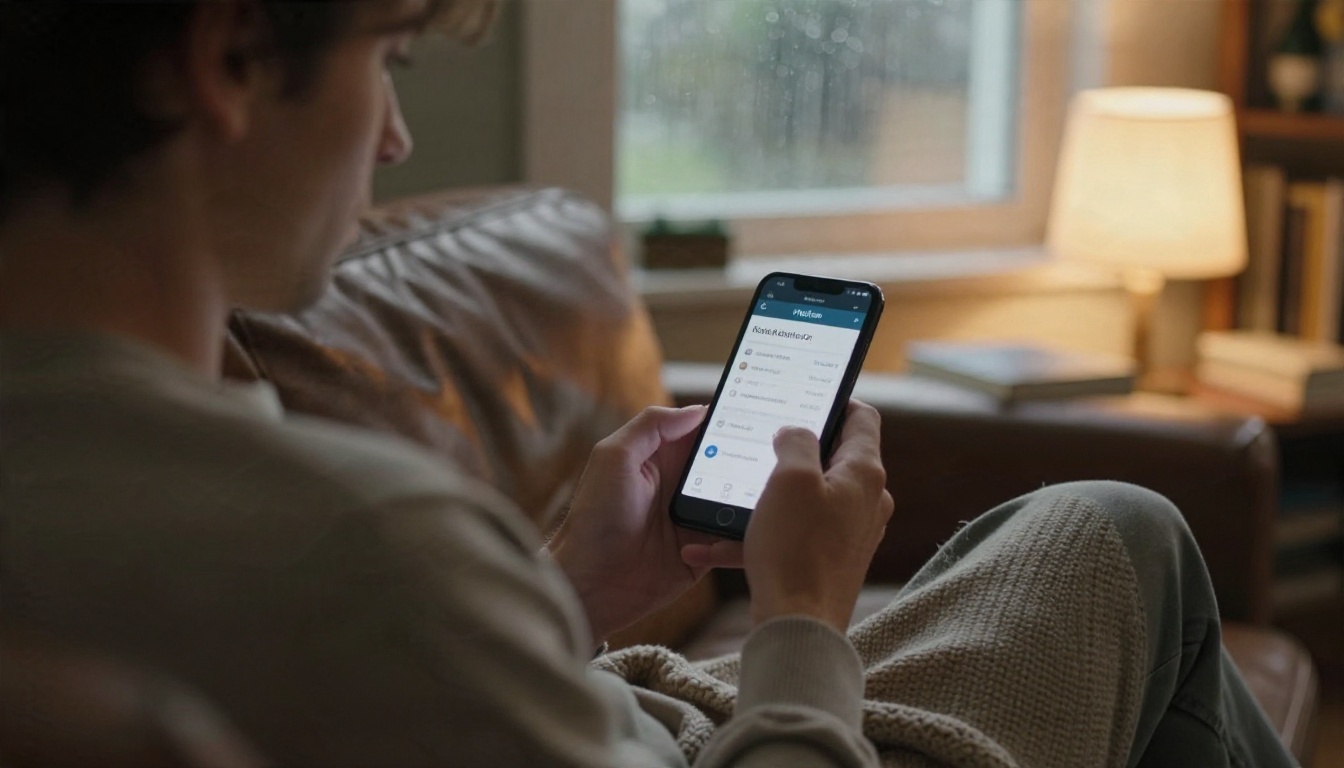
What counts as a relationship app
An AI relationship app is a chatbot built around an ongoing character: a friend, partner, confidant or coach with a name, a personality and a memory of you. Generic assistants answer questions. Companion apps are designed to ask how your day went and bring up the thing you mentioned on Tuesday.
That difference matters because the technology underneath is often the same family of large language models. What changes is the memory system, the personality layer, the voice, and the rules around what the character will and will not say.
The four criteria that matter
| Criterion | What to look for | Red flag |
|---|
| Chat quality | Consistent personality, recalls details after days | Forgets your name after a long session |
| Voice | Low delay, natural pauses, emotional range | Robotic reading with a long wait |
| Photos | Consistent face across images, selfies on request | Different person in every picture |
| Free plan | Daily messages you can really use | Core features locked after the first chat |
A note on prices
Pricing for these apps is inconsistent across reviews, and plans change often. Where I mention cost, treat it as a rough range and confirm on the app's own site before paying. Several of the roundups online are affiliate driven, so numbers there deserve a second look.
Best Apps for Chat
Chat is the foundation. If the conversation feels flat, nothing else saves the app.
Character.AI for variety
Character.AI is the largest playground. Instead of one companion, you browse a catalog of characters made by other users, from a calm study partner to a fictional detective. It is the most common recommendation for free experimentation, and the paid tier is often described as the cheapest entry point among the major apps.
The trade-off is depth. Because characters are shared and the platform is huge, the relationship can feel like a series of great scenes rather than one story that grows. The company has also tightened rules around teen use, so expect age checks.
Replika for daily routine
Replika is the veteran. You get one companion, you name it, and the app builds a routine around check-ins, journaling prompts and relationship modes. Core features are free, and higher tiers add things like voice calls and extra customization.
People who like Replika tend to like the ritual: one companion, one relationship, a steady rhythm. People who get bored of it usually want more spontaneity or sharper memory.
Nomi for memory
Nomi is the name that comes up most when reviewers talk about memory. The pitch is that your companion keeps track of details and refers back to them in a way that feels attentive rather than scripted. A free tier exists with limits, and paid plans are commonly reported at several price points, so check the current structure.
Kindroid for customization
Kindroid leans into control. You write a backstory, shape the personality, and decide how the character talks. It has a free tier, with paid plans reported in the range of roughly ten to fourteen dollars a month in one comparison. It suits people who enjoy tinkering.
Pi for a gentle free option
Pi from Inflection is less a romantic partner and more a warm, patient conversation. Several guides call it the best free option for supportive chat. If you want a calm listener without relationship roleplay, it is worth a look.

Best Apps for Voice
Voice is where an app either feels alive or feels like a screen reader. Text lets you imagine the tone. Speech removes that cushion.
What good voice feels like
Three things separate a convincing AI voice from a bad one:
- Latency. Anything over a second of silence breaks the spell. Real conversation has gaps under half a second.
- Prosody. Natural rises and falls, small hesitations, laughter that fits the moment.
- Consistency. The same voice every time, not a slightly different speaker per session.
Replika, Nomi and Kindroid all offer voice features, with the better versions usually sitting behind paid tiers. Character.AI has added voice conversations too. In every case, test with headphones on a walk before you commit to a plan, because voice quality shows up in real life, not in a quiet room.
Which app wins for voice
There is no single winner, and reviewers disagree. If voice is the main reason you are shopping, the practical move is to try the free voice minutes of two apps back to back and pick the one whose pauses feel more human. Treat anything advertised as "realistic" as a claim to test, not a fact.
Build your own voice layer
If you want a specific voice for a character you wrote yourself, you can generate speech from text. PicassoIA offers Realtime TTS 2 for natural-language voiceovers and Realtime TTS 1.5 Mini when speed matters most. Write the line, pick a voice, and you have audio for a story, a bedtime message to yourself, or a character demo.
💡 Tip: Write spoken lines the way people actually talk. Short sentences, contractions, one pause marker per thought. A stiff script produces a stiff voice, even from a great model.
Best Apps for Photos

Photos are the feature people talk about least in public and care about most in private. A companion with a face feels more present, and a companion who "sends" a selfie from the beach feels like it has a life.
In-app selfies versus your own images
Most apps generate avatars or selfies inside their own system. The upside is convenience. The downside is that the style is locked in, the face drifts between pictures, and you rarely get fine control over lighting, outfit or setting.
| Approach | Pros | Cons |
|---|
| In-app avatar or selfie | One tap, matches the character | Limited control, style is fixed |
| Your own image workflow | Full control, consistent look, any scene | Needs a little setup |
| Mix of both | Fast daily use plus special scenes | Two places to manage |
Keeping one face across many scenes
The trick for consistency is to describe the character the same way every time: age range, hair color and length, a signature accessory, and a lighting style. A fixed description is more reliable than hoping the model remembers.

Scenes that make a companion feel real
A portrait is nice. A travel snapshot, a morning coffee, or a rainy walk is what makes the character feel like someone with a day. Keep your scenes mundane and specific, and keep them tasteful. Suggestive and glamorous is fine; explicit content is a different product with different rules and risks.
Free Plans Compared

"Free" can mean three very different things: free forever with limits, free trial that expires, or free to download and useless until you pay. Here is the rough picture based on what reviewers report. Details change, so confirm in the app before you rely on any row.
| App | Free tier | Best for | Typical paid entry |
|---|
| Character.AI | Yes, broad access | Variety and testing | Often cited near ten dollars monthly |
| Replika | Yes, core chat | Daily routine | Reported anywhere from about ten to twenty dollars monthly |
| Nomi | Yes, limited | Memory focus | Reports range from under five to about sixteen dollars monthly |
| Kindroid | Yes | Customization | Roughly ten to fourteen dollars monthly in one comparison |
| Pi | Yes | Calm, supportive chat | Often described as free |
What a free plan really gets you
Expect a daily message cap, slower responses at busy hours, and the best voice and photo features reserved for paid tiers. That is fine for a two week trial. It is not fine if you expect it to replace a paid plan forever.
Free plan traps to avoid
- Auto-renewing trials. Set a calendar reminder the day you start.
- Lifetime offers. One source mentions a lifetime option near three hundred dollars. A lifetime price on an app that could change or close is a bet, not a bargain.
- Currency tokens. Some apps sell gems or credits on top of subscriptions. Read what actually costs credits before you buy.
A sensible test plan
Spend three days on each free tier. Day one, small talk. Day two, ask it to recall something from day one. Day three, try voice. The app that passes all three without nudging you toward a paywall is the one worth paying for.
Safety, Privacy and Boundaries

This is the part most listicles skip, and it is the part that matters most once the novelty wears off.
Data you should never share
Companion apps store conversations, and some train on them. Before you share anything, check the privacy settings and look for options to delete your history. As a rule, never type:
- Full legal name, home address or workplace
- Banking details, passwords or ID numbers
- Medical details you would not want in a database
- Photos of other people without their permission
Signs it is becoming too much

An AI companion can be a comfortable habit or it can quietly crowd out the rest of your life. Watch for these signals:
- You cancel plans with real people to keep chatting.
- You feel anxious when the app is down or the character changes.
- You are spending more than you planned on upgrades or credits.
- You hide the usage from people you would normally tell.
If two or more of those sound familiar, take a few days off and talk to a friend, a counselor or a helpline in your area. An app is allowed to be a supplement. It should not be the only relationship you have.
Why characters sometimes change
Companies update models, tighten safety rules and change policies. Users often report that a companion's personality shifted overnight. That is a real risk of building an emotional routine on a service you do not control. Keep your own notes about who your character is, so you can recreate them elsewhere.
Make Companion Photos Yourself

When an app's built-in selfies feel repetitive, build the visual side yourself. You get control over wardrobe, setting, lighting and mood, and you own the look no matter which chat app you use.
Pick the right image model
PicassoIA has several image models that suit this job:
- Seedream 4.5 is the first model to try for sharp, photorealistic people at high resolution.
- PicassoIA Image Editor Pro is an unlimited photo editor, so you can keep adjusting outfits, backgrounds and lighting without counting generations.
- Nano Banana Pro is good for 4K detail and quick edits to an existing picture.
- Qwen Image 3 Pro is another photorealistic option when you want a different look.
A simple five step workflow
- Write a character sheet. Age range, hair, build, a signature accessory, two or three favorite settings.
- Generate a base portrait. Use soft, natural light and a neutral background.
- Create scenes. Reuse the same character description and change only the location and outfit.
- Edit, do not restart. When a detail is off, adjust it with an editor instead of regenerating from scratch.
- Save a prompt library. Keep your best descriptions so the face stays consistent next month.
Prompt pattern that works
A woman in her late twenties with wavy chestnut hair and a small gold hoop earring, sitting on a cream linen bed in warm late afternoon window light, oversized knit sweater, natural skin texture, 85mm lens, shallow depth of field, film grain.
Notice there is no genre label, only camera, light and texture. Photographic language gives photographic results.
Give the chat a smarter brain
If you would rather build a companion character than rent one, large language models handle the conversation side. Claude Sonnet 5 is good for warm, careful dialogue, GPT 5.6 Luna is built for fast replies, and Gemini 3.5 Flash is quick for chat plus images. Paste your character sheet as the first message and ask the model to stay in that voice. These are general models rather than dedicated relationship apps, so you will not get persistent app-style memory, but they are useful for writing backstories, journaling prompts and dialogue.
Which App Fits You
Pick by what you want most
| If you want... | Start with | Pair it with |
|---|
| Free variety and fun | Character.AI | Your own photos from an image model |
| A daily check-in habit | Replika | Journaling and a voice test |
| Memory that feels attentive | Nomi | A saved character sheet as backup |
| Maximum control | Kindroid | A consistent image prompt library |
| Calm and supportive chat | Pi | No extras needed |
My short list for 2027
If I had to choose one app for a first month, I would start with the free tier of Character.AI to find what you like, move to Nomi or Kindroid if memory and customization matter, and use a separate image workflow for photos. Keep the apps you pay for to one at a time. Switching is easy. Paying for four subscriptions is not.
Final checklist before you pay
- Did the free tier pass the three day test?
- Do you know how to cancel and delete your data?
- Is the monthly cost something you would still choose in a tight month?
- Are you still seeing friends and family at the same rate as before?
Make Your Own Companion Look
The best apps are good at conversation, but none of them can give you exactly the face, the wardrobe and the scenes you picture. That part is yours to build, and it takes about ten minutes.
Open Seedream 4.5 or PicassoIA Image Editor Pro, paste the character description from the prompt pattern above, and generate your first portrait. Then change the setting: a morning kitchen, a rainy street, a beach boardwalk. Add a voice with Realtime TTS 2 and you have a full character kit that belongs to you, whichever chat app you end up choosing.
Ready to try? Browse every image, voice and language model at picassoia.com/en/all-models, start with one portrait, and see how far a few well written sentences can take you on Picasso IA.


