Uncensored AI Image Generators: What the Label Really Covers
A deep dive into the best uncensored AI image generators without filters in 2027. From Flux 1.1 Pro Ultra to Stable Diffusion 3.5, this breakdown covers which models produce the most photorealistic, restriction-free results, how to write better prompts, and how to use these tools on PicassoIA to create glamour, artistic, and NSFW-adjacent content.
The demand for AI image generators without content filters has exploded in 2027. Artists, photographers, character designers, and adult content creators all share the same frustration: overly aggressive moderation systems blocking legitimate creative work. Whether you want to create realistic nude figure studies, suggestive fashion photography, or simply a model wearing less than what a mainstream tool permits, the right platform makes all the difference.
This article breaks down the best uncensored AI image generators without filters currently available, how they compare, which ones produce the most photorealistic results, and exactly how to use them on PicassoIA.
What "Uncensored" Actually Means
Not all filters are equal. Some platforms block anything remotely suggestive. Others only restrict explicit content. Knowing where a tool falls on that spectrum saves a lot of wasted time.
The Spectrum From Safe to Unrestricted
💡 Most people don't need fully explicit generation. What they need is a tool that doesn't block artistic nudity, implied sensuality, or mature fashion imagery.
There are generally three tiers:
Fully censored: No skin, no intimacy, no mature themes (think Canva, Adobe Firefly)
Fully unrestricted: Explicit content permitted with user verification (very few platforms)
For the vast majority of creative use cases, the second tier is exactly what you need. Realistic portraits, glamour photography, and artistic nude figure work all fall squarely in that middle zone.
Why Artists and Creators Need Filter-Free Tools
The problem with aggressive content moderation is not just about adult content. The same filters that block explicit images also:
Reject realistic skin texture prompts
Block swimwear and lingerie photography
Refuse anatomical reference images for artists
Fail fashion photography prompts that mention body parts naturally
A photographer who wants a realistic portrait of a woman in a bikini should not have to fight a content filter. Neither should a digital sculptor creating reference art. The best uncensored AI image generators without filters recognize this and give creators the creative latitude they actually need.
Top Models for Unrestricted Image Generation
Here are the models that consistently deliver the best results for mature, unrestricted, and NSFW-adjacent creative work in 2027.
Flux 1.1 Pro Ultra
Flux 1.1 Pro Ultra sits at the top of the stack for photorealistic human portraiture. Black Forest Labs built this model specifically for ultra-high-fidelity output, and the difference is immediately visible in skin texture, hair detail, and lighting accuracy.
For uncensored work specifically, Flux 1.1 Pro Ultra handles:
Detailed skin rendering without the plastic "AI look"
Realistic fabric and body interaction
Complex lighting setups that read as genuine photography
Subtle expression and emotional nuance in faces
The model's core strength is its refusal to over-smooth. Where other models soften faces into uncanny perfection, Flux 1.1 Pro Ultra preserves pores, asymmetry, and natural imperfection. The result looks less like AI output and more like it came off a Phase One medium-format back.
Flux Dev and Flux Pro
Both Flux Dev and Flux Pro offer a flexible balance between quality and speed. Flux Dev is the open-weight variant, making it the go-to choice for creators who want to experiment with fine-tuning and LoRA adaptations. Flux Pro adds commercial-grade polish and stronger instruction-following for production use.
Both models handle mature content descriptions with significantly more nuance than older-generation tools. The key improvement over SDXL-era models is anatomical accuracy: bodies look proportional, poses read naturally, and clothing interacts realistically with the figure.
💡 Pro tip: Flux models respond well to photography-style prompts. Think "35mm f/1.8, natural light, Kodak Portra 400" rather than abstract descriptors. This anchors the output in photorealism and consistently produces more convincing results.
For even faster iteration, Flux Schnell delivers rapid 8-step generation. Quality drops slightly compared to Flux Pro but the speed advantage makes it ideal for concept testing before committing to a full-quality render.
Stable Diffusion 3.5 Large
Stable Diffusion 3.5 Large is still one of the most capable open-source options for unrestricted generation. As an open-weight model, it can be used without any server-side moderation when run locally, making it the default recommendation for users who want zero restrictions.
What SD 3.5 Large does particularly well:
Strength
Detail
Anatomy
Significantly improved over SD 1.x and 2.x
Prompt adherence
Strong multi-concept handling
Style range
From photorealistic to painterly
Community LoRAs
Thousands of fine-tuned variants available
The trade-off is generation speed and prompt engineering complexity. SD 3.5 Large rewards careful prompting but punishes vague descriptions with inconsistent output.
Realistic Vision v5.1
Realistic Vision v5.1 is a community fine-tune built on top of SD foundations, specifically optimized for hyper-realistic portrait and figure photography. It remains one of the most popular models for this use case among creators worldwide.
The model produces:
Exceptional facial realism with natural asymmetry
Accurate skin tones across diverse subject types
Convincing photographic grain and lighting
Strong performance on lifestyle, boudoir, and glamour photography prompts
For creators whose primary output is photorealistic human subjects, Realistic Vision v5.1 is often the right starting point before stepping up to Flux-family models.
DreamShaper XL Turbo
DreamShaper XL Turbo bridges the gap between artistic stylization and photorealism. For creators who want images that feel like high-end editorial photography with a cinematic edge, this model delivers consistently.
Where it stands out for mature content generation is its handling of fabric, sheer textures, and body positioning. These tend to be weak points for many models, but DreamShaper XL Turbo treats them as natural photographic elements rather than flagging or distorting them. The XL Turbo variant adds speed without sacrificing the model's characteristic quality.
Comparing the Best Options
Before picking a model, know what matters for your specific workflow:
The model is only half the equation. Prompt quality, parameter settings, and workflow choices determine whether an image looks like a genuine photograph or an obvious AI artifact.
Prompt Structure That Works
The single biggest mistake most users make is prompting concepts instead of photography. Compare these two approaches:
Weak prompt: "Beautiful woman, realistic, high quality"
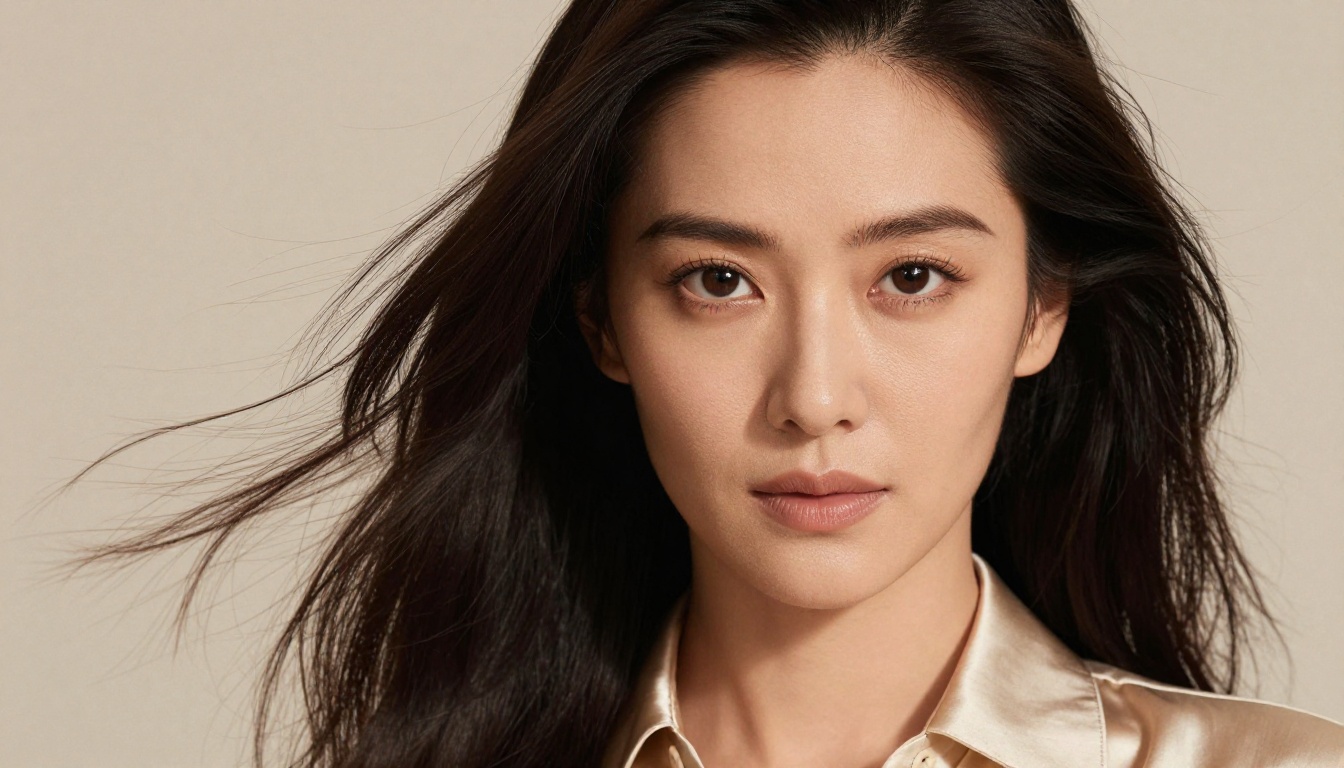
Strong prompt: "Close-up portrait of a woman, soft Rembrandt lighting from the left, 85mm f/1.4 lens, Kodak Portra 400 film grain, shallow depth of field, natural skin texture, silk blouse, soft cream bokeh background"
The second prompt borrows from the language of professional photography. It tells the model what camera, what lens, what film stock, and what lighting setup to simulate. This produces dramatically more convincing results every time.
Use this structure as your template:
[Subject + clothing/state] + [pose or action] + [environment] + [lighting setup] + [camera and lens] + [film stock or post style]
Settings That Change Everything
When using these models on PicassoIA, these settings consistently improve output for mature, detailed portraiture:
Guidance scale: Keep between 6-8 for Flux models. Too high creates oversaturation. Too low loses prompt adherence.
Steps: 25-35 for quality generation. Turbo variants work well at 8-12.
Aspect ratio: 16:9 for scenes and environments. 3:4 or 2:3 for portrait framing.
Seed locking: Once you find a composition you like, lock the seed and iterate on the prompt wording only.
💡 Negative prompts still matter for SD-based models. Common additions for cleaner results: "cartoon, illustration, painting, blurry, low quality, plastic skin, overexposed, bad anatomy, deformed hands"
When to Use ControlNet
For mature content where exact pose or composition matters, SDXL Multi ControlNet LoRA becomes essential. ControlNet lets you provide a reference pose or structure and generate content that matches it precisely.
This is particularly valuable for:
Character consistency across multiple images in a series
Recreating specific photographic compositions from reference
Controlling body position and framing without fighting the model
NSFW Capabilities Across Platforms
Not all platforms handle NSFW requests the same way. Knowing the landscape helps you pick the right tool without wasting generation credits.
What's Actually Possible
Platforms that run open-weight models with user-configurable safety settings, like PicassoIA, generally allow:
Glamour and boudoir photography: Lingerie, implied nudity, artistic figure work
Artistic nude reference: Figure studies in classical or contemporary photographic style
Suggestive portraiture: Close-up beauty with intimate framing and mood
The key distinction is between suggestive or artistic and explicitly pornographic. The former is permitted across most mature platforms. The latter requires dedicated adult platforms with separate verification systems.
Staying Within Artistic Limits
The most visually striking and technically impressive results in this space tend to stay on the artistic side of the line. A well-composed glamour photograph, a classical figure study, or a fashion editorial with sensual energy all sit comfortably within what the best uncensored AI image generators without filters can produce, and they tend to look more professional than explicit alternatives.
💡 Focus on atmosphere over anatomy. The most compelling images emphasize mood, lighting, and composition rather than raw explicitness. This approach produces better results, more versatile content, and broader creative applications.
How to Use Flux Dev on PicassoIA
Flux Dev is one of the most powerful options for unrestricted, photorealistic generation on PicassoIA. Here is a step-by-step workflow for producing professional-quality mature content with it.
Step 1: Access Flux Dev
Navigate to the Flux Dev model page on PicassoIA. No special account tier is required to use this model.
Step 2: Write a Photography-Style Prompt
Structure your prompt as if briefing a professional photographer. Use this template:
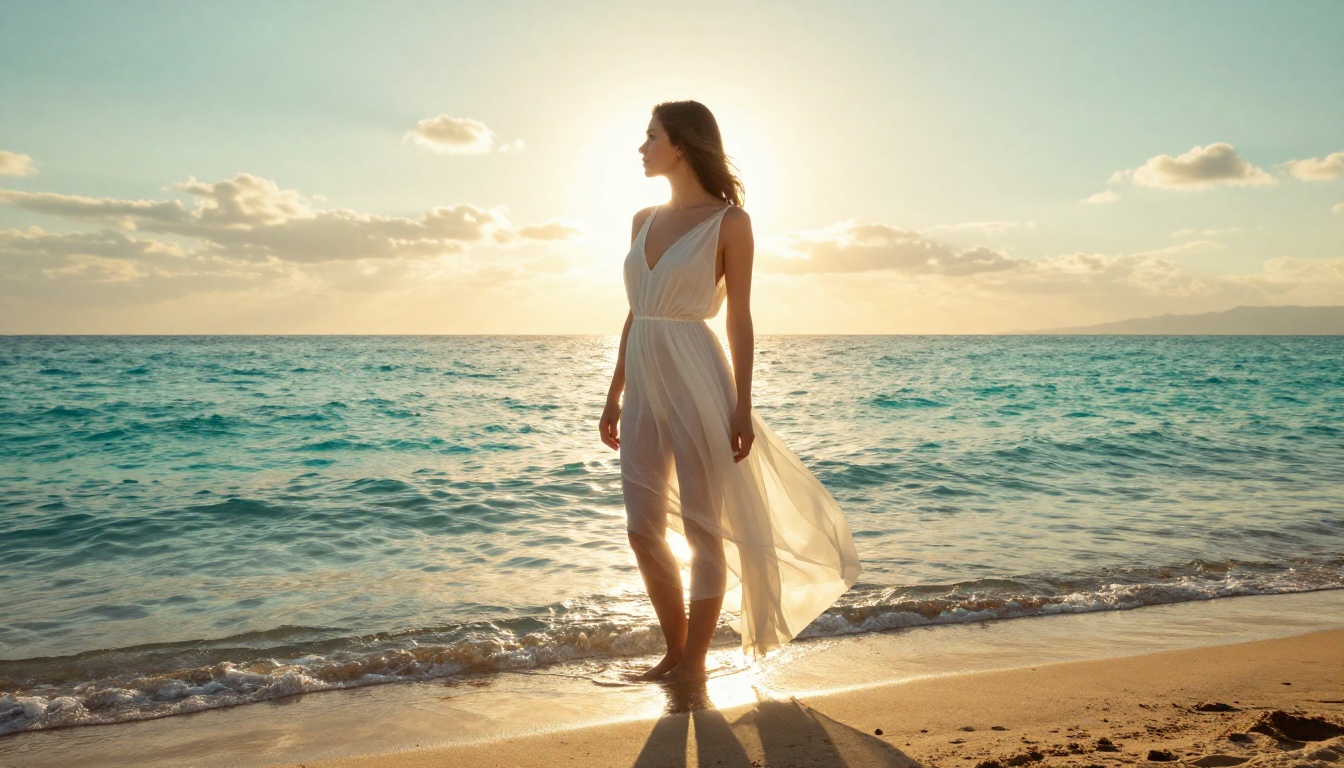
Example: "Portrait of a woman in a sheer white dress, soft golden backlight, standing on a Mediterranean balcony at sunset, shallow depth of field, 85mm f/1.8, Kodak Portra 800 film grain"
Step 3: Set Your Parameters
Guidance scale: 7
Inference steps: 28
Aspect ratio: 16:9 for landscape scenes, 2:3 for portrait framing
Step 4: Iterate on a Locked Seed
Generate 2-3 variations without a fixed seed. When you find one with the right composition, lock that seed. From that point, small wording changes to your prompt will produce controlled, focused variations rather than completely random results.
Step 5: Upscale for Final Output
Use PicassoIA's Super Resolution tools to upscale your final image 2x or 4x. This adds fine-grained texture detail that makes the image indistinguishable from real photography at large display sizes.
Other Tools Worth Knowing
The image generator is the centerpiece, but the broader toolkit around it separates average results from exceptional ones.
Super Resolution for Final Polish
Raw AI image output often lacks the micro-detail that makes photographs convincing at large sizes. PicassoIA's super resolution capability upscales images 2x to 4x while synthesizing additional fine detail rather than simply interpolating pixels.
For mature portraiture specifically, upscaling reveals:
Detailed pore structure in skin
Individual hair strands and texture
Fine fabric weave patterns
Natural photographic grain and film simulation
This is the step that takes a strong AI image and makes it genuinely indistinguishable from photography at print or large-screen sizes.
Inpainting and Outpainting
Inpainting lets you fix specific areas of a generated image without regenerating the entire frame. Common uses:
Correcting anatomical errors in hands or faces
Adjusting clothing, coverage, or styling
Fixing background inconsistencies or artifacts
Outpainting expands the canvas beyond the original frame, useful for turning a close-up portrait into a full-body shot or extending a scene's environment in any direction.
Both capabilities, combined with a model like Flux Kontext Pro, create a powerful editing pipeline that rivals traditional photo retouching workflows.
Face Swap and Character Consistency
One common workflow challenge for uncensored content creators is maintaining character consistency across multiple images. PicassoIA's Face Swap AI capability addresses this directly, allowing you to apply a specific face to generated bodies with realistic blending and natural integration.
Combined with Flux 1.1 Pro Ultra for base generation and face swap for character locking, the result is a consistent, photorealistic character across unlimited variations in pose, lighting, and environment.
Ideogram v3 for Text in Images
If your workflow includes images with text overlays, typographic elements, or branded watermarks, Ideogram v3 Quality and Ideogram v3 Balanced lead the field for this task. No other model in the text-to-image category handles legible, correctly spelled text within generated images as reliably.
The Right Model for Your Work
Choosing among the best uncensored AI image generators without filters comes down to your specific use case:
The combination of the right model, photography-style prompting, and PicassoIA's post-processing tools produces results that compete with professional photography. The technical barrier to creating high-quality, unrestricted AI imagery is lower than it has ever been.
PicassoIA gives you access to all of these models in a single platform, with no software installation, no local GPU required, and no opaque moderation system killing your prompts. Start with Flux Dev for your first image, use the photography prompt structure above, and see what a well-prompted, filter-free generation actually looks like.