If you typed "Seedance 2 pricing" into a search bar, you probably hit a wall of conflicting numbers. One site says a few cents per second, another says you cannot get the API at all, and a third claims clips can run a full minute. This article sorts out what is actually reported about ByteDance Seedance 2: pricing, API access, the app, and video length limits, and then shows you what you can generate right now if you want similar results without waiting on a waitlist.
A quick note on how to read the numbers below. Most pricing and access details for this model come from resellers, news summaries and community posts from early to mid 2026, and ByteDance has changed its rollout more than once. Treat every figure as a snapshot, not a contract, and always confirm on the official pages before you commit a budget.
💡 Quick answer: Seedance 2 clips are reported at roughly 4 to 15 seconds, third-party API prices cluster around $0.08 to $0.10 per second, and consumer access runs through ByteDance's own creative apps. The newer Seedance 2.5 stretches length to about 30 seconds.
What Seedance 2 Actually Is
Seedance 2 is the second generation of ByteDance's video model family. It turns text prompts, reference images and short reference clips into video with native synchronized audio, meaning footsteps, ambient sound and sometimes dialogue are generated together with the picture instead of being added afterwards.
The reason it got so much attention is motion quality. Multi-shot consistency, believable physics and strong prompt following put it in the same conversation as the best closed video models from OpenAI and Google. That popularity is also why the pricing and access story got so messy: demand ran ahead of official availability.

Where It Sits in the Family
ByteDance ships its video models in tiers, and the naming can confuse people:
- Seedance 2 (also written 2.0): the main release, reported with up to roughly 15 seconds per clip and support for higher resolutions.
- Faster and lighter variants: cheaper options aimed at quick drafts and high volume work.
- Seedance 2.5: a newer release that ByteDance has positioned as the longer-clip option, with reports of up to 30 seconds.
💡 If a page says "Seedance 2" without a decimal, it almost always means the 2.0 generation. Check the exact variant name before you compare prices, because a lighter variant can cost a fraction of the main model.
Is It on PicassoIA?
Seedance 2 itself is not on PicassoIA yet. PicassoIA does carry newer and lighter siblings, covered in the tutorial section further down, and those are the practical route if you want a ByteDance style result today.
Seedance 2 Pricing Explained
Pricing is where most of the confusion lives, so here is the cleanest way to read it.
Official Pricing Model
ByteDance's cloud arm published API pricing for the model in March 2026. The official structure is token based, which makes it hard to translate into a per-clip price without a calculator. Reports also suggested that broad access was limited at the time that pricing appeared, so a published rate did not automatically mean you could buy it.
Third-Party Per-Second Rates
Resellers translated the token math into something simpler: a price per second of generated video. The numbers reported around launch looked like this:
| Tier | Reported price per second | Typical use |
|---|
| Fast tier | about $0.08 | Drafts, tests, social cutdowns |
| Standard tier | about $0.10 | Final quality clips |
| Some gateway listings | about $0.15 | Premium or priority routing |
| Aggressive reseller promos | as low as $0.02 | Lighter variants, limited time offers |
The spread is real. The same underlying model can look four or five times more expensive depending on who sells it, which variant they mean and whether audio is included.
What a Clip Costs in Practice
Using the reported $0.081 to $0.10 per second range, a single generation works out like this:
| Clip length | At about $0.081/sec | At about $0.10/sec |
|---|
| 5 seconds | about $0.41 | about $0.50 |
| 10 seconds | about $0.81 | about $1.00 |
| 15 seconds | about $1.22 | about $1.50 |
Those figures look small until you remember how video generation actually works. Nobody keeps the first take. A realistic workflow is three to six attempts per usable shot, so a 15 second final clip can easily consume $5 to $9 of generations once you count rejected takes.
💡 Budget tip: Draft at 5 seconds on a cheaper tier, lock the composition, and only then spend on a long, high resolution render. It cuts waste by more than half for most creators.
Consumer Plans
For people who do not want to pay per second, the consumer apps use credit systems:
- Free daily credits: reported at a few hundred credits per day on the international creative platform, usually with a watermark and slower queues.
- Paid plans: reported to start around $18 per month internationally.
- China platform: a membership starting near 69 RMB per month, which is roughly $9 to $10, with a monthly generation quota.
- CapCut: reported as a paid feature for subscribers, rolled out region by region.
API Access: Who Can Actually Use It
This is the section where reports disagree the most, and the disagreement is genuine rather than a mistake by any one writer.
The Timeline Reported So Far
- Early 2026: the model appeared in ByteDance's own creative apps first. API pricing was announced, but broad access was reported as unavailable.
- Spring 2026: reports said the international API opened through ByteDance's overseas cloud platform, while some sources still described the official route as delayed or limited to approved accounts.
- Ongoing: third-party providers and aggregators offered their own endpoints, which is how most independent developers actually got to use it.
The honest summary: there is an official enterprise route and there are reseller routes, and which one works depends on your country, your account type and the week you ask.

Official Route vs Reseller Route
| Factor | Official cloud route | Reseller or aggregator |
|---|
| Pricing | Token based, can be confusing | Per second, easy to forecast |
| Approval | May require enterprise verification | Usually instant with a card |
| Regional limits | Can apply | Fewer, but check terms |
| Support and SLA | Direct from the provider | Depends on the vendor |
| Risk | Slower onboarding | Price changes, vendor reliability |
What an API Call Usually Looks Like
Whichever route you choose, the request shape is similar:
- A prompt describing the scene and motion.
- Optional reference images or clips for style and character consistency.
- A duration value, typically between 4 and 15 seconds.
- A resolution setting, with higher tiers costing more per second.
- An audio toggle, since native sound can change the price.
The call is asynchronous. You submit a job, receive a task ID, and poll or wait for a webhook. Plan for one to several minutes per clip, and design your product around that delay rather than hoping for instant output.
💡 If you are building a product, store the task ID and the exact prompt for every job. When a clip fails or a price changes, that log is the fastest way to find out what happened.
Developer Checklist Before You Commit
- Confirm the exact model variant in the endpoint name.
- Check whether pricing includes audio.
- Read the commercial use terms, especially for people and branded content.
- Test with five short clips before you load a large balance.
- Ask what happens to failed generations: refunded, partially charged or fully charged.
The App: Where Regular Users Can Try It
You do not need an API to use the model. Three consumer routes have been reported.
ByteDance Creative Platforms
The main home is ByteDance's own AI creative platform, sold internationally under one brand and in China under another. You paste a prompt, add reference images if you want, pick a duration and wait for the render. This is the closest thing to a direct, official experience, and the free credits let you test before paying.
CapCut
CapCut is the route most creators already know. ByteDance connected the model to its AI video tools in the editor, with the rollout reported as a public beta for paid users in selected markets first. If you edit short form content, having generation inside the timeline saves the export and import step.
Availability is the catch. Some regions got the feature weeks before others, and a few markets had no access during the early rollout.
Third-Party Platforms
Several aggregators bundle the model next to other video generators. They are convenient, but check three things: whether the clip carries a watermark, whether you get full resolution, and whether the platform reports the same variant you were promised.
Video Length Limits
Here is the question most people really care about, and the answer has more than one layer.
The Reported Limit
For Seedance 2, the most consistent figure from provider listings is 4 to 15 seconds per generation, with some platforms offering fixed options such as 5, 8, 12 or 15 seconds. A few sources mention far longer numbers, up to a minute, but those usually describe stitched or extended sequences, not a single generation.
| Model | Reported single-clip length |
|---|
| Seedance 2 | about 4 to 15 seconds |
| Seedance 2.5 | up to about 30 seconds |
| Lighter variants | often 5 to 10 seconds |

Why Clips Stop at 15 Seconds
Longer clips are harder for a simple reason: errors accumulate. Over more frames, faces drift, objects change shape and lighting shifts. Models cap duration at the point where quality still holds up, and each new generation pushes that ceiling a little higher. The jump from about 15 to about 30 seconds in the newer release is exactly that kind of improvement.
How Creators Get Past the Cap
Nobody makes a 60 second film in one shot. The workflow that actually works:
- Write a shot list with each shot under 10 seconds.
- Generate every shot separately, reusing the same reference image for the character.
- End each clip on a stable frame, so the next one can start from it.
- Cut on motion, because a cut on a moving subject hides small continuity errors.
- Add a single audio bed in the editor, so the soundscape feels continuous.
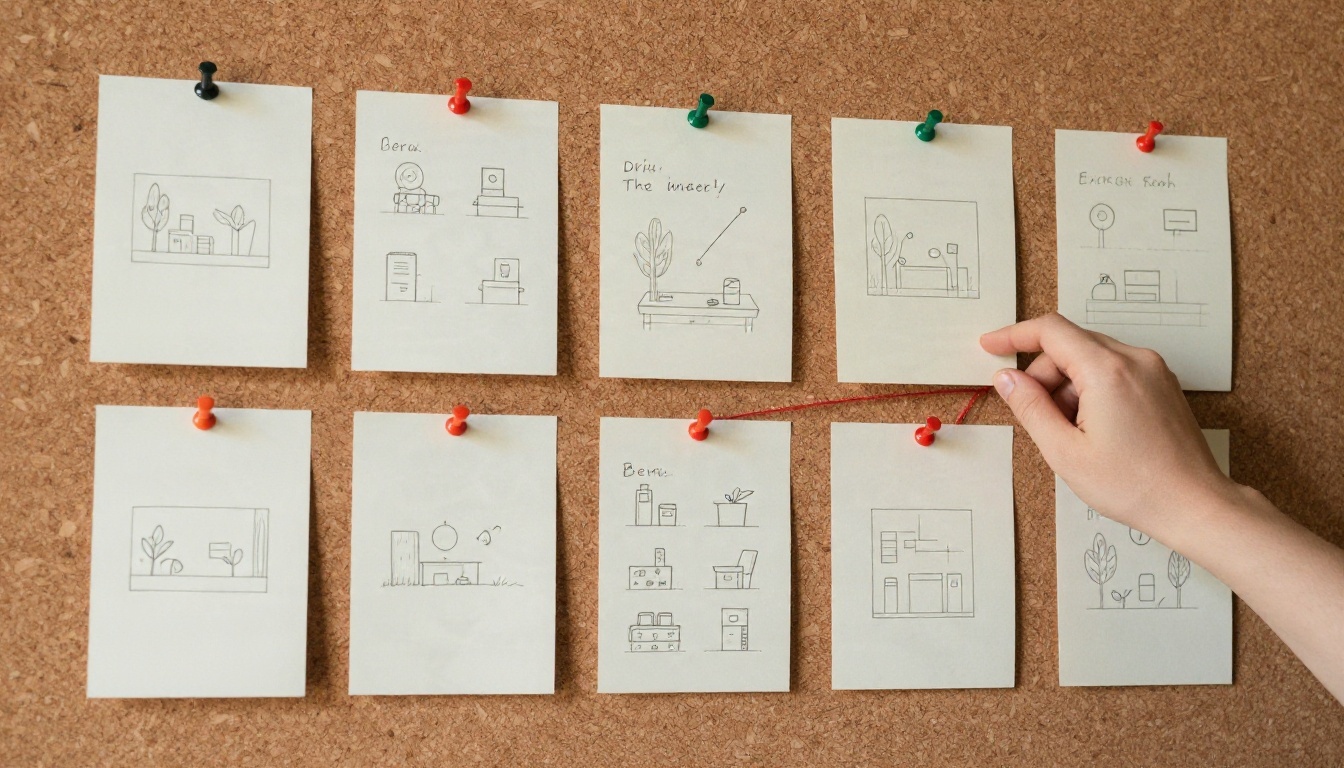
💡 Planning shots on a wall of cards before you generate anything is the cheapest edit you will ever make. A clip you never rendered costs nothing.
Where Seedance 2 Wins and Where It Struggles
Strengths
- Motion realism: walking, fabric movement and camera moves feel natural.
- Reference control: images and clips can anchor style and subjects.
- Native audio: sound arrives with the picture, saving a pass in post.
- Prompt following: multi-part instructions are usually respected.
Limits to Plan Around
- Length: 15 seconds is short for narrative scenes.
- Availability: regional rollouts and variable API access.
- Cost at volume: retakes add up faster than the sticker price suggests.
- Text and logos: like every video model, small lettering can warp.
Best Uses for Short Clips
The 5 to 15 second window fits more work than people expect:
- Product teasers: a rotating shoe, a pouring drink, a watch on a wrist.
- Social ads: hooks for the first three seconds of a vertical video.
- Storyboards and animatics: show a client the motion before a real shoot.
- B-roll: establishing shots, transitions and atmosphere between interview cuts.
- Concept tests: try five versions of a scene before spending on production.

How to Get Similar Results on PicassoIA
Because Seedance 2 itself is not on PicassoIA yet, here is what to use today. Each of these is a real model page you can open right now:
- Seedance 2.5: the newest ByteDance generation, with clips up to about 30 seconds. This is the best match when length is your main complaint.
- Seedance 2.0 Mini: a lighter text-to-video option with native audio, good for fast drafts.
- Seedance 2.5 Lite: free and unlimited generation up to 10 seconds, which makes it ideal for testing prompts without watching a balance.
- Veo 3.1 Fast: Google's fast video model, a strong alternative for realistic scenes.
- Sora 2: OpenAI's video model with synchronized audio.
Step by Step With Seedance 2.5
- Open the Seedance 2.5 page on PicassoIA.
- Write a prompt in this order: subject and pose, action over time, camera move, lighting.
- Pick a duration. Start with 5 seconds for tests, then move to the longest setting for final renders.
- Add a reference image if you want a consistent character or product.
- Generate, review, and change one variable at a time, either the camera move or the lighting, not both.
- When a prompt works, rerun it at full length.
Parameter Tips
| Setting | Recommendation |
|---|
| Duration | Draft short, finish long |
| Prompt length | 40 to 80 words, one clear action |
| Camera | One move only: slow dolly, pan or static |
| Lighting | Name the direction and time of day |
| Audio | Describe the sound you expect in a single sentence |
💡 Test the same prompt on Seedance 2.5 Lite first. Since it is free and unlimited, you can burn through ten variations and only send the best one to the longer model.

Which Option Fits You
| If you are... | Best route |
|---|
| A hobbyist testing ideas | Free credits or a lighter variant |
| A creator posting weekly | A paid app plan or a flexible platform |
| A developer building a product | Official API or a vetted reseller, with logging |
| A studio needing 30 second shots | The longer-clip generation instead of stitching |
| Someone on a strict budget | Draft cheap, finish once |
Your Next Clip Starts Here
The honest picture is this: Seedance 2 is capable, reported at 4 to 15 seconds per clip, priced somewhere near $0.08 to $0.10 per second through resellers, and reachable through ByteDance's apps, CapCut and a patchwork of API routes. The details keep shifting, which is why a quick test beats a long comparison.
So skip the spreadsheet and run an experiment. Open Seedance 2.5 Lite, write one clear prompt, and watch what comes back in a minute. Then try the longer Seedance 2.5 on the same idea and compare. When you want to see every video, image and audio model in one place, browse picassoia.com/en/all-models and build your own clip today with Picasso IA.


