Cheap Photo Python: AI Image API, Pricing, Free Options and Code Examples
Want photorealistic images from a Python script without a painful bill? This article breaks down real per-image prices, free tiers and local runs, with working code, budget guards, prompt formulas and model picks.
You can generate a photorealistic image from a Python script for less than a third of a cent. You can also burn through $40 in an afternoon by looping over the wrong model with the wrong settings. The gap between those two outcomes is not talent. It is knowing which price tags are real, which free tiers are genuinely free, and which three lines of code protect your wallet.
This article is about cheap photo generation in Python: what an AI image API costs per picture, where free options exist, what they cost you in time instead of money, and the exact code to run each route. I also cover prompt habits that cut waste, a model comparison table, and the mistakes that quietly inflate bills.
💡 Quick answer: For hosted calls, a fast FLUX Schnell class model costs roughly $0.003 per image on major hosts, which is about $3 per 1,000 pictures. For zero per-image cost, run an open model locally with the diffusers library, provided you own a decent GPU.
What Cheap Photo Python Really Means
Most people searching this phrase want one of three things. A hobbyist wants a few hundred pictures for a side project without entering a credit card. A freelancer wants product shots or blog visuals at scale with a predictable bill. A developer wants a clean API call they can drop into a pipeline and forget.
All three share the same constraint: cost per usable image, not cost per generated image. That distinction matters more than any price table, and I will keep returning to it.
The three routes
There are only three ways to get a photo out of Python:
Hosted API. You send a prompt over HTTP and get an image URL back. You pay per image or per second of compute.
Free hosted tier. Same idea, but the provider gives you a small monthly credit or a rate-limited free endpoint.
Local inference. You download model weights and run them on your own graphics card. No per-image fee, but you pay in hardware, electricity and setup time.
Who each route suits
Route
Best for
Typical cost
Main drawback
Hosted API
Pipelines, apps, steady volume
About $0.003 per image on fast models
Bill grows with volume
Free hosted tier
Prototypes, testing prompts
$0 until quota runs out
Tiny quotas, queues, no seed control on some endpoints
Local diffusers
Heavy batches, privacy
Electricity plus GPU purchase
Setup time, VRAM limits
The Real Cost of Each Image
Price pages love a clean number. Reality is messier, and a few details change the math completely.
Per-image prices in 2026
My research this month turned up a consistent picture. Replicate lists FLUX Schnell at about $3 per 1,000 output images, which is $0.003 each. Fal.ai and Together AI quote similar figures for Schnell class models. A couple of price aggregators list lower numbers, down to a fraction of a tenth of a cent per image, but those usually reflect a specific host, a smaller resolution or a promotional rate. Treat anything below $0.003 as something to verify before you budget around it.
Premium models sit much higher. Photorealism specialists and large multimodal image models often run from a few cents up to well over ten cents per picture. That is fine for hero images and ruinous for a catalog of 20,000 product shots.
A cost table you can reuse
Images per month
At $0.003 each
At $0.03 each
At $0.08 each
100
$0.30
$3.00
$8.00
1,000
$3.00
$30.00
$80.00
10,000
$30.00
$300.00
$800.00
100,000
$300.00
$3,000.00
$8,000.00
The takeaway is plain: at small volumes nothing is expensive, and at large volumes the model tier is the only decision that matters.
Hidden costs people forget
Retries. If one in four images is unusable, your real price per good image is 33 percent higher than the list price.
Upscaling. Fast models often output around one megapixel. If you then run a separate upscaler, you pay twice.
Failed calls. Some hosts bill for cold starts or timeouts. Others do not. Read the fine print once.
Developer hours. A free route that costs you six hours of setup is not free if your hour is worth money.
💡 Rule of thumb: Budget for 1.5 times your target image count. It absorbs retries and prompt experiments without surprises.
Free Options That Actually Work
Free exists, but it comes with strings. Here is an honest look at each flavor.
Hosted free tiers
Several providers let you call a working image endpoint without payment details. Hugging Face gives free accounts a small monthly inference credit, roughly ten cents at the time of my research. That buys you a handful of images, not a project. Cloudflare Workers AI, Together AI and Google AI Studio also offer account-based free access with limits. Pollinations.ai is the unusual one, since it works without an account at all.
The trade-offs are consistent across them:
Free requests get deprioritized when traffic is high, so latency swings from two seconds to a minute.
Some endpoints do not expose a seed, so you cannot reproduce an image you liked.
Quotas change without announcement. Do not build anything critical on a free tier.
Running locally with diffusers
If you own an NVIDIA card with 12 GB of VRAM or more, local inference is the cheapest long-run option. You install a few Python packages, download the weights once and generate as many images as your patience allows. There is no queue, no rate limit and no data leaving your machine.
The honest costs are an initial download of several gigabytes, a learning curve with memory settings, and electricity. On a mid-range desktop card, a four-step Schnell class model produces one image in a few seconds.
When free stops being free
Free tiers stop making sense when you need consistency. If a script has to run every night, a quota reset or an endpoint change will break it at 3 a.m. A hosted API at $0.003 per image is cheap insurance against that. For 1,000 images, you pay three dollars and sleep well.
Python Code Examples
Three snippets cover nearly every case. Adjust the model names to whatever your host currently offers.
Hosted call with the Replicate client
This pattern works for most hosted providers: authenticate with an environment variable, send a prompt, save the output.
import os
import replicate
import requests

# export REPLICATE_API_TOKEN="your token" before running

output = replicate.run(
    "black-forest-labs/flux-schnell",
    input={
        "prompt": (
            "Raw photograph of a ceramic mug on a wooden desk, "
            "soft window light from the left, 50mm f/1.8, film grain"
        ),
        "aspect_ratio": "16:9",
        "num_outputs": 1,
        "output_format": "webp",
    },
)

# Output is a list of file-like results or URLs depending on client version
first = output[0]
url = first.url if hasattr(first, "url") else str(first)

with open("mug.webp", "wb") as f:
    f.write(requests.get(url, timeout=60).content)

print("saved mug.webp")
Local run with diffusers
This one costs nothing per image once the weights are downloaded.
import torch
from diffusers import FluxPipeline

pipe = FluxPipeline.from_pretrained(
    "black-forest-labs/FLUX.1-schnell",
    torch_dtype=torch.bfloat16,
)
pipe.enable_model_cpu_offload()  # saves VRAM on smaller cards

prompt = (
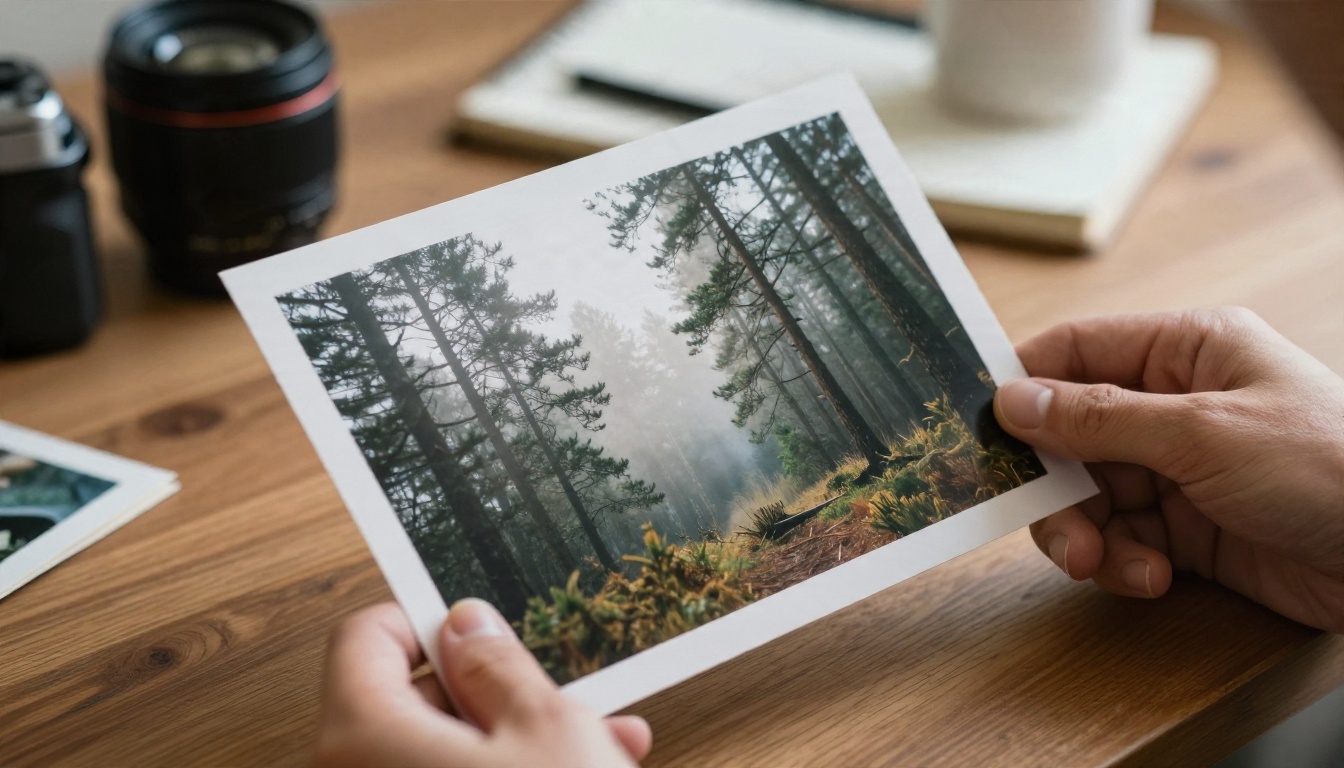
    "Raw photograph of a misty pine forest at sunrise, "
    "volumetric light, 35mm lens, Kodak Portra 400 grain"
)

image = pipe(
    prompt,
    guidance_scale=0.0,
    num_inference_steps=4,
    max_sequence_length=256,
    generator=torch.Generator("cpu").manual_seed(42),
).images[0]

image.save("forest.png")
Two details save you headaches. Schnell is distilled for four steps, so more steps rarely help. And setting a fixed seed makes your best result repeatable, which a hosted free tier often cannot promise.
A batch loop with a budget guard
This is the snippet I wish every tutorial included. It stops before a runaway loop costs you real money.
import replicate

PRICE_PER_IMAGE = 0.003   # update from your host's pricing page
BUDGET_USD = 2.00
MAX_IMAGES = int(BUDGET_USD / PRICE_PER_IMAGE)

prompts = [f"Raw photograph of sneaker model {i} on white seamless paper, "
           "softbox light from the right, 85mm lens" for i in range(1000)]

spent = 0.0
for i, p in enumerate(prompts):
    if spent + PRICE_PER_IMAGE > BUDGET_USD:
        print(f"Stopped at image {i}. Spent ${spent:.3f}")
        break
    out = replicate.run("black-forest-labs/flux-schnell",
                        input={"prompt": p, "aspect_ratio": "1:1"})
    spent += PRICE_PER_IMAGE
    # save out[0] here

print(f"Total spent: ${spent:.3f}, capped at {MAX_IMAGES} images")
💡 Tip: Also set a spending limit in your provider dashboard. Code guards fail when a bug skips them. Dashboard limits do not.
Prompts That Save Money
Every wasted generation is a small bill. Better prompts are the cheapest optimization available.
A photo prompt formula
Cheap models respond well to structure. Use this order:
Subject and action: who or what, doing what.
Environment: where, with two or three concrete details.
Light: direction and quality, such as "soft window light from the left".
Lens: focal length and aperture, such as "85mm f/1.8".
A prompt written this way often lands a usable image on the first try, where a vague one needs three attempts. That is a 66 percent saving with zero code changes.
Settings that keep the bill low
Generate at the final size. Do not request 2K when your page shows 800 pixels.
Use one image per call while testing. Raise the count only after the prompt works.
Pick the fast variant for drafts. Switch to a premium model only for the final pick.
Fix the seed when comparing prompt edits, so you see the effect of the words and not random noise.
Picking the Right Model
Not every model earns its price. Here is how I would sort the options for a Python workflow.
Fast and cheap for drafts and volume
Flux Schnell is the standard reference for cheap four-step generation, and Z Image Turbo produces sharp images in seconds with a similar low-cost profile. SDXL Lightning 4Step is an older but still capable option when you want fast results from the SDXL family. Imagen 4 Fast is a quick pick when you want clean, photographic output from Google's line.
Higher quality for final images
When the picture is going on a landing page, spend a bit more. Seedream 4.5 renders detailed 4K images from text. Imagen 4 and Imagen 4 Ultra lean toward photographic realism. Nano Banana Pro and Nano Banana handle both generation and editing from a single prompt.
💡 Workflow that works: Draft every prompt with a cheap model, pick the three best compositions, then rerun only those on a premium model. You pay premium prices for three images, not three hundred.
Mistakes That Burn Budget
I have watched these drain real money.
Looping without a stop
A while True or an off-by-one range on a retry loop is the classic. The batch guard shown earlier prevents it. Dashboard limits prevent it harder.
Paying premium prices for drafts
Testing a prompt on a high-end model ten times costs more than testing on a fast model ten times and finishing on the premium one once. Draft cheap, finish rich.
Ignoring licensing and usage terms
Cheap does not mean unrestricted. Check what your provider allows for commercial use before you sell prints or ship a product catalog. A free tier may forbid it. Local weights carry their own license terms, and some open FLUX variants differ from others.
Skipping the cache
If your app asks for the same image twice, store the first result. A simple hash of the prompt and seed as a filename saves repeat spend:
Prices change often. A figure from last spring may be wrong today. Check the pricing page before launching a big batch, and recheck monthly if your volume is high.
A short checklist before you run a batch
Is the price per image written down and current?
Is there a hard budget cap in the code and in the dashboard?
Did you test the prompt on five images first?
Are results cached by prompt and seed?
Is your seed fixed for comparisons?
Try It Yourself Without Code
You do not need a script to find out which model suits your style. Open the PicassoIA text-to-image collection, paste the same prompt into Flux Schnell, Z Image Turbo and Seedream 4.5, and compare the results side by side. Five minutes of testing tells you which model deserves a place in your Python pipeline and which one only adds cost.
Start with the five-part photo prompt from this article, change one element at a time, and keep the versions you like. When a prompt works, move it into your script with a fixed seed and a budget guard. Browse every available option at picassoia.com/en/all-models and build your own set of cheap, photorealistic images today.